





Discord’s parental controls run through a single feature called Family Center, it shows you who your teen recently talked to and how much time they spent — but never what was actually said. It also only works if your teen opts in and connects their account to yours.
That gap matters: a worried parent often imagines a parental control that reads messages and flags strangers. Family Center does neither.
This guide walks through exactly what you can and cannot see, how to set it up, and a simple way to decide whether that activity summary is enough — or whether the situation calls for a real conversation or device-level visibility.
What Discord parental controls actually are
Discord’s official parental control is Family Center, an opt-in feature your teen has to connect to your account.
To use it, you need your own Discord account and the mobile app. Your teen links their account by scanning a QR code, and up to three guardians can be connected to one teen.
The core tension to understand up front: Family Center tells you who your teen interacted with and how much — but never the content of any message or call.
What parents can see in Family Center
Family Center gives you a rolling view of the last seven days of activity, plus a weekly email summary.
Within that window, you can see:
- Names and avatars of new friends your teen added
- Names and avatars of users they messaged or called
- Servers they joined
In a November 2025 update, Discord expanded Family Center to also show time spent on the app, total call minutes, total purchases, and your teen’s top five users and servers.
That’s useful for spotting patterns — a new name that keeps appearing, a spike in late-night call minutes, or unexpected spending. But it’s a summary, not real-time alerting, and not a message feed.
What parents cannot see (and why it matters)
Family Center never shows the content of any message or call. There are no chat logs, no transcripts, and no way to read a single conversation.
It also shows nothing older than seven days. If something happened last month, it’s already off the dashboard.
And it’s informational only — you can’t edit your teen’s friend list or remove servers from your side. Your teen can also disconnect Family Center at any time.
This is where the safety gap appears. Most of what genuinely worries parents — a stranger sliding into DMs, a scam, grooming, or inappropriate content — lives inside the conversation, which is exactly what Family Center keeps private.
The risk is real but not constant. The FBI and NCMEC have warned about a sharp rise in financial sextortion targeting teens, often beginning on chat and gaming platforms.
A who-and-how-much summary won’t surface that on its own.
How to set up Discord Family Center step by step
Setup takes a few minutes and requires both of you to agree to the link.
- Install the Discord mobile app on your phone and sign in to (or create) your own account.
- Open User Settings → Family Center and start the connection flow.
- Have your teen open Family Center on their device and scan your QR code (or scan theirs).
- Both of you confirm the link to activate it.
Your teen sees clearly what you’ll be able to view — the activity summary, not their messages — and they have to agree before anything connects.
While you’re in the settings, check that Teen Safety Assist is on. It adds built-in protections like blurring sensitive media and warning teens about messages from people they don’t know.
The useful detail is the location: both accounts enter the connection flow from User Settings → Family Center, and the link is completed by scanning the QR code shown on one of the two phones.
Monitor or just talk to them? A simple decision framework
Before reaching for any tool, it helps to match your response to the actual situation.
Family Center’s summary is probably enough when you have a younger teen, low specific risk, and open communication at home. The weekly email and a quick chat about who’s appearing on it does the job.
A direct conversation matters more than any tool when the real issue is teaching judgment — how to handle a friend request from a stranger, what a scam looks like, or why oversharing is risky. No dashboard teaches that; you do.
Deeper visibility is genuinely warranted when you’re seeing real warning signs: contact from adult strangers, secrecy paired with distress, hints of grooming, or signs of self-harm. At that point, protecting your child outweighs the activity summary’s limits.
And monitoring is overkill when there’s no specific concern and trust is intact. Reading a teen’s private messages „just in case“ can cost more in trust than it returns in safety.
For example, one unfamiliar server in the weekly summary calls for a calm question about what it is. An adult repeatedly contacting your child and asking them to move conversations elsewhere calls for a much faster escalation.
Parental control tools work best as a safety net, not a default setting.
When Family Center isn’t enough: device-level monitoring on Android
If your concern is the content Discord deliberately keeps private, device-level monitoring on a phone you own and manage is one route to broader visibility.
Family Center answers „who and how much.“ Device-level monitoring on a phone you own can answer „what’s actually happening in the apps,“ because it runs on the device rather than through Discord’s servers. The two aren’t mutually exclusive — many parents start with Family Center and only consider device-level visibility if the risk picture changes.
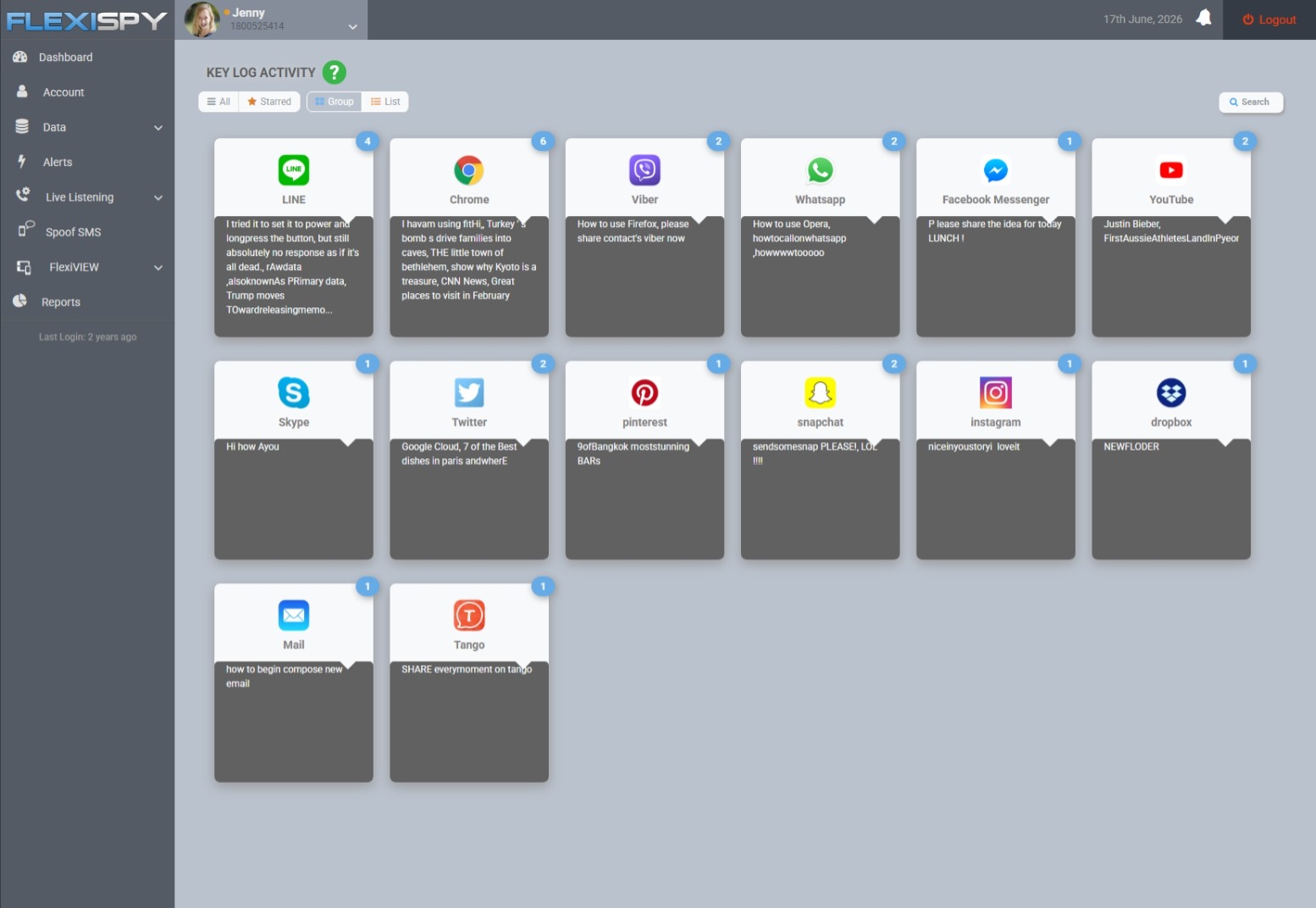
FlexiSPY runs on the Android device rather than through Discord, so it captures app activity at the device level. Discord monitoring is included from the Premium tier and above.
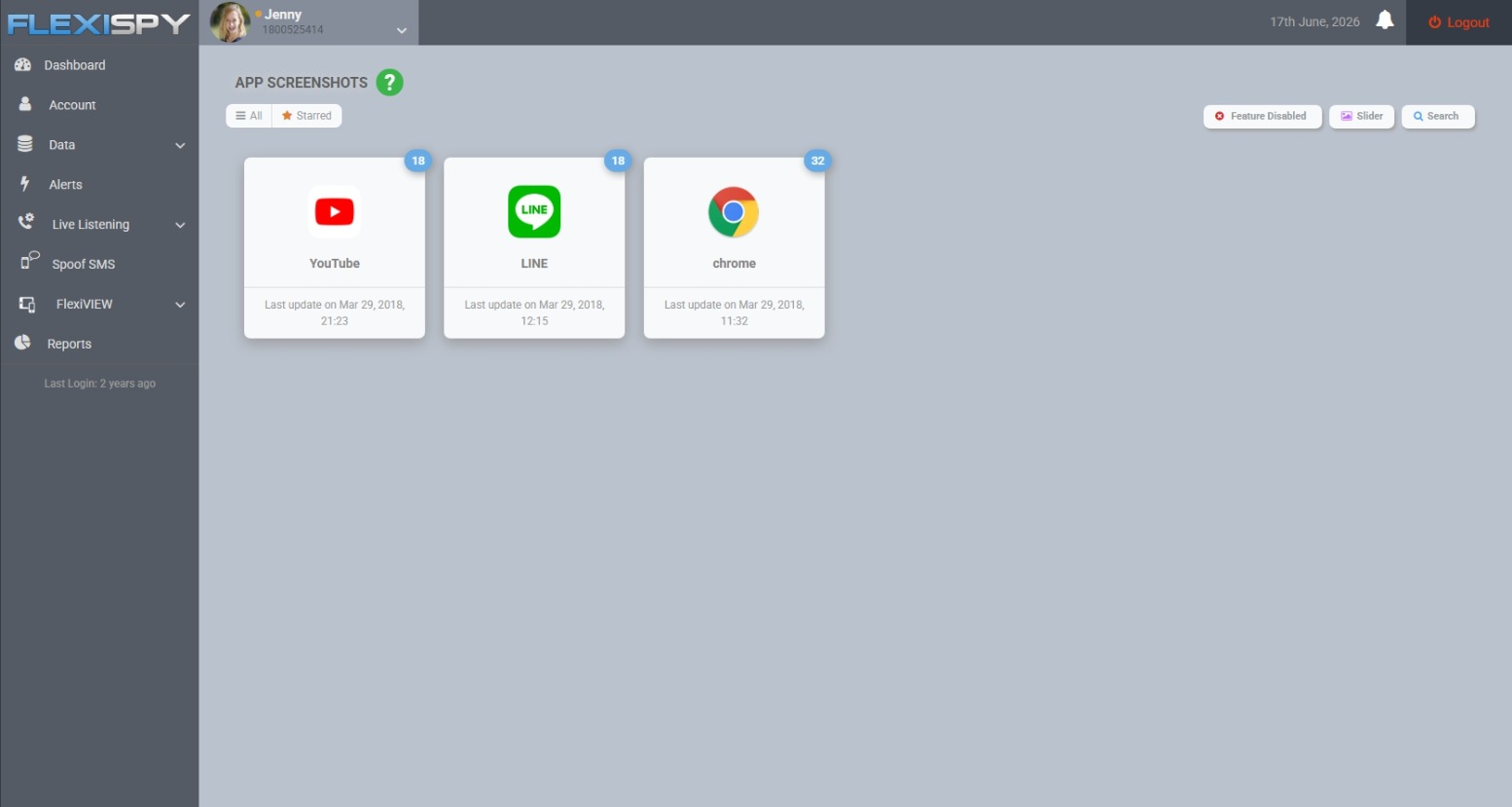
The keylogger records what’s typed across apps, and Application Screenshots capture what’s on screen.
One honest limit: FlexiSPY has no iOS product. New iPhones and iPads can’t be jailbroken, so this applies to Android phones only — a child’s Android device that you own or manage.
Monitoring your teen legally and responsibly
Monitoring your own minor child’s device is generally more accepted than monitoring another adult, but the rules still vary.
Recording or monitoring another adult — including a partner — without their consent can be illegal. Laws on message capture and call recording differ by country and state.
If you’re unsure how this applies to your situation, check your local law or speak with a lawyer before you start.
Transparency is usually the better path anyway. Being open with your teen about what you monitor and why tends to be more effective at building the judgment you actually want.
It’s also worth understanding how any monitoring app handles your child’s data before you trust it.
Your next step as a parent
Start with Family Center. It’s free, built in, and gives you a baseline view of who your teen talks to and how much time they’re spending.
Pair it with an honest conversation — that combination handles most situations better than any tool alone.
Only reach for device-level monitoring if the risk genuinely justifies it, and only on a device you own. For a wider view of your options, see our guide to the best parental control apps of 2026.