
Would you like to get a free extension on your FlexiSPY subscription?
If so, then simply leave a helpful review for people who are considering buying FlexiSPY. If your review meets our simple requirements, then you will get an automatic one month extension to your subscription.
Review Guidelines
Your review should cover the following areas.
Your reason for using FlexiSPY – this could be parental monitoring, employee monitoring, backing up or protecting your own phone.
How well did FlexiSPY solve your problem or meet your needs?
What were your most used or favorite features?
Did you have any major problems with FlexiSPY?
If you used our technical support, how was your experience with our team?
If you’ve used a competitor’s product, how did it compare with FlexiSPY?
If someone was considering purchasing FlexiSPY, what would you tell them?
To comply with legal requirements, we advise you not to describe anything that could be taken as encouraging illegal behavior such as: installing on an unauthorized phones or monitoring someone without their knowledge. If you have trouble with this, you don’t have to go into your reason for using FlexiSPY, just write the reviews around the remaining guidelines.
How to get your free license extension
You must leave your review on two places to qualify for a free extension.
Are you a previous or current FlexiSPY customer with a story to tell?
Are you a parent trying to prevent predators preying on your progeny?
If so, you should know that if you share your story on our FlexiSPY community, you will receive a $20 Amazon voucher.
You never know, your words could change someone’s life.
Just write a short post of 1000 words or more, and post it to our community forum and in return, you will get your Amazon Voucher.
Don’t worry if you are not a natural writer, it’s what you have to say that’s important, not how you say it.
Here is a suggestion as to what you might write about.
• The reason you bought FlexiSPY
• What you discovered
• How your life has changed with this new knowledge.
• Any wisdom that you want to pass on to others.
To post, you must be logged in to your community account. If you do not have an account already, go ahead and register here.
Once you have posted your story, please contact us at [email protected]
We are starting the development of a mobile app to let you access your FlexiSPY data on a mobile phone.
We want to begin by delivering only the most useful features, and we are asking for your help. Please let us know what would be the most useful things you would like to see if you were monitoring your target device, on the move using an iPhone or Android device
Here are some examples of what could be useful when you are on the move
• Push Notification of new events and alerts
• Create and Delete alerts
• View only new events from last application access
• Get the location of the target device
• Make an ambient call
• One-click access to the full web portal
• Password protect this app so no one can use it
There is never a need to request a chargeback when dealing with FlexiSPY because we have one of the most generous refund policies available. We always bend over backwards to make sure that Customers receive the best possible service from FlexiSPY and leave feeling happy and respected. Requesting a chargeback without contacting us first is unreasonable.
For the reason above, FlexiSPY treats most chargeback notices as fraud and the account is immediately terminated. To protect the public from harm, all account information is collected, including the monitored phone’s data, and provided to the relevant authorities, including law enforcement, for investigation of both the card fraud and the potential misuse of the product. Please bear this in mind if you are thinking of using our services and then filing a fraudulent chargeback.
What is a chargeback?
When a consumer requests that their bank forcibly reverse a credit card transaction, returning funds to the cardholder, this is known as a chargeback. Consumers may request a chargeback for nearly any reason; as a result, it is possible to commit “friendly fraud.” Not only does the Merchant lose the payment they are also slapped with a $25 penalty which directly profits the issuing bank. It’s a great system for fraudsters and banks at the expense of the Merchant.
How do I cancel a chargeback?
To undo a chargeback, you must contact your credit card provider and issue a chargeback reversal.
This returns the initial funds to us, cancels the penalty fee we receive for “allowing” fraud to be committed, and generally erases any “black marks” against us for the transaction.
Are you an experienced video creator, who knows how to create a script, storyboard, and animated video for FlexiSPY? The video will live on the home page, and will explain FlexiSPY and its benefits to new visitors. This is a paying job, so please contact us at [email protected] with the following.
Your experience and portfolio
How you would approach this job, and why you are suited to it
Timescales
Budget
To get a better chance of winning, you can send a 10 frame storyboard with your application. If the storyboard is thought provoking or interesting in any way, we will pay 100 USD regardless of your application being the one selected.
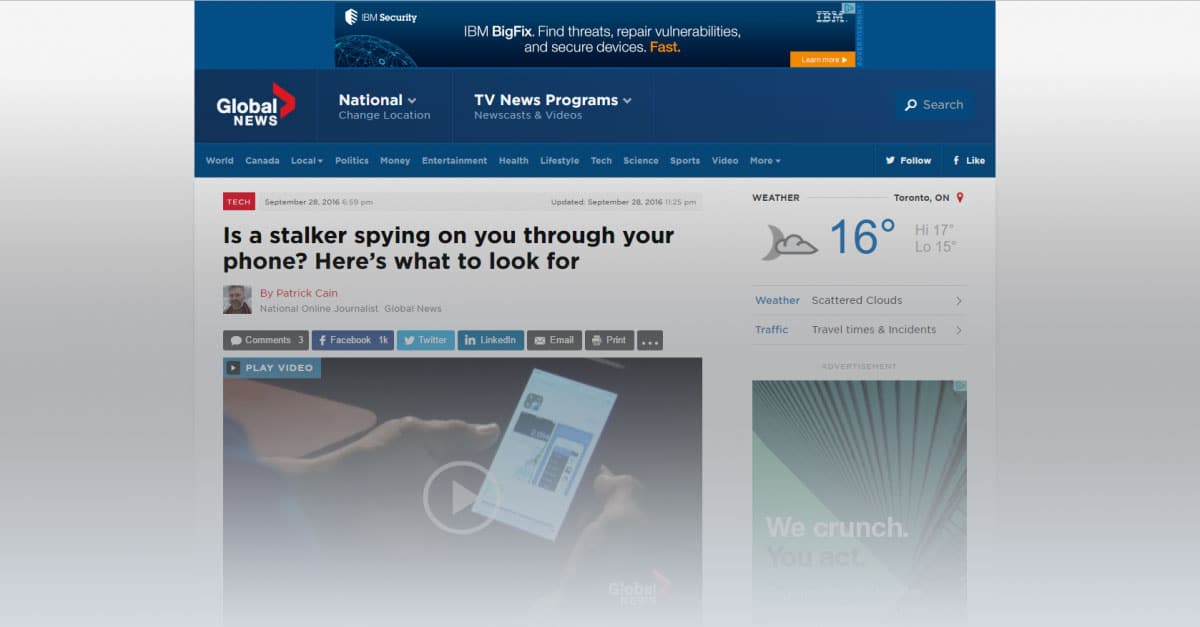
We were recently contacted by Patrick Cain, who is an online journalist. He works at the Investigative Desk at globalnews.ca.
Patrick contacted us regarding an FTC article regarding stalking apps, and we were happy to let him have our comments. Our position has always been that FlexiSPY should be used within the bounds of the law, whatever that may be for the customer. We would like to share with you our reply, and would encourage any of our customers to leave a genuine comment explaining your point of view on this subject. Here is a link to his article
Here is our entire reply:
Hi Patrick,
Thank you for your email. Before we go further, I think the following comment on the FTC link you sent, is extremely profound, particularly for journalists who feel they are serving the public’s interest.
« I’m not concerned with being stalked by an ex, rather I’m concerned with being « stalked » by the US government. What is the FTC doing to get the NSA, FBI, and etc to stop spying on the American people? »
Now to your questions.
The quotes from our website that you mention are out of date, and we have removed them.
Please understand, the site is a decade old with hundreds of pages, many of them written in a time where this was not such a sensitive issue. Many things fall between the cracks. This was one of them. Thank you for bringing this to our attention, and we will update all the pages where these errors are still in place.
You are rightly concerned about the visibility of the application, so your readers should note that we have always had the option to be 100% visible to the end user, and this setting can be changed at any time. We have updated our text to make clear that the customer has this option where local laws require this.
The reason for the visibility option is that for many Parents, Employers and Law Enforcement use cases, its entirely legitimate to have the application behave like any other background application such as photo uploads, download of news feeds and so on.
For example, if your 13 year old child is knowingly engaging in dangerous behaviour, or your employee is stealing files, how will you ever protect them or your business if they find a way around the monitoring?
You ask why we do not allow anti-virus products to detect us.
The answer is obvious. We are not a virus, nor a trojan, nor malware, therefore we do not believe that we have to justify our place on device any more than a backup program that is purchased and installed by the user of the device.
The final question on statistics is commercially confidential, but we can indicate that parents and employers make up the majority of our users.
Finally, we fully support the mission of the FTC, which is to prevent fraudulent, deceptive and unfair business practices in the marketplace and by this measure, we can assure you that our products have no interest for the FTC.
With the release of Android 6.0.1, many FlexiSPY customers have been wondering about compatibility with the devices they wanted to monitor.
So today we couldn’t be happier to announce that FlexiSPY for Android has been fully tested and confirmed as being compatible with 6.0.1.
This is great news for you, because 6.0.1 is the very latest version of Android, and next version, 7.0, is not due to come out for most phones until August 22, 2016. In simple terms, this means that no matter what Android version your target phone is running on, you will be able to use FlexiSPY on it.
We have updated our binary, so all you have to do now is follow the normal FlexiSPY Android installation instructions (which are located in your dashboard) and then install FlexiSPY on it.
FlexiSPY’s newest Android feature, QQ Tracking, is here. It captures all of the QQ messages being sent to and from the phone, and it shows you these messages inside an easy to use dashboard alongside 17 other tracked IMs, so that you can know exactly what’s being said, and who’s saying it. And, it’s available right now to all FlexiSPY customers! Let’s take a closer look.
How QQ Tracking Works
When FlexiSPY is placed on an Android device, such as a Samsung Galaxy tablet, or Nexus phone, it discretely watches for incoming and outgoing QQ Messages. When it sees one of these messages, it uploads the message details to your online dashboard. From your online dashboard, you’ll be able to read the entire message history.
Compatibility
At this time, FlexiSPY can track QQ Messages on Rooted Android devices only and the Android device must be running OS 6.0.1 or below. Also, the phone that you want to monitor must be running the latest version of FlexiSPY for Android.
How To Get It
We’ve decided to bundle QQ Tracking with our existing products: FlexiSPY PREMIUM, and FlexiSPY EXTREME, at no additional cost to you. To enjoy the benefits of this update, just install the latest version of FlexiSPY onto the Android device that you want to keep an eye on. Alternatively, inside your dashboard, click on the flashing update icon and FlexiSPY will automatically update itself to the newest version.
Présentation du service d’installation à distance FlexiSPY
Qu’est-ce que le Service d’installation FlexiSPY?
Ce service a été conçu pour les personnes qui n’ont pas le temps de rooter un appareil Android eux-mêmes ou d’effectuer le jailbreak d’un appareil iOS, mais souhaitent une installation rapide et facile de FlexiSPY.
Rooter, effectuer le jailbreak, installer FlexiSPY, et configurer le logiciel, nous nous occupons de tout.
En bref, le service d’installation FlexiSPY vous permet de programmer une heure à laquelle un technicien expérimenté pourra se connecter à distance au téléphone sur lequel vous souhaitez installer notre programme et configurer et installer FlexiSPY sur l’appareil iPhone ou Android. *Note, vous devez toujours avoir un accès physique au téléphone cible.
Comment ça marche
Le service d’installation à distance FlexiSPY est relativement simple, mais nous vous conseillons de lire les points suivants pour avoir une meilleure idée du fonctionnement.
1. Votre achat du Service d’installation, dans le cadre de votre achat d’abonnement ou en tant que produit seul, si vous aviez déjà acheté FlexiSPY.
Si vous achetez le service avec votre abonnement, vous verrez un bouton permettant d’ajouter le service d’installation sans soucis lors de la validation de la commande.
Procurez-vous physiquement l’appareil iOS ou Android.
Démarrez un chat en direct avec un technicien pour commencer le rootage ou le processus de jailbreak.
Vous pouvez alors vous détendre pendant que l’appareil est rooté ou jailbreaké pour vous.
Une fois l’appareil rooté ou jailbreaké, le technicien installera FlexiSPY pour vous.
Une fois que FlexiSPY a été installé, le technicien se connectera à votre portail en ligne et vous aidera à configurer le logiciel
Prix
Pour simplifier les choses, nous avons prévu un prix standard de 3999 $ achetiez le produit seul ou lors de votre achat du logiciel FlexiSPY.
Éléments importants à retenir
Il y a quelques choses à garder à l’esprit lorsque vous achetez le service d’installation FlexiSPY.
1) Le service d’installation FlexiSPY nécessite que vous ayez un accès physique au téléphone
2) Pour l’opération de jailbreak, l’appareil iOS devra être connecté à votre PC ou MAC
– La dernière version de jailbreak iOS avec laquelle nous sommes compatibles est iOS 8.4.
3) Pour l’opération de rootage, l’appareil Android doit être connecté à votre PC. Cela ne fonctionnera pas s’il est connecté à un MAC.
– La dernière version d’Android avec laquelle nous sommes compatibles est la version 5.1.1
4) La plupart des téléphones Android peuvent être rootés, mais il est possible que votre téléphone ne puisse pas être rooté. Si c’est le cas, le coût du service d’installation vous sera remboursé.
– La plupart des téléphones, lors de l’opération de rootage, auront besoin du câble d’origine du téléphone.
5) Bien que l’opération soit légale, il existe toujours un risque lors du rootage ou du jailbreak du téléphone. Une des conséquences fréquentes d’un rootage non réussi est la perte des données. Notre équipe du service d’installation vous notifiera avant l’installation si votre téléphone présente un risque ou non, mais il est important de vous en rappeler.
Si vous avec des questions à propos de ce service, n’hésitez pas à poster un commentaire dans la section ci-dessous !
FlexiSPY prend désormais en charge l’enregistrement d’appel VoIP sur iPhone.
L’enregistrement d’appel VoIP était une fonction que les clients demandaient depuis longtemps, nous avons donc pensé que vous seriez heureux d’apprendre que les messageries instantanées suivantes, compatibles avec le VoIP, peuvent désormais voir leurs appels enregistrés et téléchargés sur votre tableau de bord, pour que vous puissiez l’écouter plus tard.
Skype
Viber
WhatsApp
Comment l’obtenir
L’enregistrement d’appel VoIP est uniquement disponible pour les utilisateurs de FlexiSPY EXTREME. Vous devez également utiliser la dernière version de FlexiSPY pour iOS, à la date de ce post (Version 4.1.2)
Pour vous assurez que vous utilisez la dernière version, rendez-vous simplement sur votre tableau de bord et vérifiez si l’icône de mise à jour en haut à droite est visible.Si l’icône est présente, cliquez sur cette dernière et acceptez les dispositions de mise à jour FlexiSPY sur votre téléphone et il sera mis à jour à distance.
Comment utiliser l’enregistrement d’appel VoIP
Après vous être assuré que votre logiciel FlexiSPY est à jour, vous pouvez commencer à utiliser votre nouvelle fonctionnalité d’enregistrement d’appel VoIP immédiatement.
Il n’y a rien d’autre à faire pour faire fonctionner cette option, mais voici comment vous retrouverez les appels enregistrés :
Depuis votre panneau de contrôle, cliquez sur Appels -> Appels VoIP, puis choisissez la messagerie instantanée que vous souhaitez dans la liste déroulante
Si vous venez de mettre à jour votre logiciel FlexiSPY sur le téléphone, il n’y aura aucun enregistrement d’appel déjà enregistré, mais l’option se déclenche dès que l’appareil CIBLE effectue un appel VoIP.
Quelles sont les autres fonctionnalités que vous voulez découvrir avec FlexiSPY pour iOS ? Dites-le-nous dans la section de commentaires ci-dessous !
Nous sommes très heureux de vous annoncer le lancement d’un service très attendu par nos clients : l’enregistrement d’appels iPhone.
Il s’agit d’un grand accomplissement de la part de notre équipe, qui confirme que FlexiSPY est le choix évident pour toute personne qui recherche un logiciel d’espionnage.
Comment l’obtenir
L’enregistrement d’appel iPhone est disponible pour les utilisateurs de FlexiSPY EXTRÊME, et vous devez également exécuter la dernière version de FlexiSPY pour iOS (Version 4.1.2). Pour vous assurez que vous possédez la dernière version, rendez-vous simplement sur votre tableau de bord et vérifiez si l’icône de mise à jour en haut à droite est visible. Si l’icône est présente, cliquez sur cette dernière et acceptez les dispositions de mise à jour FlexiSPY.
D’autres fonctionnalités vous intéressent et vous souhaiteriez les obtenir avec FlexiSPY pour votre iOS ? Dites-le-nous en laissant un commentaire plus bas !
Nous sommes heureux de vous présenter quelques mises à jour très importantes et de nouvelles fonctionnalités pour nos clients Android !
Ce qui est nouveau
Assistance Android Marshmallow
Android 6.0 Marshmallow est la dernière et meilleure version d’Android à ce jour. Tous les téléphones exécutant la plateforme Android OS n’ont pas encore été mis à jour avec cette version, mais les fournisseurs mettent progressivement les options à jour. Il s’agit d’un grand pas en avant pour notre équipe de développement, et un pas encore plus grand pour les clients FlexiSPY qui attendaient cette nouvelle avec impatience.
Bien sûr, le téléphone n’a pas besoin d’utiliser 6.0 pour que FlexiSPY fonctionne. Les versions 4.0.3 à 6.0 sont compatibles.
Capture Telegram
Telegram a révolutionné le monde de la messagerie instantanée avec ses messages cryptés, qui s’autodétruisent. Nous avons reçu beaucoup de demandes concernant la capture des messages Telegram, et nous sommes très heureux de pouvoir vous offrir cette option dans le cadre de FlexiSPY.
Journal des appels VoIP
Depuis nos débuts, nous avons toujours enregistré les journaux d’appels, mais les temps changent et de nombreuses personnes choisissent désormais d’utiliser des applications de messagerie instantanée pour effectuer des appels voix, à la place des appels téléphoniques.
C’est pourquoi nous proposons désormais une option pour les clients de messagerie les plus populaires et proposant les appels voix, et vous pouvez désormais voir les journaux d’appels des applications suivantes :
Skype
Viber
Facebook
LINE
Comment effectuer la mise à jour
Si vous utilisez FlexiSPY en mode full et limité, vous pourrez mettre à jour notre application à distance sur le téléphone
Commencez par vérifier si avez la dernière version de FlexiSPY pour Android. Pour vous assurez que vous utilisez la dernière version, rendez-vous simplement sur votre tableau de bord et vérifiez si l’icône de Commencez par vérifier si avez la dernière version de FlexiSPY pour Android. Pour vous assurez que vous utilisez la dernière version, rendez-vous simplement sur votre tableau de bord et vérifiez si l’icône de . Si l’icône est présente, cliquez sur cette dernière et acceptez les dispositions de mise à jour FlexiSPY sur votre téléphone.
S’il n’y a pas d’icône, vous possédez déjà la dernière version de FlexiSPY.
Partagez votre avis
Quelles autres fonctionnalités souhaitez-vous obtenir avec FlexiSPY pour Android ? Dites-le-nous en laissant un commentaire plus bas, afin que nous sachions ce que nous devons développer pour la suite.
Pas besoin d’être Sherlock Holmes pour savoir que Tinder est LA boite à trésor pour trouver si votre partenaire vous cache quelque chose.
Peut-être savez-vous qu’ils utilisent l’application, mais vous voulez savoir à quel point leur comportement vous est préjudiciable. Vous vous demandez si votre partenaire a un petit fétichisme ? S’il n’a que des match et n’envoie que des messages à des personnes de petite taille, cela devrait vous mettre la puce à l’oreille.
Toute blague à part, nous savons que la possibilité de voir les messages Tinder est quelque chose de très important pour nos clients. C’est pourquoi nous sommes ravis de vous annoncer qu’avec la dernière mise à jour pour nos clients Android, c’est désormais possible !
Comment vous le procurer ?
Pour l’instant, cette option n’est possible que pour les appareils Android, mais rassurez-vous – notre équipe de développement iOS travaille actuellement sur la version pour iPhone.
Si FlexiSPY est déjà activé sur un appareil, vous pouvez utiliser notre technologie de mise à jour à distance qui permet de mettre FlexiSPY à jour depuis votre tableau de bord. Une fois connecté, regardez dans le coin en haut à droite du tableau de bord, et vous verrez une icône de mise à jour en surbrillance. Cliquez simplement sur l’icône et suivez les instructions pour une mise à jour à distance.
Have you ever wished that you could have FlexiSPY on your PC or MAC?
Have you ever wanted to track your child’s activity across all their devices?
The good news is that now you can.
In a few weeks we will be launching FlexiSPY desktop, a new product that lets you monitor PCs and MACs.
[hoops name= »skeleton »]
This release is a huge deal for our customers and us – it means that you will finally be able to have seamless monitoring over all devices.
Here’s a little preview of what FlexiSPY for Desktop does:
FlexiSPY Desktop allows you to keep an eye on almost every aspect of the computer it’s installed on – but we do have our own favorite features.
Browser History
See a list of sites they visited
Search Terms
See what they were searching sites like Google and Yahoo for
Keystrokes
See all keystrokes that were made in-browser
IM Messages
Read the chat logs for apps like Skype
Desktop Screenshots
Take screenshots of the desktop
Application Activity
See what applications they are using the most
To get 20% off the brand new FlexiSPY Desktop, you’ll need to pre-register by filling out the form below. Also to reiterate, if you’d like to be a beta tester – click here
Today, all kinds of electronic devices — and especially smartphones — have become the most important way that children and teenagers stay connected to one another.
According to the Pew Research Center, 92 percent of American teens go online daily, and 24 percent are online almost constantly. Most of this occurs through their smartphones, a device that 88 percent of teens own or have access to.
Parents, worried about the threat of violence and possible sexual predators outside their homes, think their children are safe when in their rooms. Unfortunately, many of these parents have no idea what their children are doing online and are unaware of the equally large, or even larger, threat that online predators pose to their kids.
While the internet has made our world smaller in many good ways, it has also increased the ability of predators to find and seduce their victims. They do this most successfully through a process known as « grooming, » where predators engage in a number of actions to befriend vulnerable victims in order to sexually abuse and exploit them. Although online predators do most of their grooming virtually, they eventually have to meet their victims in the offline real world to reach their goal: sex with the minor. At this point, their victims are usually eager to meet the person they’ve developed a friendship with online and completely trust that their friend is the person who he says he is. He seldom is.
Mind the Gender Gap
When people think about sexual abuse victims, they typically picture girls. In a study conducted by the Centers for Disease Control and Prevention and the U.S. Department of Justice, one in six women were found to be the victim of rape or attempted rape; the statistic for men was one in 33. This number may be accurate, or it may just reflect the fact that sexual assaults on women are reported more often than sexual assaults on men.
When it comes to grooming, boys are targeted just as often as girls, but because of stereotypes, parents don’t monitor their sons nearly as much as they do their daughters. Many behaviors are simply written off as « boys being boys » instead of the warning signs that they really are.
Because boys are thought of in terms of « manly » traits, it is assumed that people can’t make them do anything they don’t want to do. But through empathy, coercion, and shame, sexual predators can not only make them do what they want but also keep them from telling anybody about it. Their masculinity is used against them: Boys are taught that expressing their feelings is womanly, and they don’t want to be accused of being gay.
When they drink, take drugs, skip school and get new things like cellphones — all due to the groomer — the boys would rather have their parents, counselors and other adults in their lives attribute it to bad behavior than to the fact they’re being sexually exploited. As stated in « Same Risk, Different Gender, » a video by The Blast Project, « Boys and young men often prefer the bravado of youth offending rather than admit to being a victim of grooming and sexual exploitation. »
A Worst-Case Scenario: The Breck Bednar Case
A gruesome example of this occurred in the Breck Bednar murder case in Surrey, England, in 2014. Breck was a 14-year-old computer aficionado who spent hours gaming online. He fell prey to a man named Daynes, who represented himself as a 17-year-old high school dropout and computer engineer running a multimillion-dollar company. As the friendship deepened, and Breck became more secretive, his mother, Lorin Lefave, became suspicious.
She asked other teachers and parents their opinion on the relationship, and they didn’t see anything wrong with it. Then, she and her ex-husband offered to take Breck to meet Daynes in person, but Daynes said he was too busy. Finally, Lefave called the police, who didn’t seem to understand the enormity of the situation. She even provided them with Daynes’ full name and the county where he lived, but they never acted on the information.
When Lefave took away her son’s computer and phone, Daynes secretly sent Breck a new phone. Daynes then convinced Breck that he was dying and wanted to hand his computer company over to Breck, a dream come true for the computer buff. Lying to both his parents about where he was going, Breck got into a taxi paid for by Daynes and went to Daynes’ apartment. Sometime that night, Daynes murdered Breck and then texted images of his body to other boys in their gaming group. He is currently serving a life sentence in prison after pleading guilty to murder with sexual and sadistic motivation.
Warning Signs vs. Gender Assumptions
Lefave set up the Breck Foundation to bring Internet safety awareness to schools, police, and parents. Although she recognized the signs and sought to save her son from his predator, she was unable to convince authorities that something suspicious was going on until it was too late. As she told the Guardian, « Boys may report this less, but I want everyone to understand that they can be groomed and hurt… by people who are not who, they say they are online. »
The Breck Foundation and other organizations like The Blast Project are trying to teach authorities and professionals to base their opinions on the warning signs and not on gender assumptions. Boys WILL be boys, but they will also become the victims of sexual exploitation if they’re not careful. Parents should be vigilant with their children, regardless of their gender, and know what they’re doing online and on their phones. Look for indicators that your child may be involved in something suspicious, and keep tabs on their activity by using a phone monitoring software. Do everything you can to keep your child safe from predators.
The FlexiSPY portal is showing its age a little, and while its functional, it surely needs some love – It’s time for a redesign.
That’s why we are looking for Designers and Contributors to help us create a set of possible new designs.
In return, we are giving away Amazon vouchers, not only to designers, but to those of you love our product and have ideas for improvements.
We need the following:
Designers
If you are a regular user of FlexiSPY and you are a UI designer with talent and ideas, we want to engage you for a full project, and you will receive a $50 Amazon Voucher for your design.
The design must be original though, so copying a generic template from the web won’t qualify.
Please send us the following and you will automatically receive a $50 voucher, and you will be considered for the job.
Redesign of Dashboard
Redesign of Call Records
An email explaining how you would approach a full portal redesign and how much you would charge to deliver a redesign.
If you are a regular use of FlexiSPY you can win a $5 Amazon voucher
Simply give us your ideas for improvement to make the portal easier to use and to deliver a better experience. We will consider these, and any idea that we will use will be published on the blog and you will receive a $5 voucher.
Most people say their customers are important to them. We’re putting our money where our mouth is and offering you $10 dollars to answer a few questions.
Here’s how it works.
3 days after you purchase FlexiSPY, you will be invited to complete a survey, for which you will receive a minimum of a 5 dollar amazon voucher upon completion. If you provide more detailed answers in the survey’s text boxes then you will qualify for a larger 10 dollar voucher.
After you buy mobile monitoring software, will you be happy with your purchase or will you be left wishing that you’d done more research?
Well, the answer is a far cry from what you might believe, as data from our trade in program shows that 39% of mobile monitoring software doesn’t work as advertised.
The good news is that you can learn which brands you may want to avoid. In this infographic we want to show you what our trade-in data showed us: who the problem brands are, the top problems people have with them, as well as actual comments from our trade-in participants.
View the infographic below…
Share this Infographic On Your Site
Conclusion
There you have it. We hope you gained some insight into which mobile monitoring software might deserve more research before making a purchase. Of course, if you’re still on the fence we invite you to learn more about each brand through whichever source of quality reviews that you can find (spyphonereview is our personal favorite)
What experience did you have with mobile monitoring software? Were your expectations met? Let us know in the comments section below.
Not quite sure how to setup and use our Android Call Recording feature? Or maybe you HAVE set it up and even recorded a call, but when you listened to the recording something just didn’t sound right..
If we’ve hit the mark, then you’ll be glad to know that in this post we’ll show you how to maximize the chances of getting a perfect recording every time.
(If you are interested in iPhone Call Recording, we cover it in another post)
So let’s begin!
Finding The Best Android Call Recording Source
To better understand why call recordings aren’t always clear, you should understand how our Call Recording feature works.. Basically, when FlexiSPY first activates it tries to automatically find the best call recording method, and it has several sources to choose from.
Usually the microphone source works best, and it may choose that. But – there may be a better recording source for your device.
Better Results Through Manual Settings
FlexiSPY sometimes can’t automatically find the best audio source. The reason is complicated, but the short version is that there are so many variations of android devices, all running on different networks, that FlexiSPY sometimes gets it wrong.
You’ll know that this happened if:
Only one side of the conversation gets recorded.
You can only hear static
The recorded voices sound distant
Fortunately, this is where manually setting the audio source can help. Through the manual settings you can test which source works best for the device that FlexiSPY is installed on.
Here’s how to manually set the audio source:
1. Log into your online portal.
2. Click Control Center.
3. Click Call Controls.
4. Click Set Audio Recording Source.
All the possible call recording sources will then appear.
Here’s a breakdown of the sources:
Microphone
This is the call recording source that FlexiSPY uses by default.
(Samsung devices work well on this setting)
Voice Call
This source uses both directions (known as uplink and downlink) to increase the chances of recording both sides of a call. It may not work with all devices though – if it fails it will result in the recording of only one side of the call.
AOSP
This is a proprietary recording source for all devices.
(non-rooted Motorola and Huawei Android devices should choose this source for best results.)
Legacy
This is the oldest and most stable form of call recording. But on newer Android devices both sides may not be recorded.
(If all other call recording sources produce unsatisfactory results, then use this.)
ALSA
This source is for rooted Android devices only.
So if you’re unhappy with Call Recording and the device is unrooted you’ll want to:
Deactivate & Uninstall FlexiSPY from the device
Root the device
Reinstall & Reactivate FlexiSPY
Set ALSA as the Call Recording source
Conclusion
There’s no universal Call Recording source that works for every Android device. But if you try all the sources we mentioned in this article, there’s a good chance that your recordings work just fine!