





Many parents eventually discover that the social media account they know about is not the only one their teen uses.
For example, a second Instagram profile, a private TikTok account, a burner Snapchat, or an alternate username can exist for completely ordinary reasons.
Teens often create separate accounts for close friends, hobbies, gaming communities, or simply to keep different parts of their lives separate.
At the same time, hidden accounts can sometimes expose teens to risks that parents never see, including contact with strangers, cyberbullying, inappropriate content, or attempts to bypass family safety rules.
If you think your teen may have a secret social media account, start with the information that is already visible on a device you are authorized to manage.
The goal is not to catch your child doing something wrong. It is to understand whether the account exists, who can access it, and whether there is a genuine safety concern.
Start with this six-check account audit
Work through these checks in order, beginning with what is already visible on the device. The first two usually produce the clearest evidence with the least guesswork.
- Open the account switcher in each social app. Tap the profile name, avatar, or account menu in Instagram, TikTok, Snapchat, Facebook, and other apps your teen uses. Look for another profile that is already signed in.
- Review installed and previously downloaded apps. Check Android’s app list, then open Google Play and go to Profile → Manage apps & device → Manage. Google explains that switching the filter from “This device” to “Not installed” shows apps tied to that Google account that are no longer installed.
- Look for duplicate, cloned, or vault apps. Some Android phones support cloned apps or secure folders, while vault apps may resemble calculators, notes apps, or utilities. An unfamiliar app is a clue to discuss, not proof of a secret profile.
- Search public username variations. Try a known handle with a number, underscore, nickname, gaming name, or graduation year. Compare profile photos, bios, mutual followers, and posting style before assuming the account belongs to your teen.
- Check tags and mutual followers. Friends may tag an alternate profile or follow both accounts. Stay with information that is publicly visible rather than sending deceptive follow requests.
- Review notices you are authorized to see. A family-managed email inbox may contain legitimate welcome messages, login alerts, or recovery notices that name another account. Do not open a private inbox or reset credentials without authority.
Pew Research Center’s December 2025 survey found that 36% of United States teens use at least one of five major social platforms almost constantly. That helps explain why a quiet main profile can coexist with heavy social activity elsewhere, but it does not prove a second account exists.

Finsta accounts, burner profiles, and fake profiles
A finsta is usually a smaller, more private Instagram account kept separate from a teen’s main profile. Teens may also call secondary accounts burners, spam accounts, private accounts, or alts.
A second account can be harmless. A teen may want a small space for close friends, hobbies, experiments, jokes, or posts that do not fit the polished image of a main account.
A fake profile is more concerning when it impersonates someone, targets another child, contacts unknown adults, or is used to evade a safety boundary. Judge the behavior and audience, not merely the existence of another username.
How to check account switchers without breaking in
Start with apps that are already open and signed in on the phone. Account-switching controls change over time, but they are generally found around the profile name, profile image, or account settings menu.
Write down the visible username and stop there. Do not use a captured password, request a login code, or change account settings just to gain deeper access.
If the profile is private, treat the username as a lead for a conversation. A private account’s posts are not an invitation to bypass its privacy controls.
How to find hidden accounts through Android app history
The home screen is not a complete app inventory. Open Settings → Apps to see installed applications, including apps removed from the home screen or placed inside folders.
Then review the Google Play account’s history using Google’s official instructions for previously downloaded apps. This can reveal a social or vault app that was installed before and later removed.
Look carefully at duplicate icons, “dual app” features, secure folders, and apps with vague names. None of these proves an alternate social account, but together they can tell you which question to ask next.
Separate behavioral clues from proof
Parents often notice a mismatch before they find an account: the known profile is quiet, but the teen spends a great deal of time messaging or quickly changes screens when someone enters the room.
- Notifications show a username you do not recognize.
- The app list contains a cloned social app, secure folder, or unfamiliar vault app.
- Friends refer to posts or conversations that are absent from the known account.
- A new public profile shares the same nickname, photos, interests, or mutual followers.
Any one of these can have an ordinary explanation. Use several matching clues before concluding that you have found your teen’s hidden account.
Decide what the hidden account actually means
Once you find a likely account, sort it into one of three response levels. This keeps a discovery from turning into an automatic punishment.
- Low concern: known friends, age-appropriate posts, and no signs of harassment or deception. Talk about why the account exists and agree on privacy and safety expectations.
- Needs boundaries: rule-breaking, contact with unknown people, cruel posts, sexualized content, or repeated secrecy after a clear family agreement. Set specific limits and a review date.
- Immediate safety concern: threats, coercion, requests for explicit images, adult sexual contact, blackmail, self-harm content, or plans to meet a stranger. Preserve evidence and get qualified help promptly.
The National Center for Missing & Exploited Children says online enticement can happen across social media, messaging, and gaming platforms. Its CyberTipline accepts reports of suspected online child sexual exploitation in the United States.
If the issue is peer harassment rather than exploitation, use these cyberbullying warning signs to decide what to document and when to involve the school or another trusted adult.
When ongoing Android monitoring may be appropriate
A one-time account audit shows what is visible today. If there is repeated risky contact or a serious safety issue, ongoing monitoring of your own minor child’s Android device may provide the context needed to intervene.
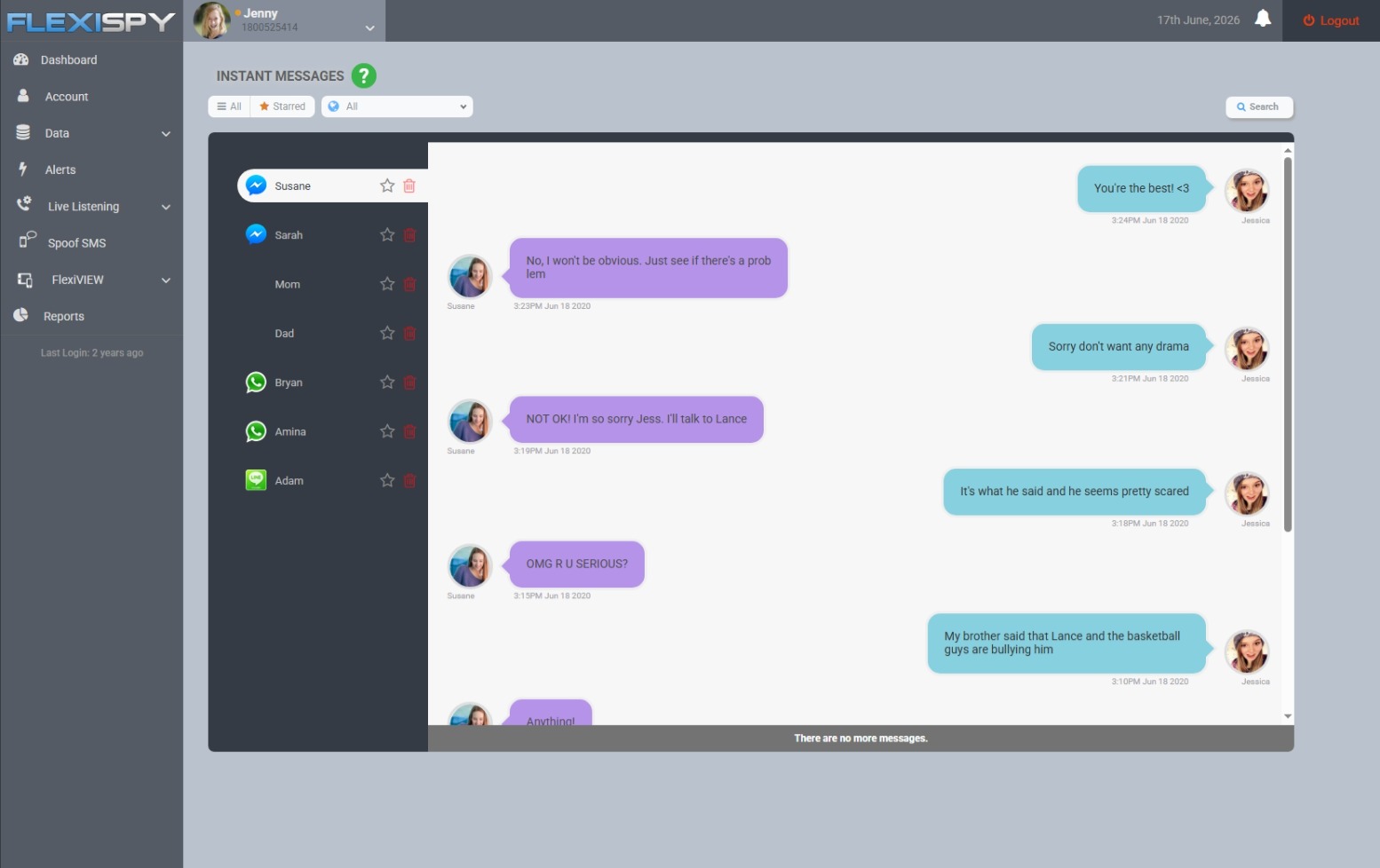
FlexiSPY supports captured activity from Android apps including Instagram Direct Messages, Snapchat, TikTok, Facebook, and Discord. Installed Applications and Application Activity can also show which apps are present and being used.
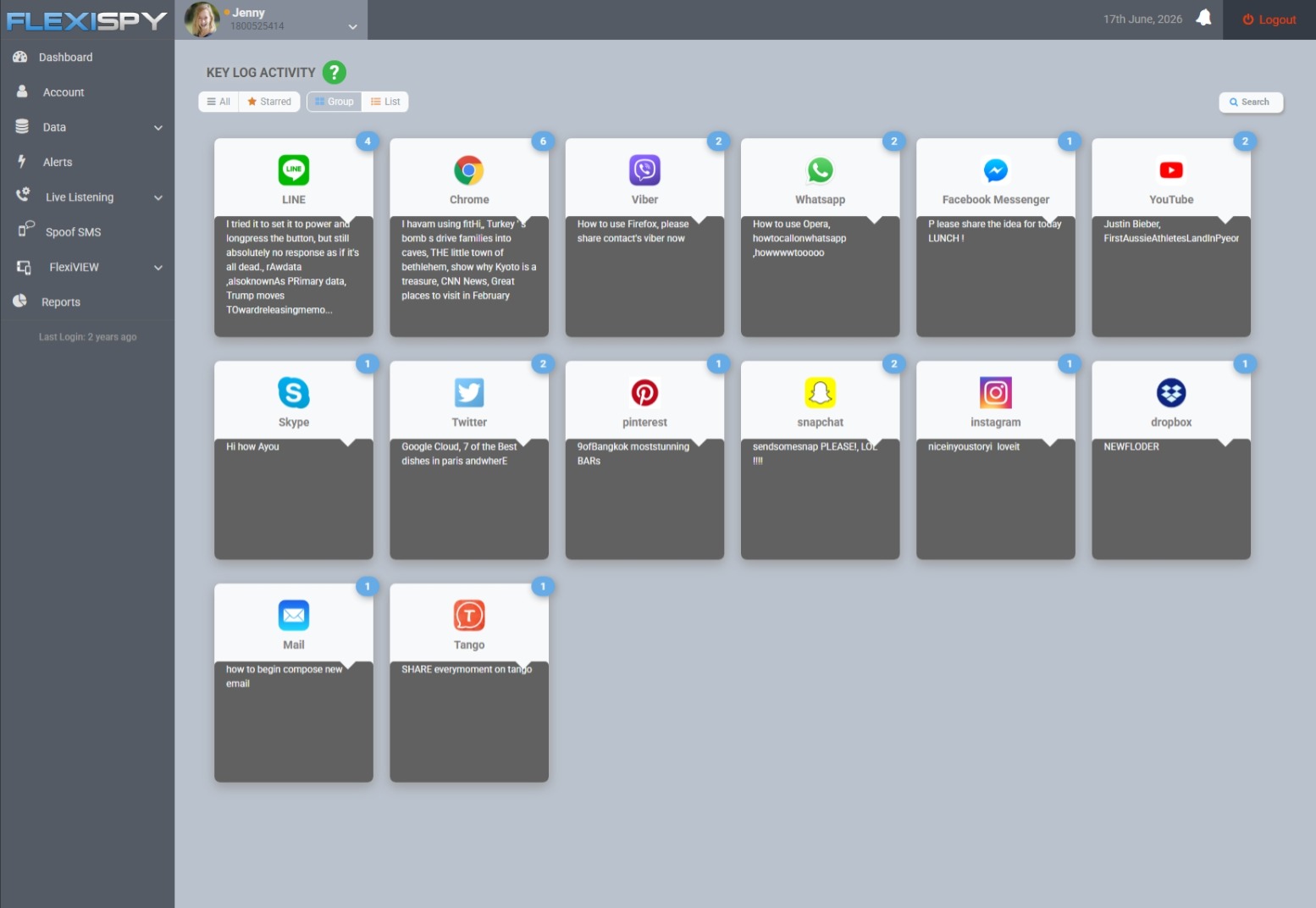
Key Log Activity may surface a typed username, while Application Screenshots may show which profile is active. Use that information to assess safety, not to take a password and enter an account without authorization.
FlexiSPY’s current phone product is for Android, works without rooting, and can run in hidden mode. It does not offer an iPhone or iPad product.
Legal note: message capture, keylogging, call recording, and ambient recording can carry additional consent and privacy requirements. Laws vary by country and state, so check local law or consult a lawyer before enabling sensitive monitoring features.
Talk before the account becomes a battleground
Open with what you know and what you do not know: “I found another username on the phone, and I want to understand what it is before I react.” That gives your teen room to explain without pretending the discovery did not happen.
Ask who can see the account, who can message it, and whether anyone has made them uncomfortable. Then agree on a response that matches the actual risk: a conversation, new boundaries, temporary monitoring, or immediate outside help.
The useful outcome is not simply finding a secret social media account. It is knowing whether your teen is safe and choosing the least intrusive response that still protects them.