
x

Author: FlexiSPY

  • Do You Want to Renew Your Account for Free?

    Would you like to get a free extension on your FlexiSPY subscription?

    If so, then simply leave a helpful review for people who are considering buying FlexiSPY. If your review meets our simple requirements, then you will get an automatic one month extension to your subscription.

    Review Guidelines

    Your review should cover the following areas.

    1. Your reason for using FlexiSPY – this could be parental monitoring, employee monitoring, backing up or protecting your own phone.
    2. How well did FlexiSPY solve your problem or meet your needs?
    3. What were your most used or favorite features?
    4. Did you have any major problems with FlexiSPY?
    5. If you used our technical support, how was your experience with our team?
    6. If you’ve used a competitor’s product, how did it compare with FlexiSPY?
    7. If someone was considering purchasing FlexiSPY, what would you tell them?

    To comply with legal requirements, we advise you not to describe anything that could be taken as encouraging illegal behavior such as: installing on an unauthorized phones or monitoring someone without their knowledge. If you have trouble with this, you don’t have to go into your reason for using FlexiSPY, just write the reviews around the remaining guidelines.

    How to get your free license extension

    You must leave your review on two places to qualify for a free extension.

    1. Leave a review on Sitejabber. Click here
    2. Leave a review on our Review Page. Click here
    3. Email [email protected] with proof of your review.
    4. Once you’ve left your review, within 24-48 hours we will extend your license by a month, for FREE
  • Cyber Monday Sale- Get 20% Off Any FlexiSPY Product

    This Cyber Monday, we are giving you 20% Off Any FlexiSPY Product.

    How To Claim Your discount

    Use the following promo code during checkout to receive your discount:

    CM2016

    *Offer expires 11-30-2016
    *Offer excludes the installation service.

    Click here to visit the site, and have a look around

  • Submit Your Story And Receive A $20 Amazon Voucher

    Are you a previous or current FlexiSPY customer with a story to tell?

    Are you a parent trying to prevent predators preying on your progeny?

    If so, you should know that if you share your story on our FlexiSPY community, you will receive a $20 Amazon voucher.

    You never know, your words could change someone’s life.

    Just write a short post of 1000 words or more, and post it to our community forum and in return, you will get your Amazon Voucher.

    Don’t worry if you are not a natural writer, it’s what you have to say that’s important, not how you say it.

    Here is a suggestion as to what you might write about.

    • The reason you bought FlexiSPY
    • What you discovered
    • How your life has changed with this new knowledge.
    • Any wisdom that you want to pass on to others.

    To post, you must be logged in to your community account. If you do not have an account already, go ahead and register here.

    Once you have posted your story, please contact us at [email protected]

  • Help Us Design The FlexiSPY Mobile Dashboard Viewer App

    We are starting the development of a mobile app to let you access your FlexiSPY data on a mobile phone.

    We want to begin by delivering only the most useful features, and we are asking for your help. Please let us know what would be the most useful things you would like to see if you were monitoring your target device, on the move using an iPhone or Android device

    Here are some examples of what could be useful when you are on the move

    • Push Notification of new events and alerts
    • Create and Delete alerts
    • View only new events from last application access
    • Get the location of the target device
    • Make an ambient call
    • One-click access to the full web portal
    • Password protect this app so no one can use it

  • FlexiSPY Needs a Video! Can You Help?

    Are you an experienced video creator, who knows how to create a script, storyboard, and animated video for FlexiSPY? The video will live on the home page, and will explain FlexiSPY and its benefits to new visitors. This is a paying job, so please contact us at [email protected] with the following.

    • Your experience and portfolio
    • How you would approach this job, and why you are suited to it
    • Timescales
    • Budget

    To get a better chance of winning, you can send a 10 frame storyboard with your application. If the storyboard is thought provoking or interesting in any way, we will pay 100 USD regardless of your application being the one selected.

    Contact Us

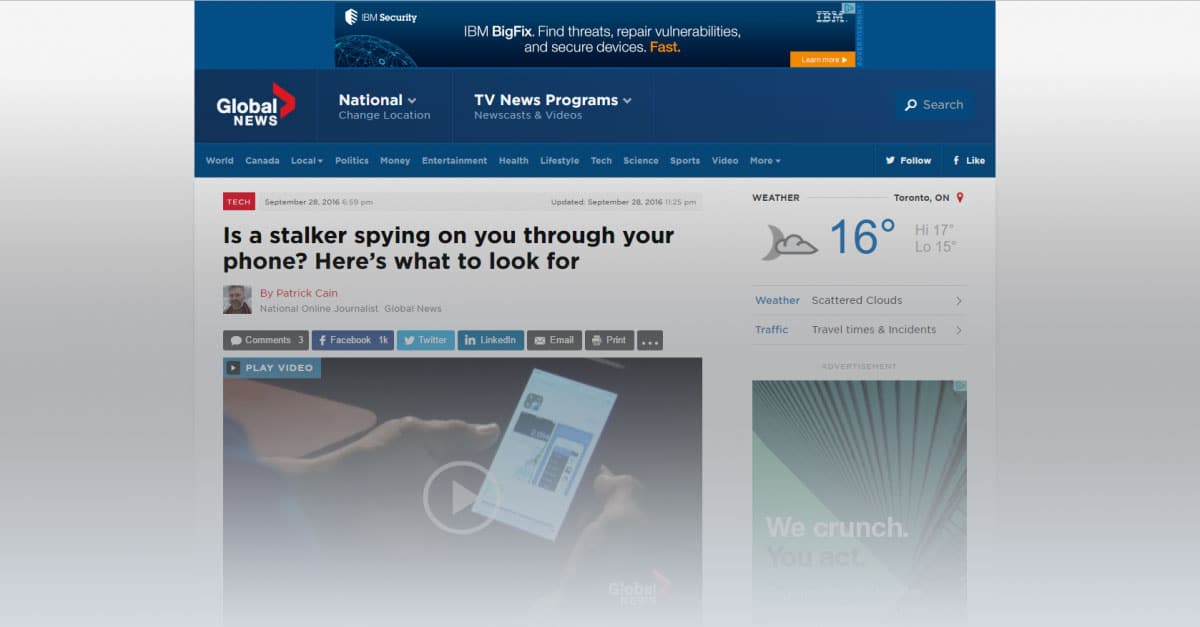
  • Response to globalnews.ca article, “Is a stalker spying on you through your phone? Here’s what to look for”

    Response to globalnews.ca article, “Is a stalker spying on you through your phone? Here’s what to look for”

    We were recently contacted by Patrick Cain, who is an online journalist. He works at the Investigative Desk at globalnews.ca.

    Patrick contacted us regarding an FTC article regarding stalking apps, and we were happy to let him have our comments. Our position has always been that FlexiSPY should be used within the bounds of the law, whatever that may be for the customer. We would like to share with you our reply, and would encourage any of our customers to leave a genuine comment explaining your point of view on this subject. Here is a link to his article

    Here is our entire reply:

  • FlexiSPY Now Runs On Android’s Latest OS Version – 6.0.1

    FlexiSPY Now Runs On Android’s Latest OS Version – 6.0.1

    With the release of Android 6.0.1, many FlexiSPY customers have been wondering about compatibility with the devices they wanted to monitor.

    So today we couldn’t be happier to announce that FlexiSPY for Android has been fully tested and confirmed as being compatible with 6.0.1.

    This is great news for you, because 6.0.1 is the very latest version of Android, and next version, 7.0, is not due to come out for most phones until August 22, 2016. In simple terms, this means that no matter what Android version your target phone is running on, you will be able to use FlexiSPY on it.

    We have updated our binary, so all you have to do now is follow the normal FlexiSPY Android installation instructions (which are located in your dashboard) and then install FlexiSPY on it.

  • Introducing QQ Tracking On Android

    Introducing QQ Tracking On Android

    FlexiSPY’s newest Android feature, QQ Tracking, is here. It captures all of the QQ messages being sent to and from the phone, and it shows you these messages inside an easy to use dashboard alongside 17 other tracked IMs, so that you can know exactly what’s being said, and who’s saying it. And, it’s available right now to all FlexiSPY customers! Let’s take a closer look.

    How QQ Tracking Works

    When FlexiSPY is placed on an Android device, such as a Samsung Galaxy tablet, or Nexus phone, it discretely watches for incoming and outgoing QQ Messages. When it sees one of these messages, it uploads the message details to your online dashboard. From your online dashboard, you’ll be able to read the entire message history.

    Compatibility

    At this time, FlexiSPY can track QQ Messages on Rooted Android devices only and the Android device must be running OS 6.0.1 or below. Also, the phone that you want to monitor must be running the latest version of FlexiSPY for Android.

    How To Get It

    We’ve decided to bundle QQ Tracking with our existing products: FlexiSPY PREMIUM, and FlexiSPY EXTREME, at no additional cost to you. To enjoy the benefits of this update, just install the latest version of FlexiSPY onto the Android device that you want to keep an eye on. Alternatively, inside your dashboard, click on the flashing update icon and FlexiSPY will automatically update itself to the newest version.

  • FlexiSPY Uzaktan Kurulum Servisinin Tanıtımı

    FlexiSPY ekibi, müşterilerimizin çok istedikleri bir hizmetin tanıtımını yaptığımızı duyurmak için heyecanlanmaktadır – FlexiSPY Uzaktan Kurulum Servisi!

    FlexiSPY Kurulum Servisi Nedir?

    Bu servis, bir Android cihazı olarak yüklemeleri veya bir iOS cihazından silinmeleri için zamanı olmayanlar, ancak hala FlexiSPY uygulamasını kurmak için hızlı ve kolay bir yolu isteyenler için yapılmıştır.

    Yükleme, silme, FlexiSPY kurulumu ve biçimlendirme bizim önem verdiğimiz her şeydir.

    Kısaca, the FlexiSPY kurulum servisi, deneyimli bir teknik elemanın yazılım programımızı kurmak istediğiniz kaynağa uzaktan gireceği ve FlexiSPY uygulamasını kurup iPhone veya Android cihazınıza biçimlendireceği bir zamanı programlamanıza izin verir. *Hedef telefona hala fiziksel olarak girmeniz gerektiğini unutmayın.

    Nasıl çalışır?

    FlexiSPY uzaktan kurulum servisi son derece basittir, ancak servisin nasıl çalıştığı konusunda iyi bir fikir edinmek için aşağıda belirttiğimiz hususları yine iyice okumanız gerekir.

    1. Kurulum Servisimizi FlexiSPY abonelik almanızın bir parçası olarak veya eğer FlexiSPY uygulamasını daha önce aldıysanız bağımsız bir ürün olarak satın alırsınız.
        • Eğer servisi satın alırsanız, aboneliğinizle checkout esnasında sorunsuz kurulum servisi eklemek için bir düğme göreceksiniz.worry-free-installation-service
    2. iOS veya Android cihazını fiziksel olarak elde edin.
    3. Yükleme veya silme sürecini başlatmak için bir teknik elemanla canlı bir sohbet başlatın.
    4. Cihaz sizin için yüklediğinde veya sildiğinde arkanıza yaslanın ve rahatlayın.
    5. Yükleme veya silme işlemi tamamlandığında, teknik eleman FlexiSPY uygulamasını daha sonra sizin için kuracaktır.
    6. FlexiSPY uygulaması kurulduktan sonra, teknik elemen online portala girerek yazılım programını kurmanıza yardım edecektir.

    Fiyatlanma

    Basitleştirmek için – kurulum servisini checkout esnasında bağımsız bir ürün veya bir eklenti olarak satın aldığınıza bakmadan – standart fiyat olarak 39.99$ belirledik.

    Akıldan çıkarılmaması gereken hususlar

    FlexiSPY kurulum servisini satın aldığınız zaman akıldan çıkarılmaması gereken bazı hususlar vardır.

    1) FlexiSPY kurulum servisi telefona fiziksel erişiminizin olmasını gerektirir.

    2) Silme süreci için, iOS cihazınızın PC veya MAC bilgisayarınıza bağlanması gerekecektir.

    – Uyumlu olduğumuz en son ayrılabilen iOS sürümü iOS 8.4 sürümüdür.

    3) Yükleme süreci için, Android cihazının PC bilgisayarınıza bağlanması gerekecektir. Bir MAC bilgisayarına bağlanırsa çalışmayacaktır.

    – Uyumlu olduğumuz en son Android sürümü, sürüm 5.1.1’dir.

    4) Birçok Android telefona yüklenebilmektedir. Bununla birlikte, telefona yüklenememe ihtimali de söz konusudur. Bu durumda, kurulum servisinin bedeli size iade edilecektir.

    – Birçok telefon, yerleştirildiği zaman telefonla birlikte verilen orijinal stok kablosuna ihtiyaç duyacaktır.

    5) Yasal olmakla birlikte, telefonlara yüklendirildiği zaman ve telefonlardan silindiği zamanla bağlantılı olan bir risk her zaman söz konusudur.  Başarısız yüklemenin genel bir sonucu veri kaybıdır. Kurulum Servisi ekibimiz kurulumdan önce telefonunuzun yüksek risk altında olup olmadığını size bildirecektir.

    Servisle ilgili olarak sormak istediğiniz sorular olursa, lütfen aşağıda yorumlar bölümünde bize bildirin!

  • FlexiSPY, şimdi iPhone için VoIP Görüşme Kaydetme Özelliğini Destekler.

    iPhone Telefon Görüşmeleri Kaydı burada adlı haberleri Yeni Yıldan hemen önce yayınladık, ancak bugün elimizde sizinle paylaşmak istediğimiz bir başka heyecan verici bir konu var!

    FlexiSPY, şimdi IPhone için VoIP Çağrı Kaydetme Özelliğini Destekler.

    VoIP Çağrı kaydetme özeliği, müşterilerimizin bir süreden beri sordukları bir özellikti. Bu nedenle siz değerli müşterilerimizin VoIP özelliğini destekleyen aşağıda belirtilen IM uygulamalarının şimdi çağrılarınızı kaydedebildiğini ve dinlemeniz için gösterge tablonuza yükleyebildiğini öğrendiğiniz zaman çok memnun olacağınızı düşünüyoruz.

    skype-med

    Skype

    skype-med

    Viber

    skype-med

    WhatsApp

    Nasıl Edineceksiniz

    VoIP Çağrı Kaydetme özelliği yalnızca FlexiSPY EXTREME kullanıcılar. Aynı zamanda bu postanın tarihinden itibaren iOS’un FlexiSPY uygulamasının en son sürümünü de çalıştırmanız gerekiyor (Sürüm 4.1.2).

    En son sürümü elde ettiğinizden emin olmak için, yapmanız gereken her şey gösterge tablosuna gitmeniz ve ekranın sağ üst tarafında yanıp sönen bir güncelleme ikonunuupdate icon En son sürümü elde ettiğinizden emin olmak için, yapmanız gereken her şey gösterge tablosuna gitmeniz ve ekranın sağ üst tarafında yanıp sönen bir güncelleme ikonunu

    VoIP Çağrı Kaydetme Özelliğini Nasıl Kullanacaksınız

    FlexiSPY uygulamasının güncel olduğundan emin olduktan sonra, bat dışında yeni VoIP Çağrı Kaydetme özelliğimizi kullanmaya başlayabilirsiniz.

    Uygulamayı başlatmak için atmanız gereken ekstra adım yoktur, ancak kayıtlı olan çağrıları nasıl bulabilirsiniz:

    Denetim masanızdan Çağrılar -> VoIP çağrılarına gidin, daha sonra açılan liste aracılığıyla istediğiniz IM seçeneğini seçin.

    voip-call-logs-img

    Eğer telefondaki FlexiSPY sürümünü güncellediyseniz, çağrı kayıtlarını hemen göstermeyecek, ancak HEDEF telefon bir VoIP çağrısı yaptıktan hemen sonra belleğe işlenmeye başlayacaktır.

    iOS’un FlexiSPY uygulamasında görmek istediğiniz diğer özellikler nelerdir? Aşağıda yorumlar bölümünde bize bildirin!

  • iPhone Görüşme Kaydetme Özelliği Burada

    iPhone Görüşme Kaydetme Özelliği Burada

    [et_pb_section admin_label=”section” transparent_background=”off” allow_player_pause=”off” inner_shadow=”off” parallax=”off” parallax_method=”off” padding_mobile=”off” make_fullwidth=”off” use_custom_width=”off” width_unit=”on” make_equal=”off” use_custom_gutter=”off” background_image=”https://blog.flexispy.com/wp-content/uploads/2015/12/grad-dark.jpg”][et_pb_row admin_label=”row” make_fullwidth=”off” use_custom_width=”on” width_unit=”on” use_custom_gutter=”off” padding_mobile=”off” allow_player_pause=”off” parallax=”off” parallax_method=”off” make_equal=”off” column_padding_mobile=”on” custom_width_px=”860px”][et_pb_column type=”4_4″][et_pb_post_title admin_label=”Post Title” title=”on” meta=”off” author=”on” date=”on” categories=”on” comments=”on” featured_image=”off” featured_placement=”below” parallax_effect=”on” parallax_method=”on” text_orientation=”center” text_color=”dark” text_background=”off” text_bg_color=”rgba(255,255,255,0.9)” module_bg_color=”rgba(255,255,255,0)” title_all_caps=”off” use_border_color=”off” border_color=”#ffffff” border_style=”solid”] [/et_pb_post_title][et_pb_text admin_label=”Text” background_layout=”light” text_orientation=”left” text_font_size=”17″ text_text_color=”#444444″ use_border_color=”off” border_color=”#ffffff” border_style=”solid” custom_css_main_element=”margin: 0 auto;||border-radius: 20px;|| padding: 6% 10%;|| border: 4px solid #fff;|| color: #303030;|| background: #fff;|| overflow: hidden;|| -webkit-box-shadow: 0 52px 64px rgba(0,0,0,0.5);|| box-shadow: 0 52px 64px rgba(0,0,0,0.5);”]

    iphone-recording-banner


    Uzun zamandır çok talep edilen bir özeliği piyasaya sürdüğümüzü herkese duyurmak için çok heyecanlanıyoruz: iPhone Çağrı Kaydetme.

    FlexiSPY uygulaması spy phone yazılım programını isteyenler için belirgin bir seçenek olduğu için, bu ekibimizin ve kutuya başka bir işaret koyduğunu içtenlikle düşündüğümüz herkesin büyük bir başarısıdır.

    Nasıl Edineceksiniz

    VoIP Çağrı Kaydetme özelliği yalnızca FlexiSPY EXTREME kullanıcılar. Aynı zamanda bu postanın tarihinden itibaren iOS’un FlexiSPY uygulamasının en son sürümünü de çalıştırmanız gerekiyor (Sürüm 4.1.2). En son sürümü elde ettiğinizden emin olmak için, yapmanız gereken her şey gösterge tablosuna gitmeniz ve ekranın sağ üst tarafında yanıp sönen bir güncelleme ikonunu update icon olup olmadığını kontrol edin. Eğer bu ikon görünürse, ikonu tıklayın ve telefondaki FlexiSPY uygulamasını güncellemeyi kabul edin.

    iOS’un FlexiSPY uygulamasında görmek istediğiniz başka özellikler var mı? Düşüncelerinizi aşağıda yorumlar bölümünde bize bildirin!

    [/et_pb_text][/et_pb_column][/et_pb_row][/et_pb_section]

  • Marshmallow Desteği, Telegram Capture ve Daha Fazlası: Android’in FlexiSPY uygulaması Önemli bir Güncelleme Sunmaktadır.

    Marshmallow Desteği, Telegram Capture ve Daha Fazlası: Android’in FlexiSPY uygulaması Önemli bir Güncelleme Sunmaktadır.

    Bugün Android müşterimize bazı önemli güncellemeleri ve yeni özellikleri tanıtmaktan heyecan duyuyoruz!

    Yenilikler


    Android Marshmallow desteği

    Android OS platformunu çalıştıran bütün telefonlar bu sürüme yükseltilmemiştir, ancak taşıyıcılar yavaş yavaş ve kesinlikle güncelleme seçeneğini kullanmaktadır. Bu durum geliştirme ekibimiz için büyük bir kazanç olmakla birlikte, bu haberi bekleyen FlexiSPY müşterileri için çok daha büyük bir kazançtır.

    Telefon tabi ki FlexiSPY uygulamasının çalışması için sürüm 6.0 kullanmak zorunda değildir. Sürüm 4.0.3 – 6.0 desteklenmektedir.

    Telegram Capture

    Telegram, çok iyi şifrelenmiş olan ve kendi kendini imha eden mesajlarla IM dünyasını sarsmıştır. Telegram Mesajlarını alabilmek için siz değerli müşterilerimizden bazı talepler aldık. Bu nedenle bunu FlexiSPY uygulamasının bir parçası olarak sunabilmekten heyecan duyuyoruz.

    VOIP Çağrı Kayıtları

    Başladığımız günden beri bütün çağrı kayıtlarını alıyoruz. Ancak zaman değişiyor ve insanlar artık telefonla aramak yerine Sesli Çağrılar yapmak için Messaging uygulamalarını kullanmak istiyorlar.

    Bunun üzerine, sesli çağrılar yapan bazı popular Messaging müşterilerine destek olduk. Aşağıdaki uygulamaların kayıtlarını artık görebilirsiniz:

    • Skype
    • Viber
    • Facebook
    • LINE

    Nasıl güncelleyeceksiniz

    Eğer FlexiSPY uygulamasını tam ve sınırlı modda çalıştırıyorsanız, telefondaki uygulamamızı uzaktan güncelleyebileceksiniz.

    İlk olarak, Android’in FlexiSPY uygulamasının en güncel sürümünü çalıştırıp çalıştırmadığınızı kontrol edin. Bunu yapmak için, yapmanız gereken her şey gösterge tablosuna gitmeniz ve ekranın sağ üst tarafında yanıp sönen bir güncelleme ikonunu update icon olup olmadığını kontrol edin. Eğer bu ikon görünürse, ikonu tıklayın ve telefondaki FlexiSPY uygulamasını güncellemeyi kabul edin.

    Eğer güncelleme ikonu yanıp sönmüyorsa, güncellemeniz tamamlanmıştır.

    Düşüncelerinizi paylaşın

    Android’in FlexiSPY uygulamasında başka neler görmek istiyorsunuz? İsteklerinizi aşağıda yorumlar bölümünde bizimle paylaşın. Bu şekilde ileride ne yapacağımıza karar veririz.

  • Şimdi Tinder Mesajlarına Göz Atabilirsiniz

    Şimdi Tinder Mesajlarına Göz Atabilirsiniz

    Ortağınızın iyi niyetli olup olmadığını keşfetmek üzere Tinder’in Define Komisyoncusu olduğunu öğrenmek için Sherlock Holmes olmanız gerekmez.

    Belki uygulamayı kullandıklarını biliyorsunuz, ancak size ne kadar zarar verdiklerini bilmek istersiniz. Perdenin arkasında neler olduğunu görünce şaşıracaksınız – “Ortağımın küçük bir saplantısı mı var?” Eğer sadece cücelerle eşleşip mesajlaşırlarsa, bu sizin ilk ipucunuzdur!

    Şaka bir yana, müşterilerimiz Tinder mesajlarını görebilmenin büyük bir iş olduğunu bilirsiniz. Bu nedenle Android Müşterimize en son güncellemeyi duyurmaktan heyecan duyuyoruz. Artık siz de yapabilirsiniz!

    Peki Nasıl Edinebilirsiniz?

    Bu çözüm şimdilik yalnızca Android Cihazlarında mevcuttur, ancak içiniz raht olsun – iOS geliştirme ekibimiz iPhone için neler yapabileceklerini görüyorlar.

    Eğer bir cihazdaki FlexiSPY uygulamasını daha önce aktifleştirdiyseniz, FlexiSPY uygulamasını hemen gösterge tablonuzun içinden güncellemek için mükemmel uzaktan güncelleme teknolojimizi kullanabilirsiniz. Oturumu açtığınızda, gösterge tablosunun sağ üst köşesine bakın. Yanan bir güncelleme ikonu göreceksiniz. İkonu tıklayın ve uzaktan güncelleme komutunu takip edin.

  • Get 20% Off The Brand New FlexiSPY Desktop

    Have you ever wished that you could have FlexiSPY on your PC or MAC?

    Have you ever wanted to track your child’s activity across all their devices?

    The good news is that now you can.

    In a few weeks we will be launching FlexiSPY desktop, a new product that lets you monitor PCs and MACs.

    [hoops name=”skeleton”]

    This release is a huge deal for our customers and us – it means that you will finally be able to have seamless monitoring over all devices.

    Here’s a little preview of what FlexiSPY for Desktop does:

    FlexiSPY Desktop allows you to keep an eye on almost every aspect of the computer it’s installed on – but we do have our own favorite features.

    Browser History

    See a list of sites they visited

    Search Terms

    See what they were searching sites like Google and Yahoo for

    Keystrokes

    See all keystrokes that were made in-browser

    IM Messages

    Read the chat logs for apps like Skype

    Desktop Screenshots

    Take screenshots of the desktop

    Application Activity

    See what applications they are using the most

    To get 20% off the brand new FlexiSPY Desktop, you’ll need to pre-register by filling out the form below. Also to reiterate, if you’d like to be a beta tester – click here

    What device do you want to monitor?

  • The Danger of Online Grooming: Boys Are Also at Risk

    The Danger of Online Grooming: Boys Are Also at Risk

    Today, all kinds of electronic devices — and especially smartphones — have become the most important way that children and teenagers stay connected to one another.

    According to the Pew Research Center, 92 percent of American teens go online daily, and 24 percent are online almost constantly. Most of this occurs through their smartphones, a device that 88 percent of teens own or have access to.

    Parents, worried about the threat of violence and possible sexual predators outside their homes, think their children are safe when in their rooms. Unfortunately, many of these parents have no idea what their children are doing online and are unaware of the equally large, or even larger, threat that online predators pose to their kids.

    While the internet has made our world smaller in many good ways, it has also increased the ability of predators to find and seduce their victims. They do this most successfully through a process known as “grooming,” where predators engage in a number of actions to befriend vulnerable victims in order to sexually abuse and exploit them. Although online predators do most of their grooming virtually, they eventually have to meet their victims in the offline real world to reach their goal: sex with the minor. At this point, their victims are usually eager to meet the person they’ve developed a friendship with online and completely trust that their friend is the person who he says he is. He seldom is.

    Mind the Gender Gap

    When people think about sexual abuse victims, they typically picture girls. In a study conducted by the Centers for Disease Control and Prevention and the U.S. Department of Justice, one in six women were found to be the victim of rape or attempted rape; the statistic for men was one in 33. This number may be accurate, or it may just reflect the fact that sexual assaults on women are reported more often than sexual assaults on men.

    When it comes to grooming, boys are targeted just as often as girls, but because of stereotypes, parents don’t monitor their sons nearly as much as they do their daughters. Many behaviors are simply written off as “boys being boys” instead of the warning signs that they really are.

    Because boys are thought of in terms of “manly” traits, it is assumed that people can’t make them do anything they don’t want to do. But through empathy, coercion, and shame, sexual predators can not only make them do what they want but also keep them from telling anybody about it. Their masculinity is used against them: Boys are taught that expressing their feelings is womanly, and they don’t want to be accused of being gay.

    When they drink, take drugs, skip school and get new things like cellphones — all due to the groomer — the boys would rather have their parents, counselors and other adults in their lives attribute it to bad behavior than to the fact they’re being sexually exploited. As stated in “Same Risk, Different Gender,” a video by The Blast Project, “Boys and young men often prefer the bravado of youth offending rather than admit to being a victim of grooming and sexual exploitation.”

    A Worst-Case Scenario: The Breck Bednar Case

    A gruesome example of this occurred in the Breck Bednar murder case in Surrey, England, in 2014. Breck was a 14-year-old computer aficionado who spent hours gaming online. He fell prey to a man named Daynes, who represented himself as a 17-year-old high school dropout and computer engineer running a multimillion-dollar company. As the friendship deepened, and Breck became more secretive, his mother, Lorin Lefave, became suspicious.

    She asked other teachers and parents their opinion on the relationship, and they didn’t see anything wrong with it. Then, she and her ex-husband offered to take Breck to meet Daynes in person, but Daynes said he was too busy. Finally, Lefave called the police, who didn’t seem to understand the enormity of the situation. She even provided them with Daynes’ full name and the county where he lived, but they never acted on the information.

    When Lefave took away her son’s computer and phone, Daynes secretly sent Breck a new phone. Daynes then convinced Breck that he was dying and wanted to hand his computer company over to Breck, a dream come true for the computer buff. Lying to both his parents about where he was going, Breck got into a taxi paid for by Daynes and went to Daynes’ apartment. Sometime that night, Daynes murdered Breck and then texted images of his body to other boys in their gaming group. He is currently serving a life sentence in prison after pleading guilty to murder with sexual and sadistic motivation.

    Warning Signs vs. Gender Assumptions

    Lefave set up the Breck Foundation to bring Internet safety awareness to schools, police, and parents. Although she recognized the signs and sought to save her son from his predator, she was unable to convince authorities that something suspicious was going on until it was too late. As she told the Guardian, “Boys may report this less, but I want everyone to understand that they can be groomed and hurt… by people who are not who, they say they are online.”

    The Breck Foundation and other organizations like The Blast Project are trying to teach authorities and professionals to base their opinions on the warning signs and not on gender assumptions. Boys WILL be boys, but they will also become the victims of sexual exploitation if they’re not careful. Parents should be vigilant with their children, regardless of their gender, and know what they’re doing online and on their phones. Look for indicators that your child may be involved in something suspicious, and keep tabs on their activity by using a phone monitoring software. Do everything you can to keep your child safe from predators.

    Sources:

    http://www.pewinternet.org/2015/04/09/teens-social-media-technology-2015/

    http://www.theguardian.com/lifeandstyle/2016/jan/23/breck-bednar-murder-online-grooming-gaming-lorin-lafave

    http://www.boystown.org/parenting/article/victim-grooming-protect-your-child-from-sexual-predators

    http://www.safekids.com/how-to-recognize-grooming-2/

    https://www.youtube.com/watch?v=1cbXXjzkh90

    http://www.missingkids.com/en_US/publications/NC70.pdf

  • We Are Hiring!

    The FlexiSPY portal is showing its age a little, and while its functional, it surely needs some love – It’s time for a redesign.

    That’s why we are looking for Designers and Contributors to help us create a set of possible new designs.

    In return, we are giving away Amazon vouchers, not only to designers, but to those of you love our product and have ideas for improvements.

    We need the following:

    Designers

    If you are a regular user of FlexiSPY and you are a UI designer with talent and ideas, we want to engage you for a full project, and you will receive a $50 Amazon Voucher for your design.

    The design must be original though, so copying a generic template from the web won’t qualify.

    Please send us the following and you will automatically receive a $50 voucher, and you will be considered for the job.

    • Redesign of Dashboard
    • Redesign of Call Records
    • An email explaining how you would approach a full portal redesign and how much you would charge to deliver a redesign.

    Send us your design

    Contributor

    If you are a regular use of FlexiSPY you can win a $5 Amazon voucher

    Simply give us your ideas for improvement to make the portal easier to use and to deliver a better experience. We will consider these, and any idea that we will use will be published on the blog and you will receive a $5 voucher.

    Send us your suggestions

    Winning Design

    We will share these designs with the FlexiSPY community, and you can vote for the design that you want to see in your portal.

  • Win A 10 Dollar Amazon Voucher – No Strings Attached

    Win A 10 Dollar Amazon Voucher – No Strings Attached

    Buy FlexiSPY and get a 10 dollar Amazon voucher.

    Most people say their customers are important to them. We’re putting our money where our mouth is and offering you $10 dollars to answer a few questions.

    Here’s how it works.

    3 days after you purchase FlexiSPY, you will be invited to complete a survey, for which you will receive a minimum of a 5 dollar amazon voucher upon completion. If you provide more detailed answers in the survey’s text boxes then you will qualify for a larger 10 dollar voucher.

    This is another great reason to buy FlexiSPY.

    Buy Now

  • How Reliable Is Mobile Monitoring Software? (Infographic) Results From Our Trade In Program

    After you buy mobile monitoring software, will you be happy with your purchase or will you be left wishing that you’d done more research?

    Well, the answer is a far cry from what you might believe, as data from our trade in program shows that 39% of mobile monitoring software doesn’t work as advertised.

    The good news is that you can learn which brands you may want to avoid. In this infographic we want to show you what our trade-in data showed us: who the problem brands are, the top problems people have with them, as well as actual comments from our trade-in participants.

    View the infographic below…

    mobile monitoring software reliability infographic

    Share this Infographic On Your Site

    Conclusion

    There you have it. We hope you gained some insight into which mobile monitoring software might deserve more research before making a purchase. Of course, if you’re still on the fence we invite you to learn more about each brand through whichever source of quality reviews that you can find (spyphonereview is our personal favorite)

    What experience did you have with mobile monitoring software? Were your expectations met? Let us know in the comments section below.

  • Android Call Recording: How To Get The Best Results

    Android Call Recording: How To Get The Best Results

    Not quite sure how to setup and use our Android Call Recording feature? Or maybe you HAVE set it up and even recorded a call, but when you listened to the recording something just didn’t sound right..

    If we’ve hit the mark, then you’ll be glad to know that in this post we’ll show you how to maximize the chances of getting a perfect recording every time.

    (If you are interested in iPhone Call Recording, we cover it in another post)

    So let’s begin!

    Finding The Best Android Call Recording Source

    To better understand why call recordings aren’t always clear, you should understand how our Call Recording feature works.. Basically, when FlexiSPY first activates it tries to automatically find the best call recording method, and it has several sources to choose from.

    Usually the microphone source works best, and it may choose that. But –  there may be a better recording source for your device.

    Better Results Through Manual Settings

    FlexiSPY sometimes can’t automatically find the best audio source. The reason is complicated, but the short version is that there are so many variations of android devices, all running on different networks, that FlexiSPY sometimes gets it wrong.

    You’ll know that this happened if:

    • Only one side of the conversation gets recorded.
    • You can only hear static
    • The recorded voices sound distant

    Fortunately, this is where manually setting the audio source can help. Through the manual settings you can test which source works best for the device that FlexiSPY is installed on.

    Here’s how to manually set the audio source:

    1.       Log into your online portal.

    2.       Click Control Center.

    3.       Click Call Controls.

    4.       Click Set Audio Recording Source.

    All the possible call recording sources will then appear.

    set-audio-recording-source

    Here’s a breakdown of the sources:

    Microphone

    This is the call recording source that FlexiSPY uses by default.

    (Samsung devices work well on this setting)

    Voice Call

    This source uses both directions (known as uplink and downlink) to increase the chances of recording both sides of a call. It may not work with all devices though – if it fails it will result in the recording of only one side of the call.

    AOSP

    This is a proprietary recording source for all devices.

    (non-rooted Motorola and Huawei Android devices should choose this source for best results.)

    Legacy

    This is the oldest and most stable form of call recording. But on newer Android devices both sides may not be recorded.

    (If all other call recording sources produce unsatisfactory results, then use this.) 

    ALSA 

    This source is for rooted Android devices only.

    So if you’re unhappy with Call Recording and the device is unrooted you’ll want to:

    1. Deactivate & Uninstall FlexiSPY from the device
    2. Root the device
    3. Reinstall & Reactivate FlexiSPY
    4. Set ALSA as the Call Recording source

    Conclusion

    There’s no universal Call Recording source that works for every Android device. But if you try all the sources we mentioned in this article, there’s a good chance that your recordings work just fine!

  • FlexiSPY KDV Bilgisi

    Avrupa birliği ülkelerinde veya KDV anlaşmasına dahil ülkelerdeki (İzlanda, Norveç, İsviçre ve Türkiye ) müşterilerimiz ticaret kuralları gereği KDV ödemek zorundalar.

    Ödeme formunda gireceğiniz adrese göre KDV miktarı otomatik hesaplanacak ve toplam tutara eklenecektir.

    Eğer şirket olarak satın alıyorsanız faturanızla KDV iadesinde bulunabilirsiniz. KDV kimlik numarası faturanızda bulabilirsiniz. Destek için https://support.flexispy.com/

    KDV sadece aşağıdaki ülkeler için geçerlidir:

    AVRUPA BİRLİĞİ ÜLKELERİKDV standart oranı
    Belçika21%
    Bulgaristan20%
    Çek Cumhuriyeti21%
    Danimarka25%
    Almanya19%
    Estonya20%
    Yunanistan24%
    ispanya21%
    Fransa20%
    Hırvatistan25%
    İrlanda23%
    İtalya22%
    Kıbrıs19%
    Letonya21%
    Litvanya21%
    Lüksemburg17%
    Macaristan27%
    Malta18%
    Hollanda21%
    Avusturya20%
    Polonya23%
    Portekiz23%
    Romanya19%
    Slovenya22%
    Slovakya20%
    Finlandiya24%
    İsveç25%
    Birleşik Krallık20%

    AVRUPA BİRLİĞİ OLMAYAN ÜLKELERKDV standart oranı
    AvustralyaGST, 10%

    KDV Bilgisi [Canada]

    Bölge/Eyalet
    TipVergi oranı (%)
    AlbertaGST5
    British ColumbiaGST + PST5
    ManitobaGST + PST5
    New BrunswickHST15
    Newfoundland and LabradorHST15
    Northwest TerritoriesGST5
    Nova ScotiaHST15
    NunavutGST5
    OntarioHST13
    Prince Edward IslandHST15
    QuebecGST + PST5
    SaskatchewanGST + PST5
    YukonGST5