x

Categoria: Dicas & Truques

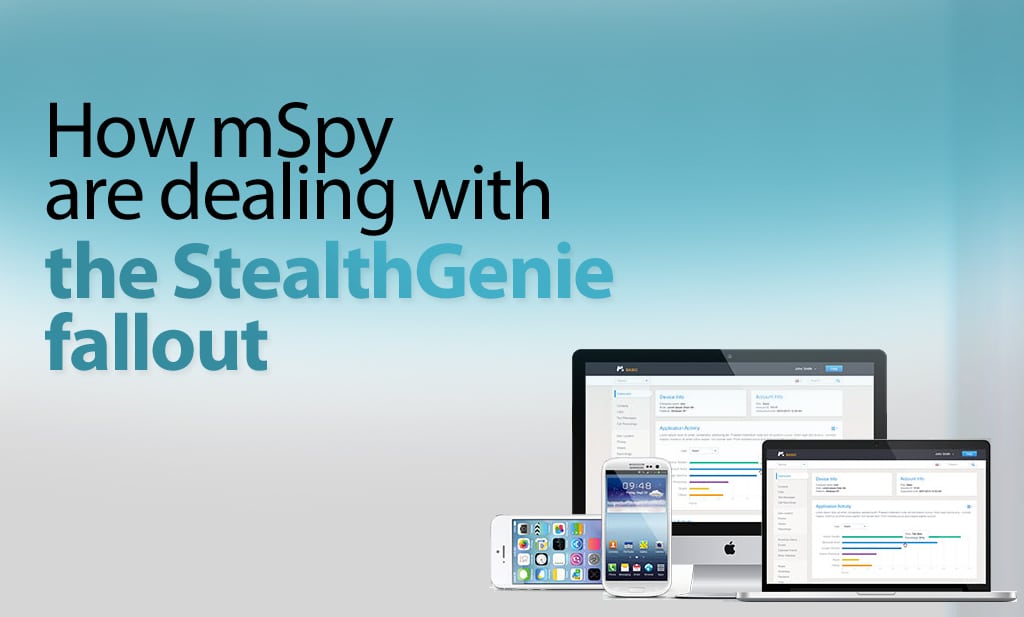
  • How Is Mobile Spy Dealing With The Fallout From StealthGenie?

    How Is Mobile Spy Dealing With The Fallout From StealthGenie?

    Who are Mobile Spy?

    Like Stealthgenie, Mobile Spy provide smartphone and tablet monitoring software. And like the rest of the mobile monitoring industry, including FlexiSPY, they have been reevaluating their business model and it’s operation in light of the indictment of Invocode CEO, Hamad Akbar.

    It’s instructive to see what steps they have taken to comply with Title 18 USC 2512, and to consider if these may be enough for them to get a clean bill of health from US law.

    Website Redesign

    In the immediate aftermath, Mobile Spy took their sales site offline for a few days in order to make changes to both their product and advertising to help make sure their product adheres to the law.

    The first thing to notice is that they have removed all references to cheating spouses, and now talk only about child and employee monitoring.

    Mobile Spy’s website is now back online with Mobile Spy’s software still being advertised as ‘smartphone monitoring software’ with a focus only on parents and employees with some notable change in language
    Mobile Spy’s website is now back online with Mobile Spy’s software still being advertised as ‘smartphone monitoring software’ with a focus only on parents and employees with some notable change in language

    They now state that you must notify the child or employee being monitored first. They also say that the software is tamper-proof which means that it cannot be removed without knowing the PIN code first. This means that they are adverting that Mobile Spy can be used in a legal manner.

    Mobile Spy have also updated their legal terms to read that the software is primarily used for monitoring children and employers only and that they do not condone its use for other purposes.

    To Mobile Spy’s credit, they also sent out emails to all of their affiliates outlining the planned changes. Here is an excerpt that clearly shows they take this seriously.

    “We do cooperate with law enforcement in criminal investigations, and we do not condone the use of our products for illegal or unethical purposes.’ and they followed this up by saying “there will be a PIN protected icon listed along with the rest of the applications on the device’”

    They also state that ‘the user of the device will be aware of monitoring activities’

    This could not have been an easy pill to swallow.

    While they excluded any uses by spouses, they also clarified in great detail, what other relationships can and cannot use their product. The list is as follows.

    Here Mobile Spy is seen with their new legal policy
    Here Mobile Spy is seen with their new legal policy

    Product Redesign

    Mobile took the painful decision to also stop selling their product and redesign it. The new product is not currently available, but they have been very clear.

    They will remove any invisibility, and their product will show as an icon on the device homescreen. They say that the app can be opened using a PIN.

    We are not sure how this will affect their market share and revenue, but this is also a brave decision.

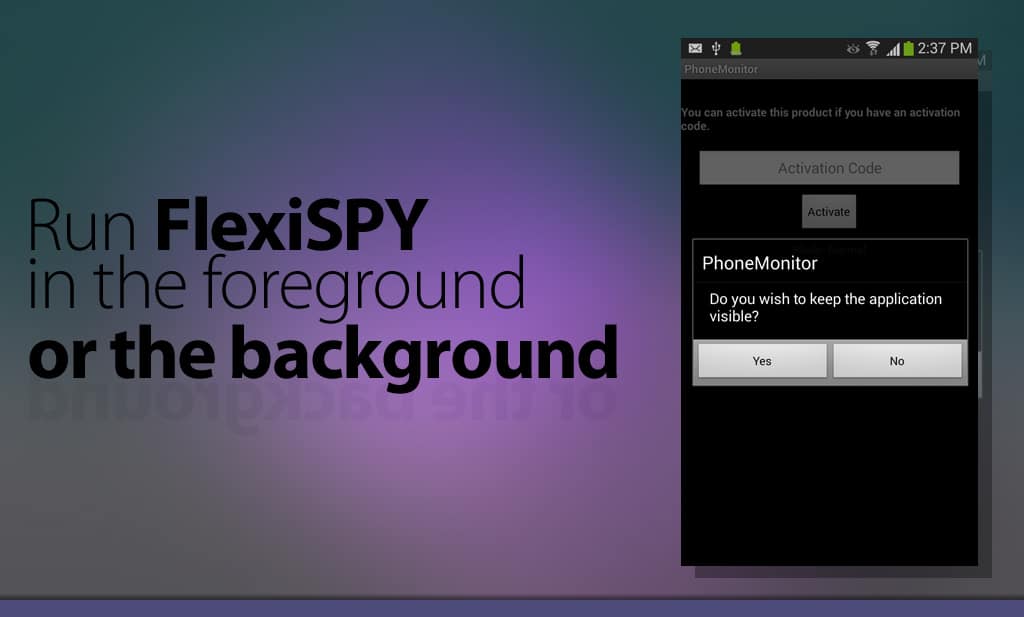
    Without wanting to capitalize on Mobile Spy’s troubles, we would like to let readers know that FlexiSPY has always had the option to operate with visible icon, if that was required. It will be interesting to see if Mobile Spy also choose visibility as an option or if visibility will be mandatory.

    Mobile spy disclaimer
    Mobile spy disclaimer

    Mobile Spy Server Location

    Mobile Spy is still based in the US and they host their servers in the US as anyone can verify by looking up the IP address of their online logs portal. Retina X Studios who created Mobile Spy are based in Jacksonville, Florida and their address is freely listed on the Mobile Spy website.

    Is Mobile Spy now safe from the law?

    This is an impossible question to answer, as the USA law is very unclear, and can easily be interpreted to cover many mundane devices and uses. We will know more in the near future, as everything hinges around the legal definition of the term “surreptitious interception”

    However, as Mobile Spy are an American company, they are currently making widespread changes to how their software operates and it will take time to see these changes complete.

    It may be some time before Mobile Spy is back online fully with their new software ready, and this was confirmed when we spoke to their support staff. We wish them all the best in their endeavors to make their software comply with what the USA law demands of it, and we hope to see them back online soon.

  • Why Did StealthGenie Get Busted By The Feds?

    Why Did StealthGenie Get Busted By The Feds?

    Why Did StealthGenie Get Busted By The Feds?

    As a result of the StealthGenie site being shutdown, we have had a flood of people asking if FlexiSPY is next.

    We want to reassure our customers that we will not suffer StealthGenie’s fate for the reasons described below. Also, if you are a StealthGenie customer, you may find this interesting.

    Background

    The mobile monitoring industry was rocked the 27th September 2014, when a temporary restraining order, granted by a US Judge took the StealthGenie website offline. The arrest the following day of Hammed Akbar at Los Angeles Airport under an indictment of charges of manufacturing, selling and advertising a “surreptitious interception device” was then made public.

    There are many questions raised by the StealthGenie case, but the one of most concern to the mobile device monitoring industry is, “Could this happen to us?”, and “How do we stay legal?”

    Location, Location, Location …

    The answer to this can be found by looking at point 6 of the legal complaint that was presented to the court.

    “Defendant is subject to the personal jurisdiction of this Court, having sold and advertised StealthGenie using a computer server located at an Amazon Web Services, Inc. data center located in Ashbum, Virginia, which is in the Eastern District of Virginia.”

    In other words, because StealthGenie were using Amazon Web Servers that were located in the USA, they were breaking US laws, and thus the Feds can credibly claim that there is a crime being carried out in their territory.

    This is no surprise to anyone who has been following how the USA operates internationally in a post 911 world. Any business knows that having even the smallest US footprint, will most likely allow the USA to claim jurisdiction – should they wish to do so.

    Which is why StealthGenies decision to use Amazon Web Services is so perplexing.

    The answer for businesses is clear. If you do not want to be subject to US laws, then do not use the services of any supplier that is under the jurisdiction of the USA.

    In other words, have a zero US footprint in your business.

    Don’t Wake The Giant

    Regardless of the legality of what StealthGenie were doing, the Feds have a duty to investigate complaints about what happens on their patch. Whether the law is fair, or if it was actually broken are questions for another time and place.

    We respect the USA, its laws, and its enforcement agencies and we make sure we stay out of their way by not having a US footprint. This is why FlexiSPY does not use servers in the USA or the services of any USA supplier, and FlexiSPY Ltd is not a USA company. There are no US laws being broken and we respectfully state that we believe that we are not under the jurisdictions of the USA.

    If any legal minds out there have a different opinion, please let the world know by leaving a comment below. (Comments from the FED particularly welcome.  )

  • StealthGenie Está Offline | Queremos Ajudar

    The Stealthgenie website is offline, can't contact stealthgenie support? trying to get a stealthgenie refund?

    StealthGenie não existe mais

    Não há outra maneira de dizer isso, mas, se você é um cliente StealthGenie e você não consegue acessar StealthGenie então você não está sozinho.

    O site está fora do ar por vários dias. Isto significa que você não pode acessar nenhum dos seus dados StealthGenie. Conseguir suporte da StealthGenie para obter quaisquer respostas reais ou até mesmo um reembolso será atualmente impossível também.

    Então o que você pode fazer? Como você pode continuar o monitoramento e o que acontece com o tempo restante de sua subscrição StealthGenie? Afinal, StealthGenie está offline e ninguém sabe se ou quando ele vai voltar.

    Não se preocupe!

    Estamos oferecendo uma troca extra especial para clientes StealthGenie.

    O que está incluído nessa troca?

    Nossa oferta única de troca para os clientes StealthGenie permite-lhe trocar a sua atual licença StealthGenie pela obtenção do seguinte desconto.

    Você pode comprar FlexiSPY EXTREME ou PREMIUM com um desconto de 15% Se estiver negociando a sua licença StealthGenie

    Para reivindicar esta oferta, por favor, entre em contato com o nosso chat ao vivo com um comprovativo de compra em mãos.

  • Introducing The New FlexiSPY GPS Navigator

    Most spy apps say that they let you spy on the targets location—but what they actually deliver is a dry list of data with a simple map. Unless you decide to risk eye strain and headaches, there is no way to quickly ‘move’ through the targets path.

    There is also no way to export spy routes to other systems like Google Earth or a TomTom where you could have this information available to you in the applications that you love.

    This is probably not an issue for the casual user, but our customers tend to be smart users, and professionals who have to make serious decisions based on what they are seeing.

    So we created the GPS Navigator.

    What The GPS Navigator Is

    FlexiSPY GPS navigator is a detachable widget that lets you quickly combine the data and map views of your targets locations and see exactly how they relate to each other. It also allows you to export the route data to a standard KML file, which you can send to Google Earth allowing you to save routes and use great tools like street view to see the route through the eyes of the target.

    As one of our testers said,” It’s so powerful it’s actually creepy!”

    What’s currently on the market

    Most spy phone apps give you a very basic overview of location tracking. This generally consists of simply a map window and a list of co-ordinates. Note how the data grid is below the map. Now imagine there are more than just a few records—you’ll will be scrolling up and down the page like a yoyo trying to match the data to the map. Now compare that to our navigator features.

    Here's a screenshot from the Mobile Spy application showing its long list of gps cordinates.

    Our Navigator features

    Detached Navigator –

    The detached navigator is a floating widget that you can place anywhere on the screen. As you interact with the data in the navigator the map window instantly responds by applying a pin at the selected location. You can then scroll through the data set.

    This makes it easy to visualize and move through a large data set of locations.

    A screenshot of the FlexiSPY gps detached navigator.

    The navigator widget also contains a list of GPS records, the GPS record is made up of the following:

    • Latitude & Longitude – View the co-ordinates of the TARGET device.
    • Accuracy – View how accurate the GPS reading is to the nearest meter.
    • Map View – View the selected co-ordinate in Google Maps.
    • Date and Time – Date and time of the TARGET device when the co-ordinates were taken.
    • Mark as favorite – Mark selected co-ordinates for quick retrieval for analysis later.

    You can also dock and undock the Navigator as well as view it in full-screen. This gives you a much better way to explore and analyze the location data. Any co-ordinate you click on in the map window is also highlighted in the GPS Navigator and vice-versa.

    New Map Window –

    The map window lets you visualize your targets movements in a number of ways, giving you greater insight into why they may have been there in the first place. Controls are offered to change the map overlay so you can see a satellite view or a map. The former is a good way to see what kind of buildings or roads are there and to easily recognize land marks. The latter is better for getting street names and directions.

    The map window a­lso lets you discover where your target was on any given day. To do this, you enter a date range and the map windows will show you ll the locations recorded for your target. To make it even easier to understand their route, you can use the ANIMATE tool to see each co-ordinate of the phone drop in place on to the math and join together to form a path of where the TARGET device has been

    A screenshot of the new FlexiSPY GPS map window

    Export Your GPS Data – Get More From Your Maps

    While FlexiSPY will get the GPS data for you, and allow you to examine it quickly, there are third party tools that let you do many other things with your route data. You may wish to load it into a GPS system like a Tom Tom, your car sat nav

    The GPS navigator also allows you to export the co-ordinates as a KML file that you can then import in to Google Maps or Google Earth to really explore where the TARGET device went.

    So, we are going to find out where co-ordinate 20 was by plugging the GPS data in to Google Maps.

    This is done by doing the following:

    • Click the Export option and then click the Download option when asked and save the KML file to your computer in an easy to find place such as your desktop.
    • Go to Google Maps at https://maps.google.com/
    • Click My Places.
    • Click the Or create with classic My Maps link.
    • Click Import and browse to the KML file that you downloaded in step 1.
    • Click Upload from File and the KML file will be uploaded in to Google Maps.
    • Click and drag the orange man on to the map and Google will immediately switch to street view.
      Seen in the screenshot below, the map windows has split in two. At the top we have Google street view and below is the map with us on it

    A screenshot of google street view showing the cordinates that flexispy captured

    • Using the left and right cursor keys to turn left and right and pressing the up or down cursor keys you can then ‘walk’ around the map as if you were really there!

    FlexiSPY Location Data + Google Earth

    You can also export the same KML data in to Google Earth as well. Google Earth allows you to explore it is more depth than Google Maps as well as allowing you to save individual locations to your collection of places so you can easily and conveniently know where the TARGET device will be, here are the steps for doing so.

    • Download Google Earth from http://www.google.com/earth/
    • Open Google Earth and go to File > Open and browse to the KML file you exported from FlexiSPY’s GPS Navigator. Select it and then click Open.
    • Click and drag the orange man on to the map screen to turn on Google street view. Doing this allows us to see where the phone has been in much greater detail.
    • If the TARGET device visits a location regularly which you want to keep an eye on you can click the button to add a pin to the location so that you can remember it later.
    • Click OK to add the pin at the yellow target location shown in the picture above. The place will be added to the list of locations currently inside Google Earth.
    • Google Earth allows you to save the list of places either as part of your own collection (titled ‘My Places’) which is ideal for storing common locations that the TARGET device is known to go to or arrive from or you can simply save a screenshot of the current location instead.

    FlexiSPY Location Data With Other Mapping Systems

    The location data we have explored here can be viewed and manipulated across many mediums, be it tablet, PC or smartphone and you can even import the KML data file in to in-car navigation systems such as TomTom Navigator too – now there really is no excuse for not knowing where they are at all times.

    • To convert the KML data file to the OV2 format for TomTom you can use the converter here.
    • To covert the KML data file to the GPX format for Garmin you can use the converter here.
    • To convert the KML data file to the LMX format for GPS units you can use the converter here.

    Currently we’re the only ones that give you this much functionality when it comes to tracking the location of a smartphone, but we’re always adding cool additions to our features! If you want to stay up to date on all the newest from us, then you should follow us on one of our social media channels!

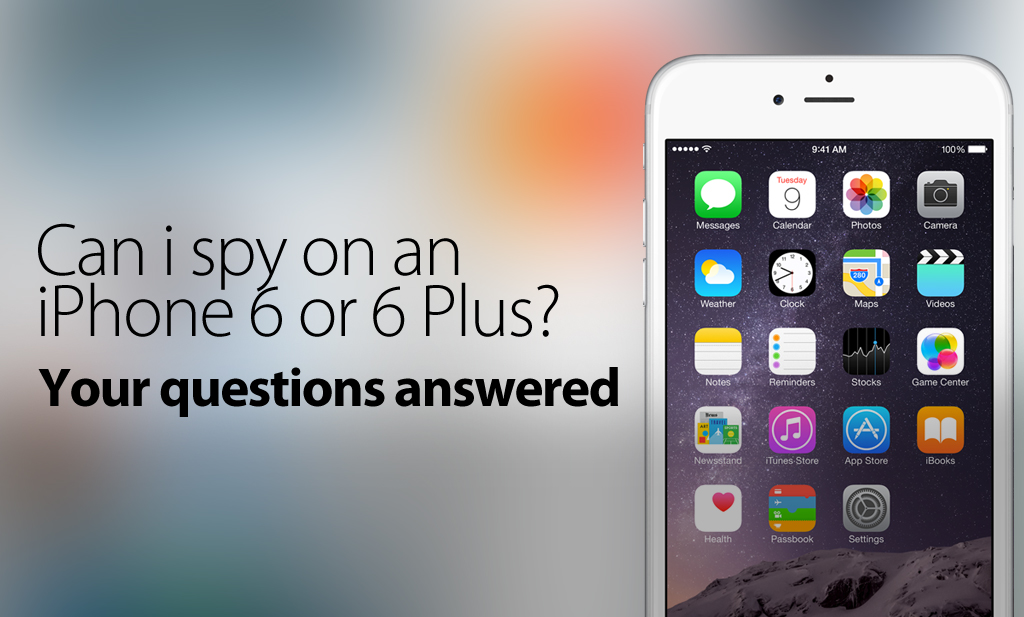
  • How Can I Spy On An iPhone 6 Or An iPhone 6 Plus?

    How Can I Spy On An iPhone 6 Or An iPhone 6 Plus?

    Update – 7/7/2015

    You can now spy on up to iOS 8.4 with FlexiSPY! Learn more by checking out our post about this release, on the blog

    Update – 1/7/2015

    You can now spy on up to iOS 8.1.2 with FlexiSPY.

    To do so, you’ll need to jailbreak your iPhone, which we’ve provided a guide for – here

    Both FlexiSPY PREMIUM & FlexiSPY EXTREME are compatible with this latest jailbreak.

    Update 10/24/2014 – Now Outdated

    Pangu has now released a jailbreak for iOS8 / 8,1, it’s still advised that you not update your phone to iOS 8 as the jailbreak just released is not stable and FlexiSPY doesn’t support this latest jailbreak yet (as well as all other mobile spy software)

    Some of the information Below is out of date, but still contains important information:

    Original Post – Now Outdated

    Currently FlexiSPY (And all other mobile spy software) Do Not Support iOS 8 as there isn’t a jailbreak out for it yet.

    Please Do Not Update To iOS8. You can prevent the iOS 8 update by reading the section in the article called: Can You Stop iOS 8 From Being Updated By The User And Losing The Jailbreak?

    With the release of iOS8, the iPhone 6, and iPhone 6 plus, many people are wondering if it’s still going to be possible to install mobile spy software onto their Apple devices. The answer in short, is yes, You will be able to Spy on an iPhone 6, an iPhone 6 Plus, a device running iOS8, and possibly even the iWatch. However, the question that can’t be answered definitely yet, is: When Can I Spy On These New Devices?
    In this article we will answer some of the most common questions that we get from people, if you have after finishing the article, please contact us in the comments section at the bottom of the page.

    A Date For Spying On iOS8 Devices Hasn’t Been Set Yet

    Mobile spy software for iOS devices (such as the iPhone 6, 6 Plus, etc) all rely on the target phone being Jailbroken. This means that no mobile spy software can claim to work on an iOS device unless there’s been a jailbreak released for that iOS version. And currently, there is no jailbreak for iOS8.

    So again, Without the ability to jailbreak any iOS 8 device such as the iPhone 6, iPhone 6 Plus or Apple Watch it is not possible yet to install any spy phone software onto the device.

    How Long Will It Be Before I Can Jailbreak The iPhone 6?

    No one really knows.

    The time it takes for the latest version of iOS 8 to be released and the time it then takes for clever hackers to jailbreak the iOS (it is not something done by FlexiSPY in any way) can vary significantly. Actually it is taking longer and longer for a jailbreak to appear after the release of the latest version of iOS due to Apple making it more and more secure and thus fixing the exploits that jailbreak teams such as Evad3rs used to jailbreak the device.

    Ironically, when Apple released iOS 6.1.3 (which killed the iOS 6.1.2 jailbreak by Evad3rs) they actually credited the Evad3rs team for helping them fix it by finding the issues and exploits that Apple patched to make iOS 6.1.3 possible.

    Please be aware that there are currently many scam sites already advertising ways to jailbreak iOS 8 and these are all false – please be careful. You should follow one of our social media channels if you want to be the first to know when the jailbreak comes out.

    We know they’re false because:

    At the of publishing this article, iOS 8 was not even released yet to the public
    There is no jailbreak of any kind available yet for the finished version of iOS 8
    The video on the site shows how to jailbreak iOS 7 (if it really could jailbreak iOS 8 then why post bogus videos for an older iOS that anyone can jailbreak?)

    Here’s what one of these sites can look like, so be careful.

    A Screenshot of a scamsite that is advertising an ios8 untethered jailbreak though an untethered jailbreak, or any jailbreak for iOS8 doesn't even exist yet.

    Why is it taking so long to jailbreak iOS 8?

    iOS beta versions can be jailbroken but this does not mean the final version can be.

    At the time of writing (September 11th 2014) iOS 8 is not even out officially to the public and neither is the iPhone 6, iPhone 6 Plus and the Apple Watch is scheduled for the early part of 2015 so unfortunately you simply must wait.

    Once iOS 8 is released publicly people will start to look at ways to jailbreak it. This could be easy, it could be hard. For those that are unaware the last jailbreak for iOS 7.1.x came from a Chinese hacking group and was called Pangu. During tests of the jailbreak it still worked on the iOS 8 beta versions but this is no way indicative to say that the same jailbreak will work on the final version of iOS 8.

    The Pangu jailbreaking team is working on an ios 8 jailbreak, as seen in this screenshot of a beta ios 8 jailbreaking tool

    iOS 8 Tethered and Untethered Jailbreaks – What Are They?

    Untethered jailbreaks are always the best but take longest to arrive and no jailbreak is truly permanent.

    Once someone figures out how to jailbreak iOS 8 when it is released to the public it will be tethered only to start with. This is always the case. A tethered jailbreak is essentially the ‘quick and dirty’ way just to prove a jailbreak can be done and it is usually complex (the process is as technical as it gets before it is streamlined to make it easier for public consumption) and it also has one main caveat which is explained below.

    Tethered jailbreak – As soon as the iPhone is turned off or rebooted or loses power the jailbreak will be lost and, to boot up the phone to even use it you must connect it to your PC and then you have to jailbreak again and the process repeats until the phone is rebooted or loses power or turns off (rinse and repeat).

    As you can see, this is not ideal at all and this is why FlexiSPY does not start to develop software until an untethered jailbreak is available. For a tethered jailbreak, not only would the person need to keep rejailbreaking the phone but every time the jailbreak is lost FlexiSPY would need to be physically installed again and this is just not ideal. Of course if Apple update iOS 8 in the meantime and people upgrade to that then it can mean the tethered jailbreak no longer works which further means the wait for an untethered jailbreak increases.

    FlexiSPY understands that people cannot get the iPhone’s they wish to track all the time to keep jailbreaking it all the time if the jailbreak is tethered. Furthermore, from a development perspective, an untethered jailbreak is far safer to work with than a tethered one because an untethered jailbreak is permanent unless the iPhone is factory reset.

    A tethered jailbreak is the first to be available but is not really worth it.

    Untethered jailbreak – An untethered jailbreak takes the longest but it is the jailbreak that everyone wants and FlexiSPY prefers. An untethered jailbreak is permanent once applied unless the device is factory reset or upgraded to a new iOS version from Apple that fixes the exploits used in the untethered jailbreak (which means it is back to square one – waiting for a jailbreak for the new iOS 8 version and this is nothing to do with FlexiSPY).

    Untethered jailbreaks are what everybody really wants, including FlexiSPY, but the wait for them to appear gets longer and longer.

    Can You Stop iOS 8 From Being Updated By The User And Losing The Jailbreak?

    Nobody knows at this time but, in theory, if you can do it on iOS 7.x then iOS 8 should be able to also – given time.

    Now there are Cydia tweaks for iOS 7.x that you can get such as Recoveryguard that trick iOS in to thinking that the version installed is the latest one which stops the iPhone owner from being able to upgrade the iOS directly from the iPhone itself.

    However this does not apply if the iPhone is factory restored in iTunes as iTunes always checks for the latest iOS version before it restores or if the iOS is updated from ITunes itself.

    Please note that at the time of writing nobody knows if Recoveryguard is compatible with iOS 8 once it is released but it works fine in iOS 7 providing you have jailbroken the phone.

    You can install RecoveryGuard by adding the Cydia source http://cydia.pushfix.info to your list of Cydia sources and then tapping that source and finding RecoveryGuard and installing it the same as you installed FlexiSPY or any other Cydia program.

    screenshot of the recovery guard app which prevents the iphone from being restored

    Unfortunately though RecoveryGuard is a tweak you can only get through Cydia and you get Cydia by, yes, you guessed it, jailbreaking the phone so the people who create these tweaks also have to wait for iOS 8 to be jailbroken so that they can update their applications and make them compatible – the same as FlexiSPY.

    Can I Spy On Someone’s Apple iWatch?

    We are not sure if people want spy phone software for the Apple Watch. If you are interested,  let us know in the comments and we will be sure to look in to it.

    The Apple Watch still requires an iPhone to be tethered to it in order to receive notifications (you basically look at the watch on your wrist instead of pulling the iPhone out of your pocket instead – but not much more than that) so it may just be better to wait for FlexiSPY to fully support iOS 8 (which will run on the iPhone 4S, iPhone 5, iPhone 5S, iPhone 5 C, iPhone 6, iPhone 6 Plus, Apple Watch and all iPad generations starting from the iPad 2) instead so you can spy on the actual iPhone tethered to the Apple Watch and not the Apple Watch itself.

    How long do we need to wait for FlexiSPY?

    The Gold Master (final version) of iOS 8 was just released so our developers are getting to grips with that to see the new features and how we add even more great new features in to FlexiSPY but, as said, with no jailbreak there is not much we can do right no except speculate what we can do and just wait for any kind of jailbreak (tethered or untethered) and test our theories and get FlexISPY working.

    In the meantime though don’t forget that FlexiSPY still works on iPhone’s and iPad’s that have been jailbroken.  This is something we will of course retain in our software for iOS 8, our software can hide Cydia too meaning that, whether it is iOS 7 or iOS 8 you have just jailbroken to install FlexiSPY you can hide all traces of the jailbreak (Cydia) and our software also hides itself completely too for complete stealth.There’s actually a guide for doing so, here.

    That’s All For Now | But Stay Up To Date

    Currently this is the latest situation regarding FlexiSPY and iOS 8 and the new iPhone 6, iPhone 6 Plus and Apple Watch. However we will be sure to update this article with any new information regarding when FlexiSPY is available for iOS 8 but, in the meantime, join us as we all patiently wait for the iOS 8 jailbreak to arrive. To make sure you’re up to date with the jailbreak, please follow us on one of our social media channels.

  • How iCloud Can Rain Your Personal Data All Over The Internet

    How iCloud Can Rain Your Personal Data All Over The Internet

    “You’ve probably heard about the celebrity pictures that were stolen and linked all over over the internet.. Furthermore you probably also know that Apple’s iCloud was -at least in part- at fault”

    But what you may not be aware of is just how easy the whole thing was, and how, using applications that are simple to find, you too can gain access to practically anyone’s iCloud account – and you don’t need to be a hacker to do it.

    Notice: Everything in this article is for educational purposes only. Apple most likely have fixed the exploits that lead to the data leak so this is just a proof of concept article showing how it was most likely done. FlexiSPY is not responsible for any damages, loss or anything else that incurs if you do try to recreate these steps.

    iCloud icons creating a burst of clouds

    How Did The Leak Happen?

    According to reports it was simply due to the accounts that were compromised being unsecure. For example they failed to turn on two-step notification for their account or their password was just too easy to guess. Once access was gained in to the accounts, and because most iPhone users happily let their device upload all pictures to their iCloud account without ever thinking of the consequences, a second piece of software was used to then download all backups of said iPhone.

    Once those backups were downloaded the same program was used to explore its contents and this includes the pictures and videos that are now all over the internet and are being investigated by the FBI

    So who is to blame? Apple for not making it clear enough that iCloud backs up everything? Apple for not making sure two-step sign up is mandatory? The user for not really fully understanding the implications of having their data stored in the cloud which can potentially be hacked?

    If you own an iPhone every picture you take is uploaded to your iCloud account once you have signed in to the iPhone using your Apple ID. However this can be easily turned off (we stress that Apple have fixed the exploits so that passwords cannot be guessed by brute force which makes this hack no longer possible) so that you are no longer vulnerable.

    The process that led to the leak consists of several steps.

    2 Ways It Might Have Been Pulled Off

    1. First off, the hackers needed to have access or know the email address of the persons targeted.
    2. They used those email addresses to login to iCloud and guess the security password
    3. They gained access to the account and then proceeded to download any iCloud backups.

    Or it could have been done this way:

    1. The hackers knew the email addresses of the people they wanted to target.
    2. Hackers used a brute force tool and password list to guess the passwords.3. They gained access to the acocunt and then proceeded to download the iCloud backups.

    Either way, one thing that hasn’t come to the surface yet is how the hackers got the email addresses to start with.

    However there are many darknets where information like this is traded via the use of the encrypted TOR browser.

    Replicating The Hack

    This is done entirely for educational processes and, from the latest information, Apple have already fixed the iCloud vulnerabilities. So, for this we will just show you, hypothetically how it was done but we will investigate the software used to download and extract iCloud backups in more detail.

    The first thing is to obviously know the email address of the people you wish to target. We are using our own Apple ID that we have set up which already contains an iCloud backup. However the program that is being pointed at to guess the passwords was called iBrute.

    Picture Of The iBrute Link Hosted On Github
    This is a small program written in Python that will try to brute force (guess the password) of all email addresses in the mail.txt file using the passwords in the passlist.txt file. However in the release notes it confirms as we have said, Apple have patched the exploit which means the program will no longer work.

    So, for this, we are going to assume that we already have an account (Apple ID) whose password we know (which we do) so, because Apple fixed the exploit the next step is written from the perspective that iBrute worked and gave us an email address and password.

    Before we proceed to the next section we need to understand just how iCloud works on an iPhone after you enter your Apple ID which is like this.

    1. Enter your Apple ID on the iPhone – iCloud is enabled by default which photo sharing enabled.
    2. Set up a new photo stream on the iPhone and add pictures – wait for them to be uploaded to iCloud
    3. For PC download and install the iCloud Control Panel
    4. Once it is installed you are asked to log in to iCloud.
    5. You then click the Options button under Photos to see the photos that were be uploaded to iCloud
    6. You can set the options to upload all photo streams from the iPhone to iCloud.
    7. You can then see the iCloud photos that are stored on your PC.

    What you may not be aware of is that even though photo sharing is enabled by default it is not as easy as logging in to any iCloud account and viewing the pictures online. iCloud does not work that way and even though we have set up a photo stream as a test it will not appear on the iCloud website.

    Below you can see the photo stream on our PC we are using. We have added 3 extra pictures (you can just drag and drop any image file into the iCloud photos folder and it will sync.

    Sync The Photo Stream
    So, if we log in to iCloud directly we see the following – no pictures of any kind.

    So how does iCloud actually work?

    1. Sign into iCloud on any iDevice using your Apple ID
    2. Set up photo streaming and photo sharing in iCloud
    3. Take some pictures or videos on the device
    4. Login to a new iDevice with the same account.
    5. All pictures and videos taken will appear on the new device.

    So essentially iCloud is the backend that hosts and shares all pictures and vides (and other content such as emails and contacts) between all iDevices your account is logged in to but this also means that picture and videos backed up to iCloud are only visible on the specific iDevice.

    So how do you get access to the pictures or videos if you cannot do it directly from iCloud itself?

    This is the next thing we will discuss and where things get clever.

    Backing Up To iCloud

    Apple makes it pretty damn easy to back up data to the cloud, in-fact, it’s enabled on a persons iOS device by default. This includes automatic backup of photos from the camera roll.

    All you need to be back up the phone is to make sure that your phone is charging, connected to wifi, and is locked. Once the device is backed (specifically iCloud) you’re able to perform the same steps that the hackers used to get access to the information.

    Apple, for some strange reason, do not allow any iCloud backup to be password protected so it essentially means that should someone find software that can download all backups from an Apple ID and the respective iCloud account then they potentially have access to very personal or sensitive information.

    This is what the hackers did

    And this is what we will show you too (for educational purposes only)

    The first thing you need is the PC software that was used which is called Elcomsoft Phone Password Breaker.  This is from a Moscow based company and the software is sold on the basis that it allows you to recover files from phone backups from variety of different manufacturers (Apple, BlackBerry, and Microsoft) and is to be only used for legal purposes only.

    However looking at their main menu for a start tells you that this software could definitely be used for all the wrong reasons.

    password-recovery-elcomsoft
    Decrypt Backup – Simply drag and drop any iPhone or iPad backup made within iTunes in to this option for it to be decrypted and for you to be able to view all data stored inside the backup.

    Explore keychain – The keychain is encrypted by Apple and contains all the passwords on the device (iPhone or iPad). Again, just drop an iTunes backup on to this option to view all passwords used on the phone across all installed applications that have been stored in the keychain.

    For those who are interested the keychain stores the following information:

    1. Secure certificates
    2. Tokens (e.g. Twitter, Facebook etc.)
    3. Browser stored passwords
    4. Wi-Fi passwords for all networks a device was connected at least once
    5. Passwords, tokens and certificates stored by various applications

    And the final option is what we are looking for – Download backup from iCloud.

    download-backup-from-icloud
    It is obvious that the hackers just entered the email address and passwords of the people in question (which they obtained illegally as we explained) and then the software does the rest. For us we will be getting the data from the phone we just backed up.

    So we put in the username and password of our Apple ID that we set up for this exercise and then we sign in and our backup is clearly listed at the top.

    restore-original-file-names
    We then click the Download button and after a short time we can then choose any kind of information we want from inside the online backup.

    specific-to-download
    All we are really concerned about is the camera roll as that is where all videos and pictures are stored but this software allows us to grab any and all information from an iCloud backup associated with the Apple ID that was used to sign in.

    Essentially you just wait for the data to be downloaded to your PC and then you can pretty much do anything with it as you wish.

    Apple makes this possible due to iCloud not having two step verification when you sign in (e.g. you sign in with a username and password and then answer a security question) which means that, as we have shown, just get the email address and password of an Apple ID and you potentially have access to phone backups which contains clearly sensitive and personal information.

    How Can You Stop This From Happening?

    The easiest way to stop yourself and your iDevice from becoming the next victim is simple.

    1. Make sure your Apple ID password is strong
    2. Turn off iCloud backups on the iDevice itself
    3. Use a cloud system with better backup and security such as Dropbox

    Apple have since patched the brute force method used but they have still not improved iCloud security to encompass two step verification although, in the wake of this scandal, we hardly think Apple will rest and leave their premier cloud backup solution with such a gaping hole in it for the whole world to look in.

    We hope that you have found this article useful. Don’t forget that you can actually use FlexiSPY on your own iPhone or iPad to act as a secure and effective device backup tool so, if this interests you, why not check out a 24 hour demo of FlexiSPY right now?

  • Como captar chamadas para iPhone Com FlexiSPY

    How to Spy On Android WhatsApp Chats

    Ser capaz de captar telefonemas pode parecer algo limitado aos poderes da NSA, mas na verdade, todo mundo tem a capacidade de penetrar e ouvir

    Tudo que você precisa para captar chamadas do iPhone é a ferramenta certa, e se seu telefone alvo é um iPhone, FlexiSPY é a ferramenta certa para o trabalho.

    Depois de comprar o nosso iPhone Tracker Software, você vai ser capaz de seguir este guia para ver as etapas exatas necessárias para começar a captar telefonemas hoje. E, se você está procurando pelo artigo Android, você pode encontrar, aqui. Caso contrário, vamos começar.

    Como captar chamadas para iPhone | Introdução

    Passo 1 – Faça Login em seu Painel FlexiSPY

    Passo 2 – Clique na guia Control Center e em seguida em Live Call Controls

    Passo 3 – Clique em Ativar Interceptação de Chamada (Enable Call Interception)

    Passo 4 – Certifique-se de que esteja definido como Ligado

    Passo 5 – Clique em Gerenciar Lista de Observação (Manage Watch List)

    Passo 6 – Verifique se todas as três opções sob opções globais (Global Options) estão verificadas.

    Passo 7 – Clique em Buggnig Controls.

    Passo 8 – Clique em Definir Número do Monitor. (Set Monitor Number)

    Passo 9 – Digite seu próprio número de telefone celular no formato internacional (+ XX123456789) e clique em Sincronizar Agora (Sync Now) quando terminar.

    Concluído

    Depois de terminar essas etapas, cada vez que fizerem uma chamada no smartphone dele(a), você receberá uma mensagem SMS alterando você!

    Esperamos que você tenha achado este artigo útil, no entanto, se tem alguma dúvida sobre esse recurso, ou quaisquer outros recursos FlexiSPY, por favor nos informe na seção de comentários abaixo, ou através dos nossos meios de comunicação social!


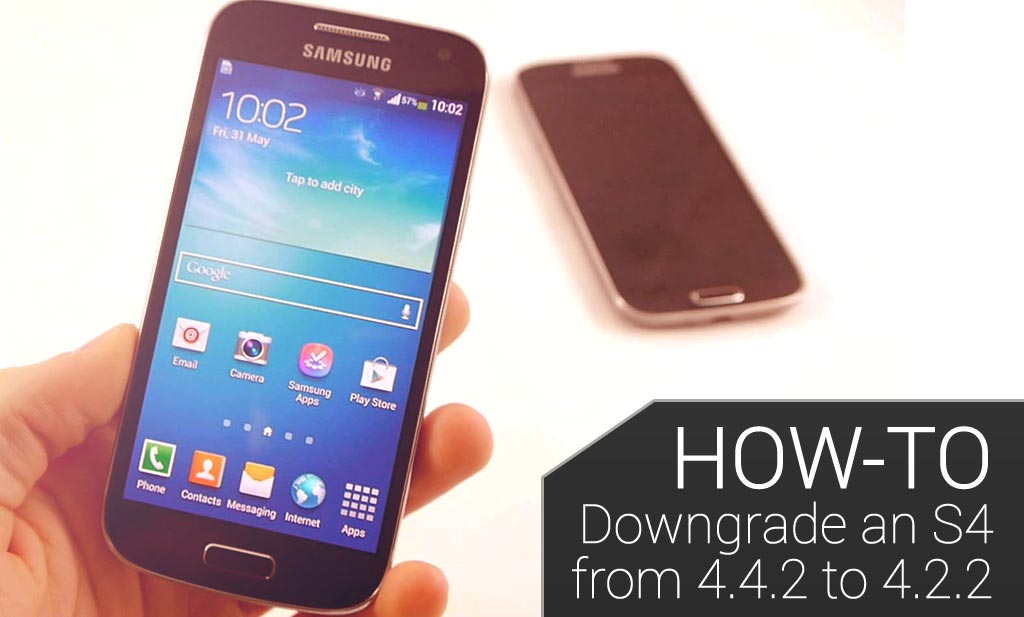
  • Como fazer o downgrade de um Samsung Galaxy S4 partindo de 4.4.2 para 4.2.2

    Como fazer o downgrade de um Samsung Galaxy S4 partindo de 4.4.2 para 4.2.2

    8


    Este artigo irá lhe mostrar como como fazer o downgrade com sucesso de um Samsung Galaxy S4 partindo de OS 4.4.2 para 4.3

    Isenção de Responsabilidade: Por favor, entendam que este guia é fornecido “como está”. Flexispy não é responsável por ele ou o por seu conteúdo e você executa o procedimento de downgrade inteiramente por sua conta e em seu próprio risco. Flexispy não é responsável de forma alguma por quaisquer danos que possam incorrer por seguir este guia e, pela leitura além deste aviso, você concorda com o aviso informado acima:

    O nosso Samsung Galaxy S4 é o modelo número GT-i9500.

    Essas etapas podem não funcionar na versão GT-I9505 do Samsung Galaxy S4 e você as executa ao seu próprio risco.

    Por que downgrade?

    Flexispy ainda não é totalmente compatível com o OS 4.4.2 e por isso, se o seu dispositivo alvo estiver executando o OS versão 4.4.2 e você quiser que recursos extremos Flexispy, tais como chamada de espionagem e interceptação de chamadas funcionem, então você precisa fazer o downgrade.

    Não só isso, mas o downgrade pode realmente causar um aumento de desempenho devido ao S4 que, por anos, não é capaz de executar integralmente a versão mais recente do sistema operacional Android, bem como algo como o Samsung Galaxy S5

    Por favor, note também que em certas regiões geográficas o S4 pode ainda não ser capaz de rodar o OS 4.4.2 e isso depende inteiramente dos provedores de rede e da própria Samsung.

    O que é necessário para fazer o downgrade?

    Para fazer o downgrade do Samsung Galaxy S4 você vai precisar do seguinte

    • O Samsung Galaxy S4 que você deseja fazer o downgrade, que está rodando o OS 4.4.2
    • Um PC.
    • O cabo USB que veio com o Samsung Galaxy S4
    • O arquivo de firmware OS 4.2.2 para o seu S4 de acordo com seu país (veja mais adiante)
    • Uma cópia de segurança da partição EFS do S$ (veja mais adiante)
    • O arquivo binário do modem do S4 (veja mais adiante)
    • O software de enraizamento para PC chamado Odin (veja mais adiante)

    Agora que temos todos os equipamentos necessários, é hora de começar!

     Passo 1 – Certifique-se que a versão do sistema operacional Android é 4.4.2 no Samsung Galaxy S4

    No telefone em si, vá para Apps> Configurações> Mais> Sobre o dispositivo, e a versão do sistema operacional será listada. Você pode ver o nosso S4 executando a versão Android 4.4.2 na imagem abaixo.

    oncellphone

     Passo 2 – Cópia de segurança da partição EFS do S4

    Basicamente, sem nos tornarmos muito técnicos (vamos discutir mais sobre a partição EFS mais tarde) é sempre mais seguro ter a certeza de que você faça um backup do telefone antes de fazer o downgrade.A partição EFS é responsável por permitir que o telefone tenha a funcionalidade de portadora e faça chamadas, como ter a rede identificada e número IMEI

    Sem estes dados, o telefone não pode funcionar como um telefone

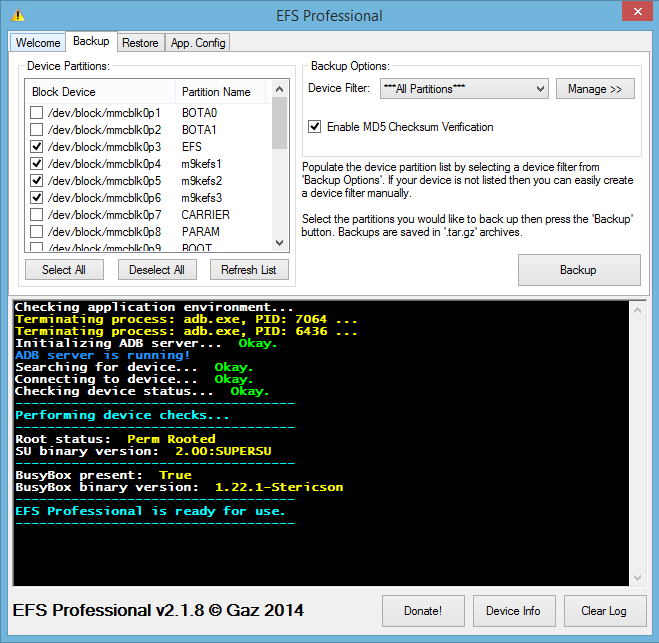
    Para fazer o backup da partição EFS vamos usar um programa chamado EFS Profissional, que é um programa de computador que nos permite fazer o backup da partição EFS para um computador por razões de segurança

    Você pode baixar o EFS Professional partindo daqui.

    No Samsung Galaxy S4, vá para a Play Store, baixe e instale o BusyBox, pois isso é necessário para que o EFS Professional funcione. Você deve ter enraizado o Samsung Galaxy antes de instalar BusyBox e você pode ir diretamente para a Spy Phone Review aqui para obter ajuda com isso.

    Simplesmente conceda acesso a root quando solicitado e, em seguida, toque em Instalar para iniciar o processo de instalação.

    Simply grant root access when asked and then tap Install to start the installation process.

    Com BusyBox instalado e o Samsung Galaxy S4 enraizado basta conectar o S4 ao seu PC usando o cabo USB que veio com ele e executar o EFS Professional.

    Quando você executa o EFS Professional ele vai realizar verificações no S4 em si para ter certeza de que a depuração de problemas de USB esteja ativada (para ativar a depuração do USB, no S4 em si, vá para Configurações> Mais> Sobre o dispositivo e continue a tocar em Build Number (número de compilação) até que a opção Developer Options (Opções do desenvolvedor) seja mostrada. Uma vez dentro de Configurações> Mais> Opções de Desenvolvedor certifique-ser de que a depuração USB esteja marcada.)

    Basta tocar em OK no S4 quando solicitado.

    De volta ao PC, se você executar o EFS Professional ele irá garantir que o S4 esteja enraizado e o BusyBox instalado, e deve ser semelhante a isto.

    should_look_something_like_this

    Toque na guia Backup.

    Certifique-se de que o EFS Professional se pareça com Esta Imagem . Você pode ver que Todas as Partições está selecionada, mas apenas as quatro partições relacionadas com EFS estão selecionadas para o backup, e então clique em Backup para iniciar.

    Uma vez que o processo de backup esteja completo desconecte o S4 do PC e reconecte-o novamente.

    Usando o Windows Explorer, navegue para o cartão SD do S4 e você vai encontrar a pasta de backup intitulada EFSProBackup.

    Simplesmente copie essa pasta para o seu PC e mantnha-a em um lugar seguro.

    copy-the-folder

     Passo 3 – Faça o download do Android 4.2.2 OS para o seu país com a versão S4

    A próxima coisa necessária é fazer o download do ROM do Android 4.2.1 que transferiremos para o S4 para fazer o downgrade.

    Para fazer isso, use o site aqui.

    Clique em Firmware Database para ser levado para a página abaixo.

    click_firmware_database

    Em TIPO, OS, MODELO e PAÍS selecione os valores que correspondem ao seu S4

    Clique no ROM 4.2.2 que você deseja fazer o download

    Verifique se os dados estão corretos para o S4 que você está querendo fazer o downgrade e depois clique no botão Download

    confirmthedetails

    Uma vez que ele já tenha sido baixado extraia-o para o seu computador, como mostrado Nesta Figura

    Por favor, note que os arquivos ROM podem ter vários gigabytes em tamanho e baixá-los pode levar algum tempo.

     Passo 4 – Transfira o firmware 4.2.1 para o S4

    Agora você precisa transferir o firmware que foi baixado para o S4.

    Para fazer isso você vai precisar de um programa chamado Odin que você pode baixar partindo daqui

    Você precisa colocar o Samsung Galaxy S4 no modo de download, o que você faz, fazendo o seguinte:

    • Desligue completamente o S4
    • Acione juntos os botões baixar volume, Home e Power
    • Aguarde até que o S4 ligue e ele deve inicializar para o modo download
    Se você tiver feito isso corretamente ele vai parecer como mostrado abaixo e você, em seguida, vai pressionar o botão de aumentar o volume para continuar, e ele estará em modo de download

    downloadmode

    Agora que você baixou o Odin, conecte o Samsung Galaxy S4 ao seu PC e o Windows deve baixar os drivers automaticamente

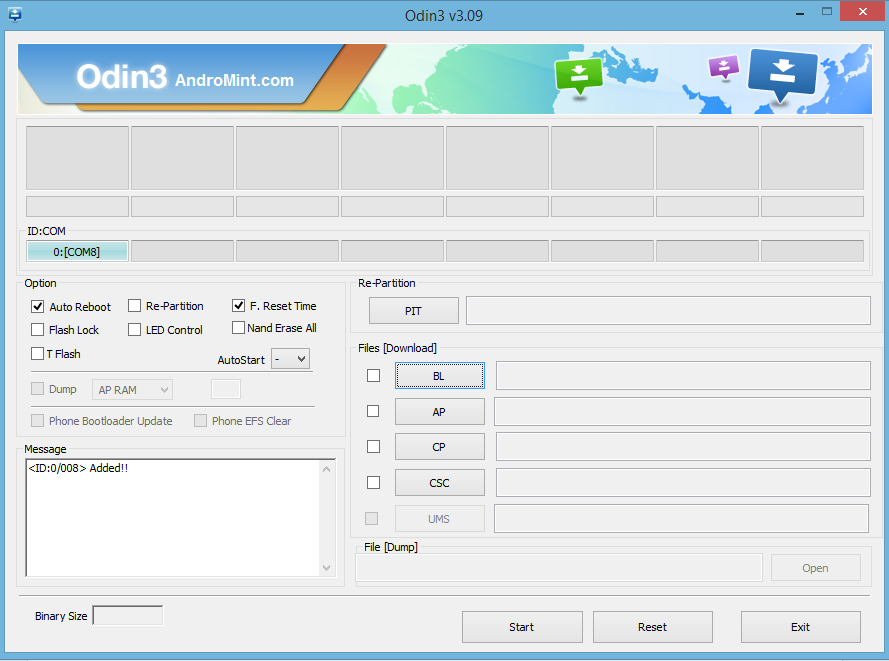
    Depois de lançar o Odin, se tudo for bem sucedido e o S4 estiver em modo de download, ele deve dizer Adicionado! como mostrado Nesta Figura

    Você agora vai clicar no botão AP e navegar até o arquivo de firmware que você baixou e extraiu da etapa anterior.

    Clique no arquivo de firmware e clique em Abrir.

    O arquivo de firmware será verificado e, em seguida, adicionado ao Odin de maneira que se pareça com a tela abaixo. Devido ao tamanho do arquivo da ROM isto pode levar algum tempo.

    Quando o Odin se parecer com a imagem abaixo você estará pronto para transferir o arquivo ROM porque este terá sido verificado com sucesso pelo Odin.

    whenitlookslikethis

    Tudo que você precisará fazer é clicar em Iniciar para transferir o ROM.

    A transferência do ROM pode demorar até 15 minutos e vai levar algum tempo

    NÃO DESCONECTE O S4 DO PC E NEM O DESLIGUE DE MANEIRA ALGUMA

    Quando o processo for concluído o Odin vai dizer PASS e o S4 irá reiniciar e executar o boot no recém-transferido ROM.

     Passo 5 – Resolvendo quaisquer problemas – incapaz de executar o boot

    Se o S4, depois de transferir o ROM, estiver preso no logotipo Samsung, faça o seguinte:

    • Desligue completamente o S4.
    • Mantenha ativados os botões de aumento de volume, Home e Power juntos.
    • Aguarde até que o S4 exiba o logotipo S4 e, em seguida, solte-os

    Ele estará agora em modo de recuperação, que é semelhante a isto.

    recoverymode

    Usando os botões de aumento e redução de volume role a tela para apagar o reset de dados da fábrica e pressione o botão Power para confirmar

    Role para baixo até Sim e pressione o botão Power para confirmar.

    O Samsung Galaxy S4 irá então executar um reset de fábrica

    Quando ele estiver de volta à tela mostrada acima selecione Reboot e o S4 irá reiniciar e executar o boot – isso pode levar algum tempo quando iniciar pela primeira vez, por favor, seja paciente

     Passo 6 – Resolver quaisquer problemas – Perda de IMEI

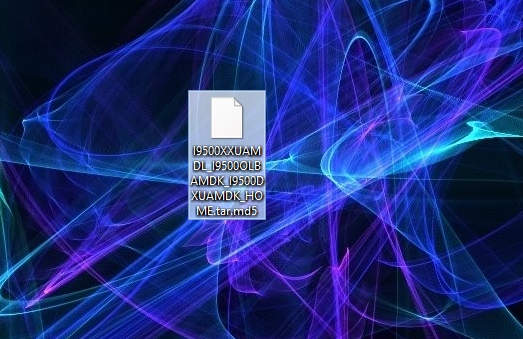
    Se, depois que o telefone completar o boot você achar que você não tem mais um sinal de celular e o seu número IMEI estiver incorreto – por exemplo 004999010640000004999010640000/01 (Configurações> Mais> Sobre o Dispositivo> Status> IMEI), então você precisará baixar o arquivo modem partindo daqui , salve-o em seu PC e extraíia-o.

    modemfile

    Coloque o Samsung Galaxy S4 no modo de download novamente e conecte-o ao PC e execute o Odin (consulte o passo 4 para obter mais informações).

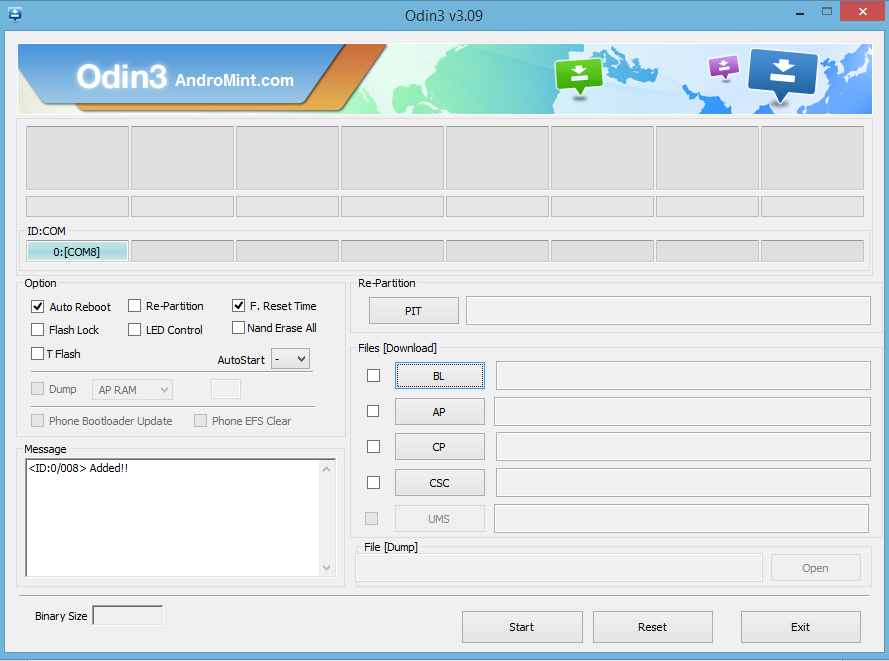
    Ficará parecido com Esta Figura uma vez conectado, como vimos antes

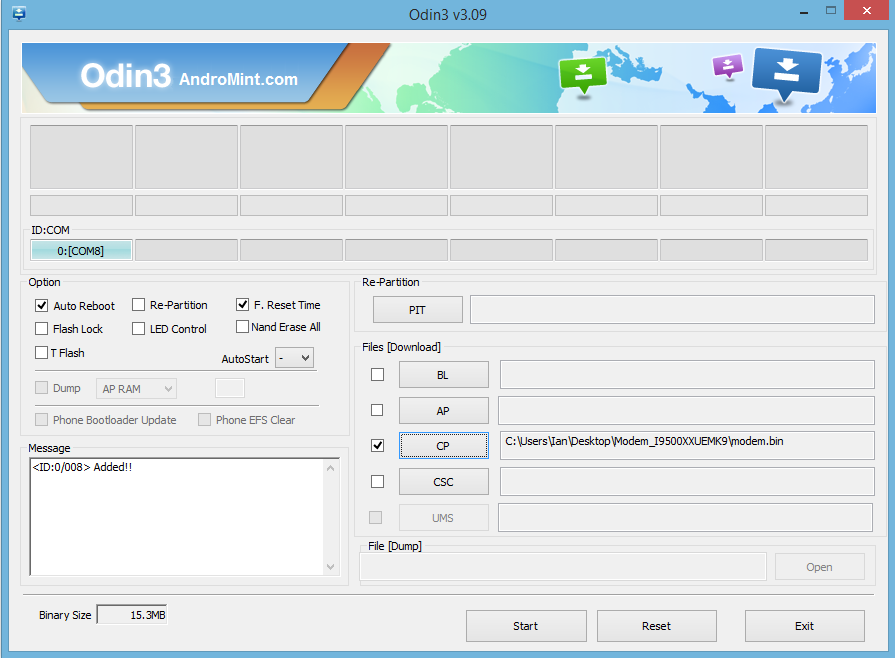
    Clique no botão CP e aponte para o arquivo Modem binário (Modem Binary file) mostrado na última imagem de tela

    pointtothelastscreenshot

    Odin deve agora se parecer com Esta Figura . Você pode ver que o S4 foi adicionado e que o arquivo modem está selecionado.

    Clique em Iniciar para transferir o modem e espere.

    NÃO DESCONECTE O S4 DO PC E NEM O DESLIGUE DE FORMA ALGUMA

    Uma vez terminado espere o S4 reiniciar e agora você deve ter o seu IMEI funcionando de volta e com o downgrade do S4 de 4.4.2 para 4.2.2.realizado com sucesso.

    Como sempre este guia é fornecido do jeito que está, então, se você tiver quaisquer problemas ou perguntas sobre isto, simplesmente nos informe nos comentários e faremos o nosso melhor para ajudá-lo.

    Mantenha-se atualizado

  • COMO ESPIONAR BATE-PAPOS SKYPE NO ANDROID COM FLEXISPY

    Spy On Android Skype Chats With FlexiSPY

    Skype é uma plataforma de mensagens instantâneas maciçamente popular igualmente para computadores e telefones.Se você conhece alguém que está usando muito o Skype, ou apenas recentemente se interessou por ele, você vai querer saber exatamente o que eles estão fazendo. Depois de comprar o nosso software espião móvel , você vai ser capaz de espionar conversas do Skype no Android, e no guia a seguir, você vai aprender como fazer isso. Vamos começar!

    Espionagem nos bate-papos Skype em Android – Introdução

    Passo 1 – Faça login no seu painel através do Portal FlexiSPY

    Login to your FlexiSPY Portal

    Passo 2 – Clique na guia Mensagens e em seguida em MI e em Skype

    Step 2 – Click the Messages tab and then click IM and then Skype.

    Passo 3 – Veja os chats Skype capturados listados para a sua visualização.

    Step 3 - View the captured Skype chats listed for your viewing.

    Está feito!

    Isso é tudo, e agora você deve estar espionando os Bate-papos do Skype no Android. Claro, se você tiver alguma dúvida sobre esse recurso, ou qualquer outra característica FlexiSPY, entre em contato conosco na seção de comentários abaixo, ou através dos nossos meios de comunicação social!

  • COMO RASTREAR LOCAIS GPS ANDROID COM FLEXISPY

    How To Track Android GPS Locations With FlexiSPY - Banner

    Quando você pergunta a ele(a) onde esteve durante o dia, você tem certeza que ele(a) está dizendo a verdade?

    O fato é que você nunca realmente vai saber a menos que o(a) tenha visto no local, ou se tiver instalado um dispositivo de rastreamento GPS que ele(a) vai estar carregando em todos os momentos.

    No guia a seguir, você vai aprender como rastrear localizações de GPS Android usando o recurso de localização por GPS FlexiSPY.

    Primeiros passos

    Passo 1 – Entre no seu Painel FlexiSPY através do Portal

    Step 1 - Log in to your FlexiSPY dashboard via the Portal

    Passo 2 – Clique na guia Locais.

    Click the Locations tab

    Passo 3 – Veja as últimas localizações de GPS capturadas

    Step 3 - View the latest Captured GPS Locations

    Concluído

    Isso é tudo, e agora você deve estar rastreando com sucesso as localizações do GPS Android com FlexiSPY.

    Claro, se você tiver alguma dúvida sobre esse recurso, ou qualquer outra característica FlexiSPY, informe-nos na seção de comentários abaixo, ou através dos nossos meios de comunicação social!

  • POSSO ESPIONAR O TELEFONE DO MEU FILHO?

    38percentofyoungpeoplehavebeenaffectedbycyberbullying

    Preocupado com seus filhos adolescentes?

    Com quem eles estão saindo? O que eles estão fazendo depois da escola? Meu filho está sendo intimidado? Meu filho está envolvido com drogas?

    Estas são todas preocupações – válidas – e comuns de um pai.

    Você provavelmente comprou um telefone para o seu (sua) adolescente – um bonito iPhone ou um tecnológico smartphone android.

    Você pode colocar um monte de medos para descansar, se souber o que está acontecendo com o telefone do seu filho. Você também pode intervir, se necessário, para proteger seu filho.

    Quais são as implicações legais de espionar o telefone do seu filho? Você pode ser processado por seu filho?

    Imunidade pai-filho:Historicamente, a doutrina da imunidade Parental impede uma criança de apresentar uma queixa contra seus pais. A doutrina da imunidade parental teve sua gênese nos Estados Unidos em Hewellette v. George , 68 Miss 703, 9Sul. 885 (1891), quando uma filha menor de idade foi impedida de processar o espólio de sua falecida mãe por danos resultantes de sofrimento mental e prejuízo para seu caráter incorridos durante seu confinamento em um asilo por 11 dias, causados por sua mãe. O tribunal deu esta razão para o seu bloqueio:

    Imunidade pai-filho:Historicamente, a doutrina da imunidade Parental impede uma criança de apresentar uma queixa contra seus pais. A doutrina da imunidade parental teve sua gênese nos Estados Unidos em Hewellette v. George , 68 Miss 703, 9Sul. 885 (1891), quando uma filha menor de idade foi impedida de processar o espólio de sua falecida mãe por danos resultantes de sofrimento mental e prejuízo para seu caráter incorridos durante seu confinamento em um asilo por 11 dias, causados por sua mãe. O tribunal deu esta razão para o seu bloqueio:

    A regra, conforme estabelecida em Hewellette é a seguinte: “Enquanto os pais têm a obrigação de cuidar, orientar e controlar, e a criança estando sob a obrigação recíproca de ajuda, conforto e obediência, tais medidas não, podem ser mantidas.”

    Todos os 50 estados, legislativamente ou judicialmente (por decisão da Suprema Corte doestado), adotaram a doutrina. A Califórnia é um estado que adotou a imunidade judicialmente (Trudell v Leatherby (1931) 212 Cal. 678 [300 P. 7] um filho menor não emancipado não pode manter uma ação contra seu pai por negligência, porque uma ação por uma criança contra seus pais “traria discórdia na família e perturbaria a paz e a harmonia da casa”).

    O Fim da Imunidade pai-filho:Quase todos os estados já abandonaram a imunidade pai-filho absoluta, particularmente com respeito a delitos dolosos contra a criança (ou seja, molestamento e abuso infantil). Muitos estados revogaram a doutrina para as alegações de negligência onde há cobertura de seguro por negligência dos pais, e permitir a ação do filho contra os pais não perturbaria a harmonia familiar, pois a reivindicação está, na verdade, contra a companhia de seguros para os pais (ex., permitir processos por negligência automobilística – agora comumente excluídos por apólices de seguro).

    • A Regra Goller – imunizando negligência parental comum

    Reconhecendo a contínua necessidade de proteger a autoridade dos pais e a harmonia familiar, algumas jurisdições têm tentado limitar a imunidade à conduta negligente decorrente de um “exercício de autoridade parental. . . [ou] um exercício de discrição parental comum no que diz respeito ao fornecimento de alimentação, vestuário, habitação, serviços médicos e odontológicos, e outros cuidados”. Goller v White , 20 Wis.. 2d 402, 122 NW2d 193 (1963).

    O raciocínio é que os pais têm o direito de criar seus filhos de acordo com suas próprias convicções, sem interferências indevidas dos tribunais. Os pais devem ser livres para determinar o crescimento físico, moral, emocional e intelectual de seus próprios filhos. Cada pai tem uma filosofia única de criação de filhos, e assuntos de supervisão dos pais invocam essas considerações filosóficas. Nem um tribunal nem um júri pode avaliar tais fatores altamente subjetivos, sem suplantar a filosofia individual dos pais.

    A regra de Wisconsin de Goller, que é seguida pela maioria dos estados, é a seguinte: A regra de imunidade dos pais está revogada, exceto em duas situações: (1) onde o ato negligente alegado envolve um exercício da autoridade parental sobre a criança; e (2) onde o ato negligente alegado envolve um exercício de discrição parental comum no que diz respeito ao fornecimento de alimentação, vestuário, habitação, serviços médicos e odontológicos, e outros cuidados.

    • A Regra de Gibson – O padrão parental razoável

    A Califórnia tem liderado o caminho em que revoga totalmente a doutrina da imunidade dos pais e muitos estados estão se movendo em direção à regra Californiana dos “pais razoáveis” adotada em Gibson v Gibson (1971) 3 Cal.3d 914.Decidido após Goller, Gibson reconheceu que “um pai pode exercer certa autoridade sobre uma criança, o que seria ilícito se dirigido para outra pessoa. Por exemplo, um pai pode bater em uma criança que tenha se comportado mal sem ser responsável por crime, ou ele pode ordenar temporariamente à criança para ficar em seu quarto como castigo, e ainda assim não ser responsabilizado por cárcere privado.”

    Gibson adotou a seguinte regra, agora conhecida como o padrão “pai razoável”: “Desde que a lei impõe ao pai o dever de cuidar e disciplinar seu filho e confere o direito de prescrever um curso de conduta razoável para o seu desenvolvimento,o pai tem um amplo poder de apreciação no exercício das suas funções parentais,mas essa discrição não inclui o direito de, deliberadamente infligir danos pessoais além dos limites da disciplina parental razoável. . . Embora um pai tenha a prerrogativa e o dever de exercer autoridade sobre seu filho menor, essa prerrogativa deve ser exercida dentro de limites razoáveis. A norma a ser aplicada é a tradicional da razoabilidade, mas vista à luz do papel parental. Assim, pensamos que o teste apropriado de conduta dos pais seria este:o que um pai normalmente razoável e prudente teria feito em circunstâncias semelhantes?

    Monitoramento Estatutário Requerido:Lei de Supervisão da Criança de Oregon

    Pode-se também fazer o caso em que as comunicações e monitoramento de localização podem, às vezes, ser necessários para os pais com uma criança que tenha um histórico de mau comportamento criminal. Por exemplo, o Oregon impõe sanções penais (apenas uma multa de US $ 100) contra os pais cujos filhos violam as leis do tabaco, do álcool, da evasão escolar e do toque de recolher. Para escaparem das suas responsabilidades, os pais devem mostrar que relataram a conduta à polícia, ou que tomaram as medidas necessárias para controlar a criança. (Estatutos Revisados de Oregon , Sect. 133,07 (Falha ao supervisionar uma criança).

    Responsabilidade Parental por Assediar uma criança:Não invada a conta do Facebook de seu filho.

    Embora não haja casos de pais sendo processados ​​por seus filhos por invasão de privacidade por espionar a atividade de seus telefones e internet, há um caso recente em que uma mãe levou suas atividades de supervisão ao extremo.

    O filho de 17 anos de uma mulher de Arkansas deixou sua página do Facebook aberta no computador dele. Sua mãe leu suas entradas na página e ficou perturbada ao descobrir que ele estava postando relatos de violência doméstica por sua mãe. Ela mudou sua senha, e, ao longo de várias semanas, começou a postar inúmeras declarações falsas e difamatórias que, paraos amigos do facebookda criança,pareciam ser postadas pelo próprio garoto de 17 anos .Ela também enviou ao seu filho, comunicações vulgares porsms e através do Facebook.

    O filho dela fez uma queixa à polícia. A mãe foi presa, julgada e condenada por assédio. Ela foi condenada a um ano de liberdade condicional, condenada a pagar uma multa de US $ 435, e assistir a aulas de controle de ira.

    Uma dica para pais:Monitorar as atividades do telefone e da internet do seu filho está dentro do seu direito como pais, e deve ser o seu dever. Enquanto a supervisão e o monitoramento estão perfeitamente dentro da lei, a conduta intencional prejudicial que vai alémda função parental,expõe os pais tanto à responsabilidade civil como criminal. Além disso, a divulgação pública de comunicações pessoais pode, em alguns casos, levar à responsabilidade civil ou criminal por difamação, assédio ou invasão de privacidade.


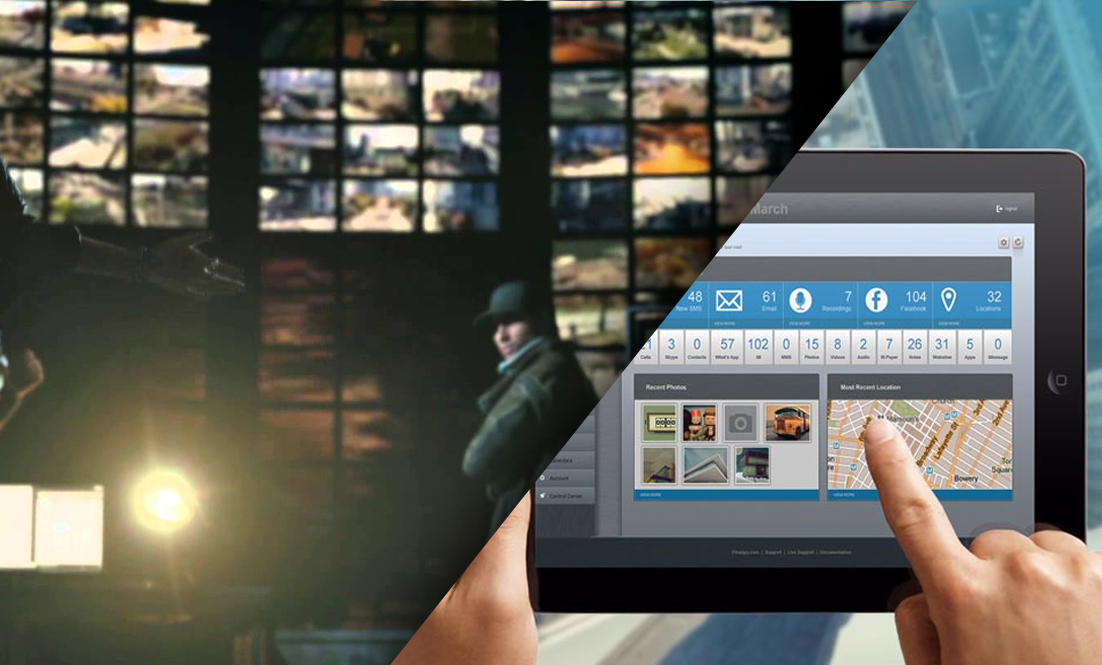
  • AS INVASÕES DE SMARTPHONES EM WATCH DOGS SÃO MUITO REAIS E ESTÃO ACONTECENDO AGORA MESMO

    AS INVASÕES DE SMARTPHONES EM WATCH DOGS SÃO MUITO REAIS E ESTÃO ACONTECENDO AGORA MESMO

    8


    “Eles acham que eu sou um homem fora de controle … mas eu nunca tive tanto controle.”

    – Aiden Pierce Watch Dogs


    PPara aqueles que não estão familiarizados com o mundo dos jogos, recentemente um dos títulos mais esperados caiu – O Watch Dogs da Ubisoft. Este jogo sandbox do mundo aberto prometia tudo o que o seminal GTA V oferecia, exceto que o seu foco era mais sobre invadir a cidade a fim de frustrar os inimigos, do que, confiar apenas no poder de fogo em si,

    O Watch Dogs acontece em uma Chicago do futuro, onde a cidade inteira está ligada a um sistema principal conhecido como CtOS. Obviamente, aqueles com algum conhecimento de hacker poderiam invadir o sistema e causar todos os tipos de caos para a cidade e seus habitantes e que, em essência, é o ponto crucial do Watch Dogs.

    Muitas pessoas já foram comparar a tarefa de quão plausíveis ou possíveis são as invasões em que você age como Aiden Pierce na medida em que investiga quem assassinou sua sobrinha, e este artigo vai lhe mostrar que, partes do que você vê e o que você pode fazer no mundo do Watch Dogs já são muito reais e já têm estado presentes por algum tempo.

    centerman

    A primeira coisa é ouvir chamadas ao vivo. No início do Watch Dogs acontece de você invadir um telefone público e passar a ouvir toda a conversa no seu próprio telefone.

    A Interceptação de chamadas lhe permite ouvir ao vivo as chamadas de telefone de outra pessoa sem que a outra pessoa jamais saiba que você está lá. Ao contrário do Watch Dogs, através do qual se estica a verdade como em todos os bons programas de Hollywood e da TV, ao ponto de você acreditar que tudo pode ser invadido remotamente (dica: isso é uma mentira), se você realmente quiser ouvir telefonemas de outra pessoa usando FlexiSPY você naturalmente precisa ter em mãos o dispositivo de destino da outra pessoa primeiro, para que você possa instalar fisicamente nele o FlexiSPY.

    GRAVAÇÃO DE CHAMADAS

    Durante o curso do Watch Dogs você descobre registros de áudio que são gravações que dão mais visão para a vida das pessoas que vivem nesta versão futurista de Chicago. No jogo, Aiden simplesmente invade um computador e pode, então, começar a ouvir um registro de áudio armazenado em seu telefone. O mesmo princípio é aplicado por FlexiSPY com seu produto FlexiRECORD. Exceto que na vida real, você precisa primeiro instalar o software de monitoramento, neste caso o FlexiSPY, no dispositivo ALVO, e o FlexiRECORD em seu próprio computador e no telefone Android conectado.

    Depois disso, ele funciona da mesma maneira, todas as chamadas podem ser gravadas e armazenadas em seu computador ou você pode salvar os arquivos gravados no seu telefone para ouvi-los em movimento.

    Não apenas você pode ouvir ao vivo as chamadas no Watch Dogs como você também pode estar a par de conversas privadas entre os habitantes de Chicago enquanto caminha por aí. FlexiSPY também tem esse recurso na vida real – conhecido como chamada de espionagem – e permite que você use seu próprio telefone para ligar para o dispositivo ALVO e ouvir o que acontece ao redor do telefone no momento da ligação.

    FlexiSPY torna a chamada espiã incrivelmente simples. Uma vez que você tenha instalado o FlexiSPY no telefone ALVO basta digitar o seu próprio número de telefone celular no painel FlexiSPY online, ativar o recurso spycall e está tudo pronto.

    Basta ligar para o telefone ALVO a partir do seu próprio telefone para começar a ouvir secretamente

    oncellphone

    Watch Dogs é tudo sobre hacking no final do dia. Não há nada mais gratificante do que invadir semáforos para escapar de uma perseguição policial, olhando para trás vendo a polícia esmagar aos motoristas confusos conforme você escapa em velocidade, ou observá-los sendo perfurados pelos bloqueadores que você ativa. Mas você sabia que o Watch Dogs também permite que você invada as mensagens SMS das pessoas? É isso mesmo, e, sim, na vida real isso também pode ser feito. Então isso significa que, em certos pontos durante o jogo, você pode invadir as mensagens SMS de outra pessoa para aprender a revelar informações ou até mesmo enviá-las mensagens SMS para distraí-las e obter a sua atenção enquanto você passa sorrateiramente.

    Enquanto a tecnologia ainda não está pronta para permitir que você invada o telefone de alguém remotamente (embora muitos golpes existam por aí afora), você pode realmente interceptar e ler mensagens SMS de outra pessoa usando o FlexiSPY.

    FLEXIRECORD

    Ou que tal hackear uma ponte para levantar depois de ter escapado? O Watch Dogs permite que você faça tudo isso e o Ubi Soft ainda colocou Kaspersky a bordo como conselheiro para se certificar de que a invasão realizada no jogo foi realmente real (embora muito daquilo tenha sido feito mais dramático por efeito – pense no filme Swordfish, com John Travolta e Hugh Jackman).

    Portanto, não há dúvida de que neste momento, o Watch Dogs é o jogo mais quente do planeta. Com a sua tomada inovadora em uma cidade e sociedade interativas e interligadas, faz você pensar sobre a sua própria segurança. Estamos todos muito confiantes em nossos computadores ou smartphones e só vai piorar, isso significa maior risco com o que todos nós nos preocupamos digitalmente, que pode ser invadido. Há uma linha clássica no filme sobre invasões de Ryan Philippe de 2001 “Antitruste”, que diz: “Nós não levamos nada a sério, a menos que esteja em um disco rígido”

    Isso é mais verdadeiro hoje do que jamais foi com nossos dispositivos, agora literalmente, tornando-se parte de nós (Galaxy Gear e Google Glass) com uma série de dispositivos portáteis planejados para serem lançados muito em breve. Está chegando ao ponto em que corpos são nossos dados é por isso que os apps de saúde são agora o próximo grande mercado de aplicativos para saquear.

    Não há dúvida de que o lançamento do Watch Dogs levantou questões e perguntas sobre o quão seguro estamos on-line ou quando se lida com dados digitais, quão dependentes nos tornamos dos nossos dispositivos e quanto controle eles têm sobre nós (vamos esclarecer, eles nos controlam, nós não os controlamos, de outra forma teríamos apenas que desligá-los e nunca os usarmos).

    flexirecordcomingup

    dont take seriously

    É a constante necessidade de verificar o Twitter, Facebook, mensagens SMS, correio de voz o tempo todo que mantém nossos dispositivos ligados e sempre em nossos pensamentos. Todos esses dados, em mãos erradas ou obtidos de forma antiética podem ter consequências muito ruins. Mas, primeiro, a mídia precisa educar-se sobre o que o hacking realmente é, e o que ele realmente envolve em vez de fazer sensacionalismo para Hollywood e para a TV.

    Com o lançamento do Watch Dogs teria sido bom ficar longe da forma estereotipada de mostrar o hacking como sendo feito remotamente, o que simplesmente não é verdadeiro. É essa desinformação que permite a muitas empresas ilegítimas lucrarem fornecendo software ilegal. Quando você pensa sobre a história do Watch Dogs, mesmo colocando uma cidade inteira sob controle por um Sistema Operacional (seriam vários certamente! Um para cada tipo de infraestrutura – água, energia, etc.) é um pouco radical, mas não se engane, este é o lugar para onde nossas vidas estão caminhando.

    QUEM SABE

    Talvez a Ubi Soft corrija isso na sequência, e faça com que Aiden tenha antes que instalar fisicamente o software invasor no dispositivo que deseja invadir, e para equipes multi jogadores de hackers, poderia combatê-los on-line por controle de subsistemas específicos do sistema operacional (como captura da bandeira) para vencer a equipe adversária – isso faria o jogo mais interessante e mais realista – ou, pelo menos, eles poderiam nos permitir esconder todos os cadáveres que deixamos em nosso rastro. Por que não ver o quão real é o Watch Dogs agora e experimentar o FlexiSPY gratuitamente por 24 horas hoje? Como incentivo adicional obtenha 5% em sua compra FlexiSPY usando o código do cupom FSPY5OFF – válido até 30 de Junho de 2014.


    Explore All Our Features

  • FlexiSPY Is Now Compatible With iOS 7.1.2

    FlexiSPY Is Now Compatible With iOS 7.1.2

    You can now install and run FlexiSPY Premium & Extreme as well as FlexiSPY iPad on any jailbroken iOS device running iOS 7.1.2!

    This now means that you can now get the same unrivalled IM capturing capabilities on iOS 7.1.2 as well as great signature FlexiSPY features such as spy call and call interception.

    How can I get FlexiSPY on my iOS 7.1.2 device?

    The first thing you need to do is jailbreak the device, we have a guide for that, which explains all the steps, that you can read, here All it takes is a few minutes and the TARGET device in your hand to jailbreak the device with help from access to a PC and you will be up and jailbroken in no time. After being jailbroken, the installation of FlexiSPY will be as simple as ever, so why not start enjoying FlexiSPY on your jailbroken iOS 7.1.2 device today!

    Get FlexiSPY For iOS

  • ESPIONE MENSAGENS SNAPCHAT E IMAGENS NO IPHONE COM FLEXISPY

    ESPIONE MENSAGENS SNAPCHAT E IMAGENS NO IPHONE COM FLEXISPY

    Este artigo irá mostrar como você pode usar FlexiSPY em um iPhone para espionar todas aquelas fotos e mensagens Snapchat supostamente escondidas e visualizá-las diretamente de dentro de sua conta online FlexiSPY.

    Primeiros passos

    Passo 1 – Certifique-se de ter o iPhone ALVO em suas mãos.

    Passo 2 – Verifique se o telefone ALVO foi desbloqueado (jailbroken) .

    Passo 3 – Certifique-se de ter instalado e ativado o FlexiSPY no iPhone ALVO.

    Visualizando os dados Snapchat capturados

    Passo 1 – Faça login na sua conta online FlexiSPY.

    ESPIONE MENSAGENS SNAPCHAT E IMAGENS NO IPHONE COM FLEXISPY

    Passo 2 – Selecione a guia Mensagens e clique em IM para abrir o menu de mensagens instantâneas.

    Passo 3 – Clique em serviços de Mensagens Instantâneas, no menu drop-down e escolha Snapchat na lista.

    Passo 3 - Clique em serviços de Mensagens Instantâneas, no menu drop-down e escolha Snapchat na lista.

    Passo 4 – Todas as informações do Snapchat capturadas no iPhone ALVO serão exibidas.

    Passo 4 - Todas as informações do Snapchat capturadas no iPhone ALVO serão exibidas.

    Isso é tudo o que existe sobre isso, e agora você deve estar usando com sucesso o recurso de captura de mensagens instantâneas para iPhone Snapchat da FlexiSPY para espionar as mensagens e imagens Snapchat dele(a).

    Claro, se você ainda tiver dúvidas sobre este recurso, ou qualquer outra característica, não hesite em nos informar na seção de comentários abaixo, ou através dos nossos meios de comunicação social!


  • FLEXISPY É O PRIMEIRO SOFTWARE DE TELEFONE ESPIÃO PARA ESPIONAR O SNAPSHOT PARA IPHONE

    snapchat-banner

    FlexiSPY já capta a maioria dos textos e mídias ricas em toda a gama de serviços de MI – em comparação com todos os outros softwares de telefone espião- e agora também somos os primeiros a capturar o popular programa de mensagens instantâneas Snapchat no iPhone.

    O que é Snapchat?

    Snapchat é um popular programa de mensagens instantâneas que permite que você envie fotos para qualquer um em sua lista de contatos Snapchat, que irão se ‘autodestruir’ de acordo com o número de segundos que você definir. Isto significa que uma vez que a outra pessoa abra a imagem que você enviou, ela irá então desaparecer e deixar de ser visível no telefone dele(a).

    Ou assim vocês pensaram.

    FlexiSPY já a terá capturado.

    Isso significa que, com FlexiSPY, as imagens Snapchat que são descartáveis ​​não são realmente descartáveis. Com FlexiSPY instalado em qualquer iPhone rodando Snapchat, independentemente das definições do temporizador para todas as imagens enviadas e recebidas, elas serão capturadas e enviadas para a conta online FlexiSPY para você visualizar, mesmo que no Snapchat em si ela desapareça uma vez que tenha sido vista.

    Como o Snapchat funciona?

    A fim de mostrar o quão significativo é que o FlexiSPY agora captura Snapchat, e porque você precisa dele, vamos vê-lo em ação.

    Nas fotos abaixo você pode ver uma imagem que vamos enviar para o iPhone ALVO que tem o FlexiSPY instalado, bem como o Snapchat.

    No canto inferior esquerdo você pode ver ‘3 ‘, que significa que quando o iPhone ALVO recebe a imagem, ele(a) pode vê-la por 3 segundos antes que seja permanentemente removida pelo Snapchat.

    Então você pode ver que o iPhone ALVO recebeu a imagem enviada e que ela está pronta para ser visualizada.

    Imagem sendo enviada para o dispositivo ALVO e recebida usando Snapchat com um prazo de 3 segundos
    Imagem sendo enviada para o dispositivo ALVO e recebida usando Snapchat com um prazo de 3 segundos

    Tudo que ele(a) tem a fazer é tocar no ícone para ver a imagem, que ficará então, visível por 3 segundos.

    Uma vez que ela tenha sido vista por 3 segundos a imagem será completamente apagada pelo Snapchat.

    No entanto, a essa hora FlexiSPY já capturou a imagem e a carregou para a sua conta on-line, então não importa quão seguro o ALVO ache que está por usar o Snapchat, FlexiSPY estará sempre um passo à frente.

    Será que FlexiSPY realmente captura o Snapchat?

    Agora que já enviamos uma foto para o iPhone ALVO, e que foi vista por 3 segundos e, depois apagada permanentemente pelo Snapchat, é hora de ver se FlexiSPY realmente capturou a imagem que, supostamente teria sido permanentemente excluída, uma vez visualizada.

    Basta entrar em sua conta online FlexiSPY e escolherMensagens> MI> Snapchatpara ver os dados Snapchat capturados.

    Você pode ver na imagem aqui que a informação do Snapchat foi capturada com sucesso.

    FlexiSPY é o único software de telefone espião para iPhone para capturar Snapchat.
    FlexiSPY é o único software de telefone espião para iPhone para capturar Snapchat.

    FlexiSPY captura todas as informações da mensagem que foi enviada de ou para o telefone ALVO usando o Snapchat.

    Mas e a imagem que foi enviada e supostamente excluída permanentemente pelo Snapchat?

    Você pode ver na figura seguinte que a imagem que foi recebida pelo telefone ALVO e que deveria ter sido excluída pelo Snapchat depois de ser vista por 3 segundos, foi capturada com sucesso e enviada para a conta online FlexiSPY.

    snapchatcaptured
    Só FlexiSPY lhe dá o que Snapchat tenta esconder.

    As imagens do Snapchat não permanecem mais apagadas com FlexiSPY.

    No momento da escrita deste artigo, FlexiSPY só captura Snapchat no iPhone, mas uma versão Android está prevista para lançamento em breve.

    Explore todos os nossos grandes recursos
     

  • VISIBILIDADE DO SOFTWARE ESPIÃO | SEU SOFTWARE ESPIÃO ESTÁ REALMENTE OCULTO?

    Todos os produtos de software espião prometem ser “completamente ocultos”, “indetectáveis”, “totalmente invisíveis” ou algo assim. Mas eles são realmente? Se o seu software de espionagem não for verdadeiramente oculto, não só ele acaba por falhar no final, como você também pode acabar seriamente arruinado

    Stealth
    Stealth is important when purchasing Spy Phone software

    Nesta série deartigos sobre Visibilidade discutimos a importância daoperação de sigiloe investigamos como cada aplicativo permanece verdadeiramente oculto.

    Estaremos olhando para o StealthGenie , MSPY , Mobile Spy e MobiStealth , e comparando cada um deles com o FlexiSPY . Também vamos lhe dar exemplos de instantâneos de tela do que encontramos. Esta série compara os principais softwares aplicativos de monitoramento e espionagem para a plataforma Android.

    A operação em Sigilo se resume a um punhado de questões importantes, tais como:

    • O aplicativo em si está bem escondido, ou pode ser facilmente encontrado e desativado pelo usuário? É encontrado por aplicativos antivírus e de segurança?
    • O aplicativo de monitoramento interfere no uso normal do telefone?
    • Será que consome muita bateria ou consome quantidades significativas de dados?
    • Será que chama a atenção para si de outras maneiras?

    A operação em Sigilo é mais do que apenas esconder um ícone. Todos os concorrentes da FlexiSPY são, na melhor das hipóteses, apenas parcialmenteocultos. Se anunciados como discretos, escondidos ou até mesmo totalmente invisíveis, os softwares ainda podem ser encontrados em várias maneiras. Às vezes é até mais fácil do que você esperaria.

    • Às vezes, um aplicativo pode ser encontrado diretamente a partir do próprio Gerenciador de Aplicativos. De lá, um usuário experiente pode controlar seus recursos e uso de dados, matar os seus processos em execução ou até mesmo desinstalá-lo.
    • Outro aplicativo de monitoramento pode ser localizado por um utilitário antivírus, notificar o usuário com um aviso na tela e uma oferta para desinstalá-lo automaticamente.
    • Outros aplicativos podem deixar para trás o ícone para um utilitário de enraizamento que foi instalado como uma dependência.

    Se não for corretamente oculto, uma grande variedade de utilitários de sistema também pode ser relatada no aplicativo sobre percentual de bateria, tempo de CPU, memória e uso total de dados.

    A Série sobre Visibilidade da FlexiSPY lida com o nível real de visibilidade dos principais concorrentes de telefone espião em cinco áreas básicas. Você pode encontrar estes artigos sobre Análise de Telefones Espiões  aqui , ou diretamente nos links de dados acima.

    Para maiores informações, também realizamos análises em profundidade, cobrindo a visibilidade e outros assuntos, que podem ser encontradas aqui


    Explore todos os nossos grandes recursos


    Escondeu-se em você. Sigiloso, hein?

    jet2


  • ESPIONE BATE PAPOS DO YAHOO MESSENGER NO IPHONE COM FLEXISPY

    ESPIONE BATE PAPOS DO YAHOO MESSENGER NO IPHONE COM FLEXISPY

    Este artigo irá mostra como você pode usar FlexiSPY em um iPhone para espionar todas as conversas do Yahoo Messenger que ocorrem no iPhone ALVO e visualizá-las diretamente de dentro de sua conta online FlexiSPY.

    Primeiros passos

    Passo 1 – Certifique-se de ter o iPhone ALVO em suas mãos

    Passo 2 – Verifique se o telefone ALVO foi desbloqueado (jailbroken) .

    Passo 3 – Certifique-se de ter instalado e ativado o FlexiSPY no iPhone ALVO.

    Passo 4 – Certifique-se de que o iPhone ALVO tem o Yahoo Messenger instalado com uma conta assinada

    Este artigo irá mostrar como você pode usar FlexiSPY em um iPhone para espionar todas as conversas do Yahoo Messenger que ocorrem no iPhone ALVO e visualizá-las diretamente de dentro de sua conta online FlexiSPY.

    Visualizando os dados capturados do Yahoo Messenger

    Passo 1 – Faça login na sua conta online FlexiSPY

    Passo 1 - Faça login na sua conta online FlexiSPY

    Passo 2 – Selecione a guia Mensagens e clique em IM para abrir o menu de mensagens instantâneas.

    Passo 3 – Clique em serviços de Mensagens Instantâneas, no menu drop-down e escolha Yahoo Messenger na lista.

    Passo 3 - Clique em serviços de Mensagens Instantâneas, no menu drop-down e escolha Yahoo Messenger na lista.

    Passo 4 – Todas as informações do Yahoo Messenger capturadas no iPhone ALVO serão exibidas.

    Passo 4 - Todas as informações do Yahoo Messenger capturadas no iPhone ALVO serão exibidas.

    Isso é tudo o que existe sobre isso, e agora você deve estar usando com sucesso o recurso de captura de mensagens instantâneas do Yahoo Messenger da FlexiSPY no iPhone para espionar as conversas do Yahoo Messenger dele(a).

    Claro, se você ainda tiver dúvidas sobre este recurso, ou qualquer outra característica, não hesite em nos informar na seção de comentários abaixo, ou através dos nossos meios de comunicação social!


  • COMO ESPIONAR O GOOGLE HANGOUTS NO IPHONE COM FLEXISPY

    COMO ESPIONAR O GOOGLE HANGOUTS NO IPHONE COM FLEXISPY

    Este artigo irá mostrar como você pode usar FlexiSPY em um iPhone para espionar todos os chats de Hangouts que ocorrem no iPhone ALVO e visualizá-los diretamente de dentro de sua conta online FlexiSPY.

    Primeiros passos

    Passo 1 – Certifique-se de ter o iPhone ALVO em suas mãos.

    Passo 2 – Verifique se o telefone ALVO foi desbloqueado (jailbroken) .

    Passo 3 – Certifique-se de terinstalado e ativado o FlexiSPY no iPhone ALVO.

    Passo 4 – Certifique-se de que o iPhone ALVO tem o Hangouts instalado com uma conta assinada.

    Visualizando os dados capturados de Hangouts

    Passo 1 – Faça login na sua conta online FlexiSPY.

    Passo 1 - Faça login na sua conta online FlexiSPY.

    Passo 2 – Selecione a guia Mensagens e clique em IM para abrir o menu de mensagens instantâneas.

    Passo 3 – Clique em serviços de Mensagens Instantâneas, no menu drop-down e escolha Hangouts na lista.

    Passo 3 - Clique em serviços de Mensagens Instantâneas, no menu drop-down e escolha Hangouts na lista.

    Passo 4 – Todas as informações de Hangouts capturadas no iPhone ALVO serão exibidas.

    Passo 4 - Todas as informações de Hangouts capturadas no iPhone ALVO serão exibidas.

    Isso é tudo o que há sobre o assunto, e agora você deve estar usando com sucesso o recurso de captura de mensagens instantâneas Hangouts da FlexiSPY para iPhone para espionar as mensagens Hangouts dele(a).

    Claro, se você ainda tiver dúvidas sobre este recurso, ou qualquer outra característica, não hesite em nos informar na seção de comentários abaixo, ou através dos nossos meios de comunicação social!

  • Como Espionar Chats WhatsAPP No Android

    COMO ESPIONAR CHATS WHATSAPP NO ANDROID
    Se você ainda não ouviu falar em WhatsApp você está vivendo sob uma rocha. WhatsApp é uma alternativa arrasadora de SMS padrão e está realmente pegando. Olhando para os dados demográficos, WhatsApp tem sido, em um ponto ou outro, o aplicativo pago N°1 em mais de 131 mercados a nível global, e sua influência ainda é hoje uma força onipresente no mundo dos aplicativos de mensagens.

    Você acharia que, com a base de usuários que esta empresa atende, (cerca de 350 milhões de pessoas) a sua segurança seria impenetrável. Na verdade, é realmente muito boa, e ela representou um desafio para a equipe da FlexiSPY, mas apenas por pouco tempo. FlexiSPY descobriu como quebrar a abertura do WhatsApp e construímos as capacidades de espionagem WhatsApp automaticamente BEM DENTRO da Suite FlexiSPY, tanto PREMIUM como EXTREME, para Android e iPhone. Afinal, com tantas pessoas usando WhatsApp seria uma vergonha não espioná-lo.

    Como espionar nos Chats Android WhatsApp

    Você precisa de três coisas

    1. O smartphone Android do seu investigado em sua mão
    2. O software espião FlexiSPY móvel
    3. 15 – 20 minutos de seu tempo (dependendo da marca / modelo do smartphone dele(a))

    Se você tiver certeza de que todos os requisitos FlexiSPY listados foram atendidos, então você está pronto para começar a ler chats WhatsApp de outras pessoas.

    Vamos começar!

    Passo 1 – Obtenha o smartphone Android dele(a) fisicamente em sua mão e verifique se ele é aquele que o FlexiSPY suporta.

    Se você tiver alguma dúvida durante este tutorial, basta contatar o amigável pessoal de suporte do FlexiSPY que terá prazer em ajudá-lo.
    Passo 2 – Instale o FlexiSPY no smartphone Android dele(a) e, em seguida, ative-o.

    Passo 3 – Aguarde até uma hora para que o FlexiSPY capture todas as conversas WhatsApp no smartphone dele(a). Ele irá então carregar automaticamente todos os dados capturados para seu painel online.

    Passo 4 – Faça o Login no seu Painel FlexiSPY

    Passo 4 - Faça o Login no seu Painel FlexiSPY

    Passo 5 –   Clique na guia Mensagens, em seguida clique em IM e, em WhatsApp

    Passo 5 -   Clique na guia Mensagens, em seguida clique em IM e, em WhatsApp

    Passo 6 –   Todos os chats WhatsApp capturados por FlexiSPY serão listados para você ver.

    Passo 6 -   Todos os chats WhatsApp capturados por FlexiSPY serão listados para você ver.

    Concluído 

    Se você gostou deste artigo, você pode querer verificar
    Live Chat

    Fique ligado para mais artigos desta série que explicam como usar cada recurso FlexiSPY!


  • FLEXISPY TESTE GRATUITO

    breaking-bad_1x

    Grátis!

    Coloque essa palavra na frente de qualquer outra, e é garantido que chame a atenção. De fato, “FlexiSPY grátis” ou “telefone espião grátis” estão entre os termos de busca mais populares no nosso site.

    Para que serve isso? Será que essas pessoas são apenas Aproveitadoras ou há algo mais que estamos perdendo.

    Poderia haver muitas razões, mas achamos que alguns fornecedores de Telefones Espiões ruins fizeram as pessoas desconfiarem do negócio como um todo. Então decidimos provar aos clientes que FlexiSPY é a marca de confiança quando se trata de monitoramento de dispositivos móveis.

    Para fazer isso, estamos oferecendo um dia de licença FlexiSPY EXTREME, absolutamente grátis, sem necessidade de cartão de crédito. Tudo o que pedimos em troca é que você nos ajude a divulgar a palavra pelo Facebook , Twitter ou Google mais .

    A licença terá a duração de 24 horas, tempo durante o qual você pode avaliar o nosso produto e serviço ao cliente. Após a licença expirar, você pode decidir continuar com a compra do FlexiSPY EXTREME ou Premium. Você não vai nem mesmo precisar reinstalar, graças à nossa tecnologia de Upgrade em qualquer lugar.

    Se você foi queimado por mSpy, enganado por Stealthgenie, ou desapontado por mobisteath, ou se você está seriamente procurando rastrear um celular, para espionar um iPhone ou Android, ou espionar um iPad, experimente FlexiSPY EXTREME gratuitamente. 
    Fale com nosso Live Chat e Comece já

    Não há posts relacionados.