There’s been a lot of Scam Coupon sites recently offering bogus codes for our software. These sites -created by competitors?- offer fake codes to those searching for a legit discount. Worse yet, some sites will redirect you to a bogus spy phone software site, or even a competitors site.
To counter this, we’ve made this post in hopes that when you search for “FlexiSPY Coupon Code” in your favorite search engine, you’ll land here, instead of page with malicious intentions.
Help Share Our Coupon Page
If you landed on this post first, straight from your search engine, then you’re lucky. We ask that if this post has benefited you, you will “like” this post or share it with your friends! Doing this actually makes this post more visible in search results, so people won’t be as likely to click on a bogus site.
Right now we don’t have any promotion codes
We do however, have a brand-new pricing system that we formed from our customer feedback with plans starting out as low at $69.99 per month. If you’re still not lovin’ it, then we advise that you go to the FlexiSPY home page and sign up to our mailing list there, where we have sometimes sent out seasonal promotions.
Scam Coupon Sites
We’ve compiled a small list of coupon sites known to provide not just false FlexiSPY codes, but a number of false codes for other products.
CouponsAdder
ValidCouponCode
If you want real FlexiSPY coupon codes or you want to stay up to date with the latest FlexiSPY news, promotions and discounts then make sure you are following FlexiSPY through the following channels because only through official FlexiSPY channels will official FlexiSPY coupon codes be given.
Most spy apps say that they let you spy on the targets location—but what they actually deliver is a dry list of data with a simple map. Unless you decide to risk eye strain and headaches, there is no way to quickly ‘move’ through the targets path.
There is also no way to export spy routes to other systems like Google Earth or a TomTom where you could have this information available to you in the applications that you love.
This is probably not an issue for the casual user, but our customers tend to be smart users, and professionals who have to make serious decisions based on what they are seeing.
So we created the GPS Navigator.
What The GPS Navigator Is
FlexiSPY GPS navigator is a detachable widget that lets you quickly combine the data and map views of your targets locations and see exactly how they relate to each other. It also allows you to export the route data to a standard KML file, which you can send to Google Earth allowing you to save routes and use great tools like street view to see the route through the eyes of the target.
As one of our testers said,” It’s so powerful it’s actually creepy!”
What’s currently on the market
Most spy phone apps give you a very basic overview of location tracking. This generally consists of simply a map window and a list of co-ordinates. Note how the data grid is below the map. Now imagine there are more than just a few records—you’ll will be scrolling up and down the page like a yoyo trying to match the data to the map. Now compare that to our navigator features.
Our Navigator features
Detached Navigator –
The detached navigator is a floating widget that you can place anywhere on the screen. As you interact with the data in the navigator the map window instantly responds by applying a pin at the selected location. You can then scroll through the data set.
This makes it easy to visualize and move through a large data set of locations.
The navigator widget also contains a list of GPS records, the GPS record is made up of the following:
Latitude & Longitude – View the co-ordinates of the TARGET device.
Accuracy – View how accurate the GPS reading is to the nearest meter.
Map View – View the selected co-ordinate in Google Maps.
Date and Time – Date and time of the TARGET device when the co-ordinates were taken.
Mark as favorite – Mark selected co-ordinates for quick retrieval for analysis later.
You can also dock and undock the Navigator as well as view it in full-screen. This gives you a much better way to explore and analyze the location data. Any co-ordinate you click on in the map window is also highlighted in the GPS Navigator and vice-versa.
New Map Window –
The map window lets you visualize your targets movements in a number of ways, giving you greater insight into why they may have been there in the first place. Controls are offered to change the map overlay so you can see a satellite view or a map. The former is a good way to see what kind of buildings or roads are there and to easily recognize land marks. The latter is better for getting street names and directions.
The map window also lets you discover where your target was on any given day. To do this, you enter a date range and the map windows will show you ll the locations recorded for your target. To make it even easier to understand their route, you can use the ANIMATE tool to see each co-ordinate of the phone drop in place on to the math and join together to form a path of where the TARGET device has been
Export Your GPS Data – Get More From Your Maps
While FlexiSPY will get the GPS data for you, and allow you to examine it quickly, there are third party tools that let you do many other things with your route data. You may wish to load it into a GPS system like a Tom Tom, your car sat nav
The GPS navigator also allows you to export the co-ordinates as a KML file that you can then import in to Google Maps or Google Earth to really explore where the TARGET device went.
So, we are going to find out where co-ordinate 20 was by plugging the GPS data in to Google Maps.
This is done by doing the following:
Click the Export option and then click the Download option when asked and save the KML file to your computer in an easy to find place such as your desktop.
Click Import and browse to the KML file that you downloaded in step 1.
Click Upload from File and the KML file will be uploaded in to Google Maps.
Click and drag the orange man on to the map and Google will immediately switch to street view.
– Seen in the screenshot below, the map windows has split in two. At the top we have Google street view and below is the map with us on it
Using the left and right cursor keys to turn left and right and pressing the up or down cursor keys you can then ‘walk’ around the map as if you were really there!
FlexiSPY Location Data + Google Earth
You can also export the same KML data in to Google Earth as well. Google Earth allows you to explore it is more depth than Google Maps as well as allowing you to save individual locations to your collection of places so you can easily and conveniently know where the TARGET device will be, here are the steps for doing so.
Open Google Earth and go to File > Open and browse to the KML file you exported from FlexiSPY’s GPS Navigator. Select it and then click Open.
Click and drag the orange man on to the map screen to turn on Google street view. Doing this allows us to see where the phone has been in much greater detail.
If the TARGET device visits a location regularly which you want to keep an eye on you can click the button to add a pin to the location so that you can remember it later.
Click OK to add the pin at the yellow target location shown in the picture above. The place will be added to the list of locations currently inside Google Earth.
Google Earth allows you to save the list of places either as part of your own collection (titled ‘My Places’) which is ideal for storing common locations that the TARGET device is known to go to or arrive from or you can simply save a screenshot of the current location instead.
FlexiSPY Location Data With Other Mapping Systems
The location data we have explored here can be viewed and manipulated across many mediums, be it tablet, PC or smartphone and you can even import the KML data file in to in-car navigation systems such as TomTom Navigator too – now there really is no excuse for not knowing where they are at all times.
To convert the KML data file to the OV2 format for TomTom you can use the converter here.
To covert the KML data file to the GPX format for Garmin you can use the converter here.
To convert the KML data file to the LMX format for GPS units you can use the converter here.
Currently we’re the only ones that give you this much functionality when it comes to tracking the location of a smartphone, but we’re always adding cool additions to our features! If you want to stay up to date on all the newest from us, then you should follow us on one of our social media channels!
To do so, you’ll need to jailbreak your iPhone, which we’ve provided a guide for – here
Both FlexiSPY PREMIUM & FlexiSPY EXTREME are compatible with this latest jailbreak.
Update 10/24/2014 – Now Outdated
Pangu has now released a jailbreak for iOS8 / 8,1, it’s still advised that you not update your phone to iOS 8 as the jailbreak just released is not stable and FlexiSPY doesn’t support this latest jailbreak yet (as well as all other mobile spy software)
Some of the information Below is out of date, but still contains important information:
Original Post – Now Outdated
Currently FlexiSPY (And all other mobile spy software) Do Not Support iOS 8 as there isn’t a jailbreak out for it yet.
Please Do Not Update To iOS8. You can prevent the iOS 8 update by reading the section in the article called: Can You Stop iOS 8 From Being Updated By The User And Losing The Jailbreak?
With the release of iOS8, the iPhone 6, and iPhone 6 plus, many people are wondering if it’s still going to be possible to install mobile spy software onto their Apple devices. The answer in short, is yes, You will be able to Spy on an iPhone 6, an iPhone 6 Plus, a device running iOS8, and possibly even the iWatch. However, the question that can’t be answered definitely yet, is: When Can I Spy On These New Devices? In this article we will answer some of the most common questions that we get from people, if you have after finishing the article, please contact us in the comments section at the bottom of the page.
A Date For Spying On iOS8 Devices Hasn’t Been Set Yet
Mobile spy software for iOS devices (such as the iPhone 6, 6 Plus, etc) all rely on the target phone being Jailbroken. This means that no mobile spy software can claim to work on an iOS device unless there’s been a jailbreak released for that iOS version. And currently, there is no jailbreak for iOS8.
So again, Without the ability to jailbreak any iOS 8 device such as the iPhone 6, iPhone 6 Plus or Apple Watch it is not possible yet to install any spy phone software onto the device.
How Long Will It Be Before I Can Jailbreak The iPhone 6?
No one really knows.
The time it takes for the latest version of iOS 8 to be released and the time it then takes for clever hackers to jailbreak the iOS (it is not something done by FlexiSPY in any way) can vary significantly. Actually it is taking longer and longer for a jailbreak to appear after the release of the latest version of iOS due to Apple making it more and more secure and thus fixing the exploits that jailbreak teams such as Evad3rs used to jailbreak the device.
Ironically, when Apple released iOS 6.1.3 (which killed the iOS 6.1.2 jailbreak by Evad3rs) they actually credited the Evad3rs team for helping them fix it by finding the issues and exploits that Apple patched to make iOS 6.1.3 possible.
Please be aware that there are currently many scam sites already advertising ways to jailbreak iOS 8 and these are all false – please be careful. You should follow one of our social media channels if you want to be the first to know when the jailbreak comes out.
We know they’re false because:
At the of publishing this article, iOS 8 was not even released yet to the public
There is no jailbreak of any kind available yet for the finished version of iOS 8
The video on the site shows how to jailbreak iOS 7 (if it really could jailbreak iOS 8 then why post bogus videos for an older iOS that anyone can jailbreak?)
Here’s what one of these sites can look like, so be careful.
Why is it taking so long to jailbreak iOS 8?
iOS beta versions can be jailbroken but this does not mean the final version can be.
At the time of writing (September 11th 2014) iOS 8 is not even out officially to the public and neither is the iPhone 6, iPhone 6 Plus and the Apple Watch is scheduled for the early part of 2015 so unfortunately you simply must wait.
Once iOS 8 is released publicly people will start to look at ways to jailbreak it. This could be easy, it could be hard. For those that are unaware the last jailbreak for iOS 7.1.x came from a Chinese hacking group and was called Pangu. During tests of the jailbreak it still worked on the iOS 8 beta versions but this is no way indicative to say that the same jailbreak will work on the final version of iOS 8.
iOS 8 Tethered and Untethered Jailbreaks – What Are They?
Untethered jailbreaks are always the best but take longest to arrive and no jailbreak is truly permanent.
Once someone figures out how to jailbreak iOS 8 when it is released to the public it will be tethered only to start with. This is always the case. A tethered jailbreak is essentially the ‘quick and dirty’ way just to prove a jailbreak can be done and it is usually complex (the process is as technical as it gets before it is streamlined to make it easier for public consumption) and it also has one main caveat which is explained below.
Tethered jailbreak – As soon as the iPhone is turned off or rebooted or loses power the jailbreak will be lost and, to boot up the phone to even use it you must connect it to your PC and then you have to jailbreak again and the process repeats until the phone is rebooted or loses power or turns off (rinse and repeat).
As you can see, this is not ideal at all and this is why FlexiSPY does not start to develop software until an untethered jailbreak is available. For a tethered jailbreak, not only would the person need to keep rejailbreaking the phone but every time the jailbreak is lost FlexiSPY would need to be physically installed again and this is just not ideal. Of course if Apple update iOS 8 in the meantime and people upgrade to that then it can mean the tethered jailbreak no longer works which further means the wait for an untethered jailbreak increases.
FlexiSPY understands that people cannot get the iPhone’s they wish to track all the time to keep jailbreaking it all the time if the jailbreak is tethered. Furthermore, from a development perspective, an untethered jailbreak is far safer to work with than a tethered one because an untethered jailbreak is permanent unless the iPhone is factory reset.
A tethered jailbreak is the first to be available but is not really worth it.
Untethered jailbreak – An untethered jailbreak takes the longest but it is the jailbreak that everyone wants and FlexiSPY prefers. An untethered jailbreak is permanent once applied unless the device is factory reset or upgraded to a new iOS version from Apple that fixes the exploits used in the untethered jailbreak (which means it is back to square one – waiting for a jailbreak for the new iOS 8 version and this is nothing to do with FlexiSPY).
Untethered jailbreaks are what everybody really wants, including FlexiSPY, but the wait for them to appear gets longer and longer.
Can You Stop iOS 8 From Being Updated By The User And Losing The Jailbreak?
Nobody knows at this time but, in theory, if you can do it on iOS 7.x then iOS 8 should be able to also – given time.
Now there are Cydia tweaks for iOS 7.x that you can get such as Recoveryguard that trick iOS in to thinking that the version installed is the latest one which stops the iPhone owner from being able to upgrade the iOS directly from the iPhone itself.
However this does not apply if the iPhone is factory restored in iTunes as iTunes always checks for the latest iOS version before it restores or if the iOS is updated from ITunes itself.
Please note that at the time of writing nobody knows if Recoveryguard is compatible with iOS 8 once it is released but it works fine in iOS 7 providing you have jailbroken the phone.
You can install RecoveryGuard by adding the Cydia source http://cydia.pushfix.info to your list of Cydia sources and then tapping that source and finding RecoveryGuard and installing it the same as you installed FlexiSPY or any other Cydia program.
Unfortunately though RecoveryGuard is a tweak you can only get through Cydia and you get Cydia by, yes, you guessed it, jailbreaking the phone so the people who create these tweaks also have to wait for iOS 8 to be jailbroken so that they can update their applications and make them compatible – the same as FlexiSPY.
Can I Spy On Someone’s Apple iWatch?
We are not sure if people want spy phone software for the Apple Watch. If you are interested, let us know in the comments and we will be sure to look in to it.
The Apple Watch still requires an iPhone to be tethered to it in order to receive notifications (you basically look at the watch on your wrist instead of pulling the iPhone out of your pocket instead – but not much more than that) so it may just be better to wait for FlexiSPY to fully support iOS 8 (which will run on the iPhone 4S, iPhone 5, iPhone 5S, iPhone 5 C, iPhone 6, iPhone 6 Plus, Apple Watch and all iPad generations starting from the iPad 2) instead so you can spy on the actual iPhone tethered to the Apple Watch and not the Apple Watch itself.
How long do we need to wait for FlexiSPY?
The Gold Master (final version) of iOS 8 was just released so our developers are getting to grips with that to see the new features and how we add even more great new features in to FlexiSPY but, as said, with no jailbreak there is not much we can do right no except speculate what we can do and just wait for any kind of jailbreak (tethered or untethered) and test our theories and get FlexISPY working.
In the meantime though don’t forget that FlexiSPY still works on iPhone’s and iPad’s that have been jailbroken. This is something we will of course retain in our software for iOS 8, our software can hide Cydia too meaning that, whether it is iOS 7 or iOS 8 you have just jailbroken to install FlexiSPY you can hide all traces of the jailbreak (Cydia) and our software also hides itself completely too for complete stealth.There’s actually a guide for doing so, here.
That’s All For Now | But Stay Up To Date
Currently this is the latest situation regarding FlexiSPY and iOS 8 and the new iPhone 6, iPhone 6 Plus and Apple Watch. However we will be sure to update this article with any new information regarding when FlexiSPY is available for iOS 8 but, in the meantime, join us as we all patiently wait for the iOS 8 jailbreak to arrive. To make sure you’re up to date with the jailbreak, please follow us on one of our social media channels.
“You’ve probably heard about the celebrity pictures that were stolen and linked all over over the internet.. Furthermore you probably also know that Apple’s iCloud was -at least in part- at fault”
But what you may not be aware of is just how easy the whole thing was, and how, using applications that are simple to find, you too can gain access to practically anyone’s iCloud account – and you don’t need to be a hacker to do it.
Notice: Everything in this article is for educational purposes only. Apple most likely have fixed the exploits that lead to the data leak so this is just a proof of concept article showing how it was most likely done. FlexiSPY is not responsible for any damages, loss or anything else that incurs if you do try to recreate these steps.
How Did The Leak Happen?
According to reports it was simply due to the accounts that were compromised being unsecure. For example they failed to turn on two-step notification for their account or their password was just too easy to guess. Once access was gained in to the accounts, and because most iPhone users happily let their device upload all pictures to their iCloud account without ever thinking of the consequences, a second piece of software was used to then download all backups of said iPhone.
Once those backups were downloaded the same program was used to explore its contents and this includes the pictures and videos that are now all over the internet and are being investigated by the FBI
So who is to blame? Apple for not making it clear enough that iCloud backs up everything? Apple for not making sure two-step sign up is mandatory? The user for not really fully understanding the implications of having their data stored in the cloud which can potentially be hacked?
If you own an iPhone every picture you take is uploaded to your iCloud account once you have signed in to the iPhone using your Apple ID. However this can be easily turned off (we stress that Apple have fixed the exploits so that passwords cannot be guessed by brute force which makes this hack no longer possible) so that you are no longer vulnerable.
The process that led to the leak consists of several steps.
2 Ways It Might Have Been Pulled Off
First off, the hackers needed to have access or know the email address of the persons targeted.
They used those email addresses to login to iCloud and guess the security password
They gained access to the account and then proceeded to download any iCloud backups.
Or it could have been done this way:
The hackers knew the email addresses of the people they wanted to target.
Hackers used a brute force tool and password list to guess the passwords.3. They gained access to the acocunt and then proceeded to download the iCloud backups.
Either way, one thing that hasn’t come to the surface yet is how the hackers got the email addresses to start with.
However there are many darknets where information like this is traded via the use of the encrypted TOR browser.
Replicating The Hack
This is done entirely for educational processes and, from the latest information, Apple have already fixed the iCloud vulnerabilities. So, for this we will just show you, hypothetically how it was done but we will investigate the software used to download and extract iCloud backups in more detail.
The first thing is to obviously know the email address of the people you wish to target. We are using our own Apple ID that we have set up which already contains an iCloud backup. However the program that is being pointed at to guess the passwords was called iBrute.
This is a small program written in Python that will try to brute force (guess the password) of all email addresses in the mail.txt file using the passwords in the passlist.txt file. However in the release notes it confirms as we have said, Apple have patched the exploit which means the program will no longer work.
So, for this, we are going to assume that we already have an account (Apple ID) whose password we know (which we do) so, because Apple fixed the exploit the next step is written from the perspective that iBrute worked and gave us an email address and password.
Before we proceed to the next section we need to understand just how iCloud works on an iPhone after you enter your Apple ID which is like this.
Enter your Apple ID on the iPhone – iCloud is enabled by default which photo sharing enabled.
Set up a new photo stream on the iPhone and add pictures – wait for them to be uploaded to iCloud
For PC download and install the iCloud Control Panel
Once it is installed you are asked to log in to iCloud.
You then click the Options button under Photos to see the photos that were be uploaded to iCloud
You can set the options to upload all photo streams from the iPhone to iCloud.
You can then see the iCloud photos that are stored on your PC.
What you may not be aware of is that even though photo sharing is enabled by default it is not as easy as logging in to any iCloud account and viewing the pictures online. iCloud does not work that way and even though we have set up a photo stream as a test it will not appear on the iCloud website.
Below you can see the photo stream on our PC we are using. We have added 3 extra pictures (you can just drag and drop any image file into the iCloud photos folder and it will sync.
So, if we log in to iCloud directly we see the following – no pictures of any kind.
So how does iCloud actually work?
Sign into iCloud on any iDevice using your Apple ID
Set up photo streaming and photo sharing in iCloud
Take some pictures or videos on the device
Login to a new iDevice with the same account.
All pictures and videos taken will appear on the new device.
So essentially iCloud is the backend that hosts and shares all pictures and vides (and other content such as emails and contacts) between all iDevices your account is logged in to but this also means that picture and videos backed up to iCloud are only visible on the specific iDevice.
So how do you get access to the pictures or videos if you cannot do it directly from iCloud itself?
This is the next thing we will discuss and where things get clever.
Backing Up To iCloud
Apple makes it pretty damn easy to back up data to the cloud, in-fact, it’s enabled on a persons iOS device by default. This includes automatic backup of photos from the camera roll.
All you need to be back up the phone is to make sure that your phone is charging, connected to wifi, and is locked. Once the device is backed (specifically iCloud) you’re able to perform the same steps that the hackers used to get access to the information.
Apple, for some strange reason, do not allow any iCloud backup to be password protected so it essentially means that should someone find software that can download all backups from an Apple ID and the respective iCloud account then they potentially have access to very personal or sensitive information.
This is what the hackers did
And this is what we will show you too (for educational purposes only)
The first thing you need is the PC software that was used which is called Elcomsoft Phone Password Breaker. This is from a Moscow based company and the software is sold on the basis that it allows you to recover files from phone backups from variety of different manufacturers (Apple, BlackBerry, and Microsoft) and is to be only used for legal purposes only.
However looking at their main menu for a start tells you that this software could definitely be used for all the wrong reasons.
Decrypt Backup – Simply drag and drop any iPhone or iPad backup made within iTunes in to this option for it to be decrypted and for you to be able to view all data stored inside the backup.
Explore keychain – The keychain is encrypted by Apple and contains all the passwords on the device (iPhone or iPad). Again, just drop an iTunes backup on to this option to view all passwords used on the phone across all installed applications that have been stored in the keychain.
For those who are interested the keychain stores the following information:
Secure certificates
Tokens (e.g. Twitter, Facebook etc.)
Browser stored passwords
Wi-Fi passwords for all networks a device was connected at least once
Passwords, tokens and certificates stored by various applications
And the final option is what we are looking for – Download backup from iCloud.
It is obvious that the hackers just entered the email address and passwords of the people in question (which they obtained illegally as we explained) and then the software does the rest. For us we will be getting the data from the phone we just backed up.
So we put in the username and password of our Apple ID that we set up for this exercise and then we sign in and our backup is clearly listed at the top.
We then click the Download button and after a short time we can then choose any kind of information we want from inside the online backup.
All we are really concerned about is the camera roll as that is where all videos and pictures are stored but this software allows us to grab any and all information from an iCloud backup associated with the Apple ID that was used to sign in.
Essentially you just wait for the data to be downloaded to your PC and then you can pretty much do anything with it as you wish.
Apple makes this possible due to iCloud not having two step verification when you sign in (e.g. you sign in with a username and password and then answer a security question) which means that, as we have shown, just get the email address and password of an Apple ID and you potentially have access to phone backups which contains clearly sensitive and personal information.
How Can You Stop This From Happening?
The easiest way to stop yourself and your iDevice from becoming the next victim is simple.
Make sure your Apple ID password is strong
Turn off iCloud backups on the iDevice itself
Use a cloud system with better backup and security such as Dropbox
Apple have since patched the brute force method used but they have still not improved iCloud security to encompass two step verification although, in the wake of this scandal, we hardly think Apple will rest and leave their premier cloud backup solution with such a gaping hole in it for the whole world to look in.
We hope that you have found this article useful. Don’t forget that you can actually use FlexiSPY on your own iPhone or iPad to act as a secure and effective device backup tool so, if this interests you, why not check out a 24 hour demo of FlexiSPY right now?
AutoUpdate – We’re really proud of this feature in our latest release. After updating to the latest version of FlexiSPY for Android (2.3.5) and, if the device is running on Limited 1, or Full mode, the device will be able to auto-update to future FlexiSPY releases!
RemCam – When activated, RemCam now captures a photo from the back, AND front camera simultaneously!
BBM – We’ve added support for Location Capture and Sticker Capture!
Facebook – We now support video capture for Facebook!
There’s also various other changes and improvements that we didn’t want to squash into this article, so for a more in-depth look into what the latest release gives you, check out our Android Page.
Most of these changes started off as great suggestions by people that have been fans of our software for a long time. If you suggest an improvement for FlexiSPY, we’ll review it, and it could eventually get passed along to our developers. So, why not brainstorm a few things you’d like to see, and leave your thoughts in the comments section below, it’s a win-win for everyone and we’d be delighted to hear from you!
几个月后,美国最高法院在一个刑事案例中遇到麻烦,但已对于在汽车上安装GPS设备的行为造成了冲击。在United States v. Jones 132 S. Ct. 949, 565 U.S. ___ (2012)案件中,Scalia法官认为,需要在汽车上安装GPS设备的侵入行为已经侵犯了个人隐私。此外,协同意见书表明,任何长期的GPS跟踪都会侵犯个人隐私,因为这会泄露出大量的个人信息,包括家庭、政治、宗教和两性关系等。
然而,手机并未在法院受到平等的待遇。在United States v. Skinner 690 F.3d 772 (6th Cir. 2012)案例中,法院认为手机的位置发射信号并没有合理地牵涉到个人隐私。如果其中牵涉到个人隐私,那么利用嗅觉灵敏的狗来追查嫌疑人也会构成侵犯隐私。在Skinner案件中,法院对Jones案件中将GPS设备置于私家车内的行为,以及使用个人手机信号来跟踪定位的行为明确区分开来。前者涉及非法侵入,后者则没有。
美国50个州都在立法或司法(由州级最高法院裁定)方面采用本原则。加利福尼亚州采用司法豁免权原则(Trudell v. Leatherby (1931) 212 Cal. 678 [300 P. 7],行动受限的未成年子女不得针对父母的疏忽提起诉讼,因为子女起诉父母将“给家庭带来纷争,破坏家庭的安宁与和谐”)。
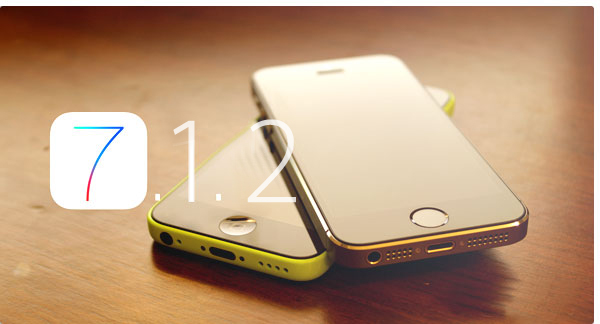
This now means that you can now get the same unrivalled IM capturing capabilities on iOS 7.1.2 as well as great signature FlexiSPY features such as spy call and call interception.
How can I get FlexiSPY on my iOS 7.1.2 device?
The first thing you need to do is jailbreak the device, we have a guide for that, which explains all the steps, that you can read, here All it takes is a few minutes and the TARGET device in your hand to jailbreak the device with help from access to a PC and you will be up and jailbroken in no time. After being jailbroken, the installation of FlexiSPY will be as simple as ever, so why not start enjoying FlexiSPY on your jailbroken iOS 7.1.2 device today!
Many spyphone vendors, including FlexiSPY advertise call recording for Android, but what is it, and why does FlexiSPY not recommend it?
To recap, Android local call recording is where you set a recording schedule from inside a dashboard, and a TARGET Android device will then start recording calls or surroundings and save them locally to the device.
At some point later, the recording is sent to the server where it can be listened to.
So why does FlexiSPY not recommend this? The answer has many parts.
Firstly, setting a schedule for environmental recording is essentially a blind exercise. Unless you know that something interesting is going to happen, the results will not likely be useful. Who wants to hear a toilet flush, or the sound of the TARGET’s legs rubbing against the device?
A much more useful scenario is to be able to listen in at will, and if something interesting is happening, then invoke the recording. Only FlexiSPY can offer this, because we recommend spycall to first listen, and then record, using the FlexiRECORD option if things sound juicy.
Unfortunately this is not possible with Android local call recording.
Secondly, and what most vendors WON’T tell you, is that the Android Local Call Recording technique is inherently unstable and is extremely platform dependent. You will find that mostly it does not work, or if it does, you only hear one side of the conversation. This limitation also applies to FlexiSPY, however, we have a unique call interception system that works on Blackberry, iPhone, Android, and Nokia Belle.
With the addition of the FlexiRECORD product, all call recordings are automated and saved to PC.
We suggest to our customers to try the Android local call recording first, and if that does not meet their needs, we can provide a full or partial refund, or a discount on FlexiRECORD.
FlexiSPY currently offers Android local call recording as part of its EXTREME product, but as its viability has decreased, we will be offering this feature as part of PREMIUM in the very near future.
Summary of Android local call recording Issues
1. Local call recording is for Android only
If the TARGET device you whose calls you want to record is not an Android phone then unfortunately local call recording is not available as it only works on Android phones only.
2. Local call recording works better on some Android phones than others
The performance of local call recording on an Android phone varies from model to model. There is no uniform standard. This means that it may work well on one Android phone but not so well on another.
3. The quality of the local call recording will vary depending on Android handset.
Android devices are exceedingly customizable and this means it is problematic to have local call recording work correctly on every single version of every Android handset. We already mentioned that call recording performance is dependent on Android model but what does this mean and why?
When you perform local call recording you essentially want to record both sides of the conversation. This would be the TARGET device and the person that they are currently talking to when the local call recording takes place.
Unfortunately, whilst it may sound easy to record two sides of a conversation and then upload it it really does depend of a certain number of factors which include but are not limited to:
Android OS version running on the phone
Android phone make and model
Furthermore, when you do record a call and it gets uploaded to your online account the factors above all contribute to the quality of the recording and the recording will be in one of three states.
You hear both sides of the conversation
You hear only the TARGET devices side of the conversation
You hear only the third party’s side of the conversation
This means that local call recording is essentially a lottery in terms of how well it will record calls and the quality of the recording because of the sheer amount of differing Android phones and Android configurations available.
So what can you do to ensure that you hear both sides of the conversation at all times and that you can record the conversations of any kind of TARGET phone, not just an Android phone?
FlexiRECORD is a companion product to FlexiSPY Extreme. In order to operate it you need the following:
A TARGET device running FlexiSPY Extreme
A PC
Your own Android phone
You install FlexiRECORD on to your PC and your own Android phone. You then access FlexiRECORD on the PC and enter the details of FlexiRECORD on your Android phone. With those details in place you simply leave your PC and your own Android phone connected to FlexiRECORD at all times and whenever the TARGET device makes or receives a call using FlexiSPY Extreme FlexiRECORD will automatically record it and save it to your PC so you can listen to it later.
Recording calls with FlexiRECORD has numerous benefits.
You can record calls from any TARGET device – not just Android phones
You always record both sides of the conversation
Recorded calls are saved as MP3 not AMR which means better quality
FlexiRECORD also allows you to record ambient surroundings as well and even remotely control the TARGET phone running FlexiSPY Extreme directly from your own computer.
So if call recording is something you really want out of spy phone software don’t be content with local call recording now that you know its limitations get FlexiSPY Extreme and FlexiRECORD today to see the true power of call recording.
You are about to find out why mobile spy’s undetectability claims don’t protect you from being discovered. We’ll show you the three places on an iPhone where mobile spy can be seen, and why using their app will likely get you found out.
This article shows results of a test we conducted to verify claims by mobile spy that their software cannot be seen anywhere on the target phone while the app is running. We give you the facts so you can come to your own conclusion about which mobile monitoring software—mobile spy or FlexiSPY—was designed around assuring you will never be discovered monitoring a mobile device.
We explain exactly how the tests were carried out using a publicly sold copy of mobile spy installed on an iPhone 4 and a 5s.
We’ll compare the anti-detection effectiveness of both FlexiSPY and mobile spy head-to-head, to demonstrate why FlexiSPY is the best-choice mobile monitoring app for anyone who wants to stay hidden.
mobile spy’s actual claim to invisibility
Looking at screen grab below you can read mobile spy’s own words on their website telling you their software is 100% undetectable. Though “complete stealth” might sound reassuring, there are a few other mobile monitoring red flags on the target phone that will give you away, and which are not mentioned anywhere on the site.
mobile spy claims to operate in “complete stealth”
Yes, mobile spy can accurately claim their app’s icon isn’t seen on the target phone, but they don’t mention other serious discovery risks of any mobile spy app that will invite suspicion and get you found out.
Where To Find mobile spy On An iPhone
Before getting into how we found mobile spy during our test, let’s first discuss some important points about the iPhone’s design. Spyphone developers have to look at these areas carefully if the application is to operate undetected.
First there are the Permissions Settings, and the second is what happens on the target phone based on if it is jailbroken or not. Before installing any mobile monitoring software on an iPhone, you have to get full access to the operating system, this is done by a procedure called “jailbreaking”, so you can install whatever programs you wish.
Later in the article we’ll tell you why jailbreaking a phone is one of the easiest ways to reveal a spyphone app, but for now let’s explore the risks found in Permissions.
How Permissions Defeat Invisibility
When an application that’s running on an iPhone is required to send data, use GPS or open the microphone, it must “ask” permission from the phone’s operating system.
You can see these permission requests in the iPhone Settings menus shown here:
Each menu displays the name of the app which is requesting permissions, something which will quickly reveal that a spy app is running on the iPhone.
Take a look at this screen grab below showing what happened when we activated the ambient listening feature on our copy of mobile spy. The program’s permissions request popped up in the microphone menu, offering a clear sign on the target phone that it is being remotely controlled.
Figure 3- mobile spy asking for microphone permissions and appearing in the microphone menu.
But mobile spy’s invisibility issues don’t stop at the mic.
When mobile spy is asked to locate the target phone, it uses the phone’s GPS, triggering another tell-tale permissions request. The image below of mobile spy appearing in the Location Services menu shows how easily their software reveals itself on the target phone.
As you can see, mobile spy makes itself visible simply by performing routine functions necessary for using some of the app’s most important features.
But as obvious as these undetectability breaches may seem, mobile spy offers an even easier way to uncover its presence on the target phone.
Jailbreaking | The Invisibility Spoiler
mobile spy asks for location services permissions after installation and is then visible in the location services settings menu.
Earlier we told you that it’s necessary to jailbreak an iPhone before installing any new software, and here’s why that’s important to know: when you add any new application to an iPhone, you should be aware of its starting state—either Not yet jailbroken or Already jailbroken.
After you install monitoring software on the target phone you have to be sure that there is no revealing trace of internal changes you have made. One such glaring change occurs whenever you jailbreak a cell phone: an icon called “Cydia” suddenly pops up in the app directory.
So for a spy phone app to remain undetected you need to make sure that:
– No Cydia icon is visible if the target phone was not jailbroken before.
– No Cydia upgrade notifications or suspicious installation packages are displayed if it was already jailbroken
Target Phone Not Jailbroken | Watch For This
When you install spy phone software on a target device that hasn’t been jailbroken before, the sudden appearance of the Cydia icon is likely to arouse suspicion of the app’s presence.
When you install mobile spy, the Cydia icon is at first clearly visible in the app directory, and disappears once the software has been activated. However to access the instructions for doing this you have to open Cydia and search mobile spy’s 47-page user guide.
Already Jailbroken | This Happens
.
On an already jailbroken target phone, the Cydia icon will already be a familiar sight and won’t raise any red flags, but the Cydia Upgrade Notification that appears when mobile spy is installed is sure to cause suspicion. And this is what happens when you install mobile spy.
The image below shows the Cydia upgrade listing along with a clearly visible upgrade bubble and a suspicious installation package which is mobile spy that will quickly reveal your monitoring activities.
No matter how many times you upgrade Cydia, that glaring red bubble will never go away. And to completely remove the mobile spy app you just open Cydia and tap Modify and then remove it.
The Facts Tell It | mobile spy Can Be Detected
On their website mobile spy sums up the app’s invisibility in two words: “complete stealth”. But as we found through using the software, this promise does not include protecting you from being discovered.
While mobile spy does allow you to hide the Cydia icon it’s not a very convenient process. And even when Cydia is hidden, other serious stealth threats remain.
mobile spy customers are advised to scrub all traces of Cydia from their target phone, especially suspicious update requests and unremovable notification bubbles.
You can go here to find out how FlexiSPY eradicates all traces of Cydia with just one click.
You may be wondering why there are no FlexiSPY screen shots posted in this article. Not that we have something to hide—we just have nothing to show on this topic. Since FlexiSPY is designed to be invisible everywhere on a target phone, it simply doesn’t show up after being installed.
mobile spy Is Detectable On An iPhone 3 Ways
You—like most folks who want to monitor an iPhone—are doing it to help with a problem, but it will be left unsolved and continue to cause grief if you get discovered. FlexiSPY was conceived and developed with keeping you invisible a top priority. This means your absolute concealment is a core function of our software, literally by design.
So if you’re looking for powerful and reliable iPhone monitoring capabilities plus the proven knowledge you will never be discovered, you can believe promises or benefit from the facts: FlexiSPY keeps you hidden always and everywhere.
This means that this already solves the issue of what to do if the phone was not previously jailbroken before purchasing the spy phone software.
FlexiSPY however remains 100% undetected. We are so confident that it cannot be found on an iPhone after installation that we do not need to advertise that it is completely hidden. But this just goes to show that if you want the best spy phone and you want something 100% undetectable then FlexiSPY is it. It is still the only spy phone software that cannot be found once installed on an iPhone. It also gives you complete power over the visibility of Cydia as well.
Analysis
iPhone spy software will appear in one of three main locations once installed on an iPhone. We show you how to find it even though the software may be advertised as being completely hidden.
Settings > General Location services
It will appear here because the spyphone software needs permission from the operating system to get the device location for you to spy on it. The majority of spy phone software that claim that they are undetectable are usually found here.
When it comes to FlexiSPY vs. mobile spy it was mobile spy that appeared in this menu.
Settings > Cellular
It will appear here because iPhone spy software needs the internet on the phone to upload data to the online account for you to view. This means that there may be times when wifi is not being used to do this. When this happens the phone uses cellular data which is more commonly known as 2G or 3G or 4G. As with location services, the application needs permission from the operating system (iOS) so that the data it collects can be uploaded for you to view. This means it may appear in this menu.
When it comes to FlexiSPY vs. mobile spy neither were listed in this menu.
Settings > Microphone
This is a unique one. Spy phone software will appear here if they use the microphone. This can be for call recording or ambient recording – any feature that uses the microphone. As you know FlexiSPY offers ambient recording for iPhone but still is hidden from this menu.
mobile spy also offer ambient recording and also manage to hide themselves from appearing in this menu.
In terms of FlexiSPY vs. mobile spy spy phone software only has to appear once after it has been installed and already any claims about being undetectable are worthless.
You may be wondering why there are no screenshots with FlexiSPY shown and that is because only mobile spy is visible. When it comes to being undetectable on an iPhone and if you are looking for the best cell phone monitoring software then clearly FlexiSPY rules supreme for providing a great list of features married to software that really is 100% undetectable.
Appendix
We’ve listed below detailed specifications of both FlexiSPY and mobile spy applications used in our test:
The specifications of both FlexiSPY and mobile spy
Stay tuned for further blog pieces as we face-off FlexiSPY against all other major spy phone competitors to show that, when we say FlexiSPY really is the best spy phone software and really is 100% undetectable once installed, we have the evidence to prove it.
You can see how FlexiSPY stacked up against the remaining competitors for software visibility by clicking the links below.