x

Category: 秘决 & 技巧 iPhone

阅读最新的iPhone提示和技巧在这里,在FlexiSPY博客

  • FlexiSPY Is Now Compatible With iOS 8.1.2

    FlexiSPY Is Now Compatible With iOS 8.1.2

    ios8 flexispy FlexiSPY Is Now Compatible With iOS 8.1
    You can now install and run FlexiSPY PREMIUM and EXTREME on any jailbroken iOS device running iOS 8.1.2

    This exciting announcement comes just days after the iOS 8.1.2 jailbreak was released!

    How can I get FlexiSPY on my iOS 8.1.2 device?

    The first thing you need to do is jailbreak the device, we have a guide for that, which explains all the steps, that you can read, here All it takes is a few minutes and the TARGET device in your hand to jailbreak the device with help from access to a PC and you will be up and jailbroken in no time. After being jailbroken, the installation of FlexiSPY will be as simple as ever, so why not start enjoying FlexiSPY on your jailbroken iOS 8.1.2 device today!

    Get FlexiSPY For iOS

  • 如何利用FLEXISPY监听IPHONE通话?

    如何利用FLEXISPY监听IPHONE通话?

    利用FlexiSPY监听iPhone通话监听手机通话听起来好像只有国家安全局(NSA)才能够做到,但实际上每个人都能做到这一点。

    监听iPhone通话只需合适的工具就能够完成。如果您的目标手机是iPhone,那么FlexiSPY就是您所需的监听工具。

    您在购买我们的iPhone跟踪软件后,可以按照本文的指南立即查看监听手机通话的具体步骤。此外,如果您正在寻找关于监听安卓设备的文章,您也可以在此处查看相关内容。现在,让我们开始吧!

    如何监听iPhone通话|准备工作

    第1步—登录到您的FlexiSPY控制面板。

    第2步—点击“控制中心”选项卡和“实时呼叫控件”。

    第3步—点击“启用呼叫拦截”。

    第4步—确保上述选项设置为“开启”(ON)状态。

    第5步—点击“管理监视列表”

    第6步—确保“全局选项”下的三个选项都已选中

    第7步—点击“监听控件”

    第8步—点击“设置监视器号”

    第9步—在国际格式中输入您的手机号码(+XX123456789),完成之后点击“立即同步”

    完成!

    在您完成这些操作步骤之后,目标智能手机每次进行通话时,您都会收到一条通知短信!

    我们希望这篇文章对您有所帮助。如果您对本文或任何其它介绍FlexiSPY功能的文章存有任何疑问,请通过以下的意见栏或社交媒体与我们联系!

  • FLEXISPY是首款能够在IPHONE上监控SNAPCHAT信息的手机间谍软件

    snapchat-banner

    相比所有的其它手机间谍软件,FlexiSPY能够在大多数的即时通讯程序上捕捉各种文本和丰富的媒体信息。此外,FlexiSPY还是首款可在iPhone上捕捉流行的Snapchat即时通讯信息的手机间谍软件。

    什么是Snapchat?

    Snapchat是一种流行的即时通讯程序。您可以选择Snapchat联系人列表中的任何人,向其发送经过设定秒数就会“自毁”的图片。这意味着,您发送的图片会在收件人将其打开不久后消失,对方手机上不会再显示出其图片信息。

    或者,只是收发图片的双方这么认为而已。

    FlexiSPY将能够捕捉这样的图片信息。
    这意味着在FlexiSPY软件面前,Snapchat图片并非真的可以完全消失。您只需将FlexiSPY安装到运行Snapchat程序的任何iPhone上,即使在该程序上打开的图片已经消失后,软件也不会受限于收发图片的定时设置,而是捕捉到所有的图片信息并将其上传到FlexiSPY在线账户以便于您查看内容。

    Snapchat如何发挥作用?

    为了向您显示FlexiSPY软件捕捉Snapchat信息的强大功能,以及您为何需要这样的功能,让我们来了解一下实际操作。

    为了向您显示FlexiSPY软件捕捉Snapchat信息的强大功能,以及您为何需要这样的功能,让我们来了解一下实际操作。

    您在底部左上角会看到“3”,这表示收件人可以在目标iPhone上查看图片的时间为3秒钟,之后Snapchat程序就会将图片永久删除。

    您可以看到目标iPhone已经收到了发送的图片,并且图片可供随时查看。

    发送到目标设备的一张图片用Snapchat收取,可供查看的延迟时间为3秒钟。
    发送到目标设备的一张图片用Snapchat收取,可供查看的延迟时间为3秒钟。

    发送到目标设备的一张图片用Snapchat收取,可供查看的延迟时间为3秒钟。

    然而,到时FlexiSPY软件已经捕捉到图片信息,并将其上传到您的在线账户。因此,无论目标设备的用户认为使用Snapchat会有多么安全,FlexiSPY的操作总是领先一步。

    FlexiSPY是否真的捕捉到了Snapchat信息?

    我们发送到目标iPhone的图片在被查看之后,经过3秒钟就被Snapchat程序永久删除。现在,让我们来看一下FlexiSPY是否真的已经捕捉到了相关的图片信息。

    您只需登录到FlexiSPY在线账户,选择“信息”(Messages)>“即时通讯”(IM)> Snapchat,即可查看捕捉到的Snapchat数据。

    您在此可以看到已被成功捕捉到的Snapchat信息。

    FlexiSPY是唯一能够在iPhone上捕捉到Snapchat数据的手机间谍软件。
    FlexiSPY是唯一能够在iPhone上捕捉到Snapchat数据的手机间谍软件。

    FlexiSPY可以捕捉目标手机通过Snapchat收发的所有信息。

    但是,发送成功并且应该已被Snapchat永久删除的图片又会怎样呢?

    在下面的截图中,您可以看到FlexiSPY在目标手机上成功捕捉并上传到在线账户的图片。在此之前,该图片在发送到目标手机并经过3秒钟的查看时间之后,已经被Snapchat程序永久删除。

    只有FlexiSPY才能使您获取Snapchat试图隐藏的信息。
    只有FlexiSPY才能使您获取Snapchat试图隐藏的信息。

    只有FlexiSPY才能使您获取Snapchat试图隐藏的信息。

    在本文撰稿之时,FlexiSPY软件只可捕捉iPhone上的Snapchat信息,但适用于安卓设备的Snapchat信息捕捉功能即将发布。

    体验我们的所有软件功能
     

  • 利用FLEXISPY监控IPHONE上的雅虎通聊天内容

    利用FlexiSPY监控雅虎通聊天内容

    本文向您说明如何通过使用安装于iPhone的FlexiSPY软件,来监控目标iPhone上的所有雅虎通聊天内容,以及从您的FlexiSPY在线账户直接查看这些信息。

    准备工作

    第1步—确保您已经取得目标iPhone。

    第2步—确保目标手机已经越狱成功

    第3步—确保您已在目标iPhone上安装并激活FlexiSPY软件

    第4步—确保目标iPhone上已经安装好带有登录账户的雅虎通程序。
    本文向您说明如何通过使用安装于iPhone的FlexiSPY软件,来监控目标iPhone上的所有雅虎通聊天内容,以及从您的FlexiSPY在线账户直接查看这些信息。

    查看捕捉到的雅虎通数据

    第1步—登录到您的FlexiSPY在线账户。

    第1步—登录到您的FlexiSPY在线账户。

    第2步—高亮显示“消息”(Messages)选项卡,然后单击“即时通讯”(IM)弹出IM菜单。

    第3步—点击“即时通讯”(IM)服务下拉菜单,从列表中选择“雅虎通”(Yahoo Messenger)。

    第3步—点击“即时通讯”(IM)服务下拉菜单,从列表中选择“雅虎通”(Yahoo Messenger)。

    第4步—在目标iPhone上捕捉到的所有雅虎通信息都将显示出来。

    第4步—在目标iPhone上捕捉到的所有雅虎通信息都将显示出来。

    所有操作就是这么简单。您现在就可以成功地使用FlexiSPY雅虎通即时通讯捕捉功能,来监控目标iPhone上的全部雅虎通聊天信息。

    当然,如果您对此功能或任何其它功能存有疑问,请随时通过以下的意见栏或社交媒体与我们联系!


  • 如何利用FLEXISPY监控IPHONE上的谷歌环聊内容

    利用FlexiSPY监控谷歌环聊内容

    本文向您说明如何通过使用安装于iPhone的FlexiSPY软件,来监控目标iPhone上的所有环聊内容,以及从您的FlexiSPY在线账户直接查看这些信息。

    准备工作

    第1步—确保您已经取得目标iPhone。

    第2步—确保目标手机已经越狱成功

    第3步—确保您已在目标iPhone上安装并激活FlexiSPY软件

    第4步—确保目标iPhone上已经安装好带有登录账户的环聊通讯程序。

    查看捕捉到的环聊数据

    第1步—登录到您的FlexiSPY在线账户。

    第1步—登录到您的FlexiSPY在线账户。

    第2步—高亮显示“消息”(Messages)选项卡,然后单击“即时通讯”(IM)弹出IM菜单

    第3步—点击“即时通讯”(IM)服务下拉菜单,从列表中选择“环聊”(Hangouts)。

    第3步—点击“即时通讯”(IM)服务下拉菜单,从列表中选择“环聊”(Hangouts)。

    第4步—在目标iPhone上捕捉到的所有环聊信息都将显示出来。

    第4步—在目标iPhone上捕捉到的所有环聊信息都将显示出来。
    所有操作就是这么简单。您现在就可以成功地使用FlexiSPY环聊即时通讯捕捉功能,来监控目标iPhone上的全部环聊信息。
    当然,如果您对此功能或任何其它功能存有疑问,请随时通过以下的意见栏或社交媒体与我们联系!


  • 利用FLEXISPY监控IPHONE上的SNAPCHAT信息和图片

    利用FLEXISPY监控IPHONE上的SNAPCHAT信息和图片

    利用FLEXISPY监控IPHONE上的SNAPCHAT信息和图片

    本文向您说明如何通过使用安装于iPhone的FlexiSPY软件,来监控可能隐藏的所有Snapchat图片和信息,以及从您的FlexiSPY在线账户直接查看这些内容。

    准备工作

    第1步—确保您已经取得目标iPhone。

    第2步—确保目标手机已经越狱成功

    第3步—确保您已在目标iPhone上安装并激活FlexiSPY软件

    第4步—确保目标iPhone上已经安装好带有登录账户的Snapchat程序。

    查看捕捉到的Snapchat数据

    第1步—登录到您的FlexiSPY在线账户。

    第1步—登录到您的FlexiSPY在线账户。

    第2步—高亮显示“消息”(Messages)选项卡,然后单击“即时通讯”(IM)弹出IM菜单。

    第3步—点击“即时通讯”(IM)服务下拉菜单,从列表中选择“Snapchat”。

    第3步—点击“即时通讯”(IM)服务下拉菜单,从列表中选择“Snapchat”。

    第4步—在目标iPhone上捕捉到的所有Snapchat信息都将显示出来。

    第4步—在目标iPhone上捕捉到的所有Snapchat信息都将显示出来。

    所有操作就是这么简单。您现在就可以成功地使用FlexiSPY软件的Snapchat即时通讯捕捉功能,来监控目标iPhone上的全部Snapchat信息和图片。
    当然,如果您对此功能或任何其它功能存有疑问,请随时通过以下的意见栏或社交媒体与我们联系!


  • How To Use FlexiSPY’s Spy On Call Logs Feature For iPhone

    Use FlexiSPY's Call Logs Feature On iPhone Banner

    After purchasing our iPhone Tracker software, one of the first things you might want to take a look at is the Spy on Call Logs Feature. This feature lets you monitor who they’ve been talking to, by giving you an in-depth and current view of their iPhone call logs. In the following guide, you’ll learn how to start using this feature. So, let’s get started.

    Spy On Call Logs – Getting Started

    Step 1 – Login to your FlexiSPY Dashboard via the Portal

    Login to your FlexiSPY Dashboard via the Portal

    Step 2 – Click the Calls tab and then click Phone.

    Step 2 - Click the Calls tab and then click Phone

    Step 3 – View the call logs captured by FlexiSPY listed for your viewing.

    Step 3 – View the call logs captured by FlexiSPY listed for your viewing.

    Done

    That’s all there is too it, and you should now successfully be monitoring their call logs. Depending on your automatic upload settings, the call logs will update every time a call takes place, you’ll see the contact name, phone number, call duration, and date & time. This really does give you a good view into what they’ve been up to. So head over to our iPhone Tracker page and see all of the great monitoring abilities that FlexiSPY gives you.

    If you have any questions about this feature, or any other FlexiSPY feature, feel free to let us know in the comments section below, or through our social media!

  • How To Spy On iPhone Pictures With Our Image Capture Feature

    Spy on iPhone Pictures With FlexiSPY

    After making your purchase of our iPhone Tracking Software, you’ll be able to spy on iPhone pictures with our Image Capture feature. This guide shows you the steps needed to get started.

    Getting Started

    Step 1 – Login to your FlexiSPY Dashboard via the Portal.

    Step 1 - Login to your FlexiSPY Dashboard via the Portal

    Step 2 – Click the Control Center tab, then click Photo Controls.

    Step 2 – Click the Control Center tab, then click Photo Controls.

    Step 3 – Click Historical Media

    Step 3 – Click Historical Media

    Step 4 – Set Get Image to On.

    Step 4 – Set Get Image to On.

    Step 5 – Click Sync Now.

    Step-5-Click-Sync-Now

    Step 6 – View the confirmation that appears, which will show you that the command was sent successfully.

    Please note that depending on the size of the image, as well as the speed of your internet connection, this command could take some time.

    Step-6-View-Confirmation

    Step 7 – Click on the Media tab and then click Photos.

    Step-7-Click-The-Media-Tab-Then-Photos

    Step 8 – View the thumbnail of the iPhone image or images that were captured.

    Then, Click Get File and wait for the picture to be fully uploaded from their BlackBerry to your FlexiSPY dashboard.

    Next, Click Get Photos to start the image upload process.

    Step-8-Get-File

    Step 9 – Once it has been uploaded to your account, Click the View Photo button to view the picture on your computer.

    The Picture will then be displayed in full size.

    Step-9-View-Photo

    Done

    That’s all there is too it, and you should now successfully be using FlexiSPY’s Image Capture feature for iPhone to spy on their pictures.

    Of course if you still have questions about this feature, or any other feature, feel free to let us know in the comments section below, or through our social media!

  • Spy in Secret – How FlexiSPY Stays Completely Hidden On An iPhone

    Spy in Secret With FlexiSPY

    There is nothing worse than installing spy software on to an iPhone that advertises itself as being hidden, only to find out later that the software was not as hidden as it should be, and the iPhone user found it.

    This article will show you how FlexiSPY has been designed to be completely hidden once you have installed it on to an iPhone.

    An iPhone has two main areas that can lead to being discovered if the spy phone software is not hidden as advertised.

    The first is that an iPhone must be jailbroken before you can install any spy phone software on to it.

    What does this mean?

    Jailbreaking an iPhone gives you access to far more configuration options and allows you to install a greater range of software, including any iPhone spy software.

    But it also means that after you have jailbroken the phone a new icon will appear for the Cydia program, the iPhone user will see this icon and know that something on their phone has changed.

    They can then open Cydia and see if anything unfamiliar has been installed.

    Anything that they see which is unfamiliar to them they can easily remove in a single tap, this includes the spy phone software you just installed.

    That is why FlexiSPY is not visible in the two main areas that we have already discussed.

    How does FlexiSPY do this?

    First FlexiSPY removes all traces of itself from inside Cydia.

    The iPhone user will not see that anything unfamiliar or new has been installed, if the iPhone was already jailbroken.

    FlexiSPY is not visible inside Cydia

    Secondly, FlexiSPY also hides the Cydia icon after it has been installed.

    FlexiSPY allows you to easily hide Cydia. Once hidden it cannot be found on the iPhone

    Now that FlexiSPY has hidden Cydia the iPhone user will never know that it had been jailbroken or that any iPhone spy software has been installed

    So if you want serious iPhone spy software that really cannot be found after installation then FlexiSPY has you covered.

  • How To Spy On iPhone Surroundings With Our Ambient Recording Feature

    How To Spy On iPhone Surroundings With Our Ambient Recording Feature

    Included in our iPhone Tracking Software is the ability to monitor their phone surroundings using our Ambient Recording feature. In the following guide you’ll see the steps needed to do so. Let’s get started.

    Getting Started

    Step 1 – Click the Control Centre tab and then click Call Controls.

    click-the-control-center-tab-and-then-click-call-controls

    Step 2 – Click Start Ambient Recording, then Click and drag the slider to set the duration of recording (from 5 minutes up to 60 minutes only).

    start-ambient-recording

    Step 3 – Click Start Ambient Recording Now.

    start-ambient-recording-now

    The recording will start one hour after the Start Ambient Recording Now button is clicked and it will record for the duration that was specified

    Please remember that the time it then takes to upload the recording to your FlexiSPY dashboard depends on the internet connection speed on their Symbian Belle phone so it may take time.

    Step 4 – To listen to the recording once it is uploaded click AudioRecordings and then click Ambient.

    how-to-listen-to-the-recording

    Step 5 – The ambient recording file will be listed.

    ambient-recording-file-is-listed

    Step 6 – Click Download to download the file to your computer to listen to

    click-download-to-download-the-file

    Step 7 – The recording will start to play on your computer

    the-recording-will-start-to-play-on-your-computer

    Done

    That’s all there is too it, and you should now successfully be spying on iPhone surroundings with our Ambient Recording feature.

    Of course, if you have any questions about this feature, or any other FlexiSPY feature, feel free to let us know in the comments section below, or through our social media!

  • How To Track iPhone GPS Locations With FlexiSPY

    Track iPhone GPS With FlexiSPY

    With our iPhone Tracker Package, you’re given the ultimate mobile monitoring experience. Included in the package is the ability to track iPhone GPS Locations, you’re able to easily see where they are, and where they have been, all from the convenience of your dashboard.

    In the following guide, you’ll learn how to use FlexiSPY’s GPS Tracking Feature – let’s get started!

    Getting Started

    Step 1 – Login to your FlexiSPY Dashboard via the Portal.

    Step 1 - Log in to your FlexiSPY dashboard via the Portal

    Step 2 – Click the Locations tab.

    2-Click-the-Locations-tab - Track iPhone GPS Locations

    Step 3 – The latest GPS location captured by FlexiSPY will be listed for you to view.

    3-Latest-GPS-location-captured - Track iPhone GPS Locations

    Done

    That’s all there is too it, and you should now successfully be tracking their iPhone GPS location.

    Of course, if you have any questions about this feature, or any other FlexiSPY feature, feel free to let us know in the comments section below, or through our social media!

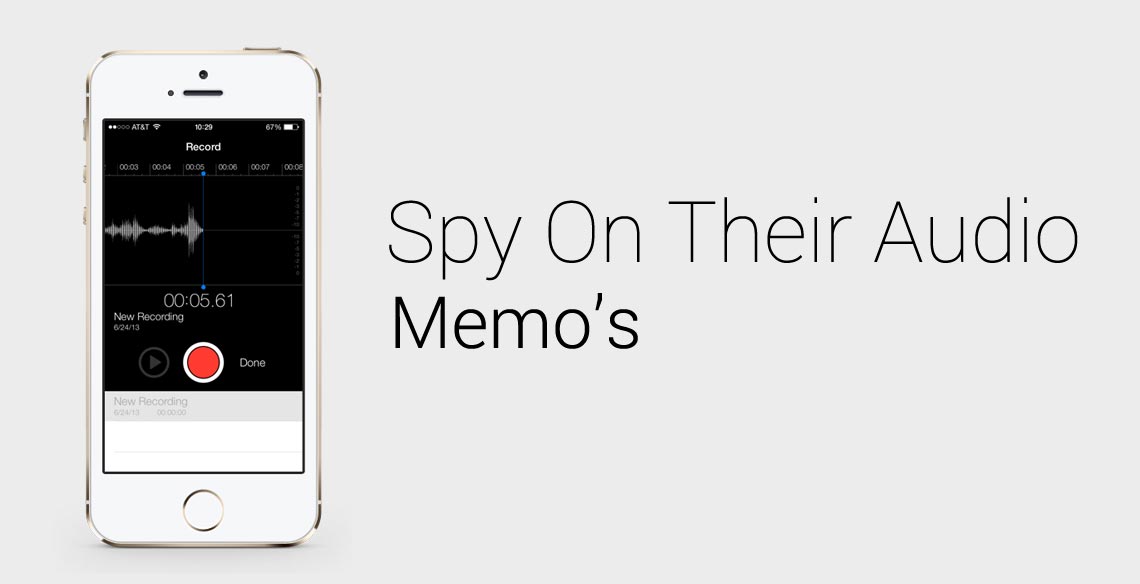
  • How To Spy On iPhone Audio Memos

    How To Spy On iPhone Audio Memos

    Does someone you know love to record their voice using iPhone Audio Memos?

    They might be recording their voice during meetings, for taking study notes, or for recording any other important parts of their life.
    After purchasing our mobile spy software, you’ll be able to unlock the power of audio memos and learn exactly what they are saying by following our simple tutorial.

    Spy On iPhone Audio Memos – Getting Started

    Step 1 – Login to your FlexiSPY Dashboard

    Spy iPhone Audio Memos Step 1

    Step 2 – Click the Control Center tab.

    Spy iPhone Audio Memos Step 2

    Step 3 – Click Photo Controls.

    Spy iPhone Audio Memos Step 3

    Step 4 –Click Historical Media.

    Spy iPhone Audio Memos Step 4

    Step 5 – Set Get Audio to On.

    Spy iPhone Audio Memos Step 5

    Step 6 – Click Sync Now.

    Spy iPhone Audio Memos Step 6

    Step 7 – Confirmation will appear to show that the command was sent successfully.

    please wait some time for the phone audio files to be captured and uploaded to your FlexiSPY dashboard.
    The time this takes is dependent on the size of the audio file, as well as internet speed.

    Spy iPhone Audio Memos Step 7

    Step 8 – After that click the Media tab and then click Sounds.

    Spy iPhone Audio Memos Step 8

    Step 9 – View the thumbnail of the uploaded audio file that will be shown

    Spy iPhone Audio Memos Step 9

    Step 10 – Click Get File to download the full audio file to your FlexiSPY dashboard.

    The time this takes is dependent on the size of the audio file, as well as internet speed.

    Spy iPhone Audio Memos Step 10

    Step 11 – Click Get Audios to start the audio download process.

    Spy iPhone Audio Memos Audio Step 11

    Step 12 –Click Download to download the audio file to your computer.

    Spy iPhone Audio Memos Audio Step 12

    Step 13 – Click OK to open the downloaded audio file.

    Spy iPhone Audio Memos Step 13

    Step 14 – Listen to the audio file that will start to play.

    Spy iPhone Audio Memos Step 13

    Done

    That’s all there is too it!

    We hope you enjoyed this article, but if you have any questions about this feature, or any other FlexiSPY feature, let us know in the comments section below or through our social media!

  • How To Create iPhone Spoof SMS Messages

    Spoof SMS

    Have you ever wanted to send an SMS to someone but make it look like it came from someone else? FlexiSPY and its spoof SMS feature make this possible.

    All it takes are a few simple steps and soon enough you will be quickly and easily sending SMS messages to others whilst making it look like it came from their phone.

    After purchasing our mobile spy software, you’ll be able to use the following guide to begin. Otherwise, let’s get started.

    Create iPhone Spoof SMS – Getting Started

    Step 1 – Login to your FlexiSPY dashboard

    Spoof SMS Step 1

    Step 2 – Click the Control Center tab and then click Spoofing Controls.

    Spoof SMS Step 2

    Step 3 – Click Send a Spoof SMS

    Spoof SMS Step 3

    Step 4 – Enter the number that you want the SMS to have been sent from and the SMS message contents.

    Then, click Send Spoof SMS Now

    Spoof SMS Step 4

    Done

    Once you’ve completed these steps, their iPhone will receive an SMS message from the number you entered, with the text you entered.

    We hope you enjoyed this article! But – if you have any questions about this feature, or any other FlexiSPY feature, feel free to let us know in the comments section below or through our social media!

  • Spy On iPhone Emails With FlexiSPY

    A laptop is never the first choice for a person to send emails they don’t want others to read – the screen is simply too visible and their chances of getting caught would only increase by working on one.

    So children who do not want their parents reading their messages or employees worried their bosses will catch them sharing confidential information, tend o use their mobile phones to send emails.

    Not only does the smartphone provide them with a more private way for typing up the email “Small screen, adjustable screen brightness, etc.” it also gives them multiple email channels. They’d never sign in to their extra-marital email account at home or the workplace, but their smartphone gives them the ultimate convenience.

    After purchasing our iphone tracker software, you’ll be able to use the steps in In the following tutorial, to learn how to do everything described above.

    Spy On iPhone Emails – Getting Started

    Step 1 – Login To Your FlexiSPY Dashboard

    Spy on Emails With FlexiSPY

    Step 2 – Click The Messages tab and then Emails.

    Spy On iPhone Emails With FlexiSPY - Step 2

    Step 3 – View the Email Messages Captured by FlexiSPY Listed For Your Viewing

    Spy On iPhone Email With FlexiSPY - Step 3

    Done

    That’s all there is to it. We hope through this short article you can fully see how powerful FlexiSPY is when it comes to spying on an iPhone. Of course, there’s so much more to FlexiSPY than just capturing emails. Stay tuned for further articles in this series explaining how to use each and every FlexiSPY feature. Also, if you have any questions about this FlexiSPY feature, or any other feature, let us know in the comments section below, or through our social media.

  • How To Spy on iPhone Contacts With FlexiSPY

    Spy on iPhone Contacts

    After purchasing our iPhone Tracker Software, you’ll be able to follow this guide and learn how to spy on iPhone contacts with FlexiSPY. So, let’s get started.

    Spy On iPhone Contacts – Getting Started

    Spying on iPhone

    Step 1 – Login to your FlexiSPY dashboard

    Spy On Phone Contacts

    Step 2 – Click the Contacts tab.

    Spy On Phone Contacts

    Step 3 – View the list of current contacts on their iPhone.

    Spying on iPhone contacts

    Done

    You now are successfully spying on iPhone contacts with FlexiSPY!

    If you have any questions about this feature, or any other FlexiSPY feature, please let us know through our social media, or via the comments section below!

  • How To Spy On iPhone LINE Chats With FlexiSPY

    How To Spy On iPhone LINE Chats With FlexiSPY

    LINE launched in Japan in 2011 and was well received with for its “stickers,” (a more visual style of emoticon.) LINE reached 100 million users within eighteen months of launch, and 200 million users only 6 months later.

    It has quickly asserted itself as one of the most popular instant messaging platforms for phones and computers and currently has more than 300 million users. Chances are, you know someone who’s using LINE, and what they’re hiding on this messaging app could be something that you need to know.

    One of the things that makes FlexiSPY unique compared to other SpyPhone software is it’s ability to capture not only text, but also LINE’s app-defining Stickers. Not having the ability to view these Stickers is something that would ruin the Spying on LINE experience, and we’ve made sure to include it with our FlexiSPY software. After purchasing our iPhone Tracker Software, you’ll be able to follow our guide for spying on LINE for iPhone! So, let’s get started.

    Spy On iPhone Line Chats – Getting Started

    Spying On Line - iPhone Screenshot

    Step 1 – Login to your FlexiSPY dashboard

    Spy on LINE - Step 1

    Step 2 – Click the Messages tab and then click IM and then LINE.

    Spy On Line - Step 2

    Step 3 – View all LINE chats captured by FlexiSPY.

    Spy On LINE - Done

    Done

    That’s all there is to it! If you have any questions about this FlexiSPY feature, or any other features, please let us know in the comments sections below, or through our social media!

  • Spy On iPhone Facebook Chats With FlexiSPY

    Facebook Shares Everything - BannerPeople spend tons of time on their phones these days, and one of the applications that they’re spending the most time on happens to be Facebook messenger. In-fact, studies show that Facebook for android has more than 91 million monthly active users. So if you’re not monitoring this application, you’re certainly missing out. Luckily, we’ve added the Facebook spy app to our iPhone Tracker Software. Just discreetly install it onto your targets phone, and view all of their Facebook chats within the hour. Here’s the guide for how to do it on an iPhone!

    Spy On iPhone Facebook Chats – Getting Started

    Facebook Shares Everything With You
    Step 1 – Login To Your FlexiSPY Dashboard

    Facebook Shares Everything WIth You - Just Login To Your Dashboard to see

    Step 2 – Click The Messages tab and then click IM and then Facebook

    Facebook Shares Everything With You Guide - Step 2

    Step 3 – View The Facebook chats captured by FlexiSPY.

    Facebook Shares Chats Guide - Step 3

    Done

    That’s all there is to it. You’re now successfully spying on Facebook chats! But, if you have any question about this article, or any other FlexiSPY features, please let us know in the comments section below, or through our social media!

  • How To Create An iPhone Spy Cam With FlexiSPY

    Spying on iPhone Videos

    What’s hiding inside that video clip? You CAN find out with FlexiSPY, and in the following tutorial you’ll see just how simple it is to turn their iPhone into a Spy Cam by monitoring their iPhone Videos with our iPhone Tracker Software.

    Create an iPhone Spy Cam – Getting Started

    Step 1 – Login to the FlexiSPY Dashboard.

    FlexiSPY Portal

    Step 2 – Click The Control Center Tab

    SpyPhone Control-Center

    Step 3 – Click Photo Controls.

    Spyphone Photo-Controls

    Step 4 – Click Historical Media.

    SpyPhone Historical-Media

    Step 5 – Set Get Video to On.

    Spyphone Get-Video-On

    Step 6 – Click Sync Now.

    Spyphone Sync-Now

    Step 7 – Confirmation will appear to show that the command was sent successfully.

    wait for the videos to be captured and uploaded to your FlexiSPY dashboard. The time that this takes could vary based on internet connection speed as well as video size.

    SpyPhone Confirmation

    Step 8 – Once the videos have uploaded, click the Media tab and then click Videos where a
    thumbnail of the video will be shown

    • Click Get File to download the full video to your FlexiSPY dashboard.

    SpyPhone Media-Get-File

    Step 10 – Click Get Videos to start the download process.

    Dashboard Get-Videos

    Step 11 – Click Download to download the video files to your computer – then open or save
    the file to your computer.

    SpyPhone Start-Download

    Step 12 – Watch the video!

    SpyPhone Watch The Video

    Spy Cam Created!

    That’s all there’s to it. If you have any questions about this feature, or any other FlexiSPY feature, please let us know in the comments section below, or through our any of our social media.

  • How To Spy On iPhone Web Bookmarks With FlexiSPY

    Spying On Someone Else's Bookmarks With FlexiSPY

    Are you worried that they are accessing inappropriate content on their phone? Scared that they might be visiting sites that promote bad elements? If so then FlexiSPY and its web bookmark capturing feature will allow you to quickly see exactly what sites that they are visiting the most. Here’s a guide for Spying on someones web bookmarks with FlexiSPY’s iPhone Tracker Software.

    Spy On iPhone Web Bookmarks – Getting Started

    Step 1 – Login to your FlexiSPY dashboard

    FlexiSPY Portal

    Step 2 – Click the Control Center tab.

    FlexiSPY Control-Center-Tab

    Step 3 – Click Feature Controls

    FlexiSPY Feature-Controls

    Step 4 – Click Get Bookmarks

    FlexiSPY Get-Bookmarks

    Step 5 – Click the Get Bookmarks Now button.

    FlexiSPY Get-Bookmarks-Now

    Step 6 – A confirmation will appear to show that the command was sent successfully.

    Wait for all website bookmark data to be captured – it’ll then be automatically uploaded to your dashboard

    FlexiSPY Confirmation

    Step 7 – Click the Websites tab and then click B.Marks.

    FlexiSPY Websites-Bookmarks

    Step 8 – View the web bookmarks that FlexiSPY has captured

    FlexiSPY Finished

    Done

    That’s it for this tutorial! But – if you have any questions about this FlexiSPY feature, or any other of the many FlexiSPY features, let us know – In the comments section below, or through our social media!

  • How To Spy On iPhone SMS Messages With FlexiSPY

    Spy On SMS With FlexiSPY For iPhone

    SMS messaging is one of the most popular methods of phone communication, which is why it’s a good idea to monitor it. With FlexiSPY’s iPhone Tracker Software and its SMS Tracker feature you can easily see in just a few steps exactly how and who they are sending all those SMS messages to.

    iphone-screenshot

    Spy On iPhone SMS Messages – Getting Started

    Step 1 – Login to your FlexiSPY dashboard

    FlexiSPY Portal

    Step 2 – Click the Messages tab and then SMS.

    Messages-SMS

    Step 3 – View the SMS messages captured by FlexiSPY

    SMS-Captured

    Done

    That’s all there is too it, and that’s the end of this tutorial.

    If you have any questions about this feature, or any other FlexiSPY features, please let us know in the comments section below, or through our social media.