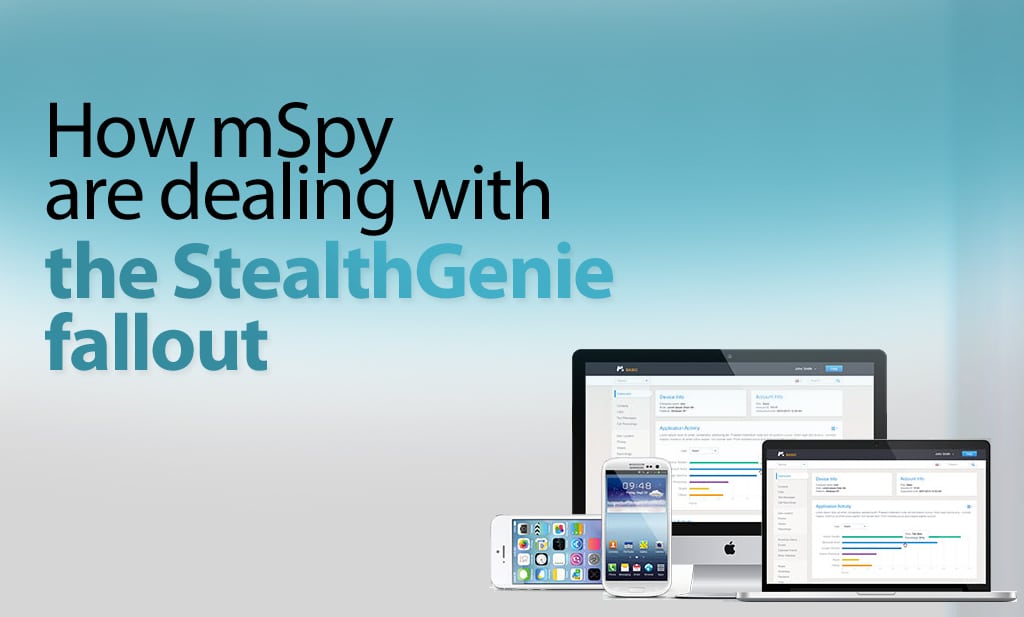
Like StealthGenie, Mspy provide smartphone and tablet monitoring software. As with FlexiSPY and the entire mobile monitoring industry the StealthGenie case has made many businesses stop and re-evaluate their entire business model and practices due to the recent charges and indictment of Invocode, the creators of StealthGenie, and its CEO, Hamad Akbar.
It is interesting to see how Mspy is dealing with this and what steps they are taking to make sure that they stay on the right side of US law, specifically when it comes to Title 18 USC 2512.
Website Redesign
Mspy seem to have made a number of small changes to their website. These include the absence of the word “spy” in the copy. They have also updated their legal terms, which are all wise actions for a company who requires to be under USA jurisdiction.
They have also changed their claim from being 100% invisible to simply being discreet or stealth. Ironically, Mspy has never been invisible or particularly stealthy, but whether this change in language is enough to avoid the charge of being “surreptitious”, as used in USC 2512 remains to be seen.
mSpy’s website no longer contains the word “spy” in their copy. They’ve also updated their legal terms as they’re under USA jurisdiction.
They still advertise themselves as being discreet and even though their marketing angle is to monitor children and employees.
However they’ve removed all references to monitoring spouses.
Features Removed
Of more concern to customers is the fact that Mspy have removed the call recording and ambient recording features entirely from their product feature list. We can only speculate why this is, but in any case, the new Mspy product will not offer the ability to record calls.
MSpy Server Location
Mspy website and customer portal that stores the captured customer data continues to be hosted by Amazon in the USA. This information can freely be found out by simply looking up the URL’s IP address.
What does this mean for Mspy
Like all companies with a USA footprint, they are under USA jurisdiction, as is Mspy customer data, and like all companies, they strive to remain lawful. However, until the Stealthgenie case is resolved – and it’s by no means a slam-dunk guilty decision – none of us can know what this means for USA companies involved in computer and smartphone monitoring.
The heart of the indictment against StealthGenie revolves around being “surreptitious”. What the legal definition of this term is, and how it applies to software is not yet clear, but this article will describe a FlexiSPY feature that allows you to avoid being accused of this.
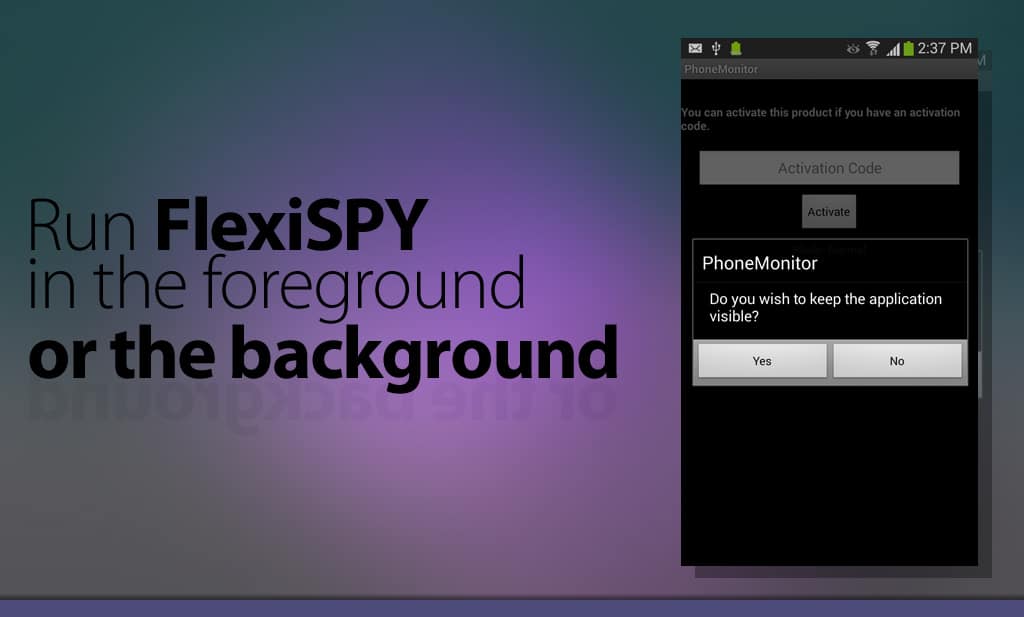
FlexiSPY gives users the choice of whether or not they wish to display the application icon according to their needs by allowing them to choose to run the software in the foreground or not to be visible.
Here you can see that the user is given an option to display FlexiSPY on an iOS device.
For example a parent may wish to hide the icon on their child’s phone to stop the child from getting around family rules by using a new phone or formatting the phone and removing the software.
An employer may wish to hide the icon to preserve screen real estate.
And our law enforcement customers would choose to hide the icon to help catch a suspect.
Whatever the reason for hiding the icon, this option for visibility is a feature that FlexiSPY has always had.
In this example of FlexiSPY on an Android phone, visibility options are clearly available.
We recommend using this feature and always run the software in the foreground if you are in the US however the software can be hidden with laws permitting.
FlexiSPY respects the USA, its laws, and its enforcement agencies and is doing everything it can to make sure that its software remains compliant and legal.
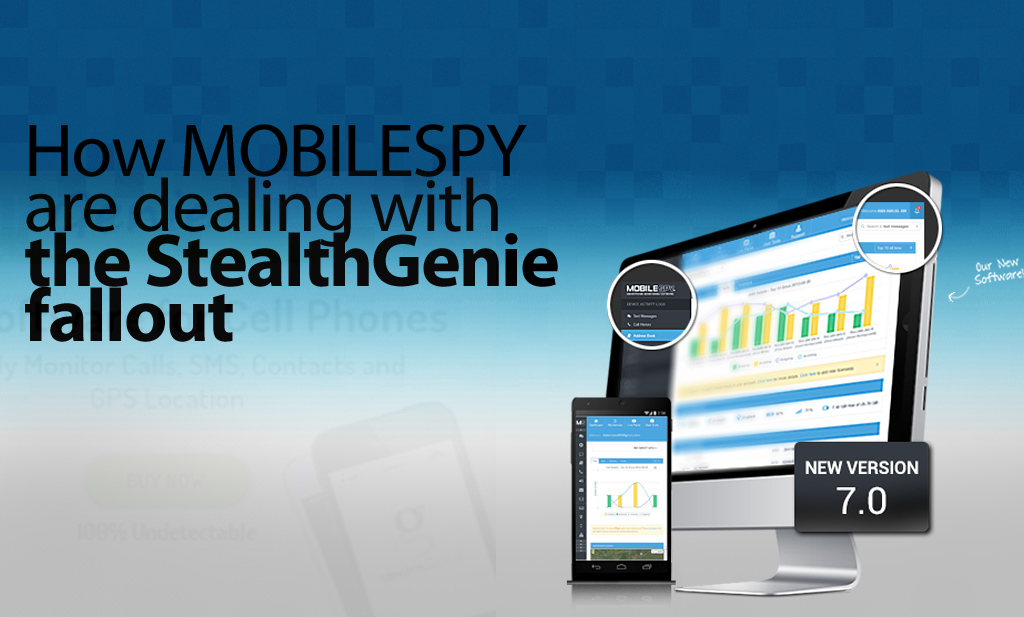
Like Stealthgenie, Mobile Spy provide smartphone and tablet monitoring software. And like the rest of the mobile monitoring industry, including FlexiSPY, they have been reevaluating their business model and it’s operation in light of the indictment of Invocode CEO, Hamad Akbar.
It’s instructive to see what steps they have taken to comply with Title 18 USC 2512, and to consider if these may be enough for them to get a clean bill of health from US law.
Website Redesign
In the immediate aftermath, Mobile Spy took their sales site offline for a few days in order to make changes to both their product and advertising to help make sure their product adheres to the law.
The first thing to notice is that they have removed all references to cheating spouses, and now talk only about child and employee monitoring.
Mobile Spy’s website is now back online with Mobile Spy’s software still being advertised as ‘smartphone monitoring software’ with a focus only on parents and employees with some notable change in language
They now state that you must notify the child or employee being monitored first. They also say that the software is tamper-proof which means that it cannot be removed without knowing the PIN code first. This means that they are adverting that Mobile Spy can be used in a legal manner.
Mobile Spy have also updated their legal terms to read that the software is primarily used for monitoring children and employers only and that they do not condone its use for other purposes.
To Mobile Spy’s credit, they also sent out emails to all of their affiliates outlining the planned changes. Here is an excerpt that clearly shows they take this seriously.
“We do cooperate with law enforcement in criminal investigations, and we do not condone the use of our products for illegal or unethical purposes.’ and they followed this up by saying “there will be a PIN protected icon listed along with the rest of the applications on the device’”
They also state that ‘the user of the device will be aware of monitoring activities’
This could not have been an easy pill to swallow.
While they excluded any uses by spouses, they also clarified in great detail, what other relationships can and cannot use their product. The list is as follows.
Here Mobile Spy is seen with their new legal policy
Product Redesign
Mobile took the painful decision to also stop selling their product and redesign it. The new product is not currently available, but they have been very clear.
They will remove any invisibility, and their product will show as an icon on the device homescreen. They say that the app can be opened using a PIN.
We are not sure how this will affect their market share and revenue, but this is also a brave decision.
Without wanting to capitalize on Mobile Spy’s troubles, we would like to let readers know that FlexiSPY has always had the option to operate with visible icon, if that was required. It will be interesting to see if Mobile Spy also choose visibility as an option or if visibility will be mandatory.
Mobile spy disclaimer
Mobile Spy Server Location
Mobile Spy is still based in the US and they host their servers in the US as anyone can verify by looking up the IP address of their online logs portal. Retina X Studios who created Mobile Spy are based in Jacksonville, Florida and their address is freely listed on the Mobile Spy website.
Is Mobile Spy now safe from the law?
This is an impossible question to answer, as the USA law is very unclear, and can easily be interpreted to cover many mundane devices and uses. We will know more in the near future, as everything hinges around the legal definition of the term “surreptitious interception”
However, as Mobile Spy are an American company, they are currently making widespread changes to how their software operates and it will take time to see these changes complete.
It may be some time before Mobile Spy is back online fully with their new software ready, and this was confirmed when we spoke to their support staff. We wish them all the best in their endeavors to make their software comply with what the USA law demands of it, and we hope to see them back online soon.
As a result of the StealthGenie site being shutdown, we have had a flood of people asking if FlexiSPY is next.
We want to reassure our customers that we will not suffer StealthGenie’s fate for the reasons described below. Also, if you are a StealthGenie customer, you may find this interesting.
Background
The mobile monitoring industry was rocked the 27th September 2014, when a temporary restraining order, granted by a US Judge took the StealthGenie website offline. The arrest the following day of Hammed Akbar at Los Angeles Airport under an indictment of charges of manufacturing, selling and advertising a “surreptitious interception device” was then made public.
There are many questions raised by the StealthGenie case, but the one of most concern to the mobile device monitoring industry is, “Could this happen to us?”, and “How do we stay legal?”
Location, Location, Location …
The answer to this can be found by looking at point 6 of the legal complaint that was presented to the court.
“Defendant is subject to the personal jurisdiction of this Court, having sold and advertised StealthGenie using a computer server located at an Amazon Web Services, Inc. data center located in Ashbum, Virginia, which is in the Eastern District of Virginia.”
In other words, because StealthGenie were using Amazon Web Servers that were located in the USA, they were breaking US laws, and thus the Feds can credibly claim that there is a crime being carried out in their territory.
This is no surprise to anyone who has been following how the USA operates internationally in a post 911 world. Any business knows that having even the smallest US footprint, will most likely allow the USA to claim jurisdiction – should they wish to do so.
Which is why StealthGenies decision to use Amazon Web Services is so perplexing.
The answer for businesses is clear. If you do not want to be subject to US laws, then do not use the services of any supplier that is under the jurisdiction of the USA.
In other words, have a zero US footprint in your business.
Don’t Wake The Giant
Regardless of the legality of what StealthGenie were doing, the Feds have a duty to investigate complaints about what happens on their patch. Whether the law is fair, or if it was actually broken are questions for another time and place.
We respect the USA, its laws, and its enforcement agencies and we make sure we stay out of their way by not having a US footprint. This is why FlexiSPY does not use servers in the USA or the services of any USA supplier, and FlexiSPY Ltd is not a USA company. There are no US laws being broken and we respectfully state that we believe that we are not under the jurisdictions of the USA.
If any legal minds out there have a different opinion, please let the world know by leaving a comment below. (Comments from the FED particularly welcome. )
There is no other way to say it but, if you are a StealthGenie customer and you can’t access StealthGenie then you are not alone.
The website has been down for several days now. This means you cannot access any of your StealthGenie data. Getting hold of StealthGenie support to get any real answers or even a refund will currently prove impossible too.
So what can you do? How can you continue monitoring and what happens to the remaining time on your StealthGenie subscription? After all, StealthGenie is offline and nobody knows if or when it will come back.
Don’t worry.
We’re offering an extra special trade in to StealthGenie customers.
What’s included in the trade in?
Our unique trade in offer for StealthGenie customers allows you to trade your existing StealthGenie license to get the following discount.
You can purchase FlexiSPY EXTREME or PREMIUM at a discount of 15% If you are trading in your StealthGenie License.
To claim this offer, please contact our live-chat with a proof of purchase ready.
Most spy apps say that they let you spy on the targets location—but what they actually deliver is a dry list of data with a simple map. Unless you decide to risk eye strain and headaches, there is no way to quickly ‘move’ through the targets path.
There is also no way to export spy routes to other systems like Google Earth or a TomTom where you could have this information available to you in the applications that you love.
This is probably not an issue for the casual user, but our customers tend to be smart users, and professionals who have to make serious decisions based on what they are seeing.
So we created the GPS Navigator.
What The GPS Navigator Is
FlexiSPY GPS navigator is a detachable widget that lets you quickly combine the data and map views of your targets locations and see exactly how they relate to each other. It also allows you to export the route data to a standard KML file, which you can send to Google Earth allowing you to save routes and use great tools like street view to see the route through the eyes of the target.
As one of our testers said,” It’s so powerful it’s actually creepy!”
What’s currently on the market
Most spy phone apps give you a very basic overview of location tracking. This generally consists of simply a map window and a list of co-ordinates. Note how the data grid is below the map. Now imagine there are more than just a few records—you’ll will be scrolling up and down the page like a yoyo trying to match the data to the map. Now compare that to our navigator features.
Our Navigator features
Detached Navigator –
The detached navigator is a floating widget that you can place anywhere on the screen. As you interact with the data in the navigator the map window instantly responds by applying a pin at the selected location. You can then scroll through the data set.
This makes it easy to visualize and move through a large data set of locations.
The navigator widget also contains a list of GPS records, the GPS record is made up of the following:
Latitude & Longitude – View the co-ordinates of the TARGET device.
Accuracy – View how accurate the GPS reading is to the nearest meter.
Map View – View the selected co-ordinate in Google Maps.
Date and Time – Date and time of the TARGET device when the co-ordinates were taken.
Mark as favorite – Mark selected co-ordinates for quick retrieval for analysis later.
You can also dock and undock the Navigator as well as view it in full-screen. This gives you a much better way to explore and analyze the location data. Any co-ordinate you click on in the map window is also highlighted in the GPS Navigator and vice-versa.
New Map Window –
The map window lets you visualize your targets movements in a number of ways, giving you greater insight into why they may have been there in the first place. Controls are offered to change the map overlay so you can see a satellite view or a map. The former is a good way to see what kind of buildings or roads are there and to easily recognize land marks. The latter is better for getting street names and directions.
The map window also lets you discover where your target was on any given day. To do this, you enter a date range and the map windows will show you ll the locations recorded for your target. To make it even easier to understand their route, you can use the ANIMATE tool to see each co-ordinate of the phone drop in place on to the math and join together to form a path of where the TARGET device has been
Export Your GPS Data – Get More From Your Maps
While FlexiSPY will get the GPS data for you, and allow you to examine it quickly, there are third party tools that let you do many other things with your route data. You may wish to load it into a GPS system like a Tom Tom, your car sat nav
The GPS navigator also allows you to export the co-ordinates as a KML file that you can then import in to Google Maps or Google Earth to really explore where the TARGET device went.
So, we are going to find out where co-ordinate 20 was by plugging the GPS data in to Google Maps.
This is done by doing the following:
Click the Export option and then click the Download option when asked and save the KML file to your computer in an easy to find place such as your desktop.
Click Import and browse to the KML file that you downloaded in step 1.
Click Upload from File and the KML file will be uploaded in to Google Maps.
Click and drag the orange man on to the map and Google will immediately switch to street view.
– Seen in the screenshot below, the map windows has split in two. At the top we have Google street view and below is the map with us on it
Using the left and right cursor keys to turn left and right and pressing the up or down cursor keys you can then ‘walk’ around the map as if you were really there!
FlexiSPY Location Data + Google Earth
You can also export the same KML data in to Google Earth as well. Google Earth allows you to explore it is more depth than Google Maps as well as allowing you to save individual locations to your collection of places so you can easily and conveniently know where the TARGET device will be, here are the steps for doing so.
Open Google Earth and go to File > Open and browse to the KML file you exported from FlexiSPY’s GPS Navigator. Select it and then click Open.
Click and drag the orange man on to the map screen to turn on Google street view. Doing this allows us to see where the phone has been in much greater detail.
If the TARGET device visits a location regularly which you want to keep an eye on you can click the button to add a pin to the location so that you can remember it later.
Click OK to add the pin at the yellow target location shown in the picture above. The place will be added to the list of locations currently inside Google Earth.
Google Earth allows you to save the list of places either as part of your own collection (titled ‘My Places’) which is ideal for storing common locations that the TARGET device is known to go to or arrive from or you can simply save a screenshot of the current location instead.
FlexiSPY Location Data With Other Mapping Systems
The location data we have explored here can be viewed and manipulated across many mediums, be it tablet, PC or smartphone and you can even import the KML data file in to in-car navigation systems such as TomTom Navigator too – now there really is no excuse for not knowing where they are at all times.
To convert the KML data file to the OV2 format for TomTom you can use the converter here.
To covert the KML data file to the GPX format for Garmin you can use the converter here.
To convert the KML data file to the LMX format for GPS units you can use the converter here.
Currently we’re the only ones that give you this much functionality when it comes to tracking the location of a smartphone, but we’re always adding cool additions to our features! If you want to stay up to date on all the newest from us, then you should follow us on one of our social media channels!
To do so, you’ll need to jailbreak your iPhone, which we’ve provided a guide for – here
Both FlexiSPY PREMIUM & FlexiSPY EXTREME are compatible with this latest jailbreak.
Update 10/24/2014 – Now Outdated
Pangu has now released a jailbreak for iOS8 / 8,1, it’s still advised that you not update your phone to iOS 8 as the jailbreak just released is not stable and FlexiSPY doesn’t support this latest jailbreak yet (as well as all other mobile spy software)
Some of the information Below is out of date, but still contains important information:
Original Post – Now Outdated
Currently FlexiSPY (And all other mobile spy software) Do Not Support iOS 8 as there isn’t a jailbreak out for it yet.
Please Do Not Update To iOS8. You can prevent the iOS 8 update by reading the section in the article called: Can You Stop iOS 8 From Being Updated By The User And Losing The Jailbreak?
With the release of iOS8, the iPhone 6, and iPhone 6 plus, many people are wondering if it’s still going to be possible to install mobile spy software onto their Apple devices. The answer in short, is yes, You will be able to Spy on an iPhone 6, an iPhone 6 Plus, a device running iOS8, and possibly even the iWatch. However, the question that can’t be answered definitely yet, is: When Can I Spy On These New Devices? In this article we will answer some of the most common questions that we get from people, if you have after finishing the article, please contact us in the comments section at the bottom of the page.
A Date For Spying On iOS8 Devices Hasn’t Been Set Yet
Mobile spy software for iOS devices (such as the iPhone 6, 6 Plus, etc) all rely on the target phone being Jailbroken. This means that no mobile spy software can claim to work on an iOS device unless there’s been a jailbreak released for that iOS version. And currently, there is no jailbreak for iOS8.
So again, Without the ability to jailbreak any iOS 8 device such as the iPhone 6, iPhone 6 Plus or Apple Watch it is not possible yet to install any spy phone software onto the device.
How Long Will It Be Before I Can Jailbreak The iPhone 6?
No one really knows.
The time it takes for the latest version of iOS 8 to be released and the time it then takes for clever hackers to jailbreak the iOS (it is not something done by FlexiSPY in any way) can vary significantly. Actually it is taking longer and longer for a jailbreak to appear after the release of the latest version of iOS due to Apple making it more and more secure and thus fixing the exploits that jailbreak teams such as Evad3rs used to jailbreak the device.
Ironically, when Apple released iOS 6.1.3 (which killed the iOS 6.1.2 jailbreak by Evad3rs) they actually credited the Evad3rs team for helping them fix it by finding the issues and exploits that Apple patched to make iOS 6.1.3 possible.
Please be aware that there are currently many scam sites already advertising ways to jailbreak iOS 8 and these are all false – please be careful. You should follow one of our social media channels if you want to be the first to know when the jailbreak comes out.
We know they’re false because:
At the of publishing this article, iOS 8 was not even released yet to the public
There is no jailbreak of any kind available yet for the finished version of iOS 8
The video on the site shows how to jailbreak iOS 7 (if it really could jailbreak iOS 8 then why post bogus videos for an older iOS that anyone can jailbreak?)
Here’s what one of these sites can look like, so be careful.
Why is it taking so long to jailbreak iOS 8?
iOS beta versions can be jailbroken but this does not mean the final version can be.
At the time of writing (September 11th 2014) iOS 8 is not even out officially to the public and neither is the iPhone 6, iPhone 6 Plus and the Apple Watch is scheduled for the early part of 2015 so unfortunately you simply must wait.
Once iOS 8 is released publicly people will start to look at ways to jailbreak it. This could be easy, it could be hard. For those that are unaware the last jailbreak for iOS 7.1.x came from a Chinese hacking group and was called Pangu. During tests of the jailbreak it still worked on the iOS 8 beta versions but this is no way indicative to say that the same jailbreak will work on the final version of iOS 8.
iOS 8 Tethered and Untethered Jailbreaks – What Are They?
Untethered jailbreaks are always the best but take longest to arrive and no jailbreak is truly permanent.
Once someone figures out how to jailbreak iOS 8 when it is released to the public it will be tethered only to start with. This is always the case. A tethered jailbreak is essentially the ‘quick and dirty’ way just to prove a jailbreak can be done and it is usually complex (the process is as technical as it gets before it is streamlined to make it easier for public consumption) and it also has one main caveat which is explained below.
Tethered jailbreak – As soon as the iPhone is turned off or rebooted or loses power the jailbreak will be lost and, to boot up the phone to even use it you must connect it to your PC and then you have to jailbreak again and the process repeats until the phone is rebooted or loses power or turns off (rinse and repeat).
As you can see, this is not ideal at all and this is why FlexiSPY does not start to develop software until an untethered jailbreak is available. For a tethered jailbreak, not only would the person need to keep rejailbreaking the phone but every time the jailbreak is lost FlexiSPY would need to be physically installed again and this is just not ideal. Of course if Apple update iOS 8 in the meantime and people upgrade to that then it can mean the tethered jailbreak no longer works which further means the wait for an untethered jailbreak increases.
FlexiSPY understands that people cannot get the iPhone’s they wish to track all the time to keep jailbreaking it all the time if the jailbreak is tethered. Furthermore, from a development perspective, an untethered jailbreak is far safer to work with than a tethered one because an untethered jailbreak is permanent unless the iPhone is factory reset.
A tethered jailbreak is the first to be available but is not really worth it.
Untethered jailbreak – An untethered jailbreak takes the longest but it is the jailbreak that everyone wants and FlexiSPY prefers. An untethered jailbreak is permanent once applied unless the device is factory reset or upgraded to a new iOS version from Apple that fixes the exploits used in the untethered jailbreak (which means it is back to square one – waiting for a jailbreak for the new iOS 8 version and this is nothing to do with FlexiSPY).
Untethered jailbreaks are what everybody really wants, including FlexiSPY, but the wait for them to appear gets longer and longer.
Can You Stop iOS 8 From Being Updated By The User And Losing The Jailbreak?
Nobody knows at this time but, in theory, if you can do it on iOS 7.x then iOS 8 should be able to also – given time.
Now there are Cydia tweaks for iOS 7.x that you can get such as Recoveryguard that trick iOS in to thinking that the version installed is the latest one which stops the iPhone owner from being able to upgrade the iOS directly from the iPhone itself.
However this does not apply if the iPhone is factory restored in iTunes as iTunes always checks for the latest iOS version before it restores or if the iOS is updated from ITunes itself.
Please note that at the time of writing nobody knows if Recoveryguard is compatible with iOS 8 once it is released but it works fine in iOS 7 providing you have jailbroken the phone.
You can install RecoveryGuard by adding the Cydia source http://cydia.pushfix.info to your list of Cydia sources and then tapping that source and finding RecoveryGuard and installing it the same as you installed FlexiSPY or any other Cydia program.
Unfortunately though RecoveryGuard is a tweak you can only get through Cydia and you get Cydia by, yes, you guessed it, jailbreaking the phone so the people who create these tweaks also have to wait for iOS 8 to be jailbroken so that they can update their applications and make them compatible – the same as FlexiSPY.
Can I Spy On Someone’s Apple iWatch?
We are not sure if people want spy phone software for the Apple Watch. If you are interested, let us know in the comments and we will be sure to look in to it.
The Apple Watch still requires an iPhone to be tethered to it in order to receive notifications (you basically look at the watch on your wrist instead of pulling the iPhone out of your pocket instead – but not much more than that) so it may just be better to wait for FlexiSPY to fully support iOS 8 (which will run on the iPhone 4S, iPhone 5, iPhone 5S, iPhone 5 C, iPhone 6, iPhone 6 Plus, Apple Watch and all iPad generations starting from the iPad 2) instead so you can spy on the actual iPhone tethered to the Apple Watch and not the Apple Watch itself.
How long do we need to wait for FlexiSPY?
The Gold Master (final version) of iOS 8 was just released so our developers are getting to grips with that to see the new features and how we add even more great new features in to FlexiSPY but, as said, with no jailbreak there is not much we can do right no except speculate what we can do and just wait for any kind of jailbreak (tethered or untethered) and test our theories and get FlexISPY working.
In the meantime though don’t forget that FlexiSPY still works on iPhone’s and iPad’s that have been jailbroken. This is something we will of course retain in our software for iOS 8, our software can hide Cydia too meaning that, whether it is iOS 7 or iOS 8 you have just jailbroken to install FlexiSPY you can hide all traces of the jailbreak (Cydia) and our software also hides itself completely too for complete stealth.There’s actually a guide for doing so, here.
That’s All For Now | But Stay Up To Date
Currently this is the latest situation regarding FlexiSPY and iOS 8 and the new iPhone 6, iPhone 6 Plus and Apple Watch. However we will be sure to update this article with any new information regarding when FlexiSPY is available for iOS 8 but, in the meantime, join us as we all patiently wait for the iOS 8 jailbreak to arrive. To make sure you’re up to date with the jailbreak, please follow us on one of our social media channels.
“You’ve probably heard about the celebrity pictures that were stolen and linked all over over the internet.. Furthermore you probably also know that Apple’s iCloud was -at least in part- at fault”
But what you may not be aware of is just how easy the whole thing was, and how, using applications that are simple to find, you too can gain access to practically anyone’s iCloud account – and you don’t need to be a hacker to do it.
Notice: Everything in this article is for educational purposes only. Apple most likely have fixed the exploits that lead to the data leak so this is just a proof of concept article showing how it was most likely done. FlexiSPY is not responsible for any damages, loss or anything else that incurs if you do try to recreate these steps.
How Did The Leak Happen?
According to reports it was simply due to the accounts that were compromised being unsecure. For example they failed to turn on two-step notification for their account or their password was just too easy to guess. Once access was gained in to the accounts, and because most iPhone users happily let their device upload all pictures to their iCloud account without ever thinking of the consequences, a second piece of software was used to then download all backups of said iPhone.
Once those backups were downloaded the same program was used to explore its contents and this includes the pictures and videos that are now all over the internet and are being investigated by the FBI
So who is to blame? Apple for not making it clear enough that iCloud backs up everything? Apple for not making sure two-step sign up is mandatory? The user for not really fully understanding the implications of having their data stored in the cloud which can potentially be hacked?
If you own an iPhone every picture you take is uploaded to your iCloud account once you have signed in to the iPhone using your Apple ID. However this can be easily turned off (we stress that Apple have fixed the exploits so that passwords cannot be guessed by brute force which makes this hack no longer possible) so that you are no longer vulnerable.
The process that led to the leak consists of several steps.
2 Ways It Might Have Been Pulled Off
First off, the hackers needed to have access or know the email address of the persons targeted.
They used those email addresses to login to iCloud and guess the security password
They gained access to the account and then proceeded to download any iCloud backups.
Or it could have been done this way:
The hackers knew the email addresses of the people they wanted to target.
Hackers used a brute force tool and password list to guess the passwords.3. They gained access to the acocunt and then proceeded to download the iCloud backups.
Either way, one thing that hasn’t come to the surface yet is how the hackers got the email addresses to start with.
However there are many darknets where information like this is traded via the use of the encrypted TOR browser.
Replicating The Hack
This is done entirely for educational processes and, from the latest information, Apple have already fixed the iCloud vulnerabilities. So, for this we will just show you, hypothetically how it was done but we will investigate the software used to download and extract iCloud backups in more detail.
The first thing is to obviously know the email address of the people you wish to target. We are using our own Apple ID that we have set up which already contains an iCloud backup. However the program that is being pointed at to guess the passwords was called iBrute.
This is a small program written in Python that will try to brute force (guess the password) of all email addresses in the mail.txt file using the passwords in the passlist.txt file. However in the release notes it confirms as we have said, Apple have patched the exploit which means the program will no longer work.
So, for this, we are going to assume that we already have an account (Apple ID) whose password we know (which we do) so, because Apple fixed the exploit the next step is written from the perspective that iBrute worked and gave us an email address and password.
Before we proceed to the next section we need to understand just how iCloud works on an iPhone after you enter your Apple ID which is like this.
Enter your Apple ID on the iPhone – iCloud is enabled by default which photo sharing enabled.
Set up a new photo stream on the iPhone and add pictures – wait for them to be uploaded to iCloud
For PC download and install the iCloud Control Panel
Once it is installed you are asked to log in to iCloud.
You then click the Options button under Photos to see the photos that were be uploaded to iCloud
You can set the options to upload all photo streams from the iPhone to iCloud.
You can then see the iCloud photos that are stored on your PC.
What you may not be aware of is that even though photo sharing is enabled by default it is not as easy as logging in to any iCloud account and viewing the pictures online. iCloud does not work that way and even though we have set up a photo stream as a test it will not appear on the iCloud website.
Below you can see the photo stream on our PC we are using. We have added 3 extra pictures (you can just drag and drop any image file into the iCloud photos folder and it will sync.
So, if we log in to iCloud directly we see the following – no pictures of any kind.
So how does iCloud actually work?
Sign into iCloud on any iDevice using your Apple ID
Set up photo streaming and photo sharing in iCloud
Take some pictures or videos on the device
Login to a new iDevice with the same account.
All pictures and videos taken will appear on the new device.
So essentially iCloud is the backend that hosts and shares all pictures and vides (and other content such as emails and contacts) between all iDevices your account is logged in to but this also means that picture and videos backed up to iCloud are only visible on the specific iDevice.
So how do you get access to the pictures or videos if you cannot do it directly from iCloud itself?
This is the next thing we will discuss and where things get clever.
Backing Up To iCloud
Apple makes it pretty damn easy to back up data to the cloud, in-fact, it’s enabled on a persons iOS device by default. This includes automatic backup of photos from the camera roll.
All you need to be back up the phone is to make sure that your phone is charging, connected to wifi, and is locked. Once the device is backed (specifically iCloud) you’re able to perform the same steps that the hackers used to get access to the information.
Apple, for some strange reason, do not allow any iCloud backup to be password protected so it essentially means that should someone find software that can download all backups from an Apple ID and the respective iCloud account then they potentially have access to very personal or sensitive information.
This is what the hackers did
And this is what we will show you too (for educational purposes only)
The first thing you need is the PC software that was used which is called Elcomsoft Phone Password Breaker. This is from a Moscow based company and the software is sold on the basis that it allows you to recover files from phone backups from variety of different manufacturers (Apple, BlackBerry, and Microsoft) and is to be only used for legal purposes only.
However looking at their main menu for a start tells you that this software could definitely be used for all the wrong reasons.
Decrypt Backup – Simply drag and drop any iPhone or iPad backup made within iTunes in to this option for it to be decrypted and for you to be able to view all data stored inside the backup.
Explore keychain – The keychain is encrypted by Apple and contains all the passwords on the device (iPhone or iPad). Again, just drop an iTunes backup on to this option to view all passwords used on the phone across all installed applications that have been stored in the keychain.
For those who are interested the keychain stores the following information:
Secure certificates
Tokens (e.g. Twitter, Facebook etc.)
Browser stored passwords
Wi-Fi passwords for all networks a device was connected at least once
Passwords, tokens and certificates stored by various applications
And the final option is what we are looking for – Download backup from iCloud.
It is obvious that the hackers just entered the email address and passwords of the people in question (which they obtained illegally as we explained) and then the software does the rest. For us we will be getting the data from the phone we just backed up.
So we put in the username and password of our Apple ID that we set up for this exercise and then we sign in and our backup is clearly listed at the top.
We then click the Download button and after a short time we can then choose any kind of information we want from inside the online backup.
All we are really concerned about is the camera roll as that is where all videos and pictures are stored but this software allows us to grab any and all information from an iCloud backup associated with the Apple ID that was used to sign in.
Essentially you just wait for the data to be downloaded to your PC and then you can pretty much do anything with it as you wish.
Apple makes this possible due to iCloud not having two step verification when you sign in (e.g. you sign in with a username and password and then answer a security question) which means that, as we have shown, just get the email address and password of an Apple ID and you potentially have access to phone backups which contains clearly sensitive and personal information.
How Can You Stop This From Happening?
The easiest way to stop yourself and your iDevice from becoming the next victim is simple.
Make sure your Apple ID password is strong
Turn off iCloud backups on the iDevice itself
Use a cloud system with better backup and security such as Dropbox
Apple have since patched the brute force method used but they have still not improved iCloud security to encompass two step verification although, in the wake of this scandal, we hardly think Apple will rest and leave their premier cloud backup solution with such a gaping hole in it for the whole world to look in.
We hope that you have found this article useful. Don’t forget that you can actually use FlexiSPY on your own iPhone or iPad to act as a secure and effective device backup tool so, if this interests you, why not check out a 24 hour demo of FlexiSPY right now?
This now means that you can now get the same unrivalled IM capturing capabilities on iOS 7.1.2 as well as great signature FlexiSPY features such as spy call and call interception.
How can I get FlexiSPY on my iOS 7.1.2 device?
The first thing you need to do is jailbreak the device, we have a guide for that, which explains all the steps, that you can read, here All it takes is a few minutes and the TARGET device in your hand to jailbreak the device with help from access to a PC and you will be up and jailbroken in no time. After being jailbroken, the installation of FlexiSPY will be as simple as ever, so why not start enjoying FlexiSPY on your jailbroken iOS 7.1.2 device today!
For those who are not familiar with the world of gaming recently one of the most hotly anticipated titles dropped – Watch Dogs from Ubisoft. This open world sandbox game promised everything that the seminal GTA V offered except its focus was more on hacking the city in order to thwart enemies then relying just on firepower alone,
Watch Dogs takes place in a Chicago of the future where the entire city is hooked up to one main system known as CtOS. Obviously, those with any hacking knowledge could potentially hack in to the system and cause all kinds of chaos to the city and its inhabitants and that, essentially, is the crux of Watch Dogs.
Many people have already gone to task comparing just how plausible or possible the hacks are that you pull of as Aiden Pierce as you investigate who murdered your niece and this article is going to show you that parts of what you see and what you can do in the world of Watch Dogs is already very real and has been around now for quite some time.
The first thing is listening to live calls. At the start of Watch Dogs you happen to hack in to a bystanders phone and you can listen to the entire conversation on your own phone.
Call intercept allows you to listen in live to the phone calls of another person without the other person ever knowing you are there. Unlike Watch Dogs though which stretches the truth like all good Hollywood and TV to the point where you believe that anything can be hacked remotely (hint: it’s a lie) if you really want to listen to someone else’s phone calls using FlexiSPY you will of course need the TARGET device of the other person first so that you can physically install FlexiSPY on to it.
CALL RECORDING
During the course of Watch Dogs you uncover audio logs which are recordings that give more insight in to the lives of the people living in this futuristic version of Chicago. In the game Aiden simply hacks in to a computer and can then start listening to a stored audio log on his phone. The same principle is applied by FlexiRECORD with their FlexiRECORD product. Except in real life you need to first install the monitoring software, in this case FlexiSPY, on to the TARGET device and FlexiRECORD on to your own computer and connected Android phone.
After that it works the same way, all calls can be recorded and stored on your computer or you can save the recorded files to your phone to listen to them on the move.
Not only can you listen to live calls in Watch Dogs but you can also be privy to private conversations between Chicago’s inhabitants as you walk around. FlexiSPY also has this feature in real life – known as spy call – and it allows you to use your own phone to call the TARGET device and listen to what it taking place around the phone at the time you call.
FlexiSPY makes spycall incredibly simple, once you have installed FlexiSPY on to the TARGET phone you simply enter your own mobile phone number in the FlexiSPY online dashboard, enable the spycall feature and then you are all set.
Simply call the TARGET phone from your own to start secretly listening in.
Watch Dogs is all about hacking at the end of the day. There is nothing more satisfying then hacking traffic lights to escape a police pursuit, looking back seeing the police smash in to the puzzled drivers as you speed away or watching them get impaled on blockers you activate. But did you know that Watch Dogs allows you to hack the SMS messages of people too? That’s right, and, yes, in real life it can be done too. So this means that, at certain points during the game, you can hack someone else’s SMS messages to learn revealing information or even send them SMS messages to distract them and get their attention whilst you sneak past.
Whilst technology is not at the point just yet of allowing you to hack someone else’s phone remotely (although many scams are out there) you can indeed intercept and read someone else’s SMS messages using FlexiSPY.
FLEXIRECORD
Or how about hacking a bridge to raise up after you have escaped? Watch Dogs allows you to do all that and Ubi Soft even had Kaspersky onboard as advisers to make sure that the hacking performed in the game was actually real (although a lot of it was made more dramatic for effect – think the hacking movie Swordfish with John Travolta and Hugh Jackman).
So there is no doubt that right now Watch Dogs is the hottest game on the planet. With its innovative take on an interactive and interconnected city and society it makes you think about your own security. We are all too reliant on our computers or smartphones and it will only get worse and this means the greater the risk that all we care about digitally can be hacked. There is a classic line in the 2001 Ryan Philippe hacking movie ‘Antitrust’ which goes: “We don’t take anything seriously, unless it’s on a hard drive”
This is truer today than it has ever been with our devices now literally becoming part of us (Galaxy Gear and Google Glass) with a whole host of wearable devices set to launch very soon. It is getting to the point that are bodies are our data which is why health apps are now the next big application market to plunder.
There is no doubt that the release of Watch Dogs has raised issues and questions about how secure we are online or when dealing with digital data and how dependent we have become on our devices and how much control they have over us (let’s get this straight, they control us, we do not control them otherwise we would just turn them off and never use them).
It is the constant need to check Twitter, Facebook, SMS messages, voice mail all the time that keeps our devices turned on and always in our thoughts. All of this data, in the wrong hands or obtained unethically could have very bad consequences. But first the media needs to educate itself about what hacking really is and what it truly involves instead of sensationalizing it for Hollywood and TV.
With the release of Watch Dogs it would have been nice to get away from the stereotypical way of showing hacking as being done remotely which is just not true. It is this misinformation that allows for many illegitimate companies to profit providing scam software. When you think about the story of Watch Dogs even placing an entire city under control by one OS (it would be several ones surely? One for each infrastructure type – water, power etc.) is a little radical but make no mistake, this is where our lives are going.
WHO KNOWS
Maybe Ubi Soft will fix this in the sequel and will make Aiden have to physically install the hacking software on to the device you want to hack first and for multiplayer teams of hackers could fight it out online for control of specific subsystems of the OS (like capture the flag) to beat the opposing team – it would make the game more interesting and more realistic – or at least they could allow us to hide all the dead bodies we leave in our wake.
This article will show you how you can use FlexiSPY on an iPhone to spy on all Hangouts chats that take place on the TARGET iPhone and view them directly from inside your FlexiSPY online account.
Getting Started
Step 1 – Make sure you have the TARGET iPhone in your hand.
Step 2 – Make sure the TARGET phone has been jailbroken.
Step 4 – Make sure that the TARGET iPhone has Hangouts installed with an account signed in.
Viewing the captured Hangouts data
Step 1 – Log in to your FlexiSPY online account.
Step 2 – Highlight the Messages tab and click IM’s to bring up the IM menu.
Step 3 – Click the IM services drop-down menu and choose Hangouts from the list.
Step 4 – All captured Hangouts information on the TARGET iPhone will be displayed.
That’s all there is too it, and you should now successfully be using FlexiSPY’s Hangout instant messaging capturing feature for iPhone to spy on their Hangouts messages.
Of course if you still have questions about this feature, or any other feature, feel free to let us know in the comments section below, or through our social media!
This article will show you how you can use FlexiSPY on an iPhone to spy on all the Yahoo Messenger chats that take place on the TARGET iPhone and view them directly from inside your FlexiSPY online account.
Getting Started
Step 1 – Make sure you have the TARGET iPhone in your hand.
Step 2 – Make sure the TARGET phone has been jailbroken.
Step 4 – Make sure that the TARGET iPhone has Yahoo Messenger installed with an account signed in.
This article will show you how you can use FlexiSPY on an iPhone to spy on all the Yahoo Messenger chats that take place on the TARGET iPhone and view them directly from inside your FlexiSPY online account.
Viewing the captured Yahoo Messenger data
Step 1 – Log in to your FlexiSPY online account
Step 2 – Highlight the Messages tab and click IM’s to bring up the IM menu.
Step 3 – Click the IM services drop-down menu and choose Yahoo Messenger from the list.
Step 4 – All captured Yahoo Messenger information on the TARGET iPhone will be displayed.
That’s all there is too it, and you should now successfully be using FlexiSPY’s Yahoo Messenger instant messaging capturing feature for iPhone to spy on their Yahoo Messenger chats.
Of course if you still have questions about this feature, or any other feature, feel free to let us know in the comments section below, or through our social media!
We’ve temporarily disabled Snapchat tracking. This is because Snapchat have recently changed the way third party applications access their data. We are currently working on a fix and it will be announced when it’s available again.
This article will show you how you can use FlexiSPY on an iPhone to spy on all those supposedly hidden Snapchat pictures and messages and view them directly from inside your FlexiSPY online account.
Getting Started
Step 1 – Make sure you have the TARGET iPhone in your hand.
Step 2 – Make sure the TARGET phone has been jailbroken.
Step 4 – Make sure that the TARGET iPhone has Snapchat installed with an account signed in.
Viewing the captured Snapchat data
Step 1 – Log in to your FlexiSPY online account.
Step 2 – Highlight the Messages tab and click IM’s to bring up the IM menu.
Step 3 – Click the IM services drop-down menu and choose Snapchat from the list.
Step 4 – All captured Snapchat information on the TARGET iPhone will be displayed.
That’s all there is too it, and you should now successfully be using FlexiSPY’s Snapchat instant messaging capturing feature for iPhone to spy on their Snapchat messages and pictures.
Of course if you still have questions about this feature, or any other feature, feel free to let us know in the comments section below, or through our social media!
All spy software products promise to be “completely hidden,” “undetectable,” “totally invisible” or similar. But are they really? If your spy software isn’t truly hidden, not only will it ultimately fail in the end, but you may also end up seriously busted.
Stealth is important when purchasing Spy Phone software
In this series of Visibility articles we discuss the importance of stealth operation and investigate how well each application truly remains hidden.
We’ll be looking at StealthGenie, MSpy, Mobile Spy and MobiStealth, and comparing each of these with FlexiSPY. We’ll also give you screenshot examples of what we found. This series compares the major spy software and monitoring apps for the Android platform.
Stealth operation comes down to a handful of important questions such as:
Is the application itself well hidden or can it be easily found and disabled by the user? Is it found by anti-virus and security apps?
Does the monitoring app interfere with normal use of the phone?
Does it eat too much battery or consume noticeable amounts of data?
Does it bring attention to itself in other ways?
Stealth operation is more than just hiding an icon. All of FlexiSPY’s competitors are only partiallyhidden at best. Whether advertised as discreet, hidden or even fully invisible, the software can still be found in numerous ways. Sometimes it’s even easier than you’d expect.
Sometimes an app may be found directly from the Application Manager itself. From there an experienced user can track its resource and data usage, kill its running processes or even uninstall it.
Another monitoring app may be spotted by an antivirus utility, notifying the user with a warning to the screen and an offer to automatically uninstall it.
Other apps may leave behind the icon to a rooting utility that was installed as a dependency.
If not hidden properly, a wealth of system utilities can also report on the app’s percentage of battery, CPU time, memory and total data usage.
FlexiSPY’s Visibility series deals with the actual visibility level of the main spyphone competitors in five basic areas. You can find these articles on SpyPhoneReview, or directly at the links given above.
For even more information, we’ve also conducted in depth reviews covering visibility.
We’ve temporarily disabled Snapchat tracking. This is because Snapchat have recently changed the way third party applications access their data. We are currently working on a fix and it will be announced when it’s available again.
FlexiSPY already captures the most text and rich media across the most IM services -compared with all other spy phone software- and now we are the first to capture the popular Snapchat instant messaging program on iPhone as well.
What is Snapchat?
Snapchat is a popular instant messaging program that allows you to send pictures to anyone in your Snapchat contact list that will ‘self-destruct’ according to the number of seconds you set. This means that once the other person has opened the picture you sent it will then disappear and no longer be visible on their phone.
Or so you both thought.
FlexiSPY will have already captured it.
This means that, with FlexiSPY, the Snapchat pictures that are disposable are not really that. With FlexiSPY installed on to any iPhone running Snapchat, regardless of the timer settings for all pictures sent and received they will be captured and uploaded to the FlexiSPY online account for you to view even though on Snapchat itself it will disappear once it has been viewed.
How does Snapchat work?
In order to show just how significant it is that FlexiSPY now captures Snapchat, and why you need it, let’s see it in action.
In the pictures below you can see a picture that we are going to send to the TARGET iPhone which has FlexiSPY installed on to it as well as Snapchat.
In the bottom left-hand corner you can see ‘3’ which means that when the TARGET iPhone receives the picture they can view it for 3 seconds before it is permanently removed by Snapchat.
you can then see that the TARGET iPhone has received the sent picture and that it is ready to be viewed.
A picture being sent to the TARGET device and received using Snapchat with a 3 second delay
All they have to do is tap to view the picture which will then be visible for 3 seconds.
Once it has been viewed for 3 seconds the picture will be completely erased by Snapchat.
However by that time FlexiSPY has already captured the picture and uploaded it to your online account so no matter how safe the TARGET thinks they are by using Snapchat FlexiSPY is always one step ahead.
Does FlexiSPY really capture Snapchat?
Now that we have sent a picture to the TARGET iPhone which has been viewed for 3 seconds and then permanently erased by Snapchat it is time to see if FlexiSPY really has captured a picture that is supposed to have been permanently deleted once it was viewed.
Simply log in to your FlexiSPY online account and choose Messages > IM> Snapchat to view the captured Snapchat data.
You can see in the picture here that the Snapchat information has been successfully captured.
FlexiSPY is the only spyphone software for iPhone to capture Snapchat.
FlexiSPY captures all the message information that was sent to or from the TARGET phone using Snapchat.
But what about the picture that was sent and was supposed to be permanently deleted by Snapchat?
You can see in the following screenshot on that the picture that was received by the TARGET phone which was supposed to have been deleted by Snapchat after being viewed for 3 seconds has been captured successfully and uploaded to the FlexiSPY online account.
Only FlexiSPY gives you what Snapchat tries to hide.
Snapchat pictures no longer remain deleted with FlexiSPY.
At the time of writing this article FlexiSPY only captures Snapchat on iPhone but an Android version is planned for release soon.
Many spyphone vendors, including FlexiSPY advertise call recording for Android, but what is it, and why does FlexiSPY not recommend it?
To recap, Android local call recording is where you set a recording schedule from inside a dashboard, and a TARGET Android device will then start recording calls or surroundings and save them locally to the device.
At some point later, the recording is sent to the server where it can be listened to.
So why does FlexiSPY not recommend this? The answer has many parts.
Firstly, setting a schedule for environmental recording is essentially a blind exercise. Unless you know that something interesting is going to happen, the results will not likely be useful. Who wants to hear a toilet flush, or the sound of the TARGET’s legs rubbing against the device?
A much more useful scenario is to be able to listen in at will, and if something interesting is happening, then invoke the recording. Only FlexiSPY can offer this, because we recommend spycall to first listen, and then record, using the FlexiRECORD option if things sound juicy.
Unfortunately this is not possible with Android local call recording.
Secondly, and what most vendors WON’T tell you, is that the Android Local Call Recording technique is inherently unstable and is extremely platform dependent. You will find that mostly it does not work, or if it does, you only hear one side of the conversation. This limitation also applies to FlexiSPY, however, we have a unique call interception system that works on Blackberry, iPhone, Android, and Nokia Belle.
With the addition of the FlexiRECORD product, all call recordings are automated and saved to PC.
We suggest to our customers to try the Android local call recording first, and if that does not meet their needs, we can provide a full or partial refund, or a discount on FlexiRECORD.
FlexiSPY currently offers Android local call recording as part of its EXTREME product, but as its viability has decreased, we will be offering this feature as part of PREMIUM in the very near future.
Summary of Android local call recording Issues
1. Local call recording is for Android only
If the TARGET device you whose calls you want to record is not an Android phone then unfortunately local call recording is not available as it only works on Android phones only.
2. Local call recording works better on some Android phones than others
The performance of local call recording on an Android phone varies from model to model. There is no uniform standard. This means that it may work well on one Android phone but not so well on another.
3. The quality of the local call recording will vary depending on Android handset.
Android devices are exceedingly customizable and this means it is problematic to have local call recording work correctly on every single version of every Android handset. We already mentioned that call recording performance is dependent on Android model but what does this mean and why?
When you perform local call recording you essentially want to record both sides of the conversation. This would be the TARGET device and the person that they are currently talking to when the local call recording takes place.
Unfortunately, whilst it may sound easy to record two sides of a conversation and then upload it it really does depend of a certain number of factors which include but are not limited to:
Android OS version running on the phone
Android phone make and model
Furthermore, when you do record a call and it gets uploaded to your online account the factors above all contribute to the quality of the recording and the recording will be in one of three states.
You hear both sides of the conversation
You hear only the TARGET devices side of the conversation
You hear only the third party’s side of the conversation
This means that local call recording is essentially a lottery in terms of how well it will record calls and the quality of the recording because of the sheer amount of differing Android phones and Android configurations available.
So what can you do to ensure that you hear both sides of the conversation at all times and that you can record the conversations of any kind of TARGET phone, not just an Android phone?
FlexiRECORD is a companion product to FlexiSPY Extreme. In order to operate it you need the following:
A TARGET device running FlexiSPY Extreme
A PC
Your own Android phone
You install FlexiRECORD on to your PC and your own Android phone. You then access FlexiRECORD on the PC and enter the details of FlexiRECORD on your Android phone. With those details in place you simply leave your PC and your own Android phone connected to FlexiRECORD at all times and whenever the TARGET device makes or receives a call using FlexiSPY Extreme FlexiRECORD will automatically record it and save it to your PC so you can listen to it later.
Recording calls with FlexiRECORD has numerous benefits.
You can record calls from any TARGET device – not just Android phones
You always record both sides of the conversation
Recorded calls are saved as MP3 not AMR which means better quality
FlexiRECORD also allows you to record ambient surroundings as well and even remotely control the TARGET phone running FlexiSPY Extreme directly from your own computer.
So if call recording is something you really want out of spy phone software don’t be content with local call recording now that you know its limitations get FlexiSPY Extreme and FlexiRECORD today to see the true power of call recording.
We have a love/hate relationship with software updates—right?.
Whether it’s MS Windows—just when you’re shutting down—or yet another Facebook update on your mobile phone, updates can bring joy and despair.
Joy, because you should be getting improvements.
Despair, because you KNOW it’s bound to break something else—like the spyphone software you just installed on a cellphone. For example, every time there is new feature added to a mobile instant messaging program , it’s pretty likely to crash your mobile monitoring spy software.
Not with FlexiSPY! Read on to see how FlexiSPY deals with application software updates changes that are incompatible, and how it will keep delivering you spy information, without you having to physically reinstall.
FlexiSPY Remote Updates Solves The Problem
Because you’re capturing information from many different apps (Facebook, Line, WhatsApp, Email, etc.), any updates to those individual apps can become a critical issue. As soon as your Target user updates one of the apps you’re monitoring, there is always a chance the new version of that app may interfere with FlexiSPY’s ability to continue capturing it. Of course this is true for all monitoring software, but while you’re often SOL with other brands, FlexiSPY has designed its software to avoid that problem.
Generally there are two things to consider when one of the apps you’re monitoring gets updated. The first is how quickly your spy software can release an update to capture the new versions of those apps. Assuming they are on the ball and make adjustments quickly to keep up with the changes, you’ll still need to find a way to get your Target device back so you can reinstall the updated version of your spy software.
This is often a problem for many customers, and in that case you wouldn’t receive further data from the broken apps until you could reclaim your Target device to reinstall your spy software, assuming there was an update available for it.
FlexiSPY makes this easier in two very important ways.
Unlike other companies, our developers work around the clock to release updates for your software as soon as possible, whenever any of your monitored apps receive a critical update.
And when updates are available, you’ll see an “Update” button in your Dashboard. Pushing this button initiates a remote update that should happen within the next 24 hours, or at the next successful device connection. This is a remote processthatdoes not require you to retrieve the phone to update the software.
This is an important difference between FlexiSPY and other brands. We know it’s often difficult to get the phone back, especially if you don’t often see the person you’re monitoring, or even impossible if they are travelling or physically in a different area.
Remote Update is another way that FlexiSPY is looking out for you, making it easier to keep monitoring your data and protecting your investment when an update is needed – even if you can’t get the phone back to reinstall.
You shouldn’t have to pay extra for security, and with FlexiSPY it’s built right in.
Note: Remote Updates are currently available for iPhone target phones only. FlexiSPY is doing its best to bring you the latest cool features to all our phone platforms – please stay tuned!
Mobile Spy appear to be a reputable company when it comes to spy phone software, therefore the news that they are the only ones capturing Twitter intrigued us enough to try it out and see this was really true.
Unfortunately, we were unable to get this feature, along with the Facebook spy to work—despite several calls to Mobile Spy support.
This article will detail what we did in theR hope that someone out there can help us figure out how to solve the problem so we can advise Mobile Spy support staff who can then use that information to help their own customers.
Mobile Spy Twitter Test Results
In order to properly test Mobile Spy we had to first root our Android phone and prepare it for capturing instant messaging conversations according to Mobile Spy’s requirements.
We made sure the Android phone was rooted before installing Mobile Spy
We had installed Facebook, Twitter & Whatsapp and were logged in
We made sure that Mobile Spy (SIM Toolkit) received superuser permissions
We made sure that we had enabled Facebook, Whatsapp and twitter capturing inside Mobile Spy itself using the Logging Options menu.
Figure 1- We rooted our Android phone and installed Facebook, Whatsapp and Twitter
With our Android phone correctly set up we set about installing Mobile Spy and started creating some instant messaging data for Mobile Spy to capture and upload to the online account.
Unfortunately none of the Twitter data that we created was uploaded by Mobile Spy.
Figure 2- Mobile Spy failed to capture any Twitter data.
This meant that we had to contact Mobile Spy support.
We logged on to Mobile Spy livechat and after providing our registered email address and order number we then proceeded to ask our question.
Why was no Twitter data being uploaded?
Had we correctly rooted the Android phone?
The first response we received to our question was the obvious one – had we rooted the phone?
We explained that we had and we were told to open up the SuperSU program (SuperSU is the program that is installed after rooting an Android phone and which grants Mobile Spy the permissions it needs to function) and check the settings for Mobile Spy.
The first thing we were told to check is the permission settings for Mobile Spy itself (SIM Toolkit). The Mobile Spy support staff thought that Mobile Spy had not been granted superuser permissions and that was why no Twitter data was being uploaded.
We had set our Android phone so that Mobile Spy was automatically granted the permissions it needed to work.
Figure 3- Our Android phone had been properly rooted and set up for Mobile Spy.
We told support this and we were then told to uninstall the software, reinstall and try again.
We uninstalled and reinstalled the software whilst still in a live chat with the support team. We were then told that everything would now work because the software had been reinstalled.
Unfortunately this was not the case.
We sent some more tweets and checked back in to the Mobile Spy online account but no Twitter data was uploaded. In fact the message inside the online account stated this.
Figure 4- No Twitter data was uploaded by Mobile Spy even though they advertise to capture it.
We contacted Mobile Spy support again. We explained that we had already made sure that Mobile Spy had been granted the required superuser permissions in order to function. This time support asked us once again to check SuperSU and the permission settings for Mobile Spy.
Had we set the correct root permissions for Mobile Spy to work?
They wanted us to check the global default settings for Mobile Spy itself in case it had been set to not receive superuser permissions in which case that could be the cause for no Twitter data to be uploaded. Without gaining superuser permissions Mobile Spy would not work properly and that could have been the reason no Twitter data was being captured.
On our Android phone we set the global permissions for Mobile Spy to be ‘Enabled’ which was the exact same thing that the Mobile Spy support staff asked us to do. We were then assured that now, because SuperSU had granted Mobile Spy the correct rooting permissions that features that require root permission (and this includes capturing Twitter) would work.
After sending some more tweets and generating some general Twitter activity we checked our online account once more to see if Twitter had been captured.
Figure 5- We had enabled Superuser and we disabled notifications upon Mobile Spy’s request.
Unfortunately it was the same and no Twitter data was uploaded.
We contacted Mobile Spy support a third time. This time Mobile Spy support asked us to check the settings for superuser notifications. Superuser notifications are notifications which display when a program has been granted superuser permissions.
Did we correctly configure the notification status of SuperSU?
With this option enabled, every time Mobile Spy needs permissions to function a message would be displayed on the screen. Ideally spy phone software needs to be discrete and hidden at all times so we understood why the Mobile Spy support staff wanted us to set the superuser notifications option to be disabled. We were then told to uninstall the software again and reinstall it. When we reinstalled it, as you would expect, because we had set superuser notifications to be disabled no notice appeared on the screen saying that Mobile Spy had been granted superuser permissions.
Support then told us to log in to Mobile Spy on our Android phone, then log out, restart the phone and log back in again. We did all of these steps and Mobile Spy support assured us now that everything definitely would work.
So we generated some more Twitter data and waited, giving it time to be uploaded (Mobile Spy support told us it can take up to an hour for data to be uploaded), before we checked our online account again.
Unfortunately still no data again was uploaded.
Mobile Spy then asked us to install an older version to try that. This used a completely different download URL and program name.
Did an older version of Mobile Spy solve the problem?
When this was installed it still mentioned ‘Mobile Spy’ and everything looked and functioned the same however we knew this was an older version because in the online documentation the name of Mobile Spy once it was installed on the Android phone was not the same as the latest version.
Figure 6- Mobile Spy gave us an older version of the software to try which we identified by the name..
We installed this older version on to our rooted Android phone and set it up exactly as we had done before. Again we generated some Twitter data for Mobile Spy to capture. Unfortunately though the results were the same – nothing was uploaded.
But how can we be sure that the issue is with Mobile Spy and not our Android phone?
By testing the capturing of Whatsapp and Facebook also.
Did Mobile Spy otherwise capture Facebook and Whatsapp?
Both of these need root access on an Android phone for Mobile Spy to capture it.
So we set about generating data for both Facebook and Whatsapp on our Android phone.
Figure 7- Our test data for Facebook and Whatsapp to see if Mobile Spy would capture it.
Unfortunately Mobile Spy failed to capture Facebook.
Figure 8- Mobile Spy also failed to capture Facebook.
However it did capture Whatsapp.
This proves that our Android phone was successfully rooted properly otherwise this would not be able to happen.
Figure 9- Mobile Spy successfully captured Whatsapp.
However even though Mobile Spy successfully managed to capture Whatsapp it captured the text only. Many of the key elements provided by rich media such as emoticons and stickers were not uploaded. When it comes to clarity of information, especially when capturing instant messaging conversations, you cannot afford to miss out on any details – no matter how small they may seem.
Why capturing all details of an instant message is vital
One well-placed sticker inside a conversation or a well-timed smiley face can change or set the tone of an entire conversation. If you are capturing that information you need to make sure that all elements of an instant messaging conversation are being captured because nowadays just capturing the text is not enough.
This is why FlexiSPY not only captures the most instant messaging programs (they capture nine compared to Mobile Spy’s six) they also capture much more of the chat data giving you all the details of every instant messaging conversation that takes place in an easy to read format so it looks exactly like it did on the phone.
So, if you are currently a Mobile Spy customer and you are able to get Facebook and Twitter to be captured on a rooted Android phone please let us know how you did it in the comments below.
Social messaging applications like Facebook and Whatsapp, have replaced SMS as the preferred way to chat to friends. That’s because, unlike SMS, they are free, not to mention IM is more fun as it lets you send stickers, pictures and other rich media as part of your message.
For example, sending a cute kitten sticker, or a smiley with love heart eyes, will put a smile one even the sourest of faces – right?
That’s why it’s clear that if you really want to understand someone’s secrets, you NEED to be able to spy on as many instant messaging applications as possible— the chances are extremely high that they will be using one, if not several, social messaging applications.
FlexiSPY Captures The Most IM’s
All of our competitors advertise that they capture instant messaging but how do you measure which software actually captures the most instant messaging content for your money?
As the picture to the right shows, with some competitors, important details are missing from the captured Facebook conversation — the missing information could be vital to understanding the whole conversation.
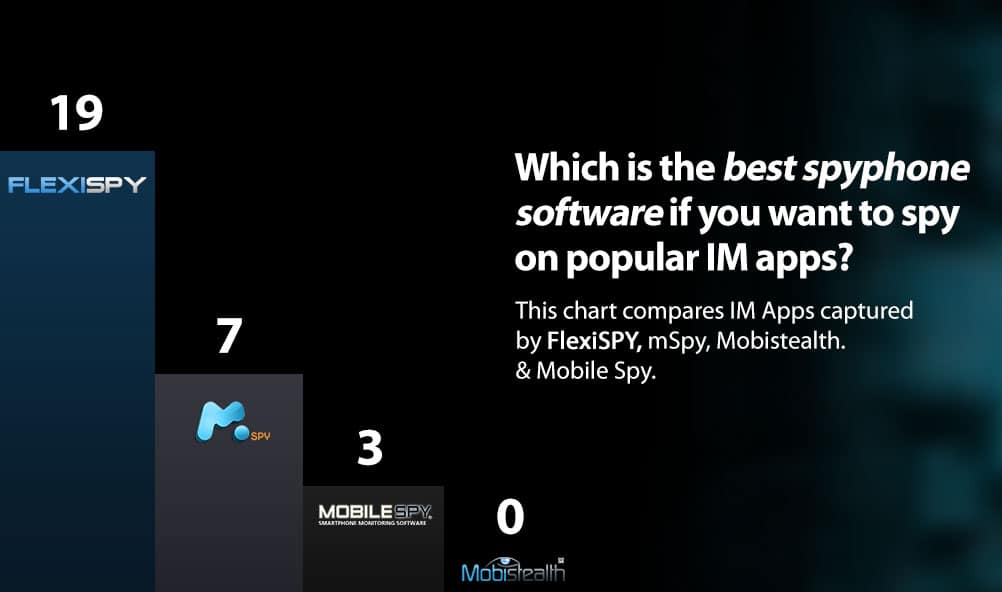
And how do you know what really is the best spy phone software if you want to spy on Whatsapp, Facebook, Viber, Skype, and other popular IM apps?
To answer this, we looked at the competition like mSpy, MobiStealth, and Mobile Spy and counted the actual number of instant messaging apps that they could spy upon.
We looked at how they displayed the data—did they present it the way it was actually displayed on a mobile phone, or did they use a simple grid which makes it hard to understand the flow of the conversation.
We also looked at the ability of FlexiSPY competitors to spy on the rich media like pictures and stickers that are such a cool part of the social messaging experience. To learn more about how we test IM capturing capabilities of ourselves, and our competitors, read our in-depth article on IM testing
The results were obvious.
FlexiSPY supports more social media and instant messaging programs than any other competitor.
FlexiSPY Also Captures The Most Rich Media
IM App
FlexiSPY
mSpy
Mobistealth
Mobile Spy
Facebook
Facebook Messenger
Viber
iMessage
Skype
WeChat
WhatsApp
LINE
BBM
BB PIN
Twitter
Google+ Hangouts
Realistic Conversation View
Yes
KiK Messenger
Telegram
Tinder
Instagram
QQ
Hike Messenger
In our tests, for example, mSpy also failed to capture Facebook stickers and images.
Mobile Spy does not capture emoticons for Whatsapp and Mobistealth failed to capture any IM programs at all.
What’s more FlexiSPY is the only spy phone software which displays the instant messaging conversation inside the online account just like it appears on the actual phone itself.
No other competitor offers this level of detail and compatibility capturing instant messaging, as shown in the detailed chart below.
But rather than resorting to hyperbole or superlatives, we simply look at the facts and can say that when it comes to spying on Facebook, Viber, Whatsapp, Skype, iMessage, BBM, PIN, Wechat, LINE, FlexiSPY is scientifically the most powerful. So why not head back over to the main site and explore everything that FlexiSPY can do for you?
After purchasing our iPhone Tracker software, one of the first things you might want to take a look at is the Spy on Call Logs Feature. This feature lets you monitor who they’ve been talking to, by giving you an in-depth and current view of their iPhone call logs. In the following guide, you’ll learn how to start using this feature. So, let’s get started.
Spy On Call Logs – Getting Started
Step 1 – Login to your FlexiSPY Dashboard via the Portal
Step 2 – Click the Calls tab and then click Phone.
Step 3 – View the call logs captured by FlexiSPY listed for your viewing.
Done
That’s all there is too it, and you should now successfully be monitoring their call logs. Depending on your automatic upload settings, the call logs will update every time a call takes place, you’ll see the contact name, phone number, call duration, and date & time. This really does give you a good view into what they’ve been up to. So head over to our iPhone Tracker page and see all of the great monitoring abilities that FlexiSPY gives you.
If you have any questions about this feature, or any other FlexiSPY feature, feel free to let us know in the comments section below, or through our social media!
Get Notified Of New Blog Posts
Blog posts contain explanations of new features, company announcements, as well as tips & tricks.