
Would you like to get a free extension on your FlexiSPY subscription?
If so, then simply leave a helpful review for people who are considering buying FlexiSPY. If your review meets our simple requirements, then you will get an automatic one month extension to your subscription.
Review Guidelines
Your review should cover the following areas.
Your reason for using FlexiSPY – this could be parental monitoring, employee monitoring, backing up or protecting your own phone.
How well did FlexiSPY solve your problem or meet your needs?
What were your most used or favorite features?
Did you have any major problems with FlexiSPY?
If you used our technical support, how was your experience with our team?
If you’ve used a competitor’s product, how did it compare with FlexiSPY?
If someone was considering purchasing FlexiSPY, what would you tell them?
To comply with legal requirements, we advise you not to describe anything that could be taken as encouraging illegal behavior such as: installing on an unauthorized phones or monitoring someone without their knowledge. If you have trouble with this, you don’t have to go into your reason for using FlexiSPY, just write the reviews around the remaining guidelines.
How to get your free license extension
You must leave your review on two places to qualify for a free extension.
Are you a previous or current FlexiSPY customer with a story to tell?
Are you a parent trying to prevent predators preying on your progeny?
If so, you should know that if you share your story on our FlexiSPY community, you will receive a $20 Amazon voucher.
You never know, your words could change someone’s life.
Just write a short post of 1000 words or more, and post it to our community forum and in return, you will get your Amazon Voucher.
Don’t worry if you are not a natural writer, it’s what you have to say that’s important, not how you say it.
Here is a suggestion as to what you might write about.
• The reason you bought FlexiSPY
• What you discovered
• How your life has changed with this new knowledge.
• Any wisdom that you want to pass on to others.
To post, you must be logged in to your community account. If you do not have an account already, go ahead and register here.
Once you have posted your story, please contact us at [email protected]
We are starting the development of a mobile app to let you access your FlexiSPY data on a mobile phone.
We want to begin by delivering only the most useful features, and we are asking for your help. Please let us know what would be the most useful things you would like to see if you were monitoring your target device, on the move using an iPhone or Android device
Here are some examples of what could be useful when you are on the move
• Push Notification of new events and alerts
• Create and Delete alerts
• View only new events from last application access
• Get the location of the target device
• Make an ambient call
• One-click access to the full web portal
• Password protect this app so no one can use it
Are you an experienced video creator, who knows how to create a script, storyboard, and animated video for FlexiSPY? The video will live on the home page, and will explain FlexiSPY and its benefits to new visitors. This is a paying job, so please contact us at [email protected] with the following.
Your experience and portfolio
How you would approach this job, and why you are suited to it
Timescales
Budget
To get a better chance of winning, you can send a 10 frame storyboard with your application. If the storyboard is thought provoking or interesting in any way, we will pay 100 USD regardless of your application being the one selected.
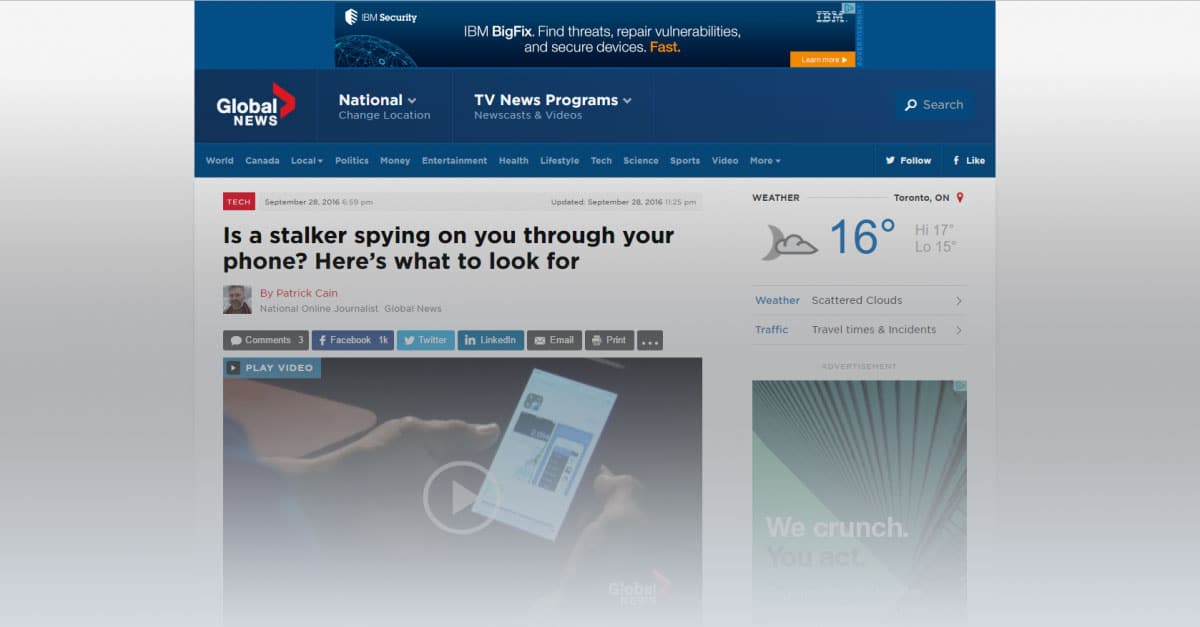
We were recently contacted by Patrick Cain, who is an online journalist. He works at the Investigative Desk at globalnews.ca.
Patrick contacted us regarding an FTC article regarding stalking apps, and we were happy to let him have our comments. Our position has always been that FlexiSPY should be used within the bounds of the law, whatever that may be for the customer. We would like to share with you our reply, and would encourage any of our customers to leave a genuine comment explaining your point of view on this subject. Here is a link to his article
Here is our entire reply:
Hi Patrick,
Thank you for your email. Before we go further, I think the following comment on the FTC link you sent, is extremely profound, particularly for journalists who feel they are serving the public’s interest.
„I’m not concerned with being stalked by an ex, rather I’m concerned with being „stalked“ by the US government. What is the FTC doing to get the NSA, FBI, and etc to stop spying on the American people?“
Now to your questions.
The quotes from our website that you mention are out of date, and we have removed them.
Please understand, the site is a decade old with hundreds of pages, many of them written in a time where this was not such a sensitive issue. Many things fall between the cracks. This was one of them. Thank you for bringing this to our attention, and we will update all the pages where these errors are still in place.
You are rightly concerned about the visibility of the application, so your readers should note that we have always had the option to be 100% visible to the end user, and this setting can be changed at any time. We have updated our text to make clear that the customer has this option where local laws require this.
The reason for the visibility option is that for many Parents, Employers and Law Enforcement use cases, its entirely legitimate to have the application behave like any other background application such as photo uploads, download of news feeds and so on.
For example, if your 13 year old child is knowingly engaging in dangerous behaviour, or your employee is stealing files, how will you ever protect them or your business if they find a way around the monitoring?
You ask why we do not allow anti-virus products to detect us.
The answer is obvious. We are not a virus, nor a trojan, nor malware, therefore we do not believe that we have to justify our place on device any more than a backup program that is purchased and installed by the user of the device.
The final question on statistics is commercially confidential, but we can indicate that parents and employers make up the majority of our users.
Finally, we fully support the mission of the FTC, which is to prevent fraudulent, deceptive and unfair business practices in the marketplace and by this measure, we can assure you that our products have no interest for the FTC.
With the release of Android 6.0.1, many FlexiSPY customers have been wondering about compatibility with the devices they wanted to monitor.
So today we couldn’t be happier to announce that FlexiSPY for Android has been fully tested and confirmed as being compatible with 6.0.1.
This is great news for you, because 6.0.1 is the very latest version of Android, and next version, 7.0, is not due to come out for most phones until August 22, 2016. In simple terms, this means that no matter what Android version your target phone is running on, you will be able to use FlexiSPY on it.
We have updated our binary, so all you have to do now is follow the normal FlexiSPY Android installation instructions (which are located in your dashboard) and then install FlexiSPY on it.
FlexiSPY’s newest Android feature, QQ Tracking, is here. It captures all of the QQ messages being sent to and from the phone, and it shows you these messages inside an easy to use dashboard alongside 17 other tracked IMs, so that you can know exactly what’s being said, and who’s saying it. And, it’s available right now to all FlexiSPY customers! Let’s take a closer look.
How QQ Tracking Works
When FlexiSPY is placed on an Android device, such as a Samsung Galaxy tablet, or Nexus phone, it discretely watches for incoming and outgoing QQ Messages. When it sees one of these messages, it uploads the message details to your online dashboard. From your online dashboard, you’ll be able to read the entire message history.
Compatibility
At this time, FlexiSPY can track QQ Messages on Rooted Android devices only and the Android device must be running OS 6.0.1 or below. Also, the phone that you want to monitor must be running the latest version of FlexiSPY for Android.
How To Get It
We’ve decided to bundle QQ Tracking with our existing products: FlexiSPY PREMIUM, and FlexiSPY EXTREME, at no additional cost to you. To enjoy the benefits of this update, just install the latest version of FlexiSPY onto the Android device that you want to keep an eye on. Alternatively, inside your dashboard, click on the flashing update icon and FlexiSPY will automatically update itself to the newest version.
Das FlexiSPY-Team freut sich, Ihnen zu verkünden, dass wir gerade einen von unseren Kunden viel gewünschten Service auf den Markt gebracht haben – den FlexiSPY Remote-Installationsservice!
Was der FlexiSPY-Installationsservice?
Dieser Service ist für Leute, die keine Zeit haben, ein Android-Gerät selbst zu rooten oder am iOS-Gerät den Jailbreak vorzunehmen, aber trotzdem FlexiSPY schnell und einfach installieren wollen.
Rooten, Jailbreak, FlexiSPY-Installation und Konfiguration wird alles von uns übernommen.
Kurzum, der FlexiSPY-Installationsservice lässt Sie den Zeitpunkt bestimmen, zu dem sich unser Technikexperte von seinem Standort aus in das Telefon, auf dem Sie die Software installieren wollen einloggen, und FlexiSPY auf Ihrem iPhone oder Android konfigurieren und installieren soll.
*Beachten Sie, dass Sie trotzdem physischen Zugang zum Zielgerät brauchen.
Funktionsweise
Der FlexiSPY Remote-Installationsservice ist relativ einfach, trotzdem sollten Sie sich die folgenden Punkte durchlesen, damit Sie einen Überblick über die Funktionsweise haben.
Der Installationsservice kommt als Teil ihres FlexiSPY-Abos, oder als einzelnes Produkt falls Sie FlexiSPY schon haben.
Wenn Sie den Service mit Ihrem Abo erwerben, werden Sie beim Zahlvorgang einen Button sehen, um den sorgenfreien Installationsservice hinzuzufügen.
Sie müssen das iOS- oder Android-Gerät physisch vorliegen haben.
Starten Sie den Live-Chat mit einem unserer Techniker, um Rooten und Jailbreakprozess zu beginnen.
Lehnen Sie sich zurück, während das Gerät gerootet und Jailbreak vorgenommen wird.
Wenn Rooten und Jailbreak durchgeführt sind, installiert unser Techniker FlexiSPY für Sie.
Nachdem FlexiSPY installiert ist, loggt sich der Techniker auf Ihr Onlineportal ein und hilft Ihnen beim Setup der Software.
Preise
Um Dinge einfach zu gestalten, haben wir einen Standardpreis von $39.99 festgelegt – egal, ob Sie den Installationsservice als Einzelprodukt oder als Zusatz während des Zahlvorgangs erwerben.
Was Sie beachten sollten
Ein paar Dinge sollten Sie beachten, wenn Sie den FlexiSPY-Installationsservice kaufen.
1) Für den FlexiSPY-Installationsservice benötigen Sie physischen Zugang zu dem Telefon
2) Während der Jailbreak läuft, muss das iOS-Gerät mit Ihrem PC oder MAC verbunden sein
– Die neuste Jailbreak-fähige iOS-Version, mit der wir kompatibel sind ist iOS 9.1.
3) Während das Android-Gerät gerootet wird, muss es mit Ihrem PC verbunden sein. Es funktioniert nicht, wenn es mit MAC verbunden ist.
– Die neuste Android-Version, mit der wir kompatibel sind ist Version 6.0.
4) Die meisten Android-Telefone können gerootet werden. Trotzdem kommt es vor, dass das Telefon nicht gerootet werden kann. In diesem Fall erstatten wir Ihnen den Preis des Installationsservices zurück.
– Die meisten Telefone benötigen zum Rooten das Originalkabel, das beim Kauf des Telefons dabei war
5) Obwohl legal, ist Rooten oder Jailbreak eines Telefons immer mit einem gewissen Risiko verbunden. Häufige Folge eines fehlgeschlagenen Rootversuchs ist ein Datenverlust. Unser Installationsservice-Team wird Sie vor der Installation benachrichtigen, falls Ihr Telefon risikoreich ist, trotzdem ist es gut, das im Hinterkopf zu behalten.
Falls Sie Fragen zum Service haben, teilen Sie sie uns gerne im unteren Kommentarfeld mit!
Pünktlich zum Jahreswechsel kam die Nachricht über die neue iPhone-Anrufaufnahme. Heute haben wir eine weitere spannende Neuheit mitzuteilen!
FlexiSPY unterstützt jetzt VoIP-Anrufaufnahme für iPhone
Unsere Kunden haben immer wieder nach der VoIP-Anrufaufnahme gefragt, also dachten wir uns, ihr werdet euch sicher freuen, dass bei den folgenden IM mit VoIP-Support Anrufe aufgenommen und zu eurem Hörvergnügen auf euer Dashboard hochgeladen werden können.
Skype
Viber
WhatsApp
Wie bekomme ich diese Funktion?
Die VoIP-Anrufaufnahme gibt es nur für FlexiSPY EXTREME Nutzer. Sie benötigen außerdem die neuste FlexiSPY-Version für iOS, also zum Zeitpunkt dieses Posts Version 4.1.2.
Um zu prüfen, ob Sie die neuste Version haben, gehen Sie einfach zu Ihrem Dashboard und sehen nach dem blinkenden Update-Symbol an der rechten oberen Bildschirmseite. Wenn Sie das Symbol sehen, klicken Sie es an und akzeptieren die Zustimmung zum FlexiSPY-Update auf Ihrem Telefon. Das Update geschieht automatisch.
Wie nutze ich die VoIP-Anrufaufnahme?
Wenn Sie geprüft haben, ob FlexiSPY geupdated ist, können Sie unsere neue VoIP-Anrufaufnahme sofort nutzen.
Für den Start sind keine weiteren Schritte notwendig, aber hier zeigen wir Ihnen, wie Sie die aufgenommenen Anrufe finden:
Von Ihrem Bedienfeld gehen Sie zu Anrufe → VoIP-Anrufe. Wählen Sie dann im Dropdown-Menü den IM, den Sie möchten.
Wenn Sie die FlexiSPY-Version gerade erst auf Ihrem Telefon geupdated haben, werden nicht sofort Anrufaufnahmen erscheinen, aber Sie treffen ein, sobald das ZIELtelefon einen VoIP-Anruf tätigt.
Welche sonstigen Funktionen wünschen Sie sich von FlexiSPY für iOS? Verraten Sie es uns im unteren Kommentarfeld!
Wir freuen uns, Ihnen zu verkünden, dass wir eine seit Langem angefragte Funktion auf den Markt bringen: die iPhone-Anrufaufnahme.
Das ist eine riesige Errungenschaft von unserem Team, und um ehrlich zu sein, wir finden, sie liefert noch einen Grund mehr, warum FlexiSPY die beste Wahl für Leute ist, die nach Spyphone-Software suchen.
Wie kriege ich diese Funktion?
Die iPhone-Anrufaufnahme gibt es nur für FlexiSPY EXTREME-Nutzer, und Sie benötigen die neuste FlexiSPY-Version für iOS (Version 4.1.2). Um zu prüfen, ob Sie die letzte Version haben, gehen Sie einfach nur zu Ihrem Dashboard und sehen Sie nach dem blinkenden Update-Symbol an der rechten oberen Bildschirmseite. Wenn Sie das Symbol sehen, klicken Sie es an und akzeptieren die Vereinbarung zum FlexiSPY-Update auf Ihrem Telefon.
Wünschen Sie weitere Funktionen für FlexiSPY für iOS? Teilen Sie uns Ihre Gedanken im unteren Kommentarfeld mit!
Heute freuen wir uns, unseren Android-Kunden einige wichtige Updates und neue Funktionen vorzustellen zu können!
Neuheiten
Support von Android Marshmallow
Android 6.0 Marshmallow ist die bisher neuste und beste Version von Android. Nicht alle Telefone, die mit Android OS laufen haben das Update für diese neue Version erhalten, aber langsam aber sicher führen die Carrier die Option zum Update aus. Für unser Entwicklungsteam ist das ein großer Erfolg und ein noch größerer Erfolg für alle FlexiSPY-Kunden, die auf diese Neuigkeit gewartet haben.
Natürlich muss das Telefon für FlexiSPY nicht mit 6.0 laufen. Die Versionen 4.0.3 bis 6.0 werden unterstützt.
Telegram-Erfassung
Telegram rüttelte die IM-Welt mit seinem hoch verschlüsselten, sich selbst zerstörenden Nachrichten auf. Wir haben von euch viele Nachfragen erhalten, Telegram-Nachrichten erfassen zu können. Darum freuen wir uns, das nun als Teil von FlexiSPY anbieten zu können.
VOIP-Anruflisten
Seit unseren Anfängen haben wir Anruflisten erfasst, aber die Zeiten ändern sich und viele Leute entscheiden sich mittlerweile für Messaging Apps, um Voice Calls statt Handyanrufe zu tätigen.
Als Antwort darauf unterstützen wir jetzt einige Messaging-Dienste mit denen Voice Call geht, und von jetzt an können Sie Anruflisten für folgende Apps abrufen:
Prüfen Sie zuerst, ob sie schon die neuste FlexiSPY-Version für Android haben. Dafür müssen Sie einfach nur zu Ihrem Dashboard gehen und nach einem blinkenden Update-Symbol auf der rechten oberen Bildschirmseite Ausschau halten. Ist das Symbol da, klicken Sie es einfach an und akzeptieren Sie die Vereinbarung für den Update von FlexiSPY auf Ihrem Telefon.
Erscheint das blinkende Update-Symbol nicht, haben Sie das Update bereits erhalten.
Teilen Sie Ihre Meinung
Was wünschen Sie sich sonst noch von FlexiSPY für Android? Teilen Sie uns Ihre Wünsche im unteren Kommentarfeld mit, damit wir wissen, was wir als nächstes entwickeln sollen.
Sie müssen nicht Sherlock Holmes sein, um zu verstehen, dass Tinder DIE Fundgrube ist, die Sie ansteuern, um herauszufinden, ob Ihr Partner etwas im Schilde führt.
Vielleicht wissen Sie schon, dass Ihr Partner die App benutzt, aber Sie wollen wissen, wie sehr er oder sie Ihnen einen schlechten Dienst erweist. Sie fragen sich, was sich hinter dem Vorhang verbirgt – „hat mein Partner einen Zwergenfetisch?“ Ihr Partner braucht sich nur mit Kleinwüchsigen zu matchen und Nachrichten hin- und herzusenden, dann ist das schon ein erster Hinweis!
Spaß beiseite, wir wissen, dass es eine große Sache für unsere Kunden ist, solche Tinder-Nachrichten lesen zu können. Deshalb freut es uns so, verkünden zu können, dass das mit dem neusten Update für unseren Android-Client jetzt möglich ist!
So holen Sie sich diese Funktion
Bis jetzt gibt es diese Lösung nur für Android-Geräte, aber seien Sie versichert – unser iOS-Entwicklungsteam sitzt schon an einer Lösung für iPhone.
Wenn Sie FlexiSPY schon auf Ihrem Gerät aktiviert haben, können Sie unsere einzigartige Fernzugriff-Technologie für das Update nutzen, um FlexiSPY direkt von Ihrem Dashboard aus zu updaten.
Sobald Sie sich einloggen, schauen Sie auf die rechte obere Ecke auf dem Dashboard und Sie werden ein leuchtendes Update-Symbol sehen. Klicken Sie einfach auf das Symbol und folgen Sie der Aufforderung zum Fern-Update.
Have you ever wished that you could have FlexiSPY on your PC or MAC?
Have you ever wanted to track your child’s activity across all their devices?
The good news is that now you can.
In a few weeks we will be launching FlexiSPY desktop, a new product that lets you monitor PCs and MACs.
[hoops name=“skeleton“]
This release is a huge deal for our customers and us – it means that you will finally be able to have seamless monitoring over all devices.
Here’s a little preview of what FlexiSPY for Desktop does:
FlexiSPY Desktop allows you to keep an eye on almost every aspect of the computer it’s installed on – but we do have our own favorite features.
Browser History
See a list of sites they visited
Search Terms
See what they were searching sites like Google and Yahoo for
Keystrokes
See all keystrokes that were made in-browser
IM Messages
Read the chat logs for apps like Skype
Desktop Screenshots
Take screenshots of the desktop
Application Activity
See what applications they are using the most
To get 20% off the brand new FlexiSPY Desktop, you’ll need to pre-register by filling out the form below. Also to reiterate, if you’d like to be a beta tester – click here
Today, all kinds of electronic devices — and especially smartphones — have become the most important way that children and teenagers stay connected to one another.
According to the Pew Research Center, 92 percent of American teens go online daily, and 24 percent are online almost constantly. Most of this occurs through their smartphones, a device that 88 percent of teens own or have access to.
Parents, worried about the threat of violence and possible sexual predators outside their homes, think their children are safe when in their rooms. Unfortunately, many of these parents have no idea what their children are doing online and are unaware of the equally large, or even larger, threat that online predators pose to their kids.
While the internet has made our world smaller in many good ways, it has also increased the ability of predators to find and seduce their victims. They do this most successfully through a process known as „grooming,“ where predators engage in a number of actions to befriend vulnerable victims in order to sexually abuse and exploit them. Although online predators do most of their grooming virtually, they eventually have to meet their victims in the offline real world to reach their goal: sex with the minor. At this point, their victims are usually eager to meet the person they’ve developed a friendship with online and completely trust that their friend is the person who he says he is. He seldom is.
Mind the Gender Gap
When people think about sexual abuse victims, they typically picture girls. In a study conducted by the Centers for Disease Control and Prevention and the U.S. Department of Justice, one in six women were found to be the victim of rape or attempted rape; the statistic for men was one in 33. This number may be accurate, or it may just reflect the fact that sexual assaults on women are reported more often than sexual assaults on men.
When it comes to grooming, boys are targeted just as often as girls, but because of stereotypes, parents don’t monitor their sons nearly as much as they do their daughters. Many behaviors are simply written off as „boys being boys“ instead of the warning signs that they really are.
Because boys are thought of in terms of „manly“ traits, it is assumed that people can’t make them do anything they don’t want to do. But through empathy, coercion, and shame, sexual predators can not only make them do what they want but also keep them from telling anybody about it. Their masculinity is used against them: Boys are taught that expressing their feelings is womanly, and they don’t want to be accused of being gay.
When they drink, take drugs, skip school and get new things like cellphones — all due to the groomer — the boys would rather have their parents, counselors and other adults in their lives attribute it to bad behavior than to the fact they’re being sexually exploited. As stated in „Same Risk, Different Gender,“ a video by The Blast Project, „Boys and young men often prefer the bravado of youth offending rather than admit to being a victim of grooming and sexual exploitation.“
A Worst-Case Scenario: The Breck Bednar Case
A gruesome example of this occurred in the Breck Bednar murder case in Surrey, England, in 2014. Breck was a 14-year-old computer aficionado who spent hours gaming online. He fell prey to a man named Daynes, who represented himself as a 17-year-old high school dropout and computer engineer running a multimillion-dollar company. As the friendship deepened, and Breck became more secretive, his mother, Lorin Lefave, became suspicious.
She asked other teachers and parents their opinion on the relationship, and they didn’t see anything wrong with it. Then, she and her ex-husband offered to take Breck to meet Daynes in person, but Daynes said he was too busy. Finally, Lefave called the police, who didn’t seem to understand the enormity of the situation. She even provided them with Daynes‘ full name and the county where he lived, but they never acted on the information.
When Lefave took away her son’s computer and phone, Daynes secretly sent Breck a new phone. Daynes then convinced Breck that he was dying and wanted to hand his computer company over to Breck, a dream come true for the computer buff. Lying to both his parents about where he was going, Breck got into a taxi paid for by Daynes and went to Daynes‘ apartment. Sometime that night, Daynes murdered Breck and then texted images of his body to other boys in their gaming group. He is currently serving a life sentence in prison after pleading guilty to murder with sexual and sadistic motivation.
Warning Signs vs. Gender Assumptions
Lefave set up the Breck Foundation to bring Internet safety awareness to schools, police, and parents. Although she recognized the signs and sought to save her son from his predator, she was unable to convince authorities that something suspicious was going on until it was too late. As she told the Guardian, „Boys may report this less, but I want everyone to understand that they can be groomed and hurt… by people who are not who, they say they are online.“
The Breck Foundation and other organizations like The Blast Project are trying to teach authorities and professionals to base their opinions on the warning signs and not on gender assumptions. Boys WILL be boys, but they will also become the victims of sexual exploitation if they’re not careful. Parents should be vigilant with their children, regardless of their gender, and know what they’re doing online and on their phones. Look for indicators that your child may be involved in something suspicious, and keep tabs on their activity by using a phone monitoring software. Do everything you can to keep your child safe from predators.
The FlexiSPY portal is showing its age a little, and while its functional, it surely needs some love – It’s time for a redesign.
That’s why we are looking for Designers and Contributors to help us create a set of possible new designs.
In return, we are giving away Amazon vouchers, not only to designers, but to those of you love our product and have ideas for improvements.
We need the following:
Designers
If you are a regular user of FlexiSPY and you are a UI designer with talent and ideas, we want to engage you for a full project, and you will receive a $50 Amazon Voucher for your design.
The design must be original though, so copying a generic template from the web won’t qualify.
Please send us the following and you will automatically receive a $50 voucher, and you will be considered for the job.
Redesign of Dashboard
Redesign of Call Records
An email explaining how you would approach a full portal redesign and how much you would charge to deliver a redesign.
If you are a regular use of FlexiSPY you can win a $5 Amazon voucher
Simply give us your ideas for improvement to make the portal easier to use and to deliver a better experience. We will consider these, and any idea that we will use will be published on the blog and you will receive a $5 voucher.
Most people say their customers are important to them. We’re putting our money where our mouth is and offering you $10 dollars to answer a few questions.
Here’s how it works.
3 days after you purchase FlexiSPY, you will be invited to complete a survey, for which you will receive a minimum of a 5 dollar amazon voucher upon completion. If you provide more detailed answers in the survey’s text boxes then you will qualify for a larger 10 dollar voucher.
After you buy mobile monitoring software, will you be happy with your purchase or will you be left wishing that you’d done more research?
Well, the answer is a far cry from what you might believe, as data from our trade in program shows that 39% of mobile monitoring software doesn’t work as advertised.
The good news is that you can learn which brands you may want to avoid. In this infographic we want to show you what our trade-in data showed us: who the problem brands are, the top problems people have with them, as well as actual comments from our trade-in participants.
View the infographic below…
Share this Infographic On Your Site
Conclusion
There you have it. We hope you gained some insight into which mobile monitoring software might deserve more research before making a purchase. Of course, if you’re still on the fence we invite you to learn more about each brand through whichever source of quality reviews that you can find (spyphonereview is our personal favorite)
What experience did you have with mobile monitoring software? Were your expectations met? Let us know in the comments section below.
Not quite sure how to setup and use our Android Call Recording feature? Or maybe you HAVE set it up and even recorded a call, but when you listened to the recording something just didn’t sound right..
If we’ve hit the mark, then you’ll be glad to know that in this post we’ll show you how to maximize the chances of getting a perfect recording every time.
(If you are interested in iPhone Call Recording, we cover it in another post)
So let’s begin!
Finding The Best Android Call Recording Source
To better understand why call recordings aren’t always clear, you should understand how our Call Recording feature works.. Basically, when FlexiSPY first activates it tries to automatically find the best call recording method, and it has several sources to choose from.
Usually the microphone source works best, and it may choose that. But – there may be a better recording source for your device.
Better Results Through Manual Settings
FlexiSPY sometimes can’t automatically find the best audio source. The reason is complicated, but the short version is that there are so many variations of android devices, all running on different networks, that FlexiSPY sometimes gets it wrong.
You’ll know that this happened if:
Only one side of the conversation gets recorded.
You can only hear static
The recorded voices sound distant
Fortunately, this is where manually setting the audio source can help. Through the manual settings you can test which source works best for the device that FlexiSPY is installed on.
Here’s how to manually set the audio source:
1. Log into your online portal.
2. Click Control Center.
3. Click Call Controls.
4. Click Set Audio Recording Source.
All the possible call recording sources will then appear.
Here’s a breakdown of the sources:
Microphone
This is the call recording source that FlexiSPY uses by default.
(Samsung devices work well on this setting)
Voice Call
This source uses both directions (known as uplink and downlink) to increase the chances of recording both sides of a call. It may not work with all devices though – if it fails it will result in the recording of only one side of the call.
AOSP
This is a proprietary recording source for all devices.
(non-rooted Motorola and Huawei Android devices should choose this source for best results.)
Legacy
This is the oldest and most stable form of call recording. But on newer Android devices both sides may not be recorded.
(If all other call recording sources produce unsatisfactory results, then use this.)
ALSA
This source is for rooted Android devices only.
So if you’re unhappy with Call Recording and the device is unrooted you’ll want to:
Deactivate & Uninstall FlexiSPY from the device
Root the device
Reinstall & Reactivate FlexiSPY
Set ALSA as the Call Recording source
Conclusion
There’s no universal Call Recording source that works for every Android device. But if you try all the sources we mentioned in this article, there’s a good chance that your recordings work just fine!
Kunden, die einem Land wohnen, das Teil der Europäischen Union ist sind verpflichtet eine Mehrwertsteuer auf alle Produkte, die sie kaufen zu zahlen.
Zwei weitere nicht-EU-Länder zahlen Mehrwertsteuer. Das sind Australien, und Kanada.
Die tatsächliche Summe, mit der Ihre Karte belastet wird ist dann also der Rechnungsbetrag aus Ihrem Warenkorb zuzüglich der Mehrwertsteuer, die für Ihr Land, das im Adressfeld der Karteninhaberdaten eingetragen ist gilt.
Als Unternehmen können Sie diese Mehrwertsteuer mit der Steuerrechnung, die Sie erhalten zurückfordern. Ihre Rechnung enthält eine Mehrwertsteuer-Kennung. Wenn Sie Probleme haben, die Mehrwertsteuer zu ermitteln, kontaktieren Sie bitte unseren Support über https://support.flexispy.com/
Die Mehrwertsteuer gilt nur in den folgenden Ländern. Weitere Details sehen Sie hier: