x

Autor: FlexiSPY

  • Application Screenshot for Android – Now Available

    The wait is over Android users. FlexiSPY is proud to announce the release of the best screenshot app on the market – Application Screenshot for Android! Never miss another detail with real time screenshots of supported applications that matter to you.

    What Is App Screenshot Software?

    The Application Screenshot for Android feature allows customers to take remote screenshots of supported apps while they are in use. This screenshot tool takes pictures of an application and automatically uploads them to your online user portal for convenient viewing – you can even download the files to your computer for later use.

    This powerful function is available to PREMIUM and EXTREME FlexiSPY users with rooted Android devices. See if your device is compatible before installing FlexiSPY and check out our worry-free installation service.

    How To Take A Screenshot On An Android Phone With FlexiSPY

    Follow these simple steps and you’ll be snapping screenshots in no time:

    1. Login to your online portal
    2. Select Apps Screenshot on the left
    3. Here you see all supported applications
    4. Choose Monitored Application to select the programs to monitor
    5. FlexiSPY uploads screenshots to the online portal
    6. Click any application to view its images
    7. Track images by their date and time stamps
    8. Enlarge or delete any app screenshot
    9. Star important files for easy access in the future

    FlexiSPY’s app screenshot feature is easy to use and customizable for your preferences. You can set the program to snap screenshots of supported apps inside the dashboard and view the images in their app-specific folders.

    Why Is FlexiSPY The Best Screenshot App?

    FlexiSPY’s Application Screenshot for Android gives you the power to protect what is important by providing insight into how people use their Android apps. Parents, employers and individual users can all benefit from the world’s best screenshot app:

    Parents use our screenshot software monitor application usage and to protect children from online predators or cyberbullies.

    Employers often monitor company phone usage to ensure employees are conducting business appropriately. The images taken by FlexiSPY’s screenshot app are extremely useful for evidencing insider threats and uncovering corporate espionage.

    Individuals find Application Screenshot is perfect for those who are prone to losing their phones. With screenshots automatically saved to your secure online portal, you’ll never have to worry about losing important conversations or contact information.

    Tell Us What You Think About Application Screenshot

    How can this feature benefit you? Will you use it for work or personal reasons? Share this post on social media or let us know in the comments below.

    Stay In The Know

    We are constantly adding new features to FlexiSPY – view our Changelog for updates.

    Subscribe to our mailing list for exclusive discounts, product announcements and news.

    Not an Android user? Check out the best screenshot app for iPhone HERE!

    [hoops name=“Newsletter Signup“]

  • FlexiSPY 2017: A Year In Review

    FlexiSPY 2017: A Year In Review

    As we make our way into this new year, we took some time to reflect on the successes of 2017 – and what a successful year it was! Never before have we felt prouder of our teams, more excited for the product developments we released or more grateful for YOU, our exceptional customers. Let’s celebrate together as we take a look at our year in review.

    Product Updates

    At FlexiSPY, we strive to provide our customers with the latest in monitoring technology and 2017 saw some outstanding advancements across our iPhone and Android platforms – we now support Android Nougat 7.1.1! In terms of features, we’d have to say some of the most memorable additions are the Keylogger, Application Screenshot and RemVid features.

    Application Screenshot: Available for both Android and iPhone, this feature allows users to take remote screenshots of an app even while it’s in use. This is a remarkable tool that gives you an inside look at how an application is used – plus it’s available for both rooted and non-rooted devices. So, even if you’re unable to monitor popular chat applications with your subscription, you will still have a snapshot each conversation uploaded directly to your online portal with this feature.

    Keylogger: Also for Android and iPhone devices, FlexiSPY’s keylogger is the best on the market. It records every keystroke that is typed into supported programs and applications – including deleted text. Capture search terms, conversations, emails and so much more! The best part? It’s available for both rooted and non-rooted devices.

    RemVid: This feature is available to FlexiSPY EXTREME subscribers and we’d have to say this feature alone is worth the upgraded subscription. With RemVid (remote video), you have the ability to remotely access a phone’s camera and activate it to record videos of its surroundings.

    Other notable features were added to our iOS platform. Compatible devices are now able to capture private Instagram stories, as well as send push commands to automatically sync changes made inside your portal to the target phone!

    Portal Updates

    In addition to upgrading FlexiSPY itself, we know how important it is for our customers to have a sleek and secure customer experience. Therefore, we made it easier to access the data you need with Alert Wizard and Device Status Indicator updates – and safer to use by introducing 2-Factor Authentication.

    Alert Wizard: Now mobile and computer users can take advantage of FlexiSPY’s Alert Wizard. This feature lets you select specific keywords or phrases that you want to monitor and sends you an alert every time they are used. This is extremely useful for parents who want to make sure their children aren’t up to any illicit behavior or for employers who need to know when company-related ‘hot’ words are being used.

    Device Status Indicator: It can be stressful not knowing why the target device isn’t sending new data, so we added the Status Indicator to the user portal. When you log in, you can now see if the device is connected with our color-coded signals. Green means connected and Yellow means idle (no data sent within the last 10 minutes).

    Two-Factor Authentication (2FA): We added another layer of security to our user experience with 2FA. This easy-to-use feature provides more security than a traditional username and password, because it requires a code that is sent directly to you. Now you can rest easy knowing your data is safe and that only you can access it.

    New Releases

    In addition to improving our current products, FlexiSPY’s in-house design and development teams are constantly looking for new ways to expand our offerings and improve the customer experience. We can’t wait to see how they top FlexiSPY EXPRESS and FlexiVIEW – our first-of-its-kind mobile viewer app – in 2018!

    FlexiSPY EXPRESS Delivers Pre-Installed Phone To Your Door

    One of 2017’s biggest releases is FlexiSPY EXPRESS – a brand-new service that gives you the full FlexiSPY experience without any hassle of finding a compatible phone or installing the software. Choose your FlexiSPY subscription, select a compatible phone model and wait for delivery. It’s easy, worry-free and makes the perfect gift for kids!

    FlexiVIEW App Lets You Access Data On The Go

    FlexiSPY released a FREE mobile viewer app – an industry first – that further solidified our status as the leader in monitoring software. FlexiVIEW makes accessing the data that’s important to you even easier, so you can truly have peace of mind when protecting your family or business from online or mobile dangers.

    YouTube Channel Means More Content For YOU

    With so many unique features, FlexiSPY can seem overwhelming. That’s why we launched our official YouTube channel – to bring fresh and useful content to our customers. You can expect easy-to-understand videos that focus on helping customers make the most of their FlexiSPY experience. Let us know if you have any video suggestions!

    It’s Going To Be A Great Year

    The energy is high over here at FlexiSPY HQ and we are motivated by our year in review to make this year even better than the last. We fully intend on continuing to provide exciting new product and feature updates, the most pertinent commentary on current events and the best all-around experience in the monitoring software market. Thank you for your continued loyalty and support – and get excited for 2018!

    Customers come first at FlexiSPY and we take your feedback to heart. If you have any ideas for new features, content or ways to improve, be sure to LET US KNOW in the comments! And be sure to subscribe to our Blog and Newsletter to stay up-to-date on the all things FlexiSPY!

    [hoops name=“Newsletter Signup“]

  • RemVid For Android Is Here!

    RemVid For Android Is Here!

    That’s right Android users – RemVid for Android is now available! This means you have the ability to take a video of a phone’s surroundings by remotely controlling the device’s camera. Wow!

    What Is RemVid For Android?

    RemVid for Android (short for remote video) is a powerful feature that allows users to take remote videos using the camera of the phone being monitored. This free feature is available to FlexiSPY Extreme users with compatible Android devices.

    Who Benefits From Using RemVid?

    Our remote video camera recording feature is the perfect tool for parents, employers and individual FlexiSPY users. Here’s why:

    Parents: FlexiSPY gives you peace of mind knowing your children are safe. If your son or daughter has been hanging out with questionable new friends or engaging in risky behavior, RemVid lets you check in to make sure they are where they say they are. Or worse, if your child is ever kidnapped or the victim of bullying, you can use videos taken with RemVid to locate your child or bring evidence to the authorities to stop a problem before it gets worse.

    Employers: If you run your own business or manage employees, then you know how important it is that everyone works together with the company’s best interests in mind. Use RemVid to ensure work gets done on business trips or remote in during a client pitch to provide feedback to your team on best business practices.

    Individuals: Use RemVid to record class lectures and watch them back for exam preparation. Or use the remote video recording feature to capture footage if your phone is stolen. All data is automatically uploaded to your online user portal and available for review or deletion as you require.

    How Does Remote Video Recording Work?

    Use RemVid cas soon as FlexiSPY is installed and activated on the target Android device. Once a video is taken, the file is uploaded to your secure online portal where you can view, download or delete it.

    1. Install and activate FlexiSPY
    2. Log in to your online portal and click RemVideo
    3. Choose front or rear camera
    4. Select the duration of the video*
    5. Record the video and watch it from your online portal

    *Note: For devices with low RAM, the video will only be able to record for a few minutes. Once the phone has reached its capacity, the recording will be automatically terminated by the system and uploaded to your online FlexiSPY portal.

    Compatibility

    The remote video camera recording feature is available for FlexiSPY Extreme customers with compatible Android devices. Check out this link for more information on device compatibility.

    Stay In The Know

    For the latest feature announcements, blog posts and exclusive discounts, be sure to subscribe to our FlexiNews monthly newsletter. You can also subscribe to our Blog and YouTube channel for even more exciting updates from FlexiSPY.

    Special Notes

    RemVid is a new feature – and one that we will continue improving – which means there are some initial limitations that our development team is working round the clock to update. Please note the following at this time:

    • If the target phone’s camera or speaker are used while the remote camera recording is in progress, the video will immediately stop recording and the data will be sent to the server.
    • RemVid does not currently support GEO location.
    • The video resolution is 144×192 pixels, while the file size is about 1MB per minute.

    [hoops name=“Newsletter Signup“]

  • Why FlexiSPY Is The Best SMS Tracker

    Why FlexiSPY Is The Best SMS Tracker

    How do you determine the best SMS tracker app for your needs when it seems so many companies are providing similar products? We take a look at what sets FlexiSPY apart and why the need for parents and employers to monitor text messages is greater than ever before. 

    What Makes FlexiSPY The Best SMS Tracker

    For starters, FlexiSPY’s SMS Tracker is more than just a basic feature attached to our monitoring software. Instead, it’s a powerful tool that can be purchased as a standalone app – with a number of exciting features not offered by competitors – OR it can be upgraded to the world’s premier spy app with a PREMIUM or EXTREME FlexiSPY license. 

    Our SMS Tracker lets you: 

    • Spy on text messages – even those that have been deleted 
    • See date and time stamps, as well as contact details for each SMS
    • Delete messages before they are received 
    • Send Spoof SMS 
    • Upgrade to more than 150+ monitoring features 

    How Do SMS Trackers Work? 

    It’s actually very easy! Head to our SMS Tracker page, select your preferred product, install FlexiSPY and our software will immediately start capturing all incoming and outgoing text messages. Data is then uploaded directly to your online portal where you can view, download or delete important messages.  

    Check out this exciting video that explains just how easy it is to use: 

    Who Needs An SMS Tracker? 

    We live in a world where traditional phone calls have taken a backseat to texting, which makes FlexiSPY’s SMS Tracker the perfect monitoring solution for parents looking to protect their children, employers looking to protect their companies and individuals looking to protect (and back-up) their SMS conversations. 

    No other SMS tracker apps offer the same premium service or long list of 150+ features that comes with FlexiSPY – plus we are compatible with Android and iPhone devices.  

    So why not see for yourself why smstracker-apps.com gave our SMS Tracker a 95/100 in their FlexiSPY Review!

    Let us know your opinions and feedback in the comments below! And remember to subscribe to our blog to stay up to date on the latest updates, product announcements and promotions!

    [hoops name=“Newsletter Signup“]

  • FlexiSPY EXPRESS Is The Ultimate Christmas Gift | New Holiday Video

    FlexiSPY EXPRESS Is The Ultimate Christmas Gift | New Holiday Video

    Still not sure what to get your kids this holiday season? Or perhaps they asked for a new cell phone, but you’re worried about inappropriate content or dangerous cyberbullies.

    Why not give them a brand-new phone from FlexiSPY EXPRESS! Our amazing new service lets you choose a phone and have it delivered to your door already pre-installed with FlexiSPY! See for yourself just how easy it is:


    With FlexiSPY EXPRESS it’s Win-Win. You feel confident that your children are protected this year and you get to watch their faces light up on Christmas morning when they see their amazing gift from Santa!

    If your child already has a mobile phone, be sure to check out our Ultimate Holiday Gift Guide 2017 for other FlexiSPY products to keep your family safe and sound.

    Happy Holidays!

    We have created this video and our YouTube channel for YOU – our customers – and would love to hear your feedback. If there are any topics or features you’d like us to highlight, be sure to let us know in the comments section!

    Also, don’t forget to subscribe to our channel and blog for the latest updates, tutorials and product announcements from FlexiSPY!

    [hoops name=“Newsletter Signup“]

  • Protect Your Kids From YouTube Danger This Holiday Season

    Protect Your Kids From YouTube Danger This Holiday Season

    YouTube has taken the polar plunge as advertisers and users are freezing out the video-sharing site over the discovery of droves of inappropriate comments on the videos of minors. The company says it’s taking immediate action to remedy the situation, in which thousands of flagged reports have apparently been missed. For those parents who don’t have time to wait for YouTube to protect your kids this Christmas, we have an incredible solution. 

    The Icy Truth About YouTube Danger

    YouTube is the perfect addition to your family’s holiday festivities – inciting rousing karaoke renditions of Deck the Halls or laughter abound as you and the kids watch your favorite Christmas Fails compilation. But lurking beneath this seemingly utopian Whoville of video cheer is a sinister beast that threatens the innocence and safety of our youth. 

    No, we’re not talking about Krampus the Christmas demon, but another monster that trolls YouTube looking to prey on children – pedophiles.  

    The Verge recently reported an epidemic of ‘sexual comments’ being left on videos of children. And we’re not talking pornographic or inappropriate videos (even though some of those are being neglected), but normal videos of children practicing sports, playing with friends or sharing their ‘outfit of the day.’   

    Videos of children that in no way appear unsuitable for YouTube, but that garner feedback like ‘Please can you get completely naked,’ or ‘Only wear one shirt and no bra. Or nothing at all is great to,’ reports BBC. Not to mention phone numbers, WhatsApp accounts and invitations to send more videos.  

    It sends a chill down our spines too.  

    Doesn’t YouTube Have A Naughty List? 

    The video-sharing giant does have a system in place to eliminate less-than-desirable content and user accounts – including a combination of automated systems and human flagging. But with an 300 hours of videos uploaded every minute it’s understandable that some slip through the cracks.  

    And of course, it’s even more difficult when the videos themselves appear innocent in nature.  

    Eyebrows raise, however, when YouTube’s team of trusted flaggers have reported little support in their efforts to remove inappropriate comments for over a year. Or when BBC Trending submitted 28 clearly obscene comments directly to YouTube and only 5 were deleted. Or when 250 companies recently abandoned or scaled back YouTube advertising 

    Or when. Or when. Or when. 

    So, does YouTube drop lumps of coal in the stockings of those on the naughty list? The answer is yes, sometimes. 

    Don’t Settle For ‘Sometimes’ This Christmas 

    We take parental monitoring seriously, which is why we provide powerful tools to help you better understand your children’s online behavior.  

    FlexiSPY is not meant as an invasion of privacy, but as a starting point for conversations about responsible decision-making with your children. About what is appropriate and inappropriate and about what to do if someone else is behaving in an unacceptable manner. 

    We give you access to the most popular chat and social media applications, including YouTube, so you can step in if something is not right. Or if YouTube is too slow to catch a dangerous comment – or misses it altogether.   

    FlexiSPY lets you see if your children have installed YouTube on their Android or iPhone and capture snapshots of what they are searching, watching or uploading on their channels – as well as comments left on their video posts. 

    At FlexiSPY, we know how important your family is and we have a veritable Nice List of options to help you shed light on this growing problem that YouTube is working to resolve. Sometimes. 

    So, don’t get lost in the fog of predators and content overload this holiday season and protect your kids from YouTube danger. Allow FlexiSPY to be your Rudolph and let our software provide that extra glow that turns sometimes into always. 


    [hoops name=“Newsletter Signup“]

  • Spy Gifts: The Ultimate Holiday Gift Guide 2017

    Spy Gifts: The Ultimate Holiday Gift Guide 2017

    With Christmas just around the corner, we’ve compiled a list of incredible spy gifts to make the season bright! You’ll find unique gifts for employees and spy gifts for kids – so, whether those close to you have been naughty or nice, give them something they will never forget from FlexiSPY’s Ultimate Holiday Gift Guide 2017!

    FlexiSPY EXPRESS

    The holidays are hectic. Gifts to buy. Family to visit. House to clean. Food to cook. Why not give yourself a leg up this year and let FlexiSPY handle things for you.

    FlexiSPY EXPRESS delivers a phone pre-installed with FlexiSPY right to your door. No searching for a compatible device. No figuring out how to root or jailbreak your phone. No hassle trying to install the software. Let’s see Santa come up with something like that!

    Our FlexiSPY EXPRESS phones are the perfect spy gifts for kids and teens. They get to impress their friends with their brand-new cell phone. And you get to sleep at night knowing they are safe from cyberbullies (or the Grinch).

    1. Purchase the FlexiSPY license that’s right for you
    2. Choose a phone from our list of compatible models, provided by our trusted partner, Spyfones
    3. Wait for Santa (or the postman) to deliver the phone
    4. Log in to your online portal and start monitoring

    With FlexiSPY EXPRESS, you get access to all our powerful monitoring features, but with none of the stress.

    So, spend more time with your loved ones this holiday season and order your very own Christmas miracle, er, FlexiSPY EXPRESS today!

    FlexiSPY for Android and iPhone

    If visions of a new phone aren’t dancing in your child’s head, then FlexiSPY for Android and iPhone are the perfect spy gifts for you. With more than 150 features, we are the world’s best monitoring software for parents.

    • Monitor email and popular chat apps like Facebook, WhatsApp, LINE and more
    • See what’s written in text messages with our SMS Tracker
    • View photos and videos to prevent inappropriate content
    • A GPS tracker lets you know your kids made it home safely in the snowstorm
    • Access call logs and contact details
    • Turn on the phone’s microphone and record its surroundings

    FlexiSPY gives you the ability to protect your children from online dangers or to step in if you sense something is wrong. Or maybe you need to keep any eye on your business while you’re spending time with your family over the holidays.

    Either way, think of FlexiSPY as Santa’s little helper – an extra pair of eyes and ears when you can’t be there.

    Learn more about FlexiSPY for Android and FlexiSPY for iPhone and be sure to take advantage of our worry free installation while you’re at it!

    FlexiSPY for Computers

    Are you splurging this holiday season and getting your teen a new PC for college? Or spreading the holiday cheer with brand-new Macs in the office?

    Don’t be a scrooge and equip your new machines with FlexiSPY for Computers! Monitor emails, supervise web browsing, track key logs and protect your PC or Macs from unauthorized use.

    FlexiSPY for PC and FlexiSPY for Mac are the ultimate spy gifts. Our software invisibly monitors the target computer and records every detail. The data is uploaded to your online portal where you can view or download the captured information.

    For more details on how to prevent insider threats, increase employee productivity, back up your data or start a discussion with your children about responsible online behavior, visit our website and speak to one of our Live Chat support agents today.

    Santa Who?!

    FlexiSPY’s Ultimate Holiday Gift Guide 2017 highlights the world’s best spy gifts for kids and employees. Choose from our wide range of products and subscriptions to select the perfect gift this year. We’ve made it easy, so you have more time to relax and enjoy this year’s festivities.

    Happy Holidays From FlexiSPY!

    [hoops name=“Newsletter Signup“]

  • How To Uninstall FlexiSPY And Reuse It On Another Device

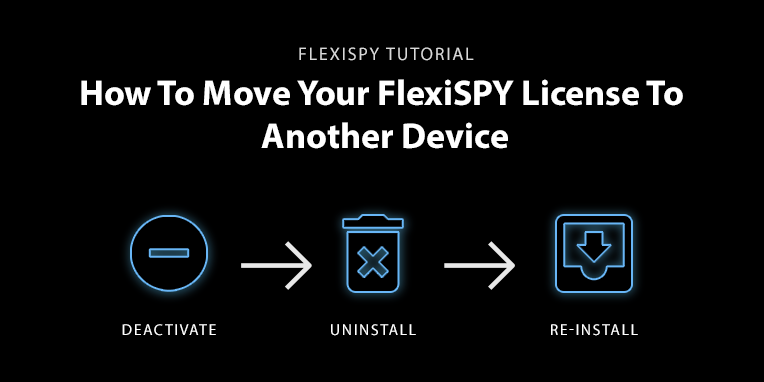
    How To Uninstall FlexiSPY And Reuse It On Another Device

    Follow three easy steps to move your FlexiSPY license from one target device to another without having to purchase a new subscription!

    Technology is always changing, and people love to have the newest and the best – especially when it comes to their mobile phones. FlexiSPY understands this, which is why a major benefit of our software is the ability to deactivate your license and move it to another target device as many times as you want during your subscription.

    So, if your child wants to the latest Samsung or your business decides to upgrade the company phone model, you can move your license from the original device to the new phone.

    Simply deactivate and uninstall FlexiSPY from the original target device and then physically re-install it on the new one. Let’s take a closer look at how this works.

    Download Your Data

    It is important to note that deactivating your license will delete all data from your online account and it will not be recoverable. Have no fear! FlexiSPY makes it easy to download your data safely to your computer for convenient viewing later.

    Check out this guide on how to download your data from inside your online portal.

    Uninstall, Deactivate and Re-Install

    After you have downloaded the information that is important to you, follow these three steps to begin monitoring the new target device:

    Uninstall FlexiSPY Remotely

    First, you will uninstall FlexiSPY from the original target device. Here’s how it works for rooted Android and iPhone devices: 

    1. Log in to your online user portal
    2. Select Help from the left menu bar
    3. Select Device Settings
    4. Click Device Controls
    5. Click Uninstall
    6. If the device is currently connected to the server, the Uninstall command will be sent to the Target immediately*

    *If the device is not connected to the server, you can choose Send by SMS to uninstall FlexiSPY immediately or choose Send by Network to wait until the device connects to the server (this can take up to 1 hour).

    For more information regarding this process – as well as details about how to uninstall FlexiSPY on non-rooted Android devices – please view our Deactivation and Uninstallation manual in your online portal: Help > Reference Manuals > Deactivation and Uninstallation.

    Deactivate FlexiSPY Remotely

    Once uninstalled, FlexiSPY will be removed from the target device. If you would like to use the same license key to activate the software on a new target device, please log in to your online portal and follow these steps:

    1. Log in to your online user portal
    2. Select Help from the left menu bar
    3. Select Device Settings
    4. Click Device Controls and Select Deactivate
    5. Select Deactivate Now
    6. Choose to download your data – or click ‘I Understand’ if you have already done so

    To verify deactivation was a success, go to Account and scroll down to License Profile to see the status of your account. Activated Licenses appear as „Active“ under Status, while inactive or deactivated accounts show up as Ready to Activate under the „Alias“ menu tab.

    For more information regarding uninstalling FlexiSPY on non-rooted Android devices, read this article and read our Deactivation and Uninstallation guide in your online portal: Help > Reference Manuals > Deactivation and Uninstallation

    Re-install FlexiSPY On The New Target Device

    For this step, you will follow the normal process you used for installing FlexiSPY on the original target device. This will require physical access to the new phone.

    If you have need support in rooting or jailbreaking the new device – or for help with installation – you can also take advantage of our worry-free installation service.

    As you can see, FlexiSPY has made it easy to remove our software from one device and re-install it on another – without having to buy another license!

    If you are looking to monitor more than one device at a time, purchase another FlexiSPY license today!

    [hoops name=“Newsletter Signup“]

  • New Video | The Best Keylogger For Android And iPhone

    New Video | The Best Keylogger For Android And iPhone

    The Best Keylogger For Android And iPhone – the latest edition in our How To video series – is now available for viewing on FlexiSPY’s official YouTube channel:

    This informative explainer video guides you through each step for using our hidden keylogger software – a free feature for PREMIUM and EXTREME customers that records everything that is typed in any supported applications (including SMS messages, search terms and deleted text!

    Follow along as we teach you how to install FlexiSPY and log in to your online portal and take you all the way through the various functions this keylogger has to offer.

    You will also learn the benefits of this exciting technology and its applications for employers, parents and even individual users – these include protecting your business from data breaches or internal threats, keeping your kids safe from online predators and ensuring your personal computer or mobile devices are secure.

    We have created this video and our channel for YOU – our customers – and would love to hear your feedback. If there are any features you’d like us to highlight, be sure to let us know in the comments section!

    Also, don’t forget to subscribe to our channel for the latest updates, tutorials and product announcements from FlexiSPY!

    Thanks for tuning in! Be sure to read our blog for more information on FlexiSPY’s Keylogger for Android and Keylogger for iPhone!

    [hoops name=“Newsletter Signup“]

  • FlexiSPY Still Captures Chats When Updates Can’t Keep Up

    FlexiSPY Still Captures Chats When Updates Can’t Keep Up

    With firmware updates, Android and OS upgrades and other advancements, the world’s most popular chat applications – WhatsApp, Facebook Messenger, LINE, WeChat and more – release new versions on a seemingly constant basis. This makes staying up to date extremely difficult for all software providers, including FlexiSPY. However, we have developed two alternative features – Keylogger and Application Screenshot – to ensure you never have to worry about missing out on important information.

    How Can FlexiSPY Help If It’s Not Compatible?

    We know it sounds confusing, but let us clarify. Firstly, there are cases where a chat application is updated and FlexiSPY is still able to capture its information. However, until our team has fully tested every aspect of a supported IM application, we cannot guarantee that every feature of the chat program will work properly. It is only after a careful testing process that we release updated compatibility information for a specific application.

    We understand this can be frustrating as a user, which is why we have developed the Application Screenshot and Keylogger features. Let’s take a look at how these can be used to capture information that you may have previously thought went undocumented:

    Application Screenshot

    Currently available for iPhone users, Application Screenshots for iOS is a free feature for PREMIUM and EXTREME customers. This powerful monitoring function remotely snaps screenshots of an app in use and uploads the images to your user portal. You can set which applications to monitor and view the captured information from online or through FlexiVIEW – our mobile viewer app.

    Users who experience inconsistencies with the information that is normally captured by FlexiSPY, will have fully backed up records of the target’s chats for supported applications like WhatsApp, WeChat, LINE, Facebook Messenger and more.

    Application Screenshot for Android will be released soon and every customer will be able to enjoy this exceptional alternative to our normal chat monitoring feature.

    Keylogger

    Our keylogger feature is available to both PREMIUM and EXTREME users with rooted or unrooted Android devices, as well as jailbroken iPhones. This unique function captures every keystroke that is typed in supported applications – including text that is deleted. FlexiSPY captures the data and automatically uploads it into a secure log file in your user portal for convenient viewing access.

    Keep in mind that the keylogger tracks the keystrokes on the target phone. For chat applications, this means that you will only see the target’s side of the conversation. While we understand this may not be ideal, customers whose chat application is not capturing conversations due to the compatibility of the app version will benefit greatly from being able to monitor at least half of the conversation. Once the application version is compatible with FlexiSPY, the capturing of chats will resume as normal.

    Be sure to read our blog for more information regarding the Keylogger for Android and Keylogger for iPhone.

    What Do Chat Application Updates Mean?

    These updates mean that applications are being improved, bugs are being fixed and security is even stronger. However, it also means that software companies around the world – including FlexiSPY – are faced with a constant uphill battle to try and keep up with the changes.

    Let’s take WhatsApp for example. With over one billion users, this chat application is the most popular in the world. It prides itself on providing a secure and encrypted messaging and sharing platform, which also means it focuses a lot of energy and resources on updates. In September 2017 alone, WhatsApp released 18 new versions of its APKthat’s the equivalent of three updates every five days!

    So, while our team of skilled developers works tirelessly to ensure FlexiSPY is compatible with the latest versions of the most popular applications – as well as mobile device and computer operating systems –  it is easy to see now why they are not always able to.

    What Chat Application Versions Does FlexiSPY Support?

    We have compiled a regularly updated list of all supported chat applications and their latest compatible versions. For more information regarding each specific app and how it works, be sure to check out our features list as well.

    Stay In The Know

    For the latest information, product announcements and monthly discounts, be sure to subscribe to our newsletter. We also just launched our official YouTube channel with helpful video tutorials and how-to guides – subscribe today!

    [hoops name=“subscriber“]

  • FlexiSPY Introduces Official YouTube Channel

    FlexiSPY Introduces Official YouTube Channel

    In our ongoing quest to provide the most current, relevant and useful information regarding FlexiSPY monitoring software, we’ve added an official YouTube channel to our long list of customer-centric resources! *Cue applause*

    What To Expect From Our YouTube Channel

    With over 150+ monitoring features, a personal user portal, a mobile viewer app, an online community, a 24/7 support channel, a blog and so much more – we understand it can seem overwhelming to learn about everything that FlexiSPY has to offer. That’s why our YouTube channel aims to improve the user experience with short and easy-to-understand videos.

    Viewers can expect to see carefully curated content that highlights the key features and benefits of FlexiSPY – including tutorials, feature specification explainer videos, testimonials and more – in a variety of styles and creative presentations.

    What Videos Are Uploaded Already?

    Based on your previous feedback, we’ve released two brand new videos demonstrating how to use some of our most popular features: recording a Skype call and SMS tracking.

    1. How to Record Skype Calls on Android or iPhone | FlexiSPY

    In this hilarious video, we highlight the benefits of recording a Skype call on Android or iPhone for both employers and parents – using real life situations that our customers face every day. You’ll have a better understanding about why this feature is so useful, as well as step-by-step instructions on how to use it.

    1. Best SMS Tracker for iPhone and Android | FlexiSPY

    This simple explainer video shows why SMS tracker apps are more important than ever with the recent explosion in communication through text messages. Learn exactly how FlexiSPY’s SMS tracker works and how you can easily access the captured information through your online portal.

    Tell Us What You Want To See

    We have created this channel for our customers. Therefore, we want to know what content YOU want to see:

    • Is there a specific feature you’d like to know more about?
    • Do you struggle submitting support tickets?
    • Need to know how to renew your subscription?

    Leave us a comment below with what additional videos you feel will help you the most. Our content team will review your requests and work to implement their development.

    In the meantime, be sure to Subscribe to our channel for the latest updates from FlexiSPY! Happy watching!

    [hoops name=“optin“]

  • 5 Times Hackers Won 2017 + How To Avoid A Cyberattack

    5 Times Hackers Won 2017 + How To Avoid A Cyberattack

    With hackers unleashing new cyberattacks on a daily basis, the likelihood of your company being affected is no longer a matter of if, but when. We’ve compiled a list of five major data breaches and hacks from this year – so far – to show you how to avoid becoming a cybercrime victim.

    Equifax Data Breach

    Equifax – one of the largest consumer credit reporting agencies in the United States – announced a colossal data breach in September which has affected 145.5 million consumers. Not only were the personal details – including names, social security numbers and credit numbers – of these unknowing people accessed, but the company failed to report the cyberattack when they first discovered its existence in July.

    That means the public was unaware of the breach for nearly two months and were therefore unable to take action to protect their information.

    Lesson: Report cybercrime immediately. This is especially true when dealing with the personal details of customers. Equifax not only tarnished their reputation by waiting 2 months to report the breach, but also magnified the potential damage to affected consumers due to their lack of communication.

    WannaCry

    Touted as the biggest ransomware attack in history – infecting more than 300,000 computers in 150 countries over four days – WannaCry demonstrates the speed and efficiency at which modern malware can act. The attack succeeded in showing the world how a simple vulnerability or hole in a program (in this case Windows) can lead to devastating results on a global level – including affecting major organizations like the NHS, FedEx and Renault — within a very short time.

    WannaCry represents a major increase in global ransomware attacks where a user is forced to decide if they want to pay a ransom fee or lose their files. It also represents the need for companies, regardless of size, to keep their software current. For more information on WannaCry and ransomware, check out our WannaCry blog post.

    Lesson: Always auto-update the latest version of software. WannaCry took advantage of a vulnerability in older versions of Windows. When Microsoft learned of this issue, they immediately released a patch to fix it. However, companies that did not update their software or were using a version of Windows that Microsoft no longer supports, were left wanting to cry as they were left exposed for WannaCry infection.

    By auto-updating your software, you never have to worry about missing the latest patch or security upgrade – and therefore will hopefully remain safe from ransomware attacks.

    Petya/NotPetya

    Released shortly after WannaCry, Petya was a more dangerous variant of its cousin. Whereas WannaCry was actual ransomware – holding files and data hostage until payment was made to retrieve them – Petya was actually a wiper made to look like ransomware. This means that even if payment was made to retrieve your data, the malware was designed to still wipe your system clean.

    Here we see a shift from cyberattacks aimed at financial gain, to cyberattacks with a malicious agenda.

    Petya had major negative effects on leading corporations around the world, including companies like Maersk, WPP, Saint-Gobain and more!

    Lesson: Don’t pay the ransom. Police and security experts warn users against paying the requested fee associated with retrieving hostage data. Not only does giving in to the demands of hackers encourage them to continue extorting end users, but in the case of something like Petya there are times when even paying the fee will not guarantee your data is restored. Those companies that did pay the ransom for Petya were met with disappointment as their systems were wiped and they lost their money.

    Instead of paying the ransom, experts recommend disconnecting the infected computer and downloading a ransomware removal tool. If no tool is available, then contact a cybersecurity firm for further assistance.

    Instagram

    With over 700 million active users, Instagram is one of the world’s most popular social media applications – making it a prime target for hackers. In September, more than 6 million IG accounts were compromised and personal information was put up for sale on a website called ‘Doxagram.’ Included in leaked user profiles were everyone from average Instagram accounts to superstars like Harry Styles, David Beckham and Leonardo DiCaprio.

    While this hack did not have the same crippling effects as those felt by WannaCry or Petya, it shows that no one is truly safe from cybercriminals. Exploits can be found everywhere – in this case a flaw in IG’s security – and leveraged for cash.

    Lesson: No one is safe from cybercrime. This means it’s the responsibility of corporations – especially mega-organizations with millions upon millions of users – to continuously check that their security measures are up to date. Seek out a third-party consultancy to analyze your system and provide another pair of eyes to catch even the smallest of flaws. That’s all a hacker needs – one small opening – and they have an in to exploit the unsuspecting userbase. Download FlexiSPY and take advantage of our Instagram monitoring app.

    Payment System Data Breaches: Chipotle, Sonic, Intercontinental Hotels Group

    Three major food and hospitality brands experienced customer data breaches through hacks to their point-of-sale payment systems. Guest credit card numbers, addresses, pins and security codes were among the data stolen and made available for sale to dark web patrons. Millions of customers were affected by the Sonic hack, while credit card information from guests at more than 1,100 hotels from the Intercontinental Hotels Group and ‘most’ Chipotle restaurants was stolen – not to mention the other millions affected in similar cyberattacks across this industry over the last couple years.

    While these attacks are non-related, we can see a clear trend: hackers are targeting US point-of-sale systems, because there are easy-to-exploit security flaws. Sounds like businesses are in desperate need of an upgrade!

    Lesson: Upgrade to Chip and PIN card systems. The US is one of the slowest countries in making the shift from magnetic stripe card systems to those of the more secure Chip and PIN cards. Traditional magnetic stripe cards need the user’s signature for proof of identification. A chip card has an extra layer of protection by encrypting transaction information through the embedded microchip.

    If you have any business transactions conducted on a point-of-purchase or credit card system, be sure to upgrade to a Chip and PIN system to increase security and avoid breaches like those described above.

    How to Avoid a Cyberattack

    Last year saw the most cyberattacks, hacks and data breaches in history – with nearly 4,000 ransomware attacks on average per day alone. As these numbers continue to grow, hackers are finding new ways to wreak havoc across industries – crippling many organizations and exposing the personal data of millions of people around the world.

    Industries and companies that have been affected or compromised in some way include the global energy sector, Sweden’s military, Zomato, HBO, Molina Healthcare, Deloitte, almost 2 million registered voters in the US, FAFSA, Verizon and so many more!

    By acknowledging that cyberattacks are a real threat to companies, governments, families, schools – anyone really – we can start delegating more resources to implementing defense strategies and protecting our data and personal information from getting into the wrong hands. Here are some ways you can start combatting cybercrime today and prevent yourself or your business from becoming just another cyber-statistic:

    • Hire a dedicated team of skilled cybersecurity personnel
    • Install monitoring software – like FlexiSPY – for notifications at the first sign of danger on your network
    • Keep all software updated to the latest version
    • Use different passwords for different applications – and change them often
    • Provide cybersecurity training for all employees to increase awareness of threats

    Are you part of the 38 percent of organizations who believe they are prepared to handle ‘sophisticated cybercrime’ or will you be one of the 62 percent who lets the hackers continue to win. With cyberattacks projected to cost businesses over $2 trillion by 2019, the time to make that decision is now.

    [hoops name=“optin“]

  • FlexiSPY for iPhone Updates | Instant Push Commands & Instagram Story Capture

    FlexiSPY for iPhone Updates | Instant Push Commands & Instagram Story Capture

    iPhone users rejoice! FlexiSPY just released two new updates – push command updates for iPhone and improved Instagram monitoring – making it even easier to take advantage of all the world’s most powerful monitoring software has to offer.

    1) See Instant Updates With Push Commands for iPhone

    Push commands are the fastest way to sync the changes you make inside your user portal to the target phone. Whereas before you needed to wait for the server to connect to see updates – or had to pay for SMS credits to send immediate commands – push commands instantly deliver the changes you make at no cost.

    It’s really that easy! Simply follow these steps and the we’ll take care of the rest:

    1. Log in to your online user portal
    2. Verify you are using FlexiSPY 5.3.1 – the latest version
    3. Make your preferred changes to the target phone
    4. A push command is automatically sent to the target phone
    5. View newly uploaded data in your online portal

    Why is this useful?

    Push commands are faster than the other methods for applying changes to the target device and there’s no need to pay for SMS Credits to have quick results. This is especially useful for anyone who needs to see immediate action – and it never hurts to save some money while you’re at it. Yes, they are free.

    Employers can use push notifications to stay on top of suspicious behavior in the office. If you notice an employee making multiple calls to unknown numbers with a company phone, you can go into your portal and enable call interception the next time you see he or she is talking to an unnamed caller. A push notification will be sent to the target device and you will instantly be able to listen in on the call to determine if it’s work related or something potentially threatening to the well-being of the company.

    Parents no longer have to wait to get instant updates on their child’s whereabouts. Rather than waiting for the server to connect and send you GPS location updates at regularly scheduled intervals, you can go into the portal and request a Current Location update now. You’ll know exactly where your son or daughter is at that moment to ensure they are safe and not engaging in any inappropriate behavior,

    Individual users will find push notifications beyond useful in their daily lives. Let’s say you normally schedule ambient recording for 30 minutes in the afternoon during your team’s daily meeting. However, you just found out that the CEO is presenting on a major development for the company’s future today and the meeting will likely run long. On the way to the meeting, open your FlexiSPY portal, set the ambient recording to 60 minutes and rest easy knowing push notifications will sync the change immediately. Play back the meeting audio at any time from your online portal and never miss an important detail again!

    Who Can Use Push Commands?

    Now, any iPhone user with FlexiSPY version 5.3.1 and up can take advantage of this ultra-convenient feature. Go about your normal changes – adjust your FlexiSPY settings, enable or disable features that are important to you, etc. – and push notifications will notify the target device right away.

    Special Note: If you make changes to the target device from your portal, but still see pending commands that have not been sent, this could mean the target device is not connected to the internet. Don’t fret! You still have the option to send an SMS command with pre-paid credits for those times when you need to see immediate changes, but can’t depend on the internet.

    2. Know The Ending To Every IG Story

    Instagram released an update two weeks ago allowing users to share Stories they like with friends, family members or other contacts as Direct Messages. This means it’s possible to share even more content with people across one of the world’s most popular social media platforms.

    What?! Another update?! How will I ever keep up? It’s okay, FlexiSPY has you covered. Our team has already made it possible for iPhone users to capture IG Stories that are sent or received in DM, so you can monitor exactly what is being shared and with whom.

    Can this benefit me?

    Yes! Knowing what your employees or children are sharing gives you the ability to step in at the first sign of inappropriate behavior, data breach or other online danger.

    Employers and HR executives regularly deal with cases of harassment at the office and social media often plays a role in this. If a member of staff is repeatedly made to feel uncomfortable or unsafe at the office, it is the employer’s job to step in. Having the ability to monitor IG Stories – especially those sent discreetly in DM – allows you to make sure employees are not sharing any inappropriate or damaging content on company devices. FlexiSPY helps you create a safe working environment.

    Parents are faced with major issues as children grow up in today’s tech-hungry society. Every day new cases arise where children are being cyberbullied or engaging in risky behavior with strangers or adults. Many of these conversations happen privately – in places like Instagram’s DM – and are then deleted for fear of anyone finding out. As parents, we are responsible for the well-being of our children and having the tools to know exactly what they are exchanging online and who they are having these exchanges with allows us to do our job. Odds are your child is sharing some viral Story from their favorite celeb or fan page, but it’s those times when your child is being victimized that you need to be able to step in. Capturing IG Stories sent or received in Direct Message, makes this possible.

    [hoops name=“subscriber box“]

  • FlexiSPY Updates | Set More Alerts, Know When Device Is Online

    FlexiSPY Updates | Set More Alerts, Know When Device Is Online

    We are pleased to announce exciting new updates to FlexiSPY – improvements to the types of alerts you can set with the Alert Wizard for both computer and mobile users, as well as an updated device status indicator that shows you how recently a target device has been active.

    Here’s what’s new:

    1) Keyword and File Activity Alert Updates for Computers

    FlexiSPY’s Alert Wizard is now accessible to both mobile and computer users. This incredible feature makes sure you never miss important details by allowing you to choose specific keywords and file activities to monitor and then notifying you as soon as they are detected on the target computer.

    How to set an alert

    Alert Wizard for Computers sends an automatic notification to your user portal or email when a targeted word or phrase – that you choose – appears in an email, key log, IM chat, web browser history or file transfer OR when a certain action takes place – such as creating, deleting, copying or renaming a file.

    Here’s how to set an alert:

    1. Log in to your FlexiSPY user portal
    2. Select ‘Alerts’ from the menu
    3. Choose which type of alert to set
    4. Name your alert for easy reference
    5. Enter keywords or phrases to monitor
    6. Indicate which source you want to monitor (email, browser, key logs, files, etc.)
    7. Receive notifications whenever the targeted words appear

    You can have up to 10 active alerts at one time. If you reach your capacity or have an event that is no longer relevant, you can easily delete an old event and follow the steps above to create a new one.

    Why is this useful?

    Alert Wizard for Computers makes it possible to easily track the information that is truly important to you – without the time or hassle required to sift through countless emails or chats.

    Employers can monitor keywords associated with important or confidential company information. If these words appear in any capacity across the office computer network, you will receive an instant notification. This gives you the opportunity to see if the word is being discussed within the boundaries of company policy or if an employee is illicitly sharing data.

    Parents can ensure their kids are safe online by setting key word alerts. You will be able to step in at the first sign of risky behavior or inappropriate contact with strangers and speak directly with your kids about responsible decision making or the dangers of sexting. These alerts can also save your child’s life – if your son or daughter exhibits signs of depression or suicide, set alerts that can indicate if he or she is engaging in self-harm and be there to stop it before it’s too late.

    Individuals can take advantage of alerts to easily categorize messages across multiple communication channels. Get notified whenever an important work topic is mentioned or keep track of every detail from your home renovation project to ensure you can quickly access relevant information.

    What can I monitor?

    Keywords: You can track keywords or phrases in web email, web browser, key logs, desktop chats and file transfers. Simply select the location you want to track, set an alert and wait for your automatic notifications.

    File Activity: Choose to receive alerts when a file is created, deleted, copied or renamed on the target computer

    2) Mobile Users Can Also Set Keyword Alerts for Key Logs

    Don’t worry mobile users, we didn’t leave you out of the Alert Wizard updates! We’ve expanded the locations in which you can track keywords by adding a Key Logs option.

    That means you can now monitor your pre-selected keywords or phrases within Key Log records, in addition to SMS, IM and MMS messages. No more scouring endless text looking for important information – instead set an alert and get notified instantly when the content appears in the log. View the recorded activity in your user portal or through an alert sent to your email.

    3) Device Status Indicator Gets Green Light

    Have you ever wondered why you can’t see any new data in your online portal? Well, it’s probably because the device isn’t connected to the internet or because the Target has not been active recently.

    We understand this can be frustrating, which is why we’ve upgraded the user portal to display the status of a target device.

    How does it work?

    When you log in to your online portal, you can see your activated FlexiSPY licenses. With our new device status button update, you will now see a small colored circle next to the account name indicating how recently (or not) a target device has been active. This works for all FlexiSPY subscriptions and target devices.

    Green circle: If the target device has sent data to FlexiSPY within the last 10 minutes, users will see a Green circle next to the account name indicating recent activity.

    Yellow circle: If the target device has NOT sent any data to FlexiSPY within the last 10 minutes, users will see a Yellow circle next to the account name indicating idle status.

    No circle: If the license for an account has not yet been activated, no circle will appear next to the account name. Instead users will see Ready to Activate under the account name, indicating that FlexiSPY is not yet recording data from the associated target device.

    Why is this useful?

    The Device Status Button is useful for all users, because it removes the stress of wondering whether a target device has been active recently or not. If a device has a green circle, then you are likely to see updated data in your online portal – if you aren’t seeing anything new, then you can bring this up to the Support Team for further review.

    On the other hand, a yellow circle means you will likely have to wait until the device is active again before seeing anything new. While you may want to see data constantly refreshed and updated, the yellow circle gives you peace of mind that FlexiSPY is working – it’s just waiting until the device is active again before it can load any additional information.

    Lastly, if you are not sure why you are not receiving any data at all from a target device, it could mean the FlexiSPY license hasn’t been activated – you’ll know this right away by the lack of circle by the account name. Speak directly with our Installation Team who will happily assist you in installing and activating your account.

    [hoops name=“subscriber box“]

  • FlexiSPY EXPRESS – Now Available For iPhone!

    FlexiSPY EXPRESS – Now Available For iPhone!

    Your day just got a whole lot better – FlexiSPY EXPRESS now ships iPhones pre-installed with FlexiSPY straight to your home.

    How to Get FlexiSPY EXPRESS for iPhone

    It’s easy as 1, 2, 3…4! Visit the FlexiSPY EXPRESS page and follow these four easy steps:

    1. Select and purchase the phone of your choice*
    2. Await the arrival of your pre-installed phone
    3. Begin using FlexiSPY immediately
    4. View all captured data from your FlexiSPY user portal or FlexiVIEW – the first-of-its-kind mobile viewer app

    All The Features, None of The Hassle

    Gone are the days of finding a compatible device and installing the software yourself – FlexiSPY EXPRESS takes care of this for you! Just choose your phone from our range of devices and wait for it to arrive –  pre-installed with FlexiSPY – right at your door.

    You will be able to take advantage of FlexiSPY’s 150+ features as soon as you turn on the phone!

    • Record, intercept, and listen in on live phone calls
    • Monitor emails and the most popular IMs: WhatsApp, LINE, Facebook, WeChat and more
    • Access the phone’s camera to take pictures AND videos
    • Record VoIP Calls on Skype, Facebook, Viber, LINE and more
    • Spy on text messages with our SMS Tracker
    • Runs in hidden or visible mode
    • Choose FlexiSPY PREMIUM or EXTREME
    • Only monitoring software with a FREE Mobile Viewer App
    • And so much more

    Yes, Record Videos with RemVid too!

    RemVid is a powerful feature that lets FlexiSPY iPhone users access a target phone’s remote video camera and record a video. This remote video surveillance feature gives you a second pair of eyes and ears, so you can protect what’s important to you.

    With RemVid, you will know exactly where someone is – which is extremely useful for parents with children and teens, companies that regularly deal with confidential or sensitive information and even for individual users who need to record job interview agreements or contractor negotiations.

    Why You Need FlexiSPY EXPRESS

    FlexiSPY EXPRESS is the most convenient and comprehensive way to utilize FlexiSPY’s monitoring software without worrying about finding a compatible device, jailbreaking your iPhone or installing the software on your own.

    FlexiSPY Express gives you the tools to protect the things in life that matter – like keeping your children safe from online predators or cyberbullies and ensuring your company is secure against internal threats or data breaches – without spending any of your valuable time.

    FlexiSPY Express iPhones come jailbroken and operate like any regular iPhone. Once activated, FlexiSPY captures information and automatically uploads it to your online user portal.  You can record voice and VoIP calls, ready SMS and MMS messages, track popular IMs, download photos or videos and so much more!

    For the latest news and product announcements from FlexiSPY sign up for our monthly newsletter – FlexiNEWS!

    *Note: All phones are provided by our trusted partner, Spyfones.

    [hoops name=“0″]

  • Introducing RemVid for iPhone

    Introducing RemVid for iPhone

    The power to record videos remotely is now available to iPhone users with FlexiSPY’s brand new feature – RemVid! Protect your family, business and personal information with the latest addition to the world’s best monitoring software.

    What is RemVid for iPhone?

    RemVid for iPhone is a powerful video monitoring feature that lets you take control of a phone’s video camera and record videos – sounds and visuals – of a target’s surroundings. RemVid stands for Remote Video and is FREE for FlexiSPY Extreme iPhone customers.

    Why is RemVid useful?

    FlexiSPY’s RemVid for iPhone acts as a second pair of eyes and ears so you can always know exactly where someone is – this is extremely useful for parents, employers and even for individual users.

    RemVid is useful for parents who need to know where their children are and that they are safe. FlexiSPY gives you remote video camera access to see exactly where they are at any given moment. This is not meant for spying, but rather as a tool to protect kids from the dangers of peer pressure, sexual predators and risky behavior.

    RemVid is useful for employers who need to delve deeper into business operations. With remote video recording you have instant insight into employee behavior and can prevent insider threats or data breaches before they happen.

    RemVid is useful for Individuals who need to record job negotiations, meetings with contractors or other situations where verbal agreements are often made. Play back the video for evidence to support your conversations and agreements.

    How does RemVid work?

    Once you have activated RemVid, FlexiSPY remotely accesses the target phone’s camera and takes a video – so you can see the target’s surroundings and hear what’s happening. This clip is uploaded to your online FlexiSPY account where you can watch it or download it to your computer for viewing later.

    It’s really simple:

    1. Install and activate FlexiSPY
    2. Log in to your online portal and click RemVideo
    3. Choose front or rear camera
    4. Select the duration of the video*
    5. Record the video and watch it from your online portal

    *Note: On devices with low RAM, the video will only be able to record for a few minutes. Once the phone has reached its capacity, the recording will be terminated automatically by the system and uploaded to your online FlexiSPY portal.

    Compatibility

    The remote video camera recording feature is available for FlexiSPY Extreme customers with jailbroken iPhones. RemVid supports iOS versions 7.x to 9.1 To learn more about compatible devices, click HERE.

    Stay in the Know

    We are continually adding new features like RemVid for iPhone to FlexiSPY. For the latest feature announcements, blog updates and exclusive discounts, be sure to subscribe to our FlexiNews monthly newsletter.

    Special Notes

    RemVid is an exciting feature that allows you to record remote video camera clips and watch them at your convenience. As this is a new feature – and one that we will continue improving – there are some initial limitations that our development is working round the clock to update. It’s important to keep in mind the following at this time:

    • If the target phone’s camera or speaker are used while the remote camera recording is in progress, the video will immediately stop recording and the data will be sent to the server.
    • RemVid does not currently support GEO location.
    • The video resolution is 144×192 pixels, while the file size is about 1MB per minute.

    [hoops name=“0″]

  • FlexiSPY EXPRESS – Get FlexiSPY Delivered To Your Door!

    FlexiSPY EXPRESS – Get FlexiSPY Delivered To Your Door!

    Yes, you read correctly. It’s now possible to get a phone pre-installed with FlexiSPY delivered straight to your home with our brand-new service – FlexiSPY EXPRESS – provided by our trusted partners, Spyfones.

    All of the Features, None of the Hassle

    With FlexiSPY EXPRESS, you no longer have to worry about finding a compatible device, rooting your phone or installing any additional software. Simply select a phone from our range of devices and we will deliver your phone with your selected version of FlexiSPY already installed.

    This means you’ll be able to take advantage of our incredible monitoring features (FlexiSPY has more than any other product) – right away!

    • Record, intercept, and listen in on live phone calls
    • Monitor emails and the most popular IMs: Facebook, Viber, WhatsApp + 9 more
    • Turn on the phone’s microphone and record its surroundings
    • Record VoIP Calls: Skype, Facebook, Viber, LINE, and more
    • Spy on text messages with our powerful SMS Tracker
    • Runs in hidden or visible mode
    • Choose FlexiSPY PREMIUM or EXTREME
    • The only monitoring software with a FREE Mobile Viewer App
    • And so much more

    Why You Need FlexiSPY EXPRESS

    FlexiSPY EXPRESS is the easiest, most convenient way to enjoy all that FlexiSPY has to offer.

    Gone are the days of finding a compatible device and installing the software yourself – FlexiSPY EXPRESS takes care of this for you.

    Now you have more time to focus on what’s important – whether that be protecting your child from cyberbullies or safeguarding your business from employee theft.

    The phones look and perform like ordinary devices with no need to install any additional software.

    Once activated, FlexiSPY collects data from the FlexiSPY EXPRESS phone and sends the information over the internet to your secure web portal for convenient viewing.

    Use your FlexiSPY online portal to track app usage, monitor calls and messages, download photos or videos from the device and so much more!

    You can even opt to run the software visibly or silently in the background.

    How to Get FlexiSPY EXPRESS

    It’s easy! Visit the FlexiSPY EXPRESS page and follow these four easy steps:

    1. Select and purchase the phone of your choice from our trusted partner, Spyfones.
    2. Await the arrival of your phone
    3. Start using FlexiSPY
    4. Log in to your FlexiSPY online portal – or the FlexiVIEW mobile viewer app – to view data

    Stay up-to-date with the latest news and product announcements from FlexiSPY by signing up for our monthly newsletter!

    [hoops name=“0″]

  • Caught in Mickey’s Mousetrap – Why Motherboard Is Too Scared to Write About Disney

    Caught in Mickey’s Mousetrap – Why Motherboard Is Too Scared to Write About Disney

    After publishing our post last week regarding the Disney class-action lawsuit — you know, the one where Disney is being sued for spying on children under 13 who use their apps and then selling the data to third-party advertisers — it got us thinking about fairness in the media.

    Did you know 90% of American media is controlled by six major conglomerates?
    N-i-n-e-t-y percent.

    Now, think about Motherboard, who are partially owned by Disney.

    Next, think about Motherboard’s recent retraction of two Disney-focused stories, as well as the lack of reporting of Disney’s current spying escapade.

    Finally, think about Motherboard’s handling of FlexiSPY earlier this year.

    Under the false pretense that FlexiSPY knowingly enables illicit spying, they ran a series of defamatory stories based on illegally obtained information, designed to support the personal opinions and ego-driven agendas of certain bloggers (We’re looking at you Joseph Cox & Lorenzo Franceschi-Bicchierai).

    This clearly begs the question, where is Motherboard’s coverage of Disney — who are now being sued for violating COPPA not once, but 42 times? Sprinkle in the lawsuits also being brought against the developers of the Disney apps and Viacom (parent company of Nickelodeon) and it sounds like a recipe for some good old-fashioned ‘stick-it-to-the-man’ reporting.

    Again, where are the chiding accusations of malicious spyware being illegally installed on someone’s phone? Or the exclusive coverage exposing the secret targeting of youth through technology — for profit nonetheless?

    Remember when we said 90% of the media is owned by six conglomerates? One of those media giants is Disney — and they just so happen to have a $400 million stake in VICE and its brands.

    Media Really Is Biased

    We hate to perpetuate the ‘fake news’ sentiment, but it’s difficult to take the media at face value after delving into the depths of The Big 6 and their corporate structures.

    Disney owns ABC. Comcast owns NBC. News Corp owns Fox. Viacom owns MTV. CBS owns CBS. Time Warner owns CNN — and you’d be hard-pressed to find negative content about any of these outlets on their own networks.

    A quick Google search of ‘Motherboard Disney’ or ‘VICE Disney’ brings up no stories or exposés. Well, except for reports from other news outlets that VICE recently retracted two stories about Disney — oh, and this message from Motherboard:

    note from motherboard editorial

    While this editorial issues two retractions — which are always admirable — is it credible that these two stories were pulled because of sources rather than subject?

    Two stories that were pulled because of the ‘source.’ Two stories with a negative spin on Disney. It’s probably just a coincidence, right?

    We like to believe Vice and its affiliates are different — they’re known for controversial reporting that isn’t afraid to take on the bigwigs and take readers (or viewers) to the deepest corners of society. VICE is edgy, fearless, counter-culture journalism, touching subjects that others don’t dare.

    Unless the subject involves the Disney mega-ladder.

    And that’s a shame, because it supports the belief of an ever-growing number of people that corporate ownership controls content — AKA fake news.

    VICE Media falls under A&E Networks on the bottom left
    VICE Media falls under A&E Networks on the bottom left

    And to those people, it would make perfect sense why VICE retracted two stories about their media-giant parent. With that many hands in the proverbial pot, it’s hard to argue that the complex corporate structure really had nothing to do with the actions of Motherboard as described in this piece.

    To Publish or Not to Publish

    We are not comparing ourselves to Disney, but merely comparing the recent coverage of FlexiSPY and Mickey — or should we say lack of coverage. FlexiSPY earned a six-week campaign without breaking any laws. Disney more-than-likely violates COPPA and gets nothing. Makes us wonder if FlexiSPY had a shareholding in VICE, would we have gotten the same preferential treatment?

    But we hate to ‘pull a VICE’ and speculate, so let’s look at the facts. We’ll let you connect your own dots.

    When used in accordance with our company guidelines and legal disclaimer, FlexiSPY is completely legal. We do not condone the illegal use of our software and our Privacy Policy clearly explains that FlexiSPY operates within the rules of COPPA and that we never sell the personal data of children. Sure, our products weren’t always marketed only to parents and employers, but then again who doesn’t have a past? Motherboard coverage: six-week exclusive exposé.

    Disney — and Viacom and apps in Google Play — uses third-party code and identifiers to target and share the personal data of children under 13 without parental consent. Whether or not Disney and their developers — Upsight, Unity and Kochava — set out to spy on children through their apps, the fact of the matter is this: they are.

    Since at least 2013, the release year of Disney’s Princess Palace Pets app — one of the most popular apps under investigation in the recent lawsuit — Disney has been collecting data. That’s four years of information sharing. Four years of behavior monitoring. Four years of developing a profile of your child. All without express parental consent. These games are not only not protecting our kids’ personal data, but are exploiting it for profit — illegally. Motherboard coverage: None.

    But these are just ‘alleged’ claims according to media outlets, so they must not be worth publishing.

    Who’s Afraid of the Big Bad Mouse

    It’s hard to escape the conclusion that the media publishes (or retracts) content based on who’s controlling the checkbook — and apparently, it’s easier to go after one software company than the entire media conglomerate that controls 18% of your business.

    We’ve come to expect this from CNN or FOX, but not from Motherboard.

    Throughout their history, VICE and Motherboard have been the antitheses of the easy way out — embracing a new style of storytelling journalism dubbed ‚Immersionism‚ by founder Shane Smith. A style that puts reporters and viewers inside the action.  VICE, Motherboard and their affiliated channels uncover stories that people didn’t even know they wanted to hear.

    We hope their ownership structure lets them continue speaking truth to power.

    Because if you can stick-it-to-the-man, surely you can stick-it-to-the-Mouse.

  • I Spy With My Little Eye, Apps Spying On Your Children!

    I Spy With My Little Eye, Apps Spying On Your Children!

    In 1999, Congress enacted the Children’s Online Privacy Protection Act (COPPA) to protect children 13 and under from the dangers of online privacy invasion. The act was revised in 2013 to include even more details of what information can and cannot be tracked or shared with third-parties. Yet, as the global mobile gaming industry looks to hit more than $46 billion in revenue this year – a large portion of which comes from children – it’s no wonder that companies are looking for ways around COPPA and into the advertising budgets of third party marketers and advertisers.

    Is Nothing Sacred Anymore?

    If a law is in place to protect our kids then it is pretty safe to assume it is being followed, right? Well, this doesn’t seem to be the case when it comes to apps, as major companies like Disney and games and applications in the Google Play and App stores are being found to have broken the rules set out by the COPPA and are in fact exploiting our children’s online behavior.

    As parents, we trust that something meant for a child is safe to use and that when we see our daughter virtual swimming with Ariel or our son charming Belle as the Beast that they are in a safe zone. That they are free to be kids playing and not lab rats in some money-making advertising experiment. It seems like common sense, but as corporations continue to find every last crevice to fill with ads and product promotion, it’s our job to be aware of the potential dangers involved in allowing our children to play online or with downloadable technology.

    Who Are The Culprits?

    The Walt Disney Company is being sued for allegedly violating the COPPA as a federal class action lawsuit claims that 42 of Disney’s apps collect personal data from kids and give advertisers the information without parental consent. Three software companies – Upsight, Unity, and Kochava – are also named in the lawsuit as being part of the chain which has embedded tracking software and sends children’s’ information and online habits to interested parties.

    And this isn’t the first time America’s beloved media conglomerate has come under fire for COPPA violations – Disney had to pay $3 million when one of its subsidiaries, Playdom, was found guilty of registering ‘1.2 million users, most of them children, for online games.’ The company then collected masses of information — including age, email addresses, names, IM names and locations — and shared it illegally with third-party contacts.

    Other culprits include over half of Google Play’s apps that target kids under the age of 13, according to recent research conducted by The Washington Post. Of the 5,000+ apps tested, the new source found that the majority of them did not protect kids’ data – which is required by the COPPA. In fact, The Washington Post found that most apps send regular updates to advertisers with 90% actually ‘enabling long-term tracking.’

    Combined, this data tells us that companies like our favorite Mouseketeer will continue to find loopholes and ways to interpret the laws to benefit their profit-focused agendas. As Disney stated in response to the lawsuit, “Disney has a robust COPPA compliance program, and we maintain strict data collection and use policies for Disney apps created for children and families. The complaint is based on a fundamental misunderstanding of COPPA principles, and we look forward to defending this action in court.”

    Yikes, we would not be looking forward to going up against Disney in court!

    What Can We Do To Protect Our Kids?

    We now know that this issue is ongoing, has repeat offenders and will likely be something that continues to perpetuate every aspect of our lives. Let’s face it – we all know Big Brother is watching somewhere. So, let’s make sure we at least are aware of potential online dangers and protect our kids the best we can!

    Talk to your kids. Engage with your children regarding online safety and appropriate behavior. Discuss what is acceptable and unacceptable when it comes to giving out information – even when registering for their favorite game. Think of an application as a stranger. Do we talk to strangers? No. Do we give strangers our name, email address, phone number, first born child, life’s savings, etc? No!

    Download Monitoring Software. We know, it sounds like child monitoring software is exactly what Disney or these other companies are using to target your kids. But, IT’S NOT THE SAME! Software like FlexiSPY is a powerful tool that can help you as a parent be able to stand up against major corporations of the world and keep your kids safe. FlexiSPY for Android or iPhone, as well as FlexiSPY for computers, gives you the ability to see which applications your child has downloaded and how they use them. This means if you see your child has downloaded one of Disney’s data-sending apps, you can immediately check its privacy settings and update them to keep personal data protected.

    We have a unique Application Screenshot feature which actually takes snapshots of an app while it’s in use, so you can be sure that your child is making smart decisions. Our Keylogger feature lets you see what information has been typed into an application – i.e. personal information – so that you’re able to speak with your child directly about how to make better decisions and to update the app to keep his or her privacy safe. Additional features like IM monitoring give you peace of mind that your children are staying children and chatting with friends about the best way to beat the next level – not with someone who could potentially endanger them.

    Check in regularly. This may be the most important step. Let your kids know you are here, interested in what they are doing and always available to answer questions they have. By being regularly involved in your child’s online activity, he or she will be more aware of their actions and more likely to speak up if they come across something you have discussed. And for those kids who just don’t like to chat, child monitoring software can help be their voice!

    For a full list of the Disney apps allegedly spying on your kids, read here.

    For a full list of apps tested by The Washington Post visit their site AppCensus.

    To get your copy of FlexiSPY, visit www.flexispy.com, and start protecting your children today!

    [hoops name=“fullwidth email subcribe box“]

  • Record a VoIP Call on Your Mobile with FlexiSPY

    Record a VoIP Call on Your Mobile with FlexiSPY

    FlexiSPY – the world’s most powerful monitoring software – makes it easy to record calls on the most popular VoIP applications. That means YOU can now record calls made on programs like Skype, Viber, LINE, Whatsapp, Facebook and more! This is the perfect tool for business owners who need to keep track of how their employees are handling confidential information and for parents concerned about their child’s social interactions or decision-making.

    What is a VoIP call?

    VoIP stands for Voice over Internet Protocol (VoIP) – and VoIP calls are regular calls between two people that take place over the internet rather than a landline. And with the advent of social media and instant messaging applications, VoIP calls are quickly replacing traditional phone calls around the world.

    Who can record VoIP calls?

    Anyone with an internet connection! FlexiSPY Extreme is available for both iPhone and Android users and allows you to record calls on the world’s most popular VoIP applications, including Skype, Viber, LINE, Whatsapp, Facbook, WeChat, Google Hangouts and many more!

    How does it work?

    Easy! Just like with other FlexiSPY features, we keep you in mind and work to ensure it’s as easy-to-use as possible. As soon as the target phone uses any of the many supported programs to make or receive calls, then these calls will be automatically recorded and uploaded to your personal web portal. Here you’ll be able to listen to or to download the recording later for offline listening.

    Here are 3 easy steps for recording a VoIP call:

    1. First, download Flexispy to a rooted Android or jailbroken iPhone
    2. Next, the target will make a call using Skype, Viber, Whatsapp or one of many other supported programs
    3. Then, visit your online portal and listen to or download the recording from your FlexiSPY
    4. You can even listen to the files directly from your phone with our brand new mobile viewer application, FlexiVIEW!

    Why do I need to record a VoiP call?

    This feature is perfect for anyone who uses an iPhone or an Android and spends a lot of time on VoIP applications. Recording these calls is extremely useful for parents and employers who are responsible for other individuals, as well as the overall well-being of their families or businesses.

    Employers

    Insider threats, security breaches and data theft happen every day – and most employers have no idea until it’s too late. FlexiSPY gives you the power to know if something is happening before it goes too far and allows you step in to rectify a potentially dangerous and costly situation for your business.

    By recording the VoIP calls of employees using company phones or machines, you will be able to know as soon as something out of the ordinary takes place. In addition, if employees know they are being monitored, they will be more productive and less likely to follow through with any negative actions toward the company. FlexiSPY helps employees understand the value of their jobs and the information they deal with on a daily basis.

    VoIP call recording can also be used for recording important business phone calls, interviews with potential job candidates and even quality control training!

    Parents

    Did you know that 80% of kids and teens check their phones hourly? Are you aware of who they are speaking to or what they are talking about? Now, this is not to say that all kids are up to no good, but rather, it’s easy for kids to get caught up into peer pressure or negative situations. And with technology advancing and kids spending so much time on their phones, it’s really impossible for parents to be watching ALL the time. Nor, should they have to – as trust is a very important part of a child’s development.

    FlexiSPY, however, gives parents a tool to ensure their children are safe and making responsible decisions when using instant messenger and VoIP applications like Skype, Viber, WeChat, LINE, etc. Think of it as technological babysitter – someone who is there in case anything looks suspicious. We do not encourage parents to spy on everything word that is being said, but knowing whether or not your daughter is really going to her friend’s house after she’s lied before or whether your son is really ‘studying.’ Odds are your kids are telling the truth, but FlexiSPY lets you be there for those times that may push the boundaries a bit too far.

    VoIP call recording is growing in popularity by the day. Now is the time to protect your family or business – or both! – and invest in monitoring software. FlexiSPY gives you more features – with more being developed every day – to make sure you are always ready to take on the next big issue in your life. For more information on VoIP calls and how FlexiSPY can help you, visit www.flexispy.com.