x

Autor: FlexiSPY

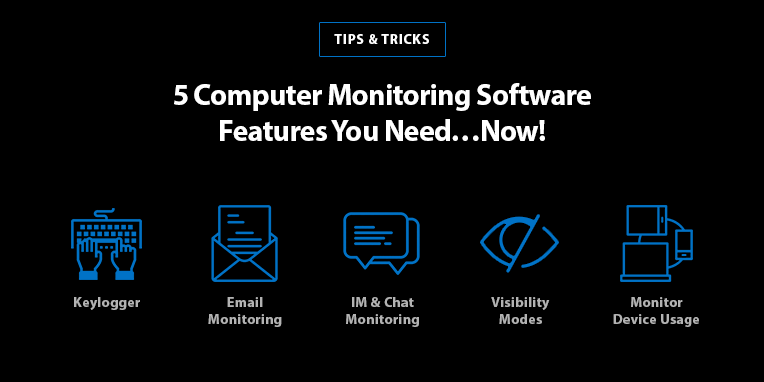
  • 5 Computer Monitoring Software Features You Need…Now!

    5 Computer Monitoring Software Features You Need…Now!

    Let’s face it, the world we live in is a scary place. Big brother is always watching. Hackers are rampant. Nothing is safe. And while we may have taken a few dramatic liberties just now, the underlying message is still the same: we live in an era of over-connectivity where the need to protect your information – both at home and at the office – is more important than ever.

    Here are five computer monitoring software features that you need to ensure your families and your businesses stay secure.

    Keylogger

    A keylogger is an extraordinary feature of computer monitoring software that allows you to capture every keystroke that is typed on a Mac or PC. This includes every time a person enters an internet search term, types a word document, jots down a quick message on a sticky note, and more. Not only does the keylogger save the keystrokes that have been typed, but it even documents any text that has been deleted. This ensures you never miss anything that is entered on your device.

    The keylogger is an essential tool for business owners looking to track employee productivity and make sure that corporate data and intellectual property are being communicated with the utmost care. A keylogger is also a feature of computer monitoring software that provides an added layer of security for parents who want to confirm their children are making responsible decisions online and only looking at age-appropriate material.

    Email Monitoring

    Next to a keylogger, email monitoring is the second most important feature of computer monitoring software. This feature allows you to instantly read all incoming and outgoing messages, as well as providing the time-stamp and contact details of the person sending the message. You even have access to major email providers, including Hotmail, Gmail, Yahoo Mail, Outlook Office 365 for desktop and Microsoft Outlook 365 webmail.

    Email monitoring is a priceless tool for business owners who can flag keywords in employee communication as a preventative measure for stopping data breaches; or search through email history logs during an audit for best business practice. This computer monitoring software feature is also necessary for parents concerned about the well-being of their children are able to step in at the first sign of danger or risky communication with potential online sexual predators.

    IM & Chat Monitoring

    Much like the SMS tracker found in mobile monitoring, tracking instant messages is an extremely useful feature of computer monitoring software. You can read incoming, outgoing and deleted messages from the world’s most popular chat applications like Skype, WhatsApp, Facebook Messenger, LINE, and more. This feature also lets you see group chats, conversation dates and times, the profile picture of the chat recipients, as well as photos, stickers, and other media files exchanged.

    You can’t be everywhere at once, and while some of us wish we could, IM monitoring at least provides some security in knowing what your employees are discussing while you’re on family vacation and what your kids are chatting about when you’re away at work. Use this as a tool to improve employee productivity and discourage time-wasting on social media, as a conversation starter about sexual harassment in the workplace, or as a way to step in at the first sign of cyberbullying both with employees and your children – computer monitoring software used in this capacity alone can save lives.

    Monitor Device Usage

    Computer monitoring software keeps a log of all data and PC/Mac activity you need to paint a full picture of how your devices are being used. You can track network connections, including everything from bandwith usage, user log-ins, and print jobs; monitor internet activity such as browsing history, bookmarks, and URLs; and even see which files were opened, modified, and sent, and by whom.

    Understanding how your computers are used is important, because it allows you to develop strategies for a more efficient workplace, implement new security measures for sensitive information, and protect your device from being tampered with.

    Visibility Modes

    The best computer monitoring software gives you the option to run in either visible or hidden mode. With this flexibility, you have the power to determine the best method for tracking your devices. Hidden mode is perfect for business owners who suspect someone has been stealing confidential information from their computer after leaving the office; use the keylogger function to track keystrokes and stop hacking before it’s too late. Parents can also find hidden mode useful, especially if they have noticed alarming behavioral changes in their children and want to be sure their son or daughter is okay.

    Visible mode, on the other hand, is an exceptional tool for tracking employee productivity, backing up emails and documents, and maximizing device and network performance. Remember to always use computer monitoring software responsibly and to ensure employees are notified of its use on company equipment.

    What Is The Best Computer Monitoring Software For Me?

    The best computer monitoring software is one that provides a variety of basic and advanced features that suit your personal needs. Business owners may find the keylogger, email monitoring and network activity monitoring the most useful features, while parents may be keener to take advantage of the keylogger, IM monitoring, and tracking device usage. Whatever your reason for using computer monitoring software, one thing remains the same – it is never too early to protect the business or family you worked so hard to build.

    To learn more about Flexispy – the world’s most powerful computer monitoring software – visit our website here: https://www.flexispy.com/en/computer-monitoring-software.htm

  • FlexiSPY EXPRESS Is Back And Better Than Ever

    FlexiSPY EXPRESS Is Back And Better Than Ever

    At first glance, spy software may seem like any ordinary app you’d find on the app store, but in reality it’s complex technology with lots of variables that need to be in sync for things to work properly — and after almost a decade of fine tuning the FlexiSPY installation process, we believe we’ve simplified the journey as much as we can from purchasing your license, to logging in to your portal to start receiving powerful insights.

    We’ve even introduced an installation service for those who want a hassle free installation, and with best in class support, we stand by our belief that with FlexiSPY you’ll get more than you pay for.

    But even with all this, sometimes you simply don’t have the time, or don’t want the headache of toying with an unfamiliar device to setup FlexiSPY.

    That’s why we created FlexiSPY EXPRESS, an exciting service where we ship a phone preinstalled with FlexiSPY direct to your door. And after briefly taking the service offline to make improvements, today we are thrilled to announce that the program is available once again and its better than ever! What’s more with this announcement we’re offering an exclusive discount to our readers to use for EXPRESS, and the details for that are at the end of this post.

    EXPRESS — All of the features, none of the hassle.

    Why do I need EXPRESS?

    If you’re a parent or an employer who wants to enjoy the benefits of FlexiSPY, but you don’t have time to read yet another instruction manual, then your options were to either bite the bullet and work through the installation yourself, or use our installation service — which still requires your time, and that you have the target device physically in your hand.

    FlexiSPY EXPRESS is the solution to this problem. EXPRESS is a service — provided by our trusted third party vendor — that delivers a brand new phone to your door with FlexiSPY already installed, configured, and tested. As soon as you take the phone out of the box and switch it on, data will immediately start uploading where you can view it — through your portal, or our one of a kind mobile viewer app, FlexiVIEW — and instantly you’ll be able to start using powerful features such as:

    • Record, intercept, and listen in on live phone calls
    • Monitor emails and the most popular IMs: WhatsApp, LINE, Facebook, WeChat and more
    • Access the phone’s camera to take pictures AND videos
    • Record VoIP Calls on Skype, Facebook, Viber, LINE and more
    • Spy on text messages with our SMS Tracker
    • Runs in hidden or visible mode
    • Choose FlexiSPY PREMIUM or EXTREME
    • Only monitoring software with a FREE Mobile Viewer App
    • And so much more

    How does it work?

    Getting started with EXPRESS is as easy as:

    1. Head over to our EXPRESS page
    2. Come to the Live Chat on the page to ask questions and purchase a FlexiSPY license.
    3. Select and purchase the phone of your choice from our trusted third party vendor.
    4. Await the arrival of your phone — which comes pre-installed with your FlexiSPY subscription.
    5. Log in to your FlexiSPY online portal and start viewing captured data.

    Exclusive Discount for Readers of the blog

    To celebrate the express relaunch, we’ve decided to make an exclusive offer readers of our blog and here are the details:

    We’re offering a limited time 10% discount on select EXPRESS phones — if you purchase a 1-Year License of EXTREME.

    To claim this discount, simply enter the promo code ‘ANNUALEXTREME’ during phone checkout to receive 10% off of the following phones:

    • Note 8 (all variants)
    • S8 (all variants)
    • One Plus 5 (all variants)

    This offer expires soon so act fast, and get all the FlexiSPY benefits without the hassle today.

    Get Started

  • FlexiVIEW For Android & FlexiSPY For Mac Get Upgrades

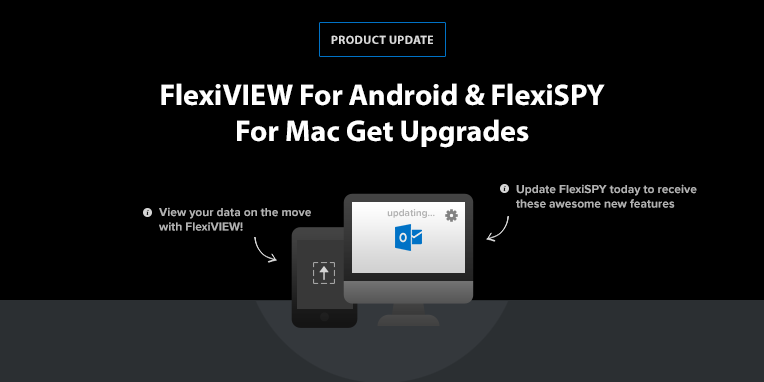
    FlexiVIEW For Android & FlexiSPY For Mac Get Upgrades

    The FlexiSPY development team has been hard at work improving two of our most popular products: FlexiVIEW for Android – our free mobile viewer app – and FlexiSPY for Mac. These newest updates ensure you have even more access to the information that matters most when protecting your family, business, or personal data.

    Take a look at the upgrades below and stay tuned for even more as we continue to make FlexiSPY the world’s most powerful monitoring software.

    What’s New With FlexiVIEW For Android?

    Users of FlexiVIEW for Android will attest to the convenience and added security FlexiSPY’s mobile viewer app provides. Not only is FlexiVIEW free, but it also gives you access to your data directly from your phone.

    You can select which information to view, see which data categories have been active since your last login, view recent activity on your timeline, enable or disable calling, and even redirect to your online user portal – all from your phone!

    With the most recent FlexiVIEW for Android upgrades, it’s now possible to see even more information:

    • MMS: View the details and files of media messages (MMS) that are sent, received, or deleted by the target device. This means you will have access to the contact name and number, the text of a message, and the media file (picture or video) sent.
    • RemCam: This feature allows you to take pictures remotely through the camera on the target device – and now you’re able to take these images of the phone’s surroundings from your FlexiVEW for Android app.
    • Wallpaper: Keep track of the wallpaper graphics, photos, or artwork used by or stored on the target device.
    • SpyCall: You can listen to a target device’s surroundings directly from your phone with our SpyCall feature. Simply enter your number into FlexiVIEW and call the desired phone from yours. If the phone is not in use, you’ll be able to hear everything that is going on without being detected.
    • WhatsApp: Monitor conversations and their content – including photos, video clips and audio messages.

    How Do I Get FlexiVIEW?

    It’s easy! Follow these easy steps:

    1. Purchase your copy of FlexiSPY
    2. Download FlexiVIEW for Android

    Give Us Your Feedback!

    Let us know what you think about FlexiVIEW for Android by taking our quick survey. Your feedback does not go unnoticed and helps us to improve this app and ensure your FlexiSPY experience is the best possible.

    What’s New With FlexiSPY For Mac?

    FlexiSPY for Mac now captures Microsoft Outlook 365 Webmail – one of the most widely used web-based email providers in the world. This means that FlexiSPY for Computers now captures the online version of Microsoft Outlook on both PC and Mac devices.

    This is especially important for companies and owners who use this email provider to conduct business, as well as for parents looking to keep track of the conversations their children are having, or for individuals who need to back up their emails.

    How Do I Monitor Microsoft Office 365 Webmail?

    1. Check the target device’s compatibility
    2. Purchase FlexiSPY for Mac
    3. Install the monitoring software (or use our worry-free installation service)
    4. FlexiSPY automatically uploads data to your online portal
    5. Read incoming and outgoing emails
    6. Star important messages and delete those you no longer need

    Have Any Comments?

    We love hearing from you! Give us your feedback on FlexiVIEW, FlexiSPY for Mac, or any other products so we can continue to improve our monitoring software. If you’d like to see any additional upgrades or features made, let us know in the comments below!

    Subscribe to our newsletter to stay up to date on the latest information and product announcements from FlexiSPY!

  • Are You Interested in a No Jailbreak Version of FlexiSPY?

    Are You Interested in a No Jailbreak Version of FlexiSPY?

    For the last year, it has become increasingly difficult to make monitoring software for iPhones, because there are no jailbreaks

    There is another way to spy on an iPhone – but there are many limitations and we wanted to find out if you would be interested in a solution

    If the response is positive, we will develop this solution

    Positives

    • No need to jailbreak the device
    • No need to access the device – if backup is already configured
    • Compatible with all version of iOS
    • Compatible with all iPhone models

    Negatives

    • You need to know the iCloud email address and password of your child or employees device
    • Your child or employee must not have two factor authentication enabled on their iCloud account
    • Automatic iCloud backup must be enabled

    Only the following features are available:

    • Location tracking
    • Call log tracking
    • Contacts
    • Calendars
    • SMS tracking
    • Photos
    • WhatsApp IM chats

    We are interested to hear what you think before we start to develop this new product

    Let us know your thoughts through a survey, There are only three questions, and if you’d like a personal reply to your comments, leave your email address inside and we’ll get back to you.

    Take The Survey

    Note, if you are a FlexiSPY customer, we will have sent you a unique survey link inside your portal. Please take the survey using that link instead of the link in this article.

  • FlexiSPY unterstützt jetzt Android OS 8.1

    Nur wenige Wochen nach der Veröffentlichung freut sich FlexiSPY, dass wir nun Android OS 8.1 unterstützen. Und da Android 9 erst gegen Ende des Sommers auf den Markt kommt, werden Sie monatelang von den aktuellsten mobilen Überwachungsfunktionen profitieren.

    Lasst uns diese Veröffentlichung feiern!

    Wir freuen uns, Android OS 4.0.3 bis Android OS 8.1 zu unterstützen und möchten, dass auch Sie an unserer Begeisterung teilhaben. Deshalb geben wir allen Kunden sowie unseren Newsletter-Abonnenten einen Promo-Code, der für 35% Rabatt auf jedes FlexiSPY-Produkt zum Feiern verwendet werden kann!

    Achten Sie auf eine Nachricht in Ihrem Portal von FlexiSPY mit Ihrem Code, wenn Sie ein Kunde sind oder melden Sie sich noch heute für unseren Newsletter an, um dieses aufregende Angebot zu genießen.

    Wer braucht FlexiSPY für Android?

    FlexiSPY für Android ist für Geschäftsinhaber, betroffene Eltern oder alle, die ihre persönlichen Daten sicher aufbewahren möchten, unerlässlich.

    • Arbeitgeber finden FlexiSPY nützlich bei der Überwachung der Mitarbeiterproduktivität und der Telefonnutzung im Unternehmen. Stellen Sie sicher, dass die Mitarbeiter das Unternehmenseigentum nur zu Arbeitszwecken nutzen und dass vertrauliches Material sorgfältig behandelt wird.
    • Eltern müssen sich keine Sorgen mehr machen, wenn ihre Kinder schikaniert werden, und können eingreifen, wenn ein unverantwortliches Verhalten auf ihrem mobilen Gerät angezeigt wird. Ganz zu schweigen von der Tatsache, dass Teenager ihre Telefone und Computer immer auf die neuesten Versionen aktualisieren, war es nie wichtiger, die aktuellste Überwachungssoftware zu haben.
    • Jeder, der jemals seine persönlichen Informationen oder Daten von seinem Android-Gerät gehackt oder gestohlen hat, wird den Wert der zusätzlichen Sicherheit verstehen, die Überwachungssoftware wie FlexiSPY bietet.

    Gibt es irgendwelche Einschränkungen mit Android OS 8.1?

    Da diese neueste Version von Oreo gerade erst auf den Markt gekommen ist, gibt es einige Details, an deren Verbesserung unser Entwicklungsteam noch arbeitet. Daher unterstützt FlexiSPY derzeit nur Android OS 8.1 im Normal Mode und Limited 1 Mode.

    Bis die Verbesserungen abgeschlossen sind, werden die folgenden Funktionen nicht richtig funktionieren:

    • Spycall
    • Anrufabfang
    • Spoof-SMS
    • Fern-SMS-Befehle (werden nicht versteckt)
    • VoIP-Anrufaufzeichnung

    Obwohl wir verstehen, dass dies nicht ideal ist, ist FlexiSPY der einzige Anbieter von Überwachungssoftware, der dieses neue Android-Betriebssystem in jeder Hinsicht überwachen kann. Unser Expertenteam arbeitet rund um die Uhr, um sicherzustellen, dass unsere Software in vollem Umfang funktioniert – einschließlich des Zugriffs auf alle über 150 Funktionen – so schnell wie möglich.

    Sagen Sie uns, was Sie denken

    FlexiSPY ist immer auf der Suche nach Ihrem Feedback, um sicherzustellen, dass unsere Software optimal auf die Bedürfnisse unserer Kunden zugeschnitten ist. Zusätzlich zu den regelmäßigen Betriebssystem-Updates ist unser Entwicklerteam bestrebt, unsere Liste der Überwachungsfunktionen zu verbessern und zu erweitern. Wenn es eine Funktion gibt, die Sie verbessern oder hinzufügen möchten, lassen Sie es uns in den Kommentaren unten wissen!

    Abonnieren Sie auch unseren Newsletter, um von Aktionen wie der oben genannten für Android OS 8.1 zu profitieren!

  • Einführung von Native X: Unsere bisher beste Android-Aufnahmequalität!

    Fragen Sie und Sie erhalten, FlexiSpies! Mit Native X – unserer bisher stabilsten und hochwertigsten Android-Audioquelle – hat die Anrufaufzeichnung ein neues Gesicht bekommen!

    Was ist Native X?

    Native X ist die brandneue Standard-Audioquelle für die Gesprächsaufzeichnung und ist für EXTREME-Benutzer mit FlexiSPY Version 2.31.2 oder höher verfügbar. Es wurde zu unserer Liste der anderen unterstützten Quellen hinzugefügt und zielt darauf ab, ein besseres und stabileres Aufnahmeerlebnis zu bieten. Keine Sorge, wenn Sie feststellen, dass Ihr aktuelles Aufnahmeformat am besten mit Ihrem Gerät funktioniert, haben Sie die Möglichkeit, dieses ebenfalls weiter zu verwenden.

    Was hat Native X verbessert?

    Zusätzlich zu einer weiteren Option für die Audioaufzeichnung hat Native X drei Hauptbereiche verbessert:

    1. Verbesserte Audioqualität. Native X konzentriert sich darauf, eine bessere und zuverlässigere Tonqualität für die Gesprächsaufzeichnung zu liefern, so dass Sie sich sicher sind, dass Sie jedes Detail hören.
    2. Samsung Note 8 und S8 Unterstützung. Native X verbessert die Benutzerfreundlichkeit für zwei der fortschrittlichsten und beliebtesten Handymodelle. Unser Team hat Probleme mit gestoppten Gesprächsaufzeichnungen behoben, da es nicht in der Lage war, Aufzeichnungsdateien zu finden und nur eine Seite eines aufgezeichneten Gesprächs zu hören.
    3. Verbesserte Android-Stabilität. Dank der Verbesserungen an Samsung Note 8- und S8-Geräten hat Native X auch die Stabilität der Anrufaufzeichnung für die meisten Android-Geräte verbessert, die mit Android OS 4.1.2 oder höher arbeiten.

    Wie verwende ich Native X?

    Wenn Sie neu bei FlexiSPY sind, wird Native X automatisch als Standard-Aufnahmeformat zugewiesen. Bestehende Benutzer können die Vorteile dieser neuen Verbesserungen nutzen, indem sie diesen einfachen Schritten folgen:

    1. Melden Sie sich bei Ihrem FlexiSPY-Online-Benutzerportal an.
    2. Markieren Sie Daten auf der linken Seite und wählen Sie Call Recording
    3. Klicken Sie oben rechts auf Extras.
    4. Audio-Aufnahmequelle auf Native X setzen

    Gibt es irgendwelche Einschränkungen?

    Unser Testteam hat hart daran gearbeitet, die Kompatibilität von Native X mit einer Vielzahl von mobilen Geräten zu überprüfen. Und während wir unser Bestes tun, um mit den neuesten mobilen Plattformen auf dem Laufenden zu bleiben, haben wir festgestellt, dass Native X noch nicht die beste Audioquelle für die Handymodelle Nexus 5X und Sony Xperia Z3 ist.

    Wie oben erwähnt, können FlexiSPY-Benutzer mit diesen Geräten jedoch weiterhin die Aufzeichnung von Anrufen mit dem aktuell gewählten Format verwenden.

    Native X ist kompatibel mit FlexiSPY Versionen 2.31.2 und höher. Sie können Ihr FlexiSPY-Konto ganz einfach von Ihrem Online-Portal aus aktualisieren. Melden Sie sich einfach an, wählen Sie Konto und klicken Sie auf den orangefarbenen Pfeil unter’Aktion‘, um die Gerätesoftware zu aktualisieren.

    Geben Sie uns Ihr Feedback

    Teilen Sie uns Ihre Meinung zu Native X in den folgenden Kommentaren mit. Wir würden auch gerne hören, ob es noch weitere Funktionen gibt, die wir verbessern sollen.

    Vergessen Sie nicht, den Blog und unseren offiziellen YouTube-Kanal für die neuesten Updates, Ankündigungen und Aktionen zu abonnieren!

  • VoIP-Anrufaufzeichnung wurde gerade aktualisiert!

    Eines der einzigartigsten und beliebtesten Features von FlexiSPY – VoIP Anrufaufzeichnung– hat gerade drei wichtige Upgrades erhalten: verbesserte Qualität, Unterstützung für Android OS 7 Geräte und verbesserte Kompatibilität mit Ihren bevorzugten Chat-Anwendungen.

    Wir bieten die beste Überwachungstechnologie und wissen, dass Sie diese Updates genauso lieben werden wie wir. Also, sehen wir es uns genauer an!

    Verbesserte VoIP-Aufzeichnungsqualität

    Unser Entwicklungsteam hat hart daran gearbeitet, die Audio-Software von FlexiSPY zu aktualisieren, und Sie können den Unterschied wirklich hören! VoIP-Anrufaufzeichnungsdateien werden jetzt in viel höherer Qualität erfasst – damit Sie kein Wort mehr verpassen.

    Unterstützung für Android OS 7 Geräte

    Bisher nur bis Android OS 6 verfügbar, unterstützt die VoIP-Anrufaufzeichnung nun Android OS 7 auf allen kompatiblen Android-Geräten. Dies bedeutet mehr Aufzeichnungsmöglichkeiten für betroffene Eltern, die ihre Kinder oder Arbeitgeber schützen wollen, die die Sicherheit der vertraulichen Informationen ihres Unternehmens gewährleisten müssen!

    Verbesserte Chat-Anwendungskompatibilität

    Was ist die Aufzeichnung von VoIP-Anrufen, ohne dass Ihre bevorzugten Chat-Anwendungen unterstützt werden? FlexiSPY versteht, dass die Welt immer mehr VoIP-orientiert wird. Deshalb sind wir mit den führenden VoIP-Applikationen sowohl auf Android- als auch auf iOS-Plattformen kompatibel.

    • Unterstützte Anwendungen für Android OS: Facebook, LINE, Skype, Viber, WhatsApp, Hangouts
    • Unterstützte Anwendungen für iOS: Facebook, Facetime, LINE, Skype, Viber, WhatsApp

    Gibt es Einschränkungen?

    FlexiSPY arbeitet daran, bei der Unterstützung populärer Chat-Anwendungen auf dem neuesten Stand zu bleiben. Aufgrund ständiger technologischer Neuerungen gibt es derzeit jedoch zwei kleine Einschränkungen in Bezug auf die Aufzeichnung von VoIP-Anrufen:

    1. Facebook, LINE, Skype, Viber und WhatsApp sind kompatibel mit:
      • Android OS 4.4 bis 7.x für Nicht-Samsung-Geräte
      • Android OS 6.x bis 7.x für Samsung-Geräte
    1. Hangouts wird auf 32-Bit-Geräten unterstützt.

    Schauen Sie sich unseren vorherigen Blog-Post an, um mehr über die Aufzeichnung von VoIP-Anrufen und wie man einen VoIP-Anruf aufzeichnet!

    Teilen Sie uns Ihr Feedback in den Kommentaren unten mit und vergessen Sie nicht, unseren Newsletter für die neuesten Updates von FlexiSPY zu abonnieren!

  • FlexiSPY für Computer erfasst jetzt Microsoft Outlook 365 Webmail

    FlexiSPY für Computer – die leistungsstärkste Computerüberwachungssoftware der Welt – ist jetzt in der Lage, Microsoft Outlook 365 Webmail für Windows zu unterstützen.

    Was bedeutet das?

    Dies bedeutet, dass jedes Unternehmen oder jeder Benutzer, der FlexiSPY für Computer installiert hat, jetzt alle E-Mails überwachen kann, die mit Microsoft Outlook 365 Webmail für Windows – einem der weltweit beliebtesten webbasierten E-Mail-Anbieter – gesendet oder empfangen wurden.

    FlexiSPY ist seit langem in der Lage, eingehende und ausgehende Nachrichten in Outlook Office 365 – der Desktop-Version dieses Dienstes – zu überwachen, aber da immer mehr Unternehmen die kostengünstigere Web-Version auf den PCs ihrer Mitarbeiter installieren, wird es immer notwendiger, die Kommunikation über diesen Kanal zu erfassen. Tatsächlich werden rund 16 Prozent aller weltweit versendeten E-Mails mit einem dieser beiden Outlook-Programme geöffnet.

    FlexiSPY für Computer ist nun in der Lage, die folgenden E-Mail-Anbieter zu überwachen:

    • Outlook Hotmail
    • Gmail
    • Yahoo-Post
    • Outlook Office 365 (Desktop)
    • Microsoft Outlook 365 (Webmail)

    Wer muss Microsoft Outlook 365 Webmail überwachen?

    Arbeitgeber werden diese Funktion nützlich finden, da Office 365 Webmail stark in Windows 10 integriert ist. Wenn Ihr Unternehmen also PCs im Büro verwendet, werden Sie wahrscheinlich diesen E-Mail-Dienst nutzen; und wenn Ihr Unternehmen Kosten sparen möchte, wird es wahrscheinlich die reine Web-Version dieses Dienstes verwenden.

    Da der Großteil der Kommunikation zwischen Mitarbeitern, Kunden und Dritten über diesen Kanal abgewickelt wird, ist es wichtig, dass Geschäftsinhaber die Möglichkeit haben, den verantwortungsvollen Umgang mit E-Mails sicherzustellen. Durch das Markieren von Schlüsselwörtern und das Einchecken der Mitarbeiterkommunikation können Sie Datenverstöße stoppen und Unternehmensspionage verhindern, bevor es zu spät ist.

    Eltern werden diese Funktion nützlich finden, um sicherzustellen, dass Kinder und Jugendliche über geeignete Themen und mit geeigneten Personen chatten. FlexiSPY foür Computer bietet Ihnen eine zusätzliche Sicherheitsschicht, um sie vor Online-Gefahren wie Sexualstraftätern und Cyberbullies zu schützen.

    Schließlich ist die Überwachung von Microsoft Outlook 365 Webmail ideal, um den Überblick über die E-Mails Ihres PCs zu behalten. Stellen Sie sicher, dass Sie die einzige Person sind, die Nachrichten von Ihrem Konto sendet und empfängt, und werden Sie sofort über verdächtige oder bösartige Aktivitäten informiert.

    Was kann FlexiSPY für Computer sonst noch tun?

    Zusätzlich zur Überwachung aller eingehenden und ausgehenden E-Mail-Nachrichten ermöglicht FlexiSPY für Computer ihnen auch folgendes:

    • Überwachen Sie jeden Tastendruck mit der Keylogger-Funktion
    • Lesen Sie Chats von beliebten Instant Messenger-Anwendungen wie Skype, WhatsApp und Facebook.
    • Gleisnetzverbindungen
    • Browserverlauf, Lesezeichen, Suchbegriffe und mehr anzeigen
    • Überprüfen Sie alle Dateiaktivitäten oder Übertragungen, die stattfinden.
    • Wählen Sie, ob FlexiSPY im sichtbaren oder versteckten Modus ausgeführt werden soll.

    Wie kann ich Microsoft Office 365 Webmail überwachen?

    FlexiSPY für Computer hat mehr als 40+ Funktionen und ist sehr benutzerfreundlich. Befolgen Sie diese einfachen Schritte und Sie sind im Handumdrehen einsatzbereit!

    1. Überprüfung der Kompatibilität des Zielgerätes
    2. Wählen Sie Ihr Abonnement von unserer Website aus
    3. Installieren Sie FlexiSPY für Computer (oder nutzen Sie unseren sorgefreien Installationsservice)
    4. FlexiSPY lädt automatisch Daten in Ihr Online-Portal hoch
    5. Eingehende und ausgehende E-Mails lesen
    6. Wichtige Meldungen für den späteren Gebrauch mit Sternchen versehen
    7. Nicht mehr benötigte Nachrichten löschen

    Geben Sie uns Ihr Feedback

    Wir hören gerne von unseren Kunden! Lassen Sie uns wissen, wie FlexiSPY foür Computer Ihre Geschäftsabläufe verbessert hat und ob Sie zusätzliche Funktionen oder Updates haben, die Sie in den Kommentaren unten sehen möchten.

  • FlexiSPY for iPhone now Supports iOS 11.0-11.1.2

    FlexiSPY for iPhone now Supports iOS 11.0-11.1.2

    If you are a parent or employer, with responsibilities for the way your iPhone devices are being used — you will be excited to learn that FlexiSPY for iPhone is now available.

    FlexiSPY is compatible with iOS versions 11.0-11.1.2 and below. It will not work with later versions.

    There is one limitation however, and that is that FlexiSPY will continue to work until the device is powered off or the battery runs out. To restart FlexiSPY you will need to get access to the device and carry out a reconfiguration.

    This is not a FlexiSPY problem, but with the underlying configuration, colloquially called a  “jailbreak”, which deletes itself when the phone is restarted. While this is unfortunate, if you need a way to properly monitor an iPhone, FlexiSPY is the only product that is able to track iPhone usage across all applications.

    For those who don’t already know, jailbreaking just means configuring the iPhone so that it can install third party apps, and you can learn more on how to jailbreak this particular version of iOS here.

    Protect your children and employees today and get FlexiSPY for iPhone  today. Please note that subscribers to our mailing list get a special 25% discount and existing customers get a 35% discount on the regular prices

    If you want to find out more about FlexiSPY for iPhone, please contact our live chat support.

  • Calling All FlexiVIEW Users – We’d Love To Hear Your Feedback!

    Calling All FlexiVIEW Users – We’d Love To Hear Your Feedback!

    That’s right! FlexiSPY is looking for your FlexiFeedback to ensure you continue having the highest quality customer experience with our one of a kind free mobile viewer app – FlexiVIEW

    How Do I Provide Feedback?

    FlexiSPY is the only monitoring software with a free application that lets you view your data on the go – which is why it is so important for us to hear YOUR opinions on what works well, what needs improvement and what you would like to see from FlexiVIEW in the future.

    We’ve made it easy to give feedback on your experience with a short FlexiVIEW survey.

    1. Follow this link to the FlexiVIEW Survey
    2. Answer a few simple questions
    3. Click ‘Complete Survey’

    Voila! Three simple steps and you’re ready to go!

    How Do I Get FlexiVIEW?

    If you haven’t yet been able to take advantage of FlexiVIEW’s many useful features, we’ve also made this easy. It’s another three-step process – see, we told you it was easy!

    1. Purchase a copy of FlexiSPY
    2. Locate instructions for downloading FlexiVIEW inside your online portal or click HERE
    3. Immediately start accessing your FlexiSPY data

    Oh, and did we mention FlexiVIEW is currently FREE for all subscribers!

    What Can I Do With FlexiVIEW?

    You can do what no other monitoring software lets you do – view the information that matters to you most directly from your mobile device. Some of FlexiVIEW’s other exciting benefits include:

    • Enabling or disabling calling from FlexiVIEW’s menu
    • Seeing the 100 most recent captured events on a timeline
    • Choosing the data YOU want to monitor
    • Arranging captured data by category and level of importance
    • Viewing the data categories that have been active since your previous login
    • Heading to the online portal from the app
    • And more!

    FlexiVIEW is available for compatible Android and iOS devices to make sure you have access to all your FlexiSPY data – whether you are monitoring a mobile device or a computer. It’s free, convenient and backed by the world’s most powerful monitoring software. What more could you ask?

    We truly appreciate your opinions and will take your feedback into consideration when improving this one of a kind application. Take the FlexiSPY survey HERE.

    Thank you!

    Don’t forget to subscribe to our blog to stay up to date on the latest insight and information from FlexiSPY and the monitoring software industry.

    [hoops name=“newsletter“]

  • FlexiSPY Now Accepts More Cryptocurrency And Rewards You For Using It

    FlexiSPY Now Accepts More Cryptocurrency And Rewards You For Using It

    Welcome to the future of FlexiSPY. Already at the forefront of monitoring software, we have now made it possible to purchase our products using the latest in digital payment method: cryptocurrency. That’s right, we have now added Bitcoin, Bitcoin Cash, Dash and Litecoin – four highly recognized and reliable cryptocurrencies – directly to our shopping cart. Oh, and we’ll give you an instant 5% discount for making a purchase.

    How Do I Make A Purchase With Cryptocurrency?

    Making an online purchase with Bitcoin, Bitcoin Cash, Dash and Litecoin is easy. Follow these steps and you will be able to protect your children and business with FlexiSPY in no time.

    1. Find the right FlexiSPY product for you
    2. Click Buy Now
    3. Select your payment method
    4. Choose your preferred cryptocurrency from the dropdown
    5. Admire your instant 5% discount
    6. Place your order and you’re ready to go

    Actually, FlexiSPY customers have been able to use cryptocurrency since 2014, years before it became such a mainstream topic of conversation. However, the previous process for making a crypto-purchase used Bitcoin and was time consuming – requiring Live Chat and many additional steps.

    We have recently streamlined our process and updated the cryptocurrencies we accept, so that buying FlexiSPY with Bitcoin, Bitcoin Cash, Dash or Litecoin is as easy as using PayPal or a credit card. Plus, we’ve sweetened the deal by adding that 5% discount on any purchase made using one of our accepted digital currencies.

    What Is Cryptocurrency?

    According to Investopedia, ‘cryptocurrency is a digital or virtual currency that uses cryptography for security.’ More basically, it is a digital currency that is not regulated or controlled by any government, authority or private entity. Therefore, people are able to make trades, exchanges or investments without interference by a central body – thus reducing fees, increasing security and making it difficult to track transactions.

    This is exceptional from a security perspective, but can also lead to less than desirable uses (as seen with the rise of such networks as the dark web). However, as with any controversial or misrepresented product or technology, it is up to each person to use it responsibly. Hmm, sounds like something we’ve heard before.

    It’s All About Options

    We are thrilled to offer even more options to our customers as we continue to strive to be the pioneers of our industry. But don’t worry, if you are currently more comfortable using traditional forms of payment, FlexiSPY still accepts credit cards and PayPal.

    Take a minute to look more closely at cryptocurrencies to see what the buzz is about – we see their value as  payments of the future. Because, let’s face it, there was a time when the current ‘traditional forms of payment’ were seen as something out of a science fiction novel.

    Do You Crypto?

    Let us know your thoughts on cryptocurrencies. Are these something you use? Do you see them replacing current forms of payment in the future?

    Don’t forget to subscribe to our blog below to stay up to date on the latest insight and information from FlexiSPY and the monitoring software industry.

    [hoops name=“Newsletter“]

  • Retina X Hack – What Should Customers Do

    Retina X Hack – What Should Customers Do

    If you are a customer of Retina X or use any of their products including:

    • Mobile Spy
    • Phone Sherriff
    • Teen Shield
    • Sniper Spy

    You are probably aware that Retina X was illegally hacked and — as a Retina X customer —you are wondering what is happening with your child or employee data, if you can you get your money back and what do you do next.

    Firstly, your data.

    Its important to realize that these hacks are glorified and implicitly encouraged by the tabloid sections of online media.

    These bloggers, amplify and celebrate these illegal activities carried out against legitimate companies, and take possession of your child or employees data directly from the hackers.

    Indeed, these writers have been known to actively coordinate with these self-proclaimed vigilante hackers, and they ignore the fact that hacking a legal company like Retina X Studios is a crime.

    In fact, they even set up secure communication channels with criminals, in order to have plausible deniability.

    Instead of helping law enforcement catch the wrongdoers, they provide a platform for these hackers, and then —adding insult to injury — portray parents, employers and companies as stalkers, lowlife or criminals.

    Yet the irony is that the many of the most vociferous opponents of monitoring are the worst kind of abusers, including members of the media themselves.

    While only the hackers know where the stolen data is, if you are concerned about your Retina X data, you may wish to contact the bloggers who are actually reading your data. They also advertise an encrypted private messaging channel for hackers to communicate with them — perhaps you can ask them to send a message to the hacker on your behalf.

    On the subject of money, you will get your money back, because — to their credit — Retina X have offered to refund customers.

    However, for parents and employers who are active Retina X customers and who wish to continue protecting their dependents, FlexiSPY offers a trade in program where you can purchase FlexiSPY for Mobile or Computers at a discount price.

    This offer applies to Mobile Spy, Sniper Spy, Teen Shield and Phone Sheriff products

    While we are far from complacent— and understand that a company getting hacked is not a matter of if, but when— FlexiSPY has never had customer data hacked. We have watched all the hacks performed in this industry, and each time we continue to improve the security of customer data.

    Finally, would like to say that unlike many other competitors. Retina X have always been decent, honest and innovative, and we hope that they recover from this situation quickly.

    [hoops name=“Newsletter“]

  • FlexiSPY For Computers Now Supports macOS High Sierra

    FlexiSPY For Computers Now Supports macOS High Sierra

    FlexiSPY for Computers now supports macOS High Sierra 10.13.x – the latest operating system from Mac!

    What Does This Mean?

    That anyone with macOS High Sierra – as well as Mavericks, Yosemite, El Capitan and Sierra – compatible devices can take advantage of FlexiSPY’s incredible computer monitoring features.

    With FlexiSPY for Computers you can:

    • Read popular IM chats and emails
    • Monitor every keystroke with our keylogger
    • Keep track of network connections
    • View browser history, bookmarks, search terms and more
    • Verify and file activity or transfers
    • Run our software in visible or hidden modes

    Who Needs FlexiSPY For Computers?

    This is the perfect tool for employers who need to monitor employee computer activity on- or offsite for productivity or to prevent data leakage. Parents will also find this useful to make sure your children are communicating appropriately and responsibly online – because let’s face it, our kids don’t always share everything that’s going on in their lives!

    Have your own Mac? Our computer monitoring software is a great way to protect your personal information from unwanted use or hackers.

    FlexiSPY continues to push the boundaries of computer monitoring – and our latest update supporting macOS High Sierra is just one of many updates we have in store for you!

    Give Us Your Feedback

    We love hearing from our customers! So, be sure to let us know if there are any additional features or updates you’d like to see in the comments below.

    Be sure to subscribe to our newsletter to stay in-the-know about the latest information and product announcements from FlexiSPY!

    [hoops name=“Newsletter signup“]

  • Top 10 Monitoring Features From FlexiSPY

    Top 10 Monitoring Features From FlexiSPY

    With more than 150+ unique features, FlexiSPY continues to stay at the forefront of the monitoring software industry. Our features range from the most basic to the most advanced features you cannot find with any other product. This means you’ll have access to everything from spy on calendar, view phone contacts and SMS tracker to Facebook spy, remote recording and live call listening.

    Here are the Top 10 monitoring features that set FlexiSPY apart. Because, let’s be honest, we didn’t become the world’s most powerful monitoring software by providing the same things as everyone else.

    Top 10 Monitoring Features

    1. WhatsApp Spy: FlexiSPY makes it possible to spy on WhatsApp – the world’s most popular chat application. This means you can monitor all incoming and outgoing WhatsApp messages, including those that have been deleted. In addition, you can record VoIP calls made using WhatsApp, so you never miss a detail. FlexiSPY also lets you spy on other popular instant messenger apps like Facebook, LINE and Skype.

    2. SMS Tracker: Our SMS Tracker does more than give you access to all inbound and outbound text messages. You can access contact details for both the sender and receiver, and date and time stamps for each message. FlexiSPY even lets you mark specific keywords in conversations and set these for auto-deletion before they are ever read!

    3. Keylogger: We make it easy to protect your family and business with our Keylogger for Android, iPhone, Windows and Mac. FlexiSPY will capture every keystroke that is typed on a computer – while users of our Keylogger for Android and Keylogger for iPhone will be able to access key logs for messages, search terms and text typed on a mobile device.

    4. FlexiSPY Express: Okay, so this isn’t technically a feature, but we couldn’t leave out this exciting product offering. FlexiSPY Express delivers a mobile phone – pre-installed with FlexiSPY – directly to your door. Simply select your FlexiSPY subscription, choose your desired phone model and wait for the package. Learn more about why FlexiSPY Express makes the ultimate gift for holidays or birthdays!

    5. Ambient Recording: Have you ever wanted to be a fly on the wall? With FlexiSPY’s ambient recording app, you can remotely activate a cell phone’s microphone and record what is happening. Set a routine schedule or activate ambient recording to record now! You can also access a phone’s camera with RemCam or remotely record videos with our RemVid.

    6. Spoof SMS: Sending fake text messages is a necessary feature for employers and parents alike. You can confirm suspicions about corporate espionage or end communication between your daughter and her questionable new friends. Send a Spoof SMS to anyone in the phone’s contacts – just be sure your message sounds like the user!

    7. VoIP Call Recording: It’s becoming more and more common to make calls using VoIP applications like WhatsApp, Viber and Skype – which means it’s more important than ever to monitor these programs. FlexiSPY’s VoIP call recording automatically records any call made using these applications. It then uploads the files to your online user portal for listening at any time.

    8. Call Intercept: Did you know you can listen to live phone calls – in real time – with FlexiSPY? It’s true and works with compatible Android, iPhone, Blackberry and Symbian devices! Our live call intercept feature allows users to remotely participate in a phone call as it’s happening – without being detected. It’s like having a direct line to the target phone. Learn how to release your inner James Bond with Call Interception 101.

    9. Application Screenshots: While some products only give you access to one side of a conversation, FlexiSPY gives you the full picture – literally. With our Application Screenshots feature, you can take remote snapshots of the target phone when a supported application is being used. And the best part? It’s free for all Android and iPhone users with compatible rooted phones!

    10. Hidden GPS Tracker: FlexiSPY provides accurate, real-time location tracking – in addition to a map of current and historical locations – so you never have to worry again about where your children are at night. FlexiSPY’s hidden GPS tracker app is also great for employers keeping track of their offsite teams!

    Tell Us Your Thoughts

    While we could go on and on about FlexiSPY features – we get excited about these things – we would LOVE to hear from you! Which features do you like the best? Which ones do you use most often? What features would you like to see added?

    Leave us your feedback in the comments below!

    Also, remember to subscribe to our newsletter for the latest FlexiSPY product updates, feature announcements and promotions!

  • FlexiSPY Wants YOU!

    FlexiSPY Wants YOU!

    Are you a Web Designer with a flair for modern aesthetics? Are you an SEO Wizard looking to work your magic? Then you’re a perfect candidate for FlexiSPY’s newest job openings!

    With all the new products and features we’ve launched over the past year, we’ve been thinking how nice it would be to have fresh web designs and content to go with them.

    And who better to help than the people who know our product best – YOU!

    So if you consider yourself motivated, experienced and passionate about FlexiSPY, then we have a number of freelance projects and opportunities available.

    Here’s What We’re Looking For

    1) Designers

    We love our site and have worked hard to keep it sleek and up to date. However, we’re looking for a fresh perspective to complement our expanding business.

    FlexiSPY needs designers who are creative and work with UI and UX in mind. We will give you text and will look to you to make it easy-to-navigate and eye-catching to read.

    We are NOT looking for a redesign of our current site, but rather something exciting and original – so copying a generic template from the web won’t qualify.

    Please send us the following information to be considered for the job:

    • Wireframe of your anticipated design
    • An email explaining how you would approach a full redesign and your expected project fee

    SEND US YOUR DESIGN

    2. SEO Content Writers

    Content is king – and we have a lot of it!

    The ideal candidate has an understanding of customer purchasing behavior and how to use key words to bring the right visitors to our site.

    What made you buy FlexiSPY? What words or phrases did you search before landing on our site?

    We are looking for experienced SEO writers with proven results – someone with the ability to analyze our current content, find the right keywords for each specific page (or how to leverage our current word selection into more traffic and sales.)

    Please send us the following information to be considered for this job:

    • CV highlighting your writing and SEO experience
    • Samples of your work and which words you targeted for each respective piece

    SEND US YOUR DETAILS

    What’s Next?

    Send us an email with the job you’re applying for in the Subject. Include the required information and our team will review the applications. Those selected for the job will be contacted directly.

    Thank you in advance and let us know if you have any questions or comments below!

    [hoops name=“Newsletter“]

  • You Can Take the Journalist Out the Tabloids, but You Can’t Take the Tabloid Out the Journalist

    You Can Take the Journalist Out the Tabloids, but You Can’t Take the Tabloid Out the Journalist

    We noticed an interesting story reported by Joseph Cox in Motherboard regarding the use of FlexiSPY by law enforcement.

    There are two interesting points about this story from our point of view.

    First, it proves the argument that FlexiSPY software is not illegal. As we have always pointed out to the few, but loud, self-righteous, virtue signaling, SJW media — FlexiSPY is an extremely powerful piece of software that has many legitimate uses. In this case, usage by law enforcement to monitor and track suspects is one of them.

    Now, with our libertarian beliefs, we can’t say that we are happy with this, but whether police officers or stalkers use our product, there is very little we can do to stop this abuse of personal liberty — its down to the user, not the product.

    The second interesting point highlights the reflexive use of tabloid techniques that are, perhaps unconsciously, used by the author — Namely including information that adds no value to the story, and appears to be only there for salacious titillation or to smear our company.

    For example:

    “ Previously, FlexiSpy explicitly marketed the product to jealous lovers to spy on their spouses. „Many spouses cheat. They all use cell phones. Their cell phone will tell you what they won’t,” one piece of marketing material reads…“

    What possible value does this information — which is ancient history — add to the story?

    To illustrate, let’s do a thought experiment. Imagine somebody responding to this Joseph Cox article were to say:

    “A very thought provoking article written by Joseph Cox — known associate of rapists and cyber criminals — points out that products are not illegal, but behaviors are. ”

    In this thought experiment, what would the reason be to point out that Joseph Cox’s friends include ‘Morgan the Rapist‘, and cyber criminal Leopard Boy, how does that relate to the story in any way?

    It may be true, it may be ancient history, but why would anyone point this out — what value does it serve, and what would the motives be?

    Would be interesting to hear what Joseph’s reply would be to the thought experiment.

    [hoops name=“Newsletter Optin“]

  • How To Spy On WhatsApp | FlexiSPY Video

    How To Spy On WhatsApp | FlexiSPY Video

    Do you really know who your children are messaging on WhatsApp? Do you suspect your employees are leaking classified information? FlexiSPY’s newest video shows you how to spy on WhatsApp messages, so you never have to worry again.

    Learning How To Spy On WhatsApp Is Important

    With more than 1 billion users across the globe, WhatsApp is the world’s most popular chat application. And while it’s incredible that today’s technology can connect so many people, it also increases the number of risks for families and businesses alike.

    Our video shows the dangers your children face when using this application and why knowing how to spy on WhatsApp messages can save their lives. After all, a recent increase in teen suicide has largely been attributed to cyberbullying through social media and chat applications around the world.

    Not to mention, online predators are finding it easier to lure adolescents into potentially life-threatening or damaging situations by hiding behind encrypted messaging and fake accounts.

    And as apps like WhatsApp become more secure, it is becoming more difficult for employers to keep track of employee conversations in relation to work.

    Perhaps a rogue member of staff is using WhatsApp to secretly share confidential details for a major project or they are sending inappropriate messages to other employees during office hours.

    With FlexiSPY, you’ll have confidence that your intellectual property is safe.

    Knowing how to spy on WhatsApp messages is an essential tool for protecting the things that matter to you most: your children, your company and even your own personal data.

    So why not let FlexiSPY – the world’s most powerful monitoring software – be that added layer of security that helps you sleep at night.

    Tell Us What You Think

    We have created this video and our official YouTube channel with YOU in mind and would love to hear what you think. Let us know your feedback and if there are any additional features you’d like to learn about.

    Also, don’t forget to subscribe to our channel and blog for the latest updates, tutorials and product announcements from FlexiSPY!

    [hoops name=“Newsletter Signup“]

  • FlexiSPY Joins Steemit – And It Feels So Good!

    FlexiSPY Joins Steemit – And It Feels So Good!

    FlexiSPY is thrilled to have joined Steemit, the revolutionary new platform that is changing the face of social networking and blogging. Steemit provides a safe environment for sharing legitimate content otherwise restricted or censored by certain online mega-controllers – and is the perfect home for us to share the reality of our business, exciting product updates and commentary on the most pertinent topics in the cyber security world.

    Unfiltered, unrestricted and honest.

    In recent years, FlexiSPY and other monitoring software providers have come under fire from a slew of media outlets and less-than-reputable ‘journalists’ and rapists (er, industry experts.) Certainly, the nature of our products doesn’t suit everyone, but not everyone supports the promotion of other controversial products like alcohol, skin whitening creams or movies produced by known sexual predators. Can we get an #UsToo!

    But rather than focus on the negative, we are looking ahead by joining a fair platform where channels for discussion are open. We encourage community interaction and look forward to honest feedback. How better for FlexiSPY to grow than through opinions and questions from the very people who understand (or, perhaps don’t yet understand) what it is we do.

    What does FlexiSPY do?

    FlexiSPY produces the world’s most powerful monitoring software for computers, tablets and mobile phones – and we do so with pride. Pride in knowing we help parents protect their children from the dangers of online predators and cyberbullying. Pride in knowing businesses can operate safely without the threat of data breaches or the leaking of confidential information.

    And now we take pride in being members of Steemit – a community of more than 450,000 early adopters who share in our belief that everyone has the right to be heard.

    How does Steemit work?

    Steemit is an exciting social networking site built on the Steem blockchain database. Users share information, pictures, videos, blog posts and more and have the opportunity to be rewarded for the content they share.

    Other Steemit users can upvote your content (similar to Reddit), which in turn translates to real, convertible cryptocurrency called STEEM. It’s called ‘attention economy’ and it basically means users are rewarded by other users for sharing content that they like or find useful.

    Imagine, earning money for the content you normally share on Facebook or Twitter. What a concept!

    So, join us as we take 2018 head on and throw up the middle finger to censorship!

    Have any questions or comments? Let us know what you think below and be sure to follow us on Steemit (@FlexiSPY) if you haven’t already!

    [hoops name=“Newsletter Signup“]

  • Application Screenshot for Android – Now Available

    The wait is over Android users. FlexiSPY is proud to announce the release of the best screenshot app on the market – Application Screenshot for Android! Never miss another detail with real time screenshots of supported applications that matter to you.

    What Is App Screenshot Software?

    The Application Screenshot for Android feature allows customers to take remote screenshots of supported apps while they are in use. This screenshot tool takes pictures of an application and automatically uploads them to your online user portal for convenient viewing – you can even download the files to your computer for later use.

    This powerful function is available to PREMIUM and EXTREME FlexiSPY users with rooted Android devices. See if your device is compatible before installing FlexiSPY and check out our worry-free installation service.

    How To Take A Screenshot On An Android Phone With FlexiSPY

    Follow these simple steps and you’ll be snapping screenshots in no time:

    1. Login to your online portal
    2. Select Apps Screenshot on the left
    3. Here you see all supported applications
    4. Choose Monitored Application to select the programs to monitor
    5. FlexiSPY uploads screenshots to the online portal
    6. Click any application to view its images
    7. Track images by their date and time stamps
    8. Enlarge or delete any app screenshot
    9. Star important files for easy access in the future

    FlexiSPY’s app screenshot feature is easy to use and customizable for your preferences. You can set the program to snap screenshots of supported apps inside the dashboard and view the images in their app-specific folders.

    Why Is FlexiSPY The Best Screenshot App?

    FlexiSPY’s Application Screenshot for Android gives you the power to protect what is important by providing insight into how people use their Android apps. Parents, employers and individual users can all benefit from the world’s best screenshot app:

    Parents use our screenshot software monitor application usage and to protect children from online predators or cyberbullies.

    Employers often monitor company phone usage to ensure employees are conducting business appropriately. The images taken by FlexiSPY’s screenshot app are extremely useful for evidencing insider threats and uncovering corporate espionage.

    Individuals find Application Screenshot is perfect for those who are prone to losing their phones. With screenshots automatically saved to your secure online portal, you’ll never have to worry about losing important conversations or contact information.

    Tell Us What You Think About Application Screenshot

    How can this feature benefit you? Will you use it for work or personal reasons? Share this post on social media or let us know in the comments below.

    Stay In The Know

    We are constantly adding new features to FlexiSPY – view our Changelog for updates.

    Subscribe to our mailing list for exclusive discounts, product announcements and news.

    Not an Android user? Check out the best screenshot app for iPhone HERE!

    [hoops name=“Newsletter Signup“]

  • FlexiSPY 2017: A Year In Review

    FlexiSPY 2017: A Year In Review

    As we make our way into this new year, we took some time to reflect on the successes of 2017 – and what a successful year it was! Never before have we felt prouder of our teams, more excited for the product developments we released or more grateful for YOU, our exceptional customers. Let’s celebrate together as we take a look at our year in review.

    Product Updates

    At FlexiSPY, we strive to provide our customers with the latest in monitoring technology and 2017 saw some outstanding advancements across our iPhone and Android platforms – we now support Android Nougat 7.1.1! In terms of features, we’d have to say some of the most memorable additions are the Keylogger, Application Screenshot and RemVid features.

    Application Screenshot: Available for both Android and iPhone, this feature allows users to take remote screenshots of an app even while it’s in use. This is a remarkable tool that gives you an inside look at how an application is used – plus it’s available for both rooted and non-rooted devices. So, even if you’re unable to monitor popular chat applications with your subscription, you will still have a snapshot each conversation uploaded directly to your online portal with this feature.

    Keylogger: Also for Android and iPhone devices, FlexiSPY’s keylogger is the best on the market. It records every keystroke that is typed into supported programs and applications – including deleted text. Capture search terms, conversations, emails and so much more! The best part? It’s available for both rooted and non-rooted devices.

    RemVid: This feature is available to FlexiSPY EXTREME subscribers and we’d have to say this feature alone is worth the upgraded subscription. With RemVid (remote video), you have the ability to remotely access a phone’s camera and activate it to record videos of its surroundings.

    Other notable features were added to our iOS platform. Compatible devices are now able to capture private Instagram stories, as well as send push commands to automatically sync changes made inside your portal to the target phone!

    Portal Updates

    In addition to upgrading FlexiSPY itself, we know how important it is for our customers to have a sleek and secure customer experience. Therefore, we made it easier to access the data you need with Alert Wizard and Device Status Indicator updates – and safer to use by introducing 2-Factor Authentication.

    Alert Wizard: Now mobile and computer users can take advantage of FlexiSPY’s Alert Wizard. This feature lets you select specific keywords or phrases that you want to monitor and sends you an alert every time they are used. This is extremely useful for parents who want to make sure their children aren’t up to any illicit behavior or for employers who need to know when company-related ‘hot’ words are being used.

    Device Status Indicator: It can be stressful not knowing why the target device isn’t sending new data, so we added the Status Indicator to the user portal. When you log in, you can now see if the device is connected with our color-coded signals. Green means connected and Yellow means idle (no data sent within the last 10 minutes).

    Two-Factor Authentication (2FA): We added another layer of security to our user experience with 2FA. This easy-to-use feature provides more security than a traditional username and password, because it requires a code that is sent directly to you. Now you can rest easy knowing your data is safe and that only you can access it.

    New Releases

    In addition to improving our current products, FlexiSPY’s in-house design and development teams are constantly looking for new ways to expand our offerings and improve the customer experience. We can’t wait to see how they top FlexiSPY EXPRESS and FlexiVIEW – our first-of-its-kind mobile viewer app – in 2018!

    FlexiSPY EXPRESS Delivers Pre-Installed Phone To Your Door

    One of 2017’s biggest releases is FlexiSPY EXPRESS – a brand-new service that gives you the full FlexiSPY experience without any hassle of finding a compatible phone or installing the software. Choose your FlexiSPY subscription, select a compatible phone model and wait for delivery. It’s easy, worry-free and makes the perfect gift for kids!

    FlexiVIEW App Lets You Access Data On The Go

    FlexiSPY released a FREE mobile viewer app – an industry first – that further solidified our status as the leader in monitoring software. FlexiVIEW makes accessing the data that’s important to you even easier, so you can truly have peace of mind when protecting your family or business from online or mobile dangers.

    YouTube Channel Means More Content For YOU

    With so many unique features, FlexiSPY can seem overwhelming. That’s why we launched our official YouTube channel – to bring fresh and useful content to our customers. You can expect easy-to-understand videos that focus on helping customers make the most of their FlexiSPY experience. Let us know if you have any video suggestions!

    It’s Going To Be A Great Year

    The energy is high over here at FlexiSPY HQ and we are motivated by our year in review to make this year even better than the last. We fully intend on continuing to provide exciting new product and feature updates, the most pertinent commentary on current events and the best all-around experience in the monitoring software market. Thank you for your continued loyalty and support – and get excited for 2018!

    Customers come first at FlexiSPY and we take your feedback to heart. If you have any ideas for new features, content or ways to improve, be sure to LET US KNOW in the comments! And be sure to subscribe to our Blog and Newsletter to stay up-to-date on the all things FlexiSPY!

    [hoops name=“Newsletter Signup“]