x

Autor: FlexiSPY

  • Flexispy Nutzer Teilen Ihre Erfahrungen| Kirk Menard, Privater Ermittler

    Flexispy Nutzer Teilen Ihre Erfahrungen| Kirk Menard, Privater Ermittler

    Das ist der erste Post in unserer Serie über echte FlexiSPY-Kunden und ihre Erfahrungen mit unserer Software. Die Geschichte kommt von Kirk Menard, einem zugelassenen privaten Ermittler, der seit Jahren für seine Ermittlungen Mobiltelefon-Überwachung nutzt. Hier schildert er seine ganz eigene Sicht.

    Wie für jede andere Arbeit auch, braucht man die richtigen Werkzeuge. Die Welt der Ermittler ist da keine Ausnahme der Regel.

    Als zugelassener privater Ermittler bin ich schon in verschiedenen Nachrichtensendern und Zeitungen erschienen, zum Beispiel CNN, ABC News, CBS News, New York Times, ID Channel (Brutal Bayou), Vice Magazine, The Independent Weekly Magazine, PI Magazine, KATC News, KLFY News, KPLC News, WWLTV News, und bald spiele ich in meiner eigenen Fernseh-Reality-Serie „HOMICIDAL“ mit. Da werden echte ungelöste Mordfälle geschildert, und reale Echtzeit Fallermittlungen zugewiesen.

    Ich habe außerdem die Erlaubnis von der staatlichen Stelle für die Untersuchung von Privatermittlern in Louisiana für die Leitung des Louisiana Privatermittler-Kurses.

    Meine Erfahrung mit FlexiSPY

    Ich bin FlexiSPY Extreme-Nutzer und habe viele Jahre lang FlexiSPY genutzt – und werde es weiterhin tun um Kinder zu schützen (bei Vermissen, vor Überfällen, bei versuchten Angriffen), Zeugen zu schützen, die Mittel von Arbeitgebern vor Handy-Missbrauch durch Mitarbeiter zu schützen, betrügende Ehepartner zu ermitteln und zu erwischen, Informationen von Informationsquellen über Verbrechen und Delikte zu sammeln, Kriminelle und solche, die nach ihrer Haft vor der Justiz zu flüchten versuchen ausfindig zu machen, und eine Reihe weiterer Nutzen.

    Die Studenten in meinem Privatermittler-Kurs kläre ich auch über die rechtlichen Aspekte von FlexiSPY auf, und darüber, wie sie FlexiSPY für beste Ergebnisse bei Kunden nutzen können.

    Umgebungs-Aufnahme

    Eine solche Nutzungsfunktion, die für uns wichtig ist, ist die Umgebungs-Aufnahme. Wenn das Telefon gerootet ist, können Sie mit dem Zielgerät (das Telefon, auf dem die Software installiert ist) durch Aktivierung des Freisprechtelefons Aufnahmen machen. Die Aufnahmezeit können Sie auf die gewünschte Zeitstufe einstellen, bis zu 60 Minuten bei gerooteten Telefonen (normalerweise verwenden wir 5 oder 15-Minuten-Intervalle, denn wenn das Zieltelefon einen Anruf erhält, der beantwortet wird, wird die Umgebungs-Aufnahme gestoppt. Sie haben aber trotzdem Zugang zu dem Anruf).

    Die Funktion der Umgebungs-Aufnahme ist praktisch, da das Fernsprechtelefon vertraulicher ist als das tatsächliche Einhören in einen Telefonanruf, und die Umgebungs-Aufnahme ist nicht nachweisbar. Niemand wird herausfinden, dass das Zieltelefon Geräusche und Umgebungen aufnimmt, außer Sie benachrichten diejenigen.

    In unserem Fall wissen Zeugen und Informationsquellen, dass wir ihre Umgebungen aufnehmen, um sie und ihre Familien zu schützen und Beweise zu sammeln. Die Funktion der Umgebungs-Aufnahme ist auch nützlich für Kinder und / oder Jugendliche, wenn sie womöglich einem schädlichen Umfeld ausgesetzt sind, und Sie sind darüber informiert, welchen Aktivitäten Ihre Kinder nachgehen, und können handeln bevor es zu spät ist.

    Wir haben Teenager mit FlexiSPY schützen können, nachem ihre Eltern die Software auf die Handies ihrer Kinder installiert haben. Einmal haben wir ein entführtes Kind mit der Umgebungs-Aufnahme-Funktion und der GPS-Funktion von FlexiSPY orten können. Die Entführer wurden dann vor Gericht gestellt, weil auf der Umgebungs-Aufnahme (die die Aufnahme zu einem Dashboard sendet, das heruntergeladen und angehört werden kann) Namen genannt wurden.

    Live-Calls abhören

    Eine weitere nützliche Funktion ist die Live-Call-Abhörfunktion, bei der Sie eine Überwachungsnummer (das ist die Nummer, die die Einträge über alle ein- und ausgehenden Anrufe erhält, und mit der Sie die Zielnummer zum Abhören anrufen können) auf dem Dashboard in der Kontrollzentrale angeben und auswählen.

    Sobald ein Handyanruf getätigt oder empfangen wird, erhält das Überwachungstelefon eine Benachrichtigung, und Sie können sich in das Zieltelefon einwählen und den Anruf live mithören. Vergessen Sie trotzdem nicht, das Überwachungstelefon sofort stummzuschalten, weil man Sie sonst auf dem Zieltelefon hören kann.

    Wenn Sie nicht live mithören wollen, keine Sorge. Der Anruf wird aufgenommen und auf das Dashboard auf ihrem FlexiSPY-Account hochgeladen, von dem Sie sich die Aufnahme zum Anhören auf Ihren Computer oder Ihr Smartphone herunterladen können.

    Abhör-Kontrolle

    Die nächste Funktion ist die Abhör-Kontrolle, mit der sich das Überwachungstelefon in das Zieltelefon einwählt, und in die Umgebungen „live“ mithören kann ohne darauf warten zu müssen, dass die Umgebungs-Aufnahme fertig wird und auf das Dashboard hochlädt.

    Wir nutzen diese Funktion oft, wenn sich ein Zeuge in der Nähe eines Verdächtigen oder einer verdächtigten Aktivität aufhält, damit sofort Hilfe kommen kann. Einmal wurden wir zum Beispiel nervös als wir eine Zeugin anriefen und keine Antwort bekamen, und nahmen das Überwachungstelefon um das Zieltelefon anzurufen. So konnten wir in das Überwachungstelefon schreien, und die Zeugin antwortete uns, dass sie am schlafen und das Zieltelefon stumm geschaltet war, sodass sie unseren Anruf nicht gehört hatte.

    Erfahrungen mit anderer Spy-Software

    Bevor wir FlexiSPY entdeckt haben, haben wir eine Reihe anderer Handy-Spy-Softwares benutzt, zum Beispiel E-Stealth, Mobile Spy, M-Spy, und einige Apps aus dem App Store, die auf Android „play store“ verfügbar sind. 

    Vorsicht mit den anderen Programmen, auch wenn sie preislich günstiger erscheinen im Vergleich zu FlexiSPY. Sie sind es nicht.

    Zum Beispiel verlieren Sie die Funktionen der Umgebungs-Aufnahme, dem Live-Call-Abhören, dem Live-Abhören, und viele weitere Funktionen, wenn Sie 199$ pro Jahr für mSpy im Vergleich zu 349$ pro Jahr für FlexiSPY ausgeben.

    Wir nutzen FlexiSPY auf Android-Handies und IPhones ohne Komplikationen. Die SMS-Funktion ist nützlich, mit der Sie die Telefonnummern aller ein- und ausgehenden Textnachrichten mit Datum und Zeit der Nachricht lesen können, und Sie können die Nachrichten sogar herunterladen, damit Sie eine permanente Aufzeichnung aller Textnachrichten haben. Sie können auch alle Bilder auf dem Zieltelefon sehen, fast direkt nachdem sie aufgenommen werden. Das ist besonders nützlich in Ermittlungen, wenn einer unserer Ermittler, geschützte Zeugen oder Informationsquellen Bilder machen, und anstatt uns eine Nachricht oder das Bild zu senden können wir das Bild von unserem FlexiSPY-Dashboard ansehen.

    RemCam

    Eine weitere nützliche Funktion, die wir oft gebrauchen, ist die RemCam-Funktion, mit der Sie auf den RemCam-Knopf drücken und das Zieltelefon ein Bild macht. Und wenn das Zieltelefon vorne und hinten eine Kamera hat, kann es mit der vorderen Kamera ein Bild von vorne und mit der hinteren Kamera ein Bild von hinten machen.

    So können wir uns oft ein Bild von der Umgebung eines Zeugen oder eines Kindes machen, und die Bilder können wiederum sofort über das Dashboard eingesehen werden. Die Funktion haben wir einmal benutzt, um ein Bild von jemandem zu machen, der gerade das Handy eines Kunden von dessen Schreibtisch auf der Arbeit gestohlen hatte.

    Webprotokoll

    Das Webprotokoll ist eine weitere praktische Funktion, die wir für Ehepartner einsetzen, die womöglich fremdgehen (auch wenn die SMS-Funktion, Umgebungs-Aufnahme, Telefonanruf-Einträge und das Abhören von Aufnahmen alle helfen, um Fälle von fremdgehenden Ehepartnern zu lösen), bei der Sie Datum und Zeit aller besuchten und angesehenen Websites einsehen können. Facebook ist ein praktisches Instrument um fremdzugehen, und mit der Facebook-Funktion können Sie Instant Messaging auf Facebook für all gesendeten und empfangenen Nachrichten ansehen, und tatsächlich lesen, was über Facebook Instant Messaging gesagt wird. Unsere Kunden haben mit dieser Funktion Ihre Ehepartner aufgedeckt, die Sie betrogen haben oder gerade dabei waren.

    Alle Funktionen von FlexiSPY sind nützlich in Ermittlungen, aber können auch von Privatleuten bedient werden. Zum Beispiel fragen viele Kunden danach, wie sie ihre Kinder schützen können, und erfahren können, wo und in welchem Umfeld sich ihre Kinder aufhalten. Wir empfehlen sofort

    FlexiSPY um die Aktivitäten der Kinder zu überwachen. Wir helfen dem Kunden, FlexiSPY zu erwerben, rooten das Handy ihrer Kinder und installieren FlexiSPY. Die 349$ Jahresgebühr ist es Wert, Ihr Kind in Sicherheit zu wissen, damit Sie früh eingreifen können wenn Ihr Kind in Drogen- und Verbrechermilieus, oder ein anderes ungünstiges Umfeld gerät. Oder noch schlimmer, wenn Ihr Kind entführt wird. Dann können Sie Ihr Kind oder Ihre Kinder orten.

    Wie viel ist Ihnen die Sicherheit Ihrer Kinder Wert, und wie viel das Gefühl von Sicherheit? Geht er oder sie fremd? Ist mein Kind Drogen ausgesetzt? Sehen sich meine Angestellten Pornos auf ihren Arbeitshandies an? Sind meine Zeugen oder Informationsquellen sicher vor Unheil?

    Sie können der Sicherheit Ihrer Kinder kein Preisschild umhängen, oder der Sicherheit über das Leben Ihres Partners, der Sicherheit eines Zeugen, der Sicherheit und dem Ruf eines Unternehmens.

    Wenn Sie unsere Funktionen mit denen anderer Handy Spy-Software vergleichen, schlägt keine FlexiSPY in Funktionen und Einfachheit der Bedienung und Installation.

    Unsere Kunden verlängern ihre FlexiSPY-Verträge über Jahre hinweg, um ihre Kinder zu überwachen und manchmal wird uns der Zugang zu ihrem Account anvertraut, damit wir ihre Kinder überwachen und auf Notsituationen reagieren können. Oft wird uns auch der Zugang zu Fällen von Ehebrechern anvertraut, damit wir darauf reagieren können, wo sich der betrügende Ehepartner aufhält, und Video-Aufnahmen erhalten, die das Ehebrechen später im Prozess beweisen können.

    Dies sind nur einige Situationen, in denen wir FlexiSPY nutzen, bestimmte Situationen und Herausforderungen, denen wir täglich begegnen.

    Wir schätzen außerdem den Kunden-Support, den wir bei FlexiSPY kriegen. Zum Beispiel können Sie zu Ihrem Dashboard gehen, Hilfe anklicken und ein Support-Ticket einreichen, und Sie kriegen per E-Mail Anweisung, wie Sie das Problem lösen können, oder ein Techniker löst das Problem für Sie, wenn es ein Software-Fehler ist.

    Obwohl FlexiSPY Antwort innerhalb von 24 Stunden zusichert, ist uns aufgefallen, dass sie auf Hilfsanfragen viel früher, oft sogar innerhalb weniger Stunden reagieren. Viele Unternehmen sichern leistungsstarke Kundenhilfe zu, aber halten sie nicht ein. Als wir mSpy benutzten, haben wir zum Beispiel ein Support-Ticket gesendet und man teilte uns mit, wir müssen die Software deinstallieren und dann neu installieren. Wie auch immer, einer unserer IT-Kräfte hat die Software deaktiviert, ohne sie zu deinstallieren, und sie dann reaktiviert, und sie lief wieder ganz normal. Das ist oft ein Problem, denn wir haben nur ein Mal und ein kleines Fenster, um die Software zu installieren, und wir haben oft keinen Zugang zum Zieltelefon.

    Die FlexiSPY-Techniker kennen diese Umstände genau und haben uns darauf vorbereitet, jegliche Probleme, die mit der Software auftreten können selbst zu reparieren. Wir mussten die Software nie deinstallieren und neu installieren, und wir bekamen Anweisung darüber, wie wir möglicherweise auftretende Probleme mit der Software lösen können. Die Techniker kennen sich mit der Software sowie der Handy-Software und den Einstellungen aus.

    Ich denke, die besten Gründe, aus denen wir FlexiSPY gewählt haben ist die einfache Handhabung, die leichte Installation, und eine Welt an Funktionen, die uns niemals im Dunkeln lässt über laufende Ermittlungen.

    Falls die Funktionen kompliziert erscheinen – sie sind es nicht. Wir finden das Dashboard leicht zu steuern und die Funktionen leicht zu bedienen. Sogar für das Rooten von IPhone oder Android brauchte es nur ein paar Klicks und das Rooten was getan. Lassen Sie sich von den Schritten für das Rooten und / oder die Installation der Software nicht verwirren, es ist relativ leicht. Wir schätzen außerdem, dass wir bei Modell-Updates Benachrichtigung erhalten, und Sie sehen genau, welches Modell-Update es ist, und das vorherige Update, und die Änderungen an der Software, alles ohne die Software zu deinstallieren. Wie bereits gesagt haben wir begrenzt Zeit und ein kleines Fenster um Software zu installieren, und oft haben wir dann keinen Zugang zu dem Zieltelefon. Daher sendet Ihnen die Software automatisch eine Benachrichtigung über Updates, und einmal angeklickt wird die Software geupdated, ohne sie deinstallieren und neu installieren zu müssen.

    Wir schätzen vor allem die SMS Kontroll-Funktion, mit der Sie jede FlexiSPY-Funktion durch simples senden einer SMS / Textnachricht auf das Zieltelefon für die Umgebungs-Aufnahme, die Einstellungen der Live-Call-Funktion, Diagnosen, das Downloaden und Updaten von Kontaktlisten auf dem Zieltelefon, das direkte Wiederfinden von Informationen auf dem Zieltelefon, und eine Reihe von SMS / Textnachrichten auf das Zieltelefon, die alle auf dem Zieltelefon nicht nachweisbar sind nutzen können.

    Tatsächlich brauchen wir nur eine SMS / Textnachricht zu senden, um die Umgebungs-Aufnahme einzustellen, und wir können sogar das Zeitlimit, und Datum und Zeit, wann die Aufnahme starten soll für die Aufnahme einstellen. Und für Zeugen stellen wir die Aufnahmezeit auf 15 Minuten bis zu 24 Stunden vorher ein. Sie können diese Aufnahmen planen, indem Sie Ihr Handy so einstellen, dass es zu einem bestimmten Datum und Zeitpunkt eine Textnachricht sendet, um die Aufnahme zu beginnen.

    In Bezug auf Nachweisbarkeit, die Root des Zieltelefons sowie die FlexiSPY-Software werden komplett verborgen, und während des Installationsvorgangs haben Sie die Option, die Software und die Root des Telefons zu verbergen. Einige unserer Ermittler sind keine Computerexperten, aber steuern das FlexiSPY-Dashboard mühelos.

    Da wir die ganze Zeit im Feld sind und Ermittlungen durchführen, überwachen wir das Zieltelefon von unseren Smartphones aus, indem wir vom Smartphone aus einloggen und die Aktivität des Zieltelefons einsehen. Falls Sie die richtige Software für das Einhören in Audioaufnahmen herunterladen (auf den meisten Telefonen ist diese Software schon voreingestellt), brauchen Sie keinen Computer um die Aktivität des Zieltelefons zu überwachen.

    In unserer Branche brauchen wir definitiv diese Software, und sie ist für uns wie ein Werkzeug für die Arbeit. Die Gebühr, die wir zahlen ist nicht von Bedeutung, wenn unsere Kunden oder Zeugen dafür das Gefühl von Sicherheit kriegen. Ich kann FlexiSPY für jeden sehr empfehlen, der glaubt, dass er die Sicherheit seiner Kinder gewährleisten, einen Ehepartner, der fremdgeht erwischen, Zeugen schützen, einen Ruf bewahren, und Missbrauch von Arbeitshandies vorbeugen muss, und viele weitere Nutzen.

    Würden Sie gerne Ihre Erfahrungen mit FlexiSPY teilen? Hinterlassen Sie einen Kommentar zu diesem Post, und wir melden uns bei Ihnen!

  • FlexiSPY Is Now Compatible With iOS 9.1

    FlexiSPY Is Now Compatible With iOS 9.1

    We are very happy to announce that that you can now install and run FlexiSPY PREMIUM and EXTREME on any jailbroken iOS device running up to iOS 9.1!
    How can I get FlexiSPY on my iOS 9.1 device?

    The first thing you need to do is jailbreak the device, we have a guide for that, which explains all the steps, that you can read, here

    All it takes is a few minutes and the Target device in your hand to jailbreak the device with help from access to a PC – you’ll be up and jailbroken in no time. After being jailbroken, you just follow the FlexiSPY installation steps.

    New Installation Service

    If you don’t have the time to jailbreak an iOS device but you want a quick and easy way to install FlexiSPY then you might be interested in our new installation service, where we jailbreak and install FlexiSPY for you!

    Whatever method you use, the installation of FlexiSPY always stays as simple as possible, so why not start enjoying FlexiSPY on your jailbroken iOS 9.1 device today!

  • How To Spy On Android Telegram Messenger Chats

    How To Spy On Android Telegram Messenger Chats

    Since it’s debut on iOS in 2013, Telegram has quickly become the go-to messaging app for people who are concerned about their privacy. From their own website, they claim to now boast 100,000,000 Monthly Active Users

    When we first learned of Telegram and it’s success we were dumbfounded. Why would so many people move to an obscure, security-centric messaging app? We thought that everybody was OK with government agencies watching our every move. After all, after a brief shrug of the shoulders, the NSA scandal seemed all but forgotten; current affairs and the political scene have TRUMPED our privacy concerns.

    So as soon as we learned of Telegram’s success, we knew it was something our customers would want us to capture, in fact many of you did ask for it, and now it’s arrived.

    How To Spy On Android Telegram Messenger Chats

    Below we’ll quickly go over the steps you need perform to get Telegram Messenger Chats spying rolling, at most it should only take you 1-2 minutes, for other’s it’s enabled already.

    At this time we support version 3.17.1 of Telegram

    Check your version number of FlexiSPY

    The minimum version of FlexiSPY for Android that you’ll need to be running is Version 4.0.3. You can check your current version by doing the following:

    1. Head to your account settings page
    2. Under the license profile tab, click the Active tab, then look for the column that shows your product version number and make sure it’s at or above 4.0.3check-product-version
    3. If you’re running at least 4.0.3 then you’ll already have Telegram capturing enabled, but remember, the Android phone needs to be rooted and running FlexiSPY in Limited or FULL mode. If you need help with rooting the phone and installing FlexiSPY in full mode then you can check out our installation service here
    4. If you are not running at least 4.0.3 but you’re running FlexiSPY on a rooted phone that has Limited-1 or Full mode, then you should see a flashing update icon on the top right-hand corner of your screen. By clicking it you’ll automatically update to the latest version of FlexiSPY and you’ll be good to go!

    Suggest our next feature

    Want to suggest the next IM that FlexiSPY captures? Let us know what you’d like to see in the comments section below!

  • Apple vs. The FBI  What Will It Mean for the Rest of Us When It Comes to Smartphone Security?

    Apple vs. The FBI What Will It Mean for the Rest of Us When It Comes to Smartphone Security?

    [et_pb_section admin_label=“Section“ fullwidth=“on“ specialty=“off“][et_pb_fullwidth_header admin_label=“Fullwidth Header“ title=“Apple vs. The FBI
    What Will It Mean for the Rest of Us When It Comes to Smartphone Security?“ background_layout=“dark“ text_orientation=“right“ header_fullscreen=“on“ header_scroll_down=“off“ background_url=“https://blog.flexispy.com/wp-content/uploads/2016/02/fbi-vs-apple.jpg“ parallax=“off“ parallax_method=“off“ content_orientation=“center“ image_orientation=“center“ title_font=“Playfair Display|on|||“ title_font_color=“#ffffff“ max_width=“750px“ custom_button_one=“off“ button_one_letter_spacing=“0″ button_one_use_icon=“default“ button_one_icon_placement=“right“ button_one_on_hover=“on“ button_one_letter_spacing_hover=“0″ custom_button_two=“off“ button_two_letter_spacing=“0″ button_two_use_icon=“default“ button_two_icon_placement=“right“ button_two_on_hover=“on“ button_two_letter_spacing_hover=“0″ subhead=“by Ian W. Staff Writer at FlexiSPY„]

    [/et_pb_fullwidth_header][/et_pb_section][et_pb_section admin_label=“section“][et_pb_row admin_label=“row“ make_fullwidth=“off“ use_custom_width=“on“ width_unit=“on“ custom_width_px=“728px“ use_custom_gutter=“off“ padding_mobile=“off“ allow_player_pause=“off“ parallax=“off“ parallax_method=“off“ make_equal=“off“ column_padding_mobile=“on“ custom_css_main_element=“margin: 0 auto;“][et_pb_column type=“4_4″][et_pb_text admin_label=“Text“ background_layout=“light“ text_orientation=“left“ use_border_color=“off“ border_color=“#ffffff“ border_style=“solid“]

    For those who are unaware, the FBI is currently petitioning Apple to let its iPhone encryption be cracked. The FBI wants Apple to allow them access to a phone linked to the San Bernardino terrorist attack on on December 2nd 2015 which killed 14 people.

    Apple have already gone on record to state that they do not wish to grant the FBI access to the data on the device (an iPhone 5C belonging to Syed Rizwan Farook) but what does this really mean? Are Apple siding with the terrorists or are they protecting their own self interests?  What does it mean for the rest of us who feel we may need to encrypt our devices?  Surely, if this encryption can be bypassed at any time from those above, hasn’t our privacy already been compromised?

    Why encrypt your phone if you have nothing to hide?

    There is the old saying of being innocent until proven guilty.  So should the average consumer really need to encrypt their phone and, if they chose to, are they not admitting that they have something to hide?  Otherwise, why the need for such secrecy with their smartphone data?

    Encryption is there as an extra level of protection but it is something that nearly most of us will never need to use.  However Apple likes to be cautious and, since it released iOS 8, device data such as photos, messages, contacts and reminders are encrypted by default.  That means you are encrypting your own data without being asked or told.  But it’s okay because if Apple does it must be acceptable, right?

    Is that a good thing?  Or are Apple assuming that everyone inevitably has something to hide and that is why you don’t get a choice to not encrypt your data?  Are Apple advocating nefarious uses of their own devices by doing this and is their stand against the FBI merely making the world’s wealthiest technology company now a haven for criminals?  US law enforcement thinks so.

    Is Apple advocating terrorism?

    Apple’s smartphones are the most widely used on the planet so it makes sense that these devices won’t always be used by the cleanest of people. They are highly sought after and are seen as a status symbol in most countries, with such a large customerbase Apple has to look as if it takes its customers data and security seriously.

    Except there was that issue with iCloud being hacked and tons of leaked photos of celebrities being leaked as iCloud was compromised…

    …and there was that time where the Apple device passcode could be easily bypassed.

    …oh and right now you can permanently brick an Apple device by setting the date to January 1st, 1970.

    So, perhaps, in hindsight, Apple could have done a little better securing their devices (and need I mention the ever ongoing battle for jailbreaking?) Or maybe Apple didn’t bother to try harder with device encryption because it never planned for something to happen like this?  For those who are unaware, on a jailbroken device you can bypass the Apple device encryption using SSH, ccrypt and a little reading of this article here.  So, it doesn’t matter if the device is jailbroken or not, it can still be compromised if you know how.

    Granted, that article is a little dated but you get the idea.  Specifically, the scary part is where it says that while the data on the device is encrypted it becomes unenecrypted as soon as the device boots up (e.g. after you enter your passcode), so, you bypass the passcode and the phone thinks it has booted up and all the encrypted data becomes yours.

    The real question though is that if Apple designed iOS encryption so that even they cannot break it if the FBI does succeed in cracking the encryption has Apple been lying to us the whole time?  There is an interesting article here about how Apple’s encryption is tied to the unique UID of each iOS device and how they use what is called a ‘secure enclave’ to stop the UID getting cracked.  It is quite a complex and lengthy read but it basically says that there is no way that the encryption can be cracked, not even by Apple, because that is how Apple designed it.  Lock the door and throw away the key.

    So, everything sounds secure?  Right?

    How secure is secure?

    For this case Apple gave the FBI four methods to use to get data from the iPhone 5C.  While we don’t know what the other three methods were we do know that one was of course ICloud (did I mention that it was hacked and Apple did nothing about it?).   Articles here and here explain that iCloud, while seeming a secure online backup option is not without its limitations.

    In fact, those articles mention that there are off the shelf software packages people can buy that can extract the supposedly secure iCloud backups straight from someone’s iCloud account as long as you know the Apple account email address and password and that can be gained with a little social engineering and the use of the forgotten password option.

    Once you have accessed the backups from the Apple ID account you use the third party software to exact and download the data to your computer and there you have it.  But here is where there is a glaring issue which was recently raised in this case.

    It Is alleged that two things transpired that stopped the data from the iPhone 5C being uploaded to iCloud. This is according to Apple.

    • The device owner turned off the iCloud backup feature prior to the terrorist attack, thus terminating any future backups
    • San Bernardino county reset the iCloud password of the device without consent meaning that the passwords did not match on the phone and iCloud account so the backups ceased.

    Apple engineers discovered the second point when they travelled to San Bernardino to get physical access to the device.  If the password had not been reset, they would have been able to get a more recent device backup from iCloud.

    What’s more it actually turns out that the San Bernardino government has a contract with MobileIron Inc. who provide mobile device management software at the price of $4 per phone.  This software would have allowed the FBI access to the data of any device that had this software installed on it immediately.  That would have kept the FBI happy and made this whole case go away.

    The software works by performing a brute force attack on the passcode until it correctly guesses what it is.  A brute force attack uses all variations of letters and numbers and words from the dictionary to literally throw every random password it can generate at the problem until it is solved.  But this takes time.  Anyone who has tied to brute force attack something so innocent as a zip file whose password you have forgotten knows that it can take months, even years and success is never guaranteed.

    But the San Bernardino government failed to install the software on any of their devices.

    This is because there is no countrywide policy to do so and instead departments in different counties can essentially make their own rules.  With the iPhone 5C also being the one iPhone Apple released without a fingerprint sensor and touch ID it means it is not possible to use the fingerprint of the dead terrorist to unlock the device either.

    Who’s really to blame?

    So far, it seems that Apple could be blamed for not adding security features such as Touch ID to their devices sooner but, for sure, the San Bernardino government is not doing itself any favours either.   Apple knows this. Apple could essentially lay the whole blame on the FBI and the fact that they changed the device password and it is because of that that no more recent data could be obtained.  So Apple are blaming the FBI and the FBI is blaming Apple. They say that because the methods they provided to access the data were not good enough they are now pushing for a backdoor instead.

    And this is where Apple says no.  So, you have to wonder, what is more important overall?

    The privacy of the living or the rights of the dead?

    Who does Apple see as more important?  If Apple wanted to be more constitutional, they would not have immediately said that they would not honor the FBI’s request for a backdoor.  Apple surely can do it, even if it means rewriting the iOS code to do so.  They just seem to be favouring the privacy rights of the living instead, after all, Apple has to protect its bottom-line as well.

    On the other hand, has the FBI been waiting for a case like this to years to finally legitimize the need for a security backdoor in popular phone operating systems such as iOS?  And don’t forget that the device in question was loaned to the terrorist from his company also which means that surely the company is responsible for the contents of whatever is on the device, regardless of what the device is used for because we all know that though you pay good money for your device you never truly own it.

    However, if Apple should give in to the FBI and create the backdoor it means that, should that backdoor fall in to the wrong hands, every encrypted iPhone or iPad device is now at risk and could easily be compromised.  That means that our privacy is no longer safe. It is no wonder that Edward Snowden, via Twitter, is following this case closely. Linking specifically to this article which explains how you can set a custom 11-digit passcode for your device that even the FBI couldn’t crack, even if they do get their backdoor.

    Our thoughts and conclusion

    Privacy is something that ironically you may think we believe that everyone is entitled to.  Everyone always says to set a strong password on your online sites and your smartphone devices and now it is slowly dawning on people the value of actually doing this. It isn’t fair that the FBI should get their backdoor because we have a right to privacy but, on the other hand, getting information from the device of a terrorist could also help prevent further attacks so we see both sides of the story.

    It is hard to pick sides on this, and this case will be long and drawn out and could have ramifications for all of us when it comes to digital security and privacy.  Right now though something else is brewing.  A warning of sorts that could taint the Apple brand.

    Apple always believed that it had a ‘killer’ phone, with ‘killer’ apps and ‘killer’ hardware and software and it is proud of all its devices and that is what helped it become the technology titan it is today. But whatever the results of this case turn out to be, in the eyes of many people already Apple already has the ‘killer’ device that they have been wanting all along. Except this time, it is the ‘killer’ device for all the wrong reasons and is seen already as enabling terrorism.

    Whether or not Apple can shake off this image, and any boycotts it may endure, remains to be seen. I think it can but the nature of this case and the evidence on both sides is what makes this this case one of the most interesting in recent times for online privacy advocates.  Can you put a price on this entire situation?  It seems $4 a month is pretty cheap.  Unfortunately, for whatever reason, the total cost of this entire case, for Apple, for the FBI, for our privacy and for our freedom is going to be far greater.

    [/et_pb_text][/et_pb_column][/et_pb_row][/et_pb_section]

  • Claim Your 15% Christmas Discount

    Claim Your 15% Christmas Discount

    In the spirit of the Christmas season, we thought we’d hook you up with a 15% discount on 12-month subscriptions of FlexiSPY EXTREME and PREMIUM!

    This discount will be good through the Christmas weekend only, so you need to act fast.

    Use the following promo code during checkout to receive your discount.

    CH15OFF15

    The discount is only available using the links below.

    After making your selection you’ll be brought to your checkout cart where you can then enter the 15% Off Promo Code.


    [one_half]FLEXISPY-EXTREME

    FlexiSPY EXTREME 12-Months Checkout Link

    [/one_half]

    [one_half_last]FLEXISPY-premium

    FlexiSPY PREMIUM 12-Months Checkout Link

    [/one_half_last]

  • How to Start Using Cell Phone Tracking Software

    How to Start Using Cell Phone Tracking Software

    Maybe you want to monitor your kids and elderly parents, or it could be that you want to keep tabs on your significant other. Whatever the case, you decided that you wanted to cover all the bases and you started researching cell phone tracking software.

    But there’s so much information on the internet that is published by people motivated purely for financial reasons, there’s even misinformation told by the tv and film industry, how do you know what’s fabricated when it comes to a spy app and what’s not?

    To help clear the air, in this post we want to put some truths on the table to guide you on your way to using cell phone tracking software.

    How to Start Using Cell Phone Tracking Software

    1. Find out if the phone that you want to monitor is compatible with spy apps.

    This is an important step that is often overlooked. Did you know that all iOS devices must be jailbroken before installing any sort of spy app onto the phone? (This means iPhone’s and iPad’s.)

    Some cell phone tracking websites try to hide this information from you, then when you realize that you’re left with a useless spy app you find out their tricky refund policy won’t actually grant you a refund.

    To minimize the risk of any of our customers being misinformed, we make sure that it is nearly impossible to purchase FlexiSPY without having read through the compatibility page. 

    1. Find out if it’s legal in your local area to install and or hide mobile monitoring software onto the desired phone.

    Laws vary greatly from state to state and city to city when it comes to mobile monitoring software. Before you install and activate FlexiSPY, or any other monitoring app onto a phone other than your own, you need to check these laws to make sure you are in line with them. For example, FlexiSPY has a feature that when enabled allows you to make our application hidden. But this is something that you’d also need to research before installing and activating.

    1. Do a test install on your own phone.

    If you have purchased the monitoring software you’re probably anxious to get it installed, we recommend that you try installing the software onto your own phone first.

    By going through the installation process on your own phone first you’ll be able to gauge things like internet speed, how fast the phone installs the app, and more. This will help you if you know you’ll have a small window of time in which to install the monitoring software onto the target phone.

    1. Write down information that’s pertinent to the install and activation

    After going through the installation and activation process of FlexiSPY you would notice that you need the download link of our app as well as your activation code in order to install and activate. We recommend that before you try and install and activate on the target phone you should have this and any other information that you found essential to a fast activation near you.

    1. Install and activate the software of your choice onto the target phone

    After you have checked with your local laws and are very confident in your ability to download the spy app on the target phone and activate it within the window of time that you’ve calculated, you should go ahead and do the install.

    1. Setting up your dashboard

    All cell phone tracking applications will offer you an administrative dashboard from where you can see the data that is being captured by the app and uploading to the server. This administrative dashboard will most likely also have a section where you can change the settings of the spy app on the phone as well as sending remote commands as needed.

    You should go through all of the dashboard settings to make sure everything is setup to your liking. If you are using FlexiSPY you’ll find that the major features are enabled by default but things like the monitor number for call recording still need to be set. You can find our Quick Setup Guide here.

    Conclusion:

    Read all the tips in this article? Nice!

    By now we hope to have given you a better view on the process of using cell phone tracking software -from start to finish.

    Did you find this article useful? If so, what in particular? Let us know in the comments section below!

  • FlexiSPY Is Now Compatible With iOS 9.0.2

    FlexiSPY Is Now Compatible With iOS 9.0.2

    We are very happy to announce that you can now install and run FlexiSPY PREMIUM and EXTREME on any jailbroken iOS device running iOS 9.0.2!

    How can I get FlexiSPY on my iOS 9.0.2 device?

    The first thing you need to do is jailbreak the device, we have a guide for that, which explains all the steps, that you can read, here

    All it takes is a few minutes and the TARGET device in your hand to jailbreak the device with help from access to a PC and you will be up and jailbroken in no time. After being jailbroken, you just follow the FlexiSPY installation steps.

    New Installation Service

    If you don’t have the time to jailbreak an iOS device but you want a quick and easy way to install FlexiSPY then you might be interested in our new installation service, where we jailbreak and install FlexiSPY for you!

    Whatever method you use, the installation of FlexiSPY always stays as simple as possible, so why not start enjoying FlexiSPY on your jailbroken iOS 9.0.2 device today!

  • The 4 Biggest Myths About Spy Phone Software

    The 4 Biggest Myths About Spy Phone Software

    Spy phone software has been thrust into the media spotlight over the last few years, bringing awareness to the critical roles they play in grabbing information that someone would like to hide from you. And while once considered a mythical thing reserved only for the CIA, or FBI, multiple shows, research papers, and news agencies have brought attention to the industry.

    But as with most stories that gain attention, sometimes details being reported are either slightly inaccurate, or just blatantly untrue. To advocates in the Monitoring community, it can be frustrating to read and hear about stories that not only are untrue, but are actually harmful, so it’s important to understand what is myth vs reality.

    Here are the 4 biggest myths about spy phone software

    Myth: You can install Spy Phone Software over the air

    Reality: There is no spy phone software that can be installed magically through the air and onto someone elses phone. When installing any spy phone software, you have to accept permissions that pop up on the phone during activation, so you’ll need to have the phone physically in your hand. There are several scams out there though from companies claiming that you can install via bluetooth. This is simply not true.

    Myth: Spy phone software can be installed on any iPhone, even one that isn’t jailbroken.

    Reality: Our team would love if this was true, but it’s just more misinformation from phony spy apps who are trying to spread this myth so that those less educated about spy software purchase the software. In reality the iPhone—or any other iOS device—must be jailbroken first before installing any type of software that is not directly available in the app store.

    Myth: it’s really hard to install spy phone software

    Reality:  You don’t have to be some coding master to use spy phone software correctly. On average it will take anyone less than 5-10 minutes to install and activate a spy app onto a phone. But just to make sure you know what you’re doing, we recommend that you install and activate onto your primary phone first, before trying to install it on the phone you actually want to monitor.

    Myth: spy phone software is a trojan

    Reality: While there’s a possibility of  some NSA-level spy app lurking out there, probably pre-installed on the world’s entire phone supply,  there is certainly not a consumer level spy app that could be classified as a trojan. That didn’t stop a certain anti-virus companies from trying to label us as one though, and you can read our response to the incident here

    Conclusion

    Hopefully this article has helped to clear a few spy phone software misconceptions that exist. The ones we wrote about in this post probably aren’t the only myths that exist though. If there’s a myth that you discovered then let us know in the comments section below, we’ll be happy to add it to our post!

  • FlexiSPY Is Now Compatible With Android 5.1.1

    FlexiSPY Is Now Compatible With Android 5.1.1

    Great news! You can now install and run FlexiSPY PREMIUM and EXTREME on Android devices running up to OS 5.1.1!

    Our Android development team has been hard at work since the last version on Android (Lollipop 5.0) was updated to 5.1.1, so we are excited to announce our compatibility!

    This announcement also falls in step with our other news, we now have a FlexiSPY installation service.

    Now it’s easier than ever to install FlexiSPY onto an Android phone running 5.1.1

    So, head on over to our Android page to check out all that FlexiSPY can do you for you.

  • 6 Apps That Keep Your Teen Safe From Online & Offline Dangers

    We often hear about the rise in teen bullying, and the growing risk that the internet is exposing them to. but just try searching the web for a solution to this problem and see what you find.

    We’re caught up in the comments: blaming school boards, parents, and today’s society. It’s hard to sift through the cloud of blame to find a fix, it’s even harder to believe that there is a fix.

    But there are tools which can help us keep tabs on our teens and better ensure their safety. One solution is to place an app on the very thing that’s always by their side, the thing that’s often times leading them into trouble in the first place, their smartphone.

    So to help you on your quest for improving the safety and well-being of your child, we’ve compiled, in no particular order, 6 of our favorite apps for doing the job.

    1) Family Tracker

    family-tracker


    Family Tracker is a GPS tracking application that tracks the location of Android phones, tablets, and Apple phones, as well as send free text messages between them. The app is limited though in that it only captures the phone’s gps location, and is a visible app that can’t be hidden.

    2) iEmergency

    iemergency


    iEmergency advertises itself as a crisis management app which lets you quickly send an SOS to up to 4 people on a specified list.

    3) Sex Offenders Search 

    offender


    This app is unique in that you install it onto your own phone. The Sex Offenders Search app connects you to the National Sex Offender Registry to locate registered sex offenders and predators in your area.

    4) FlexiSPY

    flexispy-logo


    Warning, shameless plug incoming! But really, One of the best ways to keep your teen safe is to have a good hold on all aspects of their online life. FlexiSPY is available on Android and iPhone devices, AND taps into the most important areas of your teens life.

    You can monitor GPS and track SMS, as well as IM’s like Facebook, WhatsApp, KiK, and more. Images and videos are captured, and calls are recorded. There’s even an option to make the app invisible, that way your teen doesn’t spoil your monitoring efforts by deleting the app.

    5) SecuraFone

    sec


    Ever curious about whether or not your teen is obeying the speed limit? SecuraFone is an iPhone app that you install onto your teens phone. It then activates the phone’s GPS and attempts to calculate the speed that they are driving based on the movement of their gps. While not 100% accurate, it’s still a useful app to have in your toolbox.

    6) Life360 Locator

    life360


    Last but not least, Family Locator by Life360 promises that it’s the most accurate family locator on the market. With this app you can create „groups“ of your loved ones, and monitor their GPS locations + send them messages through the app which must be installed on everyone’s phone.

    Wrapping it up

    By now you should have the perfect toolset for keeping your teens safe, from offline and online dangers.

    Of course, These are just a our favorite apps out there that get the job done. Do you have any others to add? Let us know in the comments!

  • New Feature | KiK Messenger Spy For Android

    New Feature | KiK Messenger Spy For Android

    We’ve been listening carefully to what IM’s our customers want to be able to monitor, and lately we’ve received a lot of requests for KiK Messenger.

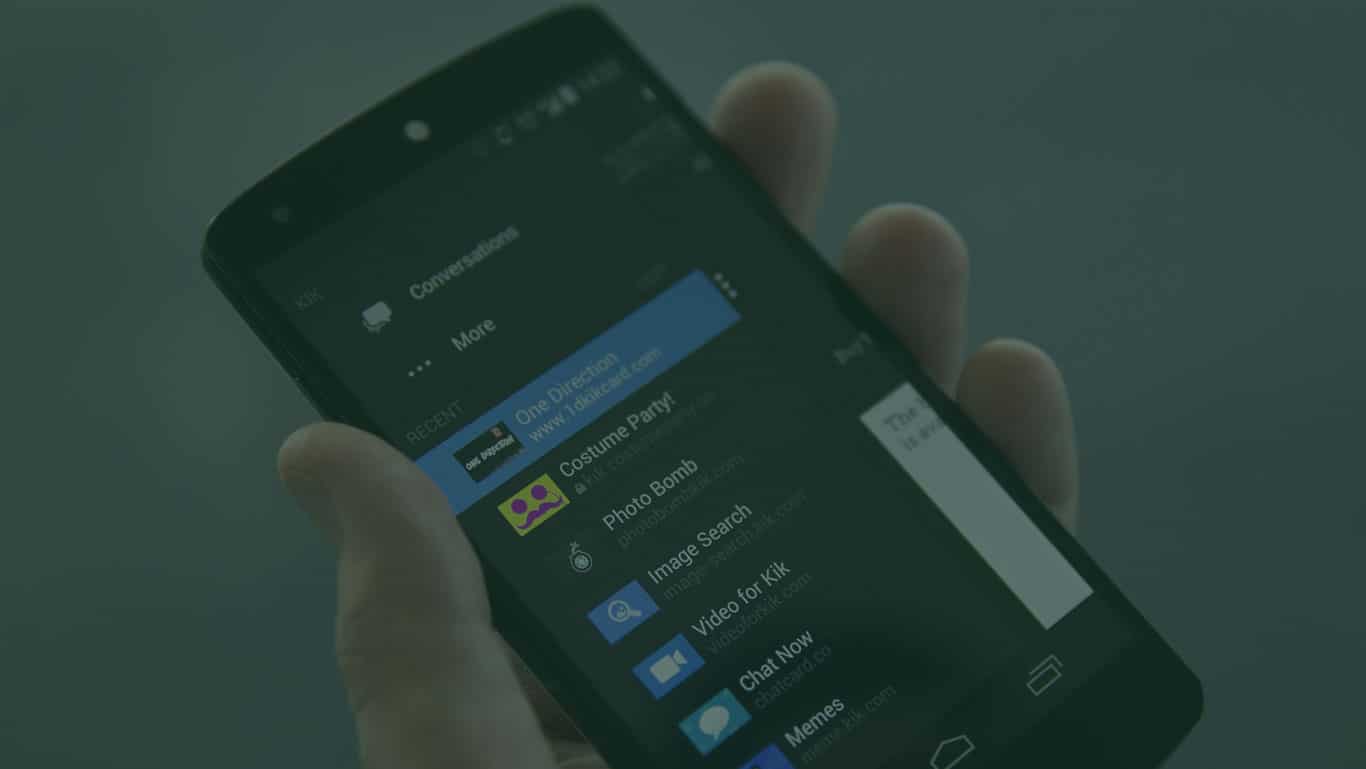
    So, we are very happy to announce that in our latest FlexiSPY for Android release, you can now Spy on KiK Messenger!

    Why spy on kik messenger?

    Founded in 2008, Kik Messenger is a chatting app that has recently exploded in popularity, now holding over 200 million registered users. If you are now using a spy app that doesn’t monitor KiK, you’re missing out, as there’s a very real chance that the person you want to keep tabs on is using this chatting app.

    Compatibility & Update Options

    For now this feature is Android onlybut we are looking at the possibility of KiK Messenger Spy for iPhone in the future.

    If you already have FlexiSPY installed on an Android device running in Full Mode, you can remotely update the FlexiSPY app from your dashboard, just look for the flashing update icon, click it, and you’ll be good to go.

    If you don’t have FlexiSPY yet, then now’s the perfect time to buy, as the new KiK Messenger spy feature is already included in the new release.


    Get Started Today

  • Does FlexiSPY Have Any Geographical Limitations? – FAQ Series

    Does FlexiSPY Have Any Geographical Limitations? – FAQ Series

    We’ve been running a poll on the blog for the past couple of months. The poll asks our customers what they’d like to see discussed on the blog in the future, and so far there’s been a ton of responses. In this article we wanted to address one that caught our eye.

    The question was „Can I use FlexiSPY on a phone in China?“

    While this is a great question, we wanted to further expand on it. So we’ve altered it and instead will be answering „Does FlexiSPY have any geographical limitations?“

    Q: Does FlexiSPY have any geographical limitations?

    A: The short answer to the question is no. When FlexiSPY is installed and activated, it does not need to fit a geographical rule to work. But, let’s get into why -as well as the fine print.

    Explained further

    There are a few requirements when installing FlexiSPY. One of them is that during installation and activation, the phone will need to have a SIM card in it. But after you’ve installed our software, it doesn’t matter where the phone is. The only other need is that it’s connected to the internet.

    Why it works this way

    FlexiSPY collects data on the phone, and after there is enough to upload, it’s securely sent to your dashboard. From your dashboard you can view the collected data.

    But what if the phone doesn’t have internet for some time?

    No worries, FlexiSPY is intelligent and will queue the data for uploading. Once the phone gains some form of internet again, it will being the syncing process.

    Things to keep in mind

    One thing you might want to consider when using FlexiSPY is the phone’s data usage.

    For example, say you have set FlexiSPY to capture videos that are on the phone. Uploading the videos to your dashboard will use a good deal of the phone’s data plan. If the phone is roaming in another country, charges could incur that weren’t expected.

    We have built FlexiSPY with this scenario in mind though.

    From within your dashboard, you can set data uploads to be WiFi only. This means FlexiSPY will wait until the phone connects to a WiFi connection before the data syncs.

    Conclusion

    As long as you properly install and activate FlexiSPY, there is no need to worry about the geographical location of the phone.

    Of course, if you still have any questions, or would like to tell us what you think about this, please leave us a comment in the comments section below!

  • Try Before You Buy | We Now Have A Demo

    Try Before You Buy | We Now Have A Demo

    Urgent Update: we’ve successfully made everyone’s dreams come true!

    Well, while not really so great a feat, we still wanted to let our blog readers know that now you can take FlexiSPY for a spin before you buy.

    That’s right, we’ve added a demo.

    Why add a demo now?

    The pressure for a demo has always been on from site visitors who haven’t joined the FlexiSPY fan club yet. but making a demo takes time and resources, and while our development team is constantly working on keeping our software pushing ahead, we had always felt that allocating resources to the creation of a demo was a waste of time compared to keeping our team dedicated to product development.

    It turns out though, that it didn’t take too much effort to get the demo up and running, and now we’ll have the „please add a demo“ headache go away.

    What you can do with the demo

    With the demo you don’t need to install any software onto a phone, you just head over to the demo from the link below, click login, and you’ll then be greeted with what you’d normally see after logging into your paid FlexiSPY account. The only limitation with the demo is that you can’t install our software onto a phone with it—that’s reserved for paying customers.

    So, if you’ve been wanting a better glimpse into what you’re getting with FlexiSPY—before you buy—then now is a good time to check out what we have to offer!

    If you have any questions about the demo, or any suggestions, please let us know in the comments section below, we are happy to take your suggestions and questions.

    Check out our demo!

  • How To Change Your FlexiSPY User ID and Password

    How To Change Your FlexiSPY User ID and Password

    It’s one of the more common questions we get asked „How can I change my FlexiSPY User ID or Password?“ Luckily, it’s not that hard to do, and if you follow through this short tutorial, you’ll be up and running with your new login creds in no time.

    Getting Started

    Step 1 – Head over to your account settings:

    Your account settings are located near the bottom of your dashboard.

    Step 2 – changing your user id:

    • Next to the field labeled User ID there is a button that says Edit which you’ll want to click.
    • In the box with your current User ID, highlight it and then enter in the username you desire. Make sure you write it down somewhere incase you forget it on a later date.
    •  Finally, you’ll need to enter in your current password before you can save the changes.

    Step 3 – changing your password:

    • Next to the field labeled Password there is a button that says Edit which you’ll want to click.
    • After clicking Edit the Edit Your Password module will appear.
    • Enter your current password into the field called Current Password
    • Enter the new password you’d like into the New Password field. Then confirm the password within the Confirm New Password field below. (Note that if you ever forget your password, you can reset it directly from the login screen of the portal.

    And that’s it, you should now know how to change your FlexiSPY username and password.

    If you still have any questions (or suggestions,) feel free to let us know in the comments section below or through one of our social media channels.

  • How To Download Captured FlexiSPY Data To Your Computer

    How To Download Captured FlexiSPY Data To Your Computer

    NOTICE: All data older than 90 days is automatically deleted.

    One of the more common questions we get asked by our customers is how they can go about downloading the data that FlexiSPY has captured to their computers.

    We do offer a solution for doing exactly this and we will explain further into the article, but first we’d like to reveal that we are working on a new system for downloading captured data which our customers should find more convenient (to stay updated on this we recommend that you follow us on one of our social media channels).

    Now though, let’s look at how to download the captured data for backup purposes.

    Getting Started

    To download the captured data, you will first need to specify which data you want, there are two ways for doing this depending on the type of data you are trying to download.

    Here are the text steps for downloading your data:

    1. Click the Data tab of your portal.
    2. Click the data tab for the data you want to download (SMS, MMS, IMs etc.)
    3. Click Search

    click-search

    Here you can set what you want to search for.

    • In this record type

    Choose the type of data you want to search within (e.g. SMS messages, IM messages, web sites visited etc.).

    • In this direction

    Choose whether the data is incoming or outgoing.

    • For this keyword

    Type in the keyword you want to search for.

    • For date range

    Choose the start and end date to search between.

    Click Search when you have finished to search for your data, the results will then be listed.

    You can then choose to export as csv or if you prefer, xls.

    • For XLS files, open them with Microsoft Excel
    • For CSV files, open them with Microsoft Excel or Microsoft Word

    Download your media files

    To download media files from your accounts, such as call recording files, follow the steps below.

    After clicking the link above you will see the screenshot below.

    These steps are for PC.  Mac instructions may be slightly different.

    Click Install.

    Click Run when asked by your browser to run the install file.  You should see the screen below.

    Click Install to install Download Manager to your computer.

    Login to Download Manager

    When the software has finished installing it will appear on your screen.

    To log in, enter this information from your FlexiSPY account.

    • Portal URL – https://portal.flexispy.com
    • Username – This is your FlexiSPY account username.  See your welcome email for more information.
    • Password – This is your FlexiSPY account password.  See your welcome email for more information.

    Click Login to start using Download Manager.  You will see the main menu.

    Scan for media files to download from your account

    Click Scan to see how many media files are in your account that you can download.

    View the types of media files you can download to your computer

    When the scan has finished you will see the total number of files you can download displayed under No. of files.

    Clicking this tells you more about the different kinds of media files you can download.

    Change the save location on your computer

    If you want to change where you save your downloaded media files, click Change.

    Browse to a new folder on your computer to use to save your media files and click OK to update the save folder location.

    Download your media files from a custom date range

    If you don’t want to download all media files, select Download from a custom date range, and choose the start date and end date to use.

    Download your media files to your computer

    When you are ready to download the media files, click Download Now.

    Open the save folder on your computer to view your saved media files

    When the media files have been downloaded to your computer, click Open Folder.

    Here you will see the media files that have been downloaded from your FlexiSPY account to your computer.

    Simply open any of the folders to view the media files inside.

    [hoops name=“fullwidth email subcribe box“]

  • How To Stop IM’s From Auto-Updating & How To Downgrade To The Latest Supported Version

    How To Stop IM’s From Auto-Updating & How To Downgrade To The Latest Supported Version

    IM’s (Facebook messenger, LINE, WhatsAPP, Viber, etc,) by their nature are one of the top things on a phone that people want to be able to spy on, and FlexiSPY is proud to be the spy application that monitors over 13 IM clients, the most in the business.

    But there is an inherit problem with all IM applications, and that is that IM’s often auto-update themselves, sometimes up to 2-4 times a week. These frequent updates by the IM’s don’t usually bring some great new feature that tech publications will write up about, the updates are actually the kind that dont bode so well for spy software, encryption updates. These updates render parts of spy software unusable, and it takes time for us to update our software to be compatible with the updated IM again.

    The workaround

    By doing what we describe below, you will be inline with full support for FlexiSPY.

    #1 ) Turn Off Automatic Updates

    Here’s how to turn off automatic updates so that the target device is never notified and never downloads an available update.

    1. Open up google play store on the device (this is the native app for downloading applications to the phone.)
    2. On the Play store, swipe to the right side or tap the toggle button so that you end up in the settings menu.
    3. In the settings section remove the checkmark from „App updates available“
    4. Finally, Tap on „Auto-update apps“ and choose „Do not auto-update apps“

    Once done, the target phone will no longer receive notifications of available updates, and it will also no longer auto update.

    Functional Limitation

    Some apps may cease to function properly if their version is too old. Don’t worry – except for WhatsApp, If this happens nothing breaks. The user would open up their app and an in-app message will tell them that they need to update the app. The message will direct them to the Play store where the user will then tap on the „Update“ button.

    Downgrading IM’s

    But what if one of the phones IM applications has already been updated to a version that FlexiSPY doesn’t yet support?

    The answer in this case is to downgrade the IM app to the version that currently has full support by FlexiSPY.

    Here’s how to downgrade the IM app of your choice to one fully supported by FlexiSPY. Note that to check which version you should download of the IM app, checkout our compatibility page, here.

    Step 1 – Uninstall the current the version of the app you will want to downgrade.

    – You can do this by doing the following (Go to the settings on your target device -> Find and open application manager -> Open the app you want to uninstall and click „Uninstall“)

    Step 2 – Find the earlier version of your app.

    Android drawer is a good place to get old versions of your app if you’d like to find the APK’s for yourself. Head there, type in your IM app name and then scroll down to find the version that corresponds with FlexiSPY’s version. (Or directly download the correct APK files from the chart we’ve made below:)

    IM Client Version supported
    BBM 2.5.1.46
    Facebook 46.0.0.26.153
    Facebook Messenger 62.0.0.1.75
    Google Hangouts 7.0.113317058
    LINE 5.11.0
    Skype 6.23.0.702
    Viber 5.8.0.1736
    WeChat 6.0.2.58
    Yahoo Messenger 1.8.8

    After downloading the appropriate APKs for your incompatible IM app, turning off the app update notification settings, and turning off auto update, all as described in this article, you should no longer have any issue with FlexiSPY not capturing all of the IM data.

    We hope this has been informative, but if you have any questions about the content in this post please comment below and we’ll be happy to respond! Also, for more posts like this, please signup to our mailing list here which will then notify you of future posts on how to use certain FlexiSPY features!

  • How Do I Set My Monitor Number? | What Is An International Format?

    Two of our most powerful features, Spycall & Call intercept rely on having the monitor number being setup correctly. But there is sometimes confusion when it comes to how to setup the monitor number, and even what the monitor number actually is. So we’ve written this brief guide which if you follow through to the end, should give you the information needed to get it set up without hassle.

    To start our guide, let’s look at what the Monitor Number actually is.

    What is the Monitor Number

    The monitor number is the phone number that you want a notification to be sent to when a spycall, call intercept, or SIM change is initiated.

    Uses for the Monitor Number

    Take SpyCall for example. With SpyCall you can secretly create a phone call with the target phone and listen in on the phones surroundings. But the requirement of SpyCall is that a monitor number be set, e.g. the phone that you want to use to tap into the target phone. For SpyCall it might be better to use a second phone as the monitor number, because if you use your main phone as the monitor number and need to call the target phone, it’s automatically going to tap in.

    The same principle applies with the monitor number for call intercept. In call intercept, you set the monitor number which will receive an sms text when a call from a specified number to the target phone (or any phone at all) takes place.

    The last use for the monitor number being set is for SIM change notifications -the monitor number will get a notification when the target phone has changed it’s SIM card.

    Setting the Monitor Number Correctly

    Setting the monitor number is region dependent meaning that regardless of your country, you will need to know the country code. For example, in the USA the country code is +1. But if you live inside the USA you would never normally dial +1 before the start of the number. This doesn’t matter with FlexiSPY, and you will still need to use the country code. For example, say that someone would normally dial (868) 345-7567 to reach you. If you are in the USA with country code +1 then then the number would be +18683457567


    Monitor


    We hope this has been informative, but if you have any questions about the content in this post please comment below and we’ll be happy to respond! Also, for more posts like this, please signup to our mailing list here which will then notify you of future posts on how to use certain FlexiSPY features!

  • Die FlexiSPY Rückbuchungsrichtlinien

    Die FlexiSPY Rückbuchungsrichtlinien

    Wie geht FlexiSPY mit Rückbuchungen um?

    Sie brauchen niemals eine Rückbuchung anzufordern, wenn Sie mit FlexiSPY verhandeln, weil wir eine der großzügigsten verfügbaren Rückerstattungsrichtlinien haben. Wir tun stets alles um sicherzugehen, dass Kunden von FlexiSPY den bestmöglichen Service erhalten, und sich am Ende glücklich und respektiert fühlen. Eine Rückbuchung anzufordern ohne uns vorher zu kontaktieren ist unvernünftig.

    Aus oben genanntem Grund, betrachtet FlexiSPY die meisten Rückbuchungsfälle als Missbrauch, und der Account wird sofort beendet. Um die Öffentlichkeit vor Schaden zu schützen, werden sämtliche Account-Informationen eingezogen, einschließlich der Daten des überwachten Telefons, und entsprechenden Behörden zur Verfügung gestellt, inklusive der Strafverfolgung zur Aufklärung sowohl von Kartenmissbrauch als auch von möglichem Produktmissbrauch.

    Was ist eine Rückbuchung?

    Wenn ein Kunde seine Bank auffordernd, eine Kreditkarten-Transaktion rückgängig zu machen und dem Karteninhaber Beträge zurückzuführen, wird das als Rückbuchung bezeichnet. Kunden verlangen oft eine Rückbuchung für nahezu jeden Grund; daher ist es möglich, sogenannten „friendly fraud“ zu begehen. Der Händler verliert damit nicht nur seine Zahlung, sondern wird auch mit Strafe von 25$ bestraft, die direkt der auftraggebenden Bank zufließt. Das ist ein großartiges System für Betrüger und Banken auf Kosten der Händler!

    Wie widerrufe ich eine Rückbuchung?

    Um eine Rückbuchung rückgängig zu machen, müssen Sie Ihren Kreditkartenbetreiber kontaktieren und eine Stornierung der Rückbuchung erteilen.

    Das gibt uns den ursprünglichen Betrag zurück, widerruft die Strafgebühr, die wir für das „Erlauben“ des Betrugs erhalten, und löscht generell „Minuspunkte“ für die Transaktion gegen uns.

  • Eine Rückerstattung anfordern

    Eine Rückerstattung anfordern

    Beim Kauf von FlexiSPY haben Sie einer unserer zwei Rückerstattungsrichtlinien zugestimmt. Bevor Sie eine Rückerstattung anfordern, sehen Sie sich bitte nochmal die entsprechenden Richtlinien durch.

    Bevor Sie eine Rückerstattung anfordern, lesen Sie bitte die richtigen Rückerstattungsrichtlinien durch um zu sehen, ob Sie die Bedingungen erfüllen.

    • Wenn Sie ein einmonatiges Abonnement erworben haben, klicken Sie hier
    • Wenn Sie ein anderes Produkt erworben haben, klicken Sie hier

    Bei FlexiSPY arbeiten wir hart daran, sicherzugehen, dass unsere Kunden zufrieden sind. Bevor Sie also eine Rückerstattung anfordern, bitten wir Sie, uns zu kontaktieren und Ihr Problem zu erläutern. In vielen Fällen möchte der Kunde gerne fortfahren, und selbst wenn nicht, hilft es uns bei FlexiSPY, zu verstehen, wie wir unsere Produkte verbessern können.

    Manche Kunden übertreiben es und fordern Rückerstattung, nachdem sie ein Produkt bereits über einen längeren Zeitraum hinweg benutzt haben, oder behaupten, der Kauf war nicht genehmigt und versuchen dann, eine Rückbuchung oder einen PayPal-Streitfall geltend zu machen.

    Da unser Support der beste und großzügigste in jeder Branche ist, sollte es keinen Grund geben, zu solchem Verhalten zu greifen. Unsere Richtlinien für unbefugte Rückbuchungen können hier nachgelesen werden.

    Wir sind verständig

    Natürlich verstehen wir, wenn es Umstände außerhalb Ihrer Kontrolle gibt, die dazu führen, dass Sie die Software nicht installieren und starten können, etwa, wenn das ZIELgerät nicht kompatibel ist oder es physisch nicht gestartet werden kann.

    In diesen Fällen wird normalerweise eine Rückerstattung gewährt.

    Eine Rückerstattung über Avangate anfordern

    Sie haben auch die Möglichkeit, eine Rückerstattung über Avangate anzufordern. Allerdings verzögert das nur die Lösung Ihres Problems, da die Anfrage ohnehin mit unserem Support-Team geklärt werden muss.

    Wir empfehlen Ihnen, uns immer direkt zu kontaktieren.

    Wie Sie eine Rückerstattung anfordern – Kontaktieren Sie uns direkt

    1. Überprüfen Sie Ihre Rückerstattungsrichtlinien.
    2. Kontaktieren Sie den Support, indem Sie über den untenstehenden Button ein Ticket einreichen. Beschreiben Sie bitte sehr klar und anschaulich, und senden Sie sämtliche relevanten Screenshots und Bilder mit. Wenn Sie ein Support-Ticket mit Anfrage auf Rückerstattung ohne Nennung eines Grundes einreichen, führt das dazu, dass wir Ihnen keine Rückerstattung gewähren, bis Sie uns die Ursache Ihres Problems erläutert haben.
    3. Wenn Sie ein Support-Ticket zur Anforderung einer Rückerstattung einreichen, benötigen wir so viele Informationen wie möglich. Bitte stellen Sie also sicher, dass Sie Folgendes beifügen:
      • Datum, wann Sie die Software erworben haben
      • Art der erworbenen Software und Lizenztyp
      • Ob die Software bereits installiert oder aktiviert wurde
      • Marke, Modell und OS-Version des ZIELgeräts
      • Probleme, die Sie haben
      • Was Sie bisher getan haben um das Problem zu beheben
      • Nachweise dafür, dass Sie die FlexiSPY Rückerstattungsrichtlinien gelesen und verstanden haben

    Ein Ticket einreichen

  • Wie Sie Auto-Erneuerungen ausschalten

    Wie Sie Auto-Erneuerungen ausschalten

    Beim Kauf von FlexiSPY können Sie wählen, ob Sie Ihr Software-Abonnement automatisch verlängern lassen, um die Leistung nicht zu verlieren, oder nicht.

    Wenn Sie Ihr FlexiSPY-Abonnement von automatischer Weiterbuchung stoppen wollen, können Sie Folgendes tun:

    1. Kontaktieren Sie uns und reichen Sie ein Ticket ein
    2. Kündigen Sie die Erneuerung durch Einloggen ins Avangate-Portal, das Ihnen bei Ihrem ersten Kauf gegeben wurde. Avangate ist der Zahlungsverarbeiter, der Ihre Kreditkarte real belastet.

    Um die Auto-Erneuerung auszuschalten, loggen Sie sich in Ihren MyAvangate Account ein, der automatisch für Sie bei Ihrem ersten Kauf eingerichtet wurde.

      1. Loggen Sie sich in Ihren MyAvangate Account unter https://secure.avangate.com/myaccount mit der selben registrierten E-Mail-Adresse ein, die Sie zum Kauf von FlexiSPY verwendet haben.

    avng

      1. Sobald Sie eingeloggt sind, klicken Sie auf Meine Produkte, und ihr FlexiSPY-Abonnement wird aufgelistet.

    update-avangate-subscription-status

    1. In der Vertrags-Spalte achten Sie bitte darauf, dass Sie die automatische Abonnement-Verlängerung stoppen. Sie können außerdem die Benachrichtigung über das Ablaufen Ihres Abonnements im Kontrollkästchen abwählen.
    2. Klicken sie Speichern um die Änderungen zu speichern.

    Danach wird beim Erwerb Ihres FlexiSPY-Abonnements nicht mehr automatisch verlängert.