x

Author: FlexiSPY

  • Only Need to Monitor SMS? Introducing the Standalone SMS Tracker

    Only Need to Monitor SMS? Introducing the Standalone SMS Tracker

    Most people looking for monitoring software need to be able to do things like record phones calls, track gps, and keep eyes on IM’s. However this is not always the case and some only need to spy on SMS messages — at least for the moment.

    If this is you, look no further than our standalone SMS tracker, which gives you more features than any competing SMS monitoring on the market to date, and offers the best price point at just $9.99 USD — with an option to upgrade to the full PREMIUM or EXTREME versions of FlexiSPY.

    What can you do with our SMS tracker?

    Our SMS tracker allows you to monitor all SMS messages sent and received from the device you’ve installed FlexiSPY on. Once installed, the captured messages will be uploaded to your secure online portal for your viewing.

    • Access all incoming and outgoing SMS conversations
    • Read the full content of each text – even deleted messages
    • Remotely control any Android or iPhone to send or receive SMS
    • See the name and phone number of each contact
    • Target specific keywords to be automatically deleted before reaching the user
    • Date and time stamps make SMS tracking easy
    • Add features as your monitoring needs increase

    Who needs it?

    Whether you’re a concerned parent who wants to make sure your child isn’t sexting, or an employer who wants to make sure confidential company data is not leaving the workplace — or even if you want to keep a backup of your own SMS messages — everyone can benefit from our SMS tracker.

    To get the SMS tracker, simply visit the product page for it here!

  • Choosing the Version of FlexiSPY That’s Right for You

    Choosing the Version of FlexiSPY That’s Right for You

    The holidays are here and if last year is any indication, our inbox’s will soon be bursting at the seams with deals on gadgets, software, and newsletters we forgot we had signed up for. And with our own holiday discount only a day away, we know many of our readers will be trying to choose which version of FlexiSPY is right for them.

    The purpose of this post is to answer that question. We’ll compare the differences in our popular mobile products, and will give some examples of who they’re designed for to help you make the best decision.

    Let’s start by looking at your choice of products.

    Two Versions

    FlexiSPY for mobile gives you two versions to choose from — EXTREME, and PREMIUM. We also offer a computer monitoring software product, but since it has only one version there’s no need to discuss it in this post.

    Differences Between PREMIUM and EXTREME

    FlexiSPY PREMIUM offers enough features to satisfy most monitoring needs. With PREMIUM you are able to do things like remotely monitor chat apps, sms messages, email, photos, videos, and more.

    FlexiSPY EXTREME on the other hand gives you all the PREMIUM features as well as letting giving you the ability to do some extremely powerful things unique to FlexiSPY like

    • Record phone calls
    • Intercept live phone calls
    • Listen in on the phone’s surroundings
    • Record calls made in popular chat apps like Facebook
    • Discreetly turn on the phones camera and snap a photo, or video
    • and more.

    *See a full list of features here.

    What version is right for me?

    The answer to this question largely depends on the problems you need FlexiSPY to solve — so let’s look at a couple real world scenarios pulled from our own customer’s experiences. 

    Do I need PREMIUM?

    If you believe you’ll only need to monitor the basics like text messages, IM’s, photos, videos, call logs, and device location, and you dont think you’d use our more advanced features like call recording, and the others mentioned above, then we recommend FlexiSPY PREMIUM. It’s also worth nothing that you can always upgrade your subscription if it turns out you need the more powerful features.

    One type of person we may benefit with PREMIUM over EXTREME is the parent of a trusted child who just wants to use the location tracking feature to make sure their child arrives safely to school every day.

    Do I need EXTREME?

    On the other hand, if your child has a proven track record of engaging in bad behavior, you’d likely benefit from being able to actually listen in on that call your child is having with a stranger, rather than just see that the call took place — and for this you would need to purchase EXTREME.

    Let us help you choose

    In the end it comes down to a combination of understanding your requirements, and then using your best judgement — and we can help you with this! Simply head to the website and start a chat with one of our real Live Chat agents, tell them a bit more about why you need FlexiSPY, and they will work with you to figure out which version you’d be most happy with!

    Visit FlexiSPY

  • New Video — A Guide to Call Recording

    We’re excited to share that we’ve just released a video that walks you through setting up and using our call recording feature!

    We’re continually thinking of ways to improve the experience our customers have with FlexiSPY, and this new tutorial video was born out of that process — and is part of an effort to revamp our entire video tutorial series. So if you want notifications when a new tutorial is available we encourage you to subscribe to our YouTube channel to get notifications, which you can do below.

    But without further ado, please enjoy our guide to setting up and using call recording — we hope it’s useful to you.

    We need your feedback

    Finished watching the video? Help us improve our content by giving us your thoughts on the usefulness of the video, and any improvements you think we could make  in the comments section below. This feedback will help us make future videos even better!

    [hoops name=”newsletter”]

  • New Video – Getting Started With FlexiSPY

    Whether you’re a new customer who wants to quickly get started with your FlexiSPY purchase, or you’re thinking about using FlexiSPY and you want to know what’s next after buying, we believe you’ll be interested to know we’ve released a brand new tutorial video — FlexiSPY Quick Start Guide.

    The video teaches basic but essential things you’ll need to know like how to login, changing your temporary username and password, installation options, how to get help, how to see your captured data and more.

    So without further ado, we encourage you to watch the video below!

    Tell Us What You Think

    We have created this video and our official YouTube channel with YOU in mind and would love to hear what you think. Let us know your feedback and if there are any additional features you’d like to learn about!

    [hoops name=”newsletter”]

  • Be The Voice Our Children Need

    Be The Voice Our Children Need

    Share your parental control app story and we will give you an extra month’s subscription time of FlexiSPY

    Skip to: how to share

    We recently published a blog post about our parental control app that highlighted the real life dangers our children face as part of the digital age – and the response has been overwhelming.

    It is both humbling and eye-opening to hear these real experiences from parents and families – users of FlexiSPY – who have found comfort and security in what we offer. These are not tales of spying or losing the trust of loved ones (as some media would like to accuse), but rather stories of suicide prevention, drug intervention, and even tracking down children who have been kidnapped.

    This got us thinking about our community and working together to make a change – to limit the occurrence of unthinkable events and to protect our children. As parents, our united voice can make a difference.

    Help us be part of the change

    By speaking together on behalf of our sons and daughters we can bring to light important issues that plague our society – and how we can prevent them.

    Share with us your story, experience, or anecdote and we will extend your license by a month for free – a small token of appreciation for your time.

    Why should I share my story

    There are times we feel that we are the only ones going through a difficult time with our kids. My son was kicked off the basketball team for using drugs. My straight-A daughter is pregnant. My teenager has been missing for two days.

    On the other hand, there are times when our children feel they are the only ones going through a difficult time. They are afraid or embarrassed to ask for help or to share their story. Be the voice your kids need, so that other parents find the courage to do the same.

    The FlexiSPY community is a place for you to feel safe and to realize that you are not alone. There are other parents facing the same struggles. Talking about your experiences is therapeutic and can:

    1. Help spread the word about modern issues affecting our children
    2. Help you connect with a network of parents from around the world
    3. Help other parents see that there are tools – such as a parental control app – that provide the protection and security we all seek

    Sharing Is Easy

    Don’t worry if you are not a natural writer, it’s what you have to say that’s important, not how you say it.

    Here is a suggestion as to what you might write about.

    • The reason you bought FlexiSPY
    • What you discovered
    • How your life has changed with this new knowledge.
    • Any wisdom that you want to pass on to others.

    The process is simple.

    1. Submit your story here (note it should be AT LEAST a couple paragraphs in length)
    2. Our team will review the information and verify your user account details.
    3. After everything is approved, we will extend your account by a month for free. (this could take several days)

    Thank you for your continued support parents! Don’t forget to subscribe to our blog to stay up to date on the latest insight and information from FlexiSPY.

    [hoops name=”newsletter”]

  • Why You Need A Parental Control App To Protect Your Children

    Why You Need A Parental Control App To Protect Your Children

    Kidnapping, sexual predators, bullying, suicide. As parents, we must face the reality that our children are growing up in a society much different than when we were kids. The current era of technological renaissance has brought about threats to our children we never could have imagined a few years ago, but it has also led to the emergence of tools – like the parental control app – to keep them safe.

    The FBI estimates 460,000 children are reported missing every year in the US alone.

    A Parental Control App Can Help Prevent Kidnapping

    A parent’s greatest fear is losing a child, which is why it is always more important than ever to be able to know their whereabouts at all times. With a parental control app, you have access to important features like GPS and device location tracking.

    Should the unthinkable happen and your child doesn’t come home, a parental control app gives you an extra layer of security knowing you can document their phone, tablet or computer and immediately report the information to the authorities. Receive alerts if your daughter leaves pre-set geo-boundaries or view the location history of your son’s phone to make sure he comes home after practice.

    The Journal of the American Medical Association found 1 in 5 adolescents received unwanted sexual solicitation online.

    A Parental Control App Can Help Prevent Sexual Solicitation

    As parents, it is difficult to think that another adult would want to harm our children. Unfortunately, this is something that happens all too often, especially with kids spending more and more time online. A parental control app gives you the ability to check in on your children and ensure they are not unknowingly putting themselves in harm’s way.

    Limit risky interactions online by monitoring web history to ensure the sites your child visits are age-appropriate or be sure your son and daughter are not using their phones or computers late at night by checking the last time a device was online.

    If your teen seems to be spending a lot of time on phone calls behind closed doors, utilize the call recording feature – a feature only available with the FlexiSPY parental control app – to monitor phone conversations. Take action if the person your child is speaking to sounds too old or is behaving inappropriately.

    The National Association for School Psychologists found that 3.2 million students are bullied annually.

    A Parental Control App Can Help Prevent Bullying

    Children and teens are unlikely to tell you if they are being bullied. It is important to look for signs they are victims, such as changes in how they use technology, being secretive or withdrawing from social activities.

    A parental control app like FlexiSPY makes it possible to monitor SMS and MMS conversations, as well as popular chat applications like iMessage, Facebook Messenger, Instagram direct messages, WeChat, LINE, Skype, BBM and more. Access all media files, see stickers and read incoming, outgoing and deleted messages, so you can step in before it’s too late.

    Yale University studies show victims of bullying are between 2 and 9 times more likely to consider suicide.

    A Parental Control App Can Help Prevent Suicide

    Have you ever felt like something is wrong, but no matter how hard you try to reach out your children always respond with, ‘I’m fine.’ Too often we accept this answer and don’t delve deeper for fear of pushing them away. Let your parental control app find out the information your children are too afraid to share.

    Use the hidden software feature to monitor your child’s phone – not because you want to spy, but because you are deeply concerned for their emotional and physical safety. By hiding a parental control app, you can see the whole picture – check what apps they are using, read what they are typing with a keylogger, and see who they are talking to – so you can prevent the unimaginable from happening.

    A 21st Century Solution For 21st Century Problems

    The pressures and stresses of the 21st century are beyond anything we ever went through, which is why it is so important for parents to have insight into their children’s life behind the screen. The parental control app from FlexiSPY has more than 150 features that make it possible to know the ins and outs of your child’s digital world on their computer, tablet or mobile device. After all, it is our duty as parents to protect our children from danger even when we’re not around.

    Visit our website for more information on FlexiSPY

    [hoops name=”newsletter”]

  • Announcing Support for iOS 11.3.1

    Announcing Support for iOS 11.3.1

    Two weeks ago, we announced on our blog that we’d soon officially support iOS 11.3.1.

    And today, we are excited to let you know that the wait is over and FlexiSPY now supports iOS 11.3.1, with tethered mode.

    There is no doubt that parents, employers, or anyone interested in protecting their own iPhone will be pleased to know this, as FlexiSPY is the only iPhone monitoring software that is compatible with iOS versions greater than 9.1 — and realistically this means that if you want to monitor and iPhone, FlexiSPY is the only choice.

    • See a list of FlexiSPY for iPhone features here.
    • See full iPhone compatibility requirements here.

    Finally, to celebrate this launch, if you sign up to our monthly newsletter, you will receive an exclusive discount code on upgrades and new purchases in the next edition of the newsletter that we send out! To sign up and receive your discount, simply enter your email address in the newsletter signup box below.

    [hoops name=”newsletter”]

  • Support for iOS 11.3.1 is Almost Here — Join the Newsletter for an Exclusive Launch day Discount

    Support for iOS 11.3.1 is Almost Here — Join the Newsletter for an Exclusive Launch day Discount

    If there’s one take away we want want our readers to have from this article, it’s this — FlexiSPY is the only iPhone monitoring software that supports iOS versions beyond 9.1. Which means if you are a parent or employer who wants to monitor an iPhone, then FlexiSPY is the only option.

    We’ll publish an in depth article on this later in the month -—  but for now, let’s move on the announcement.

    Today, we are excited to let you know we’ll soon officially support iOS 11.3.1 with tethered mode. And more over, we are offering an exclusive discount on new purchases, and upgrades to those who sign up for our monthly newsletter. To get the discount, simply give us your email address using the form at the end of this post, and we will send you the promo in the next newsletter which you can then use during checkout.

    Why Choose FlexiSPY?

    Besides being the only product that supports versions of iOS greater than 9.1, we offer many other unique benefits to parents, and employers. Unlike others, FlexiSPY

    Get the discount

    Signup to our newsletter below to be the first to know when we’ve released support for iOS 11.3.1, and to claim your exclusive discount!

    [hoops name=”newsletter”]

  • FlexiSPY Skype Tracking for iPhone Now Captures Stickers

    FlexiSPY Skype Tracking for iPhone Now Captures Stickers

    But before the announcement – here’s an interesting aside about the history of stickers.

    Stickers originated in Japan in 2011 when a Korean Internet company called Naver began developing a chat app called Line. Due to the Tohoku earthquake and tsunami of 2011, many of the country’s telecom networks were strained and the company’s data-based calls and text messages worked better than regular calls and text messages. In early 2012, the app and the profile of the characters featured in Line’s sticker collections grew quickly. Stickers were born.

    Another interesting note? FlexiSPY captures stickers, and other important details of a conversation that competitor’s cannot — and that’s why we’re excited to announce we’ve brought this unique ability to Skype for iPhone with our latest update, Simply put, this means our iPhone monitoring software users now have even more meaningful context with their captured conversations.

    How to get it?

    To get this enhancement to FlexiSPY for iPhone, check that the latest version of FlexiSPY is installed on the phone you’re monitoring. You can do this by going to the device info page inside your portal, then under product information > product version, look for a green link that says software update available. If you don’t see this, you’re running the latest version of FlexiSPY and there’s probably captured conversations with stickers waiting to be read.

    Simply click on the data tab, then im’s to start reading and getting insights.

    Shape the future of FlexiSPY

    If you have a suggestion for a way we could improve FlexiSPY to make it more useful to you, and the rest of our customers, drop us your thoughts in the comments section below.

    [hoops name=”newsletter”]

  • FlexiSPY for Computers Improves Opera Browser Monitoring

    If a loved one or employee is browsing the internet on their computer, there’s a good chance they’re using one of the five major browsers — Chrome, Firefox, Internet Explorer / Edge, Safari — or Opera. And if you’ve wondered what types of sites they’re visiting, or what kind of emails they’re sending and receiving from their browsers, then you’ll be excited to learn about improvements to our Opera Browser monitoring feature. Here’s what’s new:

    We’ve introduced three new monitoring abilities for our opera browser feature. These are

    • App Screenshot
    • Capture Visited Websites
    • Web-mail Capture

    So, let’s take a closer look at each of these, starting with app screenshot.

    App Screenshot takes screenshots of what the person on the other end of the browser is seeing, and uploads these as photos to your FlexiSPY dashboard where you can view them, and even download them to your PC for later viewing.

    Employers can use this feature to gather evidence during an investigation into a rouge employee. Parents will find this useful for monitoring their children’s behavior on social media.

    The second improvement we’ve made is adding tracking for visited websites with the URL capturing feature. This is useful if you want to quickly check to make sure your loved ones or employees have not been visiting any dangerous sites. In your portal you can even set up alerts for certain sites, so that you’ll know right away if they’re accessing something restricted.

    Finally, we’ve added web-mail capturing, which means that you can now see incoming and outgoing emails from the following clients: Outlook Hotmail, Gmail, Yahoo, and Outlook Office365. Use this to make sure your companies confidential files aren’t leaving the network and into competitor hands, or to make sure an elderly loved one is not falling victim to an email scam.

    How to get these improvements?

    To get these exciting updates, make sure you’re running the latest version of FlexiSPY for Computers.

    Note: if an update is available, a glowing update icon will appear in the upper right-hand corner of your portal. Simply click that and follow the prompts to get the latest version.

    What feature would you like to see next?

    Let us know in the comments section below and help shape the future of FlexiSPY.

  • 5 Computer Monitoring Software Features You Need…Now!

    5 Computer Monitoring Software Features You Need…Now!

    Let’s face it, the world we live in is a scary place. Big brother is always watching. Hackers are rampant. Nothing is safe. And while we may have taken a few dramatic liberties just now, the underlying message is still the same: we live in an era of over-connectivity where the need to protect your information – both at home and at the office – is more important than ever.

    Here are five computer monitoring software features that you need to ensure your families and your businesses stay secure.

    Keylogger

    A keylogger is an extraordinary feature of computer monitoring software that allows you to capture every keystroke that is typed on a Mac or PC. This includes every time a person enters an internet search term, types a word document, jots down a quick message on a sticky note, and more. Not only does the keylogger save the keystrokes that have been typed, but it even documents any text that has been deleted. This ensures you never miss anything that is entered on your device.

    The keylogger is an essential tool for business owners looking to track employee productivity and make sure that corporate data and intellectual property are being communicated with the utmost care. A keylogger is also a feature of computer monitoring software that provides an added layer of security for parents who want to confirm their children are making responsible decisions online and only looking at age-appropriate material.

    Email Monitoring

    Next to a keylogger, email monitoring is the second most important feature of computer monitoring software. This feature allows you to instantly read all incoming and outgoing messages, as well as providing the time-stamp and contact details of the person sending the message. You even have access to major email providers, including Hotmail, Gmail, Yahoo Mail, Outlook Office 365 for desktop and Microsoft Outlook 365 webmail.

    Email monitoring is a priceless tool for business owners who can flag keywords in employee communication as a preventative measure for stopping data breaches; or search through email history logs during an audit for best business practice. This computer monitoring software feature is also necessary for parents concerned about the well-being of their children are able to step in at the first sign of danger or risky communication with potential online sexual predators.

    IM & Chat Monitoring

    Much like the SMS tracker found in mobile monitoring, tracking instant messages is an extremely useful feature of computer monitoring software. You can read incoming, outgoing and deleted messages from the world’s most popular chat applications like Skype, WhatsApp, Facebook Messenger, LINE, and more. This feature also lets you see group chats, conversation dates and times, the profile picture of the chat recipients, as well as photos, stickers, and other media files exchanged.

    You can’t be everywhere at once, and while some of us wish we could, IM monitoring at least provides some security in knowing what your employees are discussing while you’re on family vacation and what your kids are chatting about when you’re away at work. Use this as a tool to improve employee productivity and discourage time-wasting on social media, as a conversation starter about sexual harassment in the workplace, or as a way to step in at the first sign of cyberbullying both with employees and your children – computer monitoring software used in this capacity alone can save lives.

    Monitor Device Usage

    Computer monitoring software keeps a log of all data and PC/Mac activity you need to paint a full picture of how your devices are being used. You can track network connections, including everything from bandwith usage, user log-ins, and print jobs; monitor internet activity such as browsing history, bookmarks, and URLs; and even see which files were opened, modified, and sent, and by whom.

    Understanding how your computers are used is important, because it allows you to develop strategies for a more efficient workplace, implement new security measures for sensitive information, and protect your device from being tampered with.

    Visibility Modes

    The best computer monitoring software gives you the option to run in either visible or hidden mode. With this flexibility, you have the power to determine the best method for tracking your devices. Hidden mode is perfect for business owners who suspect someone has been stealing confidential information from their computer after leaving the office; use the keylogger function to track keystrokes and stop hacking before it’s too late. Parents can also find hidden mode useful, especially if they have noticed alarming behavioral changes in their children and want to be sure their son or daughter is okay.

    Visible mode, on the other hand, is an exceptional tool for tracking employee productivity, backing up emails and documents, and maximizing device and network performance. Remember to always use computer monitoring software responsibly and to ensure employees are notified of its use on company equipment.

    What Is The Best Computer Monitoring Software For Me?

    The best computer monitoring software is one that provides a variety of basic and advanced features that suit your personal needs. Business owners may find the keylogger, email monitoring and network activity monitoring the most useful features, while parents may be keener to take advantage of the keylogger, IM monitoring, and tracking device usage. Whatever your reason for using computer monitoring software, one thing remains the same – it is never too early to protect the business or family you worked so hard to build.

    To learn more about Flexispy – the world’s most powerful computer monitoring software – visit our website here: https://www.flexispy.com/en/computer-monitoring-software.htm

  • FlexiSPY EXPRESS Is Back And Better Than Ever

    FlexiSPY EXPRESS Is Back And Better Than Ever

    At first glance, spy software may seem like any ordinary app you’d find on the app store, but in reality it’s complex technology with lots of variables that need to be in sync for things to work properly — and after almost a decade of fine tuning the FlexiSPY installation process, we believe we’ve simplified the journey as much as we can from purchasing your license, to logging in to your portal to start receiving powerful insights.

    We’ve even introduced an installation service for those who want a hassle free installation, and with best in class support, we stand by our belief that with FlexiSPY you’ll get more than you pay for.

    But even with all this, sometimes you simply don’t have the time, or don’t want the headache of toying with an unfamiliar device to setup FlexiSPY.

    That’s why we created FlexiSPY EXPRESS, an exciting service where we ship a phone preinstalled with FlexiSPY direct to your door. And after briefly taking the service offline to make improvements, today we are thrilled to announce that the program is available once again and its better than ever! What’s more with this announcement we’re offering an exclusive discount to our readers to use for EXPRESS, and the details for that are at the end of this post.

    EXPRESS — All of the features, none of the hassle.

    Why do I need EXPRESS?

    If you’re a parent or an employer who wants to enjoy the benefits of FlexiSPY, but you don’t have time to read yet another instruction manual, then your options were to either bite the bullet and work through the installation yourself, or use our installation service — which still requires your time, and that you have the target device physically in your hand.

    FlexiSPY EXPRESS is the solution to this problem. EXPRESS is a service — provided by our trusted third party vendor — that delivers a brand new phone to your door with FlexiSPY already installed, configured, and tested. As soon as you take the phone out of the box and switch it on, data will immediately start uploading where you can view it — through your portal, or our one of a kind mobile viewer app, FlexiVIEW — and instantly you’ll be able to start using powerful features such as:

    • Record, intercept, and listen in on live phone calls
    • Monitor emails and the most popular IMs: WhatsApp, LINE, Facebook, WeChat and more
    • Access the phone’s camera to take pictures AND videos
    • Record VoIP Calls on Skype, Facebook, Viber, LINE and more
    • Spy on text messages with our SMS Tracker
    • Runs in hidden or visible mode
    • Choose FlexiSPY PREMIUM or EXTREME
    • Only monitoring software with a FREE Mobile Viewer App
    • And so much more

    How does it work?

    Getting started with EXPRESS is as easy as:

    1. Head over to our EXPRESS page
    2. Come to the Live Chat on the page to ask questions and purchase a FlexiSPY license.
    3. Select and purchase the phone of your choice from our trusted third party vendor.
    4. Await the arrival of your phone — which comes pre-installed with your FlexiSPY subscription.
    5. Log in to your FlexiSPY online portal and start viewing captured data.

    Exclusive Discount for Readers of the blog

    To celebrate the express relaunch, we’ve decided to make an exclusive offer readers of our blog and here are the details:

    We’re offering a limited time 10% discount on select EXPRESS phones — if you purchase a 1-Year License of EXTREME.

    To claim this discount, simply enter the promo code ‘ANNUALEXTREME’ during phone checkout to receive 10% off of the following phones:

    • Note 8 (all variants)
    • S8 (all variants)
    • One Plus 5 (all variants)

    This offer expires soon so act fast, and get all the FlexiSPY benefits without the hassle today.

    Get Started

  • FlexiVIEW For Android & FlexiSPY For Mac Get Upgrades

    FlexiVIEW For Android & FlexiSPY For Mac Get Upgrades

    The FlexiSPY development team has been hard at work improving two of our most popular products: FlexiVIEW for Android – our free mobile viewer app – and FlexiSPY for Mac. These newest updates ensure you have even more access to the information that matters most when protecting your family, business, or personal data.

    Take a look at the upgrades below and stay tuned for even more as we continue to make FlexiSPY the world’s most powerful monitoring software.

    What’s New With FlexiVIEW For Android?

    Users of FlexiVIEW for Android will attest to the convenience and added security FlexiSPY’s mobile viewer app provides. Not only is FlexiVIEW free, but it also gives you access to your data directly from your phone.

    You can select which information to view, see which data categories have been active since your last login, view recent activity on your timeline, enable or disable calling, and even redirect to your online user portal – all from your phone!

    With the most recent FlexiVIEW for Android upgrades, it’s now possible to see even more information:

    • MMS: View the details and files of media messages (MMS) that are sent, received, or deleted by the target device. This means you will have access to the contact name and number, the text of a message, and the media file (picture or video) sent.
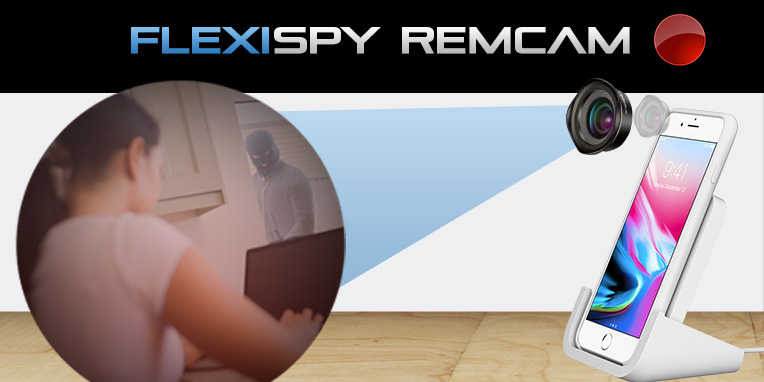
    • RemCam: This feature allows you to take pictures remotely through the camera on the target device – and now you’re able to take these images of the phone’s surroundings from your FlexiVEW for Android app.
    • Wallpaper: Keep track of the wallpaper graphics, photos, or artwork used by or stored on the target device.
    • SpyCall: You can listen to a target device’s surroundings directly from your phone with our SpyCall feature. Simply enter your number into FlexiVIEW and call the desired phone from yours. If the phone is not in use, you’ll be able to hear everything that is going on without being detected.
    • WhatsApp: Monitor conversations and their content – including photos, video clips and audio messages.

    How Do I Get FlexiVIEW?

    It’s easy! Follow these easy steps:

    1. Purchase your copy of FlexiSPY
    2. Download FlexiVIEW for Android

    Give Us Your Feedback!

    Let us know what you think about FlexiVIEW for Android by taking our quick survey. Your feedback does not go unnoticed and helps us to improve this app and ensure your FlexiSPY experience is the best possible.

    What’s New With FlexiSPY For Mac?

    FlexiSPY for Mac now captures Microsoft Outlook 365 Webmail – one of the most widely used web-based email providers in the world. This means that FlexiSPY for Computers now captures the online version of Microsoft Outlook on both PC and Mac devices.

    This is especially important for companies and owners who use this email provider to conduct business, as well as for parents looking to keep track of the conversations their children are having, or for individuals who need to back up their emails.

    How Do I Monitor Microsoft Office 365 Webmail?

    1. Check the target device’s compatibility
    2. Purchase FlexiSPY for Mac
    3. Install the monitoring software (or use our worry-free installation service)
    4. FlexiSPY automatically uploads data to your online portal
    5. Read incoming and outgoing emails
    6. Star important messages and delete those you no longer need

    Have Any Comments?

    We love hearing from you! Give us your feedback on FlexiVIEW, FlexiSPY for Mac, or any other products so we can continue to improve our monitoring software. If you’d like to see any additional upgrades or features made, let us know in the comments below!

    Subscribe to our newsletter to stay up to date on the latest information and product announcements from FlexiSPY!

  • Are You Interested in a No Jailbreak Version of FlexiSPY?

    Are You Interested in a No Jailbreak Version of FlexiSPY?

    For the last year, it has become increasingly difficult to make monitoring software for iPhones, because there are no jailbreaks

    There is another way to spy on an iPhone – but there are many limitations and we wanted to find out if you would be interested in a solution

    If the response is positive, we will develop this solution

    Positives

    • No need to jailbreak the device
    • No need to access the device – if backup is already configured
    • Compatible with all version of iOS
    • Compatible with all iPhone models

    Negatives

    • You need to know the iCloud email address and password of your child or employees device
    • Your child or employee must not have two factor authentication enabled on their iCloud account
    • Automatic iCloud backup must be enabled

    Only the following features are available:

    • Location tracking
    • Call log tracking
    • Contacts
    • Calendars
    • SMS tracking
    • Photos
    • WhatsApp IM chats

    We are interested to hear what you think before we start to develop this new product

    Let us know your thoughts through a survey, There are only three questions, and if you’d like a personal reply to your comments, leave your email address inside and we’ll get back to you.

    Take The Survey

    Note, if you are a FlexiSPY customer, we will have sent you a unique survey link inside your portal. Please take the survey using that link instead of the link in this article.

  • FlexiSPY Now Supports Android OS 8.1

    FlexiSPY Now Supports Android OS 8.1

    Just weeks after its public release, FlexiSPY is pleased to announce that we now support Android OS 8.1. And with Android 9 not set to launch until at least the end of summer, you will enjoy months of the most current mobile monitoring features available.

    Let’s Celebrate This Release!
    We are thrilled to now support Android OS 4.0.3 to Android OS 8.1 and want you to share in our excitement too. Therefore, we are giving all customers a 35% promo code to be used for 35% off any FlexiSPY product to celebrate. Newsletter subscribers also get a 20% promo code!

    Look out for a message in your portal from FlexiSPY with your code if you’re a customer or sign up for our newsletter today to enjoy this exciting offer.

    Who Needs FlexiSPY For Android?

    FlexiSPY for Android is essential for business owners, concerned parents or anyone looking to keep their personal information safe.

    • Employers find FlexiSPY useful when monitoring employee productivity and company phone usage. Ensure employees are using company property for work purposes only and that any confidential material is handled with care.
    • Parents no longer have to worry if their children are being bullied and can step in if any irresponsible behavior is flagged on their mobile device. Not to mention, with teens always updating their phones and computers to the latest versions, it’s never been more important to have the most up to date monitoring software.
    • Anyone who has ever had their personal information or data hacked or stolen from their Android device will understand the value in the added security that monitoring software like FlexiSPY provides.

    Are There Any Limitations With Android OS 8.1?

    With this latest version of Oreo having just been launched, there are a few details that our development team are still working to improve. As such, FlexiSPY currently supports Android OS 8.1 in Normal Mode and Limited 1 Mode only.

    Until the improvements are finalized, the following features will not function properly:

    • Spycall
    • Call Intercept
    • Spoof SMS
    • Remote SMS Commands (will not be hidden)
    • VoIP Call Recording

    While we understand this may not be ideal, FlexiSPY is the only monitoring software provider with the capability to monitor this new Android OS in any capacity. Our team of experts is working round the clock to ensure our software operates in its entirety – including giving you access to all 150+ features – as soon as possible.

    Tell Us What You Think

    FlexiSPY is always looking for your feedback to make sure our software is best suited to the needs of all our customers. In addition to regular OS support updates, our team of developers also seeks to improve and add upon our list of monitoring features. If there’s a feature that you would like upgraded or added, let us know in the comments below!

    Also, be sure to subscribe to our newsletter to take advantage of promotions like the one above for Android OS 8.1!

  • ¡Hemos Mejorado Las Llamadas de Grabación VoIP!

    Una de las funciones más exclusivas y populares de FlexiSPY – La Grabación de Llamadas VoIP – acaba de tener TRES mejoras principales: calidad mejorada, soporte para dispositivos Android OS 7 y compatibilidad con todas las aplicaciones de chat más populares.

    Siempre ofrecemos lo mejor en tecnología de monitoreo por lo que sabemos que te encantarán estas actualizaciones tanto como nosotros. ¡Echemos un vistazo!

    Mejoras En La Calidad de Grabación de Llamadas VoIP

    Nuestro equipo de desarrollo ha estado trabajando duro actualizando el software de audio de FlexiSPY y realmente podrás notar la diferencia. Los archivos de grabación de llamadas VoIP ahora se capturan a una calidad mucho más alta, por lo que nunca te perderás de nada.

    Soporte Para Dispositivos Android OS 7

    Hace un tiempo esta función sólo estaba disponible hasta Android OS 6, pero ahora es compatible con Android OS 7 en todos los dispositivos rooteados. Esto significa más capacidad de grabación para quienes buscan proteger a sus hijos o empleadores que necesitan asegurar la información confidencial de su empresa.

    Compatibilidad Mejorada con Aplicaciones de Chat

    Qué sería de la grabación de llamadas VoIP sin poder espiar en las aplicaciones de mensajería más utilizadas. FlexiSPY entiende que la gente está utilizando cada vez más las llamadas VoIP para comunicarse. Y es por eso que ahora somos compatibles con las principales aplicaciones de VoIP en Android OS y plataformas iOS.

    • Aplicaciones compatibles para Android OS: Facebook, LINE, Skype, Viber, WhatsApp, Hangouts
    • Aplicaciones compatibles para iOS: Facebook, Facetime, LINE, Skype, Viber, WhatsApp

    ¿Existe Alguna Limitación?

    En FlexiSPY trabajamos para mantenernos actualizados con las aplicaciones de chat más populares. Sin embargo, debido a sus constantes actualizaciones, existen actualmente dos limitaciones menores en relación con la grabación de llamadas VoIP:

    1. Facebook, LINE, Skype, Viber y WhatsApp sólo son compatibles con:
      • Android OS 4.4 a 7.x para dispositivos que no sean Samsung
      • Android OS 6.x to 7.x para dispositivos Samsung
    2. Hangouts es compatible con dispositivos en 32-bit

    Revisa las últimas entradas en nuestro blog para obtener más información sobre la grabación de llamadas VoIP y cómo grabarlas!

  • ¡Presentando Native X: Nuestra Mejor Función de Grabación Hasta Ahora!

    ¡Pide y recibiréis, FlexiSpies! ¡Nuestra grabación de llamadas acaba de obtener una cirugia mayor en la forma de Native X – nuestra fuente de audio para Android más estable y de más alta calidad hasta la fecha!

    ¿Qué Es Native X?

    Native X es la nueva fuente de audio predeterminada para todas las  grabaciones de llamadas y está disponible para usuarios de FlexiSPY EXTREME utilizando la versión 2.31.2 o superior. Se ha añadido a nuestra lista de fuentes soportadas y tiene como objetivo proporcionar una experiencia de grabación mejor y más estable. No se preocupe si encuentras que tu formato de grabación actual funciona mejor en tus dispositivos, ya que también tendrás la opción de continuar utilizando la fuente anterior.

    ¿Qué Mejoras Presenta Native X?

    Además de agregar otra opción para la grabación de audio, Native X ha mejorado en tres áreas principales:

    1. Calidad de audio mejorada. Native X se centra en proporcionar una mejor y más confiable calidad de sonido para las grabaciones de llamadas, para que no te pierdas ningún detalle.
    2. Soporte para Samsung Note 8 y S8. Native X mejora la experiencia del usuario para dos de los modelos de teléfonos móviles más avanzados y populares. Nuestro equipo ha resuelto problemas tales como la interrupción de las grabaciones o no poder localizar los registros de estas.
    3. Estabilidad mejorada para Android. A la altura de las mejoras realizadas a los dispositivos Samsung Note 8 y S8, Native X también ha mejorado la estabilidad de la grabación de llamadas para la mayoría de los dispositivos Android que operan con Android OS 4.1.2 o superior.

    ¿Cómo Puedo Utilizar Native X?

    Si eres nuevo en FlexiSPY, Native X se te asignará automáticamente como tu formato de grabación predeterminado. Los usuarios antiguos pueden aprovechar estas nuevas mejoras siguiendo estos sencillos pasos:

    1. Ingresa a tu portal FlexiSPY
    2. Selecciona Data en la izquiera y escoge Call Recording
    3. Haz clic en Tools en la esquina superior derecha
    4. Selecciona Native X en Audio Recording Source

    ¿Existe Alguna Limitación?

    Nuestro equipo de testeo ha estado trabajando duro verificando la compatibilidad de Native X con una amplia gama de dispositivos móviles. Y aunque hacemos todo lo posible para mantenernos actualizados con las últimas plataformas móviles, todavía  Native X no es la mejor fuente de audio para los modelos de teléfono Nexus 5x y Sony Xperia Z3.

    Sin embargo, como se mencionó anteriormente, los usuarios de FlexiSPY con estos dispositivos pueden seguir utilizando su formato anterior.

    Native X es compatible con las versiones de FlexiSPY 2.31.2 y superiores. Puedes actualizar fácilmente tu cuenta de FlexiSPY desde el interior de su portal en línea. Simplemente inicia sesión, selecciona Account y haz clic en la flecha naranja bajo ‘Action’ para actualizar el software del dispositivo.

    Envíanos tus comentarios

    Haznos saber lo que piensas sobre Native X en los comentarios. También nos encantaría escuchar si existe alguna otra función que deseas que mejoremos.

  • FlexiSPY para Computadores Ahora Captura Microsoft Outlook 365 Webmail

    FlexiSPY para Computadores – el software de monitoreo computacional más poderoso del mundo –  ahora es compatible con Microsoft Outlook 365 webmail para Windows.

    ¿Qué Significa Esto?

    Esto significa que cualquier empresa o usuario que tenga instalado FlexiSPY para Computadores ahora puede monitorear todos los correos electrónicos enviados o recibidos utilizando Microsoft Outlook 365 Webmail para Windows, uno de los proveedores de correo electrónico más populares del mundo.

    FlexiSPY desde siempre ha entregado la función de monitorear mensajes entrantes y salientes en Outlook Office 365 – la versión de escritorio de este servicio – pero cada vez más empresas están instalando la versión web en los PCs de sus empleados ya que es menos costosa. La necesidad de monitorear toda las conversiones a través de correos se ha vuelto cada vez más necesaria. De hecho, aproximadamente el 16 porciento de todos los correos electrónicos enviados a nivel mundial se abren con uno de estos dos programas de Outlook.

    FlexiSPY para Computadores es capaz de monitorear los siguientes proveedores de correo electrónico:

    • Outlook Hotmail
    • Gmail
    • Yahoo Mai​
    • Outlook Office 365 (para escritorio)
    • Microsoft Outlook 365 (para web)

    ¿Quién Necesita Monitorear Microsoft Outlook 365 Webmail?

    Los empleadores podrán encontrarán esta función muy útil, ya que Office 365 Webmail está fuertemente integrado con Windows 10. Por lo tanto, si su empresa utiliza PCs probablemente también utilizará este servicio de correo electrónico; y si su empresa está buscando ahorrar costos, es probable que utilice la versión sólo para web de este servicio.

    Considerando que la mayoría de las comunicaciones entre empleados, clientes y terceros se realizan a través de canal, es importante que los empleadores se aseguren que el correo electrónico se esté utilizando responsablemente. Al marcar las palabras clave y registrar las conversaciones entre los empleados, podrá evitar el espionaje corporativo o fuga de datos antes de que sea demasiado tarde.

    Para los padres también es una función muy útil pues podrán asegurarse de qué y con quién están hablando sus hijos. FlexiSPY para Computadoras otorga una barrera extra de seguridad para protegerlos contra peligros como depredadores sexuales y cyberbullies.

    Por último, el monitoreo de Microsoft Outlook 365 webmail es perfecto para realizar un seguimiento de su correo electrónico personal. Asegúrese de que usted es el único que envía y recibe mensajes desde su cuenta y reciba notificaciones sobre cualquier actividad sospechosa o maliciosa.

    ¿Qué Más Puede Hacer FlexiSPY Para Computadores?

    Además de supervisar todos los mensajes de correo electrónico entrantes y salientes, FlexiSPY para Computadoras también le permite:

    • Monitorear cada pulsación en el teclado
    • Leer las conversaciones de las aplicaciones más populares como Skype, WhatsApp y Facebook
    • Rastrear todas las conexiones de red
    • Ver el historial de navegación, marcadores, búsquedas y más
    • Verificar cualquier actividad de transferencia de archivos que se lleve a cabo
    • Elegir ejecutar FlexiSPY en modo visible u oculto

    ¿Cómo Puedo Supervisar Microsoft Office 365 Webmail?

    FlexiSPY para Computadoras tiene más de 40 funciones y es muy fácil de usar. Siga estos simples pasos y podrá comenzar a monitorear en minutos.

    1. Revise compatibilidad con el dispositivo objetivo
    2. Seleccione su suscripción desde nuestro sitio web
    3. Instale FlexiSPY para Computadoras (o aproveche nuestro servicio de instalación)
    4. FlexiSPY automáticamente subirá datos a su portal en línea
    5. Lea correos electrónicos entrantes y salientes
    6. Marque mensajes importantes para revisar posteriomente
    7. Borre mensajes que ya no son útiles

    Danos Tu Opinión

    Nos encanta escuchar a nuestros clientes. Háganos saber en los comentarios de más abajo cómo

  • FlexiSPY for iPhone now Supports iOS 11.0-11.1.2

    FlexiSPY for iPhone now Supports iOS 11.0-11.1.2

    If you are a parent or employer, with responsibilities for the way your iPhone devices are being used — you will be excited to learn that FlexiSPY for iPhone is now available.

    FlexiSPY is compatible with iOS versions 11.0-11.1.2 and below. It will not work with later versions.

    There is one limitation however, and that is that FlexiSPY will continue to work until the device is powered off or the battery runs out. To restart FlexiSPY you will need to get access to the device and carry out a reconfiguration.

    This is not a FlexiSPY problem, but with the underlying configuration, colloquially called a  “jailbreak”, which deletes itself when the phone is restarted. While this is unfortunate, if you need a way to properly monitor an iPhone, FlexiSPY is the only product that is able to track iPhone usage across all applications.

    For those who don’t already know, jailbreaking just means configuring the iPhone so that it can install third party apps, and you can learn more on how to jailbreak this particular version of iOS here.

    Protect your children and employees today and get FlexiSPY for iPhone  today. Please note that subscribers to our mailing list get a special 25% discount and existing customers get a 35% discount on the regular prices

    If you want to find out more about FlexiSPY for iPhone, please contact our live chat support.

  • Calling All FlexiVIEW Users – We’d Love To Hear Your Feedback!

    Calling All FlexiVIEW Users – We’d Love To Hear Your Feedback!

    That’s right! FlexiSPY is looking for your FlexiFeedback to ensure you continue having the highest quality customer experience with our one of a kind free mobile viewer app – FlexiVIEW

    How Do I Provide Feedback?

    FlexiSPY is the only monitoring software with a free application that lets you view your data on the go – which is why it is so important for us to hear YOUR opinions on what works well, what needs improvement and what you would like to see from FlexiVIEW in the future.

    We’ve made it easy to give feedback on your experience with a short FlexiVIEW survey.

    1. Follow this link to the FlexiVIEW Survey
    2. Answer a few simple questions
    3. Click ‘Complete Survey’

    Voila! Three simple steps and you’re ready to go!

    How Do I Get FlexiVIEW?

    If you haven’t yet been able to take advantage of FlexiVIEW’s many useful features, we’ve also made this easy. It’s another three-step process – see, we told you it was easy!

    1. Purchase a copy of FlexiSPY
    2. Locate instructions for downloading FlexiVIEW inside your online portal or click HERE
    3. Immediately start accessing your FlexiSPY data

    Oh, and did we mention FlexiVIEW is currently FREE for all subscribers!

    What Can I Do With FlexiVIEW?

    You can do what no other monitoring software lets you do – view the information that matters to you most directly from your mobile device. Some of FlexiVIEW’s other exciting benefits include:

    • Enabling or disabling calling from FlexiVIEW’s menu
    • Seeing the 100 most recent captured events on a timeline
    • Choosing the data YOU want to monitor
    • Arranging captured data by category and level of importance
    • Viewing the data categories that have been active since your previous login
    • Heading to the online portal from the app
    • And more!

    FlexiVIEW is available for compatible Android and iOS devices to make sure you have access to all your FlexiSPY data – whether you are monitoring a mobile device or a computer. It’s free, convenient and backed by the world’s most powerful monitoring software. What more could you ask?

    We truly appreciate your opinions and will take your feedback into consideration when improving this one of a kind application. Take the FlexiSPY survey HERE.

    Thank you!

    Don’t forget to subscribe to our blog to stay up to date on the latest insight and information from FlexiSPY and the monitoring software industry.

    [hoops name=”newsletter”]