
x

Autor: FlexiSPY

  • Do You Want to Renew Your Account for Free?

    Would you like to get a free extension on your FlexiSPY subscription?

    If so, then simply leave a helpful review for people who are considering buying FlexiSPY. If your review meets our simple requirements, then you will get an automatic one month extension to your subscription.

    Review Guidelines

    Your review should cover the following areas.

    1. Your reason for using FlexiSPY – this could be parental monitoring, employee monitoring, backing up or protecting your own phone.
    2. How well did FlexiSPY solve your problem or meet your needs?
    3. What were your most used or favorite features?
    4. Did you have any major problems with FlexiSPY?
    5. If you used our technical support, how was your experience with our team?
    6. If you’ve used a competitor’s product, how did it compare with FlexiSPY?
    7. If someone was considering purchasing FlexiSPY, what would you tell them?

    To comply with legal requirements, we advise you not to describe anything that could be taken as encouraging illegal behavior such as: installing on an unauthorized phones or monitoring someone without their knowledge. If you have trouble with this, you don’t have to go into your reason for using FlexiSPY, just write the reviews around the remaining guidelines.

    How to get your free license extension

    You must leave your review on two places to qualify for a free extension.

    1. Leave a review on Sitejabber. Click here
    2. Leave a review on our Review Page. Click here
    3. Email [email protected] with proof of your review.
    4. Once you’ve left your review, within 24-48 hours we will extend your license by a month, for FREE
  • Cyber Monday Sale- Get 20% Off Any FlexiSPY Product

    This Cyber Monday, we are giving you 20% Off Any FlexiSPY Product.

    How To Claim Your discount

    Use the following promo code during checkout to receive your discount:

    CM2016

    *Offer expires 11-30-2016
    *Offer excludes the installation service.

    Click here to visit the site, and have a look around

  • Submit Your Story And Receive A $20 Amazon Voucher

    Are you a previous or current FlexiSPY customer with a story to tell?

    Are you a parent trying to prevent predators preying on your progeny?

    If so, you should know that if you share your story on our FlexiSPY community, you will receive a $20 Amazon voucher.

    You never know, your words could change someone’s life.

    Just write a short post of 1000 words or more, and post it to our community forum and in return, you will get your Amazon Voucher.

    Don’t worry if you are not a natural writer, it’s what you have to say that’s important, not how you say it.

    Here is a suggestion as to what you might write about.

    • The reason you bought FlexiSPY
    • What you discovered
    • How your life has changed with this new knowledge.
    • Any wisdom that you want to pass on to others.

    To post, you must be logged in to your community account. If you do not have an account already, go ahead and register here.

    Once you have posted your story, please contact us at [email protected]

  • Help Us Design The FlexiSPY Mobile Dashboard Viewer App

    We are starting the development of a mobile app to let you access your FlexiSPY data on a mobile phone.

    We want to begin by delivering only the most useful features, and we are asking for your help. Please let us know what would be the most useful things you would like to see if you were monitoring your target device, on the move using an iPhone or Android device

    Here are some examples of what could be useful when you are on the move

    • Push Notification of new events and alerts
    • Create and Delete alerts
    • View only new events from last application access
    • Get the location of the target device
    • Make an ambient call
    • One-click access to the full web portal
    • Password protect this app so no one can use it

  • FlexiSPY Needs a Video! Can You Help?

    Are you an experienced video creator, who knows how to create a script, storyboard, and animated video for FlexiSPY? The video will live on the home page, and will explain FlexiSPY and its benefits to new visitors. This is a paying job, so please contact us at [email protected] with the following.

    • Your experience and portfolio
    • How you would approach this job, and why you are suited to it
    • Timescales
    • Budget

    To get a better chance of winning, you can send a 10 frame storyboard with your application. If the storyboard is thought provoking or interesting in any way, we will pay 100 USD regardless of your application being the one selected.

    Contact Us

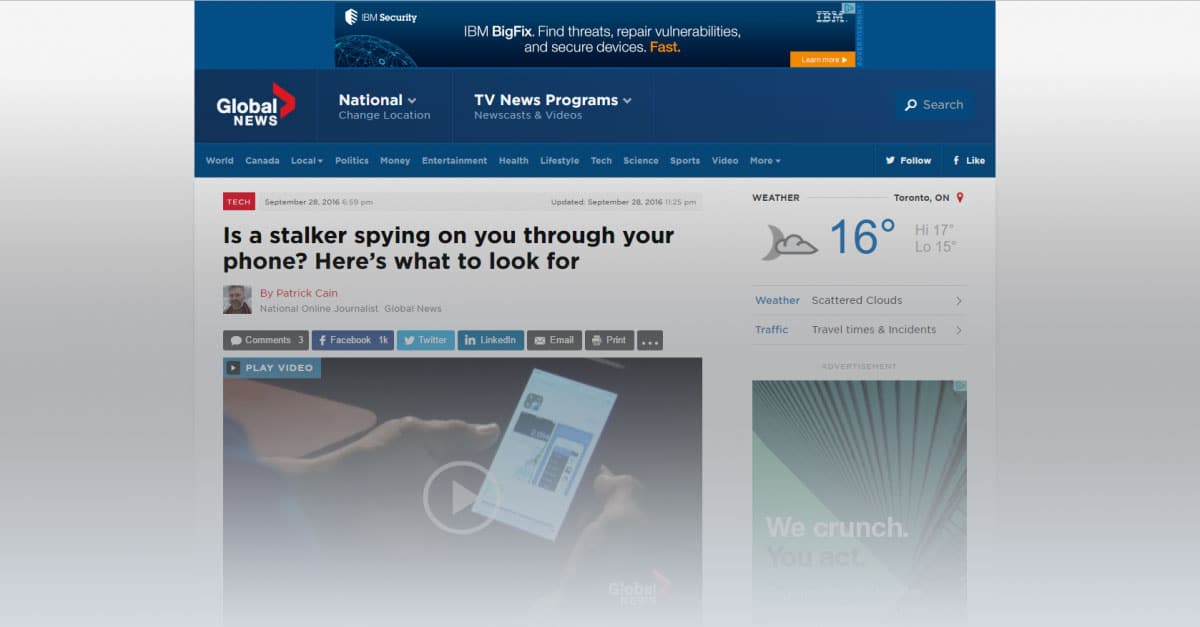
  • Response to globalnews.ca article, “Is a stalker spying on you through your phone? Here’s what to look for”

    Response to globalnews.ca article, “Is a stalker spying on you through your phone? Here’s what to look for”

    We were recently contacted by Patrick Cain, who is an online journalist. He works at the Investigative Desk at globalnews.ca.

    Patrick contacted us regarding an FTC article regarding stalking apps, and we were happy to let him have our comments. Our position has always been that FlexiSPY should be used within the bounds of the law, whatever that may be for the customer. We would like to share with you our reply, and would encourage any of our customers to leave a genuine comment explaining your point of view on this subject. Here is a link to his article

    Here is our entire reply:

  • FlexiSPY Now Runs On Android’s Latest OS Version – 6.0.1

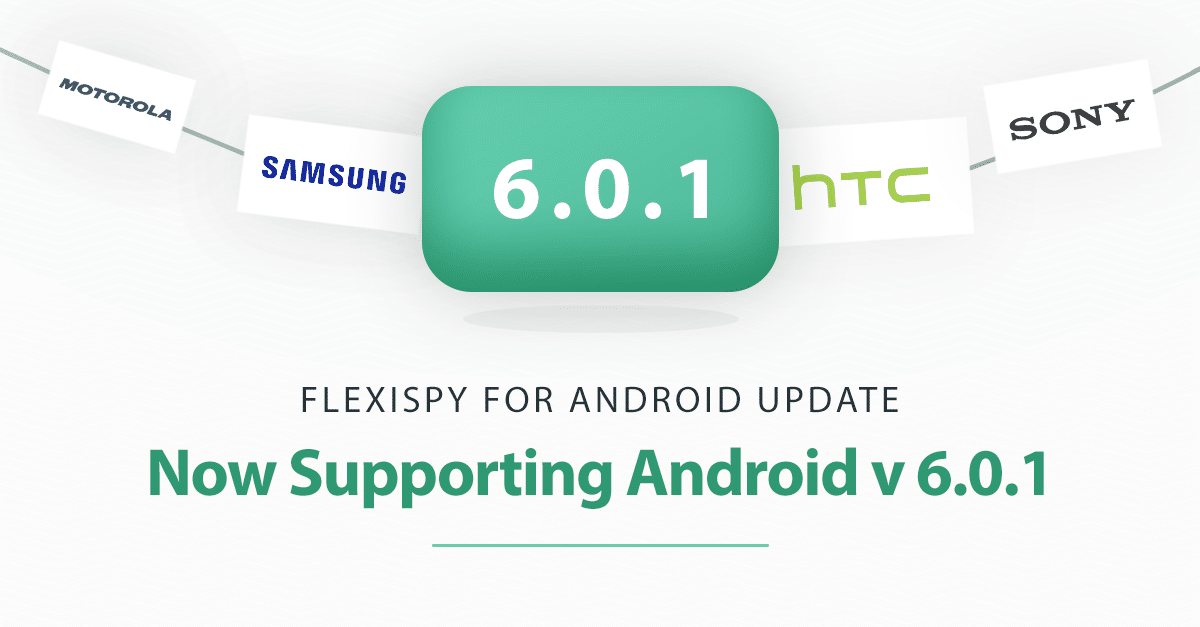
    FlexiSPY Now Runs On Android’s Latest OS Version – 6.0.1

    With the release of Android 6.0.1, many FlexiSPY customers have been wondering about compatibility with the devices they wanted to monitor.

    So today we couldn’t be happier to announce that FlexiSPY for Android has been fully tested and confirmed as being compatible with 6.0.1.

    This is great news for you, because 6.0.1 is the very latest version of Android, and next version, 7.0, is not due to come out for most phones until August 22, 2016. In simple terms, this means that no matter what Android version your target phone is running on, you will be able to use FlexiSPY on it.

    We have updated our binary, so all you have to do now is follow the normal FlexiSPY Android installation instructions (which are located in your dashboard) and then install FlexiSPY on it.

  • Introducing QQ Tracking On Android

    Introducing QQ Tracking On Android

    FlexiSPY’s newest Android feature, QQ Tracking, is here. It captures all of the QQ messages being sent to and from the phone, and it shows you these messages inside an easy to use dashboard alongside 17 other tracked IMs, so that you can know exactly what’s being said, and who’s saying it. And, it’s available right now to all FlexiSPY customers! Let’s take a closer look.

    How QQ Tracking Works

    When FlexiSPY is placed on an Android device, such as a Samsung Galaxy tablet, or Nexus phone, it discretely watches for incoming and outgoing QQ Messages. When it sees one of these messages, it uploads the message details to your online dashboard. From your online dashboard, you’ll be able to read the entire message history.

    Compatibility

    At this time, FlexiSPY can track QQ Messages on Rooted Android devices only and the Android device must be running OS 6.0.1 or below. Also, the phone that you want to monitor must be running the latest version of FlexiSPY for Android.

    How To Get It

    We’ve decided to bundle QQ Tracking with our existing products: FlexiSPY PREMIUM, and FlexiSPY EXTREME, at no additional cost to you. To enjoy the benefits of this update, just install the latest version of FlexiSPY onto the Android device that you want to keep an eye on. Alternatively, inside your dashboard, click on the flashing update icon and FlexiSPY will automatically update itself to the newest version.

  • Apresentação do Serviço de Instalação Remota do FlexiSPY

    A equipa do FlexiSPY está entusiasmada em anunciar que acaba de introduzir um serviço muito requisitado pelos nossos clientes – o Serviço de Instalação Remota FlexiSPY!

    O que é o Serviço de Instalação FlexiSPY?

    Este serviço foi criado para pessoas que não tem tempo para desbloquear o seu dispositivo Android ou fazer “jailbreak” ao seu dispositivo iOS, mas mesmo assim querem uma maneira simples e fácil de instalar o FlexiSPY.

    O desbloqueio, “jailbreak”, instalação do FlexiSPY e configuração é tudo tratado por nós.

    Em suma, o serviço de instalação FlexiSPY permite-lhe que agende um período onde um técnico experiente irá remotamente conetar-se ao telemóvel onde gostaria de instalar o nosso software, e irá instalar e configurar o FlexiSPY no seu dispositivo iPhone ou Android. *Deve ter atenção, que precisa na mesma de ter acesso físico ao telemóvel alvo.

    Como é que funciona

    O serviço de instalação remota FlexiSPY é relativamente simples, mas mesmo assim deve ler os pontos abaixo para ter uma ideia de como funciona.

    1. Adquire o Serviço de Instalação como parte da compra da sua subscrição FlexiSPY ou como produto independente se já comprou o FlexiSPY.
        • Se está a adquirir o serviço com a sua subscrição irá ver um botão para adicionar uma instalação do serviço sem preocupações durante o “checkout”.worry-free-installation-service
    2. Tenha o dispositivo iOS ou Android na sua mão.
    3. Inicie uma conversa em tempo real com o técnico para que comece o processo de desbloqueio ou “jailbreak”.
    4. Sente-se e relaxe enquanto o equipamento é desbloqueado por si.
    5. Mal o desbloqueio ou “jailbreak” esteja completo, o técnico irá então instalar o FlexiSPY por si.
    6. Depois da instalação do FlexiSPY, o técnico irá aceder ao seu portal online e ajudá-lo a configurar o software.

    Preço

    Para manter as coisas simples, nós colocamos um preço standard de $39.99 – independentemente se comprar o serviço de instalação como um produto independente ou como suplemento durante o “checkout”.

    Coisas a ter em atenção

    Existem algumas coisas que deve ter em atenção quando comprar o serviço de instalação FlexiSPY.

    • O serviço de instalação FlexiSPY necessita que tenha acesso físico ao telefone.
    • Para o processo de “jailbreak”, o dispositivo iOS necessita de estar ligado ao seu PC ou MAC.

    – a última versão iOS de “jailbreak” disponível é compatível com iOS 9.1.

    • Para o processo de desbloqueio (“rooting”), o dispositivo Android precisa de estar ligado ao seu PC, e não funcionará se estiver ligado a um MAC.

    – a última versão de Android é compatível com a versão 6.0

    • A maioria dos telemóveis Android podem ser desbloqueados, contudo existe sempre a hipótese de não ser possível desbloquear o telemóvel. Se for esse o caso, ser-lhe-á devolvido o preço do serviço de instalação.
    • a maioria dos telemóveis para o desbloqueio necessita do cabo original que veio com o telemóvel.

    5) Embora seja legal, existem sempre riscos associados quando se desbloqueia ou faça “jailbreak” a um telemóvel. A consequência mais comum de uma operação falhada é a perda de dados. A nossa equipa de Serviço de Instalação irá notificá-lo antes da instalação se o seu telemóvel corre alto risco ou não, mas é bom que tenha isto em mente.

    Se tiver alguma questão sobre este serviço, por favor avise-nos na secção de comentários abaixo!

  • O FlexiSPY agora Suporta as Gravações de Chamadas VoIP para iPhone

    Antes mesmo do Novo Ano, lançamos a notícia que já pode Gravar as Chamadas do iPhone aqui, mas hoje temos mais uma actualização empolgante para partilhar!

    O FlexiSPY Agora Suporta a Gravação de Chamadas VoIP para iPhone

    A gravação de Chamadas VoIP é uma funcionalidade muito pedida pelos nosso clientes, logo achamos que vocês iriam ficar felizes em saber que as seguintes IM que suportam ViOP, já podem ser gravadas e transferidas para o seu painel de controlo para o prazer de escuta:

    skype-med

    Skype

    skype-med

    Viber

    skype-med

    WhatsApp

    Como Obter Isto

    A Gravação de Chamadas VoIP está apenas disponível para utilizadores FlexiSPY EXTREME.  Também precisa de da última versão do FlexiSPY para iOS, que à data deste post é a (Versão 4.1.2).

    Para ter a certeza que tem a última versão, tudo o que precisa de fazer é ir ao seu painel de controlo e verificar se tem um icon de atualização a piscar no topo do canto direito do seu ecrã. update icon Se o icon estiver ali, deve clicar e aceitar o acordo para atualizar o FlexiSPY no telemóvel e este será atualizado remotamente

    Como Usar a Gravação de Chamadas VoIP

    Depois de ter a certeza que o seu FlexiSPY está atualizado, já pode começar a utilizar a nova funcionalidade de Gravação de Chamadas VoIP.

    Não existem passos adicionais que precisa de tomar para que funcione, mas aqui fica como pode encontrar as chamadas gravadas:

    No seu painel de controlo selecione “Calls -> VoIP calls”, e depois escolha o serviço de IM que quer via “Dropdown”.

    voip-call-logs-img

    Se só agora fez a atualização da versão do FlexiSPY no telemóvel, não existirão nenhumas chamadas gravadas para mostrar, mas elas irão aparecer mal o telemóvel alvo comece a fazer uma chamada VoIP.

    Existem outras funcionalidades que gostaria de ver no FlexiSPY para iOS? Avise-nos na seção de comentários abaixo!

  • Chegou a Gravação de Chamadas para iPhone

    Chegou a Gravação de Chamadas para iPhone

    [et_pb_section admin_label=”section” transparent_background=”off” allow_player_pause=”off” inner_shadow=”off” parallax=”off” parallax_method=”off” padding_mobile=”off” make_fullwidth=”off” use_custom_width=”off” width_unit=”on” make_equal=”off” use_custom_gutter=”off” background_image=”https://blog.flexispy.com/wp-content/uploads/2015/12/grad-dark.jpg”][et_pb_row admin_label=”row” make_fullwidth=”off” use_custom_width=”on” width_unit=”on” use_custom_gutter=”off” padding_mobile=”off” allow_player_pause=”off” parallax=”off” parallax_method=”off” make_equal=”off” column_padding_mobile=”on” custom_width_px=”860px”][et_pb_column type=”4_4″][et_pb_post_title admin_label=”Post Title” title=”on” meta=”off” author=”on” date=”on” categories=”on” comments=”on” featured_image=”off” featured_placement=”below” parallax_effect=”on” parallax_method=”on” text_orientation=”center” text_color=”dark” text_background=”off” text_bg_color=”rgba(255,255,255,0.9)” module_bg_color=”rgba(255,255,255,0)” title_all_caps=”off” use_border_color=”off” border_color=”#ffffff” border_style=”solid”] [/et_pb_post_title][et_pb_text admin_label=”Text” background_layout=”light” text_orientation=”left” text_font_size=”17″ text_text_color=”#444444″ use_border_color=”off” border_color=”#ffffff” border_style=”solid” custom_css_main_element=”margin: 0 auto;||border-radius: 20px;|| padding: 6% 10%;|| border: 4px solid #fff;|| color: #303030;|| background: #fff;|| overflow: hidden;|| -webkit-box-shadow: 0 52px 64px rgba(0,0,0,0.5);|| box-shadow: 0 52px 64px rgba(0,0,0,0.5);”]

    iphone-recording-banner


    Estamos muito entusiasmados em anunciar a todos que lançamos uma funcionalidade que tem vindo a ser solicitada há muito tempo: a Gravação de Chamadas para iPhone.

    Esta é uma grande conquista da nossa equipa e sentimos que é mais uma razão de peso porque é que o FlexiSPY é a escolha óbvia para quem procura um software espião de telemóveis.

    Como a Obter

    A Gravação de Chamadas para iPhone está disponível apenas para utilizadores do FlexiSPY EXTREME  e também tem de ter disponível a última versão do FlexiSPY para iOS (Versão 4.1.2). Para ter a certeza que tem a última versão, tudo o que precisa de fazer é ir até ao painel de controlo e verificar se tem se o icon das actualizações no topo direito do seu ecrã está a piscar. update icon Se o icon estiver aí, só tem de clicar e concordar com os termos para fazer a atualização do FlexiSPY no seu telemóvel.

    Existem outras caraterísticas que gostaria de ver no FlexiSPY para iOS? Deixe a sua opinião na caixa de comentarias abaixo!

    [/et_pb_text][/et_pb_column][/et_pb_row][/et_pb_section]

  • Suporte Marshmallow, Captura de Telegrama e  Mais: FlexiSPY para Android Recebe Grandes Actualizações

    Suporte Marshmallow, Captura de Telegrama e Mais: FlexiSPY para Android Recebe Grandes Actualizações

    Hoje estamos entusiasmados por introduzir grandes actualizações e novas funcionalidades para os nossos clientes Android!

    Quais são as novidades


    Suporte Marshmallow para Android

    Android 6.0 Marshmallow é a última e melhor versão de Android até agora. Nem todos os telemóveis que correm a plataforma Android OS foram ainda atualizados para esta versão mas lentamente e seguramente, as operadores farão esta atualização. É uma grande vitória para a nossa equipa, e ainda maior vitória para os clientes FlexiSPY que estavam à espera desta notícia.

    Claro, o seu telemóvel não tem de usar a versão 6.0 para correr o FlexiSPY. As versões 4.0.3 até 6 são suportadas.

    Captura de Telegrama

    Os Telegramas abalaram o mundo das IM (mensagens instantâneas) com as mensagens altamente codificadas e que se auto-destroem. Nós recebemos bastantes pedidos de clientes para conseguir capturar as Mensagens Telegramas e por isso estamos entusiasmados em poder oferecer esta opção como parte do FlexiSPY.

    Registos de Chamadas VOIP

    Desde o nosso início que conseguimos obter os registos de chamadas, mas os tempos mudaram e cada vez mais pessoas optam por utilizar as aplicações de Mensagens para fazer chamadas de voz em vez de chamadas telefónicas.

    Em resposta, nós adicionamos o suporte para os clientes das aplicações de Mensagens mais populares que tem a possibilidade de chamadas de voz.  Agora já pode ver os registos das seguintes aplicações:

    • Skype
    • Viber
    • Facebook
    • LINE

    Como fazer a actualização

    Se utiliza o FlexySPY em modo integral ou limitado, então pode fazer remotamente a atualização da nossa aplicação no telemóvel.

    Primeiro, verifique se está a utilizar a versão mais atual do FlexiSPY para Android. Para ver isso, tudo o que precisa de fazer é ir até ao painel de controlo e verificar se o icon das actualizações no topo direito do seu ecrã está a piscar. update icon Se o icon estiver aí, só tem de clicar e concordar com os termos para fazer a atualização do FlexiSPY no seu telemóvel.

    Se não existir nenhum icon de actualização a piscar, então já tem a versão mais atual.

    Partilhe a sua opinião

    Existe mais alguma coisa que gostaria de ver no FlexiSPY para Android? Partilhe os seus desejos connosco na secção abaixo para planearmos o nosso próximo passo.

  • Agora Já Pode Espiar As Mensagens do Tinder

    Agora Já Pode Espiar As Mensagens do Tinder

    Não tem de ser o Sherlock Holmes para saber que o Tinder é “O Lugar Ideal” onde deve ir para saber se o seu parceiro anda com más intenções.

    Talvez saiba que eles utilizam a aplicação, mas quer saber a extensão da sua utilização deste serviço. Fica sempre a pensar o que está escondido por trás do véu – “será que o meu parceiro tem um fetiche com anões?” Se eles apenas fazem “match” e enviam mensagens a anões, aí tem a primeira pista!

    Colocando todas as brincadeiras de lado, sabemos que poder ver as mensagens do Tinder é muito importante para os nossos clientes. Por isso, estamos empolgados em anunciar que na nossa última atualização para clientes Android, já o pode fazer!

    Como Poderá Obter Isto

    Para já, esta opção está apenas disponível para Dispositivos Android, mas pode descansar – a nossa equipa de desenvolvimento iOS está a ver o que é possível fazer para iPhone.

    Se já tem o FlexiSPY ativo num dispositivo, pode usar a nossa tecnologia de atualização remota para atualizar o FlexiSPY diretamente do seu painel de controlo. Uma vez conetado, procure no canto superior direito do painel de controlo e verá um icon de atualização brilhante. Só precisa de clicar no icon e seguir rapidamente para a atualização remota.

  • Get 20% Off The Brand New FlexiSPY Desktop

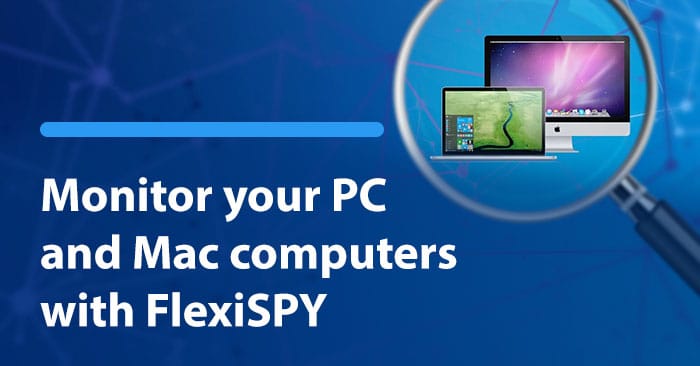
    Have you ever wished that you could have FlexiSPY on your PC or MAC?

    Have you ever wanted to track your child’s activity across all their devices?

    The good news is that now you can.

    In a few weeks we will be launching FlexiSPY desktop, a new product that lets you monitor PCs and MACs.

    [hoops name=”skeleton”]

    This release is a huge deal for our customers and us – it means that you will finally be able to have seamless monitoring over all devices.

    Here’s a little preview of what FlexiSPY for Desktop does:

    FlexiSPY Desktop allows you to keep an eye on almost every aspect of the computer it’s installed on – but we do have our own favorite features.

    Browser History

    See a list of sites they visited

    Search Terms

    See what they were searching sites like Google and Yahoo for

    Keystrokes

    See all keystrokes that were made in-browser

    IM Messages

    Read the chat logs for apps like Skype

    Desktop Screenshots

    Take screenshots of the desktop

    Application Activity

    See what applications they are using the most

    To get 20% off the brand new FlexiSPY Desktop, you’ll need to pre-register by filling out the form below. Also to reiterate, if you’d like to be a beta tester – click here

    What device do you want to monitor?

  • The Danger of Online Grooming: Boys Are Also at Risk

    The Danger of Online Grooming: Boys Are Also at Risk

    Today, all kinds of electronic devices — and especially smartphones — have become the most important way that children and teenagers stay connected to one another.

    According to the Pew Research Center, 92 percent of American teens go online daily, and 24 percent are online almost constantly. Most of this occurs through their smartphones, a device that 88 percent of teens own or have access to.

    Parents, worried about the threat of violence and possible sexual predators outside their homes, think their children are safe when in their rooms. Unfortunately, many of these parents have no idea what their children are doing online and are unaware of the equally large, or even larger, threat that online predators pose to their kids.

    While the internet has made our world smaller in many good ways, it has also increased the ability of predators to find and seduce their victims. They do this most successfully through a process known as “grooming,” where predators engage in a number of actions to befriend vulnerable victims in order to sexually abuse and exploit them. Although online predators do most of their grooming virtually, they eventually have to meet their victims in the offline real world to reach their goal: sex with the minor. At this point, their victims are usually eager to meet the person they’ve developed a friendship with online and completely trust that their friend is the person who he says he is. He seldom is.

    Mind the Gender Gap

    When people think about sexual abuse victims, they typically picture girls. In a study conducted by the Centers for Disease Control and Prevention and the U.S. Department of Justice, one in six women were found to be the victim of rape or attempted rape; the statistic for men was one in 33. This number may be accurate, or it may just reflect the fact that sexual assaults on women are reported more often than sexual assaults on men.

    When it comes to grooming, boys are targeted just as often as girls, but because of stereotypes, parents don’t monitor their sons nearly as much as they do their daughters. Many behaviors are simply written off as “boys being boys” instead of the warning signs that they really are.

    Because boys are thought of in terms of “manly” traits, it is assumed that people can’t make them do anything they don’t want to do. But through empathy, coercion, and shame, sexual predators can not only make them do what they want but also keep them from telling anybody about it. Their masculinity is used against them: Boys are taught that expressing their feelings is womanly, and they don’t want to be accused of being gay.

    When they drink, take drugs, skip school and get new things like cellphones — all due to the groomer — the boys would rather have their parents, counselors and other adults in their lives attribute it to bad behavior than to the fact they’re being sexually exploited. As stated in “Same Risk, Different Gender,” a video by The Blast Project, “Boys and young men often prefer the bravado of youth offending rather than admit to being a victim of grooming and sexual exploitation.”

    A Worst-Case Scenario: The Breck Bednar Case

    A gruesome example of this occurred in the Breck Bednar murder case in Surrey, England, in 2014. Breck was a 14-year-old computer aficionado who spent hours gaming online. He fell prey to a man named Daynes, who represented himself as a 17-year-old high school dropout and computer engineer running a multimillion-dollar company. As the friendship deepened, and Breck became more secretive, his mother, Lorin Lefave, became suspicious.

    She asked other teachers and parents their opinion on the relationship, and they didn’t see anything wrong with it. Then, she and her ex-husband offered to take Breck to meet Daynes in person, but Daynes said he was too busy. Finally, Lefave called the police, who didn’t seem to understand the enormity of the situation. She even provided them with Daynes’ full name and the county where he lived, but they never acted on the information.

    When Lefave took away her son’s computer and phone, Daynes secretly sent Breck a new phone. Daynes then convinced Breck that he was dying and wanted to hand his computer company over to Breck, a dream come true for the computer buff. Lying to both his parents about where he was going, Breck got into a taxi paid for by Daynes and went to Daynes’ apartment. Sometime that night, Daynes murdered Breck and then texted images of his body to other boys in their gaming group. He is currently serving a life sentence in prison after pleading guilty to murder with sexual and sadistic motivation.

    Warning Signs vs. Gender Assumptions

    Lefave set up the Breck Foundation to bring Internet safety awareness to schools, police, and parents. Although she recognized the signs and sought to save her son from his predator, she was unable to convince authorities that something suspicious was going on until it was too late. As she told the Guardian, “Boys may report this less, but I want everyone to understand that they can be groomed and hurt… by people who are not who, they say they are online.”

    The Breck Foundation and other organizations like The Blast Project are trying to teach authorities and professionals to base their opinions on the warning signs and not on gender assumptions. Boys WILL be boys, but they will also become the victims of sexual exploitation if they’re not careful. Parents should be vigilant with their children, regardless of their gender, and know what they’re doing online and on their phones. Look for indicators that your child may be involved in something suspicious, and keep tabs on their activity by using a phone monitoring software. Do everything you can to keep your child safe from predators.

    Sources:

    http://www.pewinternet.org/2015/04/09/teens-social-media-technology-2015/

    http://www.theguardian.com/lifeandstyle/2016/jan/23/breck-bednar-murder-online-grooming-gaming-lorin-lafave

    http://www.boystown.org/parenting/article/victim-grooming-protect-your-child-from-sexual-predators

    http://www.safekids.com/how-to-recognize-grooming-2/

    https://www.youtube.com/watch?v=1cbXXjzkh90

    http://www.missingkids.com/en_US/publications/NC70.pdf

  • We Are Hiring!

    The FlexiSPY portal is showing its age a little, and while its functional, it surely needs some love – It’s time for a redesign.

    That’s why we are looking for Designers and Contributors to help us create a set of possible new designs.

    In return, we are giving away Amazon vouchers, not only to designers, but to those of you love our product and have ideas for improvements.

    We need the following:

    Designers

    If you are a regular user of FlexiSPY and you are a UI designer with talent and ideas, we want to engage you for a full project, and you will receive a $50 Amazon Voucher for your design.

    The design must be original though, so copying a generic template from the web won’t qualify.

    Please send us the following and you will automatically receive a $50 voucher, and you will be considered for the job.

    • Redesign of Dashboard
    • Redesign of Call Records
    • An email explaining how you would approach a full portal redesign and how much you would charge to deliver a redesign.

    Send us your design

    Contributor

    If you are a regular use of FlexiSPY you can win a $5 Amazon voucher

    Simply give us your ideas for improvement to make the portal easier to use and to deliver a better experience. We will consider these, and any idea that we will use will be published on the blog and you will receive a $5 voucher.

    Send us your suggestions

    Winning Design

    We will share these designs with the FlexiSPY community, and you can vote for the design that you want to see in your portal.

  • Win A 10 Dollar Amazon Voucher – No Strings Attached

    Win A 10 Dollar Amazon Voucher – No Strings Attached

    Buy FlexiSPY and get a 10 dollar Amazon voucher.

    Most people say their customers are important to them. We’re putting our money where our mouth is and offering you $10 dollars to answer a few questions.

    Here’s how it works.

    3 days after you purchase FlexiSPY, you will be invited to complete a survey, for which you will receive a minimum of a 5 dollar amazon voucher upon completion. If you provide more detailed answers in the survey’s text boxes then you will qualify for a larger 10 dollar voucher.

    This is another great reason to buy FlexiSPY.

    Buy Now

  • How Reliable Is Mobile Monitoring Software? (Infographic) Results From Our Trade In Program

    After you buy mobile monitoring software, will you be happy with your purchase or will you be left wishing that you’d done more research?

    Well, the answer is a far cry from what you might believe, as data from our trade in program shows that 39% of mobile monitoring software doesn’t work as advertised.

    The good news is that you can learn which brands you may want to avoid. In this infographic we want to show you what our trade-in data showed us: who the problem brands are, the top problems people have with them, as well as actual comments from our trade-in participants.

    View the infographic below…

    mobile monitoring software reliability infographic

    Share this Infographic On Your Site

    Conclusion

    There you have it. We hope you gained some insight into which mobile monitoring software might deserve more research before making a purchase. Of course, if you’re still on the fence we invite you to learn more about each brand through whichever source of quality reviews that you can find (spyphonereview is our personal favorite)

    What experience did you have with mobile monitoring software? Were your expectations met? Let us know in the comments section below.

  • Android Call Recording: How To Get The Best Results

    Android Call Recording: How To Get The Best Results

    Not quite sure how to setup and use our Android Call Recording feature? Or maybe you HAVE set it up and even recorded a call, but when you listened to the recording something just didn’t sound right..

    If we’ve hit the mark, then you’ll be glad to know that in this post we’ll show you how to maximize the chances of getting a perfect recording every time.

    (If you are interested in iPhone Call Recording, we cover it in another post)

    So let’s begin!

    Finding The Best Android Call Recording Source

    To better understand why call recordings aren’t always clear, you should understand how our Call Recording feature works.. Basically, when FlexiSPY first activates it tries to automatically find the best call recording method, and it has several sources to choose from.

    Usually the microphone source works best, and it may choose that. But –  there may be a better recording source for your device.

    Better Results Through Manual Settings

    FlexiSPY sometimes can’t automatically find the best audio source. The reason is complicated, but the short version is that there are so many variations of android devices, all running on different networks, that FlexiSPY sometimes gets it wrong.

    You’ll know that this happened if:

    • Only one side of the conversation gets recorded.
    • You can only hear static
    • The recorded voices sound distant

    Fortunately, this is where manually setting the audio source can help. Through the manual settings you can test which source works best for the device that FlexiSPY is installed on.

    Here’s how to manually set the audio source:

    1.       Log into your online portal.

    2.       Click Control Center.

    3.       Click Call Controls.

    4.       Click Set Audio Recording Source.

    All the possible call recording sources will then appear.

    set-audio-recording-source

    Here’s a breakdown of the sources:

    Microphone

    This is the call recording source that FlexiSPY uses by default.

    (Samsung devices work well on this setting)

    Voice Call

    This source uses both directions (known as uplink and downlink) to increase the chances of recording both sides of a call. It may not work with all devices though – if it fails it will result in the recording of only one side of the call.

    AOSP

    This is a proprietary recording source for all devices.

    (non-rooted Motorola and Huawei Android devices should choose this source for best results.)

    Legacy

    This is the oldest and most stable form of call recording. But on newer Android devices both sides may not be recorded.

    (If all other call recording sources produce unsatisfactory results, then use this.) 

    ALSA 

    This source is for rooted Android devices only.

    So if you’re unhappy with Call Recording and the device is unrooted you’ll want to:

    1. Deactivate & Uninstall FlexiSPY from the device
    2. Root the device
    3. Reinstall & Reactivate FlexiSPY
    4. Set ALSA as the Call Recording source

    Conclusion

    There’s no universal Call Recording source that works for every Android device. But if you try all the sources we mentioned in this article, there’s a good chance that your recordings work just fine!

  • Informações sobre a VAT do FlexiSPY

    Clientes que vivam num país que faça parte da União Europeia são solicitados a pagar IVA aos seus governos em qualquer compra que efetuem. Adicionalmente dois países não UE também requerem IVA. Eles são: Austrália e Canadá.

    Isto significa que a quantia cobrada no seu cartão, será o total mostrado no carrinho de compras, mais a VAT do país referenciado no campo de endereço nos dados do proprietário do cartão.

    Se é uma empresa, pode reclamar o reembolso do seu IVA, usando o documento fiscal que recebe. O número de identificação fiscal é fornecido na sua fatura. Se não consegue encontrar o IVA, por favor contrate a assistência em: https://support.flexispy.com/

    A VAT aplica-se apenas aos seguintes países, e mais detalhes podem ser vistos aqui.

    ESTADOS-MEMBROS DA UETaxa normal de IVA
    Bélgica21%
    Bulgária20%
    República Checa21%
    Dinamarca25%
    Alemanha19%
    Estônia20%
    Grécia24%
    Espanha21%
    França20%
    Croácia25%
    Irlanda23%
    Itália22%
    Chipre19%
    Letônia21%
    Lituânia21%
    Luxemburgo17%
    Hungria27%
    Malta18%
    países Baixos21%
    Áustria20%
    Polônia23%
    Portugal23%
    Romênia19%
    Eslovenia22%
    Eslováquia20%
    Finlândia24%
    Suécia25%
    Reino Unido20%

    ESTADOS NÃO PERTENCES À EUTaxa normal de IVA
    AustráliaGST, 10%

    Informação do IVA [Canadá]

    Província/Território
    TipoTaxa fiscal (%)
    AlbertaGST5
    Colúmbia BritânicaGST + PST5
    ManitobaGST + PST5
    Nova BrunswickHST15
    Terra Nova e LavradorHST15
    Territórios do NoroesteGST5
    Nova EscóciaHST15
    NunavutGST5
    OntárioHST13
    Ilha do Príncipe EduardoHST15
    QuebecGST + PST5
    SaskatchewanGST + PST5
    YukonGST5