Monitor your loved ones location using their laptop
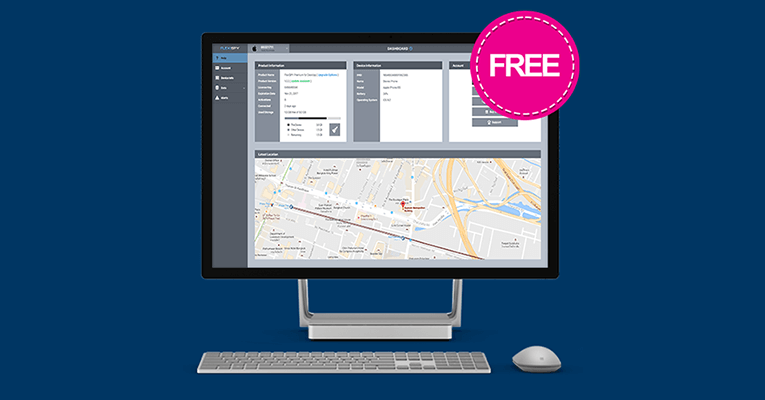
FlexiSPY is excited to announce the launch of our new Laptop Locator feature for Windows!
Laptop Locator triangulates the location of your loved one’s laptop and stores it in your secure online account — letting you see a complete history of where they have been with their device.
You can even use Laptop Locator on your own Laptop to protect it against theft!
Turn Their Phone Into A Spy Camera – Now With Improved Functionality!
Have you ever wished you could see where your loved ones were and hear what they were saying but were left in the dark?
We are delighted to announce that in the latest version of FlexiSPY For Android — Normal Mode (Version 4.23.1) the FlexiSPY development team have delivered — among other fixes — improvements to fan favorite features RemCam and RemVideo! These unique-to-flexispy features let you open the phones camera and snap a photo or record video — with both the front and back cameras! Moreover, FlexiSPY is the only monitoring software on the market that manages to do this!
Is your child searching for sexual material, drugs, or self-harm? As a parent, it’s your responsibility to keep your child safe, and that includes protecting them online. And with so much information available on the internet, it’s essential to monitor your child’s search history to ensure they’re not stumbling upon anything harmful.
Not only can this help prevent your child from accessing inappropriate content, but it can also give you insight into their interests and concerns.
In this blog post, we’ll discuss the importance of monitoring your child’s search history, and how to do so while still respecting their privacy.
The importance of consent
When it comes to monitoring your child’s search history, it’s essential to have their consent. Not only is it the right thing to do, but it also sets the foundation for a healthy relationship of trust and open communication. Having a conversation with your child about monitoring their search history will allow them to understand why it’s important, and give them the opportunity to voice any concerns they may have. It’s also a good opportunity to set boundaries and establish expectations for online behavior. It’s important to remember that children’s online privacy is essential and should be respected, monitoring should be done in a way that it is not invading their privacy.
Here are some things you can say to your child to get them to agree to monitoring
“I know you are very active on social media and I want to make sure you’re not falling into any cyberbullying or online harassment. By monitoring your search history, I can help you identify and avoid any negative interactions on your accounts”
I know you’re curious about the world and want to explore new things. By monitoring your search history, I can help you find age-appropriate and safe resources for your interests, and steer you away from any dangerous or harmful websites”
“I know you are very interested in video games and I want to make sure you’re not playing anything that’s too mature or violent for your age. By monitoring your search history, I can help you find games that are appropriate and fun for you”
“I know you like to chat with your friends online, and I want to make sure you’re not talking to anyone who might be dangerous or trying to scam you. By monitoring your search history, I can help you identify and avoid any suspicious conversations”
“I know you are curious about the world and want to learn more, but the internet can be a vast and unsupervised place. By monitoring your search history, I can help you find accurate and reliable information on your interests and steer you away from any misinformation or fake news
Setting up monitoring
Once you’ve had a conversation with your child and they’ve agreed to being monitored, it’s time to set up monitoring on their device(s). There are a variety of monitoring tools available, such as parental control apps, browser extensions, and built-in monitoring features on certain devices. When choosing a monitoring tool, it’s important to consider factors such as compatibility with your child’s device(s), ease of use, and the specific features you’re looking for (e.g. website blocking, search history tracking, etc.).
Red Flags
Once monitoring is set up, it’s crucial to regularly review your child’s search history to ensure they’re not stumbling upon anything harmful. Common red flags to look out for include
Searches for “how to run away” or “how to disappear”
Searches for ways to bypass internet filters or parental controls
Repeated searches for suicide or self-harm methods.
Searches for dating or hook-up websites.
searches for illegal drugs or controlled substances.
searches for sexually explicit content
Searches for gambling websites or online casinos
Searches for hacking or illegal activities
Searches for weapons or instructions on how to make weapons
Searches for extremist or hate group
Remember that monitoring your child’s search history is only one aspect of keeping them safe online. Regularly talking to your child about their online activity, setting boundaries, and educating them about online safety is also crucial.
Conclusion
In conclusion, monitoring your child’s search history is an important part of keeping them safe online. It allows you to ensure they’re not stumbling upon anything harmful, and gives you insight into their interests and concerns.
We recommend using a monitoring software such as FlexiSPY, which offers a wide range of features including website blocking, search history tracking, and instant alerts for suspicious activity. With FlexiSPY, you can have peace of mind knowing that your child is safe online while also respecting their privacy.
Need to monitor your child’s new Android phone? With FlexiSPY’s latest update, now you can
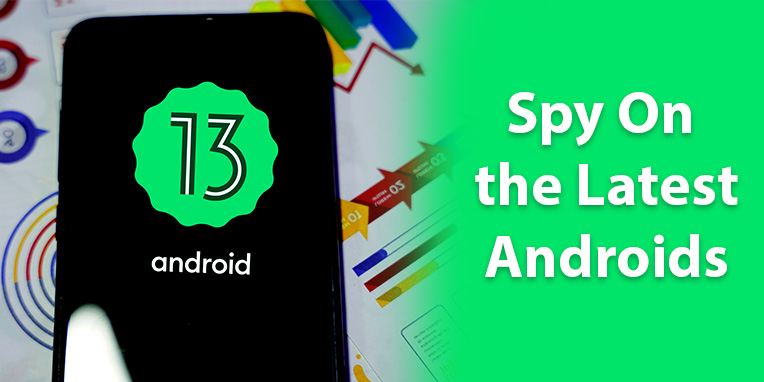
Christmas is just around the corner and children everywhere will be upgrading their phones to the latest Android devices, running Android 13. That’s why we’re excited to announce that if you need to monitor their Android 13 phone, with FlexiSPY you now can!
What’s more, because we are the only spy app on the market that supports this version of Android, FlexiSPY is the only option!
See how FlexiSPY for Android can help you reveal secrets. Click here
Browse the full list of Android features to see everything you can do. Click here
Finally, to celebrate this launch, if you sign up for our monthly newsletter, you are guaranteed to receive an exclusive discount code on upgrades and new purchases in the next edition of the newsletter that we send out! To sign up and receive your discount, simply enter your email address in the newsletter signup box below.
Protect Yourself and Your Loved Ones by Hearing Every Detail of Their Phone CallConversations
Want to Record Phone Calls at the Best Possible Quality? If knowing exactly what your loved one is saying on the phone is important to you, then you should.
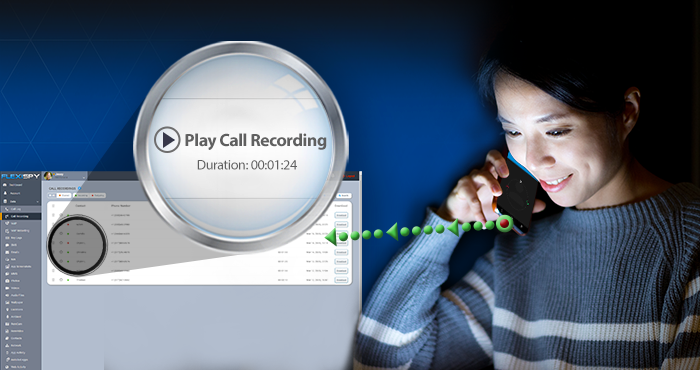
Introducing Enhanced Phone Call Recording — a new method for recording phone calls using functionality that is Native to the device. (Native capabilities — if available — offer exceptional sound quality)
Enhanced Call Recording is Available in Version 4.20.2 of FlexiSPY Android (Normal Mode)
Check if your Device Supports Enhanced Call Recording (click here)
Lastly, to celebrate this launch, if you sign up for our monthly newsletter, you are guaranteed to receive an exclusive discount code on upgrades and new purchases in the next edition of the newsletter that we send out!
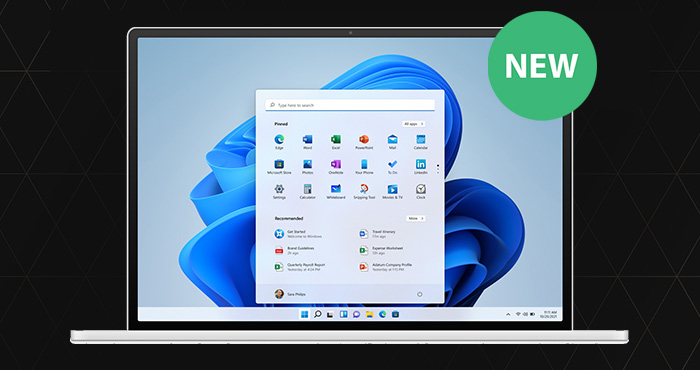
Summer break is almost over, and kids will be going back to school with the latest Windows 11 devices. What’s more, employees across the globe are returning to on-premises working. So, whether you are a parent, or an employer, now is the time to put monitoring measures in place to protect your loved ones and business.
Which is why we are excited to announce that we now support the latest Windows devices!
See how FlexiSPY for Computers helps reveal secrets. Click here
Browse full list of Computer monitoring features. Click here
Lastly, to celebrate this launch, if you sign up for our monthly newsletter, you are guaranteed to receive an exclusive discount code on upgrades and new purchases in the next edition of the newsletter that we send out!
We are saddened to say that after years of trying to absorb rising costs caused by rampant inflation, we have to announce price increases.
While it seems natural to blame Sellers, the truth of the matter is that we are no different to you, the Consumer.
The facts speak for themselves.
As a consumer you have larger food bills, more expensive gas, rising rents to name a few —and FlexiSPY is no different.
Costs of premium IT talent and support staff willing to work 24×7 have exploded, and while we have absorbed these costs — not having raised our prices even once in the 16 years we’ve been in business— we finally had to change our pricing.
Unlike our competitors who have virtually frozen new developments and reduced their support commitment to you, the customer, we have decided that we owe it to you to maintain our innovation and quality.
So, it’s with great reluctance we must notify you that from July 8th our price will be changed as follows
Subscription
Current Price
New Price
Lite — Monthly
$29.95
No Change
Premium — Monthly
$68
$79
Premium — Quarterly
$99
$119
Premium — Annual
$149
$179
Extreme — Monthly
–
$119
Extreme — Quarterly
$199
$239
Extreme — Annual
$349
$419
Computers — Monthly
$68
$79
Computers — Quarterly
$99
$119
Computers — Annual
$149
$179
iPad — Monthly
$68
$79
iPad — Quarterly
$99
$119
iPad — Annual
$149
$179
SMS Tracker
$9.99
No Change
The good news is that for existing customers — or any customers who purchase before July 11th — the existing prices will be grandfathered for a minimum of 12 months, or until their subscriptions expire.
Lock in Savings — Click to Learn How
As most of our customers are long term and loyal customers — there will be no impact on our existing customer base — and we would advise you to join our community before the cutoff date.
We’d also like to point out that the offer to maintain the old prices for existing customers is not something that other subscription services such as Netflix, Amazon Prime, and Hulu have offered — another example of our commitment to customers
Update — August 2022: Suppressing the Indicators No Longer Requires Root. To suppress indicators, simply use the Installation Service
Need to monitor newer phones running Android OS 12? If so, great news!
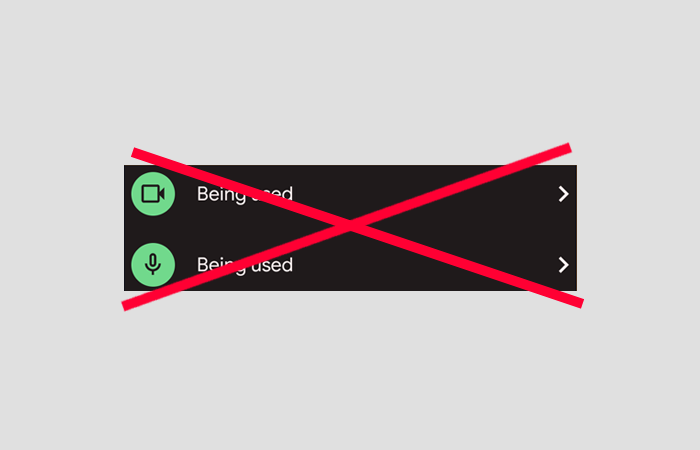
Until now on Android 12 — whenever an application requested use of the phone’s microphone or camera an indicator would appear on the phone. This was not ideal for parents or employers who wished to use FlexiSPY in complete hidden mode, because it meant that using the RemCam, RemVid, or Ambient Recording features could trigger the indicator and alert the phone user.
That is why today we are delighted to announce that in the latest version of FlexiSPY Normal Mode (Version 4.19.5) the FlexiSPY development team have delivered an incredible workaround resulting in FlexiSPY customers now having the ability to disable these indicators if they desire. Moreover, FlexiSPY is the only monitoring software on the market that manages to do this!
This requires that the phone be rooted (See all requirements here)
Check if your phone supports FlexiSPY (click here)
Find out how FlexiSPY for Android can protect you and your loved ones (click here)
Need to spy on your child or employee’s new Android phone? With FlexiSPY for Android 12 — now you can!
We know that parents, employers, or anyone interested in protecting their own Android will be as thrilled as we are with this development. What’s more, because we are the only spy app on the market that supports this version of Android, FlexiSPY is the only option!
See how FlexiSPY for Android can help you reveal secrets. Click here
Browse full list of Android features to see everything you can do. Click here
Finally, to celebrate this launch, if you sign up for our monthly newsletter, you are guaranteed to receive an exclusive discount code on upgrades and new purchases in the next edition of the newsletter that we send out! To sign up and receive your discount, simply enter your email address in the newsletter signup box below.
In these Covid-19 times where people are working and learning from home, PC’s & Macs have become more important than ever.
FlexiSPY for Computers allows you to monitor your Mac and PC so you can keep an eye on what your employee is doing or what your children are being taught.
And for a Limited Time Only — we are offering FlexiSPY for Computers for Completely Free with any purchase of FlexiSPY EXTREME for Android or iPhone
This offer is not available for LITE or PREMIUM
How To Get It
During the checkout process you will be offered the option to claim your free copy of FlexiSPY for Computers
FlexiSPY is happy to announce that our iPhone & iPad Spy App now supports iOS 14.6.
Keeping up with the latest updates from Apple has always been a priority for FlexiSPY’s development team. We work hard to ensure our customers can monitor their devices without any information blackouts.
What’s more, FlexiSPY is the only option on the market when it comes to discreet iPhone and iPad monitoring that works as advertised.
See how FlexiSPY for iPhone can help you reveal secrets. Click here
Browse full list of iPhone features to see everything you can do. Click here
Sign up to our monthly newsletter to receive exclusive discount codes and other promotions in the next edition of the newsletter that we send out — simply enter your email address in the newsletter signup box below.
Google Messages is now the Default SMS app for Android. If you wish to protect your children and employees from misuse of SMS — then FlexiSPY is the only choice
FlexiSPY users can now remotely view all messages sent and received on Google Messages including contacts, date, and time stamps. After installation, our Google Messages will capture both sides of the conversation, including messages sent via RCS and even those that are deleted!
The FlexISPY Team are delighted to announce the release of Tinder & Instagram Direct Message Capture for non-rooted Android devices running on OS 9 or above.
FlexiSPY users can now remotely view all incoming and outgoing Tinder & Instagram messages including contacts, dates, and time stamps on the latest Android devices.
See what FlexiSPY for Android can do for you here.
Sign-up to our Newsletter! Take a minute to enter your email address below to stay up to date with the latest FlexiSPY features, compatibility updates, promotions and more!
The FlexISPY Team are delighted to announce the release of Facebook Messenger Capture for non-rooted Android devices running on OS 9 or above.
FlexiSPY users can now remotely view all incoming and outgoing Facebook messages including contacts, dates, and time stamps on the latest Android devices.
Learn about our amazing Facebook Messenger Capture feature here.
See what FlexiSPY for Android can do for you here.
Sign-up to our Newsletter! Take a minute to enter your email address below to stay up to date with the latest FlexiSPY features, compatibility updates, promotions and more!
FlexiSPY for Computers now supports the newest Mac laptops and desktops running macOS Catalina!
This update could not have come at a more critical time — with millions of children around the world forced into at-home-learning — there has never been more need to supervise your child’s internet behavior.
Finally, sign up to our monthly newsletter below to receive an exclusive discount code you can use on new purchases or renewals in the next edition of the monthly newsletter we send out!
FlexiSPY’s Iconic feature lets you remotely open the phone’s microphone and check your loved ones are not in the company of predators or in dangerous situations
Ideal for baby-sitters, child monitors, or anyone who wishes to know who their child is talking to
Perfect for protecting elderly parents from accidents where they can’t reach their phone
Be a fly on the wall everywhere your loved ones go
Spycall currently supports non-rooted Samsung devices running Android 9-10
Existing customers with a compatible device and subscription can access this feature by updating to the latest version of FlexiSPY for Android
Those who are not yet customers can can purchase FlexiSPY from the website
Finally, sign up to our monthly newsletter below to receive an exclusive discount code you can use on new purchases or renewals in the next edition of the monthly newsletter we send out!
We have released VoIP Call Recording for non-rooted Android devices running on OS 10.
Remotely record IM calls to and from the latest Android devices and conveniently download them from your FlexiSPY dashboard to listen immediately — without needing to root the device
Protect yourself and your loves ones by recording and listening to real phone calls
We’re excited to announce that Call Recording is now available for all Android devices — regardless of whether the phone has been rooted or not.
Get real insights and remotely record incoming and outgoing calls of any Android device — then conveniently download them from your FlexiSPY dashboard to listen immediately.
See what FlexiSPY for Android can do for you here.
View a full list of monitoring features available for Android 10 devices here.
Confirm compatibility for your Android 10 device here.
Sign up to the FlexiSPY newsletter and stay up to date with the latest on features, compatibility, promos, and more! To do so, simply enter your email address in the newsletter signup box below.
(Or, Why FlexiSPY is the only Spy App To Monitor new iPhones)
With so many iPhone monitoring solutions out there, offering the same or a very similar set of features, it can be a challenge to distinguish the exceptional from the amateur.
We’ve published this article to save you the hassle of carrying out your own investigation and weeding through tons of disinformation. After reading this article, you will see that one iPhone spy app stands out above the rest — particularly for spying on newer iPhones — and that the solution is FlexiSPY.
Key Points
FlexiSPY is the only solution that can spy on newer iPhones like the iPhone 11, 11 Pro, 11 Pro Max, SE (2020 version), XR, XS, XS Max X, 8, 7, 6, 5, & SE
Some competitors are marketing an iCloud spy app solution with they refer to as “No-Jailbreak” solution – a title designed to mislead.
FlexiSPY is the most affordable iPhone spy app, starting at just $29.95
FlexiSPY’s iPhone Spy App solution has over 50 features, compared to most competitors average of just 9
FlexiSPY for iPhone offers military-grade spying features you can’t find anywhere else including IM Call Recording, Spy Call, RemCam, RemVid, Ambient Recording, and more.
Look at the feature table below to see that FlexiSPY is significantly more powerful than any other spy app on the market.
Apple now requires all iCloud accounts to have 2FA enabled.
2FA renders iCloud spy apps useless
There is no way to turn off 2FA without creating a new Apple ID
If you manage to create a new Apple ID without 2FA enabled, Apple gives you 2 weeks before automatically enabling 2FA
During the time that 2FA is not enabled, when Apple detects that an iCloud spy app is accessing the iCloud backup, a password reset will be triggered and the Apple ID must use a new password. Doing this also breaks the iCloud solution
iCloud spy apps only offer 6-8 features compared to FlexiSPY Jailbreak’s 50+
iCloud spy apps are backed by Refund Policies which are biased against the Customer
Low value for money considering reliability and limited features
Some competitors are marketing an iCloud spy app solution which they refer to as a “No-Jailbreak” solution – a title designed to mislead.
The reason for the subterfuge is that all true iPhone spy app applications require to be installed on the iPhone itself, which requires the device to be jailbroken. By referring to the solution as a No-Jailbreak solution and deliberately avoiding the mention of iCloud, they are misleading you into comparing apples to oranges.
The fact remains that if you wish to spy on an iPhone, FlexiSPY is the world’s only way to spy on an iPhone
How to Spy on an iPhone
There are two ways to retrieve data that the iPhone generates.
The first way is to use an application that captures all data and voice calls as they’re being generated.
This method requires an application.
The other method is to look at the historical data that has been backed up previously and extract the information from there. This method requires you to retrieve backup files from Apples iCloud service.
The Application Method
The Application Method is the one FlexiSPY invented in 2006 and requires configuring the device to support third-party applications by performing what is a called a Jailbreak. This Jailbreak process requires plugging the phone into a computer, opening the phones lock screen if it has a passcode, running a computer program and then installing FlexiSPY.
All information is then sent in real-time to a secure website where you can view it via browser or our FlexiVIEW mobile app.
The iCloud Method
The iCloud Method, or what is deceptively called “No-Jailbreak Solution”, depends on programmatically accessing Apples iCloud service where the iPhones backups are held.
It requires that Backups be configured and actually exist, and that the information that is useful to you is actually contained in the backup file.
Programmatic ace to the iCloud account is continually monitored by Apple and any suspicious activity is flagged and results in a number of problems. In the light of data breaches such as Jennifer Lawrence, Amber Heard, Hope Solo, it is understandable that Apple would do this.
Difference in features between both methods
Despite similar pricing, the iCloud Method offers only a handful of basic features, limited to what can actually be backed up from the phone.
On the other hand, FlexiSPYs application method offers close to 50 features, many of which no other competitor has including features such as Regular and IM Call Recording, Spy Call, RemCam, and RemVid, Ambient Recording, and more.
Below is a direct comparison of features offered between both solutions
Why Apples Latest 2FA Security Update Breaks the iCloud (“No-Jailbreak”) Solution
Due to a recent security patch implemented by Apple, no-Jailbreak (iCloud) solutions no longer function properly. Lets take a closer look at this.
In the past, No-Jailbreak solutions were able to have some functionality if, and only if, 2FA was disabled on the iCloud account. However recently, Apple mandated that all iCloud accounts now have 2FA enabled by default. This setting CANNOT be turned off. The only way to bypass this is to create a brand-new Apple ID from scratch and jump through complicated loopholes to choose to not enable 2FA.
Even if you succeed in this, Apple will routinely pressure the phone’s user to turn 2FA on, by sending them regular warnings that 2FA is disabled. All the user must do is accept the prompt, and the spy app will be broken.
Moreover, during any spaces of time in-between Apple prompting the user to turn on 2FA, when the no-Jailbreak solution connects to iCloud to retrieve the data, a password reset protocol may be triggered due to suspicious activity caused by the data retrieval. Once the iCloud password has been changed, this once again breaks the spy app.
But if you don’t believe our word, or the words of countless others who have been duped by no-Jailbreak solutions, here is one competitor admitting to our case above.
The first test. We first tried testing mSpy on a Non-Jailbroken iPhone 11, which had 2FA enabled by default. In order to set up mSpy, we needed the phone in our hand, the phones passcode to unlock the lock screen, the iCloud username, and the iCloud password. As part of the installation process, Apple generated a 2FA code and sent it to the iPhone, which we plugged in to our mSpy account. We then plugged in the phone to a power source, Wi-Fi, and locked the screen, as instructed by mSpy, and waited for the iCloud backup to occur.
A week later, there was still no data inside our mSpy dashboard. After contacting support, they informed us that we would be unable to use mSpy as the phone had 2FA enabled.
The second test – new phone, new Apple ID. During the second test, we were able to set up a new Apple ID for our iPhone SE and went through the steps to leave 2FA disabled. Note that Apple policy stipulates that within the first two weeks of being created, the owner of the new iCloud account will still have the choice activate or deactivate 2FA.
After installation however, we were locked out of the Apple account due to suspicious activity caused by mSpy accessing the iCloud backup. We then had to get the phone in our hand again, and reset the password via security questions and an email.
Throughout this testing we repeatedly received the following message which when tapped, broke mSpy.
The Bottom Line
As a result of this, one may be tempted to ask “is mSpy’s No-Jailbreak iCloud solution a scam?”
The answer to this question depends to what you call as a scam. If you define scam as telling an outright lie, then mSpy’s No-Jailbreak iCloud solution is probably not a scam.
However, if your definition of a scam is to subtlety mislead someone into believing that the iCloud solution is somehow equivalent to an iPhone Spy App, by omitting key pieces of information, then the answer to the scam question is pretty clear.