Skype ist eine massive und populäre unmittelbare Datentransferplattform für Computer, sowohl als auch Telefonen gleich. Wenn Sie jemanden kennen, der Skype sehr oft benutzt, oder vor kurzem damit anfing sich dafür zu interessieren, werden Sie wissen wollen, genau was sie auf sind. Nachdem ourmobile zu kaufen, Software ausgemacht hat, werden Sie gerne fähig sein deren Androide-Skype-Unterhaltungen zu bespitzeln, um genau zu wissen was diese vorhaben. Nach dem Kauf unserer Handy- Spion software, werden Sie im Stande sein auf Androide Skype Gespräche zu spionieren, und in dem folgenden Ratgeber, werden Sie lernen wie man das macht. Lassen Sie uns anfangen!
Spion auf Androide-Skype-Unterhaltungen. Fangen Sie An.
Schritt 1. Login zu Ihrem Armaturenbrett durch das FlexiSPY Portal
Schritt 2 – Klicken Sie auf die Nachrichten Registerkarte und klicken Sie auf IM und dann Skype.
Schritt 3- Anzeigen der erfassten Skype-Chats, aufgeführt für Ihr Ansehen.
Fertig!
Das ist Alles was es dazu zu sagen gibt, und Sie sollten jetzt in der Lage sein, auf Android Skype-Chats zu spionieren. Natürlich, wenn Sie irgendwelche Fragen über diese Funktion, oder jedem anderen FlexiSPY-Merkmal haben, bitte kontaktieren Sie uns unten über unser Kommentarfeld , oder über unsere Soziale Media!
Mit wem hängen diese rum? Was machen sie nach der Schule? Ist mein Kind gemobbt? Ist mein Kind auf Drogen?
Dies sind Alles gültige – und gemeinsame – Anliegen eines Elternteils.
Sie haben wahrscheinlich Ihrem Kind ein Handy gekauft – ein niedliches iPhone oder ein Techie-android-Smartphone.
Sie können viele Ängste zur Ruhe setzen, wenn Sie wissen, was mit dem Telefon Ihres Kindes vor sich geht. Sie können wenn nötig, auch eingreifen, um Ihr Kind zu schützen.
Was sind die rechtlichen Implikationen,wenn Sie Ihres Kindes Handy ausspionieren? Können Sie von Ihrem Kind verklagt werden?
Elternteil-Kinderimmunität: Historisch gesehen, verbot die Doktrin Elterlicher Immunität einem Kind, eine Forderung gegen ihre Eltern durchzubringen. Die elterliche Immunitätsdoktrin hatte seine Entstehung in den Vereinigten Staaten in Hewellette v. George, 68 Miss. 703, 9 So. 885 (1891, in denen eine junge Tochter davon ausgeschlossen wurde, das Gut ihrer verstorbenen Mutter auf Schadenersatz zu verklagen, welches durch eine Beschränkung in einem 11 Tage währendem Asyl, wo sie geistige Leiden und Verletzungen erlitt, resultierte. Das Gericht gab diesen Grund für seine Entscheidung:
“ ‘ Der Frieden der Gesellschaft und der Familien komponierende Gesellschaft, und eine solide Politik, entworfen, um die Ruhe der Familien und die Interessen der Gesellschaft, sei es verboten, minderjährigen Kindern ein Recht vor Gericht in Geltendmachung eines Anspruchs zu zivilen Rechtsbehelfen für Personenschäden unter den Händen der Eltern zu geben. Der Staat, durch dessen Strafgesetze geben dem minderjährigen Kindern Schutz vor elterlicher Gewalt und Fehlverhalten, und das ist Alles was von einem Kind nach einer Forderung angehört werden kann. “
Die Regel, wie in Hewellette festgetellt, ist wie folgt: „So lange wie der Elternteil unter Pflicht zur Sorge dafür da ist, Führer zu sein, und die Kontrolle zu haben, und das Kind unter gegenseitiger Pflicht zur Hilfe und Bequemlichkeit zu gehorchen hat, kann keine solche Handlung beibehalten werden.“
Alle 50 Staaten gesetzgebend oder rechtlich (durch eine Entscheidung vom Obersten Gerichtshof des Staates) adoptierten die Doktrin. Kalifornien ist ein Staat, der die Immunität rechtlich annahm (Trudell v. Leatherby (1931) 212 Cal. 678 [300 P. 7] ein unemanzipiertes kleineres Kind kann keine Handlung gegen seinen Elternteil für Nachlässigkeit einbringen, weil eine Handlung von einem Kind gegen seinen Elternteil „Uneinigkeit in die Familie bringen würde und den Frieden und die Harmonie des Haushaltes“ stören wird.
Das Ende der Eltern-Kind-Immunität: Fast alle Staaten haben heute die absolute hierarchische Immunität, insbesondere im Hinblick auf vorsätzliche unerlaubte Handlungen gegen das Kind (d.h. „Kindesmissbrauch“ und „Missbrauch“) fallen gelassen. Viele Staaten haben die Lehre für Fahrlässigkeits – Ansprüche eingestellt, wo Versicherungsschutz bei Fahrlässigkeit des Elternteils besteht, und des Kindes Klage gegen die Eltern erlaubt wurde, da die Familienharmonie nicht gestört werden würde, weil die Klage wirklich gegen den Versicherungsträger für den Elternteil besteht (d. h. so dass Automobile Fahrlässigkeit Klagen – nun häufig von Versicherungen ausgeschlossen sind).
Der Goller Gesetz- das Immunisieren von gewöhnlicher elterlicher Nachlässigkeit
Das fortsetzende Bedürfnis erkennend, elterliche Autorität und Familienharmonie zu schützen, haben einige Gerichtsbarkeiten versucht, Immunität auf nachlässiges Verhalten zu beschränken, das aus einer „Ausübung elterlicher Autorität entsteht. . . [oder] einer Ausübung gewöhnlicher elterlicher Diskretion in Bezug auf die Bereitstellung von Essen, Kleidung, Unterbringung, medizinischen, dentalen Diensten und anderer Sorge.“ Goller v. White 20 Wis. 2d 402, 122 N.W.2d 193 (1963).
Die Schlußfolgerung ist, dass Eltern ein Recht darauf haben, ihre Kinder in ihrem eigenen Glauben zufolge aufzuziehen, ohne unangemessene Einmischung der Gerichte. Eltern sollten frei sein, den physischen, moralischen, emotionalen, und intellektuellen Wuchs von ihren eigenen Kindern zu bestimmen. Jeder Elternteil hat eine einmalige Philosophie, wie man Kinder erziehen kann, und Sachen elterlicher Aufsicht berufen sich auf diese philosophischen Überlegungen. Weder ein Gericht, noch Geschworene kann solche sehr subjektive Faktoren ohne die individuelle Philosophie des Elternteiles zu ersetzen, einschätzen
Das Wisconsin-Gesetz von Goller, welches von einer Mehrheit der Staaten gefolgt wird, ist wie folgt: Die Elterliche-Immunitätsregel wird außer diesen zwei Situationen abgelehnt: (1) wo die angebliche nachlässige Tat einer Ausübung von elterlicher Autorität über das Kind einschließt; und (2) wo die angebliche nachlässige Tat in der Ausübung gewöhnlicher elterlicher Diskretion in Bezug auf die Bereitstellung von Essen, Kleidung, Unterbringung, medizinischen und dentalen Diensten, und anderer Sorge einschließt.
Das Gibson Gesetz- Der Angemessene Eltern Standard
Kalifornien ist im Ablehnen der elterlichen Immunitätsdoktrin vollständig vielen Staaten vorangegangen,und viele Staaten orientieren sich an Kalifornien, der „angemessenen Eltern“-Regel in Gibson v. Gibson (1971) 3 Cal.3d 914. Beschlossen von Goller, erkannte Gibson, dass „ein Elternteil vielleicht bestimmte Autorität über ein kleineres Kind ausübt, das rechtswidrig wäre, wenn es an jemandem Andereren augeführt wird. Zum Beispiel versohlt “ein Elternteil vielleicht ein Kind, das sich schlecht benommen hat, ohne für Elemente verantwortlich zu sein, oder er befiehlt vielleicht dem Kind als Bestrafung vorübergehend in seinem Zimmer zu bleiben, doch werden diese nicht verantwortlich für falsche Inhaftierung gemacht werden.“
Gibson nahm die folgende Regel an, die jetzt als der „angemessene Eltern“-Standard bekannt wurde: „Weil das Gesetz eine Verpflichtung gegenüber Erziehung dem Elternteil auferlegt und sein Kind diszipliniert und das Recht verleiht, für seine Entwicklung einen Verlauf angemessenen Verhaltens zu verschreiben, hat der Elternteil in der Aufführung seiner elterlichen Funktionen eine breite Diskretion, aber diese Diskretion schließt das Recht nicht ein, persönliche Verletzungen jenseits der Grenzen angemessener elterlicher Disziplin absichtlich zuzufügen. . . Obwohl ein Elternteil das Vorrecht und die Pflicht hat, Autorität über sein kleineres Kind auszuüben, muss dieses Vorrecht innerhalb angemessener Grenzen ausgeübt werden. Der Standard, der angewandt werden sollte, ist das Traditionelle von Vernünftigkeit, aber muss angesichts der elterlichen Rolle angesehen werden. So glauben wir, dass die richtige Prüfung vom Verhalten eines Elternteiles dieses ist: was hätte ein gewöhnlich vernünftiger und umsichtiger Elternteil in ähnlichen Umständen gemacht?“
Gesetzliches Überwachen Erforderlich Oregon‘s Kinder Aufsichts Gesetz
Man kann auch notwendig finden, daß Überwachen von Kommunikationen und Orte für Eltern mit einem Kind notwendig sind, welche eine kriminelle Vergangenheit haben. Zum Beispiel erlegt Oregon kriminelle Strafen (nur eine $100 Geldstrafe) gegen Eltern auf, deren Kinder Tabak, Alkohol, Schul Schwänzen und Ausgangssperrengesetze brechen. Um der Verantwortlichkeit zu entkommen, müssen die Eltern entweder zeigen, dass sie das Verhalten der Polizei berichteten, oder dass sie angemessene Schritte machten, um das Kind zu kontrollieren. (Oregon revidierte Satzungen, Sektion 133.07 (Misserfolg ein Kind zu beaufsichtigen).
Elterliche Haftung Für Belästigung EinesKindes: Hacken Sie Das Facebook-Konto Ihres Kindes Nicht
Es gibt keine bekannten Fälle von Eltern die von ihren Kindern für die Verletzung der Privatsphäre, und für Spionage auf ihre Telefon- und Internet-Tätigkeit verklagt wurden, erst kürzlich gabe es einen Fall, wo ein Elternteil die Spitze ihrer Aufsichtstätigkeiten übertrafen.
Der 17-jährige Sohn einer Frau aus Arkansas liess seine Facebook-Seite auf seinem Computer offen. Seine Mutter konnte seine Einträge auf der Seite lesen, und war darüber beunruhigt, das er von häuslicher Gewalt durch seine Mutter berichtete, veröffentlicht zu finden. Sie änderte sein Passwort, und im Laufe von mehreren Wochen, begann sie zahlreiche falsche und verleumderische Beitrage und Äußerungen, welche von Facebook Freunden des 17-jährigen Kindes als selbst geschrieben erschienen. Sie schickte auch Kommunikationen per Sms, und über Facebook zu ihrem Sohn, die sehr vulgär waren.
Ihr Sohn machte eine Polizeiklage. Die Mutter wurde verhaftet, erprobt, und wegen Belästigung verurteilt. Sie wurde zu 1 Jahr auf Bewährung verurteilt, es wurde befohlen eine $435 Geldstrafe zu bezahlen, und Sie musste Ärgermanagementklassen besuchen. (Denise Neuer Fall)
Einsicht eines Elternteiles: Überwachung das Telefons Ihres Kindes und Internetaktivität ist innerhalb Ihrer Rechte als ein Elternteil, und es ist vielleicht auch Ihre Pflicht. Während Aufsicht und das Überwachen vollkommen innerhalb des Gesetzes sind, ist absichtlich schädigendes Verhalten, das über elterliche Sorge hinausgeht, setzt Eltern sowohl ziviler, als auch krimineller Verantwortlichkeit aus. Überdies führt die öffentliche Bekanntgabe von persönlicher Kommunikationen kann, in einigen Fällen, zu ziviler oder krimineller Haftung für Verleumdung, Belästigung oder Invasion auf Privatsphäre.
Da sind viele GPS Verfolgungs Geräte auf dem Markt herausgegeben. Als ein Arbeitgeber können Sie einen in einem Betriebsauto installieren, kein Problem. Installieren Sie es auf dem AUSWEIS-Abzeichen eines Angestellten….ja. Installieren Sie einen im persönlichen Auto eines Angestellten. . . ja. Und unter bestimmten Umständen können Sie einen installieren, um das beschränkte Verfolgen von Ihren Arbeitern zu machen, die ihr persönliches Auto außerhalb des Büros für Arbeitsaufgaben benutzen.
Wie auch immer, installierter GPS, der Geräte verfolgt, hat bedeutende Einschränkungen. Sie verfolgen nur die Lage des Autos Ihres Angestellten. Sie verfolgen nicht Ihren Angestellten.
Wie können Sie den Ort Ihres Angestellten verfolgen? Wie können Sie sehen, wenn sich Ihr Angestellter entschieden hat, zur Rennbahn zu gehen, anstatt das von Ihnen bezahltes, teures Seminar zu besuchen?
Ein Weg könnte sein, das AUSWEIS-Abzeichen eines Angestellten als einen Spürhund zu benutzen. Das Problem damit ist, es funktioniert nur am Arbeitsplatz, und das Gerät wird ineffektiv, wenn durch den Angestellten entfernt wird.
Kluge Telefone sind erstaunliche Geräte, weil sie GPS Orte genauso verfolgen können und Orte so genau wie installierte GPS-Geräte übertragen. Als ein Ergebnis vom Bedürfnis, 911 Anrufer genau zu finden, sind Telefon GPS-Sender in Telefonen fast universal geworden- In der Tat verlangen viele Staaten dass Telefone, mit den installierten Sendern verkauft werden. Das was viel erstaunlicher ist, ist, dass das Gesetz die zwei Geräte behandelt- GPS übertragende Geräte, und Telefone- verschieden, obwohl sie ähnliche Daten bereitstellen.
Angestellten GPS Verfolgungs Gesetze
Die Verwendung von GPS Verfolgungs Technologie um Angestellte am Arbeitsplatz zu finden, ist jetzt sehr weit verbreitet geworden. Mehr als 53% aller Arbeitgeber benutzen GPS-Technologie, um ihre Fahrzeuge und Arbeiter zu verfolgen. Es wird jetzt für Arbeitgeber mit weniger als 8 Mitarbeiter sehr Kosten effektiv, eine Art von Technologie zu benutzen, um die Orte ihrer Angestellten zu verfolgen.
Eine Prüfung von zwei letzten Berufungsentscheidungen im Staat von New York demonstriert, warum die Gerichte verschiedene Maßstäbe anlegen werden, um sich zu entschließen, ob GPS Verfolgen für Arbeitgeber gesetzlich davon abhängig ist, ob das Verfolgen von einem installierten Gerät in einem Auto gemacht wird, oder ob das Verfolgen auf einem smart Telefon gemacht wird.
Im Untersuchen der Gesetzlichkeit, ein GPS zu benutzen, der Geräte verfolgt, ist es wichtig, zuerst dabei zu sehen, ob es wegen der Privatsphärenfragen Einschränkungen auf seine Verwendung gibt.
Daher gibt es keine gesetzlichen Einschränkungen für einen Arbeitgeber Standortnachverfolgung seine Mitarbeiter mit einem GPS-Tracking-Gerät.
Es wird empfohlen, dass alle Arbeitgeber diese Politik ankündigen und ihren Mitarbeitern, diese Politik schriftlich bestätigen zu lassen.
Drei Staaten müssten nun den Arbeitgeber dazu veranlassen seine Mitarbeitern zu benachrichtigen, dass er GPS-Verolgungs-Technologie verwendet, um die Orte ihrer Mitarbeiter während der Arbeitszeit zu überwachen. Dies ist keine große Einschränkung. In der Tat würden wir empfehlen, dass alle Arbeitgeber diese Politik ankündigen und seinen Mitarbeitern, die Politik schriftlich bestätigen zu lassen.
Zwar gibt es keine gesetzlichen Datenschutzgesetze, die mittels GPS Orte Verfolgungs-Technologie am Arbeitsplatz erheblich einschränken würde, haben Gerichte begonnen diese Angelegenheit zu überdenken, und haben einige Richtlinien über die Grenzen niedergelegt, und sich auf die staatlichen Gesetzen auf dieser Art von Überwachung zu berufen .
Traditionell haben die Gerichte eine geringe Erwartung des Privatlebens hinsichtlich Überwachung am Arbeitsplatz befunden. Es sei denn, die Verletzung der Privatsphäre ist unvernünftig, in dem Maße, in dem es in Verbindung mit höchstpersönlichen Informationen über die Arbeiter steht, die Überwachung den Schutz der Persönlichkeitsrechte des Arbeitnehmers nicht verletzt zu haben.
Betreffend GPS, um herauszufinden ob es eine Verletzung der Privatsphäre gab, begutachteten Gerichte ob es ein Eindringen in eine Zone gab, in denen eine Person vernünftigerweise Privatsphäre erwarten würde, und ob das Eindringen ein Angriff im Hinblick auf die Motive und Ziele durch den Eindringling war. (Siehe, Miller v. NBC, 187 Cal.App.3d 1463, 232 Cal.Rptr. 668 1986) und Shulman v. Group W Productions, 18 Cal.4th 200, 955 P.2d 469, 74 Cal.Rptr.2d 843 1998.
Das Überwachen von Angestellten GPS-Orten- Der Erste Fall
Der erste Angestellten Fall, wo GPS überwacht wurde, kam aus New York. Cunningham v. New York staatliches Dept. der Arbeit, (2013 NY-Zettel Op 04838) New York‘s Rechtsmittel Abteilung hörte einen Fall, in dem der Angestellte abgelehnt und diszipliniert wurde, was durch die Verwendung von einem GPS Verfolgungs Gerät entstandt, installiert in seinem persönlichen Auto, wodurch Beweise gefunden wurden.
Michael Cunningham arbeitete im Arbeitsministerium des Staates in einer Managementposition. Er war, ein 20-Jahresveteran von der Abteilung, und viel von seiner Arbeit wurde entweder in dem Anwendungsgebiet, oder an entfernten Orten ausgeführt.
Sein Arbeitgeber verdächtigte, dass er falsche Zeitberichte einreichte, und unautorisierte Abwesenheit nahm. Sie glaubten, dass er behauptete, dass er auf verlängerten Geschäftsreisen war, obwohl er eigentlich viel früher nach Hause zurückgekommen war, als sein Arbeitszeitplan zeigten.
Der Arbeitgeber stellte einen Ermittler ein, welcher seinem Auto folgte, um ihren Verdacht zu bestätigen. Cunningham konnte sich mehrmals erfolgreich dem Verfolger entziehen. Danach verband der Arbeitgeber eine GPS-Tracking-Gerät mit dem Radkasten von Cunninghams Privatwagen, ohne Cunninghams dies wissen zu lassen.
Der Arbeitgeber verfolgte die Bewegungen von Cunninghams Auto für einen Monat. Während dieser Zeit musste das GPS-Tracking-Gerät zweimal ersetzt werden. Durch die Beweise, die durch den Peiler erbracht wurden, erlaubte dem Arbeitgeber eine disziplinäre Anklage gegen Cunningham, was zur Beendigung seiner Beschäftigung geführt hatte.
Das Überprüfungs Gericht hatte festgestellt, dass die Verwendung von GPS-Verfolgungs-Gerät angemessen war, da es die Befürchtungen dass Cunninghams Abwesenheiten und Zeitaufstellungs Aufzeichnungen nicht wahr waren, bestätigte. Es stellte weiterhin fest, dass das Verfolgen der Bewegungen des Autos für einen Monat eine angemessene Zeitspanne war.
Jedoch entschied das Gericht auch, dass die Suche übermäßig aufdringlich war. Da der Arbeitgeber die Bewegungen von Cunninghams Auto 24/7 auf Überwachung war, und dazu gehören erhebliche Zeiträume, wann Cunningham keinen Anspruch gemacht hatte dass er gearbeitet hatte, überschritt die Suche den zulässigen Anwendungsbereich.Der Arbeitgeber, der das GPS-Gerät zweimal während der Observation ersetzte, hätte es leicht entfernt gehabt haben können, als Cunningham einen persönlichen Urlaub genommen hat. Das Gericht befand, dass der Arbeitgeber unangemessene Anstrengungen verwendete, um zu vermeiden, Cunningham zu verfolgen, wenn er außerhalb der Geschäftszeiten war.
Ein paar Monate später, trat der U.S.Oberste Gerichtshof in den Kampf in einem Strafverfahren, aber möglicherweise auch einen Schlag auf die Verwendung von GPS-Geräten von Autos zugeordnet sind. United States v. Jones132 S. CT. 949, 565 US ___ (2012), begründete Richter Scalia, dass das Platzieren von GPS-Geräten im Auto in die Privatsphäre einer Person eindringt. Darüber hinaus resultierte die übereinstimmende Meinung, dass die langfristige GPS-Verfolgung eine Verletzung der Privatsphäre wäre, weil es eine Vielzahl von persönlichen Informationen, einschließlich familiärer, politischer, religiöser und sexuellen Assoziationen offenbaren würde.
Handys, haben jedoch keine Gleichbehandlung von den Gerichten erhalten. United States v. Skinner690 F.3d 772 (6th Cir. 2012), der Gerichtshof beschloß, daß es keine vernünftige Erwartung des Privatlebens des Ortes übertragendem Signal von einem angeschlossenen Mobiltelefon gibt. Wäre dies so, wäre es eine Verletzung der Privatsphäre an Gegenstände riechende Hunde zu verwenden, um einen Verdächtigen zu verfolgen. In Skinner differenzierte das Gericht explizit das Platzieren ein GPS-Gerät in einem Auto im Fall Jones, mithilfe einer Persons Handy zu benutzen, um diee Position zu überwachen. Ersteres beinhaltet ein Hausfriedensbruch, letzteres nicht.
Mit der bevorzugten Privatsphäre-Behandlung gegeben an Mobiltelefone über GPS-Geräte im Auto platzieren scheint es logisch, dass Arbeitgeber die GPS-Verfolgungs-Technologie in Handys, im Gegensatz zu einem Gerät in einem persönlichen Wagen bevorzugen. Zwar gibt es immer noch gute geschäftliche Gründe für GPS-Verfolgung von Unternehmenseigenen Autos, aber die Bewegungen der Mitarbeiter scheint viel wichtiger su sein, speziell im Zeitalter der Telearbeit und entferntem Arbeiten.
Arbeitgeber können daher Telefone ausgeben, die GPS-Verfolfungs-Software installiert haben, um zuzulassen dass sie, ihre Mitarbeiter-Standorte überwachen. Auch hier empfehlen wir, Mitteilung an die Arbeitnehmer zu machen, vor allem, weil es auch von in Nicht Arbeitszeit aus verfolgen kann. Dies ist eine attraktive Alternative zu den Unsichtbaren, und wird letztendlich scheitern, wie im Cunningham-Fall eingebunden, wo die Verfolgung so beherrschend wurde, daß es der Privatsphäre des Arbeitnehmers in angemessener Erwartung als verletzend gehalten wird.
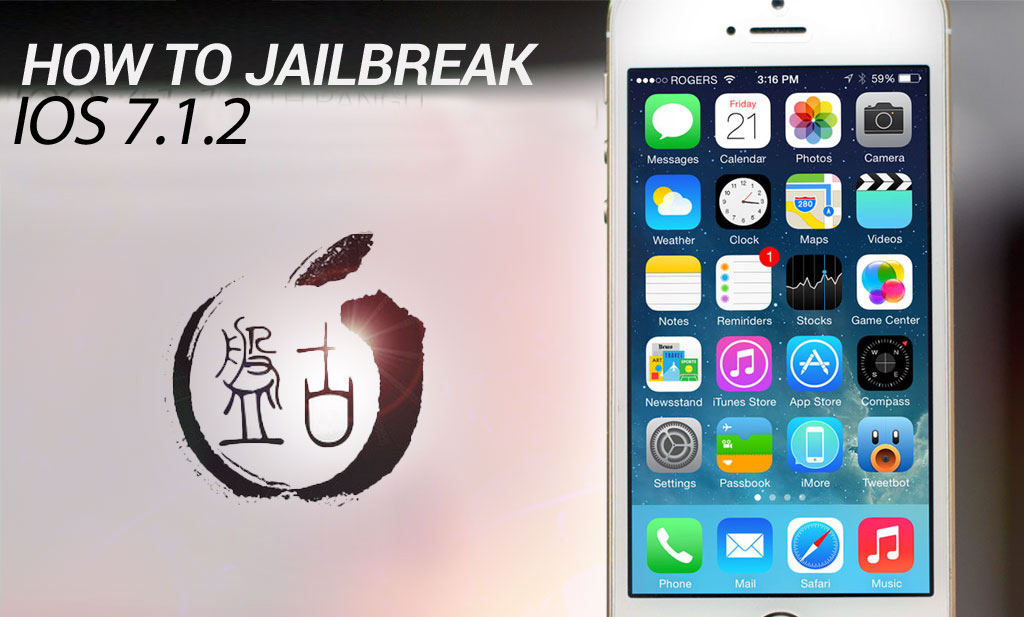
Vor kurzem brach die Nachricht aus, dass eine Gruppe von Chinesischen Hackern erfolgreich einen funktioierenden-Ausbruch für iOS 7.1.2 Geräte freigegeben hatten. Für diejenigen, die von einem Upgrade weggehalten wurden, weil sie den Ausbrauch von iOS 6.x.x verlieren wollten, ist das sicherlich eine willkommene Nachricht, trotz alledem aber gibt es noch ein paar Fragen, die wegen diesem Ausbrauch gefragt werden müssen, und ob es wirklich legitim ist, oder nicht.
WAS IST PANGU?
Pangu ist der Name der Anwendung für iOS 7.1.2 Ausbruch. Derzeit ist es nur unter Windows freigegeben, was auch heisst dass diejenigen, die Macs haben, und wünschen den Ausbruch ihrer Gerät iOS 7.1.2 derzeit vom Pech verfolgt sind. Außerdem scheint die Anwendung, für alle Absichten und Zwecke, komplett auf Chinesisch. Jedoch gibt es bereits Warnzeichen der Legitimität des Ausbruchs, sogar bevor Sie das Ausbruchs-Werkzeug herunterladen- schon beginnend mit der download URL.
http://dl.pangu.25pp.com/jb/ (Dies ist nicht der volle Download-Link – siehe unten,)
25pp.com ist eine bekannte chinesische Piraterie-Seite und die Ausbruchsanwendung,einmal heruntergeladen, Spyware in Form der 25pp iPhone app zu installieren versucht. Aber wie ist das überhaupt möglich? Wenn die Ausbruchsanwendung versucht, Spyware zu installieren, wie der eigentliche Ausbruch vertrauenswürdig gehalten werden kann? Und wir haben ja schon erwähnt, dass das Jailbreak-Programm nur auf Chinesisch ist.
Das Ausbrauchs-Werkzeug hat eine Checkbox Option, wie Sie im Screenshot unten sehen können. Die meisten Menschen, sei es in einem Moment der Freude, oder was auch immer bei der Aussicht auf den Ausbrauch von iOS 7.1.2 schließen läßt, verbinden Sie einfach deren Gerat mit ihrem PC ,und klicken Sie dann auf die schwarze Taste, sobald sich die Symbole ändern.
Diese werden das Kontrollkästchen vollständig ignorieren, und werden vollständig malware installieren
25pp ist eine Anwendung, welches Ihnen erlaubt illegale iOS Anwendungen zu suchen, und auf Ihrem Gerät zu installieren.
Wenn Sie Pangu benutzen um iOS 7.1.2 auszubrechen, und Sie nicht das Kontrollkästchen deaktivieren, ist Hilfe zur Hand. FlexiSPY warf einen Blick auf das was die Spyware ist, und es stellte sich heraus, dass die 25pp-app, einmal installiert, regelmäßig das Internet auf Ihrem Gerät zum Herstellen einer Verbindung mit der 25pp-Servers benutzt. Aus welchen Grund ist derzeit unbekannt, aber es gibt eine Möglichkeit dies zu umgehen und es davon abhalten, “die Startseite ständig zu telefonieren“ wenn Sie nicht, den Aufwand für die Wiederherstellung und Wiederausbruch möchten.
Der Ausbruch verwendet auch ein gefälschtes Zertifikat der Programme auf Ihrem Gerät im Hintergrund ohne Ihr Wissen installiert. (wie ein backdoor)
Also unten sind zwei Führer, Einer zum sicheren Ausbruch von iOS 7.1.2 und der Andere für diejenigen, die bereits iOS 7.1.2 mit Hilfe von Pangu ausgebrochen haben, um die Anwendung wegen irgendwelchen verruchten Gründen aus hinauswählen, zu stoppen.
WIE MAN IOS 7.1.2 SICHER AUSBRICHT
Unten sind Stufen zum sicheren Ausbruch von IOS 7.1.2, ohne irgendwelche scheußliche 25pp spyware zu installieren.
Alternativ dazu können Sie entweder den Mac oder PC ansehen und weiterverfolgen.
Es sollte bemerkt werden, dass wir für keinen Schaden, der vielleicht Ihrem Telefon davon zugefügt wird, diesem Tutorenkurs zu folgen, verantwortlich sind. Seien Sie sich auch bewusst, dass Sie den Prozess zweimal auf einem 5s vervollständigen müssen, bei dem ersten Versuch wird das Gerät einen ‚blauen Bildschirm‘ zeigen, warten Sie auf das iPhone zu rebooten, dann starten Sie Pangu erneut auf Ihrem PC, und folgen Sie wieder dem Führer
Schritt 1, laden Sie und starten Sie den Pangu-Ausbruch von der Verbindung unten herunter.
Schritt 2, Starten Sie dem Pangu-Ausbruch Applikation als Administrator auf Ihrem PC, und unchecken das Kästchen.
Schritt 3, Verbinden Sie Ihr iPhone oder Ihren iPad, auf dem iOS 7.1.2. läuft
Schritt 4, Dies ist, wo Sachen interessant werden. Das Ausbruchswerkzeug, außer dem Bemühen, Sie dazu zu bringen, spyware zu installieren, benutzt auch eine abgelaufene Datumsbescheinigung als Bestätigung, um den Ausbruch zu erlauben. Dies bedeutet ansonsten auch, dass Sie das Datum und die Zeit auf Ihrem iPhone oder Ihrem iPad auf den Ausbruch zum 2. Juni 2014 zu verändern haben werden, andernfalls wird ein Ausbruch nicht funktionieren.
Schritt 6, Setzen Sie das Datum und die Zeit auf den 2.Juni 2014.
Schritt 7, Warten Sie auf Pangu zu überprüfen, dass das Datum korrekt ist, und dann klicken auf die große schwarze Taste, den Ausbruch zu beginnen und warten Sie einfach.
Schritt 8 , Wie man mit Evad3rs eine neue app auf dem Sprungbrett Ihres Geräts angezeigt bekommen wird.
Notiz: Wenn Sie zu lange warten, bevor Sie ‘Fortsetzen‘ oder ‘Stoppen‘ wählen “ , wird eine Mitteilung in rotem Text erscheinen. Wenn dies passiert, müssen Sie den Ausbruchsprozess wieder vom Anfang an beginnen.
Schritt 9, Die Pangu app auf dem PC wird das Gerät zum Ausbruch fortsetzen- trennen Sie nicht das Gerät oder trennen das Gerät USB Kabel von Ihrem PC
Schritt 10, Wenn die Pangu app auf Ihrem PC so wie hier aussieht, ist der Ausbruch vollständig.
Sie können dieses auch verifizieren, indem Sie jetzt auf Ihr Gerät sehen, und Sie die Cydia-Ikone sehen.
DAS WAR ES
iOS 7.1.2 ist ausgebrochen.
Aber was passiert, wenn Sie all dies taten, aber jedoch vergessen haben, die Checkbox deaktivieren?
Wie 2PP lahm zu legen ist, wenn Sie den Ausbruch schon auf Ihrem iOS 7.1.2 Gerät haben.
Sie haben zwei Möglichkeiten:
1 – Wiederherstellung Ihres Telefons wird ALLE DATEN LÖSCHEN und Wiederausbrauch des Telefons, die oben genannten Schritte benutzend.
2 – Entfernen Sie PPSync um das Funtionieren von 2PP zu stoppen.
Um dies zu machen gehen Sie jetzt auf das ausgebrochene iOS 7.1.2 Gerät Cydia. Tippen Sie auf Quellen > Verwalten > Bearbeiten > hinzufügen.
ein und warten auf Cydia sich zu aktualisieren, und tippen Sie dann die neue Quelle aus der Liste ein.
Tippen Sie auf das Programm, mit dem Titel “ Kompletter PPSync Installations Entferner“..
Lassen Sie die app laufen, um das PPSync-Programm von Ihrem Gerät zu entfernen, und es sollte okay sein.
Für jene, die sich fragen wenn PPSync, einmal installiert, Geräteinstabilität verursachen kann und Bestands apps (z.B.. iBooks oder Landkarten) crashen, und es kann die Allgemeine Ausführung Ihres Gerätes beeinflussen
So jetzt wissen Sie wie man Pangu zum Ausbruch von iOS 7.1.2 auf einem Windows-PC benutzt. Wenn Sie irgendwelche Fragen haben, oder Kommentare haben, gehen Sie bitte hinüber zur Ausbruchsseite von Spion Telefon Beurteilungen welche Sie hier finden oder hinterlassen Sie unten einen Kommentar.
Wann Sie sie fragen, wo sie während des Tages gewesen sind, sind Sie sicher, dass sie Ihnen die Wahrheit sagen?
Die Tatsache ist, dass Sie wirklich nie wissen werden, außer wenn Sie diese an dem Ort sahen, oder Sie haben ein GPS Verfolgungs Gerät installiert, welches die jederzeit mit sich tragen werden.
Im folgenden Führer werden Sie lernen, wie man Androide-GPS-Orte herausfinden kann, mit Hilfe von FlexiSPY’s Verfolgung der GPS Orte Merkmal.
Beginnen
Schritt 1. Login zu Ihrem FlexiSPY Armaturenbrett über das Portal
Schritt 2 -Klicken Sie die Orts Lasche.
Schritt 3- Sehen Sie letzten aufgenommenen GPS Orte
FERTIG
Das ist Alles was es dazu zu sagen gibt, und Sie sollten jetzt erfolgreich sein Androide-GPS-Lagen mit FlexiSPY zu verfolgen.
Natürlich, wenn Sie irgendwelche Fragen über dieses Merkmal, oder irgendein anderes FlexiSPY-Merkmal haben, lassen Sie es uns im unteren Kommentare-Teil wissen, oder durch unsere gesellschaftlichen Medien!
AutoUpdate – We’re really proud of this feature in our latest release. After updating to the latest version of FlexiSPY for Android (2.3.5) and, if the device is running on Limited 1, or Full mode, the device will be able to auto-update to future FlexiSPY releases!
RemCam – When activated, RemCam now captures a photo from the back, AND front camera simultaneously!
BBM – We’ve added support for Location Capture and Sticker Capture!
Facebook – We now support video capture for Facebook!
There’s also various other changes and improvements that we didn’t want to squash into this article, so for a more in-depth look into what the latest release gives you, check out our Android Page.
Most of these changes started off as great suggestions by people that have been fans of our software for a long time. If you suggest an improvement for FlexiSPY, we’ll review it, and it could eventually get passed along to our developers. So, why not brainstorm a few things you’d like to see, and leave your thoughts in the comments section below, it’s a win-win for everyone and we’d be delighted to hear from you!
Dieser Artikel zeigt Ihnen, wie Sie FlexiSPYauf einem iPhone benutzen, um auf die angeblich versteckten Snapchat Bilder und Botschaften spionieren zu können, und diese direkt von innerhalb Ihres online-Konto von FlexiSPY aus ansehen.
Beginnen
Schritt 1-Stellen Sie sicher, dass Sie das Ziel-iPhone in der Hand haben.
Schritt 2. Stellen Sie sicher dass das ZIEL-Telefon ausgebrochen ist.
Schritt 3- Stellen Sie sicher Sie haben FlexiSPY auf dem ZIEL iPhone installiert und aktiviert .
Schritt 4 -. Stellen Sie sicher, dass das ZIEL iPhone Snapchat installiert hat und im Benutzerkonto angemeldet ist.
Das Ansehen der erfassten Snapchat-Daten
Schritt 1. Loggen Sie in Ihr FlexiSPY on-line Konto ein.
Schritt 2. Markieren Sie die Mitteilungen-Lasche und klicken IM‘s, um das IM Menu zu erhalten.
Schritt 3. Klicken Sie auf das IM-Dienste Aktionsmenu, und wählen Sie Snapchat aus der Liste.
Schritt 4. Alle eingefangene Snapchat-Informationen von dem ZIEL iPhone werden angezeigt werden.
Das ist Alles was es dazu gibt, und Sie sollten nun erfolgreich sein, FlexiSPY ’s Snapchats unmittelbaren Datentransfer Merkmal für iPhones zu benuzen, um deren Snapchat-Mitteilungen und Bilder zu bespitzeln
Natürlich, wenn Sie immer noch Fragen über diese Merkmale, oder irgendein anderes Merkmal haben, fühlen Sie sich bitte frei, es uns unten im Kommentar-Teil wissen zu lassen, oder durch unsere gesellschaftlichen Medien!
Dieser Artikel wird Ihnen zeigen, wie Sie FlexiSPY auf einem iPhone benutzen können, um alle Stammlokale Unterhaltungen zu bespitzeln, die auf dem ZIEL iPhone Stelle stattfinden, und sie diese direkt von Ihrem FlexiSPY on-line Konto aus ansehen.
Beginnen
Schritt 1. Stellen Sie sicher, Sie haben das ZIEL iPhone in Ihrer Hand.
Schritt 2. Stellen Sie sicher, dass das ZIEL-Telefon ausgebrochen gewesen ist.
Schritt 3. Stellen Sie sicher, dass Sie FlexiSPY auf dem ZIEL iPhone installiert und aktiviert haben.
Schritt 4 – Stellen Sie sicher, dass das Ziel-iPhone Treffpunkte installiert, und einem angemeldeten Konto hat.
Die erfassten Daten der Treffpunkte anzeigen
Schritt 1 – Zu Ihrem FlexiSPY-online-Konto einloggen.
Schritt 2 – Markieren Sie die Registerkarte Nachrichten, und klicken Sie IM, um das IM Menü zu zeigen.
Schritt 3 – Klicken Sie auf das Dropdownmenü IM Dienste, und wählen Sie Treffpunkte aus der Liste aus.
Schritt 4 – Alle erfassten Treffpunkte-Informationen auf dem Ziel-iPhone werden angezeigt.
Das ist Alles was es dazu su sagen gibt, und Sie sollten nun durch das Verwenden von FlexiSPY‘s Treffpunkte für iPhone Kundenservice unmittelbare Nachrichten zu erfassen erfolgreich sein, um deren Treffpunkt-Nachrichten auszuspionieren.
Natürlich, wenn Sie noch Fragen über diese, oder eine andere Funktionen haben, fühlen Sie sich frei, uns in den Kommentaren unten, oder über unsere social Media zu informieren!
Dieser Artikel wird Ihnen zeigen wie Sie FlexiSPY auf einem iPhone benutzen können, um auf Alle Yahoo-Messenger-chats zu spoionieren, die auf dem Ziel-iPhone stattfinden, und sie direkt in Ihrem online-Konto von FlexiSPY ansehen können.
Beginnen
Schritt 1-Stellen Sie sicher, dass Sie das Ziel-iPhone in der Hand haben.
Schritt 2. Stellen Sie sicher dass das ZIEL-Telefon augebrochen wurde.
Schritt 4. Stellen Sie sicher, dass das ZIEL iPhone Yahoo-Messenger mit einem angemeldeten Konto hat.
Dieser Artikel wird Ihnen zeigen, wie Sie FlexiSPY auf einem iPhone benutzen können, um die ganzen Gespräche des Yahoo-Messenger zu bespitzeln, die auf dem ZIEL iPhone stattfinden, und sie diese direkt vom Inneren Ihres FlexiSPY on-line Konto aus ansehen.
Das Ansehen der erfassten Yahoo-Messenger Daten
Schritt 1. Loggen Sie sich in Ihr FlexiSPY on-line Konto ein.
Schritt 2. Anzeigen der Mitteilungs-Lasche und IM‘s klicken, um das IM-Menu zu sehen
Schritt 3 – Klicken Sie auf das Dropdownmenü IM Dienste, und wählen Sie Yahoo Messenger aus der Liste aus.
Schritt 4. Alle aufgenommenen Yahoo-Messenger Informationen auf dem ZIEL iPhone werden angezeigt werden.
Das ist Alles was es erfordert, und Sie sollten nun erfolgreich sein um FlexiSPY’s Yahoo Messenger unmittelbare Datentransfer Aufnahme zu benutzen, das Merkmale für iPhones erfasst, um deren Yahoo-Messanger Unterhaltungen zu bespitzeln.
Natürlich,wenn Sie noch Fragen über diese Merkmale, oder andere Funktionen haben, fühlen Sie bitte sich frei, uns in den Kommentaren unten, oder über unsere Sozile Medien, zu informieren!
Alle Spion-Software Produkte versprechen „völlig ausgeblendet zu werden,“ „nicht nachweisbar,“ “ total unsichtbar“ oder ähnliches. Aber ist sie das wirklich? Wenn Ihre Spion-Software nicht wirklich verborgen ist, wird es schließlich am Ende nicht nur scheitern, sondern Sie können am Ende auch schwerwiegend erwischt werden.
Stealth is important when purchasing Spy Phone software
In dieser Folge von Sichtbarkeits- Artikeln besprechen wir die Wichtigkeit der Unsichtbarkeitsbedienung und ermitteln, wie gut jede Applikation wirklich versteckt bleibt.
Wir werden UnsichtbarkeitsGenie,Mspion, Mobiler Spionund MobiUnsichtbarkeit ,und vergleichen jede einzelne mit FlexiSPY. Wir werden Ihnen auch screenshot-Beispiele von dem geben, was wir fanden. Diese Folge vergleicht die meist bedeutende Spionsoftware und das Überwachen von apps für die Androideplattform.
Unsichtbarkeits-Vorgang läuft auf eine Handvoll wichtige Fragen hinaus, wie:
Ist die Anwendung selbst gut versteckt, oder kann es leicht gefunden und durch den Benutzer deaktiviert werden? Wird es von Antiviren- und Sicherheitsprodukten apps gefunden?
Stört die Überwachungs app mit dem normalen Gebrauch des Telefons?
Verbraucht es zu viel Batterie, oder knosumiert merkliche Mengen an Daten?
Macht es sich auf andere Weise auf sich selbst aufmerksam?
Unsichtvarkeits Betrieb ist mehr als nur ein Symbol zu verstecken. Alle Konkurrenten von FlexiSPY sind bestenfalls nur teilweise ausgeblendet. Ob als dezente, versteckte oder sogar komplett unsichtbar angekündigt, kann die Software noch in vielfältiger Art und Weise vorgefunden werden. Manchmal ist es sogar einfacher, wie erwartet.
Manchmal kann eine app direkt von dem Anwendungs-Manager selbst gefunden werden. Von dort kann ein erfahrener Benutzer seine Ressourcen und Daten-Nutzung verfolgen, killt seine laufende Prozesse oder deinstalliert diese sogar.
Eine andere Beobachtungs app kann evtl. durch ein Antivirenprogramm entdeckt werden, welches den Benutzers mit einer Warnung auf dem Bildschirm benachrichtigt und automatisch dazu auffordert dieses zu deinstallieren.
Andere apps können nach dem Symbol ein Verwurzelungs-Dienstprogramm hinterlassen, welches dazugehörend installiert wurde.
Wenn nicht richtig versteckt, kann eine Fülle von System Versorgungen auch auf den app Prozentsatz der Batterie, CPU-Zeit, Speicher und insgesamte Datennutzung, Meldung machen.
FlexiSPY ’s Sichtbarkeits-Serie beschäftigt sich mit dem eigentlichen Sichtbarkeitsniveau der Hauptspiontelefon-Mitbewerber in fünf grundlegenden Gebieten. Sie können diese Artikel über SpyPhoneReview hier finden, oder direkt bei den oben angegebenen links.
Für noch mehr Informationen haben wir auch Tiefenüberblicke der Belagssichtbarkeit und mehr eingeführt, welches hier gefunden werden kann.
„Die glauben, ich bin ein Mann außer Kontrolle… aber ich hatte noch nie so viel Kontrolle.“
– Aiden Pierce Wachhunde
Für diejenigen, die nicht mit der Welt des Gamings vertraut sind, vor Kurzem entstand einer der am meisten, und heiß erwarteten Titel – Wachhunde von Ubisoft. Dieses offene Welt-Sandbox-Spiel versprach alles, was der bahnbrechenden GTA V, außer seinen Fokus angeboten war. mehr auf die Stadt einzuhacken, um Feinde zu vereiteln, als sich unter Berufung auf die Feuerkraft alleine zu verlassen.
Wachhunde findet im Chicago der Zukunft statt, wo die ganze Stadt zu einem Hauptsystem, bekannt als CtOS verknüpft ist. Natürlich konnten solche mit einigen Hacker-Kenntnissen möglicherweise in das System eindringen, und alle Arten von Chaos in der Stadt und ihren Bewohner ausführen, und das ist im Grunde der Kern der Wachhunde.
Viele Menschen sind bereits an die Aufgabe gegangen zu vergleichen, wie plausibel oder möglich die Hacks sind, die Sie als Aiden Pierce erschliessen, wie Sie ermitteln, wer Ihre Nichte ermordet hat, und dieser Artikel wird Ihnen Teile davon zeigen, was Sie sehen und was Sie in der Welt der Wachhunde tun können, bereits sehr real und schon seit geraumer Zeit vorhanden ist
Die erste Sache ist live Anrufen zuzuhören. Am Anfang von Wachhunden hacken Sie zufällig in ein Zuschauer-Telefon, und Sie können der ganzen Konversation über Ihr eigenes Telefon zuhören.
Anrufabfangen erlaubt Ihnen in Echtzeit den Anrufen einer anderen Person zuzuhören, ohne dass die andere Person weiss, dass Sie da sind. Anders als Wachhunde, die die Wahrheit wie alls gute Hollywood Filme und Fernsehserien zum Punkt bringen, wo Sie glauben, dass Alles entfernt gehackt werden kann. (Hinweis. Es ist eine Lüge) Wenn Sie wirklich jemandem anderem zuhören wollen, wenn Sie FlexiSPY benutzen, werden Sie natürlich zuerst das ZIEL-Gerät von der anderen Person brauchen, damit Sie FlexiSPY darauf physisch installieren können.
ANRUF AUFNAHME
Im Verlauf der Wachhunde entdecken Sie Audio-Protokolle, die Aufnahmen, die mehr Einblick in das Leben der Menschen in dieser futuristischen Version von Chicago geben. In dem Spiel hackt Aiden einfach in einen Computer und kann dann anfangen einem gespeicherten Audio-Protokoll auf sein Handy zuzuhören .Das gleiche Prinzip wird durch FlexiAUFNAHME mit dem FlexiAUFNAHME Produkt angewendet. Außer im wirklichen Leben müssen Sie zuerst die beobachtende-Software, in diesem Fall FlexiSPY, auf dem Zielgerät und FlexiRECORD auf Ihrem eigenen Computer, und dem angeschlossenen Android-Handy installieren,
Danach funktioniert es in der gleichen Weise, daß alle Anrufe aufgezeichnet und auf Ihrem Computer gespeichert werden können, oder Sie können die aufgezeichneten Dateien auf Ihrem Telefon speichern,und unterwegs zuzuhören.
Nicht nur hören Sie Anrufen live in Wachhunden zu , aber man kann auch in private Unterhaltungen zwischen Chicago‘s Einwohnern eingeweiht sein, während Sie herumlaufen. FlexiSPY hat auch diese Funktion im wirklichen Leben – bekannt als Spy Call – und erlaubt es Ihnen, Ihr eigenes Telefon zu verwenden das ZIEL Gerät anzurufen und hören was um das Telefon herum geschieht zu der Zeit, die Sie aufrufen.
FlexiSPY macht Spionanrufe unglaublich einfach, sobald Sie auf dem Zieltelefon FlexiSPY installiert haben, geben Sie einfach Ihre eigene Handy-Nummer im FlexiSPY online Aranturenbrett ein, aktivieren die Spycall-Funktion und Alles ist erledigt.
Rufen Sie einfach das Zieltelefon von Ihrem eigenen an, und beginnen Sie heimlich mit der Überwachung.
Bei Wachhunden geht es nur um Hacker am Ende des Tages. Es gibt nichts befriedigenderes als in eine Ampel einzuhacken,um einer polizeiliche Verfolgung zu entgehen,zuruckzuschauen wenn die Polizei in die verwirrten Fahrer kracht, wo Sie weg beschleunigen oder gerade wieder zusehen wie sie von Blockern aufgespießt werden, die Sie aktivieren. Aber wussten Sie, dass Wachhunde Sie auch die SMS-Nachrichten von Menschen hacken lätsst? Das ist richtig, und ja, im wirklichen Leben geht das auch. Das heißt also, dass an bestimmten Punkten während des Spiels, eine fremdes SMS gehackt werden kann, um aufschlussreiche Informationen zu erhalten oder senden sie SMS die diese ablenken und deren Aufmerksamkeit zu bekommen, während Sie vorbei schleichen.
Während Technologie an dieser Stelle nicht nur Ihnen erlaubt, ein fremdes Telefon aus der Ferne zu hacken (obwohl viele Betrügereien draußen vorkommen) können Sie in der Tat über FlexiSPY fremde SMS-Nachrichten abfangen und lesen.
FLEXIAUFNAHME
Oder wie wär ’s damit eine Brücke zu hacken und hochzuheben, nachdem Sie entkommen sind? Wachhunde erlaubt Ihnen all das zu tun und Ubi Soft hatte selbst Kaspersky als Berater an Bord um sicherzustellen, dass die Hacker im Spiel durchgeführt, tatsächlich echt waren (obwohl viel mehr dramatischer war wegen dem Effekt – denken Sie an den Hacker Film Schwertfisch mit John Travolta und Hugh Jackman.).
Es besteht kein Zweifel, dass jetzt also Wachhunde das heißeste Spiel auf dem Planeten ist. Mit seinen innovativen Einnahme auf einer interaktiven und vernetzten Stadt und Gesellschaft macht es dass Sie an Ihre eigene Sicherheit denken. Wir sind alle auch viel zu sehr auf unsere Computer oder Smartphones angewiesen und es wird nur schlimmer, und das heißt desto größer das Risiko, dass alles, worüber wir uns kümmern, Digital, gehackt werden kann.Da ist ist eine klassische Linie des 2001 Ryan Philippe Hacker Film ‚Kartellrecht‘ das so geht: „Wir nehmen alles nicht ernst, es sei denn es ist auf einer Festplatte“
Dies trifft heute mehr denn je mit unseren Geräten zu, jetzt buchstäblich immer Teil von uns (Galaxy Gear und Google Glass) mit einer Vielzahl tragbarer Geräte festgelegt sind, sehr bald zu starten. Es kommt zu dem Punkt dass unsere Körper unsere Daten sind, weshalb Gesundheits apps nun der nächste große Applikation-Markt zum plündern ist.
Es besteht kein Zweifel, dass die Freigabe der Wachhunde Fragen aufgeworfen hat, und Fragen daüber wie sicher wir online sind oder beim Umgang mit digitalen Daten und wie abhängig wir auf unsere Geräte geworden sind und wie viel Kontrolle sie über uns haben (stellen wir das klar,sie kontrollieren uns, wir kontrollieren sie nicht, sonst würden wir sie abstellen und nie verwenden).
Es ist die ständige Notwendigkeit, Twitter, Facebook, SMS-Nachrichten, Voice-Mail alle Zeiten, unsere Geräte eingeschaltet sind, und uns immer in unseren Gedanken hält zu überprüfen. Alle diese Daten in die falschen Hände oder unethisch erhalten, könnte sehr schlimme Folgen haben. Aber zuerst müssen sich die Medien daüber informieren, was hacking wirklich ist, und was es wirklich beinhaltet, anstatt es für Hollywood und TV zu sensationisieren..
Mit der Veröffentlichung von Wachhunde wäre es schön gewesen, von der Stereotypen Art hacking aus der Ferne zu zeigen, was einfach nicht wahr ist. Es ist diese Fehlinformation, die für viele unehrliche Unternehmen Software-Betrug bieten und daraus profitieren konnen. Wenn Sie über die Geschichte der Wachhunde denken, die sogar eine ganze Stadt durch ein OS unter Kontrolle hat ( es wären sicherlich einige? Eine für jede Infrastrukturtyp-: Wasser, Strom etc..) ist ein wenig radikal, aber keinen Fehler machen, das ist wohin unsere Leben tendieren.
WER WEIß
Vielleicht wird Ubi Soft dies in der Folge in Ordnung bringen und Aiden muss die Hacker-Software physisch auf das Gerät installieren, welches Sie zuerst hacken, und für Vielspieler Hacker online um die Kontrolle über bestimmte Subsysteme des Betriebssystems (wie die Flagge erobern) um die gegnerische Mannschaft zu schlagen – es würde das Spiel interessanter und realistischer machen – oder zumindest könnten sie uns ermöglichen, die Leichen in unserem Kielwasser zu verstecken.Warum nicht sehen wie echte Wachhunde jetzt sind und testen Sie heute FlexiSPY kostenlos für 24 Stunden? Als zusätzlichen Anreiz erhalten Sie 5 % Rabatt auf Ihren FlexiSPY-Einkauf mit dem Gutschein-Code FSPY5OFF-gültig bis 30. Juni 2014.
This now means that you can now get the same unrivalled IM capturing capabilities on iOS 7.1.2 as well as great signature FlexiSPY features such as spy call and call interception.
How can I get FlexiSPY on my iOS 7.1.2 device?
The first thing you need to do is jailbreak the device, we have a guide for that, which explains all the steps, that you can read, here All it takes is a few minutes and the TARGET device in your hand to jailbreak the device with help from access to a PC and you will be up and jailbroken in no time. After being jailbroken, the installation of FlexiSPY will be as simple as ever, so why not start enjoying FlexiSPY on your jailbroken iOS 7.1.2 device today!
We’ve temporarily disabled Snapchat tracking. This is because Snapchat have recently changed the way third party applications access their data. We are currently working on a fix and it will be announced when it’s available again.
FlexiSPY already captures the most text and rich media across the most IM services -compared with all other spy phone software- and now we are the first to capture the popular Snapchat instant messaging program on iPhone as well.
What is Snapchat?
Snapchat is a popular instant messaging program that allows you to send pictures to anyone in your Snapchat contact list that will ‘self-destruct’ according to the number of seconds you set. This means that once the other person has opened the picture you sent it will then disappear and no longer be visible on their phone.
Or so you both thought.
FlexiSPY will have already captured it.
This means that, with FlexiSPY, the Snapchat pictures that are disposable are not really that. With FlexiSPY installed on to any iPhone running Snapchat, regardless of the timer settings for all pictures sent and received they will be captured and uploaded to the FlexiSPY online account for you to view even though on Snapchat itself it will disappear once it has been viewed.
How does Snapchat work?
In order to show just how significant it is that FlexiSPY now captures Snapchat, and why you need it, let’s see it in action.
In the pictures below you can see a picture that we are going to send to the TARGET iPhone which has FlexiSPY installed on to it as well as Snapchat.
In the bottom left-hand corner you can see ‘3’ which means that when the TARGET iPhone receives the picture they can view it for 3 seconds before it is permanently removed by Snapchat.
you can then see that the TARGET iPhone has received the sent picture and that it is ready to be viewed.
A picture being sent to the TARGET device and received using Snapchat with a 3 second delay
All they have to do is tap to view the picture which will then be visible for 3 seconds.
Once it has been viewed for 3 seconds the picture will be completely erased by Snapchat.
However by that time FlexiSPY has already captured the picture and uploaded it to your online account so no matter how safe the TARGET thinks they are by using Snapchat FlexiSPY is always one step ahead.
Does FlexiSPY really capture Snapchat?
Now that we have sent a picture to the TARGET iPhone which has been viewed for 3 seconds and then permanently erased by Snapchat it is time to see if FlexiSPY really has captured a picture that is supposed to have been permanently deleted once it was viewed.
Simply log in to your FlexiSPY online account and choose Messages > IM> Snapchat to view the captured Snapchat data.
You can see in the picture here that the Snapchat information has been successfully captured.
FlexiSPY is the only spyphone software for iPhone to capture Snapchat.
FlexiSPY captures all the message information that was sent to or from the TARGET phone using Snapchat.
But what about the picture that was sent and was supposed to be permanently deleted by Snapchat?
You can see in the following screenshot on that the picture that was received by the TARGET phone which was supposed to have been deleted by Snapchat after being viewed for 3 seconds has been captured successfully and uploaded to the FlexiSPY online account.
Only FlexiSPY gives you what Snapchat tries to hide.
Snapchat pictures no longer remain deleted with FlexiSPY.
At the time of writing this article FlexiSPY only captures Snapchat on iPhone but an Android version is planned for release soon.
Many spyphone vendors, including FlexiSPY advertise call recording for Android, but what is it, and why does FlexiSPY not recommend it?
To recap, Android local call recording is where you set a recording schedule from inside a dashboard, and a TARGET Android device will then start recording calls or surroundings and save them locally to the device.
At some point later, the recording is sent to the server where it can be listened to.
So why does FlexiSPY not recommend this? The answer has many parts.
Firstly, setting a schedule for environmental recording is essentially a blind exercise. Unless you know that something interesting is going to happen, the results will not likely be useful. Who wants to hear a toilet flush, or the sound of the TARGET’s legs rubbing against the device?
A much more useful scenario is to be able to listen in at will, and if something interesting is happening, then invoke the recording. Only FlexiSPY can offer this, because we recommend spycall to first listen, and then record, using the FlexiRECORD option if things sound juicy.
Unfortunately this is not possible with Android local call recording.
Secondly, and what most vendors WON’T tell you, is that the Android Local Call Recording technique is inherently unstable and is extremely platform dependent. You will find that mostly it does not work, or if it does, you only hear one side of the conversation. This limitation also applies to FlexiSPY, however, we have a unique call interception system that works on Blackberry, iPhone, Android, and Nokia Belle.
With the addition of the FlexiRECORD product, all call recordings are automated and saved to PC.
We suggest to our customers to try the Android local call recording first, and if that does not meet their needs, we can provide a full or partial refund, or a discount on FlexiRECORD.
FlexiSPY currently offers Android local call recording as part of its EXTREME product, but as its viability has decreased, we will be offering this feature as part of PREMIUM in the very near future.
Summary of Android local call recording Issues
1. Local call recording is for Android only
If the TARGET device you whose calls you want to record is not an Android phone then unfortunately local call recording is not available as it only works on Android phones only.
2. Local call recording works better on some Android phones than others
The performance of local call recording on an Android phone varies from model to model. There is no uniform standard. This means that it may work well on one Android phone but not so well on another.
3. The quality of the local call recording will vary depending on Android handset.
Android devices are exceedingly customizable and this means it is problematic to have local call recording work correctly on every single version of every Android handset. We already mentioned that call recording performance is dependent on Android model but what does this mean and why?
When you perform local call recording you essentially want to record both sides of the conversation. This would be the TARGET device and the person that they are currently talking to when the local call recording takes place.
Unfortunately, whilst it may sound easy to record two sides of a conversation and then upload it it really does depend of a certain number of factors which include but are not limited to:
Android OS version running on the phone
Android phone make and model
Furthermore, when you do record a call and it gets uploaded to your online account the factors above all contribute to the quality of the recording and the recording will be in one of three states.
You hear both sides of the conversation
You hear only the TARGET devices side of the conversation
You hear only the third party’s side of the conversation
This means that local call recording is essentially a lottery in terms of how well it will record calls and the quality of the recording because of the sheer amount of differing Android phones and Android configurations available.
So what can you do to ensure that you hear both sides of the conversation at all times and that you can record the conversations of any kind of TARGET phone, not just an Android phone?
FlexiRECORD is a companion product to FlexiSPY Extreme. In order to operate it you need the following:
A TARGET device running FlexiSPY Extreme
A PC
Your own Android phone
You install FlexiRECORD on to your PC and your own Android phone. You then access FlexiRECORD on the PC and enter the details of FlexiRECORD on your Android phone. With those details in place you simply leave your PC and your own Android phone connected to FlexiRECORD at all times and whenever the TARGET device makes or receives a call using FlexiSPY Extreme FlexiRECORD will automatically record it and save it to your PC so you can listen to it later.
Recording calls with FlexiRECORD has numerous benefits.
You can record calls from any TARGET device – not just Android phones
You always record both sides of the conversation
Recorded calls are saved as MP3 not AMR which means better quality
FlexiRECORD also allows you to record ambient surroundings as well and even remotely control the TARGET phone running FlexiSPY Extreme directly from your own computer.
So if call recording is something you really want out of spy phone software don’t be content with local call recording now that you know its limitations get FlexiSPY Extreme and FlexiRECORD today to see the true power of call recording.
You are about to find out why mobile spy’s undetectability claims don’t protect you from being discovered. We’ll show you the three places on an iPhone where mobile spy can be seen, and why using their app will likely get you found out.
This article shows results of a test we conducted to verify claims by mobile spy that their software cannot be seen anywhere on the target phone while the app is running. We give you the facts so you can come to your own conclusion about which mobile monitoring software—mobile spy or FlexiSPY—was designed around assuring you will never be discovered monitoring a mobile device.
We explain exactly how the tests were carried out using a publicly sold copy of mobile spy installed on an iPhone 4 and a 5s.
We’ll compare the anti-detection effectiveness of both FlexiSPY and mobile spy head-to-head, to demonstrate why FlexiSPY is the best-choice mobile monitoring app for anyone who wants to stay hidden.
mobile spy’s actual claim to invisibility
Looking at screen grab below you can read mobile spy’s own words on their website telling you their software is 100% undetectable. Though “complete stealth” might sound reassuring, there are a few other mobile monitoring red flags on the target phone that will give you away, and which are not mentioned anywhere on the site.
mobile spy claims to operate in „complete stealth“
Yes, mobile spy can accurately claim their app’s icon isn’t seen on the target phone, but they don’t mention other serious discovery risks of any mobile spy app that will invite suspicion and get you found out.
Where To Find mobile spy On An iPhone
Before getting into how we found mobile spy during our test, let’s first discuss some important points about the iPhone’s design. Spyphone developers have to look at these areas carefully if the application is to operate undetected.
First there are the Permissions Settings, and the second is what happens on the target phone based on if it is jailbroken or not. Before installing any mobile monitoring software on an iPhone, you have to get full access to the operating system, this is done by a procedure called “jailbreaking”, so you can install whatever programs you wish.
Later in the article we’ll tell you why jailbreaking a phone is one of the easiest ways to reveal a spyphone app, but for now let’s explore the risks found in Permissions.
How Permissions Defeat Invisibility
When an application that’s running on an iPhone is required to send data, use GPS or open the microphone, it must “ask” permission from the phone’s operating system.
You can see these permission requests in the iPhone Settings menus shown here:
Each menu displays the name of the app which is requesting permissions, something which will quickly reveal that a spy app is running on the iPhone.
Take a look at this screen grab below showing what happened when we activated the ambient listening feature on our copy of mobile spy. The program’s permissions request popped up in the microphone menu, offering a clear sign on the target phone that it is being remotely controlled.
Figure 3- mobile spy asking for microphone permissions and appearing in the microphone menu.
But mobile spy’s invisibility issues don’t stop at the mic.
When mobile spy is asked to locate the target phone, it uses the phone’s GPS, triggering another tell-tale permissions request. The image below of mobile spy appearing in the Location Services menu shows how easily their software reveals itself on the target phone.
As you can see, mobile spy makes itself visible simply by performing routine functions necessary for using some of the app’s most important features.
But as obvious as these undetectability breaches may seem, mobile spy offers an even easier way to uncover its presence on the target phone.
Jailbreaking | The Invisibility Spoiler
mobile spy asks for location services permissions after installation and is then visible in the location services settings menu.
Earlier we told you that it’s necessary to jailbreak an iPhone before installing any new software, and here’s why that’s important to know: when you add any new application to an iPhone, you should be aware of its starting state—either Not yet jailbroken or Already jailbroken.
After you install monitoring software on the target phone you have to be sure that there is no revealing trace of internal changes you have made. One such glaring change occurs whenever you jailbreak a cell phone: an icon called “Cydia” suddenly pops up in the app directory.
So for a spy phone app to remain undetected you need to make sure that:
– No Cydia icon is visible if the target phone was not jailbroken before.
– No Cydia upgrade notifications or suspicious installation packages are displayed if it was already jailbroken
Target Phone Not Jailbroken | Watch For This
When you install spy phone software on a target device that hasn’t been jailbroken before, the sudden appearance of the Cydia icon is likely to arouse suspicion of the app’s presence.
When you install mobile spy, the Cydia icon is at first clearly visible in the app directory, and disappears once the software has been activated. However to access the instructions for doing this you have to open Cydia and search mobile spy’s 47-page user guide.
Already Jailbroken | This Happens
.
On an already jailbroken target phone, the Cydia icon will already be a familiar sight and won’t raise any red flags, but the Cydia Upgrade Notification that appears when mobile spy is installed is sure to cause suspicion. And this is what happens when you install mobile spy.
The image below shows the Cydia upgrade listing along with a clearly visible upgrade bubble and a suspicious installation package which is mobile spy that will quickly reveal your monitoring activities.
No matter how many times you upgrade Cydia, that glaring red bubble will never go away. And to completely remove the mobile spy app you just open Cydia and tap Modify and then remove it.
The Facts Tell It | mobile spy Can Be Detected
On their website mobile spy sums up the app’s invisibility in two words: “complete stealth”. But as we found through using the software, this promise does not include protecting you from being discovered.
While mobile spy does allow you to hide the Cydia icon it’s not a very convenient process. And even when Cydia is hidden, other serious stealth threats remain.
mobile spy customers are advised to scrub all traces of Cydia from their target phone, especially suspicious update requests and unremovable notification bubbles.
You can go here to find out how FlexiSPY eradicates all traces of Cydia with just one click.
You may be wondering why there are no FlexiSPY screen shots posted in this article. Not that we have something to hide—we just have nothing to show on this topic. Since FlexiSPY is designed to be invisible everywhere on a target phone, it simply doesn’t show up after being installed.
mobile spy Is Detectable On An iPhone 3 Ways
You—like most folks who want to monitor an iPhone—are doing it to help with a problem, but it will be left unsolved and continue to cause grief if you get discovered. FlexiSPY was conceived and developed with keeping you invisible a top priority. This means your absolute concealment is a core function of our software, literally by design.
So if you’re looking for powerful and reliable iPhone monitoring capabilities plus the proven knowledge you will never be discovered, you can believe promises or benefit from the facts: FlexiSPY keeps you hidden always and everywhere.
This means that this already solves the issue of what to do if the phone was not previously jailbroken before purchasing the spy phone software.
FlexiSPY however remains 100% undetected. We are so confident that it cannot be found on an iPhone after installation that we do not need to advertise that it is completely hidden. But this just goes to show that if you want the best spy phone and you want something 100% undetectable then FlexiSPY is it. It is still the only spy phone software that cannot be found once installed on an iPhone. It also gives you complete power over the visibility of Cydia as well.
Analysis
iPhone spy software will appear in one of three main locations once installed on an iPhone. We show you how to find it even though the software may be advertised as being completely hidden.
Settings > General Location services
It will appear here because the spyphone software needs permission from the operating system to get the device location for you to spy on it. The majority of spy phone software that claim that they are undetectable are usually found here.
When it comes to FlexiSPY vs. mobile spy it was mobile spy that appeared in this menu.
Settings > Cellular
It will appear here because iPhone spy software needs the internet on the phone to upload data to the online account for you to view. This means that there may be times when wifi is not being used to do this. When this happens the phone uses cellular data which is more commonly known as 2G or 3G or 4G. As with location services, the application needs permission from the operating system (iOS) so that the data it collects can be uploaded for you to view. This means it may appear in this menu.
When it comes to FlexiSPY vs. mobile spy neither were listed in this menu.
Settings > Microphone
This is a unique one. Spy phone software will appear here if they use the microphone. This can be for call recording or ambient recording – any feature that uses the microphone. As you know FlexiSPY offers ambient recording for iPhone but still is hidden from this menu.
mobile spy also offer ambient recording and also manage to hide themselves from appearing in this menu.
In terms of FlexiSPY vs. mobile spy spy phone software only has to appear once after it has been installed and already any claims about being undetectable are worthless.
You may be wondering why there are no screenshots with FlexiSPY shown and that is because only mobile spy is visible. When it comes to being undetectable on an iPhone and if you are looking for the best cell phone monitoring software then clearly FlexiSPY rules supreme for providing a great list of features married to software that really is 100% undetectable.
Appendix
We’ve listed below detailed specifications of both FlexiSPY and mobile spy applications used in our test:
The specifications of both FlexiSPY and mobile spy
Stay tuned for further blog pieces as we face-off FlexiSPY against all other major spy phone competitors to show that, when we say FlexiSPY really is the best spy phone software and really is 100% undetectable once installed, we have the evidence to prove it.
You can see how FlexiSPY stacked up against the remaining competitors for software visibility by clicking the links below.
This article shows why stealthgenie’s claim of stealth doesn’t guarantee you’ll stay hidden — and also shows the two ways that stealthgenie can be discovered on an iPhone
What you are about to read is the result of tests carried out to verify claims by stealthgenie that their product is 100% undetectable to the person using the monitored cell phone. We put their words to the test – along with similar claims by other manufacturers – and let the facts show which cell phone monitoring software actually delivers on the promise to protect customers from being detected.
We take you through the procedure and examine the results as we test a commercially available copy of stealthgenie for invisibility on both an iPhone 4 and 5s.
We also compare the anti-detection capabilities of both FlexiSPY and stealthgenie with a side-by-side test that clearly demonstrates why FlexiSPY is the best mobile monitoring software for those who want to stay invisible at all times.
stealthgenie’s Claim: Their Software Stays Hidden
stealthgenie advertise that their software is 100% hidden
Strictly speaking, their claim is true: stealthgenie’s software app icon can be hidden on the target phone. But what isn’t mentioned are the side effects that a mobile spy app causes that will attract attention and cause you to be detected.
How to find the stealthgenie spy application on an iPhone
To help you quickly understand how we uncovered stealthgenie, there are two important things you need to understand about the iPhone’s design. These things must be carefully considered by the spyphone developer if the application is to remain completely invisible.
The first is the Permissions Settings, and the second is the impact of the starting state of the device at the time it is jailbroken.
If you’re not already familiar with this term here’s the general idea: Before installing any mobile monitoring software on an iPhone, you have to “jailbreak” it to allow full access so you can install your choice of programs. We’ll talk more about why doing this can be fatal to spyphone invisibility, but first let’s look at Permissions.
Permissions
Any application that runs on an iPhone, and needs to use the services listed here also needs to be granted special permissions.
Sending Data
Using GPS
Using the microphone
These permissions are granted in the following Settings menus of the iPhone:
Settings > Cellular
Settings > Location Services
Settings > Microphone
In each of these menus, you will find the name of the application that is requesting permissions.
This is a dead giveaway that the spy app is installed on the iPhone.
In our test, stealthgenie did not come up in any of the three menus.
But checking a little further we discovered that stealthgenie did not appear in Settings & Microphone because when we tried to activate the remote recording feature they advertise on their website, the microphone failed to open.
So while stealthgenie was indeed not visible in the Settings menu during our test, this random by-product of an apparent operational irregularity should not be confused with FlexiSPY’s designed-in and airtight undetectability.
And we don’t require customers to sacrifice an important spy feature in order to achieve promised invisibility. Another issue that reveals the presence of their monitoring app is easy for anyone to spot: the text command which remotely activates Stealthgenie’s recording feature shows up right in the target phone’s SMS inbox — notifications and all.
The cydia icon is showing in the app directory
Impact Of Jailbreaking
Before installing any application, the iPhone is in one of these two states:
– Not yet jailbroken.
– Already jailbroken by the user.
After the installation of a spy application, care must be taken to ensure that there is no sign on the target phone that anything has been changed. But the thing is once you jailbreak a cell phone, an icon labeled “Cydia” appears in the app directory.
So for a spyphone app to remain undetected you need these conditions:
– If the cell phone was not jailbroken before, there must be no Cydia icon visible.
– If it was already jailbroken, the installation package list must appear unchanged.
The Not Jailbroken Device
If the iPhone you want to monitor wasn’t jailbroken before, the sudden appearance of the Cydia icon will announce the presence of spy software.
Though it’s a simple matter to remove the Cydia by including in the software an easy way to remove the icon, but no such feature is offered on the stealthgenie product. That means it’s likely that Cydia will show up in the target phone’s apps directory, just like in the example seen here:
The Jailbroken Device
An app that stealthgenie introduces
If the device is already jailbroken, the Cydia icon will already be known to the person using the target phone — however they do not expect to see an unfamiliar installation package. stealthgenie introduces an additional installation package on the cell phone called Mobile Developer which could raise suspicion that the software has been installed.
The image below shows how opening up the Cydia program plainly reveals a listing for the Mobile Developer package, another way using stealthgenie to monitor a cell phone is a major risk to your concealment.
While it is easy to remove the telltale listing with one tap, most people are unlikely to know this. FlexiSPY deals with this problem by automatically deleting the package source when installation has finished.
We knew for sure the listing “Mobile Developer” was stealthgenie because it was the only program we installed on to our iPhone after jailbreaking it. That, and the fact that it’s the only icon for a well-known, reputable app like Facebook or is part of the iPhone software such as Maps.
What We Found: stealthgenie Is Ultimately Detectable.
When stealthgenie says on its website that its software runs in stealth mode, perhaps what they really mean is that their application does not have an icon. However, this is not the same thing as being undetectable or invisible, because there are still clear traces of stealthgenie’s presence.
We recommend that users of stealthgenie hide the Cydia icon, and we provide instructions on how FlexiSPY gives you that option here.
So while stealthgenie claims their software “will never be found”, it doesn’t guarantee the ultimate goal of keeping yourself hidden from the phone’s user. Put simply – you either stay absolutely invisible and the spy phone software you’re using works, or you don’t and it doesn’t.
The Final Word: stealthgenie Is Visible On An iPhone In Two Distinct Places
Successful cell phone monitoring ultimately depends on you not being discovered. FlexiSPY was designed for 100% mobile phone monitoring concealment. So for anyone looking for powerful cell phone monitoring capability and the confidence that at the end of the day you won’t be revealed — these facts speak louder than promises and hype: FlexiSPY hides the app and has you covered.
Appendix
Below you can find the detailed specifications of stealthgenie and FlexiSPY used in our visibility tests.
the detailed specifications of both FlexiSPY and stealthgenie applications
Stay tuned for further blog pieces as we face-off FlexiSPY against all other major spy phone competitors to show that, when we say FlexiSPY really is the best spy phone software and really is 100% undetectable once installed, we have the evidence to prove it.
You can see how FlexiSPY stacked up against the remaining competitors for software visibility by clicking the links below.
– Mspy’s application is now completely visible, and is unable to be hidden.
If you are reading this it’s probably because you need to monitor a cell phone, but are worried about getting discovered. You’ve seen mspy’s claim that their product is completely invisible, but the reality is this does not include keeping you hidden. This article clearly demonstrates exactly how their software is detected by showing you the 3 places where mspy is visible on the target phone.
To see if their software is truly 100% undetectable on the target phone as claimed, we purchased a commercially available copy of mspy and thoroughly tested its stealth capabilities using an iPhone 4 and 5s. This article details how the test was conducted, and lets the results alone show which spy phone app only talks about invisibility and which one proves it by actually being invisible.
You’ll see FlexiSPY’s and mspy‘s anti-detection features compared side-by-side, and get a clear understanding why FlexiSPY is the best-choice mobile phone monitoring application for anyone who wants to stay completely hidden.
mspy says their software can’t be seen
Take a look at the below screen grab from mspy’s website that advertises their software as being undetectable. You might be impressed the words “100% invisible”, but does that mean everywhere on the target phone?
mspy advertises itself as completely hidden
Although mspy does keep their app icon hidden, they don’t mention the other signs created by any mobile spy app that will make it easily visible and quickly reveal that the target phone is being remotely monitored.
Here’s how to find mspy on an iPhone
Before going into how we uncovered mspy on our test device, we should to explain a couple of important iPhone technical features that interact with any spy phone software. Developers must take great care in designing these features to ensure that the software remains hidden.
The first of these possible threats is found in the Settings menu under Application Permissions. Next is the starting state of the device— whether or not it is jailbroken prior to installation of the spy phone software.
For those not clear on what jailbreak means, it’s really quite simple. In order to install cell phone monitoring app on an iPhone, you must first gain special access that allows you to install your choice of software. This is referred to as “jailbreaking”. A little later we’ll explain what happens when you jailbreak an iPhone and how it can reveal your monitoring activities. But first, a look at Permissions.
App Permissions will reveal mspy
An application which is running on an iPhone has to “ask permission” from the phone’s operating system any time it’s required to send data, use theGPS or open themicrophone.
You can see these permission requests in the iPhone’s Settings menus. When you tap open any of the menus shown below you’ll see the name of the permission-seeking application.
Settings > Cellular
Settings > Location Services
Settings > Microphone
This is such an obvious program installation red flag that anyone searching for spy phone software will go straight to the Settings menus before checking anything else on the phone.
When we tested our copy of mspy, their software revealed two tell-tale listings in the Permissions menu. First, mspy asked permission to open the Microphone when we activated their ambient recording feature. And as you can see in the screen grab below, mspy also shows up under Location Services when it checks the iPhone’s GPS location for upload to the customer’s online account, something that can quickly draw attention and lead to the monitoring app getting discovered.
Here’s mspy – clearly not hidden..
Either one of these Permissions requests alone is enough to get you discovered using mspy to monitor a mobile device.
But there are more, even easier ways to spot mspy’s software installed on an iPhone.
Jailbreaking can kill spy phone stealth
An iPhone prior to software installation is either Already jailbroken or Not Yet jailbroken. Each of these possible mobile device starting states presents a different threat to concealment.
After monitoring software is installed on a mobile, it’s crucial that there is nothing visible on the target phone that would reveal internal changes have been made.
Here’s where one small detail can turn out to be fatal to invisibility:
Whenever you jailbreak a mobile device, an icon called “Cydia” pops up in the App Directory.
But if you install a monitoring app on a device that’s already been jailbroken, the new program can be seen in other places on the target phone.
This means that, to keep a spy phone app absolutely hidden you need to neutralize whichever one of the detection threats shown below applies to you. The target phone’s starting state tells you which risk to you’ll need to avoid:
– Not Yet jailbroken: The Cydia icon must not be visible on target phone
– Already jailbroken: The existing installation package list must not show any changes. (More about this a little later)
Cydia Exposed
The cydia icon is showing in the app directory
Here you can see what it looks like when the Cydia icon suddenly appears in the app directory of a previously un-jailbroken iPhone. This is what happens on the target when you install mspy, and it will get you discovered:
So if the phone isn’t jailbroken, keeping Cydia out of sight on the target phone is a must-have condition to you staying hidden.
We found that when using mspy there are several steps necessary to hide the Cydia icon. First, you have to open the Cydia program and access the mspy repository. The next screen grab shows just one step of the multi-step Cydia-hiding process:
You have to do this because mspy has included an additional application inside the repository that must be installed–and the iPhone restarted–before Cydia icon is hidden.
There is nothing to tell the customer that additional steps are required to hide the Cydia icon, and the instructions for doing this can only be found in the Help section of the mspy online account.
The fact that you have to go back into the mspy repository and install an additional application in order to hide Cydia raises the risk of detection. Many customers will either forget or be unable to complete the required steps, making it more likely that they will be discovered while using mspy.
NOT jailbroken phone can get you detected
As you’ve learned, when you install spy phone software on an iPhone which is not yet jailbroken the Cydia icon shows up on the target phone, drawing attention and raising suspicions.
To a software developer who is truly in touch with the product’s customers, designing a spy phone app that allows the Cydia icon to be quickly and conveniently hidden just makes good sense and is not difficult to do.
Trying to hide Cydia using mspy requires you to install an additional program and restart the phone, and the software doesn’t let you know more steps are required.
If the target phone has already been jailbroken, then the Cydia icon will already be visible and won’t attract any unwanted attention. But what will stand out is the upgrade notification appearing within Cydia that shows the requesting app. And that’s exactly what happens with mspy.
When you install mspy on a previously jailbroken phone, an upgrade notification bubble appears along with the listing for the software installation package. Once the upgrade notification is seen, all it takes is a couple clicks to entirely remove the app from the target phone.
Here’s mspy showing itself again.
Furthermore, even if mspy is upgraded via Cydia, the notification bubble will not go away. This will cause even more suspicion which could lead to the app being removed entirely.
This next image shows how easy it is to spot these two threats to your concealment while using mspy:
mspy’s software design requires specific actions to remove clear traces of invisibility on the target phone. FlexiSPY takes care of this for you by automatically deleting the package source, so no installation listing or attention bubble will ever appear.
Since we didn’t install any other apps on our test phone after it was jailbroken, we know that the listing “iPhoneInternalService” is actually mspy and not some easily recognizable apps like Facebook or phone software such as Maps.
Bottom Line: mspy CAN be detected on an iPhone
mspy’s website says their software runs in “100% invisible mode”, but what this means is simply that their app does not have an icon. But not having an icon is not guarantee of 100% invisibility.
So if you’re using mspy, our advice is to make a list of potential stealth threats so you won’t forget that you have to deal with each of them if you don’t want to be discovered.
Or you can take a look here and see how FlexiSPY lets you get truly invisible with just one click.
mspy’s claim that their app “…cannot be detected by your target…” is not a promise they you won’t be uncovered. The point is, there is no gray area when it comes to cell phone monitoring software. It either actually does what it claims and keeps you hidden on the target phone, or it lets you be detected.
Just remember this and you’ll stay hidden…
To successfully monitor an iPhone without being detected, you need a spyphone app that’s always invisible in all areas of the target phone. So if you’re looking for the most powerful cell phone monitoring features available plus the confidence that you will never be detected, the truth is in the facts: FlexiSPY takes care of everything you need to always stay invisible, everywhere on the target phone.
Appendix
Below are listed detailed specifications of mspy and the iPhones used for testing.
A chart of the specifications of both FlexiSPY and mspy applications
Stay tuned for further blog pieces as we face-off FlexiSPY against all other major spy phone competitors to show that, when we say FlexiSPY really is the best spy phone software and really is 100% undetectable once installed, we have the evidence to prove it.
You can see how FlexiSPY stacked up against the remaining competitors for software visibility by clicking the links below.
This article will clearly demonstrate why mobistealth’s invisibility claim does NOT include keeping you hidden, by uncovering the place on an iPhone where mobistealth can be seen that will give you away every time.
You will read a detailed explanation of how we tested the accuracy of mobistealth‘s claim that their cell phone monitoring software is undetectable on the target phone. We present the facts that clearly show which spy phone software only says it protects you from being found out and which one actually deliverstrue mobile monitoring invisibility.
We explain our testing methodology and look at the test results using a commercially available copy of MobiStealth installed on an iPhone 4 and 5s.
You’ll see FlexiSPY’s and mobistealth‘s anti-detection features compared for detectability, and why FlexiSPY is the best mobile phone monitoring application for anyone who wants to stay totally hidden.
mobistealth Says Their Software Is 100% Undetectable
What you see below is an actual screen grab from mobistealth’s website where they claim their software is invisible. While it says right there: “No One Will Ever Know They Are Being Monitored”, the site doesn’t warn you about the other ways mobistealth can be easily detected on the target phone.
From the mobistealth website. They are clearly advertising as being hidden with the line „No One Will Ever Know They Are Being Monitored“
While it is true that mobistealth hides the app icon on the target phone, what they don’t tell you about are other traces created by a mobile spy app which will quickly show that the target phone is being monitored.
Find mobistealth on an iPhone? It’s Easy.
Before explaining how we located the mobistealth software on the iPhone, we should first take a look at two important iPhone technical features that apply to any spy phone program. Spyphone developers have to be sure these features are properly designed if the software is to stay absolutely invisible.
First, there are the application permissions found in the Settings menu. The second is the device’s starting state: jailbroken or not jailbroken.
If you’re not exactly sure what jailbreaking is, the idea is simple: If you want to install a mobile phone spying app on an iPhone, it’s necessary to get special access that allows you to install the programs you want to use, or “jailbreak” the device. Later in the article you’ll see what happens on the iPhone when you do this, and how it can get you discovered. First, let’s look at Permissions.
Application Permissions will get you discovered
When an application which is running on an iPhone has to send data, use the GPS or microphone, it must first get special permission from the phone’s operating system.
These permissions are displayed in the iPhone’s Settings menus as shown below:
Settings > Cellular
Settings > Location Services
Settings > Microphone
If you simply tap open any of these menus you can see the name of the application requesting the permissions.
This is a sure giveaway that monitoring software has been installed on the iPhone and is one of the first places someone searching for spy phone software will check.
When we tested our copy of mobistealth, their software did indeed stay hidden in the location services and cellular permissions menus. And although it also did not appear in Settings > Microphone, we found that this was only because the audio recording feature mobistealth offers as part of their software failed to work. Therefore we could not determine for sure whether mobistealth is visible in Settings > Microphone, even if the feature can be made to function as advertised. But digging a little further we uncovered something about the associated function that makes the question of invisibility in this menu a moot point.
The SMS message command needed to activate remote audio recording could actually be seen, giving the target phone’s user a clear sign that mobistealth has been installed.
FlexiSPY removes this detection risk by making sure our software is always hidden in the Permissions menus, and that remote command text messages are never visible on the target phone.
As simple as these invisibility threats are to find, there’s an even easier way to detect a mobile monitoring app on a cell phone.
Jailbreaking can ruin invisibility
Before you install any software the iPhone will be in one of two states:
Either the target phone is NOT YET jailbroken or it is ALREADY jailbroken.
Once you install spy software on a cell phone, you have to be sure there is no sign on the target phone that indicates anything has been changed internally. And this is how one small but crucial detail will give you away– any time a mobile phone is jailbroken, an icon labeled “Cydia” appears in the app directory.
So in order for a mobile monitoring app to be 100% hidden, the following two conditions must be met at the time of installation:
– If the mobile phone was not previously jailbroken, the Cydia icon must not be visible.
– If it’s already jailbroken, the existing installation package list must not show any changes.
Phone NOT jailbroken a detection risk
This Cydia Icon is definitely going to look strange to the owner of the phone
The below grab from an iPhone that was not jailbroken before mobile monitoring software was installed clearly shows the Cydia icon in the app directory just as it looks on the target device. That icon’s sudden appearance is more than likely to attract attention and raise suspicion that the device is being remotely monitored.
Solving the Cydia icon problem is a simple matter of designing the software so that the Cydia icon can be removed, but mobistealth’s software doesn’t include any such feature.
Phone ALREADY jailbroken causes suspicion
On an already-jailbroken iPhone, the presence of the Cydia icon will already be familiar to the person using it, but what will make them suspicious is the sudden appearance of an unknown installation package. And this is exactly what happens because mobistealth puts an additional Installation Package called SBTerminal onto the iPhone.
Here below you can see that their Installation Package listing is plainly visible in the Sources menu. This is an obvious red flag that will quickly draw attention to the fact that mobistealth’s software is running on the target phone:
Although it’s actually quite simple to tap and delete the tell-all listing, many people are not aware of this. But with FlexiSPY there’s nothing to tap away, because our software automatically deletes the package source once the installation is complete.
Here’s mobistealth being shown at vyk..
How did we identify “vyk.me” as mobistealth? It clearly is not a trusted app like Twitter, nor is it part of the iPhone’s software like Maps. Plus— we made sure that no other software besides mobistealth was installed after jailbreaking our test phone.
Our finding: You can detect mobistealth on an iPhone
mobistealth claims on their website “No One Will Ever Know They Are Being Monitored”, but what this actually means is their software runs without displaying an icon. Our point is that “no icon” is not a guarantee of absolute concealment, because there are other clear signs of mobistealth on the iPhone.
Our advice to mobistealth customers: get that Cydia icon hidden if you don’t want to get discovered.
We show you here how FlexiSPY lets you do this with just one click.
mobistealth‘s claim that “No One Will Ever Know They Are Being Monitored” doesn’t actually say it will keep you fully concealed. The true test of any mobile phone monitoring software is strictly pass/fail — it either keeps you hidden from the phone’s owner, or allows you to be detected.
What this all means to you
Seen from the developer’s viewpoint, spyphones should be called “Monitoring Concealment” apps, because a properly designed spyphone will have invisibility in all areas of the target phone as its top priority. So for someone who needs powerful mobile phone monitoring capabilities and the assurance they will never be detected, the facts confirm it: FlexiSPY hides the app and keeps you concealed.
Appendix
Below you can find the detailed specifications of MobiStealth.
For reference, this chart shows the specifications of mobistealth used in our tests.
Stay tuned for further blog pieces as we face-off FlexiSPY against all other major spy phone competitors to show that, when we say FlexiSPY really is the best spy phone software and really is 100% undetectable once installed, we have the evidence to prove it.
You can see how FlexiSPY stacked up against the remaining competitors for software visibility by clicking the links below.
We have a love/hate relationship with software updates—right?.
Whether it’s MS Windows—just when you’re shutting down—or yet another Facebook update on your mobile phone, updates can bring joy and despair.
Joy, because you should be getting improvements.
Despair, because you KNOW it’s bound to break something else—like the spyphone software you just installed on a cellphone. For example, every time there is new feature added to a mobile instant messaging program , it’s pretty likely to crash your mobile monitoring spy software.
Not with FlexiSPY! Read on to see how FlexiSPY deals with application software updates changes that are incompatible, and how it will keep delivering you spy information, without you having to physically reinstall.
FlexiSPY Remote Updates Solves The Problem
Because you’re capturing information from many different apps (Facebook, Line, WhatsApp, Email, etc.), any updates to those individual apps can become a critical issue. As soon as your Target user updates one of the apps you’re monitoring, there is always a chance the new version of that app may interfere with FlexiSPY’s ability to continue capturing it. Of course this is true for all monitoring software, but while you’re often SOL with other brands, FlexiSPY has designed its software to avoid that problem.
Generally there are two things to consider when one of the apps you’re monitoring gets updated. The first is how quickly your spy software can release an update to capture the new versions of those apps. Assuming they are on the ball and make adjustments quickly to keep up with the changes, you’ll still need to find a way to get your Target device back so you can reinstall the updated version of your spy software.
This is often a problem for many customers, and in that case you wouldn’t receive further data from the broken apps until you could reclaim your Target device to reinstall your spy software, assuming there was an update available for it.
FlexiSPY makes this easier in two very important ways.
Unlike other companies, our developers work around the clock to release updates for your software as soon as possible, whenever any of your monitored apps receive a critical update.
And when updates are available, you’ll see an “Update” button in your Dashboard. Pushing this button initiates a remote update that should happen within the next 24 hours, or at the next successful device connection. This is a remote processthatdoes not require you to retrieve the phone to update the software.
This is an important difference between FlexiSPY and other brands. We know it’s often difficult to get the phone back, especially if you don’t often see the person you’re monitoring, or even impossible if they are travelling or physically in a different area.
Remote Update is another way that FlexiSPY is looking out for you, making it easier to keep monitoring your data and protecting your investment when an update is needed – even if you can’t get the phone back to reinstall.
You shouldn’t have to pay extra for security, and with FlexiSPY it’s built right in.
Note: Remote Updates are currently available for iPhone target phones only. FlexiSPY is doing its best to bring you the latest cool features to all our phone platforms – please stay tuned!
Mobile Spy appear to be a reputable company when it comes to spy phone software, therefore the news that they are the only ones capturing Twitter intrigued us enough to try it out and see this was really true.
Unfortunately, we were unable to get this feature, along with the Facebook spy to work—despite several calls to Mobile Spy support.
This article will detail what we did in theR hope that someone out there can help us figure out how to solve the problem so we can advise Mobile Spy support staff who can then use that information to help their own customers.
Mobile Spy Twitter Test Results
In order to properly test Mobile Spy we had to first root our Android phone and prepare it for capturing instant messaging conversations according to Mobile Spy’s requirements.
We made sure the Android phone was rooted before installing Mobile Spy
We had installed Facebook, Twitter & Whatsapp and were logged in
We made sure that Mobile Spy (SIM Toolkit) received superuser permissions
We made sure that we had enabled Facebook, Whatsapp and twitter capturing inside Mobile Spy itself using the Logging Options menu.
Figure 1- We rooted our Android phone and installed Facebook, Whatsapp and Twitter
With our Android phone correctly set up we set about installing Mobile Spy and started creating some instant messaging data for Mobile Spy to capture and upload to the online account.
Unfortunately none of the Twitter data that we created was uploaded by Mobile Spy.
Figure 2- Mobile Spy failed to capture any Twitter data.
This meant that we had to contact Mobile Spy support.
We logged on to Mobile Spy livechat and after providing our registered email address and order number we then proceeded to ask our question.
Why was no Twitter data being uploaded?
Had we correctly rooted the Android phone?
The first response we received to our question was the obvious one – had we rooted the phone?
We explained that we had and we were told to open up the SuperSU program (SuperSU is the program that is installed after rooting an Android phone and which grants Mobile Spy the permissions it needs to function) and check the settings for Mobile Spy.
The first thing we were told to check is the permission settings for Mobile Spy itself (SIM Toolkit). The Mobile Spy support staff thought that Mobile Spy had not been granted superuser permissions and that was why no Twitter data was being uploaded.
We had set our Android phone so that Mobile Spy was automatically granted the permissions it needed to work.
Figure 3- Our Android phone had been properly rooted and set up for Mobile Spy.
We told support this and we were then told to uninstall the software, reinstall and try again.
We uninstalled and reinstalled the software whilst still in a live chat with the support team. We were then told that everything would now work because the software had been reinstalled.
Unfortunately this was not the case.
We sent some more tweets and checked back in to the Mobile Spy online account but no Twitter data was uploaded. In fact the message inside the online account stated this.
Figure 4- No Twitter data was uploaded by Mobile Spy even though they advertise to capture it.
We contacted Mobile Spy support again. We explained that we had already made sure that Mobile Spy had been granted the required superuser permissions in order to function. This time support asked us once again to check SuperSU and the permission settings for Mobile Spy.
Had we set the correct root permissions for Mobile Spy to work?
They wanted us to check the global default settings for Mobile Spy itself in case it had been set to not receive superuser permissions in which case that could be the cause for no Twitter data to be uploaded. Without gaining superuser permissions Mobile Spy would not work properly and that could have been the reason no Twitter data was being captured.
On our Android phone we set the global permissions for Mobile Spy to be ‘Enabled’ which was the exact same thing that the Mobile Spy support staff asked us to do. We were then assured that now, because SuperSU had granted Mobile Spy the correct rooting permissions that features that require root permission (and this includes capturing Twitter) would work.
After sending some more tweets and generating some general Twitter activity we checked our online account once more to see if Twitter had been captured.
Figure 5- We had enabled Superuser and we disabled notifications upon Mobile Spy’s request.
Unfortunately it was the same and no Twitter data was uploaded.
We contacted Mobile Spy support a third time. This time Mobile Spy support asked us to check the settings for superuser notifications. Superuser notifications are notifications which display when a program has been granted superuser permissions.
Did we correctly configure the notification status of SuperSU?
With this option enabled, every time Mobile Spy needs permissions to function a message would be displayed on the screen. Ideally spy phone software needs to be discrete and hidden at all times so we understood why the Mobile Spy support staff wanted us to set the superuser notifications option to be disabled. We were then told to uninstall the software again and reinstall it. When we reinstalled it, as you would expect, because we had set superuser notifications to be disabled no notice appeared on the screen saying that Mobile Spy had been granted superuser permissions.
Support then told us to log in to Mobile Spy on our Android phone, then log out, restart the phone and log back in again. We did all of these steps and Mobile Spy support assured us now that everything definitely would work.
So we generated some more Twitter data and waited, giving it time to be uploaded (Mobile Spy support told us it can take up to an hour for data to be uploaded), before we checked our online account again.
Unfortunately still no data again was uploaded.
Mobile Spy then asked us to install an older version to try that. This used a completely different download URL and program name.
Did an older version of Mobile Spy solve the problem?
When this was installed it still mentioned ‘Mobile Spy’ and everything looked and functioned the same however we knew this was an older version because in the online documentation the name of Mobile Spy once it was installed on the Android phone was not the same as the latest version.
Figure 6- Mobile Spy gave us an older version of the software to try which we identified by the name..
We installed this older version on to our rooted Android phone and set it up exactly as we had done before. Again we generated some Twitter data for Mobile Spy to capture. Unfortunately though the results were the same – nothing was uploaded.
But how can we be sure that the issue is with Mobile Spy and not our Android phone?
By testing the capturing of Whatsapp and Facebook also.
Did Mobile Spy otherwise capture Facebook and Whatsapp?
Both of these need root access on an Android phone for Mobile Spy to capture it.
So we set about generating data for both Facebook and Whatsapp on our Android phone.
Figure 7- Our test data for Facebook and Whatsapp to see if Mobile Spy would capture it.
Unfortunately Mobile Spy failed to capture Facebook.
Figure 8- Mobile Spy also failed to capture Facebook.
However it did capture Whatsapp.
This proves that our Android phone was successfully rooted properly otherwise this would not be able to happen.
Figure 9- Mobile Spy successfully captured Whatsapp.
However even though Mobile Spy successfully managed to capture Whatsapp it captured the text only. Many of the key elements provided by rich media such as emoticons and stickers were not uploaded. When it comes to clarity of information, especially when capturing instant messaging conversations, you cannot afford to miss out on any details – no matter how small they may seem.
Why capturing all details of an instant message is vital
One well-placed sticker inside a conversation or a well-timed smiley face can change or set the tone of an entire conversation. If you are capturing that information you need to make sure that all elements of an instant messaging conversation are being captured because nowadays just capturing the text is not enough.
This is why FlexiSPY not only captures the most instant messaging programs (they capture nine compared to Mobile Spy’s six) they also capture much more of the chat data giving you all the details of every instant messaging conversation that takes place in an easy to read format so it looks exactly like it did on the phone.
So, if you are currently a Mobile Spy customer and you are able to get Facebook and Twitter to be captured on a rooted Android phone please let us know how you did it in the comments below.