x

Kategorie: Tips und Tricks

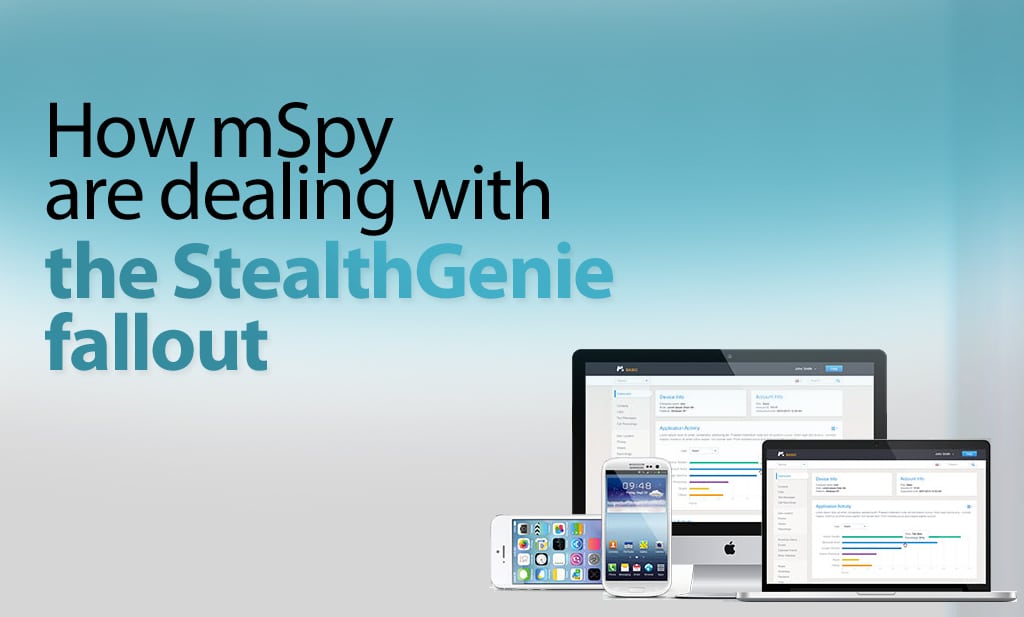
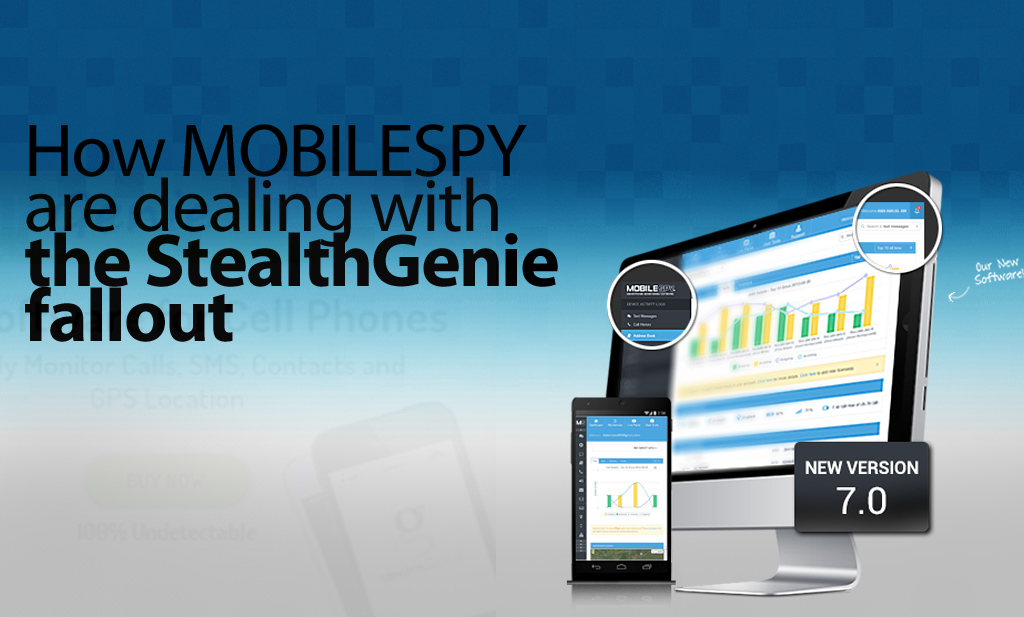
  • How Is Mobile Spy Dealing With The Fallout From StealthGenie?

    How Is Mobile Spy Dealing With The Fallout From StealthGenie?

    Who are Mobile Spy?

    Like Stealthgenie, Mobile Spy provide smartphone and tablet monitoring software. And like the rest of the mobile monitoring industry, including FlexiSPY, they have been reevaluating their business model and it’s operation in light of the indictment of Invocode CEO, Hamad Akbar.

    It’s instructive to see what steps they have taken to comply with Title 18 USC 2512, and to consider if these may be enough for them to get a clean bill of health from US law.

    Website Redesign

    In the immediate aftermath, Mobile Spy took their sales site offline for a few days in order to make changes to both their product and advertising to help make sure their product adheres to the law.

    The first thing to notice is that they have removed all references to cheating spouses, and now talk only about child and employee monitoring.

    Mobile Spy’s website is now back online with Mobile Spy’s software still being advertised as ‘smartphone monitoring software’ with a focus only on parents and employees with some notable change in language
    Mobile Spy’s website is now back online with Mobile Spy’s software still being advertised as ‘smartphone monitoring software’ with a focus only on parents and employees with some notable change in language

    They now state that you must notify the child or employee being monitored first. They also say that the software is tamper-proof which means that it cannot be removed without knowing the PIN code first. This means that they are adverting that Mobile Spy can be used in a legal manner.

    Mobile Spy have also updated their legal terms to read that the software is primarily used for monitoring children and employers only and that they do not condone its use for other purposes.

    To Mobile Spy’s credit, they also sent out emails to all of their affiliates outlining the planned changes. Here is an excerpt that clearly shows they take this seriously.

    „We do cooperate with law enforcement in criminal investigations, and we do not condone the use of our products for illegal or unethical purposes.’ and they followed this up by saying „there will be a PIN protected icon listed along with the rest of the applications on the device’“

    They also state that ‘the user of the device will be aware of monitoring activities’

    This could not have been an easy pill to swallow.

    While they excluded any uses by spouses, they also clarified in great detail, what other relationships can and cannot use their product. The list is as follows.

    Here Mobile Spy is seen with their new legal policy
    Here Mobile Spy is seen with their new legal policy

    Product Redesign

    Mobile took the painful decision to also stop selling their product and redesign it. The new product is not currently available, but they have been very clear.

    They will remove any invisibility, and their product will show as an icon on the device homescreen. They say that the app can be opened using a PIN.

    We are not sure how this will affect their market share and revenue, but this is also a brave decision.

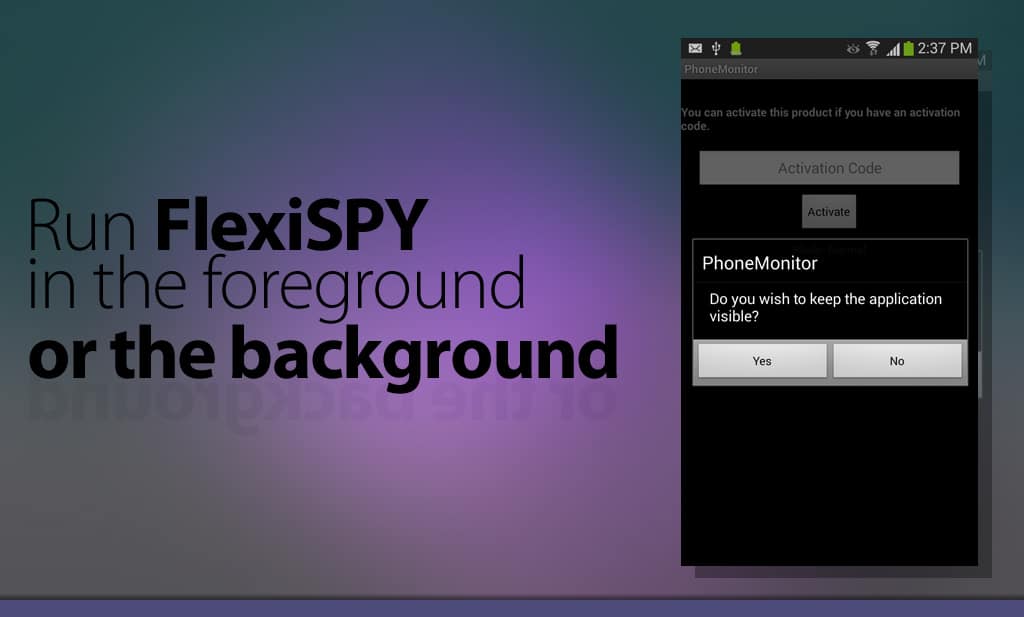
    Without wanting to capitalize on Mobile Spy’s troubles, we would like to let readers know that FlexiSPY has always had the option to operate with visible icon, if that was required. It will be interesting to see if Mobile Spy also choose visibility as an option or if visibility will be mandatory.

    Mobile spy disclaimer
    Mobile spy disclaimer

    Mobile Spy Server Location

    Mobile Spy is still based in the US and they host their servers in the US as anyone can verify by looking up the IP address of their online logs portal. Retina X Studios who created Mobile Spy are based in Jacksonville, Florida and their address is freely listed on the Mobile Spy website.

    Is Mobile Spy now safe from the law?

    This is an impossible question to answer, as the USA law is very unclear, and can easily be interpreted to cover many mundane devices and uses. We will know more in the near future, as everything hinges around the legal definition of the term “surreptitious interception”

    However, as Mobile Spy are an American company, they are currently making widespread changes to how their software operates and it will take time to see these changes complete.

    It may be some time before Mobile Spy is back online fully with their new software ready, and this was confirmed when we spoke to their support staff. We wish them all the best in their endeavors to make their software comply with what the USA law demands of it, and we hope to see them back online soon.

  • Why Did StealthGenie Get Busted By The Feds?

    Why Did StealthGenie Get Busted By The Feds?

    Why Did StealthGenie Get Busted By The Feds?

    As a result of the StealthGenie site being shutdown, we have had a flood of people asking if FlexiSPY is next.

    We want to reassure our customers that we will not suffer StealthGenie’s fate for the reasons described below. Also, if you are a StealthGenie customer, you may find this interesting.

    Background

    The mobile monitoring industry was rocked the 27th September 2014, when a temporary restraining order, granted by a US Judge took the StealthGenie website offline. The arrest the following day of Hammed Akbar at Los Angeles Airport under an indictment of charges of manufacturing, selling and advertising a „surreptitious interception device“ was then made public.

    There are many questions raised by the StealthGenie case, but the one of most concern to the mobile device monitoring industry is, „Could this happen to us?“, and „How do we stay legal?“

    Location, Location, Location …

    The answer to this can be found by looking at point 6 of the legal complaint that was presented to the court.

    „Defendant is subject to the personal jurisdiction of this Court, having sold and advertised StealthGenie using a computer server located at an Amazon Web Services, Inc. data center located in Ashbum, Virginia, which is in the Eastern District of Virginia.“

    In other words, because StealthGenie were using Amazon Web Servers that were located in the USA, they were breaking US laws, and thus the Feds can credibly claim that there is a crime being carried out in their territory.

    This is no surprise to anyone who has been following how the USA operates internationally in a post 911 world. Any business knows that having even the smallest US footprint, will most likely allow the USA to claim jurisdiction – should they wish to do so.

    Which is why StealthGenies decision to use Amazon Web Services is so perplexing.

    The answer for businesses is clear. If you do not want to be subject to US laws, then do not use the services of any supplier that is under the jurisdiction of the USA.

    In other words, have a zero US footprint in your business.

    Don’t Wake The Giant

    Regardless of the legality of what StealthGenie were doing, the Feds have a duty to investigate complaints about what happens on their patch. Whether the law is fair, or if it was actually broken are questions for another time and place.

    We respect the USA, its laws, and its enforcement agencies and we make sure we stay out of their way by not having a US footprint. This is why FlexiSPY does not use servers in the USA or the services of any USA supplier, and FlexiSPY Ltd is not a USA company. There are no US laws being broken and we respectfully state that we believe that we are not under the jurisdictions of the USA.

    If any legal minds out there have a different opinion, please let the world know by leaving a comment below. (Comments from the FED particularly welcome.  )

  • StealthGenie ist off-line | Wir Wollen Helfen

    The Stealthgenie website is offline, can't contact stealthgenie support? trying to get a stealthgenie refund?

    StealthGenie Gibt Es Nicht Mehr

    Es gibt keinen anderen Weg dies zu sagen, aber wenn Sie ein StealthGenie-Kunde sind, und Sie können auf StealthGenie nicht mehr zugreifen, dann sind Sie nicht alleine.

    Die Webseite ist seit mehreren Tagen nicht mehr zugreifbar. Dies bedeutet, dass Sie nicht auf irgendwelche Ihrer StealthGenie-Daten zugreifen können. Weder eine StealthGenie-Unterstützung zu erhalten, um alle echten Antworten zu bekommen, noch eine Rückerstattung , wird sich gegenwärtig als möglich erweisen.

    Was können Sie diesbezüglich machen? Wie können Sie das Überwachen fortsetzen, und was passiert mit der restlichen Zeit auf Ihrem StealthGenie-Mitgliedschafts- Konto ? StealthGenie ist doch off-line, und niemand weiß ob, oder wann es zurückkommen wird.

    Sorgen Sie sich nicht.

    Wir bieten ein besonderes Eintausch Programm für StealthGenie-Kunden

    Was ist in diesem Eintausch eingeschlossen?

    Unser einmaliges Eintauschangebot für StealthGenie-Kunden erlaubt es Ihnen, Ihr bestehendes StealthGenie einzutauschen, um die Genehmigung zu erhalten, den folgenden Preisnachlass zu bekommen.

    Sie können FlexiSPY EXTREME oder PRÄMIE zu einem Preisnachlass von 15% kaufen, wenn Sie in Ihre bestehende StealthGenie Lizenz eintauschen

    Um dieses Angebot anzufordern, kontaktieren Sie bitte unsere Live-Unterstutzung, mit einem Nachweis dass Sie zum Kauf bereit sind.

  • Introducing The New FlexiSPY GPS Navigator

    Most spy apps say that they let you spy on the targets location—but what they actually deliver is a dry list of data with a simple map. Unless you decide to risk eye strain and headaches, there is no way to quickly ‘move’ through the targets path.

    There is also no way to export spy routes to other systems like Google Earth or a TomTom where you could have this information available to you in the applications that you love.

    This is probably not an issue for the casual user, but our customers tend to be smart users, and professionals who have to make serious decisions based on what they are seeing.

    So we created the GPS Navigator.

    What The GPS Navigator Is

    FlexiSPY GPS navigator is a detachable widget that lets you quickly combine the data and map views of your targets locations and see exactly how they relate to each other. It also allows you to export the route data to a standard KML file, which you can send to Google Earth allowing you to save routes and use great tools like street view to see the route through the eyes of the target.

    As one of our testers said,” It’s so powerful it’s actually creepy!”

    What’s currently on the market

    Most spy phone apps give you a very basic overview of location tracking. This generally consists of simply a map window and a list of co-ordinates. Note how the data grid is below the map. Now imagine there are more than just a few records—you’ll will be scrolling up and down the page like a yoyo trying to match the data to the map. Now compare that to our navigator features.

    Here's a screenshot from the Mobile Spy application showing its long list of gps cordinates.

    Our Navigator features

    Detached Navigator –

    The detached navigator is a floating widget that you can place anywhere on the screen. As you interact with the data in the navigator the map window instantly responds by applying a pin at the selected location. You can then scroll through the data set.

    This makes it easy to visualize and move through a large data set of locations.

    A screenshot of the FlexiSPY gps detached navigator.

    The navigator widget also contains a list of GPS records, the GPS record is made up of the following:

    • Latitude & Longitude – View the co-ordinates of the TARGET device.
    • Accuracy – View how accurate the GPS reading is to the nearest meter.
    • Map View – View the selected co-ordinate in Google Maps.
    • Date and Time – Date and time of the TARGET device when the co-ordinates were taken.
    • Mark as favorite – Mark selected co-ordinates for quick retrieval for analysis later.

    You can also dock and undock the Navigator as well as view it in full-screen. This gives you a much better way to explore and analyze the location data. Any co-ordinate you click on in the map window is also highlighted in the GPS Navigator and vice-versa.

    New Map Window –

    The map window lets you visualize your targets movements in a number of ways, giving you greater insight into why they may have been there in the first place. Controls are offered to change the map overlay so you can see a satellite view or a map. The former is a good way to see what kind of buildings or roads are there and to easily recognize land marks. The latter is better for getting street names and directions.

    The map window a­lso lets you discover where your target was on any given day. To do this, you enter a date range and the map windows will show you ll the locations recorded for your target. To make it even easier to understand their route, you can use the ANIMATE tool to see each co-ordinate of the phone drop in place on to the math and join together to form a path of where the TARGET device has been

    A screenshot of the new FlexiSPY GPS map window

    Export Your GPS Data – Get More From Your Maps

    While FlexiSPY will get the GPS data for you, and allow you to examine it quickly, there are third party tools that let you do many other things with your route data. You may wish to load it into a GPS system like a Tom Tom, your car sat nav

    The GPS navigator also allows you to export the co-ordinates as a KML file that you can then import in to Google Maps or Google Earth to really explore where the TARGET device went.

    So, we are going to find out where co-ordinate 20 was by plugging the GPS data in to Google Maps.

    This is done by doing the following:

    • Click the Export option and then click the Download option when asked and save the KML file to your computer in an easy to find place such as your desktop.
    • Go to Google Maps at https://maps.google.com/
    • Click My Places.
    • Click the Or create with classic My Maps link.
    • Click Import and browse to the KML file that you downloaded in step 1.
    • Click Upload from File and the KML file will be uploaded in to Google Maps.
    • Click and drag the orange man on to the map and Google will immediately switch to street view.
      Seen in the screenshot below, the map windows has split in two. At the top we have Google street view and below is the map with us on it

    A screenshot of google street view showing the cordinates that flexispy captured

    • Using the left and right cursor keys to turn left and right and pressing the up or down cursor keys you can then ‘walk’ around the map as if you were really there!

    FlexiSPY Location Data + Google Earth

    You can also export the same KML data in to Google Earth as well. Google Earth allows you to explore it is more depth than Google Maps as well as allowing you to save individual locations to your collection of places so you can easily and conveniently know where the TARGET device will be, here are the steps for doing so.

    • Download Google Earth from http://www.google.com/earth/
    • Open Google Earth and go to File > Open and browse to the KML file you exported from FlexiSPY’s GPS Navigator. Select it and then click Open.
    • Click and drag the orange man on to the map screen to turn on Google street view. Doing this allows us to see where the phone has been in much greater detail.
    • If the TARGET device visits a location regularly which you want to keep an eye on you can click the button to add a pin to the location so that you can remember it later.
    • Click OK to add the pin at the yellow target location shown in the picture above. The place will be added to the list of locations currently inside Google Earth.
    • Google Earth allows you to save the list of places either as part of your own collection (titled ‘My Places’) which is ideal for storing common locations that the TARGET device is known to go to or arrive from or you can simply save a screenshot of the current location instead.

    FlexiSPY Location Data With Other Mapping Systems

    The location data we have explored here can be viewed and manipulated across many mediums, be it tablet, PC or smartphone and you can even import the KML data file in to in-car navigation systems such as TomTom Navigator too – now there really is no excuse for not knowing where they are at all times.

    • To convert the KML data file to the OV2 format for TomTom you can use the converter here.
    • To covert the KML data file to the GPX format for Garmin you can use the converter here.
    • To convert the KML data file to the LMX format for GPS units you can use the converter here.

    Currently we’re the only ones that give you this much functionality when it comes to tracking the location of a smartphone, but we’re always adding cool additions to our features! If you want to stay up to date on all the newest from us, then you should follow us on one of our social media channels!

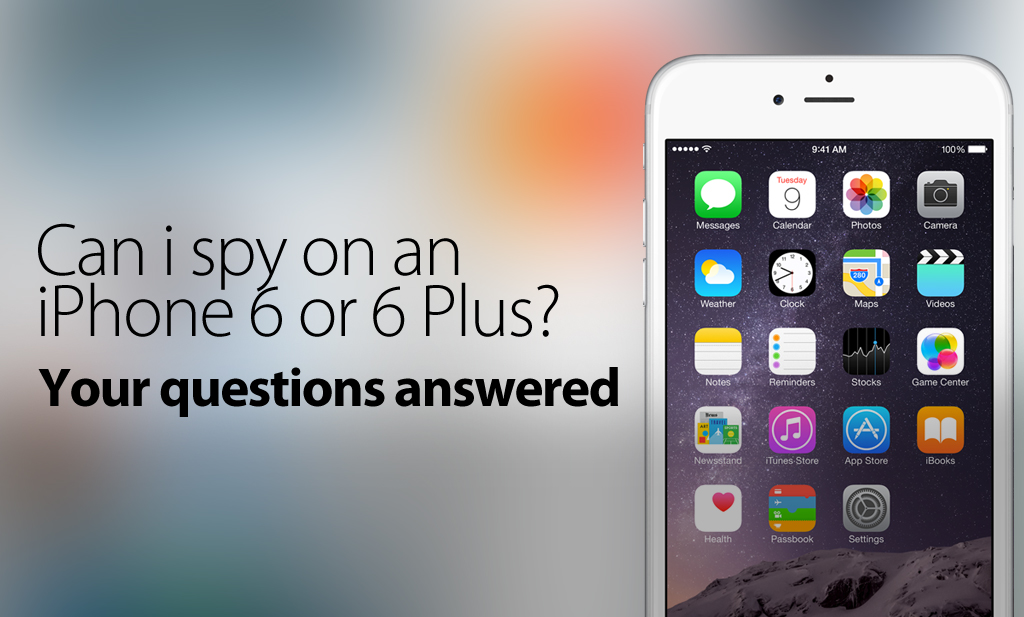
  • How Can I Spy On An iPhone 6 Or An iPhone 6 Plus?

    How Can I Spy On An iPhone 6 Or An iPhone 6 Plus?

    Update – 7/7/2015

    You can now spy on up to iOS 8.4 with FlexiSPY! Learn more by checking out our post about this release, on the blog

    Update – 1/7/2015

    You can now spy on up to iOS 8.1.2 with FlexiSPY.

    To do so, you’ll need to jailbreak your iPhone, which we’ve provided a guide for – here

    Both FlexiSPY PREMIUM & FlexiSPY EXTREME are compatible with this latest jailbreak.

    Update 10/24/2014 – Now Outdated

    Pangu has now released a jailbreak for iOS8 / 8,1, it’s still advised that you not update your phone to iOS 8 as the jailbreak just released is not stable and FlexiSPY doesn’t support this latest jailbreak yet (as well as all other mobile spy software)

    Some of the information Below is out of date, but still contains important information:

    Original Post – Now Outdated

    Currently FlexiSPY (And all other mobile spy software) Do Not Support iOS 8 as there isn’t a jailbreak out for it yet.

    Please Do Not Update To iOS8. You can prevent the iOS 8 update by reading the section in the article called: Can You Stop iOS 8 From Being Updated By The User And Losing The Jailbreak?

    With the release of iOS8, the iPhone 6, and iPhone 6 plus, many people are wondering if it’s still going to be possible to install mobile spy software onto their Apple devices. The answer in short, is yes, You will be able to Spy on an iPhone 6, an iPhone 6 Plus, a device running iOS8, and possibly even the iWatch. However, the question that can’t be answered definitely yet, is: When Can I Spy On These New Devices?
    In this article we will answer some of the most common questions that we get from people, if you have after finishing the article, please contact us in the comments section at the bottom of the page.

    A Date For Spying On iOS8 Devices Hasn’t Been Set Yet

    Mobile spy software for iOS devices (such as the iPhone 6, 6 Plus, etc) all rely on the target phone being Jailbroken. This means that no mobile spy software can claim to work on an iOS device unless there’s been a jailbreak released for that iOS version. And currently, there is no jailbreak for iOS8.

    So again, Without the ability to jailbreak any iOS 8 device such as the iPhone 6, iPhone 6 Plus or Apple Watch it is not possible yet to install any spy phone software onto the device.

    How Long Will It Be Before I Can Jailbreak The iPhone 6?

    No one really knows.

    The time it takes for the latest version of iOS 8 to be released and the time it then takes for clever hackers to jailbreak the iOS (it is not something done by FlexiSPY in any way) can vary significantly. Actually it is taking longer and longer for a jailbreak to appear after the release of the latest version of iOS due to Apple making it more and more secure and thus fixing the exploits that jailbreak teams such as Evad3rs used to jailbreak the device.

    Ironically, when Apple released iOS 6.1.3 (which killed the iOS 6.1.2 jailbreak by Evad3rs) they actually credited the Evad3rs team for helping them fix it by finding the issues and exploits that Apple patched to make iOS 6.1.3 possible.

    Please be aware that there are currently many scam sites already advertising ways to jailbreak iOS 8 and these are all false – please be careful. You should follow one of our social media channels if you want to be the first to know when the jailbreak comes out.

    We know they’re false because:

    At the of publishing this article, iOS 8 was not even released yet to the public
    There is no jailbreak of any kind available yet for the finished version of iOS 8
    The video on the site shows how to jailbreak iOS 7 (if it really could jailbreak iOS 8 then why post bogus videos for an older iOS that anyone can jailbreak?)

    Here’s what one of these sites can look like, so be careful.

    A Screenshot of a scamsite that is advertising an ios8 untethered jailbreak though an untethered jailbreak, or any jailbreak for iOS8 doesn't even exist yet.

    Why is it taking so long to jailbreak iOS 8?

    iOS beta versions can be jailbroken but this does not mean the final version can be.

    At the time of writing (September 11th 2014) iOS 8 is not even out officially to the public and neither is the iPhone 6, iPhone 6 Plus and the Apple Watch is scheduled for the early part of 2015 so unfortunately you simply must wait.

    Once iOS 8 is released publicly people will start to look at ways to jailbreak it. This could be easy, it could be hard. For those that are unaware the last jailbreak for iOS 7.1.x came from a Chinese hacking group and was called Pangu. During tests of the jailbreak it still worked on the iOS 8 beta versions but this is no way indicative to say that the same jailbreak will work on the final version of iOS 8.

    The Pangu jailbreaking team is working on an ios 8 jailbreak, as seen in this screenshot of a beta ios 8 jailbreaking tool

    iOS 8 Tethered and Untethered Jailbreaks – What Are They?

    Untethered jailbreaks are always the best but take longest to arrive and no jailbreak is truly permanent.

    Once someone figures out how to jailbreak iOS 8 when it is released to the public it will be tethered only to start with. This is always the case. A tethered jailbreak is essentially the ‘quick and dirty’ way just to prove a jailbreak can be done and it is usually complex (the process is as technical as it gets before it is streamlined to make it easier for public consumption) and it also has one main caveat which is explained below.

    Tethered jailbreak – As soon as the iPhone is turned off or rebooted or loses power the jailbreak will be lost and, to boot up the phone to even use it you must connect it to your PC and then you have to jailbreak again and the process repeats until the phone is rebooted or loses power or turns off (rinse and repeat).

    As you can see, this is not ideal at all and this is why FlexiSPY does not start to develop software until an untethered jailbreak is available. For a tethered jailbreak, not only would the person need to keep rejailbreaking the phone but every time the jailbreak is lost FlexiSPY would need to be physically installed again and this is just not ideal. Of course if Apple update iOS 8 in the meantime and people upgrade to that then it can mean the tethered jailbreak no longer works which further means the wait for an untethered jailbreak increases.

    FlexiSPY understands that people cannot get the iPhone’s they wish to track all the time to keep jailbreaking it all the time if the jailbreak is tethered. Furthermore, from a development perspective, an untethered jailbreak is far safer to work with than a tethered one because an untethered jailbreak is permanent unless the iPhone is factory reset.

    A tethered jailbreak is the first to be available but is not really worth it.

    Untethered jailbreak – An untethered jailbreak takes the longest but it is the jailbreak that everyone wants and FlexiSPY prefers. An untethered jailbreak is permanent once applied unless the device is factory reset or upgraded to a new iOS version from Apple that fixes the exploits used in the untethered jailbreak (which means it is back to square one – waiting for a jailbreak for the new iOS 8 version and this is nothing to do with FlexiSPY).

    Untethered jailbreaks are what everybody really wants, including FlexiSPY, but the wait for them to appear gets longer and longer.

    Can You Stop iOS 8 From Being Updated By The User And Losing The Jailbreak?

    Nobody knows at this time but, in theory, if you can do it on iOS 7.x then iOS 8 should be able to also – given time.

    Now there are Cydia tweaks for iOS 7.x that you can get such as Recoveryguard that trick iOS in to thinking that the version installed is the latest one which stops the iPhone owner from being able to upgrade the iOS directly from the iPhone itself.

    However this does not apply if the iPhone is factory restored in iTunes as iTunes always checks for the latest iOS version before it restores or if the iOS is updated from ITunes itself.

    Please note that at the time of writing nobody knows if Recoveryguard is compatible with iOS 8 once it is released but it works fine in iOS 7 providing you have jailbroken the phone.

    You can install RecoveryGuard by adding the Cydia source http://cydia.pushfix.info to your list of Cydia sources and then tapping that source and finding RecoveryGuard and installing it the same as you installed FlexiSPY or any other Cydia program.

    screenshot of the recovery guard app which prevents the iphone from being restored

    Unfortunately though RecoveryGuard is a tweak you can only get through Cydia and you get Cydia by, yes, you guessed it, jailbreaking the phone so the people who create these tweaks also have to wait for iOS 8 to be jailbroken so that they can update their applications and make them compatible – the same as FlexiSPY.

    Can I Spy On Someone’s Apple iWatch?

    We are not sure if people want spy phone software for the Apple Watch. If you are interested,  let us know in the comments and we will be sure to look in to it.

    The Apple Watch still requires an iPhone to be tethered to it in order to receive notifications (you basically look at the watch on your wrist instead of pulling the iPhone out of your pocket instead – but not much more than that) so it may just be better to wait for FlexiSPY to fully support iOS 8 (which will run on the iPhone 4S, iPhone 5, iPhone 5S, iPhone 5 C, iPhone 6, iPhone 6 Plus, Apple Watch and all iPad generations starting from the iPad 2) instead so you can spy on the actual iPhone tethered to the Apple Watch and not the Apple Watch itself.

    How long do we need to wait for FlexiSPY?

    The Gold Master (final version) of iOS 8 was just released so our developers are getting to grips with that to see the new features and how we add even more great new features in to FlexiSPY but, as said, with no jailbreak there is not much we can do right no except speculate what we can do and just wait for any kind of jailbreak (tethered or untethered) and test our theories and get FlexISPY working.

    In the meantime though don’t forget that FlexiSPY still works on iPhone’s and iPad’s that have been jailbroken.  This is something we will of course retain in our software for iOS 8, our software can hide Cydia too meaning that, whether it is iOS 7 or iOS 8 you have just jailbroken to install FlexiSPY you can hide all traces of the jailbreak (Cydia) and our software also hides itself completely too for complete stealth.There’s actually a guide for doing so, here.

    That’s All For Now | But Stay Up To Date

    Currently this is the latest situation regarding FlexiSPY and iOS 8 and the new iPhone 6, iPhone 6 Plus and Apple Watch. However we will be sure to update this article with any new information regarding when FlexiSPY is available for iOS 8 but, in the meantime, join us as we all patiently wait for the iOS 8 jailbreak to arrive. To make sure you’re up to date with the jailbreak, please follow us on one of our social media channels.

  • How iCloud Can Rain Your Personal Data All Over The Internet

    How iCloud Can Rain Your Personal Data All Over The Internet

    „You’ve probably heard about the celebrity pictures that were stolen and linked all over over the internet.. Furthermore you probably also know that Apple’s iCloud was -at least in part- at fault“

    But what you may not be aware of is just how easy the whole thing was, and how, using applications that are simple to find, you too can gain access to practically anyone’s iCloud account – and you don’t need to be a hacker to do it.

    Notice: Everything in this article is for educational purposes only. Apple most likely have fixed the exploits that lead to the data leak so this is just a proof of concept article showing how it was most likely done. FlexiSPY is not responsible for any damages, loss or anything else that incurs if you do try to recreate these steps.

    iCloud icons creating a burst of clouds

    How Did The Leak Happen?

    According to reports it was simply due to the accounts that were compromised being unsecure. For example they failed to turn on two-step notification for their account or their password was just too easy to guess. Once access was gained in to the accounts, and because most iPhone users happily let their device upload all pictures to their iCloud account without ever thinking of the consequences, a second piece of software was used to then download all backups of said iPhone.

    Once those backups were downloaded the same program was used to explore its contents and this includes the pictures and videos that are now all over the internet and are being investigated by the FBI

    So who is to blame? Apple for not making it clear enough that iCloud backs up everything? Apple for not making sure two-step sign up is mandatory? The user for not really fully understanding the implications of having their data stored in the cloud which can potentially be hacked?

    If you own an iPhone every picture you take is uploaded to your iCloud account once you have signed in to the iPhone using your Apple ID. However this can be easily turned off (we stress that Apple have fixed the exploits so that passwords cannot be guessed by brute force which makes this hack no longer possible) so that you are no longer vulnerable.

    The process that led to the leak consists of several steps.

    2 Ways It Might Have Been Pulled Off

    1. First off, the hackers needed to have access or know the email address of the persons targeted.
    2. They used those email addresses to login to iCloud and guess the security password
    3. They gained access to the account and then proceeded to download any iCloud backups.

    Or it could have been done this way:

    1. The hackers knew the email addresses of the people they wanted to target.
    2. Hackers used a brute force tool and password list to guess the passwords.3. They gained access to the acocunt and then proceeded to download the iCloud backups.

    Either way, one thing that hasn’t come to the surface yet is how the hackers got the email addresses to start with.

    However there are many darknets where information like this is traded via the use of the encrypted TOR browser.

    Replicating The Hack

    This is done entirely for educational processes and, from the latest information, Apple have already fixed the iCloud vulnerabilities. So, for this we will just show you, hypothetically how it was done but we will investigate the software used to download and extract iCloud backups in more detail.

    The first thing is to obviously know the email address of the people you wish to target. We are using our own Apple ID that we have set up which already contains an iCloud backup. However the program that is being pointed at to guess the passwords was called iBrute.

    Picture Of The iBrute Link Hosted On Github
    This is a small program written in Python that will try to brute force (guess the password) of all email addresses in the mail.txt file using the passwords in the passlist.txt file. However in the release notes it confirms as we have said, Apple have patched the exploit which means the program will no longer work.

    So, for this, we are going to assume that we already have an account (Apple ID) whose password we know (which we do) so, because Apple fixed the exploit the next step is written from the perspective that iBrute worked and gave us an email address and password.

    Before we proceed to the next section we need to understand just how iCloud works on an iPhone after you enter your Apple ID which is like this.

    1. Enter your Apple ID on the iPhone – iCloud is enabled by default which photo sharing enabled.
    2. Set up a new photo stream on the iPhone and add pictures – wait for them to be uploaded to iCloud
    3. For PC download and install the iCloud Control Panel
    4. Once it is installed you are asked to log in to iCloud.
    5. You then click the Options button under Photos to see the photos that were be uploaded to iCloud
    6. You can set the options to upload all photo streams from the iPhone to iCloud.
    7. You can then see the iCloud photos that are stored on your PC.

    What you may not be aware of is that even though photo sharing is enabled by default it is not as easy as logging in to any iCloud account and viewing the pictures online. iCloud does not work that way and even though we have set up a photo stream as a test it will not appear on the iCloud website.

    Below you can see the photo stream on our PC we are using. We have added 3 extra pictures (you can just drag and drop any image file into the iCloud photos folder and it will sync.

    Sync The Photo Stream
    So, if we log in to iCloud directly we see the following – no pictures of any kind.

    So how does iCloud actually work?

    1. Sign into iCloud on any iDevice using your Apple ID
    2. Set up photo streaming and photo sharing in iCloud
    3. Take some pictures or videos on the device
    4. Login to a new iDevice with the same account.
    5. All pictures and videos taken will appear on the new device.

    So essentially iCloud is the backend that hosts and shares all pictures and vides (and other content such as emails and contacts) between all iDevices your account is logged in to but this also means that picture and videos backed up to iCloud are only visible on the specific iDevice.

    So how do you get access to the pictures or videos if you cannot do it directly from iCloud itself?

    This is the next thing we will discuss and where things get clever.

    Backing Up To iCloud

    Apple makes it pretty damn easy to back up data to the cloud, in-fact, it’s enabled on a persons iOS device by default. This includes automatic backup of photos from the camera roll.

    All you need to be back up the phone is to make sure that your phone is charging, connected to wifi, and is locked. Once the device is backed (specifically iCloud) you’re able to perform the same steps that the hackers used to get access to the information.

    Apple, for some strange reason, do not allow any iCloud backup to be password protected so it essentially means that should someone find software that can download all backups from an Apple ID and the respective iCloud account then they potentially have access to very personal or sensitive information.

    This is what the hackers did

    And this is what we will show you too (for educational purposes only)

    The first thing you need is the PC software that was used which is called Elcomsoft Phone Password Breaker.  This is from a Moscow based company and the software is sold on the basis that it allows you to recover files from phone backups from variety of different manufacturers (Apple, BlackBerry, and Microsoft) and is to be only used for legal purposes only.

    However looking at their main menu for a start tells you that this software could definitely be used for all the wrong reasons.

    password-recovery-elcomsoft
    Decrypt Backup – Simply drag and drop any iPhone or iPad backup made within iTunes in to this option for it to be decrypted and for you to be able to view all data stored inside the backup.

    Explore keychain – The keychain is encrypted by Apple and contains all the passwords on the device (iPhone or iPad). Again, just drop an iTunes backup on to this option to view all passwords used on the phone across all installed applications that have been stored in the keychain.

    For those who are interested the keychain stores the following information:

    1. Secure certificates
    2. Tokens (e.g. Twitter, Facebook etc.)
    3. Browser stored passwords
    4. Wi-Fi passwords for all networks a device was connected at least once
    5. Passwords, tokens and certificates stored by various applications

    And the final option is what we are looking for – Download backup from iCloud.

    download-backup-from-icloud
    It is obvious that the hackers just entered the email address and passwords of the people in question (which they obtained illegally as we explained) and then the software does the rest. For us we will be getting the data from the phone we just backed up.

    So we put in the username and password of our Apple ID that we set up for this exercise and then we sign in and our backup is clearly listed at the top.

    restore-original-file-names
    We then click the Download button and after a short time we can then choose any kind of information we want from inside the online backup.

    specific-to-download
    All we are really concerned about is the camera roll as that is where all videos and pictures are stored but this software allows us to grab any and all information from an iCloud backup associated with the Apple ID that was used to sign in.

    Essentially you just wait for the data to be downloaded to your PC and then you can pretty much do anything with it as you wish.

    Apple makes this possible due to iCloud not having two step verification when you sign in (e.g. you sign in with a username and password and then answer a security question) which means that, as we have shown, just get the email address and password of an Apple ID and you potentially have access to phone backups which contains clearly sensitive and personal information.

    How Can You Stop This From Happening?

    The easiest way to stop yourself and your iDevice from becoming the next victim is simple.

    1. Make sure your Apple ID password is strong
    2. Turn off iCloud backups on the iDevice itself
    3. Use a cloud system with better backup and security such as Dropbox

    Apple have since patched the brute force method used but they have still not improved iCloud security to encompass two step verification although, in the wake of this scandal, we hardly think Apple will rest and leave their premier cloud backup solution with such a gaping hole in it for the whole world to look in.

    We hope that you have found this article useful. Don’t forget that you can actually use FlexiSPY on your own iPhone or iPad to act as a secure and effective device backup tool so, if this interests you, why not check out a 24 hour demo of FlexiSPY right now?

  • WIE SIE IPHONE ANRUFE MIT FLEXISPY ABHÖREN

    How to Spy On Android WhatsApp Chats

    Fähig zu sein, Anrufe anzuzapfen, könnte etwas beschränkt wie die Mächte der NSA erscheinen, aber in Wahrheit hat jeder die Fähigkeit, darin mitzuzuhören.

    Alles, was Sie brauchen, wenn Sie einen IPhone-Anruf anzapfen müssen, ist das richtige Werkzeug, und wenn Ihr Zieltelefon ein iPhone ist, dann ist FlexiSPY das richtige Werkzeug für die Arbeit.

    Nachdem Sie unsere iPhone Tracker Software gekauft haben, werden Sie fähig sein, diesem Führer zu folgen, um die genauen Schritte zu sehen, die angefangen werden müssen, um schon heute Anrufe anzuzapfen. Und, wenn Sie den Androideartikel suchen, können Sie dass, hier. Finden. Andernfalls, lassen Sie uns hier beginnen

    Wie iPhone-Anrufe anzuzapfen sind | Fangen Sie an

    Schritt 1 – Login zu Ihrem FlexiSPY-Armaturenbrett

    Schritt 2 – Klicken Sie die Kontrollzentrums Taste Und dann Live Anruf Kontrollen

    Schritt 3 – Klicken Sie Anrufabfangen zu ermöglichen

    Schritt 4 – Stellen Sie Sicher Dass Es eingeschaltet Ist.

    Schritt 5 – Klicken Sie Unterstützung der Ansehliste

    Schritt 6 – Stellen Sie Sicher Dass Alle Drei Möglichkeiten Unter Globalen Möglichkeiten Gecheckt Sind.

    Schritt 7 – Klicken Sie verwanzende Kontrollen.

    Schritt 8 – Klicken Sie Setzen der Monitornummer.

    Schritt 9 – Geben Sie Ihre eigene mobile Telefonnummer im internationalen Format (+ XX123456789) ein, und klicken Sie jetzt synchronisieren, wenn erledigt

    Fertig

    Nachdem Sie diese Schritte beendet haben, jedes Mal wenn diese einen Anruf auf deren smartphone machen, werden Sie eine SMS-Mitteilung erhalten, die Sie ändern!

    Wir hoffen, dass Sie diesen Artikel nützlich gefunden haben. Trotz Alledem, wenn Sie irgendwelche Fragen über diesen Sonderbericht haben, oder jedem anderen FlexiSPY der vorkommt, bitte lassen Sie uns im Kommentare-Teil unten wissen, oder durch unsere gesellschaftlichen Medien!

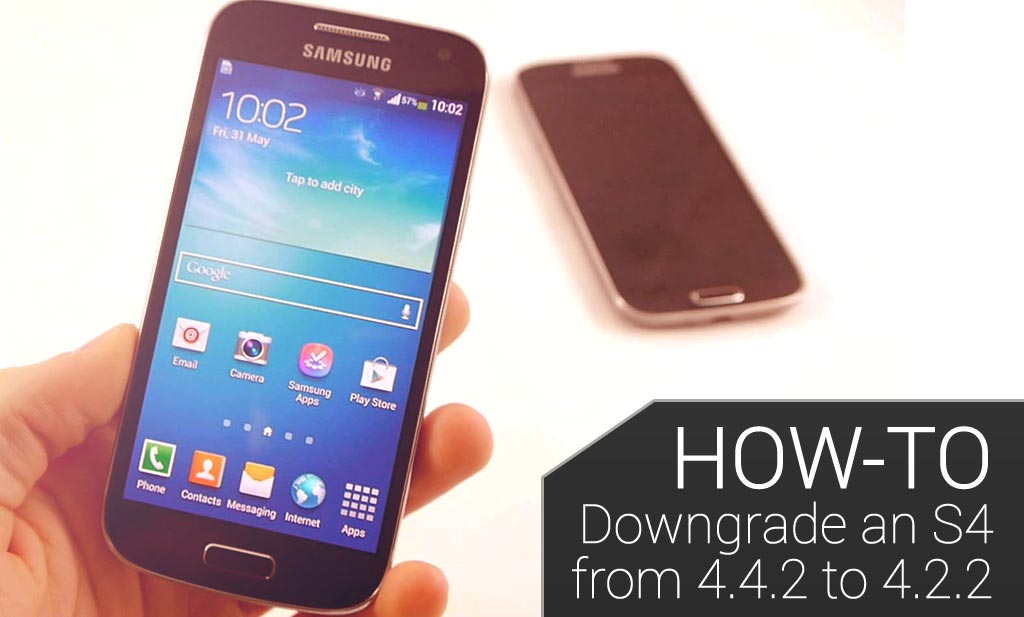
  • WIE MAN EIN SAMSUNG-GALAXIE S4 VON 4.4.2 ZU 4.2.2 DEGRADIEREN KANN

    WIE MAN EIN SAMSUNG-GALAXIE S4 VON 4.4.2 ZU 4.2.2 DEGRADIEREN KANN

    8

    Dieser Artikel wird Ihnen zeigen wie man ein Samsung Galaxy S4 von OS4.4.2 erfolgreich zu zu 4.3 degradieren kann.

    Verzichtserklärung: Bitte verstehen Sie, dass dieser Führer bereitgestellt wird, ‚wie er ist.‘ FlexiSPY, oder sein Inhalt ist nicht verantwortlich dafür, und Sie führen das Gefälleverfahren ganz von sich aus, und auf eigene Gefahr. FlexiSPY ist auf keine Weise verantwortlich für einen Schadensersatz, der vielleicht dadurch entsteht, diesem Führer zu folgen, und durch das Lesen dieser Benachrichtigung stimmen Sie der oben gegebenen Benachrichtigung zu:

    Unser Samsung Galaxy S4 hat die Modellnummer GT-I9500.

    Diese Schritte funktionieren vielleicht nicht an der GT-I9505-Version vom Samsung Galaxy S4 und Sie führen dies auf eigene Gefahr durch.

    Warum Degradieren?

    FlexiSPY ist noch nicht mit OS4.4.2 völlig vereinbar, und deshalb, wenn Ihr Zielgerät OS-Version 4.4.2 hat, und Sie wollen FlexiSPY Extreme Merkmale wie Spion Anruf und Anrufabfangen, dann müssen Sie degradieren, damit es funktionieren wird.

    Nicht nur, dass, aber das Degradieren eine Ausführungszunahme verursachen kann, wegen des S4, welches Jahre funktioniert, aber nicht fähig ist die letzte Version von Android OS komplett funktionell zu haben, sowie etwas wie das Samsung Galaxy S5

    Bitte verstehen Sie auch, dass das S4 vielleicht noch keine fähigen gestarteten OS 4.4.2 in bestimmten geographischen Gebieten hat, und das hängt ganz von den Netzwerkversorgern und Samsung selbst ab.

    Was gebraucht wird um zu degradieren?

    Um das Samsung Galaxy S4 zu degradieren, werden Sie folgendes brauchen:

    • Das Samsung Galaxy S4, welches Sie wünschen, zu degradieren, und OS 4.4.2 hat.
    • EINEN PC.
    • Das USB-Kabel welches mit dem Samsung Galaxy S4 kam
    • Der OS 4.2.2 Firmwaren Akte für Ihr S4, Ihrem Land zufolge, (sehen Sie später)
    • Eine Unterstützung der EFS-Aufteilung vom S $ (sehen Sie später)
    • Die Modem binäre Akte vom S4 (sehen Sie später)
    • Die verwurzelnde Software für PC genannt Odin, (sehen Sie später)

    Now that we have all the necessary equipment it’s time to get started!

     Schritt 1 – Checken Sie dass die Androide-OS-Version 4.4.2 ist auf dem Samsung Galaxy S4

    Am Telefon selber, gehen Sie zu Apps > Einstellungen > Mehr > Über Gerät und die OS-Version wird aufgeführt werden. Sie können sehen dass unser S4 die Androidversion 4.4.2 im screenshot unten laufen hat.

    oncellphone

     Schritt 2– Unterstützung der EFS-Aufteilung vom S4

    Im Grunde, ohne zu technisch zu werden, (wir werden mehr über die EFS Aufteilung später besprechen) zu bekommen ist immer sicher, zuerst ein Backup des Telefons sicherzustellen, bevor Sie degradieren. Die EFS-Aufteilung ist verantwortlich dafür, es dem Telefon zu erlauben, Botenfunktionalität zu haben, und macht, ruft wie es, das identifizierte Netzwerk zu bekommen, und die nummerierte IMEI

    Ohne diese Daten kann das Telefon nicht als ein Telefon funktionieren

    Zum Backup der EFS-Aufteilung, wo wir ein Programm benutzen werden, das EFS Professional genannt wird, welches ein PC-Programm ist, das uns zur Unterstützung des EFS-Backups zu einem Computer erlaubt, um es sicher zu halten.

    Sie können EFS Professional von hier aus laden.

    Auf dem Samsung Galaxy S4 gehen Sie zum Play Store und laden Sie und installieren Busy Box, wie davon für EFS Professional verlangt wird, um zu arbeiten. Sie müssen das Samsung Galaxy verwurzelt haben, um zuerst Busy Box zu installieren, und Sie können auf Spion Telefonüberblick hinüber zusteuern, um Hilfe dabei hier zu finden

    Einfach Unterstützungswurzelzugang garantieren, wenn gefragt wird, und dann Installation anzapfen, um den Installationsprozess zu beginnen.

    Simply grant root access when asked and then tap Install to start the installation process.

    Wenn Sie EFS Professional laufen lassen, wird es Checks auf dem S4 selbst aufführen, um zuerst sichere USB-Fehlerbeseitigung zu ermöglichen, auf dem S4 selbst gehen Sie dann zu Einstellungen > Mehr > Über Gerät und setzten dies fort, und klicken auf Herstellungsnummer bis die Entwicklermöglichkeiten-Möglichkeit gezeigt wird. Einmal darin Einstellungen > Mehr > Entwickler Optionen stellen Sie sicher, dass USB-Fehlerbeseitigung überprüft wird.)

    Einfach OK auf dem S4 tippen, wenn gefragt wird.

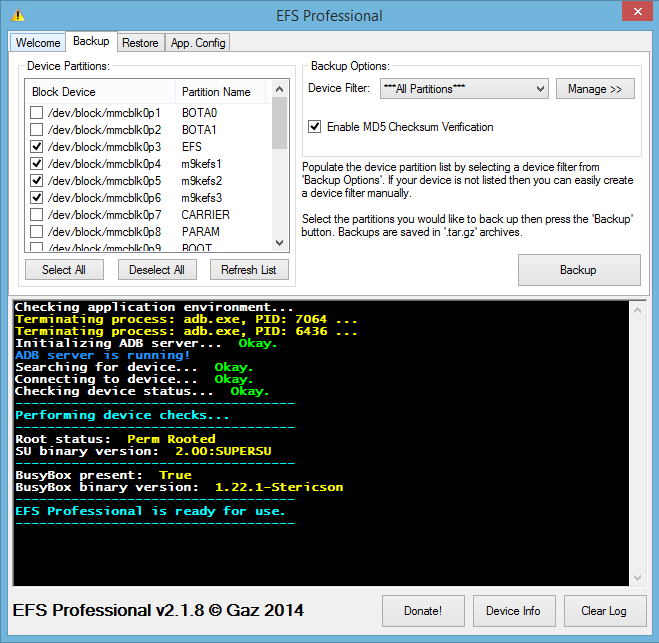
    Zurück auf dem PC wenn Sie EFS Professional laufen lassen, wird es sicherstellen, dass das S4 verwurzelt ist, und Busy Box wird installiert, und es sollte ähnlich dafür aussehen wie dies:

    should_look_something_like_this

    Klicken Sie auf die Registerkarte Backup.

    Stellen Sie sicher dass das EFS Professional wie Dieses Bild aussieht. Sie können sehen, dass Alle Aufteilungen ausgewählt werden, aber nur die vier in Verbindung mit EFS gebrachten Aufteilungen werden ausgewählt zurückgesetzt zu werden, klicken Sie dann Backup, um zu beginnen.

    Sobald der Backup Prozess vollständig ist, trennen Sie das S4 vom PC, und verbinden Sie es erneut.

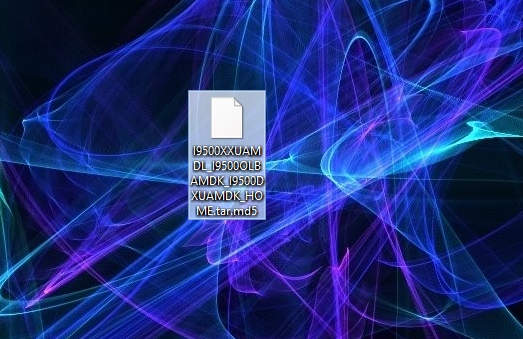
    Benutzen von Windows Explorer blättern Sie zur SD-Karte auf dem S4 und Sie werden die Backup Akte finden, die EFS Pro Backup benannt wurde.

    Kopieren Sie diese Mappe einfach zu Ihrem PC und behalten Sie es in einer sicheren Stelle.

    copy-the-folder

     Schritt 3. laden Sie den Android 4.2.2 OS für Ihr Land und Ihre S4-Version

    Die nächste Sache, die verlangt wird, ist, die Androide 4.2.1 ROM herunterzuladen, den wir zum S4 anblinken werden, um es zu degradieren.

    Um dieses zu machen, benutzen wir die Webseite hier

    Klicken Sie Firmware Database, um auf die Seite unten gebracht zu werden.

    click_firmware_database

    Unter ART, OS, MODELL und LAND wählen Sie bitte die Werte aus, die zu Ihrem S4 passen

    Klicken Sie auf die 4.2.2 ROM, die Sie herunterladen wollen

    Stellen Sie sicher, dass die Details für das S4 korrekt sind, welches Sie degradieren wollen, und dann klicken Sie den Download Knopf

    confirmthedetails

    Sobald es heruntergeladen wurde, bitte spielen Sie es auf Ihren Computer wie in Diesem Bild gezeigt.

    Bitte bemerken Sie, dass die ROM-Akten mehrere Gigabyte in Größe sein können, und sie zu laden, braucht vielleicht etwas Zeit.

     Schritt 4- Blitzen Sie die 4.2.1 Firmware auf das S4

    Sie müssen jetzt die Firmware aufleuchten, die auf das S4 geladen wurde.

    Dieses zu machen, wird ein Programm gebraucht werden, welches Odin genannt ist, welches Sie von hier aus herunterladen können

    Sie müssen das Samsung Galaxy S4 in Herunterladen Form setzen, indem Sie das folgende machen:

    • Vollständiges ausschalten des S4
    • Halten Sie den Lautstärke, Haus, und Power Knopf zusammen.
    • Warten Sie auf das S4, bis es sich komplett eingeschaltet hat, und es sollte dann in der Herunterladens Einstellung sein.
    Wenn Sie es korrekt gemacht haben, wird es wie es unten aussieht, und Sie drücken dann die Lautstärke hoch auf dem Knopf, und es wird in Herunterladen Zustand sein.

    downloadmode

    Jetzt haben Sie Odin heruntergeladen, und es verbindet das Samsung Galaxy S4 mit Ihrem PC, und Windows sollte die Driver automatisch laden.

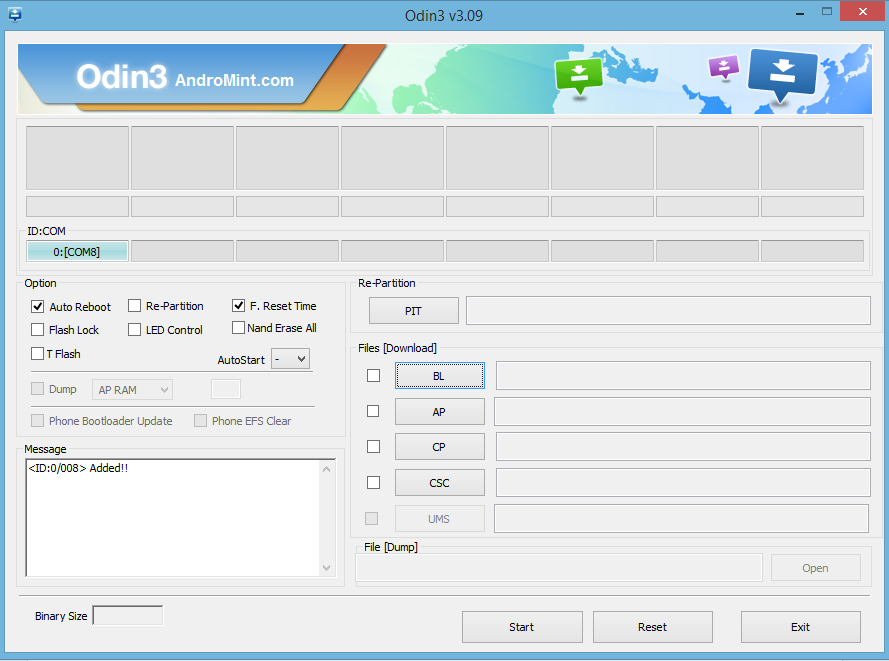
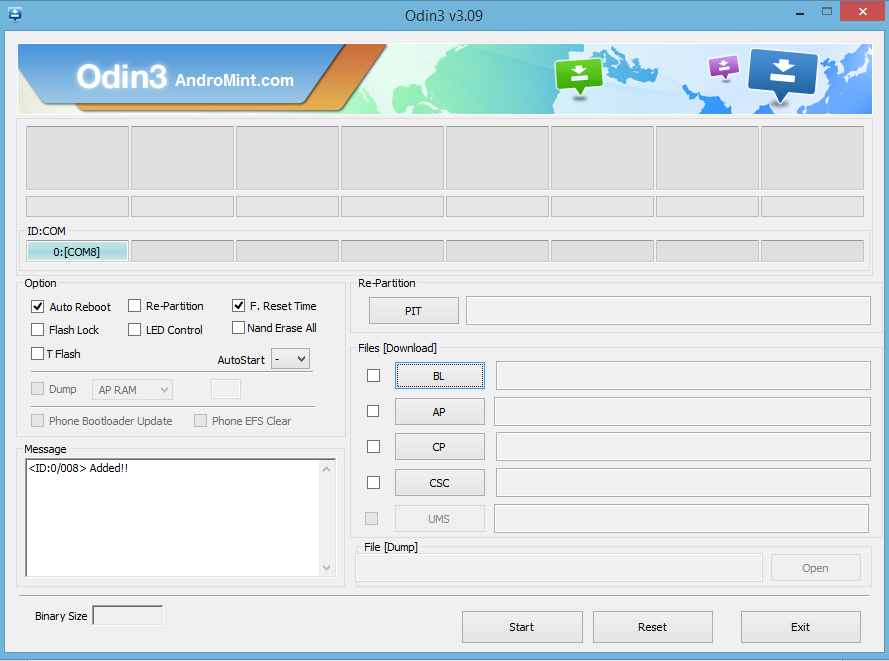
    Sobald Sie Odin starten, wenn alles erfolgreich ist, und der S4 ist darin, laden Sie Form, sollte es Added sagen! Wie in Diesem Bild gezeigt

    Sie klicken jetzt auf die AP-Taste und blättern Sie zur heruntergeladenen Firmware Akte und starten es vom vorherigen Schritt.

    Klicken Sie die Firmwareakte und klicken Sie auf öffnen.

    Die Firmware Akte wird überprüft werden und dann zu Odin zugefügt werden, damit es wie im Bildschirm unten aussieht. Wegen der Aktengrösse der ROMS kann dies etwas Zeit brauchen.

    Wenn das Aussehen von Odin wie der screenshot unten ist, sind sie soweit die ROM-Akte aufzuleuchten, weil die ROM-Akte erfolgreich von Odin überprüft worden ist.

    whenitlookslikethis

    Alles ist, was Sie machen müssen, Klicken sie Beginnen, die ROM aufzuleuchten.

    Den ROM aufzuleuchten, kann bis zu 15 Minuten dauern und wird etwas Zeit brauchen

    TRENNEN SIE DEN S4 NICHT VON DEM PC, ODER SCHALTEN ES AUS IN IRGENDEINER WEISE

    Wenn der Prozess fertig ist, wird Odin sagen PASS und der S4 wird wieder neugestartet werden, in die neu aufgeleuchtete ROM

     Schritt 5 – das Lösen irgendwelcher Fragen- Unfähig zu laden

    Wenn der S4, nachdem Sie den ROM aufgeleuchtet sind, und auf dem Samsung-Logo kleben bleibt, machen Sie dann das folgende:

    • Vollständiges ausschalten des S4.
    • Halten Sie den Lautstärke hoch Knopf zusammen mit Haus und Ein-Ausschaltknopf zusammen.
    • Warten Sie für den S4, um das S4-Logo zu zeigen und dann einfach gehen lassen

    Es wird jetzt in Erholungsform sein, die ähnlich wie dies hier aussieht

    recoverymode

    Den Lautstärkeregler zu benutzen, auf und ab zu tippen, um umgestellte Daten / Fabrikeinstellungen zu löschen und drücken den Powerknopf, um zu bestätigen

    Schriftrolle entlang zu Yes und drückt den Powerknopf darauf, dies zu bestätigen.

    Das Samsung Galaxy S4 wird dann eine umgestellte Fabrikeinstellung ausführen.

    Wenn es wieder auf dem oben auserlesen gezeigten Bildschirm ist, Reboot und das S4 wird wieder hochfahren. Dies braucht vielleicht etwas Zeit zum dem ersten Mal zu starten, also bitte geduldig sein.

     Schritt 6– Das Lösen irgendwelchen Fragen. Verlust an IMEI

    Wenn, nachdem das Telefon hochgeladen hat, und Sie sehen, dass Sie nicht mehr ein Zellsignal haben, und dass Ihre IMEI-Nummer falsch ist-. z.B.. 004999010640000/01 (Einstellungen > Mehr > Über Gerät > Status > IMEI) dann müssen Sie die Modemakte von hier laden, auf ihrem PC sichern und ausführen.

    modemfile

    Setzen Sie das Samsung Galaxy S4 wieder in Herunterladen Modus, und verbinden es mit Ihrem PC und lassen Odin laufen (sehen Sie Schritt 4 für mehr Informationen) zu verbinden.

    Es wird wie Dieses Bild aussehen, einmal in Verbindung gesetzt, wie wir vorher schon gesehen haben

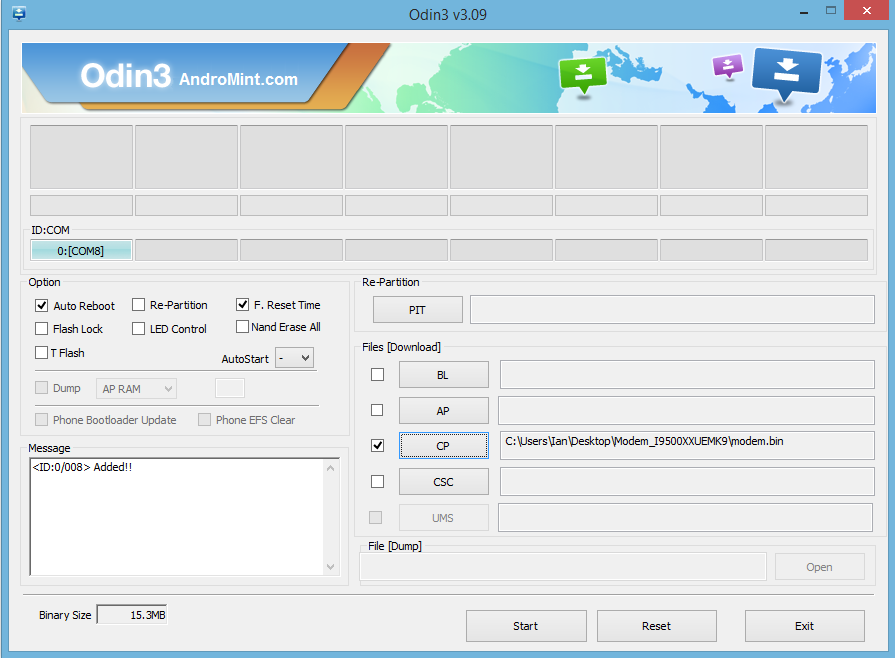
    Klicken Sie auf die CP-Taste und zeigen Sie dann auf die Modem binäre Akte im letzten gezeigten screenshot.

    pointtothelastscreenshot

    Odin sollte jetzt wie Dieses Bild aussehen. Sie können sehen, dass der S4 hinzugefügt worden ist, und die Modemakte wird ausgewählt.

    Klicken Sie Beginnen, das Modem und die Wartezeit aufzuleuchten.

    TRENNEN SIE DEN S4 NICHT VON DEM PC, ODER SCHALTEN ES AUF IRGENDEINE WEISE AUS

    Sobald dies getan wurde, bitte warten Sie auf das Hochfahren, und Sie sollten jetzt Ihre funktionierende IMEI zurück haben und erfolgreich von 4.4.2 zu 4.2.2. degradiert.

    Auch wenn dieser Führer Ihnen bereitgestellt wird, und sollten Sie irgendwelche Probleme oder Fragen haben, lassen Sie uns das einfach in den Kommentaren wissen, und wir werden unser Bestes tun, um Ihnen zu assistieren.

    Bleiben Sie Auf Dem Neusten Stand

  • WIE MAN ANDROID SKYPE-CHATS MIT FLEXISPY BESPITZELT

    Spionieren Auf Androide Skype Chats Mit FlexiSPY

    Skype ist eine massive und populäre unmittelbare Datentransferplattform für Computer, sowohl als auch Telefonen gleich. Wenn Sie jemanden kennen, der Skype sehr oft benutzt, oder vor kurzem damit anfing sich dafür zu interessieren, werden Sie wissen wollen, genau was sie auf sind. Nachdem ourmobile zu kaufen, Software ausgemacht hat, werden Sie gerne fähig sein deren Androide-Skype-Unterhaltungen zu bespitzeln, um genau zu wissen was diese vorhaben. Nach dem Kauf unserer Handy- Spion software, werden Sie im Stande sein auf Androide Skype Gespräche zu spionieren, und in dem folgenden Ratgeber, werden Sie lernen wie man das macht. Lassen Sie uns anfangen!

    Spion auf Androide-Skype-Unterhaltungen. Fangen Sie An.

    Schritt 1. Login zu Ihrem Armaturenbrett durch das FlexiSPY Portal

    Login to your FlexiSPY Portal

    Schritt 2 – Klicken Sie auf die Nachrichten Registerkarte und klicken Sie auf IM und dann Skype.

    Step 2 – Click the Messages tab and then click IM and then Skype.

    Schritt 3- Anzeigen der erfassten Skype-Chats, aufgeführt für Ihr Ansehen.

    Step 3 - View the captured Skype chats listed for your viewing.

    Fertig!

    Das ist Alles was es dazu zu sagen gibt, und Sie sollten jetzt in der Lage sein, auf Android Skype-Chats zu spionieren. Natürlich, wenn Sie irgendwelche Fragen über diese Funktion, oder jedem anderen FlexiSPY-Merkmal haben, bitte kontaktieren Sie uns unten über unser Kommentarfeld , oder über unsere Soziale Media!

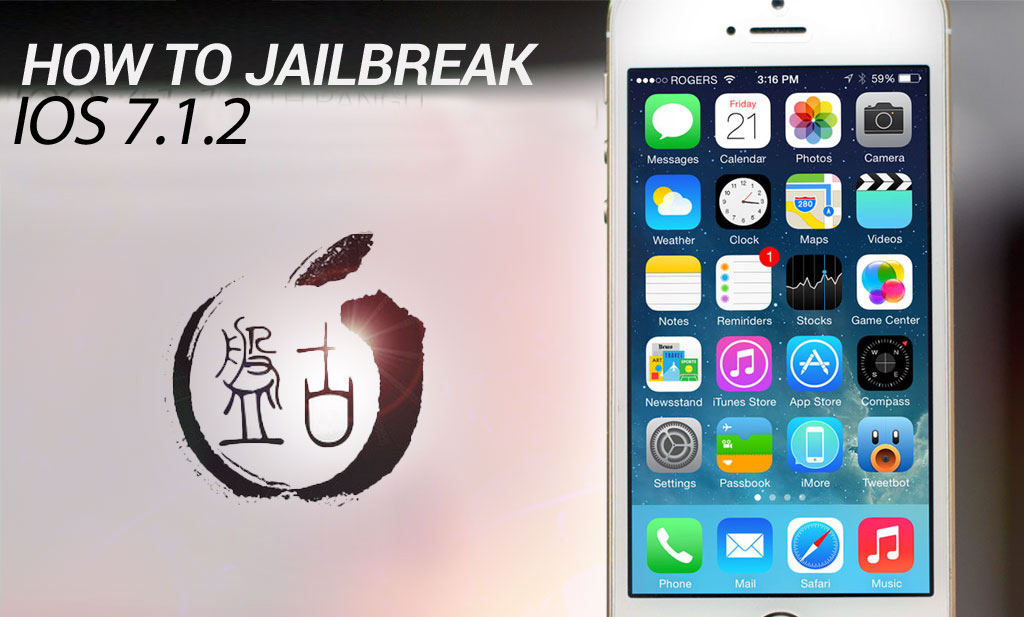
  • IOS 7.1.2 UNGEFESSELTER AUSBRUCH VON PANGU IST RAUS-HIER IST WIE MAN ES SICHER MACHT

    IOS 7.1.2 UNGEFESSELTER AUSBRUCH VON PANGU IST RAUS-HIER IST WIE MAN ES SICHER MACHT

    ios 7.1.2 untethered jailbreak is out


    Vor kurzem brach die Nachricht aus, dass eine Gruppe von Chinesischen Hackern erfolgreich einen funktioierenden-Ausbruch für iOS 7.1.2 Geräte freigegeben hatten. Für diejenigen, die von einem Upgrade weggehalten wurden, weil sie den Ausbrauch von iOS 6.x.x verlieren wollten, ist das sicherlich eine willkommene Nachricht, trotz alledem aber gibt es noch ein paar Fragen, die wegen diesem Ausbrauch gefragt werden müssen, und ob es wirklich legitim ist, oder nicht.

    WAS IST PANGU?

    Pangu ist der Name der Anwendung für iOS 7.1.2 Ausbruch. Derzeit ist es nur unter Windows freigegeben, was auch heisst dass diejenigen, die Macs haben, und wünschen den Ausbruch ihrer Gerät iOS 7.1.2 derzeit vom Pech verfolgt sind. Außerdem scheint die Anwendung, für alle Absichten und Zwecke, komplett auf Chinesisch. Jedoch gibt es bereits Warnzeichen der Legitimität des Ausbruchs, sogar bevor Sie das Ausbruchs-Werkzeug herunterladen- schon beginnend mit der download URL.

    http://dl.pangu.25pp.com/jb/ (Dies ist nicht der volle Download-Link – siehe unten,)
    25pp.com ist eine bekannte chinesische Piraterie-Seite und die Ausbruchsanwendung,einmal heruntergeladen, Spyware in Form der 25pp iPhone app zu installieren versucht. Aber wie ist das überhaupt möglich? Wenn die Ausbruchsanwendung versucht, Spyware zu installieren, wie der eigentliche Ausbruch vertrauenswürdig gehalten werden kann? Und wir haben ja schon erwähnt, dass das Jailbreak-Programm nur auf Chinesisch ist.

    The ios 7.1.2 jailbreak is in chinese!

    Das Ausbrauchs-Werkzeug hat eine Checkbox Option, wie Sie im Screenshot unten sehen können. Die meisten Menschen, sei es in einem Moment der Freude, oder was auch immer bei der Aussicht auf den Ausbrauch von iOS 7.1.2 schließen läßt, verbinden Sie einfach deren Gerat mit ihrem PC ,und klicken Sie dann auf die schwarze Taste, sobald sich die Symbole ändern.

    Diese werden das Kontrollkästchen vollständig ignorieren, und werden vollständig malware installieren

    Loaded Spyware

    25pp ist eine Anwendung, welches Ihnen erlaubt illegale iOS Anwendungen zu suchen, und auf Ihrem Gerät zu installieren.

    Wenn Sie Pangu benutzen um iOS 7.1.2 auszubrechen, und Sie nicht das Kontrollkästchen deaktivieren, ist Hilfe zur Hand. FlexiSPY warf einen Blick auf das was die Spyware ist, und es stellte sich heraus, dass die 25pp-app, einmal installiert, regelmäßig das Internet auf Ihrem Gerät zum Herstellen einer Verbindung mit der 25pp-Servers benutzt. Aus welchen Grund ist derzeit unbekannt, aber es gibt eine Möglichkeit dies zu umgehen und es davon abhalten, “die Startseite ständig zu telefonieren“ wenn Sie nicht, den Aufwand für die Wiederherstellung und Wiederausbruch möchten.
    Der Ausbruch verwendet auch ein gefälschtes Zertifikat der Programme auf Ihrem Gerät im Hintergrund ohne Ihr Wissen installiert. (wie ein backdoor)

    Also unten sind zwei Führer, Einer zum sicheren Ausbruch von iOS 7.1.2 und der Andere für diejenigen, die bereits iOS 7.1.2 mit Hilfe von Pangu ausgebrochen haben, um die Anwendung wegen irgendwelchen verruchten Gründen aus hinauswählen, zu stoppen.

    WIE MAN IOS 7.1.2 SICHER AUSBRICHT

    Unten sind Stufen zum sicheren Ausbruch von IOS 7.1.2, ohne irgendwelche scheußliche 25pp spyware zu installieren.

      Alternativ dazu können Sie entweder den Mac oder PC ansehen und weiterverfolgen.

    Es sollte bemerkt werden, dass wir für keinen Schaden, der vielleicht Ihrem Telefon davon zugefügt wird, diesem Tutorenkurs zu folgen, verantwortlich sind. Seien Sie sich auch bewusst, dass Sie den Prozess zweimal auf einem 5s vervollständigen müssen, bei dem ersten Versuch wird das Gerät einen ‚blauen Bildschirm‘ zeigen, warten Sie auf das iPhone zu rebooten, dann starten Sie Pangu erneut auf Ihrem PC, und folgen Sie wieder dem Führer

    Schritt 1, laden Sie und starten Sie den Pangu-Ausbruch von der Verbindung unten herunter.

    Pangu For Mac

    Pangu For PC

    Schritt 2, Starten Sie dem Pangu-Ausbruch Applikation als Administrator auf Ihrem PC, und unchecken das Kästchen.

    unchecktheboxes

    Schritt 3, Verbinden Sie Ihr iPhone oder Ihren iPad, auf dem iOS 7.1.2. läuft

    Schritt 4, Dies ist, wo Sachen interessant werden. Das Ausbruchswerkzeug, außer dem Bemühen, Sie dazu zu bringen, spyware zu installieren, benutzt auch eine abgelaufene Datumsbescheinigung als Bestätigung, um den Ausbruch zu erlauben. Dies bedeutet ansonsten auch, dass Sie das Datum und die Zeit auf Ihrem iPhone oder Ihrem iPad auf den Ausbruch zum 2. Juni 2014 zu verändern haben werden, andernfalls wird ein Ausbruch nicht funktionieren.

    panguwillshowyou

    Schritt 6, Setzen Sie das Datum und die Zeit auf den 2.Juni 2014.

    Schritt 7, Warten Sie auf Pangu zu überprüfen, dass das Datum korrekt ist, und dann klicken auf die große schwarze Taste, den Ausbruch zu beginnen und warten Sie einfach.

    letpangustart

    Schritt 8 , Wie man mit Evad3rs eine neue app auf dem Sprungbrett Ihres Geräts angezeigt bekommen wird.

    Loaded Spyware

    Notiz: Wenn Sie zu lange warten, bevor Sie ‘Fortsetzen‘ oder ‘Stoppen‘ wählen “ , wird eine Mitteilung in rotem Text erscheinen. Wenn dies passiert, müssen Sie den Ausbruchsprozess wieder vom Anfang an beginnen.

    Schritt 9, Die Pangu app auf dem PC wird das Gerät zum Ausbruch fortsetzen- trennen Sie nicht das Gerät oder trennen das Gerät USB Kabel von Ihrem PC

    Schritt 10, Wenn die Pangu app auf Ihrem PC so wie hier aussieht, ist der Ausbruch vollständig.

    itlookslikethis

    Sie können dieses auch verifizieren, indem Sie jetzt auf Ihr Gerät sehen, und Sie die Cydia-Ikone sehen.

    DAS WAR ES

    iOS 7.1.2 ist ausgebrochen.

    Aber was passiert, wenn Sie all dies taten, aber jedoch vergessen haben, die Checkbox deaktivieren?

    Wie 2PP lahm zu legen ist, wenn Sie den Ausbruch schon auf Ihrem iOS 7.1.2 Gerät haben.

    Sie haben zwei Möglichkeiten:

    1 – Wiederherstellung Ihres Telefons wird ALLE DATEN LÖSCHEN und Wiederausbrauch des Telefons, die oben genannten Schritte benutzend.

    2 – Entfernen Sie PPSync um das Funtionieren von 2PP zu stoppen.

    Um dies zu machen gehen Sie jetzt auf das ausgebrochene iOS 7.1.2 Gerät Cydia. Tippen Sie auf Quellen > Verwalten > Bearbeiten > hinzufügen.

    Wenn Sie nach dem Repo-Namen gefragt werden, tippen Sie http://cydia.angelxwind.net/

    ein und warten auf Cydia sich zu aktualisieren, und tippen Sie dann die neue Quelle aus der Liste ein.

    Tippen Sie auf das Programm, mit dem Titel “ Kompletter PPSync Installations Entferner“..

    ppsync

    Lassen Sie die app laufen, um das PPSync-Programm von Ihrem Gerät zu entfernen, und es sollte okay sein.

    Für jene, die sich fragen wenn PPSync, einmal installiert, Geräteinstabilität verursachen kann und Bestands apps (z.B.. iBooks oder Landkarten) crashen, und es kann die Allgemeine Ausführung Ihres Gerätes beeinflussen

    So jetzt wissen Sie wie man Pangu zum Ausbruch von iOS 7.1.2 auf einem Windows-PC benutzt. Wenn Sie irgendwelche Fragen haben, oder Kommentare haben, gehen Sie bitte hinüber zur Ausbruchsseite von Spion Telefon Beurteilungen welche Sie hier finden oder hinterlassen Sie unten einen Kommentar.


    Bleiben Sie Auf Dem Neuesten Stand

  • WIE MAN ANDROID GPS-STANDORTE MIT FLEXISPY VERFOLGT

    How To Track Android GPS Locations With FlexiSPY - Banner

    Wann Sie sie fragen, wo sie während des Tages gewesen sind, sind Sie sicher, dass sie Ihnen die Wahrheit sagen?

    Die Tatsache ist, dass Sie wirklich nie wissen werden, außer wenn Sie diese an dem Ort sahen, oder Sie haben ein GPS Verfolgungs Gerät installiert, welches die jederzeit mit sich tragen werden.

    Im folgenden Führer werden Sie lernen, wie man Androide-GPS-Orte herausfinden kann, mit Hilfe von FlexiSPY’s Verfolgung der GPS Orte Merkmal.

    Beginnen

    Schritt 1. Login zu Ihrem FlexiSPY Armaturenbrett über das Portal

    Step 1 - Log in to your FlexiSPY dashboard via the Portal

    Schritt 2 -Klicken Sie die Orts Lasche.

    Click the Locations tab

    Schritt 3- Sehen Sie letzten aufgenommenen GPS Orte

    Step 3 - View the latest Captured GPS Locations

    FERTIG

    Das ist Alles was es dazu zu sagen gibt, und Sie sollten jetzt erfolgreich sein Androide-GPS-Lagen mit FlexiSPY zu verfolgen.

    Natürlich, wenn Sie irgendwelche Fragen über dieses Merkmal, oder irgendein anderes FlexiSPY-Merkmal haben, lassen Sie es uns im unteren Kommentare-Teil wissen, oder durch unsere gesellschaftlichen Medien!

  • SPION AUF DIE IPHONE-SNAPCHAT-NACHRICHTEN UND BILDER MIT FLEXISPY

    SPION AUF DIE IPHONE-SNAPCHAT-NACHRICHTEN UND BILDER MIT FLEXISPY

    Spion-Auf-SnapChat-Mit-FlexiSPY

    Dieser Artikel zeigt Ihnen, wie Sie FlexiSPYauf einem iPhone benutzen, um auf die angeblich versteckten Snapchat Bilder und Botschaften spionieren zu können, und diese direkt von innerhalb Ihres online-Konto von FlexiSPY aus ansehen.

    Beginnen

    Schritt 1-Stellen Sie sicher, dass Sie das Ziel-iPhone in der Hand haben.

    Schritt 2. Stellen Sie sicher dass das ZIEL-Telefon ausgebrochen ist.

    Schritt 3- Stellen Sie sicher Sie haben FlexiSPY auf dem ZIEL iPhone installiert und aktiviert .

    Schritt 4 -. Stellen Sie sicher, dass das ZIEL iPhone Snapchat installiert hat und im Benutzerkonto angemeldet ist.

    Das Ansehen der erfassten Snapchat-Daten

    Schritt 1. Loggen Sie in Ihr FlexiSPY on-line Konto ein.

    logintotheflexispyportal

    Schritt 2. Markieren Sie die Mitteilungen-Lasche und klicken IM‘s, um das IM Menu zu erhalten.

    Schritt 3. Klicken Sie auf das IM-Dienste Aktionsmenu, und wählen Sie Snapchat aus der Liste.

    Step 3 – Click the IM services drop-down menu and choose Snapchat from the list.

    Schritt 4. Alle eingefangene Snapchat-Informationen von dem ZIEL iPhone werden angezeigt werden.

    Step 4 – All captured Snapchat information on the TARGET iPhone will be displayed.

    Das ist Alles was es dazu gibt, und Sie sollten nun erfolgreich sein, FlexiSPY ’s Snapchats unmittelbaren Datentransfer Merkmal für iPhones zu benuzen, um deren Snapchat-Mitteilungen und Bilder zu bespitzeln

    Natürlich, wenn Sie immer noch Fragen über diese Merkmale, oder irgendein anderes Merkmal haben, fühlen Sie sich bitte frei, es uns unten im Kommentar-Teil wissen zu lassen, oder durch unsere gesellschaftlichen Medien!


  • WIE MAN MIT FLEXISPY IPHONE GOOGLE-STAMMLOKALE BESPITZELN KANN

    Spionieren-Sie-Auf-Google-Treffpunkte-Mit-FlexiSPY

    Dieser Artikel wird Ihnen zeigen, wie Sie FlexiSPY auf einem iPhone benutzen können, um alle Stammlokale Unterhaltungen zu bespitzeln, die auf dem ZIEL iPhone Stelle stattfinden, und sie diese direkt von Ihrem FlexiSPY on-line Konto aus ansehen.

    Beginnen

    Schritt 1. Stellen Sie sicher, Sie haben das ZIEL iPhone in Ihrer Hand.

    Schritt 2. Stellen Sie sicher, dass das ZIEL-Telefon ausgebrochen gewesen ist.

    Schritt 3. Stellen Sie sicher, dass Sie FlexiSPY auf dem ZIEL iPhone installiert und aktiviert haben.

    Schritt 4 – Stellen Sie sicher, dass das Ziel-iPhone Treffpunkte installiert, und einem angemeldeten Konto hat.

    Die erfassten Daten der Treffpunkte anzeigen

    Schritt 1 – Zu Ihrem FlexiSPY-online-Konto einloggen.

    logintotheflexispyportal

    Schritt 2 – Markieren Sie die Registerkarte Nachrichten, und klicken Sie IM, um das IM Menü zu zeigen.

    Schritt 3 – Klicken Sie auf das Dropdownmenü IM Dienste, und wählen Sie Treffpunkte aus der Liste aus.

    clicktheimservicesdropdownmenuandchoosehangoutsfromthelist

    Schritt 4 – Alle erfassten Treffpunkte-Informationen auf dem Ziel-iPhone werden angezeigt.

    allcapturedhangoutsinformationonthetargetiphonewillbedisplayed

    Das ist Alles was es dazu su sagen gibt, und Sie sollten nun durch das Verwenden von FlexiSPY‘s Treffpunkte für iPhone Kundenservice unmittelbare Nachrichten zu erfassen erfolgreich sein, um deren Treffpunkt-Nachrichten auszuspionieren.

    Natürlich, wenn Sie noch Fragen über diese, oder eine andere Funktionen haben, fühlen Sie sich frei, uns in den Kommentaren unten, oder über unsere social Media zu informieren!

  • SPION AUF DEN IPHONE YAHOO-MESSENGER-CHATS MIT FLEXISPY

    Spion-Auf-Yahoo-Messenger-Mit-FlexiSPY

    Dieser Artikel wird Ihnen zeigen wie Sie FlexiSPY auf einem iPhone benutzen können, um auf Alle Yahoo-Messenger-chats zu spoionieren, die auf dem Ziel-iPhone stattfinden, und sie direkt in Ihrem online-Konto von FlexiSPY ansehen können.

    Beginnen

    Schritt 1-Stellen Sie sicher, dass Sie das Ziel-iPhone in der Hand haben.

    Schritt 2. Stellen Sie sicher dass das ZIEL-Telefon augebrochen wurde.

    Schritt 3. Stellen Sie sicher dass Sie FlexiSPY auf dem ZIEL iPhone installiert und aktiviert haben.

    Schritt 4. Stellen Sie sicher, dass das ZIEL iPhone Yahoo-Messenger mit einem angemeldeten Konto hat.

    Dieser Artikel wird Ihnen zeigen, wie Sie FlexiSPY auf einem iPhone benutzen können, um die ganzen Gespräche des Yahoo-Messenger zu bespitzeln, die auf dem ZIEL iPhone stattfinden, und sie diese direkt vom Inneren Ihres FlexiSPY on-line Konto aus ansehen.

    Das Ansehen der erfassten Yahoo-Messenger Daten

    Schritt 1. Loggen Sie sich in Ihr FlexiSPY on-line Konto ein.

    logintotheflexispyportal

    Schritt 2. Anzeigen der Mitteilungs-Lasche und IM‘s klicken, um das IM-Menu zu sehen

    Schritt 3 – Klicken Sie auf das Dropdownmenü IM Dienste, und wählen Sie Yahoo Messenger aus der Liste aus.

    Step 3 – Click the IM services drop-down menu and choose Yahoo Messenger from the list.

    Schritt 4. Alle aufgenommenen Yahoo-Messenger Informationen auf dem ZIEL iPhone werden angezeigt werden.

    allcaptuedyahoomessengerinfomationonthetargetiphonewillbedisplayed

    Das ist Alles was es erfordert, und Sie sollten nun erfolgreich sein um FlexiSPY’s Yahoo Messenger unmittelbare Datentransfer Aufnahme zu benutzen, das Merkmale für iPhones erfasst, um deren Yahoo-Messanger Unterhaltungen zu bespitzeln.

    Natürlich,wenn Sie noch Fragen über diese Merkmale, oder andere Funktionen haben, fühlen Sie bitte sich frei, uns in den Kommentaren unten, oder über unsere Sozile Medien, zu informieren!

  • SPION-SOFTWARE-SICHTBARKEIT | IST IHRE SPION-SOFTWARE WIRKLICH VERSTECKT?


    Alle Spion-Software Produkte versprechen „völlig ausgeblendet zu werden,“ „nicht nachweisbar,“ “ total unsichtbar“ oder ähnliches. Aber ist sie das wirklich? Wenn Ihre Spion-Software nicht wirklich verborgen ist, wird es schließlich am Ende nicht nur scheitern, sondern Sie können am Ende auch schwerwiegend erwischt werden.

    Stealth
    Stealth is important when purchasing Spy Phone software

    In dieser Folge von Sichtbarkeits- Artikeln besprechen wir die Wichtigkeit der Unsichtbarkeitsbedienung und ermitteln, wie gut jede Applikation wirklich versteckt bleibt.

    Wir werden UnsichtbarkeitsGenie,Mspion, Mobiler Spionund MobiUnsichtbarkeit ,und vergleichen jede einzelne mit FlexiSPY. Wir werden Ihnen auch screenshot-Beispiele von dem geben, was wir fanden. Diese Folge vergleicht die meist bedeutende Spionsoftware und das Überwachen von apps für die Androideplattform.

    Unsichtbarkeits-Vorgang läuft auf eine Handvoll wichtige Fragen hinaus, wie:

    • Ist die Anwendung selbst gut versteckt, oder kann es leicht gefunden und durch den Benutzer deaktiviert werden? Wird es von Antiviren- und Sicherheitsprodukten apps gefunden?
    • Stört die Überwachungs app mit dem normalen Gebrauch des Telefons?
    • Verbraucht es zu viel Batterie, oder knosumiert merkliche Mengen an Daten?
    • Macht es sich auf andere Weise auf sich selbst aufmerksam?

    Unsichtvarkeits Betrieb ist mehr als nur ein Symbol zu verstecken. Alle Konkurrenten von FlexiSPY sind bestenfalls nur teilweise ausgeblendet. Ob als dezente, versteckte oder sogar komplett unsichtbar angekündigt, kann die Software noch in vielfältiger Art und Weise vorgefunden werden. Manchmal ist es sogar einfacher, wie erwartet.

    • Manchmal kann eine app direkt von dem Anwendungs-Manager selbst gefunden werden. Von dort kann ein erfahrener Benutzer seine Ressourcen und Daten-Nutzung verfolgen, killt seine laufende Prozesse oder deinstalliert diese sogar.
    • Eine andere Beobachtungs app kann evtl. durch ein Antivirenprogramm entdeckt werden, welches den Benutzers mit einer Warnung auf dem Bildschirm benachrichtigt und automatisch dazu auffordert  dieses zu deinstallieren.
    • Andere apps können nach dem Symbol ein Verwurzelungs-Dienstprogramm hinterlassen, welches dazugehörend installiert wurde.
    • Wenn nicht richtig versteckt, kann eine Fülle von System Versorgungen auch auf den app Prozentsatz der Batterie, CPU-Zeit, Speicher und insgesamte Datennutzung, Meldung machen.
    FlexiSPY ’s Sichtbarkeits-Serie beschäftigt sich mit dem eigentlichen Sichtbarkeitsniveau der Hauptspiontelefon-Mitbewerber in fünf grundlegenden Gebieten. Sie können diese Artikel über SpyPhoneReview hier finden, oder direkt bei den oben angegebenen links.
    Für noch mehr Informationen haben wir auch Tiefenüberblicke der Belagssichtbarkeit und mehr eingeführt, welches hier gefunden werden kann.


    Erforschen Sie All Unsere Großen Merkmale

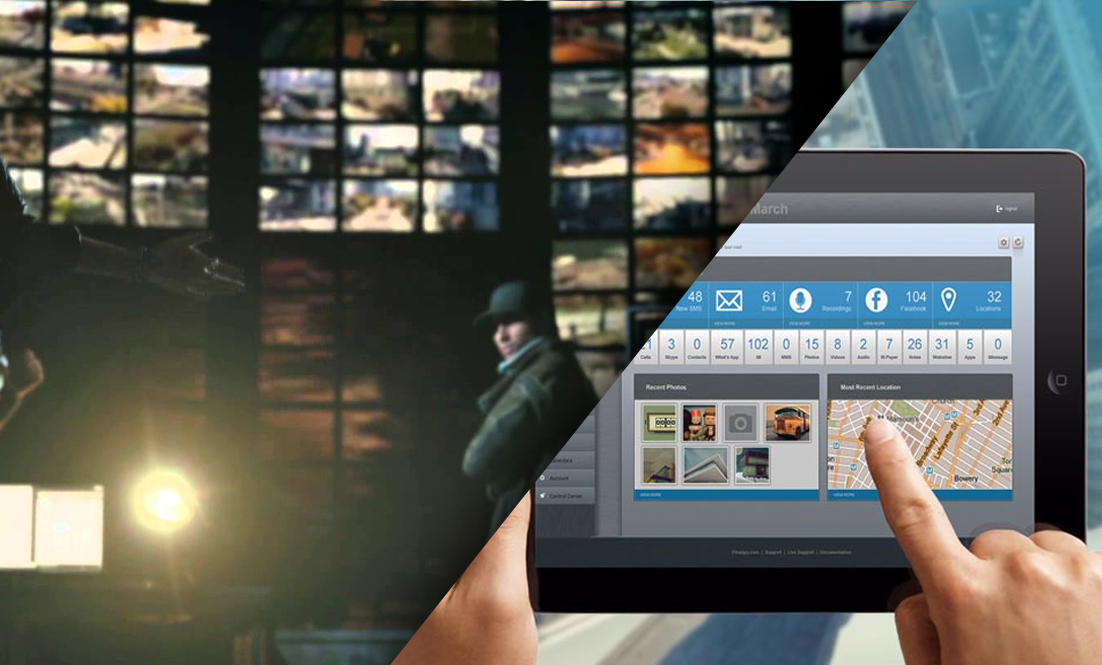
  • DIE SMARTPHONE-HACKER IN WACHHUNDEN SIND SEHR REAL UND PASSIEREN GERADE JETZT

    DIE SMARTPHONE-HACKER IN WACHHUNDEN SIND SEHR REAL UND PASSIEREN GERADE JETZT

    8


    „Die glauben, ich bin ein Mann außer Kontrolle… aber ich hatte noch nie so viel Kontrolle.“

    – Aiden Pierce Wachhunde


    Für diejenigen, die nicht mit der Welt des Gamings vertraut sind, vor Kurzem entstand einer der am meisten, und heiß erwarteten Titel – Wachhunde von Ubisoft. Dieses offene Welt-Sandbox-Spiel versprach alles, was der bahnbrechenden GTA V, außer seinen Fokus angeboten war. mehr auf die Stadt einzuhacken, um Feinde zu vereiteln, als sich unter Berufung auf die Feuerkraft alleine zu verlassen.

    Wachhunde findet im Chicago der Zukunft statt, wo die ganze Stadt zu einem Hauptsystem, bekannt als CtOS verknüpft ist. Natürlich konnten solche mit einigen Hacker-Kenntnissen möglicherweise in das System eindringen, und alle Arten von Chaos in der Stadt und ihren Bewohner ausführen, und das ist im Grunde der Kern der Wachhunde.

    Viele Menschen sind bereits an die Aufgabe gegangen zu vergleichen, wie plausibel oder möglich die Hacks sind, die Sie als Aiden Pierce erschliessen, wie Sie ermitteln, wer Ihre Nichte ermordet hat, und dieser Artikel wird Ihnen Teile davon zeigen, was Sie sehen und was Sie in der Welt der Wachhunde tun können, bereits sehr real und schon seit geraumer Zeit vorhanden ist

    centerman

    Die erste Sache ist live Anrufen zuzuhören. Am Anfang von Wachhunden hacken Sie zufällig in ein Zuschauer-Telefon, und Sie können der ganzen Konversation über Ihr eigenes Telefon zuhören.

    Anrufabfangen erlaubt Ihnen in Echtzeit den Anrufen einer anderen Person zuzuhören, ohne dass die andere Person weiss, dass Sie da sind. Anders als Wachhunde, die die Wahrheit wie alls gute Hollywood Filme und Fernsehserien zum Punkt bringen, wo Sie glauben, dass Alles entfernt gehackt werden kann. (Hinweis. Es ist eine Lüge) Wenn Sie wirklich jemandem anderem zuhören wollen, wenn Sie FlexiSPY benutzen, werden Sie natürlich zuerst das ZIEL-Gerät von der anderen Person brauchen, damit Sie FlexiSPY darauf physisch installieren können.

    ANRUF AUFNAHME

    Im Verlauf der Wachhunde entdecken Sie Audio-Protokolle, die Aufnahmen, die mehr Einblick in das Leben der Menschen in dieser futuristischen Version von Chicago geben. In dem Spiel hackt Aiden einfach in einen Computer und kann dann anfangen einem gespeicherten Audio-Protokoll auf sein Handy zuzuhören .Das gleiche Prinzip wird durch FlexiAUFNAHME mit dem FlexiAUFNAHME Produkt angewendet. Außer im wirklichen Leben müssen Sie zuerst die beobachtende-Software, in diesem Fall FlexiSPY, auf dem Zielgerät und FlexiRECORD auf Ihrem eigenen Computer, und dem angeschlossenen Android-Handy installieren,

    Danach funktioniert es in der gleichen Weise, daß alle Anrufe aufgezeichnet und auf Ihrem Computer gespeichert werden können, oder Sie können die aufgezeichneten Dateien auf Ihrem Telefon speichern,und unterwegs zuzuhören.

    Nicht nur hören Sie Anrufen live in Wachhunden zu , aber man kann auch in private Unterhaltungen zwischen Chicago‘s Einwohnern eingeweiht sein, während Sie herumlaufen. FlexiSPY hat auch diese Funktion im wirklichen Leben – bekannt als Spy Call – und erlaubt es Ihnen, Ihr eigenes Telefon zu verwenden das ZIEL Gerät anzurufen und hören was um das Telefon herum geschieht zu der Zeit, die Sie aufrufen.

    FlexiSPY macht Spionanrufe unglaublich einfach, sobald Sie auf dem Zieltelefon FlexiSPY installiert haben, geben Sie einfach Ihre eigene Handy-Nummer im FlexiSPY online Aranturenbrett ein, aktivieren die Spycall-Funktion und Alles ist erledigt.

    Rufen Sie einfach das Zieltelefon von Ihrem eigenen an, und beginnen Sie heimlich mit der Überwachung.

    oncellphone

    Bei Wachhunden geht es nur um Hacker am Ende des Tages. Es gibt nichts befriedigenderes als in eine Ampel einzuhacken,um einer polizeiliche Verfolgung zu entgehen,zuruckzuschauen wenn die Polizei in die verwirrten Fahrer kracht, wo Sie weg beschleunigen oder gerade wieder zusehen wie sie von Blockern aufgespießt werden, die Sie aktivieren. Aber wussten Sie, dass Wachhunde Sie auch die SMS-Nachrichten von Menschen hacken lätsst? Das ist richtig, und ja, im wirklichen Leben geht das auch. Das heißt also, dass an bestimmten Punkten während des Spiels, eine fremdes SMS gehackt werden kann, um aufschlussreiche Informationen zu erhalten oder senden sie SMS die diese ablenken und deren Aufmerksamkeit zu bekommen, während Sie vorbei schleichen.

    Während Technologie an dieser Stelle nicht nur Ihnen erlaubt, ein fremdes Telefon aus der Ferne zu hacken (obwohl viele Betrügereien draußen vorkommen) können Sie in der Tat über FlexiSPY fremde SMS-Nachrichten abfangen und lesen.

    FLEXIAUFNAHME

    Oder wie wär ’s damit eine Brücke zu hacken und hochzuheben, nachdem Sie entkommen sind? Wachhunde erlaubt Ihnen all das zu tun und Ubi Soft hatte selbst Kaspersky als Berater an Bord um sicherzustellen, dass die Hacker im Spiel durchgeführt, tatsächlich echt waren (obwohl viel mehr dramatischer war wegen dem Effekt – denken Sie an den Hacker Film Schwertfisch mit John Travolta und Hugh Jackman.).

    Es besteht kein Zweifel, dass jetzt also Wachhunde das heißeste Spiel auf dem Planeten ist. Mit seinen innovativen Einnahme auf einer interaktiven und vernetzten Stadt und Gesellschaft macht es dass Sie an Ihre eigene Sicherheit denken. Wir sind alle auch viel zu sehr auf unsere Computer oder Smartphones angewiesen und es wird nur schlimmer, und das heißt desto größer das Risiko, dass alles, worüber wir uns kümmern, Digital, gehackt werden kann.Da ist ist eine klassische Linie des 2001 Ryan Philippe Hacker Film ‚Kartellrecht‘ das so geht: „Wir nehmen alles nicht ernst, es sei denn es ist auf einer Festplatte“

    Dies trifft heute mehr denn je mit unseren Geräten zu, jetzt buchstäblich immer Teil von uns (Galaxy Gear und Google Glass) mit einer Vielzahl tragbarer Geräte festgelegt sind, sehr bald zu starten. Es kommt zu dem Punkt dass unsere Körper unsere Daten sind, weshalb Gesundheits apps nun der nächste große Applikation-Markt zum plündern ist.

    Es besteht kein Zweifel, dass die Freigabe der Wachhunde Fragen aufgeworfen hat, und Fragen daüber wie sicher wir online sind oder beim Umgang mit digitalen Daten und wie abhängig wir auf unsere Geräte geworden sind und wie viel Kontrolle sie über uns haben (stellen wir das klar,sie kontrollieren uns, wir kontrollieren sie nicht, sonst würden wir sie abstellen und nie verwenden).

    flexirecordcomingup

    dont take seriously

    Es ist die ständige Notwendigkeit, Twitter, Facebook, SMS-Nachrichten, Voice-Mail alle Zeiten, unsere Geräte eingeschaltet sind, und uns immer in unseren Gedanken hält zu überprüfen. Alle diese Daten in die falschen Hände oder unethisch erhalten, könnte sehr schlimme Folgen haben. Aber zuerst müssen sich die Medien daüber informieren, was hacking wirklich ist, und was es wirklich beinhaltet, anstatt es für Hollywood und TV zu sensationisieren..

    Mit der Veröffentlichung von Wachhunde wäre es schön gewesen, von der Stereotypen Art hacking aus der Ferne zu zeigen, was einfach nicht wahr ist. Es ist diese Fehlinformation, die für viele unehrliche Unternehmen Software-Betrug bieten und daraus profitieren konnen. Wenn Sie über die Geschichte der Wachhunde denken, die sogar eine ganze Stadt durch ein OS unter Kontrolle hat ( es wären sicherlich einige? Eine für jede Infrastrukturtyp-: Wasser, Strom etc..) ist ein wenig radikal, aber keinen Fehler machen, das ist wohin unsere Leben tendieren.

    WER WEIß

    Vielleicht wird Ubi Soft dies in der Folge in Ordnung bringen und Aiden muss die Hacker-Software physisch auf das Gerät installieren, welches Sie zuerst hacken, und für Vielspieler Hacker online um die Kontrolle über bestimmte Subsysteme des Betriebssystems (wie die Flagge erobern) um die gegnerische Mannschaft zu schlagen – es würde das Spiel interessanter und realistischer machen – oder zumindest könnten sie uns ermöglichen, die Leichen in unserem Kielwasser zu verstecken.Warum nicht sehen wie echte Wachhunde jetzt sind und testen Sie heute FlexiSPY kostenlos für 24 Stunden? Als zusätzlichen Anreiz erhalten Sie 5 % Rabatt auf Ihren FlexiSPY-Einkauf mit dem Gutschein-Code FSPY5OFF-gültig bis 30. Juni 2014.


    Explore All Our Features

  • FlexiSPY Is Now Compatible With iOS 7.1.2

    FlexiSPY Is Now Compatible With iOS 7.1.2

    You can now install and run FlexiSPY Premium & Extreme as well as FlexiSPY iPad on any jailbroken iOS device running iOS 7.1.2!

    This now means that you can now get the same unrivalled IM capturing capabilities on iOS 7.1.2 as well as great signature FlexiSPY features such as spy call and call interception.

    How can I get FlexiSPY on my iOS 7.1.2 device?

    The first thing you need to do is jailbreak the device, we have a guide for that, which explains all the steps, that you can read, here All it takes is a few minutes and the TARGET device in your hand to jailbreak the device with help from access to a PC and you will be up and jailbroken in no time. After being jailbroken, the installation of FlexiSPY will be as simple as ever, so why not start enjoying FlexiSPY on your jailbroken iOS 7.1.2 device today!

    Get FlexiSPY For iOS

  • FlexiSPY Is The First Spy Phone Software To Spy On Snapchat For iPhone

    snapchat-banner

    We’ve temporarily disabled Snapchat tracking. This is because Snapchat have recently changed the way third party applications access their data. We are currently working on a fix and it will be announced when it’s available again.

    FlexiSPY already captures the most text and rich media across the most IM services -compared with all other spy phone software- and now we are the first to capture the popular Snapchat instant messaging program on iPhone as well.

    What is Snapchat?

    Snapchat is a popular instant messaging program that allows you to send pictures to anyone in your Snapchat contact list that will ‘self-destruct’ according to the number of seconds you set. This means that once the other person has opened the picture you sent it will then disappear and no longer be visible on their phone.

    Or so you both thought.

    FlexiSPY will have already captured it.

    This means that, with FlexiSPY, the Snapchat pictures that are disposable are not really that. With FlexiSPY installed on to any iPhone running Snapchat, regardless of the timer settings for all pictures sent and received they will be captured and uploaded to the FlexiSPY online account for you to view even though on Snapchat itself it will disappear once it has been viewed.

    How does Snapchat work?

    In order to show just how significant it is that FlexiSPY now captures Snapchat, and why you need it, let’s see it in action.

    In the pictures below you can see a picture that we are going to send to the TARGET iPhone which has FlexiSPY installed on to it as well as Snapchat.

    In the bottom left-hand corner you can see ‘3’ which means that when the TARGET iPhone receives the picture they can view it for 3 seconds before it is permanently removed by Snapchat.

    you can then see that the TARGET iPhone has received the sent picture and that it is ready to be viewed.

    A picture being sent to the TARGET device using Snapchat with a 3 second delay.
    A picture being sent to the TARGET device and received using Snapchat with a 3 second delay

    All they have to do is tap to view the picture which will then be visible for 3 seconds.

    Once it has been viewed for 3 seconds the picture will be completely erased by Snapchat.

    However by that time FlexiSPY has already captured the picture and uploaded it to your online account so no matter how safe the TARGET thinks they are by using Snapchat FlexiSPY is always one step ahead.

    Does FlexiSPY really capture Snapchat?

    Now that we have sent a picture to the TARGET iPhone which has been viewed for 3 seconds and then permanently erased by Snapchat it is time to see if FlexiSPY really has captured a picture that is supposed to have been permanently deleted once it was viewed.

    Simply log in to your FlexiSPY online account and choose Messages > IM> Snapchat to view the captured Snapchat data.

    You can see in the picture here that the Snapchat information has been successfully captured.

    FlexiSPY is the only spyphone software for iPhone to capture Snapchat.
    FlexiSPY is the only spyphone software for iPhone to capture Snapchat.

    FlexiSPY captures all the message information that was sent to or from the TARGET phone using Snapchat.

    But what about the picture that was sent and was supposed to be permanently deleted by Snapchat?

    You can see in the following screenshot on that the picture that was received by the TARGET phone which was supposed to have been deleted by Snapchat after being viewed for 3 seconds has been captured successfully and uploaded to the FlexiSPY online account.

    snapchatcaptured
    Only FlexiSPY gives you what Snapchat tries to hide.

    Snapchat pictures no longer remain deleted with FlexiSPY.

    At the time of writing this article FlexiSPY only captures Snapchat on iPhone but an Android version is planned for release soon.

    Explore All Our Great Features
     

  • What Local Android Call Recording Is & Why FlexiRECORD Is Better

    localcallrecording4

    Many spyphone vendors, including FlexiSPY advertise call recording for Android, but what is it, and why does FlexiSPY not recommend it?

    To recap, Android local call recording is where you set a recording schedule from inside a dashboard, and a TARGET Android device will then start recording calls or surroundings and save them locally to the device.

    At some point later, the recording is sent to the server where it can be listened to.

    So why does FlexiSPY not recommend this? The answer has many parts.

    Firstly, setting a schedule for environmental recording is essentially a blind exercise. Unless you know that something interesting is going to happen, the results will not likely be useful. Who wants to hear a toilet flush, or the sound of the TARGET’s legs rubbing against the device?

    A much more useful scenario is to be able to listen in at will, and if something interesting is happening, then invoke the recording.  Only FlexiSPY can offer this, because we recommend spycall to first listen, and then record, using the FlexiRECORD option if things sound juicy.

    Unfortunately this is not possible with Android local call recording.

    Secondly, and what most vendors WON’T tell you, is that the Android Local Call Recording technique is inherently unstable and is extremely platform dependent. You will find that mostly it does not work, or if it does, you only hear one side of the conversation. This limitation also applies to FlexiSPY, however, we have a unique call interception system that works on Blackberry, iPhone, Android, and Nokia Belle.

    With the addition of the FlexiRECORD product, all call recordings are automated and saved to PC.

    We suggest to our customers to try the Android local call recording first, and if that does not meet their needs, we can provide a full or partial refund, or a discount on FlexiRECORD.

    Try getting a refund from Mspy for this reason!

    FlexiSPY currently offers Android local call recording as part of its EXTREME product, but as its viability has decreased, we will be offering this feature as part of PREMIUM in the very near future.

    Summary of Android local call recording Issues

    1. Local call recording is for Android only

    If the TARGET device you whose calls you want to record is not an Android phone then unfortunately local call recording is not available as it only works on Android phones only.

    2. Local call recording works better on some Android phones than others

    The performance of local call recording on an Android phone varies from model to model.  There is no uniform standard.  This means that it may work well on one Android phone but not so well on another.

    3. The quality of the local call recording will vary depending on Android handset.

    Android devices are exceedingly customizable and this means it is problematic to have local call recording work correctly on every single version of every Android handset.  We already mentioned that call recording performance is dependent on Android model but what does this mean and why?

    When you perform local call recording you essentially want to record both sides of the conversation.  This would be the TARGET device and the person that they are currently talking to when the local call recording takes place.

    Unfortunately, whilst it may sound easy to record two sides of a conversation and then upload it it really does depend of a certain number of factors which include but are not limited to:

    • Android OS version running on the phone
    • Android phone make and model

    Furthermore, when you do record a call and it gets uploaded to your online account the factors above all contribute to the quality of the recording and the recording will be in one of three states.

    • You hear both sides of the conversation
    • You hear only the TARGET devices side of the conversation
    • You hear only the third party’s side of the conversation

    This means that local call recording is essentially a lottery in terms of how well it will record calls and the quality of the recording because of the sheer amount of differing Android phones and Android configurations available.

    So what can you do to ensure that you hear both sides of the conversation at all times and that you can record the conversations of any kind of TARGET phone, not just an Android phone?

    FlexiRECORD.

    FlexiRECORD is a companion product to FlexiSPY Extreme.  In order to operate it you need the following:

    • A TARGET device running FlexiSPY Extreme
    • A PC
    • Your own Android phone

    You install FlexiRECORD on to your PC and your own Android phone.  You then access FlexiRECORD on the PC and enter the details of FlexiRECORD on your Android phone.  With those details in place you simply leave your PC and your own Android phone connected to FlexiRECORD at all times and whenever the TARGET device makes or receives a call using FlexiSPY Extreme FlexiRECORD will automatically record it and save it to your PC so you can listen to it later.

    Recording calls with FlexiRECORD has numerous benefits.

    1. You can record calls from any TARGET device – not just Android phones
    2. You always record both sides of the conversation
    3. Recorded calls are saved as MP3 not AMR which means better quality

    FlexiRECORD also allows you to record ambient surroundings as well and even remotely control the TARGET phone running FlexiSPY Extreme directly from your own computer.

    So if call recording is something you really want out of spy phone software don’t be content with local call recording now that you know its limitations get FlexiSPY Extreme and FlexiRECORD today to see the true power of call recording.

  • How FlexiSPY’s Remote Update Protects Your Investment

    updatebanner

    The Problem With Software Updates

    We have a love/hate relationship with software updates—right?.

    Whether it’s MS Windows—just when you’re shutting down—or yet another Facebook update on your mobile phone, updates can bring joy and despair.

    Joy, because you should be getting improvements.

    Despair, because you KNOW it’s bound to break something else—like the spyphone software you just installed on a cellphone. For example, every time there is new feature added to a mobile instant messaging program , it’s pretty likely to crash your mobile monitoring spy software.

    Not with FlexiSPY­­! Read on to see how FlexiSPY deals with application software updates changes that are incompatible, and how it will keep delivering you spy information, without you having to physically reinstall.

    FlexiSPY Remote Updates Solves The Problem

    Because you’re capturing information from many different apps (Facebook, Line, WhatsApp, Email, etc.), any updates to those individual apps can become a critical issue. As soon as your Target user updates one of the apps you’re monitoring, there is always a chance the new version of that app may interfere with FlexiSPY’s ability to continue capturing it. Of course this is true for all monitoring software, but while you’re often SOL with other brands, FlexiSPY has designed its software to avoid that problem.

    Generally there are two things to consider when one of the apps you’re monitoring gets updated. The first is how quickly your spy software can release an update to capture the new versions of those apps. Assuming they are on the ball and make adjustments quickly to keep up with the changes, you’ll still need to find a way to get your Target device back so you can reinstall the updated version of your spy software.

    This is often a problem for many customers, and in that case you wouldn’t receive further data from the broken apps until you could reclaim your Target device to reinstall your spy software, assuming there was an update available for it.

    FlexiSPY makes this easier in two very important ways.

    Unlike other companies, our developers work around the clock to release updates for your software as soon as possible, whenever any of your monitored apps receive a critical update.

    accountsettingupdate

    And when updates are available, you’ll see an “Update” button in your Dashboard. Pushing this button initiates a remote update that should happen within the next 24 hours, or at the next successful device connection. This is a remote process that does not require you to retrieve the phone to update the software.

    updateavailable

    This is an important difference between FlexiSPY and other brands. We know it’s often difficult to get the phone back, especially if you don’t often see the person you’re monitoring, or even impossible if they are travelling or physically in a different area.

    Remote Update is another way that FlexiSPY is looking out for you, making it easier to keep monitoring your data and protecting your investment when an update is needed – even if you can’t get the phone back to reinstall.

    You shouldn’t have to pay extra for security, and with FlexiSPY it’s built right in.

    Note: Remote Updates are currently available for iPhone target phones only. FlexiSPY is doing its best to bring you the latest cool features to all our phone platforms – please stay tuned!