หมวดหมู่: เคล็ดลับควรรู้

ที่นี่คุณสามารถอ่านล่าสุด FlexiSPY Tips & Tricks การโพสต์ที่คุณสามารถเรียนรู้วิธีที่จะได้รับประโยชน์สูงสุดจากซอฟต์แวร์ FlexiSPY ของคุณ

  • Dangers of Snapchat: What Every Parent Needs to Know in 2026

    Dangers of Snapchat: What Every Parent Needs to Know in 2026

    The NSPCC identified Snapchat as the most-used platform for online grooming, accounting for nearly half of all identified cases in the UK. The reason is straightforward. Snapchat’s disappearing messages erase evidence before parents, schools, or law enforcement can find it.

    Most parental controls cannot see inside the app. Two features, My Eyes Only and screen recording, give children tools to hide activity that most parents do not know exists.

    What Snapchat Was Designed to Do

    Snapchat was built around one core mechanic, messages that disappear after viewing, and that design decision is responsible for most of its dangers.

    800 million people use it monthly. Teenagers treat it as their primary messaging tool, specifically because content vanishes. The minimum age is 13. There is no age verification.

    Most parents assume disappearing messages protect their child. The opposite is true. Disappearing messages protect everyone who sends your child harmful content, because there is no record left to find.

    The Eight Real Dangers of Snapchat

    DangerWhy Snapchat Makes It Worse
    Online groomingQuick Add exposes teens to strangers. NSPCC: nearly half of UK grooming cases involved Snapchat (2024)
    Snap Map location sharingShares the exact real-time location with all friends by default
    Disappearing messagesBullying evidence vanishes. Grooming conversations unrecoverable. Drug deals are untraceable.

    SextortionPredators coerce teens into sending images, then use them as blackmail
    Drug salesFentanyl deaths linked directly to Snapchat transactions
    CyberbullyingMessages vanish before anyone can document evidence
    SnapstreaksGamified daily use creates anxiety and compulsive behaviour
    My Eyes OnlyHidden password-protected vault, invisible without the passcode

    Snap Map: Location Visible by Default

    Snap Map shares a child’s exact location with every friend on their list every time they open the app.

    Ghost Mode disables it, but the child controls Ghost Mode, not the parent. Strangers added through Quick Add become friends instantly and gain location access immediately. Understanding how online predators make contact starts with location data being the first thing they exploit.

    My Eyes Only: The Hidden Vault

    Inside Snapchat’s Memories section is a password-protected folder called My Eyes Only, a hidden vault where children store photos and videos completely invisible to anyone checking the device.

    It does not appear in the camera roll. It does not appear in the main app. Snapchat cannot decrypt it. A parent checking a child’s phone will not find it without the passcode.

    What gets stored there: images from strangers, drug-related content, screenshots from conversations they want erased. No competitor safety guide mentions this feature. Most parents have never heard of it.

    The Screenshot Myth

    Snapchat notifies users when a screenshot is taken, but screen recording bypasses this completely, and Snapchat cannot detect it.

    Teenagers know about the screenshot alert. So they record the screen instead. No notification is sent. Content a child believes has disappeared may have been captured and kept by the person they sent it to, silently, permanently, with no trace.

    Drug Sales and Fentanyl

    Snapchat’s disappearing messages made it the primary tool for drug dealers targeting teenagers, with fentanyl deaths directly linked to transactions that left no recoverable evidence.

    Dealers find teenagers through Quick Add. Transactions happen via disappearing messages, no history, no record, nothing a parent can find. The New Mexico Attorney General filed a lawsuit in 2024, naming this a platform design failure. The EU opened an investigation into Snapchat in April 2026 over failures to protect minors.

    What Snapchat’s Family Center Shows, and What It Hides

    Snapchat’s Family Center lets parents see who their child has been messaging, but not a single word of what was said.

    Family Center FeatureWhat Parents Can SeeWhat Parents Cannot See
    Friend listWho their child has addedHow those contacts were found
    Recent contactsWho they messaged in 7 daysContent of any conversation
    Content restrictionsWhether restrictions are onWhether the child reversed them
    LocationLocation of the child shares itLocation if Ghost Mode is on
    My Eyes OnlyNot visibleNever visible

    Every Snapchat safety setting can be reversed by the child without any alert reaching the parent. Family Center is designed to reassure parents, not to give them visibility into what is actually happening.

    Why Blocking Snapchat Is Not Enough

    Blocking Snapchat on your child’s Android device removes one access point. It does not remove access.

    Three ways teenagers get around it:

    Friends’ devices. Snapchat works on any unmonitored phone.

    App reinstallation. Takes under a minute. The only visible sign is that streaks reset.

    Secondary device. A cheap tablet or borrowed phone bypasses all home monitoring.

    The same limitation applies across every platform. Parents who face identical visibility gaps on Reddit see the same bypass patterns. Blocking one app rarely ends the behaviour.

    The question is not whether your child can access Snapchat. The question is what happens when they do.

    For a full comparison of monitoring tools, see our best parental control apps breakdown.

    What Parents Can See, and What FlexiSPY Captures

    Most parental control tools cannot capture Snapchat activity because Snapchat messages are not standard texts, and alert-based tools do not reach inside the app.

    What Your Child Does on SnapchatStandard Parental ControlsFlexiSPY
    Sends or receives a SnapCannot seeApp Screenshot captures it
    Reads a disappearing messageCannot recoverScreenshot taken at the display
    Uses My Eyes Only vaultScreenshot taken of the displayKeylogger records passcode; screenshot captures content
    Uses Quick AddCannot seeApp activity captured
    Type a messageCannot seeKeylogger records every character

    FlexiSPY’s App Screenshot feature captures what is on screen inside Snapchat on Android at set intervals. The keylogger records every message typed before it is sent. This works regardless of which account is active, and it captures content before it disappears.

    Frequently Asked Questions

    Child safety experts recommend 16 at the earliest. The NSPCC named Snapchat the most-used grooming platform in the UK. At 13, disappearing messages, Quick Add, and Snap Map create risks that Family Center cannot address.

    Family Center shows who was messaged, not what was said. FlexiSPY’s App Screenshot feature captures message content on screen before it disappears.

    A hidden, password-protected folder in Snapchat Memories. Invisible on the camera roll and main app. Snapchat cannot decrypt it. Parents will not find it without the passcode.

    No. Screenshot alerts exist, but screen recording bypasses them entirely. Content the sender believes is gone may have been captured silently.

    FlexiSPY captures what is displayed inside the Snapchat app and records everything typed, including messages before they are sent, regardless of which account is active.

  • Best Parental Control Apps of 2026: Ranked by What Parents Actually Need

    Best Parental Control Apps of 2026: Ranked by What Parents Actually Need

    Most parental control apps block content. Few actually show you what is happening. There is a big difference, and for parents of teenagers, it is the only difference that matters.

    We ranked the top apps based on five things: what they capture, how well they work on Android, whether kids can remove them, how secure your data is, and what parents can actually see versus what just triggers an alert.

    Key Points

    • FlexiSPY is the only app that captures full conversations, records calls, and runs hidden on Android
    • Bark is the best option for social media alert detection
    • Qustodio leads on location tracking with a built-in Panic Button
    • Google Family Link is free, but it stops working when your child turns 13

    Many monitoring apps do not work as advertised; our trade-in data shows which brands are the problem

    How These Apps Compare at a Glance

    FeatureFlexiSPYBarkQustodioNorton FamilyGoogle Family Link
    Full message contentYes, 13 appsAlerts onlyLimitedNoNo
    Call recordingYesNoNoNoNo
    Hidden on AndroidYesNoNoNoNo
    Location trackingYesYesYes, best in classYesYes
    Social media monitoringYes, Keyword alertsYes, AI alertsLimitedNoNo
    Works on AndroidYesYesYesYesYes
    Free optionNoNoFree tierNoYes
    Starting price$49.95/mo
    $14/mo

    $4.99/mo
    $4.17/moFree
    Kids can remove itNoYesYesYesAt age 13

    What Separates a Monitoring App from a Restriction App

    There are two types of tools in this category.

    Restriction tools block apps, filter websites, and limit screen time.

    Monitoring tools capture what is actually happening and send that data to you.

    Most apps in this list are restriction tools. A few are monitoring tools. The table above shows the difference clearly.

    For parents of teenagers, restrictions alone rarely work. A teenager who knows monitoring software is on their phone will find a way around it. The question is not whether they can bypass content filters; they can. The question is whether they can bypass an app that runs without leaving a trace.

    1. FlexiSPY, Best Overall for Android

    From $49.95/month | flexispy.com

    FlexiSPY captures full conversations, both sides, from WhatsApp, Snapchat, Instagram, TikTok, Facebook Messenger, Telegram, Discord, Kik, Viber, LINE, WeChat, Google Messages, and Hike. That includes deleted messages. The keylogger records everything typed on the device.

    FlexiSPY has been at this since 2006, the year it invented the commercial spy phone. No competitor in this list was even operating then.

    The primary platform is Android. Parents with Android-using children are the core audience.

    What Parents Can See

    • Both sides of conversations across 13 messaging platforms
    • Deleted messages
    • Every keystroke typed on the device
    • GPS location history
    • Installed apps and web browsing activity
    • Photos, videos, and audio files
    • Call logs and contact details

    Call Recording and Live Listening

    FlexiSPY records phone calls on Android, including calls made through WhatsApp, Viber, LINE, and Facebook. The Spy Call and Live Listening feature lets you open the device’s microphone remotely and hear the phone’s surroundings in real time.

    Runs Hidden on Android

    FlexiSPY can run without any visible icon on Android. Your child will not see it in the app drawer or in their settings. It operates quietly in the background. This is what makes it effective for teenagers specifically. FlexiSPY is the first monitoring app to achieve full hidden operation on Android 15.

    FlexiSPY EXPRESS

    If you cannot access your child’s current device, FlexiSPY EXPRESS ships a phone with FlexiSPY pre-installed. Monitoring starts the moment the box is opened. No installation needed.

    Plan

    PlanMonthlyManually
    LITE$49.95
    PREMIUM$79$179
    EXTREME$119$419

    Physical access to the device is required for self-installation. A professional installation service is available if you prefer someone else to handle it.

    2. Bark, Best for Social Media Alert Detection

    From $14/month | bark.us

    Bark scans messages across 30+ platforms, Instagram, TikTok, Snapchat, Discord, YouTube, and alerts parents when it detects patterns linked to bullying, self-harm, predators, or explicit content.

    You receive a notification, not a transcript. Bark uses AI to flag the issue so you can have a conversation with your child rather than reading every message yourself. It covers unlimited devices and includes screen time management, website filtering, and geo-fencing.

    What Bark cannot show you: Bark does not give parents the full content of conversations. It only shows what triggers an alert. If a message does not match a flagged pattern, you will not see it. Alerts can arrive with a short delay. For parents who want to read actual conversations, Bark is not designed for that.

    3. Qustodio, Best for Location Tracking

    From $4.99/month | qustodio.com

    Qustodio’s location tracking is the most reliable in this comparison. The map updates in real time, logs a full history of every location visited, and includes a Panic Button, a feature no other app here offers. If your child feels unsafe, they can share their exact location instantly with a single tap.

    For families where location is the priority, Qustodio delivers. Android GPS tracking is also available through FlexiSPY for parents who want location data alongside full message capture.

    Where it falls short: Qustodio does not capture full message content from Snapchat, TikTok, or Instagram. Call monitoring is limited. It is not hidden; a child who finds the app can work around it.

    4. Norton Family, Best for Web Filtering

    From $4.17/month | norton.com

    Norton Family filters content across 41 categories and blocks incognito mode, which is the most common way teenagers bypass web filters. YouTube history is captured when accessed through a browser. Real-time alerts arrive quickly.

    Where it falls short: Norton Family does not read messages, emails, or social media conversations at all. It is a web control tool, not a conversation monitoring tool.

    5. Google Family Link, Best Free Option

    Free | families.google.com

    Family Link is the strongest free option for Android. App approvals, location tracking, content filtering, and screen time limits, all at no cost. For children under 10, it covers the basics well.

    The problem: When your child turns 13, Google hands supervision control back to them. Your child can disable location sharing and remove the parental oversight from their account on their own. Family Link does not monitor conversations at any age.

    Choosing the Right App for Your Child’s Age

    Age GroupBest OptionWhy
    Under 10Google Family LinkFree, basic restrictions work well at this age
    10 to 13Bark or QustodioSocial media monitoring and location matter more now
    13 to 17FlexiSPYFull visibility, runs hidden, restriction tools alone stop working at this age

    Can Teenagers Bypass Parental Control Apps?

    Yes, most of them. Common methods include factory resetting the device, using a friend’s mobile hotspot to avoid home router filters, switching to incognito browsing, or simply turning 13 and removing Family Link supervision themselves.

    FlexiSPY runs without showing any visible icon. Your child does not know it is there. Our trade-in program data shows 39% of monitoring apps do not work as advertised. The most common apps parents trade in when switching to FlexiSPY are mSpy, Umobix, SpyX, and ClevGuard, because their children found and removed them.

    Is Your Monitoring App Keeping Your Child’s Data Safe?

    Most parents never think about this until something goes wrong.

    mSpy has been hacked three separate times. The 2015 breach exposed 400,000 accounts. The 2018 breach exposed millions of records, including passwords and payment details. The June 2024 breach leaked 150 gigabytes of data, including 5 million support tickets. SpyX, Retina-X, TheTruthSpy, and Family Orbit have all had serious data breaches as well.

    FlexiSPY has a100% perfect track record on customer data security, 21 years of operation with no breach. Captured data is deleted from FlexiSPY servers after 90 days. You can download an archive at any time.

    Frequently Asked Questions

    FlexiSPY gives parents the deepest visibility, full message content from 13 apps, call recording, and hidden operation. For social media alerts, Bark is the strongest alternative.

    Google Family Link for Android. It covers the basics at no cost but stops being effective when your child turns 13.

    Most of them, yes. FlexiSPY runs without a visible icon so your child does not know it is present and cannot remove what they cannot find.

    Yes. Installing monitoring software on a device you own, including a phone provided to your minor child, is legal. FlexiSPY requires physical access to the device for installation.

    Bark alerts you when something concerning is detected. FlexiSPY captures everything. Parents who need to know what is happening, not just be notified after the fact, need a full monitoring tool, not an alert system.

  • Internet Safety Tips for Kids & Parents

    Internet Safety Tips for Kids & Parents

    Here are the top Internet Safety Tips for Kids & Parents. The internet has been embedded into nearly every aspect of our lives. It’s a place where you can connect with others, discover new concepts, and share your knowledge. However, although the internet may be useful, it also can be a dangerous place. 

    People often don’t think twice about what they do online. But did you know that, on average, internet hacks occur every 39 seconds? Hackers, cyberbullies, identity thieves, and online predators, all use the internet as a weapon for their attacks. 

    Dangers exist on the internet just as they do in the physical world, which is why it’s so important to take the necessary precautions when surfing the web. Below are some tips on how to stay safe online. 

    Use Secure Sites

    This may sound simple, but you’d be surprised at how many people don’t check to see if they’re on a secure site. Using an unsecured site is like walking through a dark alleyway filled with thieves and muggers. They’re a gateway for hackers, identity theft, and viruses to steal your personal information and use it against you. 

    Secure sites encrypt your data before sending it over to the server, which helps protect your information from identity theft. Luckily most web browsers make it easier to tell if a site is secure or not. One of the easiest ways to spot whether a site is secure is by looking at your search bar. If you see a lock symbol or see the URL with HTTPS, then the site is secure. If you see an open lock or see that the URL starts with HTTP, then avoid using the site. 

    Some browsers, like Google, will also go the extra mile of giving you a full-page warning if a site has been flagged as unsafe. If you ever stumble upon a site like this, leave the site immediately. Get your kids in the habit of checking the security of their sites before use. It takes two seconds to check but will add a great deal of protection to your browsing. 

    Use Strong Passwords 

    Your password is your bodyguard. Unless you buy added security software, your password is the one thing that protects you from a thief. 

    Most hacks occur because of easy-to-guess passwords. According to Nordpass, the most common password in 2020 was “123456” and the second most common was “123456789.” Passwords like these are the equivalent of closing your front door but never locking it. 

    Take the time to craft a strong password for each of your accounts. When creating a password avoid using common words, personal information, and using the same password for every account. Instead, try to incorporate a mixture of numbers, words, and symbols in a unique order. 

    For kids and adults that have cell phones, consider a two-step authentication. This will add a high level of protection that’ll make your accounts harder to hack. 

    Set Accounts to Private

    Social media continues to have a growing impact on kids and adults alike. It can be a great place to stay connected with friends and family, but is also, unfortunately, one of the most common places for online predators and cyberbullies to attack. Anyone that uses social media, unless they’re trying to be an influencer, should set their accounts to private. This will also help prevent any bullies and predators from talking to you or your child.

    By switching your account from public to private, you’ll be able to select who can see your posts and who can communicate with you. When you get DM requests or follow requests, try to only accept those from people you know. This will help you and your family avoid any potential scams and unwanted interactions. If your child is young and uses social media, consider monitoring their account until they’re mature enough to navigate it alone. 

    Think Before You Post  

    Even if you have a private account, be sure to think before you post. Anything you post on the internet stays on the internet, forever. It’s easy to act out of emotion, but what you post could inhibit your future opportunities, image, and safety. Even if a post or a comment is deleted, there’s always a way to resurface them. 

    It can be easy for kids and adults alike to overshare on the internet, so make sure to look over what you’re posting before sharing it. Taking the extra time to think about what you say and post on the internet can save you from cyberbullying, hacks, and tainting your public image.

    If someone ever posts unwanted pictures or videos of you or your family, take action to get them removed. Although the file will still be on the internet, it’ll be hidden away from the public eye. 

    Safeguard Your Technology

    Treat your technology as if they were a wallet or a purse. Your computer and phone carry so much valuable personal information that could easily be used against you. Things like credit card information, identification numbers, passwords, work information, and more are all held on your laptop and phone. 

    Even if you’re just going to the bathroom, avoid leaving your technology unattended. Doing so will not only get your devices stolen but put you at major security risks. If your devices are unsupervised, make sure to shut them down. This will protect you from strangers using your device and accessing confidential information. 

    Monitor Your Accounts 

    Whether you believe you were hacked or not, it’s always wise to monitor your accounts. One of the best places to see if you got hacked is your email. Many account services such as Gmail, Instagram, and others send you a notification if there’s a suspicious login. 

    Another way to know if someone has stolen your information is by checking your credit score. Identity theft involves using your personal information to gain an economic advantage. This can cause you to go into massive debt and deplete your credit score immensely. This type of attack is especially harmful to any future financial goals, such as buying a house or applying for credit, since loans, like mortgages, have credit score requirements that are hard to meet if your score is severely damaged. 

    Your personal information mustn’t be accessible to the public. To see what information about you has been shared on the internet, have each of your family members Google themselves. If personal information such as phone numbers, email addresses, or home addresses come up, talk to the website it’s being shared on to get them removed immediately. Monitoring your accounts can be a great way to put a stop to any occurring damage early on. 

    Final Thoughts: 

    With new advancements in technology, our lives are becoming more interconnected with the internet. Although the internet can be a dangerous place, it’s what keeps this world moving forward. It’s more crucial than ever that we instill these positive internet safety tips in our everyday lives. Just like in the real world, it’s important to take the necessary precautions to help ensure your family’s safety

  • Remote PC Monitoring Software for Business

    Remote PC Monitoring Software for Business

    Looking for the Best Remote PC Monitoring Software to help manage your business? Haven’t thought about it? You may want to start, as remote work is here now and for the foreseeable future.

    Employers are investing heavily in tech products and processes aimed at making work-from-home an attractive option for both businesses and employees.

    So, how do businesses keep track of their staff’s productivity during the pandemic? To tackle this, companies have turned to computer monitoring to keep track of KPIs and secure IP.

    The best Remote PC Monitoring Software lets you track employee activity, emails, and logs suspicious behavior with keyword and file activity alerts. It will even provide a way to track the latest device location.

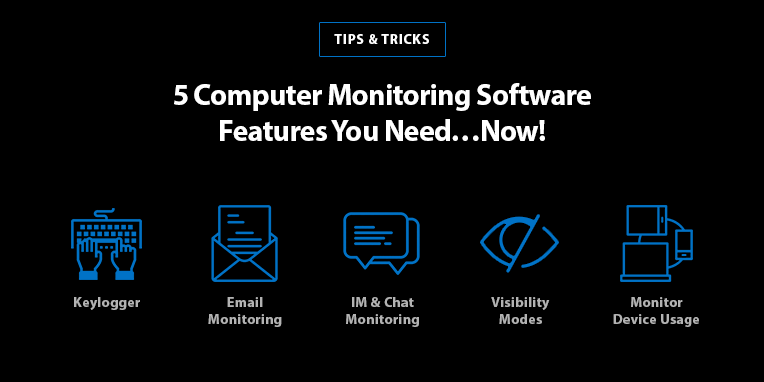
    Before we proceed, here’s a short article on the 5 features to look for in a computer monitoring software.

    In this article however, we dive deeper into what makes Remote PC Monitoring one of the fastest growing SaaS industries in the world.

    We’ll explore use cases, legality, and the importance of email monitoring plus other a features you should be considering for your business.

    The Best Remote PC Monitoring Software

    With so many computer monitoring products on the market, it is vital you do your research before settling on any software. Let’s take a look at what features you should be looking for top-of-the-line monitoring.

    The best Remote PC Monitoring software logs keystrokes, websites visited, chat conversations, app activity, emails sent and received, file activity, tacks USB and provides a host of other useful features.

    With FlexiSPY for Computers, businesses have the option to track employees discreetly, as the software can be hidden on any PC or Mac. However, we always recommend open monitoring – where any surveillance is in the employment contract, as part of company policy.

    One of the best aspects of FlexiSPY is the ability to view all computer activity from a remote location without being there. Not only does the software provide all the basic data a manager needs – including log-on/off times, desktop screenshots, and desktop alerts – FlexiSPY can also track the physical location of a laptop by logging the WIFI networks it connects to.

    Notably, FlexiSPY is the most comprehensive Desktop IM Tracker on the market. The screenshots feature means, that you’ll never miss any important information – and will be able to get information immediately, on-demand as required.

    These advantages make FlexiSPY for Computers one of the most popular Remote PC Monitoring software not only for businesses – but parents, security and investigative professionals, network administrators, and more.

    Remote PC Monitoring Features for Business

    Here are the features you need:

    • Email Monitoring
    • File Transfers
    • File Activity
    • Wi-fi Networks (location data)
    • Measure Bandwidth Activity
    • Desktop Screenshots
    • Desktop IMs
    • Track USB and User logins
    • 24/7 Customer Support

    Remote PC Monitoring for Business – 3 Benefits

    Remote PC Monitoring Software is a great tool for businesses to better oversee and keep track of their team’s performance.

    Here are 3 of the top reasons why you should consider remote PC Monitoring Software:

    1. Improved Efficiency

    Remote PC monitoring tracks and logs all data to a user-friendly dashboard/portal. This allows businesses to easily and swiftly pinpoint inefficiencies – and worse, risky behavior.

    Employers are able to identify inefficiencies with a scientific method. Enabling them to pinpoint and improve employees or processes that are not optimal or lacking.

    Dashboard: FlexiSPY for Computers
    1. Proactive Problem-Solving

    With FlexiSPY, managers can prevent potential problems before they occur. It also gives business a way to log data for evidence to be used as necessary. For example, in performance reviews or to protect sensitive information

    Advanced Remote monitoring software such as FlexiSPY also offers keyword alerts. When triggered, the system sends an alert to the administrator’s email or phone number.

    As seen below, businesses can set-up alerts based on keywords or file activity.

    Alerts: FlexiSPY for Computers
    1. Valuable Insights

    Remote PC Monitoring tools provide valuable insights into behaviour and work output trends. This informs managers whether or not employees are operating efficiently, and as an added insight – whether they are using company-owned devices appropriately.

    The screenshots on-demand feature means business will always know what their employees are working on at the drop of a hat.

    Equipped with these tools, businesses have access to data and make informed decisions.

    Employee Monitoring Software – Legality

    For the most part, if your employees are issued company-owned devices for work, then it is to be expected that they are monitored as company property.

    In most countries, employee monitoring in the workplace is legal. However, whether or not you can remotely monitor a company device of an employee while they work at home will depend on each country’s laws. You can learn more about the employee monitoring laws in your country here.

    Email Monitoring: Is it Necessary?

    One aspect of employee monitoring that companies have a prerogative over are work emails. Undoubtedly, these are expected to be used only for company-related work.

    Email monitoring adds a vital layer of protection to deter and prevent malicious activities of employees. This includes data loss prevention features to deal with external attacks through phishing, spam, and more.

    Above all, the importance of reliable email monitoring software cannot be underestimated. By monitoring incoming and outgoing emails, suspicious messages will trigger an alert – allowing employers to inspect and contain any potential threat in time.

    FlexiSPY: Best Remote PC Monitoring Software for Businesses

    Although there a few computer monitoring systems available, most of these are targeted at large companies and are complicated to use. FlexiSPY for Computers is intuitive and provides more monitoring features than any other monitoring software on the market.  And because it is priced monthly, it’s very easy to get started.

    FlexiSPY’s superior compatibility and depth of features makes it ideal for companies that have tablets as well as desktop computers who wish to monitor all devices from one portal.

    Pricing: FlexiSPY for Computers
  • How to Spy on Someones Computer without them Knowing

    How to Spy on Someones Computer without them Knowing

    Do you want to know how to spy on someones computer without them knowing? Then you’ll need the right tools – without the right monitoring software, you run the risk of the product not working as advertised, or worse – bricking your target PC or Mac.

    In this article, we’ll show you how to:

    • Spy on a computer without them knowing
    • Track what someone is doing on the computer (track computer activity)
    • View another computer screen without them knowing
    • Monitor another computer without them knowing

    Before proceeding, make sure you will be using monitoring software legally. Keep in mind that there are specific circumstances in which you can monitor a computer someone else uses on the regular.

    Let’s begin by discussing who uses computer monitoring software, and why.

    Why Spy on Someones Computer without them Knowing?

    Remote Computer Monitoring is becoming more integral at home and for work.

    Parents are choosing to monitor their children’s online activities to protect them from online dangers.

    While employers want to know exactly how company-owned devices are being used when working from home, and how it affects productivity.

    Parents Turn to Computer Monitoring to Protect their Kids

    Because parents are legally responsible for their children, they have the authority to take any necessary measures to protect them from cyber threats.

    As a kid gets older, it becomes harder and harder for you as a parent to monitor their time spent on the inter-web. That’s why many choose to get involved in their kid’s online activities by monitoring computer activity. This includes what they browse, who they communicate with, and what’s on or been on their screen.  

    Now, you don’t want to smother your child by restricting their access to the internet – what’s recommended is to keep an eye on their online activities from a safe distance. This is exactly where discreet monitoring software such as FlexiSPY for Computers comes in.

    I Trust my Children – is Parental Control too much?

    FlexiSPY software is designed for open communication Parental Control. We don’t support blocking objectionable material for children. Instead, parents should focus on teaching kids safe and responsible online behavior, while monitoring their internet use for red flags.

    Next, let’s look at remote computer monitoring for employers, companies, and businesses.

    The Rise of Remote Work & Computer Monitoring 

    Remote work is on the rise and with it the need to reliably track computer activity for work-from-home purposes.

    The Covid-19 pandemic has meant that business owners and employers are being left in the dark about how much actual work their employees do when working remotely. To solve this, many companies are making the most of computer monitoring software to keep an eye on WFH employees and boost productivity.

    I Trust my Employees – Is Employee Monitoring Necessary?

    A recent study indicated that – the more hours employees work at home, the less productive they become.

    Employees who worked full-time or 8-hour workdays were found to be 70% less productive than those who did not work from home.

    Top-of-the-line computer monitoring apps such as FlexiSPY offer real-time activity tracking – providing employers with key decision-making insights. For example, they can set up scheduled or on-demand screenshots, track browser activity, key logs, e-mail monitoring, and several other useful features.

    There is little need for companies or employers to be concerned about privacy laws data monitoring. As it’s expected that FlexiSPY for Computers would be installed on company-owned devices.

    how to spy on someones computer without them knowing

    What to look for in a Computer Monitoring Software?

    Are you looking to reliably track computer activity or view another computer screen without them knowing? If so, then you’ll need to make sure you invest in the right computer monitoring software.

    The ones that offer the most value are often the most expensive – doing your own research by comparing what features you’ll get at what price points can help ensure you’ll be getting your money’s worth.

    Here are some of the main things you should be looking for:

    Features

    We recommend you compare different monitoring software to find out which ones offer the most features for the best price. Not all software delivers on the promise to ‘spy on someones computer without them knowing’, despite their marketing.

    It is recommended you do this research yourself by visiting each product’s features page – rather than reading a Top 10 List or product review. These can easily be paid for and do not always have the customer’s best interest in mind.

    For reference, here are 5 computer monitoring software features that can help keep your family and business secure.

    Compatibility

    Are you looking to monitor a PC or a Mac? Not all computer monitoring software is compatible with both, while many that are do not offer the same set of features on the two operating systems.

    Find out if FlexiSPY for Computers is compatible with your target computer here.

    Customer Support Channels

    It’s important to find out what customer support channels are available to help you after purchase.

    How do you get help? Do they have a Live Chat, or can you only E-mail them? What happens if there’s a technical issue you need to be fixed fast? How soon will that help arrive, if at all?

    The best computer monitoring software offers multiple support channels and a 24-hour Tech Ticket response guarantee.

    Installation service

    Of course, installing any software can be a daunting task for someone who doesn’t know their way around a computer.

    That’s why FlexiSPY offers a Worry-Free Installation Service option for customers who prefer everything set up for them, for instance.

    Software Reputation

    When you buy computer monitoring software, you expect it to work as advertised. Unfortunately, not all monitoring apps can live up to the claims on their website or ads.

    For this reason, be vigilant before confirming your payment and verify that the product will work as you need.

    When it comes to computer monitoring, you could opt to pay less or to try something for free, such as installing a free keylogger. But how can you know for sure that the tool is not secretly siphoning and sending your data to a 3rd party? After all, it’s not uncommon for free apps to mine data without the user’s knowledge.

    That’s why it’s best to stick with established, reputable companies that you know can be trusted with your money and data.

    The Best Way to Spy on Someones Computer without them Knowing

    Computer monitoring software is a great tool to have if you’re looking for a safety-first approach to parental control and employee monitoring.

    Taking a proactive approach when it comes to monitoring your kids and employees means placing your budget where the dangers are most unknown – online and in cyberspace.

    Using FlexiSPY for Computers, you can pinpoint all online threats, gather evidence, and focus on what you can do to improve online safety for your family or optimize employee productivity.  

    Here are some highlight features, with FlexiSPY you can:

    Record Key Logs

    Monitor Emails

    View Browser History & Activity

    Track File Transfers

    Monitor USB Connections

    View Network Connections

    Track Print Jobs

    Above all, FlexiSPY is your best option to spy on someones computer without them knowing.

    Not convinced? Learn why FlexiSPY stands out from the rest here.

    Spy on Someone’s Computer for Free!

    FlexiSPY for Computers allows you to monitor any Mac or PC, so you can keep an eye on what your employee is doing or what your children are being taught.

    And for a Limited Time Only — we are offering FlexiSPY for Computers for free with any purchase of FlexiSPY EXTREME for Android or iPhone.

    During checkout, you will have the option to claim your free copy of FlexiSPY for Computers.

    • Find out more about FlexiSPY for Computers here
    • Learn more about FlexiSPY for Android here
    • Learn more about FlexiSPY for iPhone here

  • How to Read Someone’s Text Messages Without Their Phone

    How to Read Someone’s Text Messages Without Their Phone

    Learn how to read someone’s text messages without their phone. For example, you may be looking to monitor a child, employee, or partner – with their consent, of course.  

    Have you ever asked yourself how to:

    • get text messages from another phone sent to mine?
    • spy on someone’s phone without touching it?
    • track text messages on someone else’s phone for free?
    • read someones text messages without their phone?

    This article will let you know how to read someone’s text messages without their phone, on both Android and iOS.  

    First, let’s take a quick look at why you should still be looking to Track Text Messages in today’s world of instant messaging. 

    Why Should I Monitor Text Messages?  

    You may be wondering if people are still sending text messages? The answer is, absolutely!

    Although SMS texting may appear to have gone down – it still represents a significant portion of communication around the world.  

    The need to be able to read someone’s text messages without their phone is more common than you think. In fact, there are plenty of use cases where you would want to be able to Spy on Text Messages on someone else’s phone. 

    We discuss a couple of them below.

    How to Read Someones Text Messages without their Phone

    SMS Tracking for Employers 

    Did you know, SMS text messages remain vital in places where internet infrastructure is not set up for real-time text transmissions over the Internet?

    For example, in industries where data coverage is limited and reliable communication is a requirement. Such as companies that work in Private Security, Agriculture, or Oil & Gas.  

    Employers will find that tracking SMS on company devices provides a range of advantages, from risk management to data loss prevention and more.  

    SMS Tracking for Parents  

    Being able to read someone’s text messages without their phone is equally important for parents who want to keep their children safe. As you know, modern parenting requires modern tools. Many guardians have turned to SMS tracking to make sure their child is not up to any trouble or getting mixed in with the wrong crowd.  

    Do you have any reason to monitor your child’s text messages? For example, do you suspect them of dealing drugs or sexting with their uncle ‘Leonard’? Undoubtedly, it is always better to be proactive rather than wait for something to happen.

    You can take preventative action by using monitoring software for Parental Control.

    With FlexiSPY installed, you can track text messages of a target device remotely, monitor all instant messengers, as well as record calls and ambient sound!  

    Let’s get into how you can spy on someone’s text messages without their phone.

    What’s the Best Way to Read Someone’s Text Message without their Phone? 

    FlexiSPY is the original and leading mobile monitoring software on the market.

    The SMS Tracker itself is one of our most in-demand features.

    After install, you will be able to read someone’s text messages without their phone and access a host of other features

    Specifically, here are a few things that make FlexiSPY the Best SMS Tracker on the market.

    Here’s how to get FlexiSPY: 

    1. Purchase FlexiSPY via Card, Bank Transfer, or Cryptocurrency (Payment Options
    2. Install FlexiSPY on to the Target Device (Optional Installation Service
    3. View and Data from inside your FlexiSPY Portal (Demo

    With FlexiSPY installed, you can: 

    • See target’s SMS inbox and sent messages 
    • Read full contents of all messages 
    • See details such as contact names and numbers associated with SMS messages 
    • Get time and date stamps

    After FlexiSPY is installed, you can see data such as SMS Text messages, call logs & recordings, photos & videos, instant messenger chats, and more!  

    It normally takes less than an hour to get set up with FlexiSPY.

    Note: YOU MUST have physical access to the Target Device for software installation.

    Spy on Someone’s Text Messages (Android Solution)  

    You can Spy on text messages on an Android phone remotely – but first, you must have physical access to install FlexiSPY. There is absolutely no way to track someone’s Android without installing software on the phone first.

    Any product that claims to do so is misleading or downright facetious.

    As mentioned earlier the FlexiSPY process is straightforward – we even offer an installation service for customers who prefer to sit back and relax, while everything is set up for them. 

    With FlexiSPY installed on an Android device, you will be able to monitor all data in or out of the phone, including SMS text messages. Which you can then access to view and download in your secure online portal.  

    FlexiSPY for Android comes with over 50+ Android monitoring features. Spy on everything from real-time location to recorded phone calls with our industry-leading Android Spy App.  

    Spy on Someone’s Text Messages (iOS Solution)  

    With FlexiSPY, you can spy on SMS text messages on any iOS target device remotely

    However, as with Android, you will need physical access to install the software.  

    Some competitors offer an iCloud spy app solution which they refer to as a “No-Jailbreak” solution – a title designed to mislead. By referring to the solution as a No-Jailbreak solution and deliberately avoiding the mention of iCloud and are intentionally misleading customers.  

    Due to a recent 2FA security patch implemented by Apple – no-Jailbreak (iCloud) solutions no longer function properly. This setting CANNOT be turned off. And has rendered no-jailbreak I cloud solutions useless. You can learn more about these scams here

    What’s certain is that FlexiSPY is currently the world’s only way to spy on an iPhone.  

    FlexiSPY for iPhone has over 50+ iPhone monitoring features – spy on real-time location, recorded phone calls, and more with our industry-leading iPhone Spy App.  

    Protect your Business and Family with FlexiSPY  

    Concerned about who your child might be texting via SMS? Or are you an employer who needs to track messages sent on company phones? Then FlexiSPY is an ideal choice.  

    Beyond the SMS Tracker – FlexiSPY offers a host of other useful features to help protect your business and keep your family safe. 

     Here are some features that complement the SMS tracker.   

    Instant Messenger Tracking  

    See all instant messages, including multimedia and attachments sent and received on the most popular platforms like WhatsApp, Instagram, LINE, Skype, Facebook Messenger, WeChat & more.  

    Browser Tracking 

    Track all Browser history and activity in real-time.  

    Know the exact date, time visited, and duration of each page visit on the most popular browsers including Chrome, Internet Explorer, Firefox, and Safari.  

    Location Tracking  

    One of the most useful features for parents and employers is GPS Location tracking lets you know exactly where the target device is.  

    Locations are updated automatically and can also be refreshed on-demand, you can also set up Geo-fencing to receive alerts when the device leaves an area you specify.  

    Call Logs & Call Recording 

    View all call logs to flag risky behavior and nip them in the bud.  

    Listen to and download audio recordings of each call – providing you with all the evidence you need to be used as required. 

    Ambient Recording 

    Remotely activate a target device’s microphone and record audio surroundings. You can choose to record on-demand or set specific times to record – all files are uploaded to be your secure online dashboard.  

    Ambient recording is one of the most powerful tools on the market and is one of FlexiSPY’s many advanced features along with Live Call Interception, Call Recording, Remote Camera, & Remote Video.   

    Dashboard Alerts 

    Set up Dashboard Alerts to receive notifications and make sure won’t miss out on any important information. 

    Assign Caller ID to track all incoming and outgoing calls, set up Keyword Alerts for when a word or key phrase appears in any application, and Location Alerts for when the target device enters or leaves a specified area.  

    Learn more about FlexiSPY’s alerts here.  

    Remote Control  

    Remotely control the target device, adjust software and data upload settings by sending commands via SMS or internet data.  

    Some highlights of FlexiSPY include remote features control, device restart, and remote software uninstall, deactivate, and upgrade.  

    Know more with FlexiSPY and leave no stone unturned today!  

    If you are looking to only track SMS, FlexiSPY also offers a stand-alone version of the SMS Tracker which you can check out here.  

    FAQ

    How to get text messages from another phone sent to mine? 

    Install FlexiSPY on the target device to get text messages from another phone sent your own.  

    Once successfully installed, you can view all SMS and other incoming and outgoing data on your secure online portal.  

    You can spy on all text messages and:  

    • Instant Messages 
    • Emails 
    • Call Logs 
    • Call Recordings 
    • Ambient Recordings 
    • Browser activity 
    • Photos & Videos  

    View all FlexiSPY features here.  

    How to spy on someone’s phone without touching it? 

    To spy on someone’s phone without touching it, first, you must install FlexiSPY – a monitoring and parental control software used around the world to protect families and businesses.  

    Learn more about why FlexiSPY is your best option to spy on someone’s phone without touching it here.  

    How to track text messages on someone else phone for free? 

    You can track text messages on someone else’s phone with FlexiSPY. The monitoring software however starts at $29.95 

    To track and monitor text messages: 

    1. Check if your target device is compatible with FlexiSPY 
    2. Install & activate FlexiSPY  
    3. FlexiSPY will log all incoming and outgoing SMS text messages  
    4. They can then be viewed or downloaded on your secure online portal.  

    You can use FlexiSPY to monitor SMS text messages on any Android or iOS device. Keep track of text messages can help you protect your business and family.  

    Does FlexiSPY have any other SMS features?

    With FlexiSPY, users can also send Spoof SMS – a unique feature of our mobile spy app.

    A Spoof SMS is a fake text message that users can send from the target phone to another device. After you install FlexiSPY on the target device, you can remotely control that phone to send an SMS to any number you choose. The spoof text looks like other text messages from the phone, except that there is no evidence of it in the target’s outbox.

  • 5 Computer Monitoring Software Features You Need…Now!

    5 Computer Monitoring Software Features You Need…Now!

    Let’s face it, the world we live in is a scary place. Big brother is always watching. Hackers are rampant. Nothing is safe. And while we may have taken a few dramatic liberties just now, the underlying message is still the same: we live in an era of over-connectivity where the need to protect your information – both at home and at the office – is more important than ever.

    Here are five computer monitoring software features that you need to ensure your families and your businesses stay secure.

    Keylogger

    A keylogger is an extraordinary feature of computer monitoring software that allows you to capture every keystroke that is typed on a Mac or PC. This includes every time a person enters an internet search term, types a word document, jots down a quick message on a sticky note, and more. Not only does the keylogger save the keystrokes that have been typed, but it even documents any text that has been deleted. This ensures you never miss anything that is entered on your device.

    The keylogger is an essential tool for business owners looking to track employee productivity and make sure that corporate data and intellectual property are being communicated with the utmost care. A keylogger is also a feature of computer monitoring software that provides an added layer of security for parents who want to confirm their children are making responsible decisions online and only looking at age-appropriate material.

    Email Monitoring

    Next to a keylogger, email monitoring is the second most important feature of computer monitoring software. This feature allows you to instantly read all incoming and outgoing messages, as well as providing the time-stamp and contact details of the person sending the message. You even have access to major email providers, including Hotmail, Gmail, Yahoo Mail, Outlook Office 365 for desktop and Microsoft Outlook 365 webmail.

    Email monitoring is a priceless tool for business owners who can flag keywords in employee communication as a preventative measure for stopping data breaches; or search through email history logs during an audit for best business practice. This computer monitoring software feature is also necessary for parents concerned about the well-being of their children are able to step in at the first sign of danger or risky communication with potential online sexual predators.

    IM & Chat Monitoring

    Much like the SMS tracker found in mobile monitoring, tracking instant messages is an extremely useful feature of computer monitoring software. You can read incoming, outgoing and deleted messages from the world’s most popular chat applications like Skype, WhatsApp, Facebook Messenger, LINE, and more. This feature also lets you see group chats, conversation dates and times, the profile picture of the chat recipients, as well as photos, stickers, and other media files exchanged.

    You can’t be everywhere at once, and while some of us wish we could, IM monitoring at least provides some security in knowing what your employees are discussing while you’re on family vacation and what your kids are chatting about when you’re away at work. Use this as a tool to improve employee productivity and discourage time-wasting on social media, as a conversation starter about sexual harassment in the workplace, or as a way to step in at the first sign of cyberbullying both with employees and your children – computer monitoring software used in this capacity alone can save lives.

    Monitor Device Usage

    Computer monitoring software keeps a log of all data and PC/Mac activity you need to paint a full picture of how your devices are being used. You can track network connections, including everything from bandwith usage, user log-ins, and print jobs; monitor internet activity such as browsing history, bookmarks, and URLs; and even see which files were opened, modified, and sent, and by whom.

    Understanding how your computers are used is important, because it allows you to develop strategies for a more efficient workplace, implement new security measures for sensitive information, and protect your device from being tampered with.

    Visibility Modes

    The best computer monitoring software gives you the option to run in either visible or hidden mode. With this flexibility, you have the power to determine the best method for tracking your devices. Hidden mode is perfect for business owners who suspect someone has been stealing confidential information from their computer after leaving the office; use the keylogger function to track keystrokes and stop hacking before it’s too late. Parents can also find hidden mode useful, especially if they have noticed alarming behavioral changes in their children and want to be sure their son or daughter is okay.

    Visible mode, on the other hand, is an exceptional tool for tracking employee productivity, backing up emails and documents, and maximizing device and network performance. Remember to always use computer monitoring software responsibly and to ensure employees are notified of its use on company equipment.

    What Is The Best Computer Monitoring Software For Me?

    The best computer monitoring software is one that provides a variety of basic and advanced features that suit your personal needs. Business owners may find the keylogger, email monitoring and network activity monitoring the most useful features, while parents may be keener to take advantage of the keylogger, IM monitoring, and tracking device usage. Whatever your reason for using computer monitoring software, one thing remains the same – it is never too early to protect the business or family you worked so hard to build.

    To learn more about Flexispy – the world’s most powerful computer monitoring software – visit our website here: https://www.flexispy.com/en/computer-monitoring-software.htm

  • How To Spy On WhatsApp | FlexiSPY Video

    How To Spy On WhatsApp | FlexiSPY Video

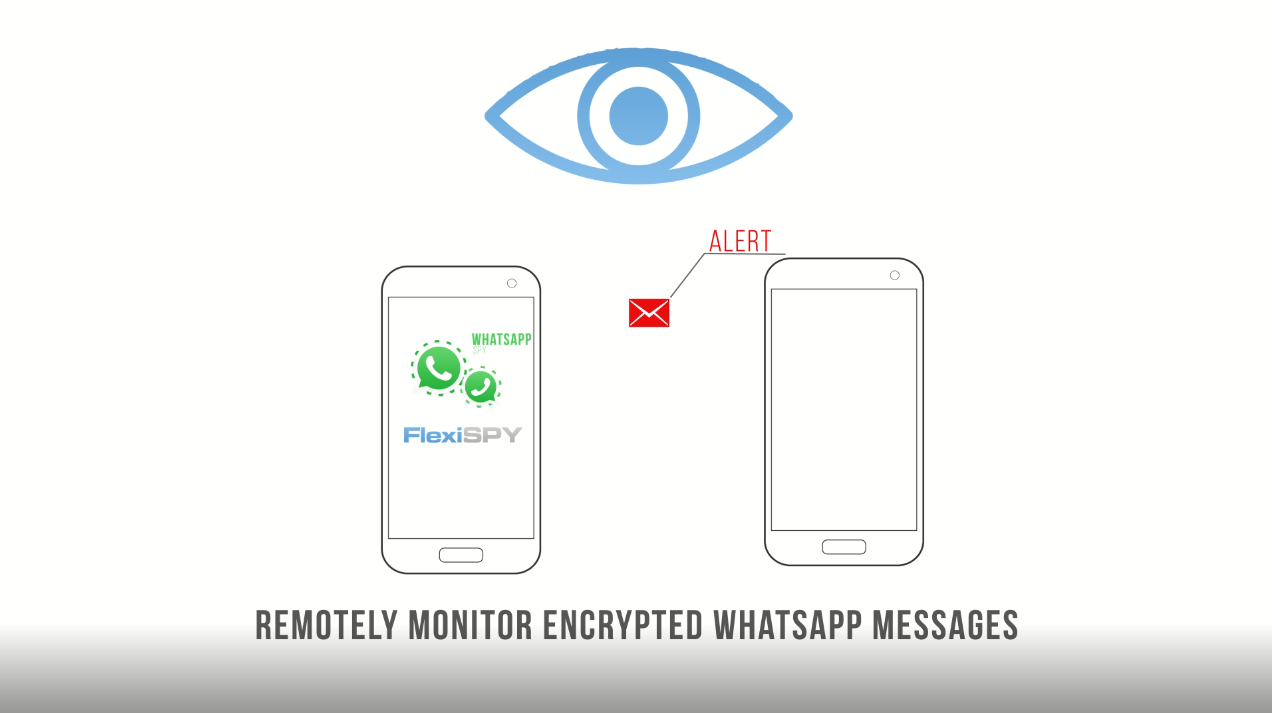
    Do you really know who your children are messaging on WhatsApp? Do you suspect your employees are leaking classified information? FlexiSPY’s newest video shows you how to spy on WhatsApp messages, so you never have to worry again.

    Learning How To Spy On WhatsApp Is Important

    With more than 1 billion users across the globe, WhatsApp is the world’s most popular chat application. And while it’s incredible that today’s technology can connect so many people, it also increases the number of risks for families and businesses alike.

    Our video shows the dangers your children face when using this application and why knowing how to spy on WhatsApp messages can save their lives. After all, a recent increase in teen suicide has largely been attributed to cyberbullying through social media and chat applications around the world.

    Not to mention, online predators are finding it easier to lure adolescents into potentially life-threatening or damaging situations by hiding behind encrypted messaging and fake accounts.

    And as apps like WhatsApp become more secure, it is becoming more difficult for employers to keep track of employee conversations in relation to work.

    Perhaps a rogue member of staff is using WhatsApp to secretly share confidential details for a major project or they are sending inappropriate messages to other employees during office hours.

    With FlexiSPY, you’ll have confidence that your intellectual property is safe.

    Knowing how to spy on WhatsApp messages is an essential tool for protecting the things that matter to you most: your children, your company and even your own personal data.

    So why not let FlexiSPY – the world’s most powerful monitoring software – be that added layer of security that helps you sleep at night.

    Tell Us What You Think

    We have created this video and our official YouTube channel with YOU in mind and would love to hear what you think. Let us know your feedback and if there are any additional features you’d like to learn about.

    Also, don’t forget to subscribe to our channel and blog for the latest updates, tutorials and product announcements from FlexiSPY!

    [hoops name=”Newsletter Signup”]

  • How To Uninstall FlexiSPY And Reuse It On Another Device

    How To Uninstall FlexiSPY And Reuse It On Another Device

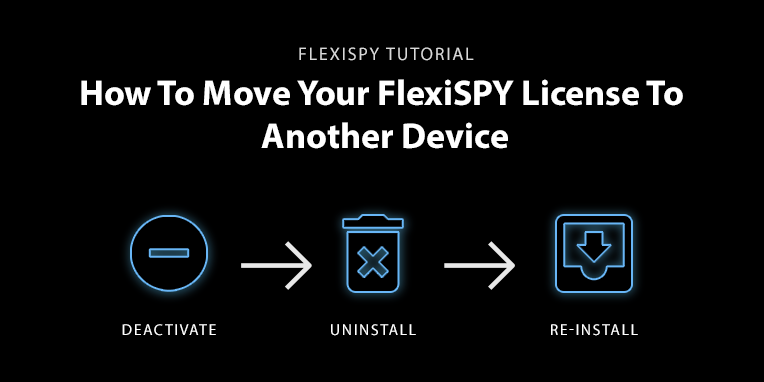
    Follow three easy steps to move your FlexiSPY license from one target device to another without having to purchase a new subscription!

    Technology is always changing, and people love to have the newest and the best – especially when it comes to their mobile phones. FlexiSPY understands this, which is why a major benefit of our software is the ability to deactivate your license and move it to another target device as many times as you want during your subscription.

    So, if your child wants to the latest Samsung or your business decides to upgrade the company phone model, you can move your license from the original device to the new phone.

    Simply deactivate and uninstall FlexiSPY from the original target device and then physically re-install it on the new one. Let’s take a closer look at how this works.

    Download Your Data

    It is important to note that deactivating your license will delete all data from your online account and it will not be recoverable. Have no fear! FlexiSPY makes it easy to download your data safely to your computer for convenient viewing later.

    Check out this guide on how to download your data from inside your online portal.

    Uninstall, Deactivate and Re-Install

    After you have downloaded the information that is important to you, follow these three steps to begin monitoring the new target device:

    Uninstall FlexiSPY Remotely

    First, you will uninstall FlexiSPY from the original target device. Here’s how it works for rooted Android and iPhone devices: 

    1. Log in to your online user portal
    2. Select Help from the left menu bar
    3. Select Device Settings
    4. Click Device Controls
    5. Click Uninstall
    6. If the device is currently connected to the server, the Uninstall command will be sent to the Target immediately*

    *If the device is not connected to the server, you can choose Send by SMS to uninstall FlexiSPY immediately or choose Send by Network to wait until the device connects to the server (this can take up to 1 hour).

    For more information regarding this process – as well as details about how to uninstall FlexiSPY on non-rooted Android devices – please view our Deactivation and Uninstallation manual in your online portal: Help > Reference Manuals > Deactivation and Uninstallation.

    Deactivate FlexiSPY Remotely

    Once uninstalled, FlexiSPY will be removed from the target device. If you would like to use the same license key to activate the software on a new target device, please log in to your online portal and follow these steps:

    1. Log in to your online user portal
    2. Select Help from the left menu bar
    3. Select Device Settings
    4. Click Device Controls and Select Deactivate
    5. Select Deactivate Now
    6. Choose to download your data – or click ‘I Understand’ if you have already done so

    To verify deactivation was a success, go to Account and scroll down to License Profile to see the status of your account. Activated Licenses appear as “Active” under Status, while inactive or deactivated accounts show up as Ready to Activate under the “Alias” menu tab.

    For more information regarding uninstalling FlexiSPY on non-rooted Android devices, read this article and read our Deactivation and Uninstallation guide in your online portal: Help > Reference Manuals > Deactivation and Uninstallation

    Re-install FlexiSPY On The New Target Device

    For this step, you will follow the normal process you used for installing FlexiSPY on the original target device. This will require physical access to the new phone.

    If you have need support in rooting or jailbreaking the new device – or for help with installation – you can also take advantage of our worry-free installation service.

    As you can see, FlexiSPY has made it easy to remove our software from one device and re-install it on another – without having to buy another license!

    If you are looking to monitor more than one device at a time, purchase another FlexiSPY license today!

    [hoops name=”Newsletter Signup”]

  • New Video | The Best Keylogger For Android And iPhone

    New Video | The Best Keylogger For Android And iPhone

    The Best Keylogger For Android And iPhone – the latest edition in our How To video series – is now available for viewing on FlexiSPY’s official YouTube channel:

    This informative explainer video guides you through each step for using our hidden keylogger software – a free feature for PREMIUM and EXTREME customers that records everything that is typed in any supported applications (including SMS messages, search terms and deleted text!

    Follow along as we teach you how to install FlexiSPY and log in to your online portal and take you all the way through the various functions this keylogger has to offer.

    You will also learn the benefits of this exciting technology and its applications for employers, parents and even individual users – these include protecting your business from data breaches or internal threats, keeping your kids safe from online predators and ensuring your personal computer or mobile devices are secure.

    We have created this video and our channel for YOU – our customers – and would love to hear your feedback. If there are any features you’d like us to highlight, be sure to let us know in the comments section!

    Also, don’t forget to subscribe to our channel for the latest updates, tutorials and product announcements from FlexiSPY!

    Thanks for tuning in! Be sure to read our blog for more information on FlexiSPY’s Keylogger for Android and Keylogger for iPhone!

    [hoops name=”Newsletter Signup”]

  • Do You Want to Renew Your Account for Free?

    Would you like to get a free extension on your FlexiSPY subscription?

    If so, then simply leave a helpful review for people who are considering buying FlexiSPY. If your review meets our simple requirements, then you will get an automatic one month extension to your subscription.

    Review Guidelines

    Your review should cover the following areas.

    1. Your reason for using FlexiSPY – this could be parental monitoring, employee monitoring, backing up or protecting your own phone.
    2. How well did FlexiSPY solve your problem or meet your needs?
    3. What were your most used or favorite features?
    4. Did you have any major problems with FlexiSPY?
    5. If you used our technical support, how was your experience with our team?
    6. If you’ve used a competitor’s product, how did it compare with FlexiSPY?
    7. If someone was considering purchasing FlexiSPY, what would you tell them?

    To comply with legal requirements, we advise you not to describe anything that could be taken as encouraging illegal behavior such as: installing on an unauthorized phones or monitoring someone without their knowledge. If you have trouble with this, you don’t have to go into your reason for using FlexiSPY, just write the reviews around the remaining guidelines.

    How to get your free license extension

    You must leave your review on two places to qualify for a free extension.

    1. Leave a review on Sitejabber. Click here
    2. Leave a review on our Review Page. Click here
    3. Email [email protected] with proof of your review.
    4. Once you’ve left your review, within 24-48 hours we will extend your license by a month, for FREE
  • Android Call Recording: How To Get The Best Results

    Android Call Recording: How To Get The Best Results

    Not quite sure how to setup and use our Android Call Recording feature? Or maybe you HAVE set it up and even recorded a call, but when you listened to the recording something just didn’t sound right..

    If we’ve hit the mark, then you’ll be glad to know that in this post we’ll show you how to maximize the chances of getting a perfect recording every time.

    (If you are interested in iPhone Call Recording, we cover it in another post)

    So let’s begin!

    Finding The Best Android Call Recording Source

    To better understand why call recordings aren’t always clear, you should understand how our Call Recording feature works.. Basically, when FlexiSPY first activates it tries to automatically find the best call recording method, and it has several sources to choose from.

    Usually the microphone source works best, and it may choose that. But –  there may be a better recording source for your device.

    Better Results Through Manual Settings

    FlexiSPY sometimes can’t automatically find the best audio source. The reason is complicated, but the short version is that there are so many variations of android devices, all running on different networks, that FlexiSPY sometimes gets it wrong.

    You’ll know that this happened if:

    • Only one side of the conversation gets recorded.
    • You can only hear static
    • The recorded voices sound distant

    Fortunately, this is where manually setting the audio source can help. Through the manual settings you can test which source works best for the device that FlexiSPY is installed on.

    Here’s how to manually set the audio source:

    1.       Log into your online portal.

    2.       Click Control Center.

    3.       Click Call Controls.

    4.       Click Set Audio Recording Source.

    All the possible call recording sources will then appear.

    set-audio-recording-source

    Here’s a breakdown of the sources:

    Microphone

    This is the call recording source that FlexiSPY uses by default.

    (Samsung devices work well on this setting)

    Voice Call

    This source uses both directions (known as uplink and downlink) to increase the chances of recording both sides of a call. It may not work with all devices though – if it fails it will result in the recording of only one side of the call.

    AOSP

    This is a proprietary recording source for all devices.

    (non-rooted Motorola and Huawei Android devices should choose this source for best results.)

    Legacy

    This is the oldest and most stable form of call recording. But on newer Android devices both sides may not be recorded.

    (If all other call recording sources produce unsatisfactory results, then use this.) 

    ALSA 

    This source is for rooted Android devices only.

    So if you’re unhappy with Call Recording and the device is unrooted you’ll want to:

    1. Deactivate & Uninstall FlexiSPY from the device
    2. Root the device
    3. Reinstall & Reactivate FlexiSPY
    4. Set ALSA as the Call Recording source

    Conclusion

    There’s no universal Call Recording source that works for every Android device. But if you try all the sources we mentioned in this article, there’s a good chance that your recordings work just fine!

  • How To Jailbreak iOS 9.1

    How To Jailbreak iOS 9.1

    Good News – you can now jailbreak iOS 9.1 and FlexiSPY is compatible too!

    The jailbreak steps are near enough identical to the previous versions so whilst the screenshots of the guide are from using an older version of Pangu the jailbreak requirements are unchanged.

    What is required to perform the jailbreak?

    • A compatible iPhone or iPad running iOS 9.1
    • A Windows PC
    • The jailbreak software which you can download from here.

    How to set up the device ready for the jailbreak

    1. Go to Settings > Passcode > Enter your Passcode > Turn your Passcode off and enter the passcode to disable this feature.

    2. Go to Settings > iCloud > Find my iPhone and make sure this is turned off.

    3. Enable Airplane Mode from inside Control Center.

    How to perform the jailbreak

    1. Run the jailbreak tool on your Windows PC.

    pangu_jailbreak_for_ios_9_p1

    2. Connect the compatible iPhone or iPad. Wait for it to be recognised.

    3. Click Start and then click Already Backup when asked.

    configuring_the_environment_p2

    4. The jailbreak will start and, after some time, the device will reboot.

    waiting_for_device_restart_p3

    5. Enable Airplane Mode again on the device when asked.

    6. The jailbreak process will continue.

    injecting_p4

    7. On the device, tap the Pangu app when asked.

    uploading_jailbreak_resources_p5

    8. When the device notification appears about Pangu wanting to access your photos tap

    9. The device will reboot once more.

    jailbreak_completed_p6

    10. Disable Airplane Mode on the device and enable Find my iPhone and any passcodes.

    11. Tap Cydia to configure Cydia and remove the Storage Almost Full message that may appear.

    12. Once Cydia has finished loading and configuring itself the jailbreak is complete..

    And that’s it! If you have any questions about this then please ask in the comments section below!

  • Reasons to Root Your Android Phone Before Installing FlexiSPY

    Reasons to Root Your Android Phone Before Installing FlexiSPY

    FlexiSPY will work on both rooted and non-rooted versions of Android phones, but what’s the difference between the two?

    In this article we will will go over these questions, by the end you should be able to decide what’s best for you- let’s get into it!

    Brief overview of rooting

    Rooting is the process of allowing users of smartphones, tablets and other devices running the Android mobile operating system to attain privileged control (known as root access) over various Android subsystems.

    Rooting is typically performed using a PC, a USB Cable, and the Android device that you want to root.

    Reasons for Rooting

    Rooting is often performed with the goal of overcoming limitations that carriers and hardware manufacturers put on some devices. Thus, rooting gives the ability (or permission) to alter or replace system applications and settings, run specialized applications (“apps”) that require administrator-level permissions, or perform other operations that are otherwise inaccessible to a normal Android user.

    In short, having a Rooted phone let’s FlexiSPY access and watch over areas of the phone that it would otherwise be unable to.

    Rooted vs Non-Rooted FlexiSPY, What’s the Difference?

    See the chart below to see features that are root only

    Root Only Features
    Call Interception
    Spy Call
    WhatsApp
    Facebook
    Facebook Messenger
    Viber
    LINE
    Skype
    WeChat
    BBM
    Hangouts
    Yahoo Messenger
    KIK
    Email
    Password Cracker

    As you can see from the chart, there are many features that require FlexiSPY to be installed with Root access.

    Rooting Your Android Phone

    Rooting an Android Phone can vary in ease depending on the model as well as the familiarity the person doing the rooting has with tech.

    For those up to the task of trying to Root the phone themselves, our sister site, Spyphone Review has a great resource for rooting practically any phone which can be found here

    If you aren’t too thrilled after looking at the Rooting Resource Page then you may be glad to hear that there’s an easy alternative.

    The Worry-Free Installation Service

    The FlexiSPY Installation Service is a new service which you can get standalone or as part of a package when purchase our regular products.

    Our Installation Service is an optional add-on for your FlexiSPY purchase and is completely refundable if your device cannot be rooted or jailbroken

    The Installation Service is in English. But don’t worry if you don’t speak English, we can work with you using an online translation tool, as there is very little customer involvement required.

    The price is just $39.99 and our customers have found it extremely useful.

    Click here to check out the installation service.

    Conclusion

    By now you should have a good idea of what rooting, how to do it, and what the benefits are.

    Have our Rooting Guides or the Installation Service helped you get your Android phone Rooted? Let us know in the comments section below!

  • How to Start Using Cell Phone Tracking Software

    How to Start Using Cell Phone Tracking Software

    Maybe you want to monitor your kids and elderly parents, or it could be that you want to keep tabs on your significant other. Whatever the case, you decided that you wanted to cover all the bases and you started researching cell phone tracking software.

    But there’s so much information on the internet that is published by people motivated purely for financial reasons, there’s even misinformation told by the tv and film industry, how do you know what’s fabricated when it comes to a spy app and what’s not?

    To help clear the air, in this post we want to put some truths on the table to guide you on your way to using cell phone tracking software.

    How to Start Using Cell Phone Tracking Software

    1. Find out if the phone that you want to monitor is compatible with spy apps.

    This is an important step that is often overlooked. Did you know that all iOS devices must be jailbroken before installing any sort of spy app onto the phone? (This means iPhone’s and iPad’s.)

    Some cell phone tracking websites try to hide this information from you, then when you realize that you’re left with a useless spy app you find out their tricky refund policy won’t actually grant you a refund.

    To minimize the risk of any of our customers being misinformed, we make sure that it is nearly impossible to purchase FlexiSPY without having read through the compatibility page. 

    1. Find out if it’s legal in your local area to install and or hide mobile monitoring software onto the desired phone.

    Laws vary greatly from state to state and city to city when it comes to mobile monitoring software. Before you install and activate FlexiSPY, or any other monitoring app onto a phone other than your own, you need to check these laws to make sure you are in line with them. For example, FlexiSPY has a feature that when enabled allows you to make our application hidden. But this is something that you’d also need to research before installing and activating.

    1. Do a test install on your own phone.

    If you have purchased the monitoring software you’re probably anxious to get it installed, we recommend that you try installing the software onto your own phone first.

    By going through the installation process on your own phone first you’ll be able to gauge things like internet speed, how fast the phone installs the app, and more. This will help you if you know you’ll have a small window of time in which to install the monitoring software onto the target phone.

    1. Write down information that’s pertinent to the install and activation

    After going through the installation and activation process of FlexiSPY you would notice that you need the download link of our app as well as your activation code in order to install and activate. We recommend that before you try and install and activate on the target phone you should have this and any other information that you found essential to a fast activation near you.

    1. Install and activate the software of your choice onto the target phone

    After you have checked with your local laws and are very confident in your ability to download the spy app on the target phone and activate it within the window of time that you’ve calculated, you should go ahead and do the install.

    1. Setting up your dashboard

    All cell phone tracking applications will offer you an administrative dashboard from where you can see the data that is being captured by the app and uploading to the server. This administrative dashboard will most likely also have a section where you can change the settings of the spy app on the phone as well as sending remote commands as needed.

    You should go through all of the dashboard settings to make sure everything is setup to your liking. If you are using FlexiSPY you’ll find that the major features are enabled by default but things like the monitor number for call recording still need to be set. You can find our Quick Setup Guide here.

    Conclusion:

    Read all the tips in this article? Nice!

    By now we hope to have given you a better view on the process of using cell phone tracking software -from start to finish.

    Did you find this article useful? If so, what in particular? Let us know in the comments section below!

  • The 4 Biggest Myths About Spy Phone Software

    The 4 Biggest Myths About Spy Phone Software

    Spy phone software has been thrust into the media spotlight over the last few years, bringing awareness to the critical roles they play in grabbing information that someone would like to hide from you. And while once considered a mythical thing reserved only for the CIA, or FBI, multiple shows, research papers, and news agencies have brought attention to the industry.

    But as with most stories that gain attention, sometimes details being reported are either slightly inaccurate, or just blatantly untrue. To advocates in the Monitoring community, it can be frustrating to read and hear about stories that not only are untrue, but are actually harmful, so it’s important to understand what is myth vs reality.

    Here are the 4 biggest myths about spy phone software

    Myth: You can install Spy Phone Software over the air

    Reality: There is no spy phone software that can be installed magically through the air and onto someone elses phone. When installing any spy phone software, you have to accept permissions that pop up on the phone during activation, so you’ll need to have the phone physically in your hand. There are several scams out there though from companies claiming that you can install via bluetooth. This is simply not true.

    Myth: Spy phone software can be installed on any iPhone, even one that isn’t jailbroken.

    Reality: Our team would love if this was true, but it’s just more misinformation from phony spy apps who are trying to spread this myth so that those less educated about spy software purchase the software. In reality the iPhone—or any other iOS device—must be jailbroken first before installing any type of software that is not directly available in the app store.

    Myth: it’s really hard to install spy phone software

    Reality:  You don’t have to be some coding master to use spy phone software correctly. On average it will take anyone less than 5-10 minutes to install and activate a spy app onto a phone. But just to make sure you know what you’re doing, we recommend that you install and activate onto your primary phone first, before trying to install it on the phone you actually want to monitor.

    Myth: spy phone software is a trojan

    Reality: While there’s a possibility of  some NSA-level spy app lurking out there, probably pre-installed on the world’s entire phone supply,  there is certainly not a consumer level spy app that could be classified as a trojan. That didn’t stop a certain anti-virus companies from trying to label us as one though, and you can read our response to the incident here

    Conclusion

    Hopefully this article has helped to clear a few spy phone software misconceptions that exist. The ones we wrote about in this post probably aren’t the only myths that exist though. If there’s a myth that you discovered then let us know in the comments section below, we’ll be happy to add it to our post!

  • How To Jailbreak iOS 9 – 9.0.2 Using A Windows PC

    How To Jailbreak iOS 9 – 9.0.2 Using A Windows PC

    Yes, that’s right, iOS 9 can now be jailbroken, thanks to the Pangu team.

    What is required to perform the jailbreak?

    • A compatible iPhone or iPad running iOS 9 – 9.0.2.
    • A Windows PC
    • The jailbreak software which you can download from here.

    How to set up the device ready for the jailbreak

    1. Go to Settings > Passcode > Enter your Passcode > Turn your Passcode off and enter the passcode to disable this feature.
    2. Go to Settings > iCloud > Find my iPhone and make sure this is turned off.
    3. Enable Airplane Mode from inside Control Center.

    How to perform the jailbreak

    1) Run the jailbreak tool on your Windows PC.

    running-the-pangu-ios9-jailbreak-tool

    2) Connect the compatible iPhone or iPad. Wait for it to be recognised.

    connecting-the-pangu-ios9-jailbreak-tool-to-the-iphone
    3) Click Start and then click Already Backup when asked.

    starting-the-pangu-ios9-jailbreak-tool-on-the-iphone
    4) The jailbreak will start and, after some time, the device will reboot.

    ios9-jailbreak-tool-waiting-for-device-restart
    5) Enable Airplane Mode again on the device when asked.
    6) The jailbreak process will continue.

    pangu-jailbreak-for-ios9-injecting
    7) On the device, tap the Pangu app when asked.

    pangu-ios9-jailbreak-tool-uploading-jailbreak-resources
    8) When the device notification appears about Pangu wanting to access your photos tap
    9) The device will reboot once more.

    ios9-pangu-jailbreak-tool-disable-airplane-mode
    10) Disable Airplane Mode on the device and enable Find my iPhone and any passcodes.
    11) Tap Cydia to configure Cydia and remove the Disk Almost Full message that may appear.
    12) Once Cydia has finished loading and configuring itself the jailbreak is complete.

  • 6 Apps That Keep Your Teen Safe From Online & Offline Dangers

    We often hear about the rise in teen bullying, and the growing risk that the internet is exposing them to. but just try searching the web for a solution to this problem and see what you find.

    We’re caught up in the comments: blaming school boards, parents, and today’s society. It’s hard to sift through the cloud of blame to find a fix, it’s even harder to believe that there is a fix.

    But there are tools which can help us keep tabs on our teens and better ensure their safety. One solution is to place an app on the very thing that’s always by their side, the thing that’s often times leading them into trouble in the first place, their smartphone.

    So to help you on your quest for improving the safety and well-being of your child, we’ve compiled, in no particular order, 6 of our favorite apps for doing the job.

    1) Family Tracker

    family-tracker


    Family Tracker is a GPS tracking application that tracks the location of Android phones, tablets, and Apple phones, as well as send free text messages between them. The app is limited though in that it only captures the phone’s gps location, and is a visible app that can’t be hidden.

    2) iEmergency

    iemergency


    iEmergency advertises itself as a crisis management app which lets you quickly send an SOS to up to 4 people on a specified list.

    3) Sex Offenders Search 

    offender


    This app is unique in that you install it onto your own phone. The Sex Offenders Search app connects you to the National Sex Offender Registry to locate registered sex offenders and predators in your area.

    4) FlexiSPY

    flexispy-logo


    Warning, shameless plug incoming! But really, One of the best ways to keep your teen safe is to have a good hold on all aspects of their online life. FlexiSPY is available on Android and iPhone devices, AND taps into the most important areas of your teens life.

    You can monitor GPS and track SMS, as well as IM’s like Facebook, WhatsApp, KiK, and more. Images and videos are captured, and calls are recorded. There’s even an option to make the app invisible, that way your teen doesn’t spoil your monitoring efforts by deleting the app.

    5) SecuraFone

    sec


    Ever curious about whether or not your teen is obeying the speed limit? SecuraFone is an iPhone app that you install onto your teens phone. It then activates the phone’s GPS and attempts to calculate the speed that they are driving based on the movement of their gps. While not 100% accurate, it’s still a useful app to have in your toolbox.

    6) Life360 Locator

    life360


    Last but not least, Family Locator by Life360 promises that it’s the most accurate family locator on the market. With this app you can create “groups” of your loved ones, and monitor their GPS locations + send them messages through the app which must be installed on everyone’s phone.

    Wrapping it up

    By now you should have the perfect toolset for keeping your teens safe, from offline and online dangers.

    Of course, These are just a our favorite apps out there that get the job done. Do you have any others to add? Let us know in the comments!

  • New Feature | KiK Messenger Spy For Android

    New Feature | KiK Messenger Spy For Android

    We’ve been listening carefully to what IM’s our customers want to be able to monitor, and lately we’ve received a lot of requests for KiK Messenger.

    So, we are very happy to announce that in our latest FlexiSPY for Android release, you can now Spy on KiK Messenger!

    Why spy on kik messenger?

    Founded in 2008, Kik Messenger is a chatting app that has recently exploded in popularity, now holding over 200 million registered users. If you are now using a spy app that doesn’t monitor KiK, you’re missing out, as there’s a very real chance that the person you want to keep tabs on is using this chatting app.

    Compatibility & Update Options

    For now this feature is Android onlybut we are looking at the possibility of KiK Messenger Spy for iPhone in the future.

    If you already have FlexiSPY installed on an Android device running in Full Mode, you can remotely update the FlexiSPY app from your dashboard, just look for the flashing update icon, click it, and you’ll be good to go.

    If you don’t have FlexiSPY yet, then now’s the perfect time to buy, as the new KiK Messenger spy feature is already included in the new release.


    Get Started Today

  • Does FlexiSPY Have Any Geographical Limitations? – FAQ Series

    Does FlexiSPY Have Any Geographical Limitations? – FAQ Series

    We’ve been running a poll on the blog for the past couple of months. The poll asks our customers what they’d like to see discussed on the blog in the future, and so far there’s been a ton of responses. In this article we wanted to address one that caught our eye.

    The question was “Can I use FlexiSPY on a phone in China?”

    While this is a great question, we wanted to further expand on it. So we’ve altered it and instead will be answering “Does FlexiSPY have any geographical limitations?”

    Q: Does FlexiSPY have any geographical limitations?

    A: The short answer to the question is no. When FlexiSPY is installed and activated, it does not need to fit a geographical rule to work. But, let’s get into why -as well as the fine print.

    Explained further

    There are a few requirements when installing FlexiSPY. One of them is that during installation and activation, the phone will need to have a SIM card in it. But after you’ve installed our software, it doesn’t matter where the phone is. The only other need is that it’s connected to the internet.

    Why it works this way

    FlexiSPY collects data on the phone, and after there is enough to upload, it’s securely sent to your dashboard. From your dashboard you can view the collected data.

    But what if the phone doesn’t have internet for some time?

    No worries, FlexiSPY is intelligent and will queue the data for uploading. Once the phone gains some form of internet again, it will being the syncing process.

    Things to keep in mind

    One thing you might want to consider when using FlexiSPY is the phone’s data usage.

    For example, say you have set FlexiSPY to capture videos that are on the phone. Uploading the videos to your dashboard will use a good deal of the phone’s data plan. If the phone is roaming in another country, charges could incur that weren’t expected.

    We have built FlexiSPY with this scenario in mind though.

    From within your dashboard, you can set data uploads to be WiFi only. This means FlexiSPY will wait until the phone connects to a WiFi connection before the data syncs.

    Conclusion

    As long as you properly install and activate FlexiSPY, there is no need to worry about the geographical location of the phone.

    Of course, if you still have any questions, or would like to tell us what you think about this, please leave us a comment in the comments section below!