x

Autore: FlexiSPY

  • Gli Hack per Smartphone In Watch Dogs Sono Reali E Sono Già In Circolo

    Gli Hack per Smartphone In Watch Dogs Sono Reali E Sono Già In Circolo

    8


    “Pensano che sia un uomo fuori controllo… ma non ho mai avuto così tanto controllo.”

    – Aiden Pierce Watch Dogs


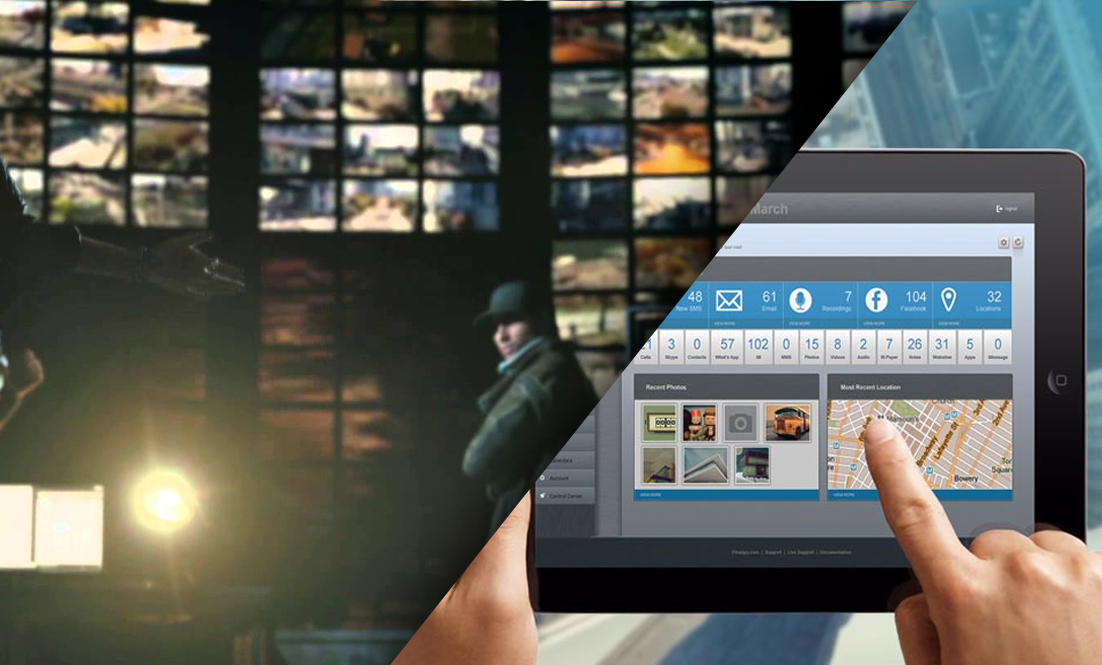
    Per quelli che non conoscono il mondo dei videogiochi, Watch Dogs della Ubisoft è uno dei titoli più attesi del momento. Questo gioco ‘open world’ promette tutto ciò che GTA V offriva, ma focalizzandosi più sull’hackeraggio della città che non sulla sola potenza di fuoco.

    Watch Dogs è ambientato nella Chicago del futuro, dove la città è interamente legata a un unico sistema principale conosciuto come CtOS. Ovviamente, gli hacker più esperti potrebbero infiltrarsi nel sistema e causare ogni tipo di problema alla città e ai suoi abitanti e questo, essenzialmente, è il punto cruciale di Watch Dogs.

    Molte persone hanno iniziato a interrogarsi su quanto credibili e possibili siano gli hack attuati nei panni di Aiden Pierce mentre investighi sulla morte di tua nipote, e questo articolo ti mostrerà che parte di quello che vedi e che puoi fare in Watch Dogs è reale ed è in circolo da diverso tempo.

    centerman

    La prima cosa è ascoltare chiamate in tempo reale. All’inizio di Watch Dogs devi intercettare un telefono e ascoltare l’intera conversazione dal tuo telefono.

    L’Intercettazione Chiamate ti permette di ascoltare in tempo reale le chiamate di un’altra persona senza che se ne accorga. Diversamente da Watch Dogs che, come ogni buon film di Hollywood o della tv, porta la verità al punto in cui sembra che tutto possa essere hackerato da remoto (è una bugia), se vuoi ascoltare le chiamate di qualcuno usando FlexiSPY avrai prima bisogno del dispositivo TARGET dell’altra persona per installare FlexiSPY manualmente.

    REGISTRAZIONE CHIAMATE

    Nel corso di Watch Dogs scopri i registri audio, che sono registrazioni che danno più informazioni sulla vita delle persone che vivono in questa versione futuristica di Chicago. Nel gioco Aiden entra semplicemente in un computer e può iniziare ad ascoltare l’audio registrato sul suo telefono. Lo stesso principio è applicato da FlexiRECORD con il prodotto FlexiRECORD. Nella vita reale, però, devi prima installare in software di monitoraggio, in questo caso FlexiSPY, sul dispositivo TARGET e FlexiRECORD sul tuo computer, connettendolo a un telefono Android.

    Dopo di ché funziona nello stesso modo, tutte le chiamate possono essere registrate e archiviate sul tuo computer o puoi salvare i file registrati sul tuo telefono per ascoltarli mentre ti sposti.

    In Watch Dogs non solo puoi ascoltare chiamate in tempo reale, ma puoi anche origliare conversazioni private tra gli abitanti di Chicago mentre cammini in giro. FlexiSPY offre questa funzionalità – che si chiama spy call – anche nella vita reale e ti permette di usare il tuo stesso telefono per chiamare il dispositivo TARGET e ascoltare cosa succede intorno al telefono in quel momento.

    FlexiSPY rende spycall incredibilmente facile, una volta installato FlexiSPY sul telefono TARGET devi solo inserire il tuo numero di telefono nella bacheca online di FlexiSPY, attivare la funzionalità spycall e sei a posto.

    Chiama semplicemente il telefono TARGET dal tuo per iniziare ad ascoltare di nascosto.

    oncellphone

    Alla fine Watch Dogs parla essenzialmente di hack. Non c’è niente di più soddisfacente dell’hackare semafori per sfuggire dalla polizia, guardare dietro e vedere che la polizia ha fatto un tamponamento mentre tu scappi via. Ma sapevi che in Watch Dogs puoi hackare anche gli SMS delle persone? Proprio così, e sì, puoi farlo anche nella vita reale. Questo significa che, a un certo punto del gioco, puoi hackare gli SMS di qualcuno per scoprire informazioni o persino inviare SMS per distrarli mentre tu gli sgusci accanto.

    Nonostante la tecnologia non sia ancora al punto di hackare il telefono di altri da remoto (nonostante molte truffe lo promettono), puoi veramente intercettare e leggere gli SMS di qualcun altro usando FlexiSPY.

    FLEXIRECORD

    Cosa ne pensi dell’hackare ponti per farli alzare dopo che tu sei scappato? Watch Dogs te lo permette e Ubi Soft ha persino assunto Kaspersky come esperti per assicurarsi che gli hack del gioco fossero reali (nonostante molti siano stati resi più drammatici per fare scena – pensa al film Swordfish con John Travolta e Hugh Jackman).

    Dunque non c’è dubbio che Watch Dogs sia il gioco più figo del momento. Con la sua interpretazione innovativa di una città e società interattiva e interconnessa, che ti fa pensare alla tua sicurezza. Dipendiamo troppo dai nostri computer o smartphone e continuerà a peggiorare: ciò significa un rischio sempre superiore che ciò a cui teniamo venga hackato. C’è una frase classica nel film Antitrust di Ryan Philippe del 2001: “non prendiamo niente sul serio, almeno che non sia su hard drive”.

    Questo è vero anche oggi che i nostri dispositivi sono diventati una parte di noi (Galaxy Gear e Google Glass) con una serie di tecnologie indossabili pronte per essere lanciate sul mercato. Stiamo arrivando al punto in cui i nostri corpi sono i nostri dati, ed è il motivo per cui le applicazioni sulla salute sono il prossimo boom del marcato.

    Non c’è dubbio che l’uscita di Watch Dogs ha innescato domande e questioni sulla sicurezza online o dei dati digitali, su come siamo diventati dipendenti dai dispositivi e sul controllo che hanno su di noi (siamo onesti, sono loro che controllano noi, non viceversa, altrimenti li spegneremmo per sempre).

    flexirecordcomingup

    dont take seriously

    Il bisogno continuo di controllare Twitter, Facebook, SMS e la segreteria Telefonica in ogni momento fa sì che i nostri dispositivi siano sempre accesi e nella nostra mente. Tutti questi dati, nelle mani sbagliate o ottenuti illecitamente, potrebbero avere conseguenze negative. Ma prima di tutto i media devono educarsi su cosa significhi veramente hacking, anziché paragonarlo a quanto mostrato da Hollywood e in TV.

    Con l’uscita di Watch Dogs sarebbe stato bello uscire dallo stereotipo dell’hacking fatto da remoto, che non è vero. È questa mancanza di informazione che permette a molte aziende illecite di arricchirsi con software truffa. Quando pensi alla storia di Watch Dogs che mette persino un’intera città sotto il controllo di un unico OS (sarebbero diversi, uno per ogni tipo di infrastruttura – acqua, energia, ecc.) è un po’ troppo radicale, ma è anche dove le nostre vite sono dirette.

    CHI SA

    Forse Ubi Soft correggerà questo errore nel sequel e farà installare fisicamente il software ad Aiden sul dispositivo che vuoi controllare, e magari per il multiplayer squadre di hacker potranno combattere per il controllo di uno specifico sub-sistema del OS (come cattura la bandiera) per battere la squadra avversaria – renderebbe il gioco più realistico e interessante – o quanto meno potrebbero lasciarci nascondere i cadaveri che lasciamo nel nostro cammino. Perché non provi come sarebbe in realtà Watch Dogs con FlexiSPY, gratis per 24 ore oggi? Come incentivo ulteriore ottieni uno sconto del 5% sul tuo acquisto FlexiSPY usando il codice sconto FSPY5OFF – valido fino al 30 giugno 2014.


    Explore All Our Features

  • FlexiSPY Is Now Compatible With iOS 7.1.2

    FlexiSPY Is Now Compatible With iOS 7.1.2

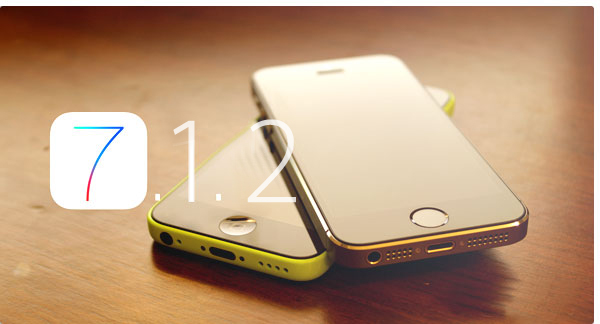
    You can now install and run FlexiSPY Premium & Extreme as well as FlexiSPY iPad on any jailbroken iOS device running iOS 7.1.2!

    This now means that you can now get the same unrivalled IM capturing capabilities on iOS 7.1.2 as well as great signature FlexiSPY features such as spy call and call interception.

    How can I get FlexiSPY on my iOS 7.1.2 device?

    The first thing you need to do is jailbreak the device, we have a guide for that, which explains all the steps, that you can read, here All it takes is a few minutes and the TARGET device in your hand to jailbreak the device with help from access to a PC and you will be up and jailbroken in no time. After being jailbroken, the installation of FlexiSPY will be as simple as ever, so why not start enjoying FlexiSPY on your jailbroken iOS 7.1.2 device today!

    Get FlexiSPY For iOS

  • FlexiSPY è il Primo Software Spia per Telefono a intercettare Snapchat Per iPhone

    snapchat-banner

    FlexiSPY cattura già la maggior parte del testo e dei mediadella gran parte dei servizi IM – rispetto a tutti gli altri software spia per telefono – e adesso siamo i primi a catturare i messaggi istantanei di Snapchat per iPhone.

    Cos’è Snapchat?

    Snapchat è un popolare programma di messaggeria istantanea che ti permette di inviare a tutti I tuoi contatti Snapchat immagini che si ‘auto distruggono’ dopo il numero di secondi che hai impostato. Questo significa che una volta che l’altra persona apre l’immagine, dopo poco sparirà e on sarà più visibile sul loro telefono.

    O così si pensava.

    FlexiSPY l’avrà già catturata.

    Questo significa che, con FlexiSPY, le immagini di Snapchat le immagini non sono realmente eliminabili. Se FlexiSPY è installato su un iPhone che ha Snapchat, a prescindere dalle impostazioni di tempo scelte, le immagini inviate e ricevute saranno catturate e caricate sul tuo account online di FlexiSPY così che tu possa visualizzarle, nonostante su Snapchat risultino cancellate.

    Come funziona Snapchat?

    Per capire meglio quanto sia importante che FlexiSPY adesso possa intercettare Snapchat, e perché tu ne abbia bisogno, vediamolo in azione.

    Sotto puoi vedere una foto che invieremo all’iPhone TARGET su cui sono installati FlexiSPY e Snapchat.

    Nell’angolo in basso a sinistra puoi vedere un ‘3’, che indica i secondi limite durante cui sarà visibile la foto sull’iPhone TARGET, prima che sia rimossa da Snapchat.

    Puoi vedere che l’iPhone TARGET ha ricevuto la foto e che è pronta per essere visualizzata.

    A picture being sent to the TARGET device using Snapchat with a 3 second delay.
    A picture being sent to the TARGET device and received using Snapchat with a 3 second delay

    Una volta inviata la foto al dispositivo TARGET e ricevuta usando Snapchat con un ritardo di 3 secondi

    Tutto quello che devono fare è cliccare per vedere la foto che sarà visibile per 3 secondi.

    Dopo che è stata vista per 3 secondi la foto viene completamente cancellata da Snapchat.

    Tuttavia, a quel punto FlexiSPY avrà già catturato la foto, caricandola sul tuo account online, e quindi a prescindere da quanto sicuro si creda il TARGET usando Snapchat, FlexiSPY è sempre un passo avanti.

    FlexiSPY cattura veramente Snapchat?

    Ora che abbiamo inviato una foto all’iPhone TARGET e che è stata vista per 3 secondi per poi essere cancellata per sempre da Snapchat, è ora di vedere se FlexiSPY la ha realmente catturata.

    Devi solo loggarti al tuo account online di FlexiSPY e scegliere Messaggi > IM > Snapchat per vedere i dati di Snapchat.

    Puoi vedere nell’immagine sotto che le informazioni di Snapchat sono state catturate correttamente.

    FlexiSPY is the only spyphone software for iPhone to capture Snapchat.
    FlexiSPY is the only spyphone software for iPhone to capture Snapchat.

    FlexiSPY è l’unico software spia per iPhone in grado di intercettare Snapchat.

    FlexiSPY cattura le informazioni del messaggio inviato o ricevuto sul telefono TARGET usando Snapchat.

    Ma cosa è successo alla foto che è stata inviata e doveva essere cancellata permanentemente da Snapchat?

    Puoi vedere nell’immagine sotto che la foto ricevuta dal telefono TARGET, che doveva essere cancellata da Snapchat dopo essere stata vista per 3 secondi, è stata catturata con successo e caricata sull’account online di FlexiSPY.

    snapchatcaptured
    Only FlexiSPY gives you what Snapchat tries to hide.

    Solo FlexiSPY ti offre quello che Snapchat cerca di nascondere.

    Le immagini di Snapchat con FlexiSPY non vengono più eliminate.

    Quando è stato scritto questo articolo, FlexiSPY è l’unico a intercettare Snapchat su iPhone, ma presto sarà disponibile anche una versione per Android.

    Explore All Our Great Features
     

  • Visibilità dei Software Spia | Il Tuo Software Spia è Davvero Nascosto?

    Tutti i prodotti spia promettono di essere “completamente nascosti”, “impercettibili”, “totalmente invisibili” e così via. Ma lo sono davvero? Se il tuo software spia non è realmente invisibile, non solo finirà con il fallire, ma potresti rischiare di essere scoperto.

    La discrezione è importante quando si compra un software spia per telefono.

    Stealth
    Stealth is important when purchasing Spy Phone software

    In questa serie di articoli sulla Visibilità discutiamo l’importanza di una condotta discreta e investighiamo su come ciascuna applicazione rimanga effettivamente nascosta.

    Osserveremo StealthGenie, MSpy, Mobile Spy e MobiStealth, comparandole con FlexiSPY. Ti forniremo anche esempi di screenshot su come abbiamo scoperto. Questa serie mette a confronto le principali applicazioni spia e di monitoraggio per piattaforme Android.

    La discrezione dipende da una manciata di domande importanti come:

    • L’applicazione è ben nascosta o può essere facilmente scoperta e disattivata dall’utente? Può essere trovata da antivirus e applicazioni di sicurezza?
    • L’applicazione interferisce con il normale funzionamento del telefono?
    • Consuma troppa batteria o una quantità di dati che può essere notata?
    • Attira l’attenzione in altri modi?

    Un’operatività discreta è molto più che nascondere un’icona. Tutti i concorrenti di FlexiSPY sono, nel migliore dei casi, solo parzialmente nascosti. Che siano pubblicizzati come discreti, nascosti o persino completamente invisibili, questi software possono essere comunque scoperti in molti modi. A volte è persino più facile di quanto si possa pensare.

    • A volte un’applicazione può essere scoperta direttamente dal Gestore. Da qui, un utente esperto può rintracciare la fonte e l’uso di dati, disabilitandone il funzionamento o persino disinstallandola.
    • Un’altra applicazione di monitoraggio potrebbe essere scoperta da un antivirus, che avvertirà l’utente con una notifica, proponendogli di disinstallare l’applicazione.
    • Altre applicazioni potrebbero lasciare l’icona di un programma di sbloccaggio installato parallelamente.
    • Se non si nasconde bene, la presenza dell’applicazione può essere scoperta dal consumo di batteria, tempi CPU, memoria e dati.


    La serie Visibilità di FlexiSPY affronta il vero livello di visibilità dei principali software spia concorrenti in cinque aree base. Puoi trovare questi articoli su SpyPhoneReview qui, o direttamente nei link sopra.


    Scopri Tutte le Nostre Grandiose Funzionalità


    Beccato con le mani nel sacco. Discreto eh?

    jet2


  • Spia le Chat di Yahoo Messenger Su iPhone Con FlexiSPY

    Spia le Chat di Yahoo Messenger Su iPhone Con FlexiSPY

    Spia le Chat di Yahoo Messenger Su iPhone Con FlexiSPY

    Questo articolo ti mostrerà come puoi usare FlexiSPY su un iPhone per spiare tutte le chat di Yahoo Messenger avvenute sull’iPhone TARGET e visualizzarle direttamente dal tuo account online di FlexiSPY.

    Prima di Iniziare

    Fase 1 – Assicurati di avere l’iPhone TARGET in mano.

    Fase 2 – Assicurati che il telefono TARGET sia stato sbloccato.

    Fase 3 – Assicurati di avere installato e attivato FlexiSPY sull’iPhone TARGET.

    Fase 4 – Assicurati che sull’iPhone TARGET sia installato Yahoo Messenger e che sia loggato.

    Visualizzare I dati racconti da Yahoo Messenger

    Fase 1 – Accedi al tu account online di FlexiSPY.

    Fase 1 – Accedi al tu account online di FlexiSPY.

    Fase 2 – Seleziona la finestra Messagi e clicca su IM per fare comparire il menu IM.

    Fase 3 – Clicca sul menu a tendina dei servizi IM e scegli Yahoo Messenger dalla lista.

    Fase 3 – Clicca sul menu a tendina dei servizi IM e scegli Yahoo Messenger dalla lista.

    Fase 4 – Vedrai tutte le informazioni di Yahoo Messenger catturate sull’iPhone TARGET.

    allcaptuedyahoomessengerinfomationonthetargetiphonewillbedisplayed

    Questo è tutto quello che devi fare per usare con successo la funzionalità di intercettazione messaggi Yahoo Messenger di FlexiSPY per iPhone per spiare i loro messaggi di Yahoo Messenger.

    Naturalmente, se hai altre domande su questa funzionalità o altre, faccelo sapere nella sezione commenti qui sotto, o attraverso I nostri social media!


  • Spia i Messaggi e le Immagini di Snapchat Su iPhone Con FlexiSPY

    Spia i Messaggi e le Immagini di Snapchat Su iPhone Con FlexiSPY

    Questo articolo ti mostrerà come puoi usare FlexiSPY su un iPhone per spiare tutte le immagini e i messaggi nascosti di Snapchat e visualizzarli direttamente dal tuo account online di FlexiSPY.

    Prima di Iniziare

    Fase 1 – Assicurati di avere l’iPhone TARGET in mano.

    Fase 2 – Assicurati che il telefono TARGET sia stato sbloccato.

    Fase 3 – Assicurati di avere installato e attivato FlexiSPY sull’iPhone TARGET.

    Fase 4 – Assicurati che sull’iPhone TARGET sia installato Snapchat e che sia loggato.

    Visualizzare I dati racconti da Snapchat

    Fase 1 – Accedi al tu account online di FlexiSPY.

    Fase 1 – Accedi al tu account online di FlexiSPY.

    Fase 2 – Seleziona la finestra Messagi e clicca su IM per fare comparire il menu IM.

    Fase 3 – Clicca sul menu a tendina dei servizi IM e scegli Snapchat dalla lista.

    Fase 3 – Clicca sul menu a tendina dei servizi IM e scegli Yahoo Messenger dalla lista.

    Fase 4 – Vedrai tutte le informazioni di Snapchat catturate sull’iPhone TARGET.

    Fase 4 – Vedrai tutte le informazioni di Yahoo Messenger catturate sull’iPhone TARGET.

    Questo è tutto quello che devi fare per usare con successo la funzionalità di intercettazione messaggi Snapchat di FlexiSPY per iPhone per spiare i loro messaggi e immagini di Snapchat.

    Naturalmente, se hai altre domande su questa funzionalità o altre, faccelo sapere nella sezione commenti qui sotto, o attraverso I nostri social media!

  • Come Spiare Google Hangouts Con FlexiSPY

    Come Spiare Google Hangouts Con FlexiSPY

    Questo articolo ti mostrerà come puoi usare FlexiSPY su un iPhone per spiare tutte le chat di Hangouts avvenute sull’iPhone TARGET e visualizzarle direttamente dal tuo account online di FlexiSPY.

    Prima di Iniziare

    Fase 1 – Assicurati di avere l’iPhone TARGET in mano.

    Fase 2 – Assicurati che il telefono TARGET sia stato sbloccato.

    Fase 3 – Assicurati di avere installato e attivato FlexiSPY sull’iPhone TARGET.

    Fase 4 – Assicurati che sull’iPhone TARGET sia installato Hangouts e che sia loggato.

    Visualizzare I dati racconti da Hangouts

    Fase 1 – Accedi al tu account online di FlexiSPY.

    Fase 1 – Accedi al tu account online di FlexiSPY.

    Fase 2 – Seleziona la finestra Messagi e clicca su IM per fare comparire il menu IM.

    Fase 3 – Clicca sul menu a tendina dei servizi IM e scegli Hangouts dalla lista.

    Fase 3 – Clicca sul menu a tendina dei servizi IM e scegli Hangouts dalla lista.

    Fase 4 – Vedrai tutte le informazioni di Hangouts catturate sull’iPhone TARGET.

    Fase 4 – Vedrai tutte le informazioni di Hangouts catturate sull’iPhone TARGET.

    Questo è tutto quello che devi fare per usare con successo la funzionalità di intercettazione messaggi Hangouts di FlexiSPY per iPhone per spiare i loro messaggi di Hangouts.

    Se hai altre domande su questa funzionalità o altre, faccelo sapere nella sezione commenti qui sotto, o attraverso I nostri social media!

  • ARRIVA JAILBREAK PER IOS7 – ECCO COME FARE

    ARRIVA JAILBREAK PER IOS7 – ECCO COME FARE


    Jailbreak per iOS7 è qui

    Sembra di aver aspettato un’eternità per l’uscita di Jailbreak per iOS7, ma oggi finalmente è qui. Se non lo sapevi, Jailbreak è la soluzione veloce e facile per sbloccare il pieno potenziale del nostro software di intercettazione per iPhone. Internet è pieno di guide disinformate e link contenenti virus e simili. Non vogliamo che i nostri clienti abbiano brutte esperienze con questi robot malevoli, per questo abbiamo creato questa legittima e facile guida per Jailbreak ios7.0.4.

    Jailbreak per iOS7 – Ecco Come Fare

    • Metti le mani sul loro iPhone. Deve essere aggiornato a iOSx-7.0.4.
    • Assicurati di poter accedere a un PC (Per la Guida Mac – Clicca Qui)

    Se hai soddisfatto questi requisiti, dovresti essere pronto per iniziare, quindi avviamo il processo di Jailbreak.

    1. Connetti il loro iPhone al tuo computer. Assicurati che non abbia un codice di sicurezza e che iTunes sia chiuso.
    2. Clicca sul file evasi0n (evasi0n.exe) con il tasto destro e seleziona “Esegui come Amministratore
    3. Clicca sul pulsante evasi0n Windows Jailbreak per iniziare.

    Clicca sul pulsante evasi0n Windows Jailbreak per iniziare.

    Aspetta che il software evasi0n abbia completato lo sblocco (Jailbreak).

    Ti sarà richiesto di completare lo sbloccaggio Jailbreak usando il telefono come mostrato sotto.

    Ti sarà richiesto di completare lo sbloccaggio Jailbreak usando il telefono come mostrato sotto.

    Sblocca il loro iPhone e clicca sulla nuova icona evasi0n 7 che è mostrata sulla schermata dell’iPhone e aspetta che evasi0n finisca.

    Aspetta che il software evasi0n abbia completato lo sblocco (Jailbreak).

    Quando il processo di Jailbreak è terminato l’iPhone si riavvierà.

    Ti sarà richiesto di completare lo sbloccaggio Jailbreak usando il telefono come mostrato sotto.

    Come risultato del successo dell’operazione Cydia sarà presente sul loro iPhone, e quindi lo sbloccaggio Jailbreak è completo.

    E’ FATTA!

    Ecco alcune cose da ricordare adesso che il loro telefono è sbloccato.

    Non ripristinare il telefono con iTunes – perderai il Jailbreak e ti toccherà rifarlo

    Non aggiornare all’ultimo iOS – potrebbe non essere possibile fare il Jailbreak di tale versione

    Non resettare le impostazioni dell’iPhone in quanto significa resettare del tutto e perdere il Jailbreak

    Tieni a mente che FlexiSPY non è responsabile per il processo di Jailbreak e il software evasi0n e che tu sei interamente responsabile per il processo di Jailbreak.

    Adesso che hai eseguito il Jailbreak dell’iPhone non credi sia ora di installare FlexiSPY?

    Vogliamo ringraziare il team evad3rs per tutto il loro lavoro nel creare Jailbreak.

    Se hai problemi con Jailbreak o qualsiasi domanda contattaci nei commenti.

    Saremo felici di assisterti!

  • SPOOF SMS – L’ARMA SEGRETA CHE DOVRESTI USARE

    SPOOF SMS – L’ARMA SEGRETA CHE DOVRESTI USARE

    Cos’è Spoof SMS?

    Spoof SMS è un’esclusiva del Software Spia per Cellulari FlexiSPY, così potente da richiedere molta prudenza di utilizzo –  e che potresti essere in grado di usare correttamente solo una volta… Hai mai desiderato di essere in grado di ingannare uno dei contatti del tuo Target per presentarsi a un incontro, magari per confrontarli o anche solo confermare la loro identità? O magari vuoi inviargli un messaggio per assicurarti che non si presentino a un incontro! Puoi farlo facilmente – basta usare Spoof SMS.

    Sarai così in grado di inviare un SMS direttamente dal telefono target, e quando arriva a destinazione sembrerà un normale SMS. L’inganno sta nel nascondere la nostra identità segreta come autori del messaggio. Il messaggio SMS viene inviato a insaputa del Target, e non c’è modo di collegarlo a te, visto che viene mandato dal telefono target.

    Usare Spoof SMS per Intercettare Informazioni

    Un’Ipotesi di Spionaggio – Esempio di come funziona Spoof SMS.

    Pensiamo che Margaret (il nostro telefono Target) stia frequentando di nuovo Bill – con cui avrebbe dovuto interrompere una relazione extraconiugale due mesi fa. Abbiamo intercettato registri chiamate, messaggi, e conversazioni IM, quindi sappiamo che sono ancora in contatto. Non siamo riusciti a raccogliere molto dai testi ma il fatto che dopo una recente conversazione al telefono sia tornata a casa tardi ci rende più che sospettosi.

    Vogliamo essere prudenti su come creare il nostro SMS Spoof. Non vogliamo incoraggiare un altro tradimento (almeno che non sia già avvenuto), ma vogliamo pescare qualche informazione facendo delle domande sotto false spoglie.

    Ecco l’SMS che decidiamo di mandare: “Bill, ho iniziato a scrivere un diario. Ricordi esattamente la data e l’ora dell’ultima volta che ci siamo incontrati?”

    Qualche minuto dopo riceviamo questa risposta: “Certo, lo scorso giovedì alle 7:30. Non vedo l’ora che sia domani sera.”

    Siamo stati fortunati a ottenere anche informazioni extra. Speravamo che l’ultimo incontro fosse stato due mesi fa, ma i nostri sospetti sono stati confermati e abbiamo scoperto che la relazione continua. La tecnologia non risparmia quando si tratta di scoprire la verità nuda e cruda, ma è meglio che non sapere!

    Evita di Farti Beccare – Almeno Che Non ti Interessi!

    Non possiamo evitare che Bill telefoni anziché rispondere al messaggio, cosa che potrebbe fare visto che hanno parlato più a voce che via SMS nelle informazioni che avevamo raccolto. Queste sono le eventualità di cui tenere conto quando si usa Spoof SMS.

    Come possiamo vedere, Spoof SMS richiede una certa prudenza per non essere scoperti e per non creare sospetti. Pima o poi il destinatario dei tuoi SMS e il Target parleranno di nuovo, magari anche subito. Se il tuo SMS spoof è fuori contesto o troppo strano ne parleranno.

    Per questo non consigliamo di prendere alla leggera gli SMS spoof. D’altro canto, se stavi aspettando la giusta opportunità, può non interessarti cosa succederà dopo aver ottenuto le informazioni di cui avevi bisogno.

    A prescindere da come usi Spoof SMS, è bene sapere che hai questo tipo di potere per quando ne avrai bisogno. Spoof SMS è davvero una funzionalità unica e disponibile solo con FlexiSPY.

  • COME SPIARE LE CHAT DI VIBER SU IPHONE

    COME SPIARE LE CHAT DI VIBER SU IPHONE

    Viber è un programma di messaggistica istantanea relativamente nuovo rispetto ad altri come Skype, WhatsApp o LINE, ma comunque popolare.

    Se conosci qualcuno che spende troppo tempo su Viber, allora FlexiSPY e la sua funzionalità di intercettazione per Viber ti permetterà di vedere subito cosa stanno combinando su Viber.

    Spia le Chat di Viber su iPhone – Iniziamo

    Spia le Chat di Viber su iPhone – Iniziamo

    Step 1 – Fai Login sulla tua Dashboard di FlexiSPY

    Step 1 – Fai Login sulla tua Dashboard di FlexiSPY

    Step 2 – Clicca la finestra Messaggi e seleziona IM e Viber

    Step 2 – Clicca la finestra Messaggi e seleziona IM e Viber

    Step 3 – Visualizza le chat di Viber raccolte da FlexiSPY

    Step 3 – Visualizza le chat di Viber raccolte da FlexiSPY

    Fatto

    Speriamo che dsa questo articolo trapeli quanto sia potente FlexiSPY quando si tratta di spiare un iPhone. Ma c’è molto altro di cui FlexiSPY è capace oltre a intercettare le chat di Viber!

    Resta connesso per leggere altri articoli esplicativi su come usare ogni funzionalità di FlexiSPY.


  • COME SPIARE IMESSAGE

    COME SPIARE IMESSAGE

    Come Spiare iMessage – Passaggi Preliminari

    Pensavi che i geni della Apple avessero reso iMessage impossibile da crackare? Anche noi, dopotutto, l’Apple ha dichiarato più volte che iMessage è impenetrabile, inviolabile –  a prova di manomissione. A quanto pare la Apple stava straparlando. Sono stati smentiti quando l’attenzione dei media internazionali è stata catturata dalle capacità di spionaggio della NSA – tsk…tsk.

    Non devi diventare un agente segreto per spiare con successo

    Non possiedi nessun super potere da spia? E invece sì! Infatti, gli utenti del software spia per cellulari FlexiSPY stavano già godendo dei benefici di intercettare iMessage ben prima che la NSA entrasse in gioco. Qual è il lato negativo nell’avere questi fantastici super poteri? Devi chiedere a te stesso questa importante domanda.

    Sei iscritto a FlexiSPY?

    Ok, partiamo pure dal presupposto che questa guida preferisce FlexiSPY. Perché? Perché è una macchina da spionaggio che spacca, di cui siamo molto fieri, ed è l’unico prodotto che funziona esattamente come dichiarato. Se non hai FlexiSPY installato sul telefono che vuoi monitorare, peggio per te – se non l’hai ancora fatto, acquista FlexiSPY, installalo sul cellulare che vuoi spiare, poi ritorna qui e finisci di leggere questa guida. Se hai già installato FlexiSPY, allora leggi i 3 semplicissimi passaggi per spiare iMessage qui di seguito.

    Step 1 – Fai Login sulla Tua Dashboard

    Step 1 – Fai Login sulla Tua Dashboard

    Step 2 – Entra nella Sezione di iMessage

    Step 2 – Entra nella Sezione di iMessage

    Step 3 – Visualizza i messaggi raccolti

    Step 3 – Visualizza i messaggi raccolti

    È Tutto!

    Resta connesso per altri articoli che spiegano chiaramente come può aiutarti FlexiSPY.

  • Come Spiare le Chat di WhatsApp su Android

    Come Spiare le Chat di WhatsApp su Android

    Per non avere mai sentito parlare di WhatsApp devi aver vissuto sulla luna. WhatsApp è un’alternativa fortissima agli SMS che sta DAVVERO prendendo piede. Guardando le statistiche, WhatsApp è stata la #1 applicazione a pagamento in oltre 131 mercati a livello mondiale, e la sua influenza è ancora una presenza onnipresente nell’universo delle applicazioni per messaggistica di oggi.

    Viene da pensare che con una bacino di clienti simile (circa 350 milioni di persone) la sua sicurezza sia impenetrabile. In effetti è decisamente buona, e ha costituito una sfida per il team di FlexiSPY, ma solo per un po’. FlexiSPY è riuscita a capire come forzare WhatsApp e abbiamo inserito una funzionalità di spia per WhatsApp DIRETTAMENTE IN FlexiSPY Suite per Android e iPhone, sia PREMIUM che EXTREME. Dopotutto, con così tante persone che usano WhatsApp sarebbe un peccato non poterla spiare.

    Come Spiare le Chat di WhatsApp su Android

    Hai Bisogno di Tre Cose

    1. Avere il loro smartphone Android in mano
    2. Il Software Spia per Cellulari FlexiSPY
    3. 15-20 minuti del tuo tempo (a seconda della tipologia/modello del loro smartphone)

    Una volta assicurato di aver soddisfatto tutti i requisiti elencati di FlexiSPY, sarai pronto per iniziare a leggere le chat di WhatsApp di altre persone.

    Iniziamo!

    Step 1 – Metti le mani sul loro smartphone Android e assicurati che sia un modello supportato da FlexiSPY.

    Se hai qualsiasi domanda su questo tutorial, contatta il disponibile staff di supporto di FlexiSPY che sarà felice di assisterti.
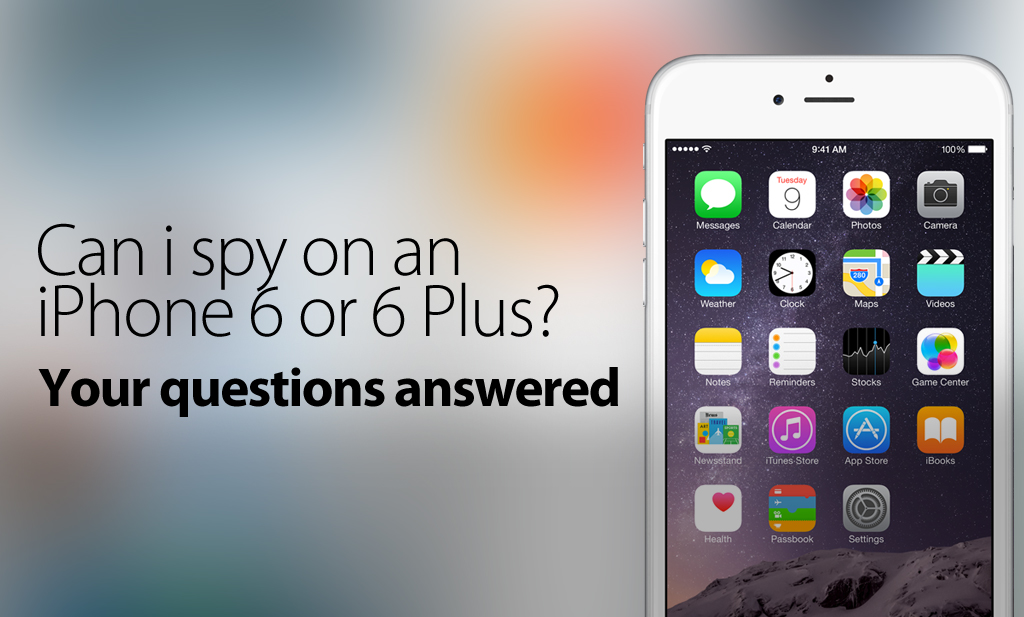
    Step 2- Installa FlexiSPY sul loro smartphone Android e attivalo.

    Step 3 – Aspetta circa un’ora che FlexiSPY raccolga tutte le chat di WeChat sul loro smartphone. FlexiSPY caricherà automaticamente i dati sulla tua dashboard online.

    Step 4 – Sul tuo computer accedi alla dashboard di FlexiSPY.

    Login to the Portal

    Step 5 – Clicca sulla sezione Messaggi e seleziona IM e poi WhatsApp.

    Step 5 – Clicca sulla sezione Messaggi e seleziona IM e poi WhatsApp.

    Step 6 – Tutte le chat di WeChat raccolte da FlexiSPY saranno elencate per poter essere visionate.

    Step 6 – Tutte le chat di WeChat raccolte da FlexiSPY saranno elencate per poter essere visionate.

    Fatto

    Se hai apprezzato questo articolo, potresti trovare interessante Come Spiare le Chat di WeChat su Android. Oppure, se hai delle domande su questo tutorial o su una qualsiasi delle funzionalità di FLexiSPY, non esitare a lasciare un commento qui sotto, contattarci via social media o scriverci sulla
    Live Chat
    !
    Resta connesso per leggere altri articoli di questa serie che spiegano come usare ogni funzionalità di FlexiSPY.

  • Come Spiare le Chat di WeChat su Android

    Come Spiare le Chat di WeChat su Android

    WeChat è un’app di messaggistica uscita nel Gennaio 2011, quando fece il suo debutto in Cina sul mercato degli SMS per poi esplodere sulla scena internazionale. Con più di 15 lingue supportate e 100 milioni di utenti nel mondo – si è rivelato un enorme successo, tuttora in crescita. Una popolarità in gran parte dovuta alle incredibili funzionalità offerte dall’app, quali: sticker, messaggi vocali, video chiamate, e Discover, che ti permette di localizzare via gps le persone vicine a te.

    Nonostante WeChat sia usato principalmente da adolescenti e giovani adulti, il mercato è ancora vasto per le persone della nostra generazione, e audience più maturi stanno iniziando ad adottare WeChat come mezzo essenziale di comunicazione per la vita di tutti i giorni. Come mostrano i dati, praticamente chiunque inizierà presto a usare WeChat, o quanto meno avrà provato. Per questo, se non lo stai monitorando, che sia per bambini, adolescenti, dipendenti, tuo marito o moglie, allora stai perdendo molto.

    Come Spiare le Chat di WeChat su Android

    WeChatMessages

    Di Cosa Hai Bisogno

    1. Avere in mano il loro smartphone Android
    2. Il Software Spia per Cellulari FlexiSPY
    3. 15-20 minuti del tuo tempo (a seconda della tipologia/modello del loro smartphone)

    Una volta assicurato di aver soddisfatto tutti i requisiti elencati di FlexiSPY, sarai pronto per iniziare a leggere le chat di WeChat di altre persone.

    Iniziamo!

    Step 1 – Metti le mani sul loro smartphone Android e assicurati che sia un modello supportato da FlexiSPY.

    Se non sei sicuro puoi contattare il disponibile staff di supporto di FlexiSPY che sarà felice di assisterti.

    Step 2- Installa FlexiSPY sul loro smartphone Android e attivalo.

    Step 3 – Aspetta circa un’ora che FlexiSPY raccolga tutte le chat di WeChat sul loro smartphone. FlexiSPY caricherà automaticamente i dati sulla tua dashboard online.

    Step 4 – Sul tuo computer accedi alla dashboard di FlexiSPY.

    Login to the Portal

    Step 5 – Clicca sulla sezione Messaggi e seleziona IM e poi WeChat.

    Step-5

    Step 6 – Tutte le chat di WeChat raccolte da FlexiSPY saranno elencate per poter essere visionate.

    Tutte le chat di WeChat raccolte da FlexiSPY saranno elencate per poter essere visionate.

    Questo è quanto.

    Il team di FlexiSPY ha fatto in modo di rendere l’arte dello spionaggio estremamente intuitiva, ma se dovessi incontrare qualsiasi problema con una delle nostre funzionalità, sentiti libero di contattarci sulla nostra livechat, i nostri social media o nella sezione per i commenti sottostante: siamo sempre qui per aiutarti!

    Ci auguriamo che questo breve articolo abbia reso quanto sia potente FlexiSPY quando si tratta di spiare uno smartphone Android.

    Le chat di WeChat sono solo una parte del materiale che FlexiSPY è in grado di raccogliere, resta connesso per leggere altri articoli di questa serie che spiegano come usare ogni funzionalità di FlexiSPY.

  • PROVA GRATUITA DI FLEXISPY

    PROVA GRATUITA DI FLEXISPY

    breaking-bad_1x

    Gratis!

    Usa questa parola in qualsiasi frase e è sicuro che attirerà l’attenzione. Infatti, “FlexiSPY gratis” o “Spia per cellulari gratis” sono tra le parole più ricercate sul nostro sito.

    Cosa significa? Queste persone sono solo degli scrocconi o c’è dell’altro?

    Possono esserci molte ragioni, ma pensiamo che alcuni fornitori di spie per cellulari disonesti abbiano reso diffidenti le persone verso l’intera categoria. Per questo abbiamo deciso di dimostrare ai clienti che FlexiSPY è una marca fidata quando si tratta di monitorare dispositivi mobile.

    Offriamo così la licenza di un giorno per FlexiSPY EXTREME, completamente gratis, senza carta di credito. Tutto quello che chiediamo in cambio è che tu ci aiuti a diffondere la parola su Facebook, Twitter o Google Plus.

    La licenza ha una durata di 24 ore, durante le quali potrai valutare il nostro prodotto e servizio clienti. Quando a licenza scade, puoi decidere se continuare acquistando FlexiSPY EXTREME o PREMIUM. Non dovrai neanche reinstallarlo, grazie alla tecnologia Upgrade Anywhere.

    Non importa che tu sia rimasto fregato da mSpy, imbrogliato da Stealthgenie, o deluso da mobisteath: se stai cercando di intercettare un cellulare, di spiare un iPhone o un Android, o di spiare un iPad, prova FlexiSPY EXTREME gratis.
    Discutine Sulla Nostra Chat Live e Inizia

  • What Local Android Call Recording Is & Why FlexiRECORD Is Better

    localcallrecording4

    Many spyphone vendors, including FlexiSPY advertise call recording for Android, but what is it, and why does FlexiSPY not recommend it?

    To recap, Android local call recording is where you set a recording schedule from inside a dashboard, and a TARGET Android device will then start recording calls or surroundings and save them locally to the device.

    At some point later, the recording is sent to the server where it can be listened to.

    So why does FlexiSPY not recommend this? The answer has many parts.

    Firstly, setting a schedule for environmental recording is essentially a blind exercise. Unless you know that something interesting is going to happen, the results will not likely be useful. Who wants to hear a toilet flush, or the sound of the TARGET’s legs rubbing against the device?

    A much more useful scenario is to be able to listen in at will, and if something interesting is happening, then invoke the recording.  Only FlexiSPY can offer this, because we recommend spycall to first listen, and then record, using the FlexiRECORD option if things sound juicy.

    Unfortunately this is not possible with Android local call recording.

    Secondly, and what most vendors WON’T tell you, is that the Android Local Call Recording technique is inherently unstable and is extremely platform dependent. You will find that mostly it does not work, or if it does, you only hear one side of the conversation. This limitation also applies to FlexiSPY, however, we have a unique call interception system that works on Blackberry, iPhone, Android, and Nokia Belle.

    With the addition of the FlexiRECORD product, all call recordings are automated and saved to PC.

    We suggest to our customers to try the Android local call recording first, and if that does not meet their needs, we can provide a full or partial refund, or a discount on FlexiRECORD.

    Try getting a refund from Mspy for this reason!

    FlexiSPY currently offers Android local call recording as part of its EXTREME product, but as its viability has decreased, we will be offering this feature as part of PREMIUM in the very near future.

    Summary of Android local call recording Issues

    1. Local call recording is for Android only

    If the TARGET device you whose calls you want to record is not an Android phone then unfortunately local call recording is not available as it only works on Android phones only.

    2. Local call recording works better on some Android phones than others

    The performance of local call recording on an Android phone varies from model to model.  There is no uniform standard.  This means that it may work well on one Android phone but not so well on another.

    3. The quality of the local call recording will vary depending on Android handset.

    Android devices are exceedingly customizable and this means it is problematic to have local call recording work correctly on every single version of every Android handset.  We already mentioned that call recording performance is dependent on Android model but what does this mean and why?

    When you perform local call recording you essentially want to record both sides of the conversation.  This would be the TARGET device and the person that they are currently talking to when the local call recording takes place.

    Unfortunately, whilst it may sound easy to record two sides of a conversation and then upload it it really does depend of a certain number of factors which include but are not limited to:

    • Android OS version running on the phone
    • Android phone make and model

    Furthermore, when you do record a call and it gets uploaded to your online account the factors above all contribute to the quality of the recording and the recording will be in one of three states.

    • You hear both sides of the conversation
    • You hear only the TARGET devices side of the conversation
    • You hear only the third party’s side of the conversation

    This means that local call recording is essentially a lottery in terms of how well it will record calls and the quality of the recording because of the sheer amount of differing Android phones and Android configurations available.

    So what can you do to ensure that you hear both sides of the conversation at all times and that you can record the conversations of any kind of TARGET phone, not just an Android phone?

    FlexiRECORD.

    FlexiRECORD is a companion product to FlexiSPY Extreme.  In order to operate it you need the following:

    • A TARGET device running FlexiSPY Extreme
    • A PC
    • Your own Android phone

    You install FlexiRECORD on to your PC and your own Android phone.  You then access FlexiRECORD on the PC and enter the details of FlexiRECORD on your Android phone.  With those details in place you simply leave your PC and your own Android phone connected to FlexiRECORD at all times and whenever the TARGET device makes or receives a call using FlexiSPY Extreme FlexiRECORD will automatically record it and save it to your PC so you can listen to it later.

    Recording calls with FlexiRECORD has numerous benefits.

    1. You can record calls from any TARGET device – not just Android phones
    2. You always record both sides of the conversation
    3. Recorded calls are saved as MP3 not AMR which means better quality

    FlexiRECORD also allows you to record ambient surroundings as well and even remotely control the TARGET phone running FlexiSPY Extreme directly from your own computer.

    So if call recording is something you really want out of spy phone software don’t be content with local call recording now that you know its limitations get FlexiSPY Extreme and FlexiRECORD today to see the true power of call recording.

  • FlexiSPY VS mobile spy | Which One Is 100% Undetectable?

    You are about to find out why mobile spy’s undetectability claims don’t protect you from being discovered. We’ll show you the three places on an iPhone where mobile spy can be seen, and why using their app will likely get you found out.

    This article shows results of a test we conducted to verify claims by mobile spy that their software cannot be seen anywhere on the target phone while the app is running. We give you the facts so you can come to your own conclusion about which mobile monitoring software—mobile spy or FlexiSPYwas designed around assuring you will never be discovered monitoring a mobile device.

    We explain exactly how the tests were carried out using a publicly sold copy of mobile spy installed on an iPhone 4 and a 5s.

    We’ll compare the anti-detection effectiveness of both FlexiSPY and mobile spy head-to-head, to demonstrate why FlexiSPY is the best-choice mobile monitoring app for anyone who wants to stay hidden.

    mobile spy’s actual claim to invisibility

    Looking at screen grab below you can read mobile spy’s own words on their website telling you their software is 100% undetectable. Though “complete stealth” might sound reassuring, there are a few other mobile monitoring red flags on the target phone that will give you away, and which are not mentioned anywhere on the site.

    mobilespymonitoringfullstealth
    mobile spy claims to operate in “complete stealth”

    Yes, mobile spy can accurately claim their app’s icon isn’t seen on the target phone, but they don’t mention other serious discovery risks of any mobile spy app that will invite suspicion and get you found out.

    Where To Find mobile spy On An iPhone

    Before getting into how we found mobile spy during our test, let’s first discuss some important points about the iPhone’s design. Spyphone developers have to look at these areas carefully if the application is to operate undetected.

    First there are the Permissions Settings, and the second is what happens on the target phone based on if it is jailbroken or not. Before installing any mobile monitoring software on an iPhone, you have to get full access to the operating system, this is done by a procedure called “jailbreaking”, so you can install whatever programs you wish.

    Later in the article we’ll tell you why jailbreaking a phone is one of the easiest ways to reveal a spyphone app, but for now let’s explore the risks found in Permissions.

    How Permissions Defeat Invisibility

    When an application that’s running on an iPhone is required to send data, use GPS or open the microphone, it must “ask” permission from the phone’s operating system.

    You can see these permission requests in the iPhone Settings menus shown here:

    – Settings > Cellular
    – Settings > Location Services
    – Settings > Microphone

    Each menu displays the name of the app which is requesting permissions, something which will quickly reveal that a spy app is running on the iPhone.

    Take a look at this screen grab below showing what happened when we activated the ambient listening feature on our copy of mobile spy. The program’s permissions request popped up in the microphone menu, offering a clear sign on the target phone that it is being remotely controlled.

    Figure 3- Mobile Spy asking for microphone permissions and appearing in the microphone menu.
    Figure 3- mobile spy asking for microphone permissions and appearing in the microphone menu.

    But mobile spy’s invisibility issues don’t stop at the mic.

    When mobile spy is asked to locate the target phone, it uses the phone’s GPS, triggering another tell-tale permissions request. The image below of mobile spy appearing in the Location Services menu shows how easily their software reveals itself on the target phone.

    As you can see, mobile spy makes itself visible simply by performing routine functions necessary for using some of the app’s most important features.

    But as obvious as these undetectability breaches may seem, mobile spy offers an even easier way to uncover its presence on the target phone.

    Jailbreaking | The Invisibility Spoiler

    Mobile Spy asks for location services permissions after installation and is then visible in the location services settings menu.
    mobile spy asks for location services permissions after installation and is then visible in the location services settings menu.

    Earlier we told you that it’s necessary to jailbreak an iPhone before installing any new software, and here’s why that’s important to know: when you add any new application to an iPhone, you should be aware of its starting state—either Not yet jailbroken or Already jailbroken.

    After you install monitoring software on the target phone you have to be sure that there is no revealing trace of internal changes you have made. One such glaring change occurs whenever you jailbreak a cell phone: an icon called “Cydia” suddenly pops up in the app directory.

    So for a spy phone app to remain undetected you need to make sure that:

    No Cydia icon is visible if the target phone was not jailbroken before.

    No Cydia upgrade notifications or suspicious installation packages are displayed if it was already jailbroken

    Target Phone Not Jailbroken | Watch For This

    When you install spy phone software on a target device that hasn’t been jailbroken before, the sudden appearance of the Cydia icon is likely to arouse suspicion of the app’s presence.

    When you install mobile spy, the Cydia icon is at first clearly visible in the app directory, and disappears once the software has been activated. However to access the instructions for doing this you have to open Cydia and search mobile spy’s 47-page user guide.

    Already Jailbroken | This Happens

    Figure 2 - Mobile Spy visibile inside Cydia as needing o be upgraded with upgrade buble shown.
    .

    On an already jailbroken target phone, the Cydia icon will already be a familiar sight and won’t raise any red flags, but the Cydia Upgrade Notification that appears when mobile spy is installed is sure to cause suspicion. And this is what happens when you install mobile spy.

    The image below shows the Cydia upgrade listing along with a clearly visible upgrade bubble and a suspicious installation package which is mobile spy that will quickly reveal your monitoring activities.

    No matter how many times you upgrade Cydia, that glaring red bubble will never go away. And to completely remove the mobile spy app you just open Cydia and tap Modify and then remove it.

    The Facts Tell It | mobile spy Can Be Detected

    On their website mobile spy sums up the app’s invisibility in two words: “complete stealth”. But as we found through using the software, this promise does not include protecting you from being discovered.

    While mobile spy does allow you to hide the Cydia icon it’s not a very convenient process. And even when Cydia is hidden, other serious stealth threats remain.

    mobile spy customers are advised to scrub all traces of Cydia from their target phone, especially suspicious update requests and unremovable notification bubbles.

    You can go here to find out how FlexiSPY eradicates all traces of Cydia with just one click.

    You may be wondering why there are no FlexiSPY screen shots posted in this article. Not that we have something to hide—we just have nothing to show on this topic. Since FlexiSPY is designed to be invisible everywhere on a target phone, it simply doesn’t show up after being installed.

    mobile spy Is Detectable On An iPhone 3 Ways

    You—like most folks who want to monitor an iPhone—are doing it to help with a problem, but it will be left unsolved and continue to cause grief if you get discovered. FlexiSPY was conceived and developed with keeping you invisible a top priority. This means your absolute concealment is a core function of our software, literally by design.

    So if you’re looking for powerful and reliable iPhone monitoring capabilities plus the proven knowledge you will never be discovered, you can believe promises or benefit from the facts: FlexiSPY keeps you hidden always and everywhere.

    This means that this already solves the issue of what to do if the phone was not previously jailbroken before purchasing the spy phone software.

    FlexiSPY however remains 100% undetected. We are so confident that it cannot be found on an iPhone after installation that we do not need to advertise that it is completely hidden. But this just goes to show that if you want the best spy phone and you want something 100% undetectable then FlexiSPY is it. It is still the only spy phone software that cannot be found once installed on an iPhone. It also gives you complete power over the visibility of Cydia as well.

    Analysis

    iPhone spy software will appear in one of three main locations once installed on an iPhone. We show you how to find it even though the software may be advertised as being completely hidden.

    Settings > General Location services

    It will appear here because the spyphone software needs permission from the operating system to get the device location for you to spy on it. The majority of spy phone software that claim that they are undetectable are usually found here.

    When it comes to FlexiSPY vs. mobile spy it was mobile spy that appeared in this menu.

    Settings > Cellular

    It will appear here because iPhone spy software needs the internet on the phone to upload data to the online account for you to view. This means that there may be times when wifi is not being used to do this. When this happens the phone uses cellular data which is more commonly known as 2G or 3G or 4G. As with location services, the application needs permission from the operating system (iOS) so that the data it collects can be uploaded for you to view. This means it may appear in this menu.

    When it comes to FlexiSPY vs. mobile spy neither were listed in this menu.

    Settings > Microphone

    This is a unique one. Spy phone software will appear here if they use the microphone. This can be for call recording or ambient recording – any feature that uses the microphone. As you know FlexiSPY offers ambient recording for iPhone but still is hidden from this menu.

    mobile spy also offer ambient recording and also manage to hide themselves from appearing in this menu.

    In terms of FlexiSPY vs. mobile spy spy phone software only has to appear once after it has been installed and already any claims about being undetectable are worthless.

    You may be wondering why there are no screenshots with FlexiSPY shown and that is because only mobile spy is visible. When it comes to being undetectable on an iPhone and if you are looking for the best cell phone monitoring software then clearly FlexiSPY rules supreme for providing a great list of features married to software that really is 100% undetectable.

    Appendix

    We’ve listed below detailed specifications of both FlexiSPY and mobile spy applications used in our test:

    The specifications of both FlexiSPY and MobileSPY
    The specifications of both FlexiSPY and mobile spy

    Stay tuned for further blog pieces as we face-off FlexiSPY against all other major spy phone competitors to show that, when we say FlexiSPY really is the best spy phone software and really is 100% undetectable once installed, we have the evidence to prove it.

    You can see how FlexiSPY stacked up against the remaining competitors for software visibility by clicking the links below.

  • FlexiSPY VS stealthgenie | Which One Is 100% Undetectable?

    This article shows why stealthgenie’s claim of stealth doesn’t guarantee you’ll stay hidden — and also shows the two ways that stealthgenie can be discovered on an iPhone

    What you are about to read is the result of tests carried out to verify claims by stealthgenie that their product is 100% undetectable to the person using the monitored cell phone. We put their words to the test – along with similar claims by other manufacturers – and let the facts show which cell phone monitoring software actually delivers on the promise to protect customers from being detected.

    We take you through the procedure and examine the results as we test a commercially available copy of stealthgenie for invisibility on both an iPhone 4 and 5s.

    We also compare the anti-detection capabilities of both FlexiSPY and stealthgenie with a side-by-side test that clearly demonstrates why FlexiSPY is the best mobile monitoring software for those who want to stay invisible at all times.

    stealthgenie’s Claim: Their Software Stays Hidden

    StealthGenie advertise that their software is 100% hidden
    stealthgenie advertise that their software is 100% hidden

    Strictly speaking, their claim is true: stealthgenie’s software app icon can be hidden on the target phone. But what isn’t mentioned are the side effects that a mobile spy app causes that will attract attention and cause you to be detected.

    How to find the stealthgenie spy application on an iPhone

    To help you quickly understand how we uncovered stealthgenie, there are two important things you need to understand about the iPhone’s design. These things must be carefully considered by the spyphone developer if the application is to remain completely invisible.

    The first is the Permissions Settings, and the second is the impact of the starting state of the device at the time it is jailbroken.

    If you’re not already familiar with this term here’s the general idea: Before installing any mobile monitoring software on an iPhone, you have to “jailbreak” it to allow full access so you can install your choice of programs. We’ll talk more about why doing this can be fatal to spyphone invisibility, but first let’s look at Permissions.

    Permissions

    Any application that runs on an iPhone, and needs to use the services listed here also needs to be granted special permissions.

    • Sending Data
    • Using GPS
    • Using the microphone

    These permissions are granted in the following Settings menus of the iPhone:

    • Settings > Cellular
    • Settings > Location Services
    • Settings > Microphone

    In each of these menus, you will find the name of the application that is requesting permissions.

    This is a dead giveaway that the spy app is installed on the iPhone.

    In our test, stealthgenie did not come up in any of the three menus.

    But checking a little further we discovered that stealthgenie did not appear in Settings & Microphone because when we tried to activate the remote recording feature they advertise on their website, the microphone failed to open.

    So while stealthgenie was indeed not visible in the Settings menu during our test, this random by-product of an apparent operational irregularity should not be confused with FlexiSPY’s designed-in and airtight undetectability.

    And we don’t require customers to sacrifice an important spy feature in order to achieve promised invisibility. Another issue that reveals the presence of their monitoring app is easy for anyone to spot: the text command which remotely activates Stealthgenie’s recording feature shows up right in the target phone’s SMS inbox — notifications and all.

    The cydia icon is showing in the app directory
    The cydia icon is showing in the app directory

    Impact Of Jailbreaking

    Before installing any application, the iPhone is in one of these two states:

    Not yet jailbroken.

    Already jailbroken by the user.

    After the installation of a spy application, care must be taken to ensure that there is no sign on the target phone that anything has been changed. But the thing is once you jailbreak a cell phone, an icon labeled “Cydia” appears in the app directory.

    So for a spyphone app to remain undetected you need these conditions:

    – If the cell phone was not jailbroken before, there must be no Cydia icon visible.

    – If it was already jailbroken, the installation package list must appear unchanged.

    The Not Jailbroken Device

    If the iPhone you want to monitor wasn’t jailbroken before, the sudden appearance of the Cydia icon will announce the presence of spy software.

    Though it’s a simple matter to remove the Cydia by including in the software an easy way to remove the icon, but no such feature is offered on the stealthgenie product. That means it’s likely that Cydia will show up in the target phone’s apps directory, just like in the example seen here:

    The Jailbroken Device

    An app that stealthgenie introduces
    An app that stealthgenie introduces

    If the device is already jailbroken, the Cydia icon will already be known to the person using the target phone — however they do not expect to see an unfamiliar installation package. stealthgenie introduces an additional installation package on the cell phone called Mobile Developer which could raise suspicion that the software has been installed.

    The image below shows how opening up the Cydia program plainly reveals a listing for the Mobile Developer package, another way using stealthgenie to monitor a cell phone is a major risk to your concealment.

    While it is easy to remove the telltale listing with one tap, most people are unlikely to know this. FlexiSPY deals with this problem by automatically deleting the package source when installation has finished.

    We knew for sure the listing “Mobile Developer” was stealthgenie because it was the only program we installed on to our iPhone after jailbreaking it. That, and the fact that it’s the only icon for a well-known, reputable app like Facebook or is part of the iPhone software such as Maps.

    What We Found: stealthgenie Is Ultimately Detectable.

    When stealthgenie says on its website that its software runs in stealth mode, perhaps what they really mean is that their application does not have an icon. However, this is not the same thing as being undetectable or invisible, because there are still clear traces of stealthgenie’s presence.

    We recommend that users of stealthgenie hide the Cydia icon, and we provide instructions on how FlexiSPY gives you that option here.

    So while stealthgenie claims their software “will never be found”, it doesn’t guarantee the ultimate goal of keeping yourself hidden from the phone’s user. Put simply – you either stay absolutely invisible and the spy phone software you’re using works, or you don’t and it doesn’t.

    The Final Word: stealthgenie Is Visible On An iPhone In Two Distinct Places

    Successful cell phone monitoring ultimately depends on you not being discovered. FlexiSPY was designed for 100% mobile phone monitoring concealment. So for anyone looking for powerful cell phone monitoring capability and the confidence that at the end of the day you won’t be revealed — these facts speak louder than promises and hype: FlexiSPY hides the app and has you covered.

    Appendix

    Below you can find the detailed specifications of stealthgenie and FlexiSPY used in our visibility tests.

    the detailed specifications of both FlexiSPY and StealthGenie applications
    the detailed specifications of both FlexiSPY and stealthgenie applications

    Stay tuned for further blog pieces as we face-off FlexiSPY against all other major spy phone competitors to show that, when we say FlexiSPY really is the best spy phone software and really is 100% undetectable once installed, we have the evidence to prove it.

    You can see how FlexiSPY stacked up against the remaining competitors for software visibility by clicking the links below.

  • FlexiSPY VS mspy | One Of Them Isn’t Invisible

    Update 5/26/2015

    – Mspy’s application is now completely visible, and is unable to be hidden.

    If you are reading this it’s probably because you need to monitor a cell phone, but are worried about getting discovered. You’ve seen mspy’s claim that their product is completely invisible, but the reality is this does not include keeping you hidden. This article clearly demonstrates exactly how their software is detected by showing you the 3 places where mspy is visible on the target phone.

    To see if their software is truly 100% undetectable on the target phone as claimed, we purchased a commercially available copy of mspy and thoroughly tested its stealth capabilities using an iPhone 4 and 5s. This article details how the test was conducted, and lets the results alone show which spy phone app only talks about invisibility and which one proves it by actually being invisible.

    You’ll see FlexiSPY’s and mspy‘s anti-detection features compared side-by-side, and get a clear understanding why FlexiSPY is the best-choice mobile phone monitoring application for anyone who wants to stay completely hidden.

    mspy says their software can’t be seen

    Take a look at the below screen grab from mspy’s website that advertises their software as being undetectable. You might be impressed the words “100% invisible”, but does that mean everywhere on the target phone?

    invisiblemode
    mspy advertises itself as completely hidden

    Although mspy does keep their app icon hidden, they don’t mention the other signs created by any mobile spy app that will make it easily visible and quickly reveal that the target phone is being remotely monitored.

    Here’s how to find mspy on an iPhone

    Before going into how we uncovered mspy on our test device, we should to explain a couple of important iPhone technical features that interact with any spy phone software. Developers must take great care in designing these features to ensure that the software remains hidden.

    The first of these possible threats is found in the Settings menu under Application Permissions. Next is the starting state of the device— whether or not it is jailbroken prior to installation of the spy phone software.

    For those not clear on what jailbreak means, it’s really quite simple. In order to install cell phone monitoring app on an iPhone, you must first gain special access that allows you to install your choice of software. This is referred to as “jailbreaking”. A little later we’ll explain what happens when you jailbreak an iPhone and how it can reveal your monitoring activities. But first, a look at Permissions.

    App Permissions will reveal mspy

    An application which is running on an iPhone has to “ask permission” from the phone’s operating system any time it’s required to send data, use the GPS or open the microphone.

    You can see these permission requests in the iPhone’s Settings menus. When you tap open any of the menus shown below you’ll see the name of the permission-seeking application.

    • Settings > Cellular
    • Settings > Location Services
    • Settings > Microphone

    This is such an obvious program installation red flag that anyone searching for spy phone software will go straight to the Settings menus before checking anything else on the phone.

    When we tested our copy of mspy, their software revealed two tell-tale listings in the Permissions menu. First, mspy asked permission to open the Microphone when we activated their ambient recording feature. And as you can see in the screen grab below, mspy also shows up under Location Services when it checks the iPhone’s GPS location for upload to the customer’s online account, something that can quickly draw attention and lead to the monitoring app getting discovered.

    mspy_clearly_not_hidden
    Here’s mspy – clearly not hidden..

    Either one of these Permissions requests alone is enough to get you discovered using mspy to monitor a mobile device.

    But there are more, even easier ways to spot mspy’s software installed on an iPhone.

    Jailbreaking can kill spy phone stealth

    An iPhone prior to software installation is either Already jailbroken or Not Yet jailbroken. Each of these possible mobile device starting states presents a different threat to concealment.

    After monitoring software is installed on a mobile, it’s crucial that there is nothing visible on the target phone that would reveal internal changes have been made.

    Here’s where one small detail can turn out to be fatal to invisibility:

    Whenever you jailbreak a mobile device, an icon called “Cydia” pops up in the App Directory.

    But if you install a monitoring app on a device that’s already been jailbroken, the new program can be seen in other places on the target phone.

    This means that, to keep a spy phone app absolutely hidden you need to neutralize whichever one of the detection threats shown below applies to you. The target phone’s starting state tells you which risk to you’ll need to avoid:

    Not Yet jailbroken: The Cydia icon must not be visible on target phone

    Already jailbroken: The existing installation package list must not show any changes. (More about this a little later)

    Cydia Exposed

    The cydia icon is showing in the app directory
    The cydia icon is showing in the app directory

    Here you can see what it looks like when the Cydia icon suddenly appears in the app directory of a previously un-jailbroken iPhone. This is what happens on the target when you install mspy, and it will get you discovered:

    So if the phone isn’t jailbroken, keeping Cydia out of sight on the target phone is a must-have condition to you staying hidden.
    We found that when using mspy there are several steps necessary to hide the Cydia icon. First, you have to open the Cydia program and access the mspy repository. The next screen grab shows just one step of the multi-step Cydia-hiding process:

    You have to do this because mspy has included an additional application inside the repository that must be installed–and the iPhone restarted–before Cydia icon is hidden.

    There is nothing to tell the customer that additional steps are required to hide the Cydia icon, and the instructions for doing this can only be found in the Help section of the mspy online account.

    The fact that you have to go back into the mspy repository and install an additional application in order to hide Cydia raises the risk of detection. Many customers will either forget or be unable to complete the required steps, making it more likely that they will be discovered while using mspy.

    NOT jailbroken phone can get you detected

    As you’ve learned, when you install spy phone software on an iPhone which is not yet jailbroken the Cydia icon shows up on the target phone, drawing attention and raising suspicions.

    To a software developer who is truly in touch with the product’s customers, designing a spy phone app that allows the Cydia icon to be quickly and conveniently hidden just makes good sense and is not difficult to do.

    Trying to hide Cydia using mspy requires you to install an additional program and restart the phone, and the software doesn’t let you know more steps are required.

    ALREADY jailbroken phone threatens monitoring stealth

    If the target phone has already been jailbroken, then the Cydia icon will already be visible and won’t attract any unwanted attention. But what will stand out is the upgrade notification appearing within Cydia that shows the requesting app. And that’s exactly what happens with mspy.

    When you install mspy on a previously jailbroken phone, an upgrade notification bubble appears along with the listing for the software installation package. Once the upgrade notification is seen, all it takes is a couple clicks to entirely remove the app from the target phone.

    Here's mSpy showing itself again.
    Here’s mspy showing itself again.

    Furthermore, even if mspy is upgraded via Cydia, the notification bubble will not go away. This will cause even more suspicion which could lead to the app being removed entirely.

    This next image shows how easy it is to spot these two threats to your concealment while using mspy:

    mspy’s software design requires specific actions to remove clear traces of invisibility on the target phone. FlexiSPY takes care of this for you by automatically deleting the package source, so no installation listing or attention bubble will ever appear.

    Since we didn’t install any other apps on our test phone after it was jailbroken, we know that the listing “iPhoneInternalService” is actually mspy and not some easily recognizable apps like Facebook or phone software such as Maps.

    Bottom Line: mspy CAN be detected on an iPhone

    mspy’s website says their software runs in “100% invisible mode”, but what this means is simply that their app does not have an icon. But not having an icon is not guarantee of 100% invisibility.

    So if you’re using mspy, our advice is to make a list of potential stealth threats so you won’t forget that you have to deal with each of them if you don’t want to be discovered.

    Or you can take a look here and see how FlexiSPY lets you get truly invisible with just one click.

    mspy’s claim that their app “…cannot be detected by your target…” is not a promise they you won’t be uncovered. The point is, there is no gray area when it comes to cell phone monitoring software. It either actually does what it claims and keeps you hidden on the target phone, or it lets you be detected.

    Just remember this and you’ll stay hidden…

    To successfully monitor an iPhone without being detected, you need a spyphone app that’s always invisible in all areas of the target phone. So if you’re looking for the most powerful cell phone monitoring features available plus the confidence that you will never be detected, the truth is in the facts: FlexiSPY takes care of everything you need to always stay invisible, everywhere on the target phone.

    Appendix

    Below are listed detailed specifications of mspy and the iPhones used for testing.

    mspy-chart
    A chart of the specifications of both FlexiSPY and mspy applications

    Stay tuned for further blog pieces as we face-off FlexiSPY against all other major spy phone competitors to show that, when we say FlexiSPY really is the best spy phone software and really is 100% undetectable once installed, we have the evidence to prove it.

    You can see how FlexiSPY stacked up against the remaining competitors for software visibility by clicking the links below.

  • FlexiSPY vs mobistealth | One’s Invisible The Other Isn’t

    FlexiSPY vs mobistealth | One’s Invisible The Other Isn’t

    Summary

    This article will clearly demonstrate why mobistealth’s invisibility claim does NOT include keeping you hidden, by uncovering the place on an iPhone where mobistealth can be seen that will give you away every time.

    You will read a detailed explanation of how we tested the accuracy of mobistealth‘s claim that their cell phone monitoring software is undetectable on the target phone. We present the facts that clearly show which spy phone software only says it protects you from being found out and which one actually delivers true mobile monitoring invisibility.

    We explain our testing methodology and look at the test results using a commercially available copy of MobiStealth installed on an iPhone 4 and 5s.

    You’ll see FlexiSPY’s and mobistealth‘s anti-detection features compared for detectability, and why FlexiSPY is the best mobile phone monitoring application for anyone who wants to stay totally hidden.

    mobistealth Says Their Software Is 100% Undetectable

    What you see below is an actual screen grab from mobistealth’s website where they claim their software is invisible. While it says right there: “No One Will Ever Know They Are Being Monitored”, the site doesn’t warn you about the other ways mobistealth can be easily detected on the target phone.

    ultimate-cell-phone-monitoring-software
    From the mobistealth website. They are clearly advertising as being hidden with the line “No One Will Ever Know They Are Being Monitored”

    While it is true that mobistealth hides the app icon on the target phone, what they don’t tell you about are other traces created by a mobile spy app which will quickly show that the target phone is being monitored.

    Find mobistealth on an iPhone? It’s Easy.

    Before explaining how we located the mobistealth software on the iPhone, we should first take a look at two important iPhone technical features that apply to any spy phone program. Spyphone developers have to be sure these features are properly designed if the software is to stay absolutely invisible.

    First, there are the application permissions found in the Settings menu. The second is the device’s starting state: jailbroken or not jailbroken.

    If you’re not exactly sure what jailbreaking is, the idea is simple: If you want to install a mobile phone spying app on an iPhone, it’s necessary to get special access that allows you to install the programs you want to use, or “jailbreak” the device. Later in the article you’ll see what happens on the iPhone when you do this, and how it can get you discovered. First, let’s look at Permissions.

    Application Permissions will get you discovered

    When an application which is running on an iPhone has to send data, use the GPS or microphone, it must first get special permission from the phone’s operating system.

    These permissions are displayed in the iPhone’s Settings menus as shown below:

    • Settings > Cellular
    • Settings > Location Services
    • Settings > Microphone

    If you simply tap open any of these menus you can see the name of the application requesting the permissions.

    This is a sure giveaway that monitoring software has been installed on the iPhone and is one of the first places someone searching for spy phone software will check.

    When we tested our copy of mobistealth, their software did indeed stay hidden in the location services and cellular permissions menus. And although it also did not appear in Settings > Microphone, we found that this was only because the audio recording feature mobistealth offers as part of their software failed to work. Therefore we could not determine for sure whether mobistealth is visible in Settings > Microphone, even if the feature can be made to function as advertised. But digging a little further we uncovered something about the associated function that makes the question of invisibility in this menu a moot point.

    The SMS message command needed to activate remote audio recording could actually be seen, giving the target phone’s user a clear sign that mobistealth has been installed.

    FlexiSPY removes this detection risk by making sure our software is always hidden in the Permissions menus, and that remote command text messages are never visible on the target phone.

    As simple as these invisibility threats are to find, there’s an even easier way to detect a mobile monitoring app on a cell phone.

    Jailbreaking can ruin invisibility

    Before you install any software the iPhone will be in one of two states:

    Either the target phone is NOT YET jailbroken or it is ALREADY jailbroken.

    Once you install spy software on a cell phone, you have to be sure there is no sign on the target phone that indicates anything has been changed internally. And this is how one small but crucial detail will give you away– any time a mobile phone is jailbroken, an icon labeled “Cydia” appears in the app directory.

    So in order for a mobile monitoring app to be 100% hidden, the following two conditions must be met at the time of installation:

    – If the mobile phone was not previously jailbroken, the Cydia icon must not be visible.

    – If it’s already jailbroken, the existing installation package list must not show any changes.

    Phone NOT jailbroken a detection risk

    This Cydia Icon is definitely going to look strange to the owner of the phoneThis Cydia Icon is definitely going to look strange to the owner of the phone
    This Cydia Icon is definitely going to look strange to the owner of the phone

    The below grab from an iPhone that was not jailbroken before mobile monitoring software was installed clearly shows the Cydia icon in the app directory just as it looks on the target device. That icon’s sudden appearance is more than likely to attract attention and raise suspicion that the device is being remotely monitored.

    Solving the Cydia icon problem is a simple matter of designing the software so that the Cydia icon can be removed, but mobistealth’s software doesn’t include any such feature.

    Phone ALREADY jailbroken causes suspicion

    On an already-jailbroken iPhone, the presence of the Cydia icon will already be familiar to the person using it, but what will make them suspicious is the sudden appearance of an unknown installation package. And this is exactly what happens because mobistealth puts an additional Installation Package called SBTerminal onto the iPhone.

    Here below you can see that their Installation Package listing is plainly visible in the Sources menu. This is an obvious red flag that will quickly draw attention to the fact that mobistealth’s software is running on the target phone:

    Although it’s actually quite simple to tap and delete the tell-all listing, many people are not aware of this. But with FlexiSPY there’s nothing to tap away, because our software automatically deletes the package source once the installation is complete.

    Here's MobiStealth being shown at vyk..
    Here’s mobistealth being shown at vyk..

    How did we identify “vyk.me” as mobistealth? It clearly is not a trusted app like Twitter, nor is it part of the iPhone’s software like Maps. Plus— we made sure that no other software besides mobistealth was installed after jailbreaking our test phone­.

    Our finding: You can detect mobistealth on an iPhone

    mobistealth claims on their website “No One Will Ever Know They Are Being Monitored”, but what this actually means is their software runs without displaying an icon. Our point is that “no icon” is not a guarantee of absolute concealment, because there are other clear signs of mobistealth on the iPhone.

    Our advice to mobistealth customers: get that Cydia icon hidden if you don’t want to get discovered.

    We show you here how FlexiSPY lets you do this with just one click.

    mobistealth‘s claim that “No One Will Ever Know They Are Being Monitored” doesn’t actually say it will keep you fully concealed. The true test of any mobile phone monitoring software is strictly pass/fail — it either keeps you hidden from the phone’s owner, or allows you to be detected.

    What this all means to you

    Seen from the developer’s viewpoint, spyphones should be called “Monitoring Concealment” apps, because a properly designed spyphone will have invisibility in all areas of the target phone as its top priority. So for someone who needs powerful mobile phone monitoring capabilities and the assurance they will never be detected, the facts confirm it: FlexiSPY hides the app and keeps you concealed.

    Appendix

    Below you can find the detailed specifications of MobiStealth.

    MobiStealth Specs
    For reference, this chart shows the specifications of mobistealth used in our tests.

    Stay tuned for further blog pieces as we face-off FlexiSPY against all other major spy phone competitors to show that, when we say FlexiSPY really is the best spy phone software and really is 100% undetectable once installed, we have the evidence to prove it.

    You can see how FlexiSPY stacked up against the remaining competitors for software visibility by clicking the links below.

  • How FlexiSPY’s Remote Update Protects Your Investment

    updatebanner

    The Problem With Software Updates

    We have a love/hate relationship with software updates—right?.

    Whether it’s MS Windows—just when you’re shutting down—or yet another Facebook update on your mobile phone, updates can bring joy and despair.

    Joy, because you should be getting improvements.

    Despair, because you KNOW it’s bound to break something else—like the spyphone software you just installed on a cellphone. For example, every time there is new feature added to a mobile instant messaging program , it’s pretty likely to crash your mobile monitoring spy software.

    Not with FlexiSPY­­! Read on to see how FlexiSPY deals with application software updates changes that are incompatible, and how it will keep delivering you spy information, without you having to physically reinstall.

    FlexiSPY Remote Updates Solves The Problem

    Because you’re capturing information from many different apps (Facebook, Line, WhatsApp, Email, etc.), any updates to those individual apps can become a critical issue. As soon as your Target user updates one of the apps you’re monitoring, there is always a chance the new version of that app may interfere with FlexiSPY’s ability to continue capturing it. Of course this is true for all monitoring software, but while you’re often SOL with other brands, FlexiSPY has designed its software to avoid that problem.

    Generally there are two things to consider when one of the apps you’re monitoring gets updated. The first is how quickly your spy software can release an update to capture the new versions of those apps. Assuming they are on the ball and make adjustments quickly to keep up with the changes, you’ll still need to find a way to get your Target device back so you can reinstall the updated version of your spy software.

    This is often a problem for many customers, and in that case you wouldn’t receive further data from the broken apps until you could reclaim your Target device to reinstall your spy software, assuming there was an update available for it.

    FlexiSPY makes this easier in two very important ways.

    Unlike other companies, our developers work around the clock to release updates for your software as soon as possible, whenever any of your monitored apps receive a critical update.

    accountsettingupdate

    And when updates are available, you’ll see an “Update” button in your Dashboard. Pushing this button initiates a remote update that should happen within the next 24 hours, or at the next successful device connection. This is a remote process that does not require you to retrieve the phone to update the software.

    updateavailable

    This is an important difference between FlexiSPY and other brands. We know it’s often difficult to get the phone back, especially if you don’t often see the person you’re monitoring, or even impossible if they are travelling or physically in a different area.

    Remote Update is another way that FlexiSPY is looking out for you, making it easier to keep monitoring your data and protecting your investment when an update is needed – even if you can’t get the phone back to reinstall.

    You shouldn’t have to pay extra for security, and with FlexiSPY it’s built right in.

    Note: Remote Updates are currently available for iPhone target phones only. FlexiSPY is doing its best to bring you the latest cool features to all our phone platforms – please stay tuned!